
MAPS: M inutes and AP pendice S ::::::::::::::::::::::#13
|
|
|
- Adriaan Boender
- 10 jaren geleden
- Aantal bezoeken:
Transcriptie
1 Nederlandstalige TEX Gebruikersgroep MAPS: M inutes and AP pendice S ::::::::::::::::::::::#13 (942) Verslag: 1 Opening 13 e NTG bijeenkomst 9 juni 1994 :::::::::::::::::::::::::::::::::::::::::1 2 Verslag NTG bijeenkomst van 18 november 1993 ::::::::::::::::::::::::::::::::::: 1 3 Ingekomen stukken en Mededelingen ::::::::::::::::::::::::::::::::::::::::::::::1 4 NTG ledenvergadering ::::::::::::::::::::::::::::::::::::::::::::::::::::::::::: 2 5 Verslag werkgroepen :::::::::::::::::::::::::::::::::::::::::::::::::::::::::::::3 6 Rondvraag en Sluiting ::::::::::::::::::::::::::::::::::::::::::::::::::::::::::::4 7 Voordrachten: TEX en Educatie ::::::::::::::::::::::::::::::::::::::::::::::::::4 8 Volgende bijeenkomsten ::::::::::::::::::::::::::::::::::::::::::::::::::::::::::4 9 Sluiting :::::::::::::::::::::::::::::::::::::::::::::::::::::::::::::::::::::::::4 Bijlagen: A Het weten waard :::::::::::::::::::::::::::::::::::::::::::::::::::::::::::::::::5 B Van de Voorzitter :::::::::::::::::::::::::::::::::::::::::::::::::::::::::::::::: 7 C Van uw MAPS Editor :::::::::::::::::::::::::::::::::::::::::::::::::::::::::::: 8 D NTG s Listserver TEX-NL :::::::::::::::::::::::::::::::::::::::::::::::::::::::10 E NTG s Listserver 4TEX :::::::::::::::::::::::::::::::::::::::::::::::::::::::::12 F Verslag TUG 94 ::::::::::::::::::::::::::::::::::::::::::::::::::::::::::::::::14 G Goossens at TUG 94 ::::::::::::::::::::::::::::::::::::::::::::::::::::::::::::18 H Report CyrTUG 94 :::::::::::::::::::::::::::::::::::::::::::::::::::::::::::::23 I Goossens at EuroTEX 94 ::::::::::::::::::::::::::::::::::::::::::::::::::::::::27 J FGBBS: de kastelein ::::::::::::::::::::::::::::::::::::::::::::::::::::::::::::31 K General information 4allTEX CD-ROM :::::::::::::::::::::::::::::::::::::::::::::34 L 4allTEX, the ultimate TEX-resource ::::::::::::::::::::::::::::::::::::::::::::::: 37 M The NTG 4allTEX CD-ROM on the Macintosh :::::::::::::::::::::::::::::::::::::::39 N Makefont: a new 4TEX utility :::::::::::::::::::::::::::::::::::::::::::::::::::::40 O P TEX zonder omhaal; voor Atari ST en andere PC s (V) ::::::::::::::::::::::::::::::43 TEX zonder omhaal; voor Atari ST en andere PC s (VI) :::::::::::::::::::::::::::::45 Q NTEX12 :::::::::::::::::::::::::::::::::::::::::::::::::::::::::::::::::::::: 51 R BLUe blood in math mode? ::::::::::::::::::::::::::::::::::::::::::::::::::::::52 S CijferBLUes: Verborgen schoonheid in LATEX209 :::::::::::::::::::::::::::::::::55 T The new LATEX: LATEX2 " ::::::::::::::::::::::::::::::::::::::::::::::::::::::::57 U Document Classes and Packages for LATEX2 " ::::::::::::::::::::::::::::::::::::::58 V How to make your own document style in LATEX2 " :::::::::::::::::::::::::::::::::65 W A Guide to use Macros and Style Files in LATEX ::::::::::::::::::::::::::::::::::::73 X Een proefschrift zonder knippen en plakken :::::::::::::::::::::::::::::::::::::: 111 Y TEX: buitengewoon goed tekstverwerken :::::::::::::::::::::::::::::::::::::::::115 Z TEX en SGML bij Elsevier Science ::::::::::::::::::::::::::::::::::::::::::::::118 A Real life book production lessons learned from The LATEX Companion ::::::::::123 B Headers and footers in LATEX ::::::::::::::::::::::::::::::::::::::::::::::::::::127 C Metafont als matrixprinter ::::::::::::::::::::::::::::::::::::::::::::::::::::::136 D PostScript fonts in TEX ::::::::::::::::::::::::::::::::::::::::::::::::::::::::: 139 E (Al)DraTEX, a package for doing (portable) graphics in TEX :::::::::::::::::::::::: 149 F Plaatjes in een tekst ::::::::::::::::::::::::::::::::::::::::::::::::::::::::::::153 G PPCHTEX: Chemische Structuurformules in TEX ::::::::::::::::::::::::::::::::: 167 H Een meertalige interface naar TEX ::::::::::::::::::::::::::::::::::::::::::::::::178 I Sub- en Superscripts in Chemische Formules :::::::::::::::::::::::::::::::::::::183 J MIDI2TEX, een MusicTEX tool ::::::::::::::::::::::::::::::::::::::::::::::::::184 K BLUe s Format ::::::::::::::::::::::::::::::::::::::::::::::::::::::::::::::::189 L BLUe s Graphs ::::::::::::::::::::::::::::::::::::::::::::::::::::::::::::::::200 M BLUe s Cross-referencing ::::::::::::::::::::::::::::::::::::::::::::::::::::::207 N Paradigms: Plain s item-s extended ::::::::::::::::::::::::::::::::::::::::::::::210 O Paradigms: Headache? :::::::::::::::::::::::::::::::::::::::::::::::::::::::::212 P NTG ledeninformatie ::::::::::::::::::::::::::::::::::::::::::::::::::::::::::215

2 De NTG vereniging Voorzitter: Secretaris: Penningmeester: Bestuursleden: JL Braams, Internet: GJH van Nes, ECN, Unit Faciliteiten, Petten Internet: W Dol, Internet: EHM Frambach, RUG, Econometriem, Groningen Internet: F Goddijn, Internet: Postadres: Nederlandstalige TEX Gebruikersgroep, Postbus 394, 1740 AJ Schagen Postgiro: , , tnv Penningmeester NTG, tnv Ph Vanoverbeke (NTG) Leiden Langenhoekstraat 28, B-8210 Veldegem, België bestuur: De Nederlandstalige TEX Gebruikersgroep (NTG) is een vereniging die tot doel heeft het bevorderen van de kennis en het gebruik van TEX De NTG tracht dat te bereiken door het uitwisselen van informatie, het organiseren van congressen, symposia en tentoonstellingen mbt TEX en TEX-produkten, en doorhet onderzoeken en vergelijken van TEX met soortgelijke/aanverwante produkten De NTG biedt haar leden ondermeer het volgende: Tweemaal per jaar een NTG-bijeenkomst Tweemaal per jaar de uitgebreide NTG MAPS (Minutes and APpendiceS) Speciale MAPS uitgaven (oa TEX cursusmateriaal en PR set) De 4allTEX CD-ROM met een volledigeen direct te gebruiken TEX PC-DOS implementatie inclusief een zeer uitgebreide verzameling van utilities De CD-ROM bevat ruim 100 Mbyte aan documentatie, inclusief discussielijsten van vele jaren, alle MAPS uitgaven, en zeer veel tutorials De discussielijst TEX-NL waarop vragen gesteld worden Ook worden er via deze listserver ervaringen uitgewisseld De fileserver TEX-NL waarop algemeen te gebruiken TEX-produkten staan De meeste van deze TEX-produkten zijn, tegen geringe vergoeding, ook op diskette verkrijgbaar Daaronder valt ook de 4allTEX distributie set: een gebruiksvriendelijke en volledige LATEX/TEX implementatie voor PC-DOS systemen Het NTG FGBBS Bulletin Board met ruim 100 MByte aan TEX en aanverwante software Aktiviteiten in werkgroepen Enkele belangrijke werkgroepen zijn: Nederlandse TEX, PC s en TEX, educatie (cursussen), en communicatie Korting op (buitenlandse) TEX congressen en cursussen, en op het lidmaatschap van TUG Eenmaal per jaar een ledenlijst met per lid informatie welke software en welke hardware, in relatie met TEX, wordt gebruikt Lid worden kan door overmaking aan de penningmeester van het verschuldigde contributie bedrag Daarnaast dient een informatieformulier te worden ingevuld, welke laatste via het secretariaat te verkrijgen is De contributie voor een persoonlijk lidmaatschap bedraagt f 75,, de contributie voor een instituutslidmaatschap bedraagt f 200, Een instituutslidmaatschap geeft het recht om drie personen aan te wijzen die informatie welke aan de leden wordt verstuurd, ontvangen Van die drie personen dient één persoon te worden aangewezen als rechtsgeldige vertegenwoordiger van het bedrijf/instituut, een ander als vervangend vertegenwoordiger Indien meer leden per bedrijf/instituut lid willen worden, geldt als additioneel tarief f 50, per persoon Voor studenten geldt eveneens een tarief van f 50, (geen stemrecht; bewijs van inschrijving vereist) Voor afwijkende regelingen dient contact met het bestuur opgenomen te worden Tarieven gelden voor 1994 Een gecombineerd NTG/TUG lidmaatschap voor 1994 bedraagt f 171,- per jaar (ipv f 75,- + $ 60) Belgische leden kunnen de lidmaatschapskosten van BF 1420 (individueel), BF 3790 (instituutslidmaatschap) of BF 3240 (NTG/TUG lidmaatschap) overmaken op de NTG Belgische postgiro te Veldegem (zie hierboven) De statuten van de Nederlandstalige TEX Gebruikersgroep zijn via het secretariaat of via de fileserver te verkrijgen

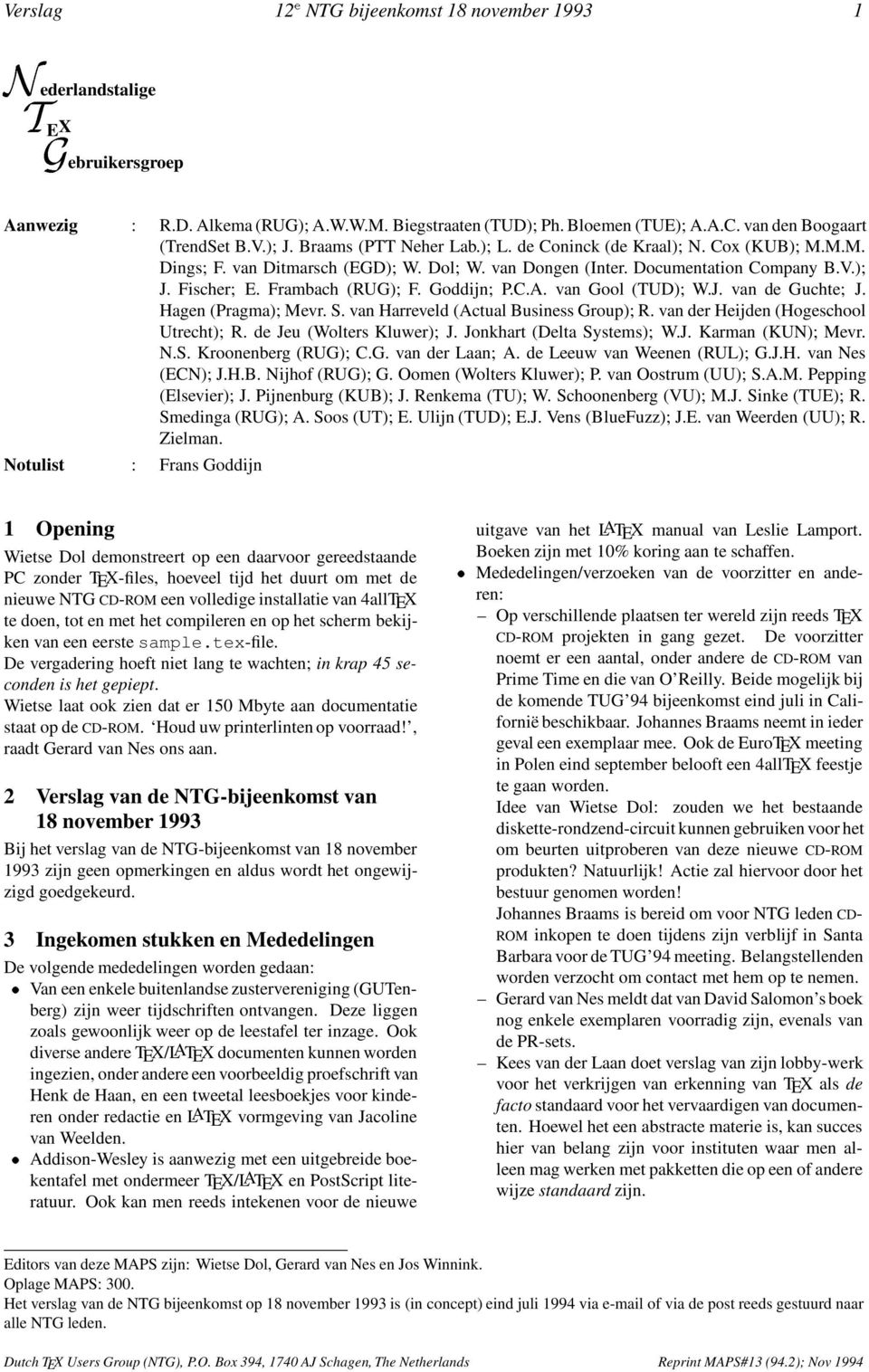
3 Verslag 12 e NTG bijeenkomst 18 november Nederlandstalige T E X Gebruikersgroep Aanwezig : RD Alkema (RUG); AWWM Biegstraaten (TUD); Ph Bloemen (TUE); AAC van den Boogaart (TrendSet BV); J Braams (PTT Neher Lab); L de Coninck (de Kraal); N Cox (KUB); MMM Dings; F van Ditmarsch (EGD); W Dol; W van Dongen (Inter Documentation Company BV); J Fischer; E Frambach (RUG); F Goddijn; PCA van Gool (TUD); WJ van de Guchte; J Hagen (Pragma); Mevr S van Harreveld (Actual Business Group); R van der Heijden (Hogeschool Utrecht); R de Jeu (Wolters Kluwer); J Jonkhart (Delta Systems); WJ Karman (KUN); Mevr NS Kroonenberg (RUG); CG van der Laan; A de Leeuw van Weenen (RUL); GJH van Nes (ECN); JHB Nijhof (RUG); G Oomen (Wolters Kluwer); P van Oostrum (UU); SAM Pepping (Elsevier); J Pijnenburg (KUB); J Renkema (TU); W Schoonenberg (VU); MJ Sinke (TUE); R Smedinga (RUG); A Soos (UT); E Ulijn (TUD); EJ Vens (BlueFuzz); JE van Weerden (UU); R Zielman Notulist : Frans Goddijn 1 Opening Wietse Dol demonstreert op een daarvoor gereedstaande PC zonder TEX-files, hoeveel tijd het duurt om met de nieuwentg CD-ROM eenvolledigeinstallatievan4alltex te doen, tot en met het compileren en op het scherm bekijken van een eerste sampletex-file De vergadering hoeft niet lang te wachten; in krap 45 seconden is het gepiept Wietse laat ook zien dat er 150 Mbyte aan documentatie staat op de CD-ROM Houd uw printerlinten op voorraad!, raadt Gerard van Nes ons aan 2 Verslag van de NTG-bijeenkomst van 18 november 1993 Bij het verslag van de NTG-bijeenkomst van 18 november 1993 zijn geen opmerkingen en aldus wordt het ongewijzigd goedgekeurd 3 Ingekomen stukken en Mededelingen De volgende mededelingen worden gedaan: Van een enkele buitenlandse zustervereniging (GUTenberg) zijn weer tijdschriften ontvangen Deze liggen zoals gewoonlijk weer op de leestafel ter inzage Ook diverse andere TEX/LATEX documenten kunnen worden ingezien, onder andere een voorbeeldig proefschrift van Henk de Haan, en een tweetal leesboekjes voor kinderen onder redactie en LATEX vormgeving van Jacoline van Weelden Addison-Wesley is aanwezig met een uitgebreide boekentafel met ondermeer TEX/LATEX en PostScript literatuur Ook kan men reeds intekenen voor de nieuwe uitgave van het LATEX manual van Leslie Lamport Boeken zijn met 10% koring aan te schaffen Mededelingen/verzoeken van de voorzitter en anderen: Op verschillende plaatsen ter wereld zijn reeds TEX CD-ROM projekten in gang gezet De voorzitter noemt er een aantal, onder andere de CD-ROM van Prime Time en die van O Reilly Beide mogelijk bij de komende TUG 94 bijeenkomst eind juli in Californië beschikbaar Johannes Braams neemt in ieder geval een exemplaar mee Ook de EuroTEX meeting in Polen eind september belooft een 4allTEX feestje te gaan worden Idee van Wietse Dol: zouden we het bestaande diskette-rondzend-circuit kunnen gebruiken voor het om beurten uitproberen van deze nieuwe CD-ROM produkten? Natuurlijk! Actie zal hiervoor door het bestuur genomen worden! Johannes Braams is bereid om voor NTG leden CD- ROM inkopen te doen tijdens zijn verblijf in Santa Barbara voor de TUG 94 meeting Belangstellenden worden verzocht om contact met hem op te nemen Gerard van Nes meldt dat van David Salomon s boek nog enkele exemplaren voorradig zijn, evenals van de PR-sets Kees van der Laan doet verslag van zijn lobby-werk voor het verkrijgen van erkenning van TEX alsde facto standaard voor het vervaardigen van documenten Hoewel het een abstracte materie is, kan succes hier van belang zijn voor instituten waar men alleen mag werken met pakketten die op een of andere wijze standaard zijn Editors van deze MAPS zijn: Wietse Dol, Gerard van Nes en Jos Winnink Oplage MAPS: 300 Het verslag van de NTG bijeenkomst op 18 november 1993 is (in concept) eind juli 1994 via of via de post reeds gestuurd naar alle NTG leden Dutch TEX UsersGroup (NTG), PO Box394, 1740 AJ Schagen, The Netherlands Reprint MAPS#13 (942); Nov1994
4 2 12 e NTG bijeenkomst 18 november 1993 Verslag Gerard van Nes bericht dat diegenen die een MAPS hebben ontvangen waarvan een of meerdere bladzijden onleesbaar zijn, deze kunnen omruilen (toesturen na de vergadering is ook mogelijk) De NTG leden worden uitgenodigd om deel te nemen aan de komende EuroTEX bijeenkomst te Polen De kosten zijn zeer laag Bij voldoende belangstelling kan vervoer per busje plaatsvinden 4 NTG ledenvergadering 41 Jaarverslag secretaris Er worden geen opmerkingen gemaakt met betrekking tot het jaarverslag, en aldus wordt het goedgekeurd Gerard van Nes meldt als aanvulling, dat het NTG ledenaantal inmiddels de 250 is gepasseerd! 42 Jaarverslag penningmeester Simon Pepping heeft een fout in de becijfering van de balans ontdekt (MAPS 941, blz 16, tabel 2 en 3) Johannes Braams erkent dit; het betreft een typografische onjuistheid, geen financiële misser De correcte balanstabellen zijn: Bedragen in guldens Aktiva Passiva Giro 23256,16 Kas Contributies 281,50 Debiteuren 6518,11 Crediteuren 90,00 Kapitaal 16546, , ,16 Tabel 2: De balans per 1 januari 1993 Bedragen in guldens Aktiva Passiva Giro 14078,01 Kas Contributies 675,20 Debiteuren 267,00 Crediteuren 2103,85 Kapitaal 12916, , ,21 Tabel 3: De balans per 31 december Verslag commissie voor kascontrole Wietse Dol vertelt (mede namens kascontrole lid Jules van Weerden) dat uit controle van de boeken is gebleken dat de penningmeester alles uitstekend heeft gedaan en vastgelegd De hoge uitgaven die zijn gedaan, kwamen direct ten goede aan de leden zelf 44 Vaststelling van nieuwe commissie voor kascontrole Jules van Weerden is bereid gevonden wederom plaats te nemen in de nieuwe kascommissie Simon Pepping stelt zich eveneens beschikbaar Genoemd wordt dat de werkzaamheden hooguit één avond in beslag nemen 45 Bestuursverkiezingen Eerst wordt voorgesteld de twee kandidaat-bestuursleden te benoemen, hetgeen bij acclamatie (Wietse Dol) en handgeklap (Frans Goddijn) gebeurt Johannes Braams ontvangt uit handen van vertrekkend voorzitter Kees van der Laan een fraaie en toch niet te zware voorzittershamer Johannes dankt Kees voor zijn langdurige en volledige inzet voor het NTG en spreekt de hoop uit dat we hierop mogen blijven rekenen Nadat Kees voor enkele ogenblikken de zaal heeft verlaten, brengt Wietse Dol het voorstel in stemming om Kees te benoemen tot erelid De vergadering onthaalt dit voorstel op een hartelijk applaus Kees, die de zaal weer betreedt, krijgt het nieuws te horen van Wietse, die erbij vertelt dat het erelidmaatschap zo zijn verplichtingen meebrengt Er hoort ook een kado bij: Kees ontvangt het enige unieke eerste gold exemplaar van de NTG 4allTEX CD-ROM Kees maakt bekend dat hij voornemens is een commissie van oudgedienden te vormen, met leden die zeer lang zeer aktief betrokken zijn geweest en nu deels informeel, deels structureel behoeder willen blijven van het NTG Deelnemers van de commissie zullen voorlopig zijn: Kees van der Laan en Jos Winnink 46 NTG lidmaatschappen Johannes Braams meldt dat twee leden de contributie over 1993 niet hebben betaald, ondanks herhaalde verzoeken en herinneringen, per post, en telefoon wanneer dat maar mogelijk was Het voorstel is deze leden te royeren Siep Kroonenberg vraagt zich af waarom zulke zaken in de vergadering moeten worden besproken Kan het lidmaatschap niet stilzwijgend vervallen bij wanbetaling? Johannes legt uit dat bij de oprichting van onze vereniging nu eenmaal deze procedure is vastgesteld Dit sluit aan bij Nederlands gebruik dat een lidmaatschap of abonnement doorloopt tenzij er door het lid of door de abonnee wordt opgezegd Overigens geldt dat het bestuur in het algemeen zeer tolerant is bij een te late opzegging Er is niemand tegen de voorgestelde royementen en niemand onthoudt zich De leden Bison en Aerts zijn geroyeerd Dit kan door hen worden tenietgedaan door betaling van het verschuldigde 47 Wat verder ter tafel komt Gerard van Nes meldt dat er weer een NTG MAPS-Award is toegekend Ook ditmaal waren er weer velen die zich bijzonder verdienstelijk hebben gemaakt, waardoor een goede MAPS kon worden uitgebracht De keuze is uiteindelijk gevallen op Sebastian Rahtz, als blijk van waardering voor zijn MAPS artikelen en met name voor zijn inspanningen ten dienste van de bloeiende relatie tussen zijn Baskerville publicatie en de MAPS, waaruit een gestage stroom aan wederzijdse vertalingen en uitwisselingen voortvloeit Reprint MAPS#13 (942); Nov 1994 Dutch TEX Users Group (NTG), PO Box 394, 1740 AJ Schagen, The Netherlands

5 Verslag 12 e NTG bijeenkomst 18 november Voor wie dit nog niet wist: de NTG MAPS Award bestaat uit een reusachtige puntzak box255, gevuld met een verzameling kleurrijkewiebervormige rekbare objecten::: met een hoog gehalte lucht en suiker: TEX-spekkies 5 Verslag werkgroepen 51 PC zaken: 4allTEX Wietse Dol, Erik Frambach en Phons Bloemen zijn alweer begonnen aan het verzamelen en inbouwen van een update van de diskettescollectie, ten behoeve van gebruikers zonder CD-ROM Ookiseen update-filevoorde CD-ROM users in voorbereiding De 4TEX discussielijst loopt uitstekend Twee maanden na introductie waren er al ongeveer 100 subscribers Alle discussie wordt via listserv gearchiveerd, waardoor oude vragen/antwoorden door nieuwe gebruikers altijd weer op te vragen zijn Phons Bloemen merkt op dat menigeen is ontgaan dat TEX reeds is te gebruiken met één of twee diskettes uit de 4allTEX collectie Door alle uitbreidingen ontstaat de indruk dat deze ook per se noodzakelijk zijn om met TEX te kunnen werken Rene van der Heijden vraagt of er aan kan worden gedacht dat niet iedereen High-Density diskettes kan lezen Zou er ook een 720 Kbyte-per-diskette verzameling kunnen komen? Andrea de Leeuw van Weenen wijst erop dat anderen weer graag de verzameling op inch zouden willen ontvangen Kees van der Laan oppert het idee om alsnog een, bijvoorbeeld DEMOTEX genaamde, miniatuur TEX-versie samen te stellen Wietse Dol weet dat er op de TU van Twente Adwin Soos aan zoiets werkt Verder wordt onder andere de mogelijkheid beschouwd om in de toekomst ook te kijken naar vergrote bruikbaarheid van de CD-ROM op andere systemen, zoals Atari, en Apple Gerard van Nes deelt mede dat de 4allTEX CD-ROM al met succes op het PC (Pathwork) netwerk van zijn werkgever is uitgetest Daarnaast konden tekstfiles zonder problemen op een SUN systeem (met SUN CD-ROM-drive) gelezen worden Werd echter een connectie gemaakt van een PC met dit SUN systeem, dan kon vanwege een bug in Digitals Pathworks, files met een filenaam zonder extensie niet worden gelezen 4TEX leek in deze omgeving wel te werken Rene van der Heijden vraagt of er kan worden gewerkt aan een bewegwijzering voor sty-files Johannes Braams stelt zich hierbij een hypertext-versie van de LATEX Companion voor Gerard van Nes betreurt het dat er nog geen HTML-browser bestaat onder DOS (wel onder MS- Windows: mosaic) Het boek van Kopka is inmiddels wel op een dergelijke manier beschikbaar voor Atari-systemen Kees van der Laan oppert de mogelijkheid dat leden een 4allTEX CD-ROM doneren aan minder bedeelde leden in landen van het voormalig oostblok Het NTG bestuur heeft inmiddels een presentexemplaar gestuurd naar de Poolse en Russische TEX gebruikersgroep Kees van der Laan zal nog contact opnemen met SURF om te bezien of die als intermediair kan fungeren bij het leveren van de 4allTEX CD-ROM inhet universitairecircuit Op de eerste dag van beschikbaarheid blijkt de 4allTEX CD-ROM al gretigte wordenafgenomen De belangstelling is boven verwachting Een CD-ROM wordtaangeboden aan het FGBBS De zeer positieve opbrengst van de low-budget 4TEX cursus levert daarnaast een NTG CD-ROM drive op, eveneens ten behoeve van het NTG Bulletin Board, waardoor men zeer binnenkort ook via modem & telefoon de informatievande CD-ROM kandownloaden 52 Communicatie: FGBBS Frans Goddijn meldt dat, aangezien de onmisbare cosysop Henk de Haan niet aanwezig kon zijn, meer technische kanten van het FGBBS onderbelicht zullen blijven Zo spoedig mogelijk zal een groot deel van de files van de NTG CD-ROM op het FGBBS wordenaangeboden Een CD-ROM driveisdaartoealgeïnstalleerd Wietse Dol vindt het FGBBS een ideale oplossing, ook voor wie op zijn werk een internet verbinding kan leggen: ook buiten werktijd kan men op het FGBBS files halen en de aan TEX gewijde berichten lezen De connectie van FGBBS met de TEX-NL discussielijst op internet loopt inmiddels uitstekend Deze faciliteit is echter alleen voor NTG leden toegankelijk 53 Communicatie: TEX-NL, CTAN Johannes Braams meldt dat er een nieuwe versie is van LATEX2 ", en van het bijbehorende babel-pakket Een en ander staat op CTAN, samen met drie documenten voor ontwikkelaars De laatste maanden zijn veel interne wijzigingen in deze nieuwe versie aangebracht Gekeken wordt naar de mogelijkheid om door middel van een diskette-file de LATEX2 " versie van de NTG 4allTEX CD-ROM te updaten Daarentegen is eralweer een kleinere update op komst, ter reparatie van het \fbox commando dat problemen gaf De naamgeving van LATEX is in zoverre veranderd dat het officiële LATEXnuidentiekisaanLATEX2 ", terwijl de oude versie uitsluitend nog wordt aangeduid als versie 209 Johannes Braams raadt aan om, indien mogelijk, nog even te wachten met het installeren van de juni versie van LATEX2 " Dit in verband met het nog verbeteren van aanwezige bugs in deze nieuwe versie Op een vraag van Phons Bloemen meldt Johannes Braams dat er een eerste versie voor een LATEX2 " compatibele AMS beschikbaar is, zij het in stilteen niet breed verspreid Phons Bloemen vraagt of er belangstelling is om TEX- NL, nu een distributielijst, te veranderen in een zogeheten newsgroup Johannes Braams zou voor een gehele conversie niet voelen, wel zou onder bepaalde omstandigheden er een gateway kunnen worden opgezet naar een extra Dutch TEX UsersGroup (NTG), PO Box394, 1740 AJ Schagen, The Netherlands Reprint MAPS#13 (942); Nov1994

6 4 12 e NTG bijeenkomst 18 november 1993 Verslag newsgroup waarin TEX-NL berichten zouden kunnen worden gelezen en geschreven 6 Rondvraag en Sluiting Kees van der Laan merkt op dat het oorspronkelijke idee om te komen tot actieve werkgroepen (zie de MAPS uitgaven van enkele jaren geleden), niet altijd tot de beoogde werkgroepen zelf heeft geleid, maar wel tot een aantal zeer produktieve initiatieven van de leden in verschillende samenstellingen Gevraagd wordt om een actueel lijstje in de komende MAPS weer eens op te nemen Jan Renkema spreekt de hoop uit dat er een oplossingwordt gevonden voor de hinderlijke typografische problemen bij combinaties van de letters a en k in het cmr10-font Piet van Oostrum merkt op dat een plaatselijke aanpassing direct incompatibele dvi-bestanden zou op gaan leveren Johannes Braams noemt daarbij het ontbreken in de DC-fonts van de wiskundige symbolen Is dit nu iets om als bug te melden bij TUG? Jan Renkema meent van wel Omstreeks 11:30 uur sluit de nieuwe voorzitter de vergadering 7 Voordrachten Het hierna volgende is, als tegemoetkoming aan de Engelstalige lezers van de MAPS, in het Engels gesteld The afternoon offered a richly varied set of readings Erik- Jan Vens opened with a discourse on fonts, a subject in which he has considerable expertise His lecture developed an unexpected line of humour, as it turned out he had changed the subject overnight into a panorama on the history of typography :::While he carried a well prepared set of slide sheets for illustrations, unexpected ones turned up on the overhead projector, and after a member in the auditorium remarked that he missed the seventeenth century, Erik-Jan readily admitted that he d lost that sheet altogether The board thanked him with a cassette tape (from the Meridian Arts Ensemble, a New York brass quintet, recorded live in Arkansas), the cassette label having been typeset by Sunil Podar s tapesty Piet van Oostrum then gave a comprehensive tour of the use and management of TEX in a UNIX environment His formidable knowledge on the combination of UNIX and TEX is legendary; many grateful users know him from his prompt and detailed responses to questions on the TEX-NL list, pointing users to the exact style files, commands and utilitiesthey need to solve thisor that TEX related problem There are very few packages in the TEX environment that Piet doesn t know by heart Then, attention was given to two extremes in the approach of the merit of development in TEX applications First, our new chairman Johannes Braams lectured on LATEX2 ", providing us with an insight in the demands and possibilities opened up with the changed structure and expanded macros of LATEX Much has changed and lots of details were readjusted to the new logic concept When he explained in response to a question from Kees van der Laan that the command \def has been silently buried, Kees expressed his sincere dismay The reason for his sorrow was explained by him in his speech entitled Manmac BLUes Kees van der Laan has, in past years, been studying Knuth s markup, always discovering the beauty of Knuth s simplicity after pondering some detail that was puzzlingat first Kees illustratedhisfindingswithpieces of hermetic code, in which very few lines represent unbelievable power and versatility While studying these wonders, where a mere space character can make all the difference, Kees posed the rhetoric question why we would ever want to improve something which is already perfect Are we introducing complications in all new versions to have basically unnecessary extras? Thus ended the speech, given by Kees as a food-for-thought present to the TEX community at large The next day, a good number of members (30!) returned to the university buildings for a 4allTEX course given by the 4TEX authors Wietse Dol and Erik Frambach In a leisure and enthousiastic atmosphere, and with plenty computers available for all, everyone gained hands-on experience, enjoying the clarifications that the teachers gave to the class and to individuals All had ample chance to find out more about the structures within the 4allTEX shell and to learn new tricks that will pay off at home and in the office 1994 is becoming a busy and fruitful year for the NTGOn november 17, we ll meet again but this time in Antwerpen, Belgium! 8 Volgende bijeenkomsten De voorlopige planning van de volgende bijeenkomsten ziet er als volgt uit: najaar 1994 Universitaire Instelling Antwerpen (UIA) op 17 november 1994 Onderwerp: TEX en Publiceren voorjaar 1995 Universiteit Twente op 24 mei 1995 Onderwerp Multimedia en TEX (onder voorbehoud) 9 Sluiting Om ongeveer 17:20 uur werd de eerste (vergader-)dag door de voorzitter gesloten (de tweede dag zou in het teken van 4TEX educatie staan) Hierna ging een gedeelte van de deelnemers nog natafelen In een oud gedeelte van Groningen, een concentratie van monumentale pandjes, nieuwbouw, winkels en een klein en drukbezocht reservaat waarin de vensterramen rood zijn gekleurd, staat het stamcafé van enkele NTG-ers, waar een degelijke, smakelijke en vooral gezellige dis werd aangericht De volgende vergadering is op: donderdag 17 november 1994 te Antwerpen Het thema: TEX en Publiceren Reprint MAPS#13 (942); Nov 1994 Dutch TEX Users Group (NTG), PO Box 394, 1740 AJ Schagen, The Netherlands

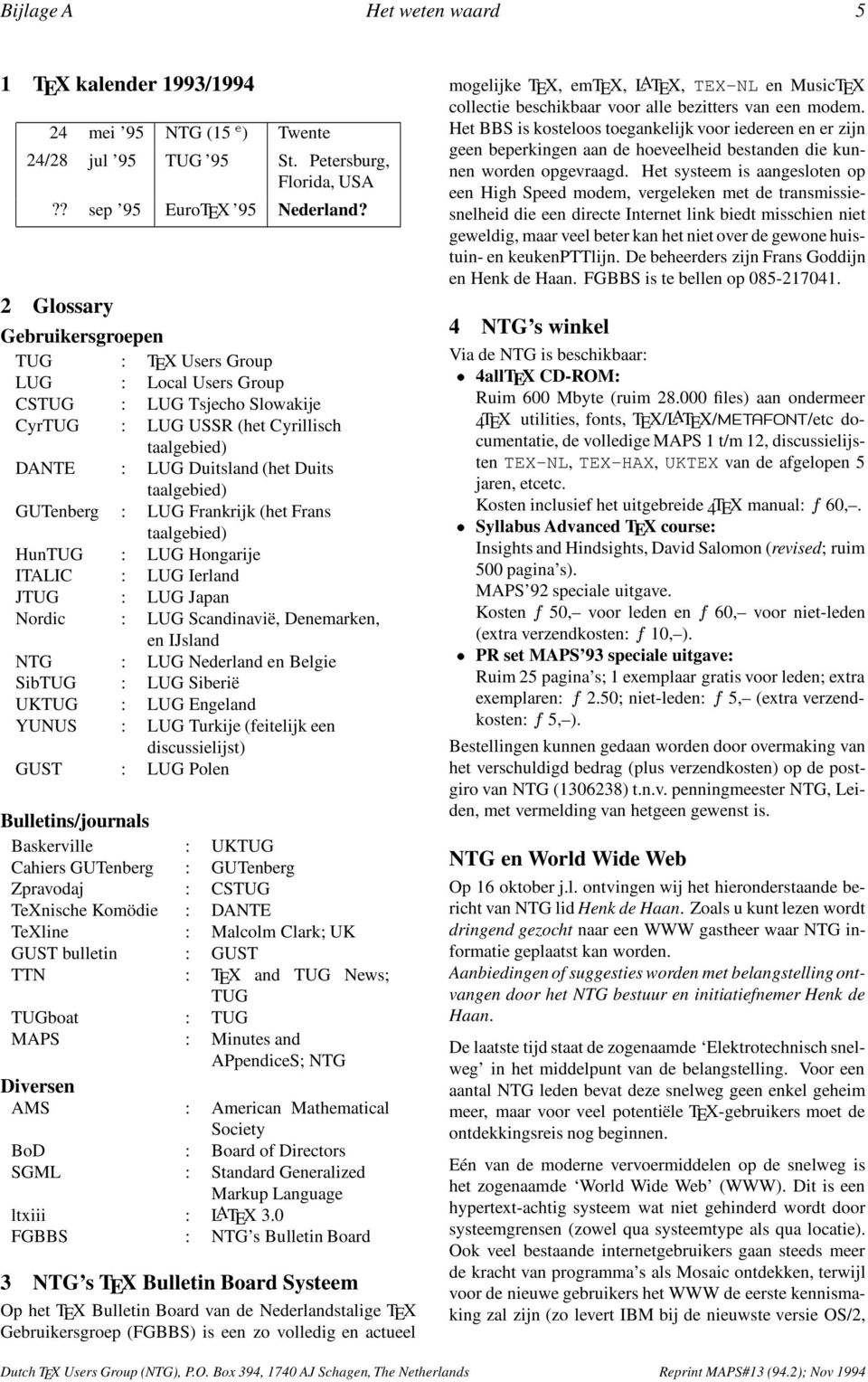
7 Bijlage A Het weten waard 5 1 TEX kalender 1993/ mei 95 NTG (15 e ) Twente 24/28 jul 95 TUG 95 St Petersburg, Florida, USA?? sep 95 EuroTEX 95 Nederland? 2 Glossary Gebruikersgroepen TUG : TEX Users Group LUG : Local Users Group CSTUG : LUG Tsjecho Slowakije CyrTUG : LUG USSR (het Cyrillisch taalgebied) DANTE : LUG Duitsland (het Duits taalgebied) GUTenberg : LUG Frankrijk (het Frans taalgebied) HunTUG : LUG Hongarije ITALIC : LUG Ierland JTUG : LUG Japan Nordic : LUG Scandinavië, Denemarken, en IJsland NTG : LUG Nederland en Belgie SibTUG : LUG Siberië UKTUG : LUG Engeland YUNUS : LUG Turkije (feitelijk een discussielijst) GUST : LUG Polen Bulletins/journals Baskerville : UKTUG Cahiers GUTenberg : GUTenberg Zpravodaj : CSTUG TeXnische Komödie : DANTE TeXline : Malcolm Clark; UK GUST bulletin : GUST TTN : TEX and TUG News; TUG TUGboat : TUG MAPS : Minutes and APpendiceS; NTG Diversen AMS : American Mathematical Society BoD : Board of Directors SGML : Standard Generalized Markup Language ltxiii : LATEX 30 FGBBS : NTG s Bulletin Board 3 NTG stex Bulletin Board Systeem Op het TEX Bulletin Board van de Nederlandstalige TEX Gebruikersgroep (FGBBS) is een zo volledig en actueel mogelijke TEX, emtex, LATEX, TEX-NL en MusicTEX collectie beschikbaar voor alle bezitters van een modem Het BBS is kosteloos toegankelijk voor iedereen en er zijn geen beperkingen aan de hoeveelheid bestanden die kunnen worden opgevraagd Het systeem is aangesloten op een High Speed modem, vergeleken met de transmissiesnelheid die een directe Internet link biedt misschien niet geweldig, maar veel beter kan het niet over de gewone huistuin- en keukenpttlijn De beheerders zijn Frans Goddijn en Henk de Haan FGBBS is te bellen op NTG s winkel Via de NTG is beschikbaar: 4allTEX CD-ROM: Ruim 600 Mbyte (ruim files) aan ondermeer 4TEX utilities, fonts, TEX/LATEX/MET A F O N T /etc documentatie, de volledige MAPS 1 t/m 12, discussielijsten TEX-NL, TEX-HAX, UKTEX vandeafgelopen5 jaren, etcetc Kosten inclusief het uitgebreide 4TEX manual: f 60, Syllabus Advanced TEX course: Insights and Hindsights, David Salomon (revised;ruim 500 pagina s) MAPS 92 speciale uitgave Kosten f 50, voor leden en f 60, voor niet-leden (extra verzendkosten: f 10, ) PR set MAPS 93 speciale uitgave: Ruim 25 pagina s; 1 exemplaar gratis voor leden; extra exemplaren: f 250; niet-leden: f 5, (extra verzendkosten: f 5, ) Bestellingen kunnen gedaan worden door overmaking van het verschuldigd bedrag (plus verzendkosten) op de postgiro van NTG ( ) tnv penningmeester NTG, Leiden, met vermelding van hetgeen gewenst is NTG en World Wide Web Op 16 oktober jl ontvingen wij het hieronderstaande bericht van NTG lid Henk de Haan Zoals u kunt lezen wordt dringend gezocht naar een WWW gastheer waar NTG informatie geplaatst kan worden Aanbiedingen of suggesties worden met belangstellingontvangen door het NTG bestuur en initiatiefnemer Henk de Haan De laatste tijd staat de zogenaamde Elektrotechnisch snelweg in het middelpunt van de belangstelling Voor een aantal NTG leden bevat deze snelweg geen enkel geheim meer, maar voor veel potentiële TEX-gebruikers moet de ontdekkingsreis nog beginnen Eén van de moderne vervoermiddelen op de snelweg is het zogenaamde World Wide Web (WWW) Dit is een hypertext-achtig systeem wat niet gehinderd wordt door systeemgrensen (zowel qua systeemtype als qua locatie) Ook veel bestaande internetgebruikers gaan steeds meer de kracht van programma s als Mosaic ontdekken, terwijl voor de nieuwe gebruikers het WWW de eerste kennismaking zal zijn (zo levert IBM bij de nieuwste versie OS/2, Dutch TEX UsersGroup (NTG), PO Box394, 1740 AJ Schagen, The Netherlands Reprint MAPS#13 (942); Nov1994
8 6 Het weten waard Bijlage A het zogenaamde OS/2 Warp 30, een programma genaamd WebExplorer leveren) Deze hype gaat ook niet voorbij aan de TEXgemeenschap, zo is het CTAN archief al enige tijd direct via een World Wide Web interface te benaderen ( is er documentatie voor LATEX beschikbaar: ( tpl/textprocessing/latex_introhtml) en heeft de TUG een aantal eigen pagina s: ( Ik denk dat de NTG wat dit betreft niet achter kan blijven, zeker niet nu het met de 4allTEX CD-ROM in het midden van de belangstelling staat Waaruit moet het NTG op het Web dan uit bestaan? Een opgepoetste versie van het huidige informatiebestandje of complete versies van de MAPS die te benaderen zijn? Het eerste valt nauwelijks tussen alle snelle pagina s op het Web, terwijl het tweede veel te hoog gegrepen zal zijn In eerste instantie zou er te denken zijn aan de volgende onderwerpen: Algemene informatie over de NTG Specifieke informatie over de dingen waar de NTG mee bezig is Een aanmeldingsformulier (eventueel via een zg Forms-page) Wat voorbeelden met betrekking tot de kracht van TEX/LATEX Verwijzingen naar andere TEX-gerichte pagina s op het Web De 4allTEX CD-ROM (inclusief wat mooie plaatjes van screendumps) (kleine) bugfixes voor 4allTEX Distributie van de verschillende NTG-stylen Archieven van de TEX-NL en 4allTEX distributielijsten Informatie over de MAPS Wat betreft dat laatste puntje: alhoewel het met behulp van een programma als latex2html best mogelijk zou zijn om de gehele MAPS online te krijgen denk ik niet dat dat wenselijk is Er zit namelijk toch nog heel wat werk achter zo n operatie en het gaat hier natuurlijk om een concurrent van de papieren versie Ik zit zelf eerder te denken aan het opnemen van de inhoudsopgave en een kleine selectie uit het artikelen bestand (en dan met name uit het verslag gedeelte) De op deze manier verzamelde informatie hoeft echter niet beperkt te blijven tot de selecte groep internetgebruikers Zo is het ook mogelijkom WWW pagina s vanaf een lokale schijf (of CD-ROM) te bekijken door middel van text-mode programma s zoals (DOS)lynx of grafische programma s als Mosaic en Cello Misschien zou het zelfs mogelijk zijn om de informatie via het FGBBS beschikbaar te stellen (alhoewel dat nog verder uitgezocht zou moeten worden) Wat zou er allemaal nog moeten gebeuren voordat bovengenoemde dienst beschikbaar kan zijn Ten eerste moet er een geschikte thuishaven beschikbaar komen (een zou prachtig zijn, maar voorlopig zullen we het van de gastvrijheid van de leden moeten hebben) Ten tweede zal er enige mankracht (v/m) nodig zijn om het geheel op te zetten (en minstens zo belangrijk: actueel te houden) Wat betreft dat laatste: ik ben in principe wel bereid om mee te helpen bij het opzetten van het een en ander Ik benieuwd of er nog andere ideeën leven bij de Nederlandstalige TEX gebruikers, en of er anderen zijn die willen meehelpen bij de implementatie van die ideeën 5 NTG/TUG lidmaatschap Het blijkt soms dat nieuwe NTG/TUG leden na ongeveer een half jaar nog geen TUGboat of TTN van TUG hebben ontvangen Ondanks dat men een TUG lidmaatschap via NTG aanvraagt, blijkt in bijna alle gevallen de administratie- en verzendproblemen bij TUG zelf te liggen Mocht na enige tijd geen post van TUG ontvangen worden, dan worden de betreffende NTG/TUG leden dringend verzocht om kontakt op te nemen met de penningmeester van de NTG: Wietse Dol 6 MAPS 951 Sluitingsdatum voor het inleveren van artikelen, bijlagen, en/of mededelingen voor de volgende MAPS uitgaven is: 1 april 95 (MAPS 951) Aanleveren kopij voor de komende MAPS: Bij voorkeur in LATEX gebruikmakend van de: mapssty Deze stijlfile is via de redactie te verkrijgen en beschikbaar op de TEX-NL fileserver, archivecsruunl (ftp-site) en FGBBS ( ) Daarnaast kunnen bijdragen ingestuurd worden gemaakt met ltugboatsty of articlesty/reportsty Verder zijn bijdragen vanzelfsprekend ook welkom in plain-tex of ongeformatteerd Plaatjes bij voorkeur als (Encapsulated) PostScript file Bij onduidelijkheidgaarne kontakt opnemen met de redactie Daar MAPS bijdragen in plain TEX worden omgezet naar LATEX, verdient vanzelfsprekend aanbieding van materiaal in LATEX de voorkeur! Eventuele nadere richtlijnen voor auteurs zijn op te vragen bij de redactie Bijdrage kunnen gestuurd worden naar: vannes@ecnnl Niet Internet-gebruikers kunnen hun bijdrage ook via modem/ptt lijn direct naar de redactie sturen Gaarne hiervoor eerst kontakt opnemen met Gerard van Nes Reprint MAPS#13 (942); Nov 1994 Dutch TEX Users Group (NTG), PO Box 394, 1740 AJ Schagen, The Netherlands

9 Bijlage B Van de Voorzitter 7 Van de Voorzitter Johannes Braams Een terugblik Toen we als NTG in november vorig jaar besloten om de 4TEX distributie die toen net klaar was op CD-ROM te zetten konden we in de verste verten niet vermoeden welke gevolgen dat zou hebben In eerste instantie zouden we er 250 gaan maken Ik herinner me nog goed mijn eigen scepsis ten aanzien van het maken van een CD-ROM Zoals in de afgelopen maanden gebleken is, was die scepsis niet gerechtvaardigd Toen eenmaal zeker was dat de CD- ROM gemaakt zou gaan worden is een eerste peiling van de markt gedaan Er bleek toen al zoveel belangstelling voor het projekt te bestaan dat het aantal van 250 veel te klein was en we besloten (optimistisch) er dan maar 600 te gaan maken Na veel werk door Wietse Dol en Erik Frambach kon op de bijeenkomst in juni jl de CD-ROM gelanceerd worden De verkoop na de bijeenkomst heeft onze stoutste verwachtingen ver overtroffen Binnen twee maanden werd duidelijk dat de CD-ROM al snel volledig uitverkocht zou raken We zagen ons genoodzaakt te beslissen wat er daarna zou gaan gebeuren Moesten we CD-ROM s bij laten maken? Moesten we een nieuwe versie maken? Moesten we het wel zelf blijven doen? Na enige discussie binnen het bestuur werd besloten kontakt te zoeken met Addison & Wesley om te onderzoeken of er mogelijkheden zijn tot samenwerking Al snel werd duidelijk dat het enige tijd zou gaan duren totdat hierover duidelijkheid zou bestaan In de tussentijd moesten we wél aan de vraag naar de CD-ROM blijven voldoen Toen de CD-ROM begin september vrijwel uitverkocht was is besloten om opnieuw 600 exemplaren te maken Tevens is van de gelegenheid gebruik gemaakt het al goede produkt nog verder te verbeteren Alle leden hebben eind september dan ook een brief ontvangen met het aanbodhun CD-ROM tegen geringekostentevervangen door de nieuwe versie De CD-ROM is bijzonder positief besproken in de Personal Computer Magazine van oktober Deze positieve publiciteit heeft op het moment dat ik dit schrijf al een eerste reactie opgeleverd van iemand die informatie wilde over onze vereniging Ik ben ervan overtuigd dat de 4allTEX CD-ROM een goede bijdrage levert aan één van de doelen van onze vereniging, het verspreiden van TEX enhet bevorderen van het gebruik van TEX Vanaf deze plaats wil de mensen die het CD-ROM-projektten uitvoer hebben gebracht dan ook hartelijk danken voor hun initiatief en feliciteren met het behaalde succes! Een vooruitblik Op het moment dat ik ditschrijfisde EuroTEX conferentie net beëindigd Tijdens deze conferentie is de idee geopperd dat de NTG de volgende conferentie zou kunnen organiseren De aanwezige bestuursleden hebben na overleg besloten deze uitdaging aan te nemen Aan het einde van EuroTEX 94 is derhalve aangekondigd dat EuroTEX 95 georganiseerd zal worden door de NTG Dat betekent dat de NTG een bijzonder druk jaar voor de boeg heeft Een aantal van de leden zullen op het moment dat u dit leest ook al benaderd zijn om te helpen met het organiseren van die conferentie Desalniettemin wil ik graag vanaf deze plaats een oproep doen aan alle leden om, op welke wijze dan ook, een steentje bij te dragen aan het succes van de conferentie Zonder hulp van de leden zal het niet mogelijk zijn dit avontuur tot een goed einde te brengen Naast het organiseren van een Europese TEX conferentie gaan de normale activiteiten natuurlijk gewoon door, volgend voorjaar hebben de bijeenkomst op de Universiteit Twente Verder verwachten we dat de verkoop van de CD- ROM ook in 1995 gewoon door zal gaan Ik hoop dat we in de loop van 1995 een overeenkomst kunnen sluiten met A&W voor de wereldwijde verspreiding van de CD-ROM via hun verkoop kanaal De gebruikersgroepen Op het moment dat ik dit schrijf is TUG aan het onderzoeken op welke manier zij het beste de belangen van alle gebruikers van TEX kan behartigen De voorzitter heeft de opdracht van het bestuur gekregen een dialoog met alle local user groups aan te gaan en te onderzoeken hoe de LUGs de relatie met TUG gestalte zouden willen geven Met andere woorden: wat verwachten de LUGs van TUG en wat kan TUG van de LUGs verwachten Deze discussie zal ook met NTG gevoerd worden Ik verwacht dat we in het komende jaar een aantal belangrijke veranderingen zullen meemaken De toekomst van TEX Zowel op de TUG conferentie in Santa Barbara als op de EuroTEX conferentie in Gdańsk zijn voordrachten gehouden over potentiële opvolgers van TEX Yannis Haralambous en John Plaice werken hard aan het tot stand komen van, een 16-bitopvolgervan TEXdieUNICODE als interne codering gebruikt Het NTS project is inmiddels ook aan het werk gegaan en zal in de loop van het komende jaar waarschijnlijk "-TEX beschikbaar maken voor algemeen gebruik "-TEX is een opvolger van TEX die aan aantal nieuwe faciliteiten beschikbaar maakt Zowel als "-TEX moeten volledig compatibel zijn met TEX Dutch TEX UsersGroup (NTG), PO Box394, 1740 AJ Schagen, The Netherlands Reprint MAPS#13 (942); Nov1994

10 8 Van uw MAPS Editor Bijlage C Van uw MAPS Editor Gerard van Nes En daar zijn we weer: :: Het MAPS editorswerk is altijd veel meer dan verwacht De contacten met de potentiëleauteurs, het ontvangenvan de diverse bijdragen, het werkend en passend maken binnen de MAPS omgeving, het omzetten van enkele ASCII en plain-tex bestanden naar de MAPS LATEX omgeving en het verwijderen van de grootste blunders (ongetwijfeld hebben we er nog diverse voor u in laten zitten:::) namen de nodige (avond/nacht-) uren in beslag Maar de MAPS is gelukkig weer op tijd gereed (als er niets fout is gegaan bij de nieuwe MAPS-drukker Context Systems te Groningen) Overigens, ziet u het verschil in drukkwaliteitmet vroeger? PostScript files worden nu direct aan de drukker aangeboden in plaats van de 600dpi uitvoer op papier Zou een stuk in kwaliteit moeten schelen Op tijdde MAPS bij de lezer brengen is natuurlijkprioriteit nummer 1 1 Is de redactie te laat met het uitgeven van de MAPS, dan kan zij wel stoppen Als we eenmaal achterlopen, dan is het bijna niet meer in te halen De redactie kan nu weer even rusten::: MAPS misdrukken Helaas, er kan ook wel eens wat verkeerd gaan bij het drukken van de MAPS Een aantal NTG-leden heeft het al gemerkt: MAPS 942 bevatte enkele slecht gedrukte bladzijden; wat zeg ik, bij een aantal MAPSen waren bladzijden soms in het geheel niet meer te lezen Men heeft mij verteld dat de oorzaak een druppeltje olie was dat na een machinestoring zijn vernietigende MAPS werk kon uitvoeren Vanwege de drukte en de korte periode waarin de MAPS moest worden gedrukt en verstuurd, is het aan de grondige aandacht van de betreffende personen (inclusief mijzelf) ontsnapt Onze excuses daarvoor Leden die een MAPS in hun bezit hebben die slechts gedeeltelijk of nauwelijks is te lezen, kunnen deze vanzelfsprekend inruilen Bij enkele van onze NTG-leden is dat reeds gebeurd Nog niet bij U? Stuur uw MAPS dan naar het NTG-secretariaat Een nieuw exemplaar krijgt u dan direct toegestuurd Inruilen op de komende NTGbijeenkomst kan natuurlijk ook Uw bijdragen De redaktie wordt elke keer weer overstelpt met prachtige MAPS-bijdragen Leesvoer om de vingers bij af te likken Veelal heel bescheiden aan de redactie aangeboden onder het mom van het stelt nauwelijks iets voor, het is bijna al weer achterhaald of wie interesseert dat nu Doch in de praktijk blijken deze bijdragen juist een grote groep lezers te boeien! Zeer veel bijdragen zijn weer praktisch gericht Zo is er de bijdrage van de FGBBS-monteur Henk de Haan over een van zijn (neven?)activiteiten: het schrijven van een proefschrift Eindelijk! Belangrijk leesvoer voor alle promovendi Zou mooi zijn als bij elke volgende MAPS zo n ervaring naar buiten wordt gebracht Wie is de volgende die zijn ervaring kwijt wil? Een tweetal bijdragen, Chemische Structuurformules van J Hagen, en het (Al)DraTEX van JJ Winnink, gaf mij weer een blij gevoel dat er toch nog redelijk snelle PC s (mijn 486DX2) bestaan Plaatjes uitrekenen nam een minuutje tijd in beslag zodat ik in eerste instantie dacht dat mijn systeem hing (dus 386 en lagere bezitters: heb even geduld!) En verder natuurlijk zeer leuke PostScript en grafische bijdragen, congresverslagen (u bent weer volledig op de hoogte), de bekende serie artikelen van ons erelid Mr Big Blue (alhoewel, onze FGBBS-man begint ook al de roots te onderzoeken), wat op muziek- gebied (een andere muziekbijdrage moest vanwege het grote aanbod naar de volgende MAPS worden doorgeschoven), een prachtige bijdrage over de veel gebruikte fancyheadingssty en nog veel meer moois We hebben, zoals reeds eerder gezegd, in deze MAPS niet alle bijdragen kunnen plaatsen, zowel door plaatsgebrek, tijdgebrek als geldgebrek (jaja de MAPSen drukken zwaar op de begroting, het grootste deel van uw contributie gaat daaraan op!) Zo mist u onder andere de bijdragen van collega Sebastian Rahtz en ook een vierde artikel van auteur Hans Hagen moet nog even een half jaar wachten MAPS 951 is nu reeds voor ruim een kwart gevuld! Daarnaast mist u één vaste bijdrage: de concept begroting 1995 Daar de financiële overdracht pas begin oktober jl plaatsvond, kon de nieuwe penningmeester niet op tijd een goed gefundeerde begroting bij de redactie inleveren We 1 Jaja, U ziet het goed, dit eentje staat in de vertrouwde oldnumberstyle, naar voren gebracht tijdens een discussie op de ntg@nicsurfnetnl bestuurslijst en direct prachtig opgepikt door onze NTG-schrijver Frans Goddijn (en dat speelde zich af begin oktober, een handvol dagen voordat de MAPS naar de drukker zou worden gestuurd!) Reprint MAPS#13 (942); Nov 1994 Dutch TEX Users Group (NTG), PO Box 394, 1740 AJ Schagen, The Netherlands

11 Bijlage C Van uw MAPS Editor 9 streven ernaar deze op de NTG-bijeenkomst in november beschikbaar te hebben Desondanks staat deze MAPS vol met prachtige bijdragen Het zal opnieuw moeilijk worden om een keuze te maken bij de toekenning van de MAPS 942 award Vallenenopstaan,zelfsmetLATEX Een aantal bijdragen gaf weer de nodige zweetdruppels, telefoongesprekken tussen redactieleden, heen-en-weer g en meer van dat soort hobbels Zo waren er bijvoorbeeld stijlfiles die layout-commando s bevatten, geheel verschillende stijlfiles met precies dezelfde naam (treesty bijvoorbeeld), verschillendeversies van stijlfiles die net op bepaalde punten anders zijn (MusicTEX-ers, pas op!), verbatims (sommige nauwelijks meer als zodanig te herkennen:::) die langer waren dan de kolombreedte, plaatjes die maar niet op de juiste plaats wilden staan, floats die spoorloos verdwenen en meer van dat soort tijdvretende probleempjes Het bleek ook dat het ene artikel invloed had op een ander, dit ondanks alle voorzorgen Eén troost hadden we Met een ander tekst/documentverwerkend produkt was het nooit gelukt om binnen redelijke termijn de MAPS te maken Trouwens ook nog leuk om even te vermelden dat de Makefont bijdrage van Wietse Dol meteen kon worden uitgeprobeerd Ik kan u verzekeren: het werkt (niets anders verwacht natuurlijk) Ook al die chemische formules in deze MAPS bleken zeer simpel te kunnen worden gegenereerd (komen in Public Domain ; met dank aan Hans Hagen! Je hoort er nog van:::) En voordat ik het vergeet te vermelden: natuurlijk is alles weer verwerkt met de internationaal geprezen 4TEX implementatie! En al die sty, mf, pfa etc files die nodig waren stonden keurig op dat schijfje Wel nog met LATEX209 De redactie wilde niet al te veel risico nemen door nu reeds op LATEX2 " over te gaan Oude MAPS-uitgaven? Staan natuurlijk op de 4allTEX CD-ROM Alle MAPSuitgaven, te weten de nummers 1 t/m 12, zijn door het printen van de ruim 165 PostScript files naar uw Post- Script printer te sturen En heeft u geen PostScript printer? GhostScript is dan de perfecte oplossing Staat ook op de 4allTEX CD-ROM Alles printen kost wel ongeveer 1600 vel papier! Dus wees kieskeurig De bedoeling was om de 4allTEX CD-ROM het alleenrecht van de electronische MAPSen te geven Een push om het schijfje te kopen Echter dat de belangstelling zo groot voor deze CD-ROM was, hadden we niet verwacht In krap 4 maanden hebben er 1000 een weg naar de (LA)TEX gebruiker/ster gevonden! Uniek En ter gelegenheid van deze 1000 e uitgave is besloten om de MAPSen die ouder zijn dan één jaar op CTAN én op FGBBS te plaatsen Eind dit jaar hopen we dit te hebben gerealiseerd En natuurlijk, ons eigen FGBBS krijgt de primeur De MAPS is nu dus geheel electronisch En de levensduur? Ook de allereerste MAPS is in het jaar 2000 nog wereldwijd te verkrijgen MAPS-sponsoring En dat is ook geheel nieuw in deze en hopelijk de volgende MAPS-uitgaven: Addison-Wesley is donateur geworden van de NTG Als eerste! Als tegenprestatie krijgen ze van de redactie een eigen pagina achterin de MAPS Wilt u ook een geheel eigen bladzijde? Neem dan contact op met het NTG-secretariaat NTG-donateurs kunnen we altijd gebruiken MAPS in 1995 En, zoals eerder vermeld, liggen er nu al bijdragen klaar voor de MAPS 951! Ook hoopt uw MAPS-redactie dan met iets speciaals te komen Wat dat is, blijft echter nog een verrassing Ondanks het steeds weer overweldigende aanbod, blijft de redactie natuurlijk altijd open voor Uw bijdragen (minimaal één alinea, maximaal een bladzijde of 50), suggesties en ideeën Bijdragenzijnwelkomvan beginner slevel tot guru-niveau De NTG kent nu eenmaal een divers pluimage aan leden De MAPS blijkt te worden gelezen door zowel de beginnende gebruiker als de wandelende TEXdatabase (U weet wel, die Utrechtenaar die in TEX-NL op alle vragen direct een goed antwoord weet) Vergeet de sluitingsdatum voor de MAPS 951 niet: 1 april 1995 Iets eerder is nóg fijner! Overigens, kent u de MAPS-redactie? Wij stellen aan u voor van links naar rechts: Wietse Dol, Gerard van Nes en Jos Winnink En vindt u ze er wat slaperig uit zien, dan komt dat door hetgeen nu voor u ligt Een goed 1995! Dutch TEX UsersGroup (NTG), PO Box394, 1740 AJ Schagen, The Netherlands Reprint MAPS#13 (942); Nov1994

12 10 NTG s Listserver TEX-NL Bijlage D NTG s Listserver TEX-NL 20 oktober 1993 TEX-NL is de Nederlandstalige TEX discussielijst Het adres is: tex-nl@nicsurfnetnl Men kan zich op deze TEX-NL discussielijst abonneren (TEX-NL mails ontvangen en versturen ) door het versturen van de volgende één-regelige to : listserv@nicsurfnetnl subject : any SUBSCRIBE TEX-NL your_name Een lijst van deelnemers is te verkrijgen door het versturen van de volgende één-regelige to : listserv@nicsurfnetnl subject : any REVIEW TEX-NL Met als resultaat: * * TEX-NL * * Review= Public * Subscription= Open,Confirm * Send= Public * Notify= Yes * Reply-to= List,Ignore * Files= No * Validate= No * Errors-To= Owners * X-Tags= Comment * Stats= None,Private * Confidential= No * * owner= JulesvanWeerden@LETRUUNL (Jules van Weerden) * owner= Quiet:,EJEvers@medruunl (Evert Jan Evers) * owner= Quiet:,NCox@UCIKUNNL (Niek Cox) * owner= quiet:,jlbraams@researchpttnl J Braams kees@acashobbynl Kees Serier LEMMENS@ALFLETUVANL "Arthur Lemmens" VDBERG@ALFLETUVANL Martin H vdberg HELLINGS@AMCUVANL JAN HELLINGS KROPVELD@AMCUVANL Daniel Kropveld gineke@astrorugnl Gineke Alberts zwitser@astrorugnl Wim Zwitser raichle@azuinformatikuni-stuttgartde Bernd Raichle LAAAA18@BLEKUL11 Erik van Eynde HJBORTOL@BRLNCC Humberto Jose Bortolossi CAI@BUTLERFEEUVANL Carsten Folkertsma SALAMON@BZSTU-GRAZACAT Salamon Alexander FDC@CAGERUGACBE "F De Clerck" bruno@cclkuleuvenacbe Bruno Tersago steiner@cliorzuni-duesseldorfde Rene Steiner graf@conmucdeconvexcom Ingbert graf jjw@cpbnl jos winnink krabb@csruunl Jeroen Krabbendam piet@csruunl Piet van Oostrum eijkhout@csutkedu Victor Eijkhout AGGeraets@CTRLPHYSTUENL Tonnie Geraets frankw@cwinl Frank van de Wiel Keesvan-tHoff@CWINL Kees van t Hoff rvdh@cwinl Rob van der Horst combee@delgeonl leendert combee X33@DHDURZ1 Joachim Lammarsch a421ruud@diamondsaranl Ruud Gal abi@dutibatwitudelftnl Ton Biegstraaten wim@dutiosatudelftnl Wim Penninx witajgb@dutistatudelftnl Hans Braker ewout@dutmpw1tudelftnl EWOUT BIEZEN mkmfhuy@dutrextudelftnl Tom Huijgen wbtrvos@dutrextudelftnl Ron v Ostayen huib@duttwtatntudelftnl Huib Wouters robk@duttwtatudelftnl Rob Kuyper martien@dutw85wbmttudelftnl Martien Hulsen gerard@dutw9tudelftnl Gerard Kuiken jaap@dutw9tudelftnl Jaap van der Zanden vdhoek@ebeletuenl Maarten van den Hoek hogenbirk@ecnnl Alfred Hogenbirk vanderstad@ecnnl Rob C L van der Stad vanheuveln@ecnnl Fred Van Heuveln vannes@ecnnl Gerard van Nes verhoef@ecnnl Hans Verhoef EHMFrambach@ECORUGNL Erik Frambach FRAMBACH@ECORUGNL "Erik Frambach" SIEPO@ECORUGNL rkoning@econvunl 4tex@ECONVUNL phons@eieletuenl DMSnippe@ELUTWENTENL BWAGE@ELSEVIERNL NPOPPELIER@ELSEVIERNL SPEPPING@ELSEVIERNL alex@etkuleuvenacbe ludo@etkuleuvenacbe COMBEE@ETTUDELFTNL jhmnusteling@ettudelftnl peter@evelynphysrugnl PvOosterom@FELTNONL rafel@fenkwaunl tex-nl@fgbbsiafnl branderhorst@fggeurnl huygen@fggeurnl vdende@fggeurnl hansm@fwiuvanl hogeveen@fysruunl INEKE_VAN@GCRC2WUSTLEDU A401INEK@HASARA11 A471BERN@HASARA11 RCRONH@HEITUE5 harm@hfwork1tntudelftnl joost@hfwork1tntudelftnl KANABY@HHEOUH51 APPRMB@HHEOUH53 LETTVA@HLERUL2 BORSBOOM@HLERUL53 VDSCHOOT@HLERUL53 U001290@HNYKUN11 U055223@HNYKUN11 U070040@HNYKUN11 U212757@HNYKUN11 U216002@HNYKUN11 U250005@HNYKUN11 U251006@HNYKUN11 U439019@HNYKUN11 U605005@HNYKUN11 U632015@HNYKUN11 U632016@HNYKUN11 U641012@HNYKUN11 BISON@HNYKUN52 GuenterPartosch@HRZUNI-GIESSENDE KETTENIS@HWALHW5 stokhof@illcuvanl ITALIANO@IMEUNIV npop@indyknowarenl wilnij@indyknowarenl janjoris@infowintuenl EHMUlijn@IOTUDELFTNL EWGZweers@IOTUDELFTNL ldc@kihwvbe devries@knminl SURF083@KUBNL POL@KVINL STAPEL@KVINL VSDOL@LEIAGRONL AnneMarieMineur@LETRUUNL IedeSnoek@LETRUUNL JulesvanWeerden@LETRUUNL andre@maestrohtsaahanl RHMHuijsmans@MARINNL NS Kroonenberg "Ruud H Koning" Walther Schoonenberg Phons Bloemen Dick Snippe "Bart Wage" "Nico Poppelier" Simon Pepping Alex Schoenmakers Vangilbergen Ludo leendert combee Jan H Nusteling Peter Magnee Peter van Oosterom Rafel Israels Frans Goddijn Erick Branderhorst Paul EM Huygen Jan van der Ende Hans van der Meer Sake J Hogeveen ineke vandermeulen ineke weijer Bernard R Bollegraaf Ron Helwig Harm Pellemans Joost Dijkstra Abdy Jooya Rut Berns Andrea de Leeuw van Weenen Gerard Borsboom Jan Vanderschoot Niek Cox Tim Hendriks Patrick Wever Mathieu Koppen Paul Wackers Peter-Arno Coppen Hans Stoks Ton de Haan Willem Jan Karman F Filthaut R Rosmalen Rini van Doorn PIETER BISON G Partosch, "Di(r)k Kettenis" Martin Stokhof Antonio ITALIANO Niels Poppe Willem Nijenhuis Jan Joris Vereijken Erik HM Ulijn Erwin Zweers Luc De Coninck Hans de Vries Johannes de Moor "John van Pol" "Kees Stapel" "Wietse Dol" Anne-Marie Mineur Iede Snoek Jules van Weerden, Andre vd Vlies rene huijsmans Reprint MAPS#13 (942); Nov 1994 Dutch TEX Users Group (NTG), PO Box 394, 1740 AJ Schagen, The Netherlands

13 Bijlage D NTG s Listserver TEX-NL 11 bnb@mathamscom Barbara Beeton demeijer@mathruunl Andre de Meijer hvdberg@mathutwentenl Harmen van den Berg soos@mathutwentenl Adwin Soos twpolder@mathutwentenl Jan Willem Polderman bene@mecanicrugacbe Benedict Verhegghe MAILLIST@MEDRUUNL TeX-NL distribution dvheule@mmww-001rmaacbe Dirk Van Heule behnke@mpinl Kay Behnke RPauly%KE%RuLimburgNL@MSNRULIMBURGNL Rob Pauly ramon@murphyiafnl Ramon de Klein boelhouwer@nicikunnl Bob Boelhouwer erwin@nioznl Erwin Embsen kassies@nlrnl Kassies A MBR@OCENL Marius Broeren HdeVries@PHILOSRUGNL Hauke de Vries colpa@physuvanl Jaap Colpa mwijz@physuvanl Maurits Wijzenbeek pat@pocwruedu Paul A Thompson WWolfswinkel@POBOXRUUNL Wolf Wolfswinkel JBERKHOF@PPSWRUGNL Hans Berkhof kotte@radthruunl Alexis Kotte ramesh@radthruunl Ramesh Bhagwandien vdkoijk@radthruunl John van der Koijk cgl@rcservicerugnl CG van der Laan suykerb@reksuiaacbe Benoit Suykerbuyk DCMR1!paul@RELAYNLUUGNL Paul Eilers JLBraams@RESEARCHPTTNL Johannes L Braams bftvee@rivmnl MP van Veen LievenVanVooren@RUGACBE Lieven Van Vooren nijhof@rugth4thrugnl Jeroen Nijhof rein@rug4csrugnl Rein Smedinga jeroen@rulgm0leidenunivnl Jeroen Balkenende vroonhof@rulgm0leidenunivnl Jan Vroonhof engelbrg@ruucv1chemruunl Barend van Engelenburg ELBERS@SARANL Chris Elbers AWJHEIJS@SCAGRONL Anton Heijs mvdholst@scikunnl Marcel van der Holst gert@sgtntudelftnl Gert Rietveld v912182@sihhsnl Eric Veldhuyzen marks@stackurctuenl Mark J Sinke toin@stackurctuenl Toin Bloo betlem@strwleidenunivnl Hans Betlem POPPE@SWOVNL "Frank Poppe" erik@tntnhb3tntudelftnl Erik Luijten HOEB@TUDW02TUDELFTNL JBW HOEBEEK HUISMAN@TUDW03TUDELFTNL H Huisman mdaalmeijer@twitudelftnl Marion Daalmeijer PPdeWolf@TWITUDELFTNL Peter-Paul de Wolf rcpt@urctuenl Piet Tutelaers ALDHAHIR@UTWENTENL Alaaddin Al-Dhahir Pierre=van=Mouche%Alg%SHHKWAU@VINESWAUNL Pierre van Mouche Wilfred=Zegwaard%Alg%AAEWAU@VINESWAUNL Wilfred Zegwaard KNAPPEN@VKPMZDKPHUNI-MAINZDE Joerg Knappen Uni-Mainz ajrmgademann@wbutwentenl Noud Gademann bertv@wfwwtbtuenl Bert Verbeek pebov@wfwwtbtuenl Peter Bovendeerd vdgriend@wileidenunivnl Jaap van de Griend ROBdeJEU@WKAPNL Rob de Jeu vdvoorn@wldelftnl Marjan v\d Vooren best@zeusrijnhnl Robert W Best * * Total number of "concealed" subscribers: 3 * Total number of users subscribed to the list: 172 * Total number of local node users on the list: 0 * Opmerkingen: Verzocht wordt om de TEX-NL listserver niet te gebruiken voor het versturen van grote bestanden (programma s) Daar ook enkele buitenlanders meeluisteren,wordt men verzocht de subject van de mail in het Engels op te geven De TEX-NL listserver is bij uitstek geschikt voor ondermeer een ondersteuningsverzoek bij een TEX/LATEX/driver probleem, voor vragen over beschikbaarheid van bepaalde software modulen, voor aankondigingen van bijeenkomsten en/of cursussen, voor het attenderen op bepaalde publicaties, voor het attenderen op bepaalde produkten en voor een mededeling die ook voor een grotere groep interessant is Daar het versturen van s zowel voor het netwerk als voor de ontvanger een duidelijke belasting is, wordt men verzocht geen overbodige boodschappen te versturen zoals bijvoorbeeld bedankt en geheel mee eens Indien problemen optreden bij het opzeggen dan wel het wijzigen van het eigen adres op de listserver, wordt men verzocht contact op te nemen met de beheerder JE van Weerden of JL Braams Dutch TEX UsersGroup (NTG), PO Box394, 1740 AJ Schagen, The Netherlands Reprint MAPS#13 (942); Nov1994

14 12 NTG s Listserver 4TEX Bijlage E NTG s Listserver 4TEX 20 oktober TEX is de Wereldwijde 4TEX-informatie distributielijst (ook wel discussielijst genoemd) Het adres is: 4tex@nicsurfnetnl Men kan zich op deze 4TEX discussielijst abonneren (4TEX mails ontvangen en versturen ) door het versturen van de volgende één-regelige to : listserv@nicsurfnetnl subject : any SUBSCRIBE 4TEX your_name Een lijst van deelnemers is te verkrijgen door het versturen van de volgende één-regelige to : listserv@nicsurfnetnl subject : any REVIEW 4TEX Met als resultaat: * * 4TeX: a TeX work bench for ms-dos pc s * * * Review= Public * Subscription= Open,Confirm * Send= Public * Notify= Yes * Reply-to= Both,Respect * Files= Yes * Errors-To= Owners * Confidential= No * Validate= No * X-tags= Comment * Stats= Normal,Private * Ack= Yes * Notebook= Yes,B,Monthly,Public * Language= English * * owner= ehmframbach@ecorugnl Erik Frambach, RUG, Groningen * owner= wdol@leiagronl Wietse Dol, LEI, Leiden * owner= Quiet:,bertstals@surfnetnl Bert Stals * * * 4TeX is an integrated system (work bench) for TeX users * on ms-dos pc s * On this list users discuss problems, remarks, tricks and * (future) developments of 4TeX Purely TeX related problems * should not be discussed here, unless they concern programs * integrated in 4TeX * ehlers@acsucalgaryca Peter Ehlers HELLINGS@AMCUVANL Jan Hellings KROPVELD@AMCUVANL Daniel Kropveld mike@atlasphyschemchemieuni-tuebingende Michael Kuch zdee411@baycckclacuk Jon Nangle Giva@BBBNO Gisle Vanem bartke@bonitoinffu-berlinde Bartke Peter HJBORTOL@BRLNCC Humberto Jose Bortolossi dsevee@camorg Denis Sevee Krzysztof_Leszczynski@CAMKEDUPL Chris Leszczynski zbc01@cckeeleacuk Tim Sharrock ErikVanEynde@CCKULEUVENACBE Erik Van Eynde hueckst@ccumanitobaca Bob Hueckstedt mk_donnelly@ccmailpnlgov Matt Donnelly C @CCUPMUPMES Luis Seidel HAHN@CERNVMCERNCH Ferdinand Hahn MMALONE@CHEVAXECSUMASSEDU Michael F Malon qudo046@cirait Domenico Quagliarella sturm@coewvuedu David W Sturm mouss@coloradoinriafr Mahmoud Chilali RAReese@COMPUTER-CENTREHULLACUK Allan Reese magnus@controlaucdk Magnus Svavarsson hus@crmunich46craycom Hans-Ulrich Schaefer braver@csberkeleyedu Michael Braverman ericb@cskunnl Eric Boon kslee@csdhkuhk Kwok-Shing Lee tundra@ctcoviacom "Tundra" Tim Daneliuk sojka@daeronicsmunicz Petr Sojka paul@dcmrnl Paul Eilers AlokePhatak@DMSCSIROAU Aloke Phatak abi@dutibatwitudelftnl Ton Biegstraaten mkmfkuu@dutrextudelftnl Jan van der Kuur jaap@dutw9tudelftnl Jaap van der Zanden ardo@ebeletuenl A van Rangelrooij vandervis@ecnnl Martin van der Vis vanheuveln@ecnnl Fred Heuveln van vannes@ecnnl Gerard van Nes vroegindeweij@ecnnl Corine Vroegindeweij hli@ecnpurdueedu Hong Li DWBrand@ECORUGNL Daan Brand EHMFrambach@ECORUGNL Erik Frambach FKoudjeti@ECORUGNL F Koudjeti FRAMBACH@ECORUGNL Erik Frambach GKImmink@ECORUGNL Trudeke Immink LSchoonbeek@ECORUGNL Bert Schoonbeek MHvanderVlerk@ECORUGNL Maarten H van der Vlerk TJWansbeek@ECORUGNL Tom Wansbeek WVoorhoeve@ECORUGNL Wim Voorhoeve rkoning@econvunl "Ruud H Koning" 4tex@ECONVUNL Walther Schoonenberg gintis@econsumassedu Herbert Gintis AKKERMANS@EDTEUTWENTENL Wies Akkermans miller@edvzsbgacat Peter V Miller gt@eelatrobeeduau Geoffrey Tobin phons@eieletuenl Phons Bloemen RZA003@EO-NWFS-1KU-EICHSTAETTDE Peter Zimmermann peter@evelynphysrugnl Peter Magnee 4tex@FGBBSIAFNL Frans Goddijn s BBS al019@freenethsccoloradoedu D R Evans pvalente@garffeuppt "Paulo Valente" metr@grz08uunileobenacat Dr Guoxin Shan rhaubri@gwdgde Ralf Haubrich matwb@halinaunivgdapl Wlodek Bzyl keithc@helcouk Keith Collyer harm@hfwork1tntudelftnl Harm Pellemans remco@hfwork1tntudelftnl Remco Strijbos U250005@HNYKUN11 Peter-Arno Coppen dkr@hpfs1physikuni-jenade Dieter Ruder GuenterPartosch@HRZUNI-GIESSENDE Guenter Partosch, magan@idaliuse Magnus Andersson IRSQ100@INDYVAXIUPUIEDU D Afolabi SRAVICH@INDYVAXIUPUIEDU Shoba Ravichandran jon@intrepidmgmtpurdueedu Jon Haveman rmd@iocom Ralph DiGuilio apl94pgm@iresuclacbe Alain Delmotte steinman@irusrriuwoca David Steinman iwamoto@itccojp Hitoshi Iwamoto xgu@jeevesuwaterlooca xiaolin Gu RPauly@KERULIMBURGNL Rob Pauly TOMEK@KSINETUNIVGDAPL Tomasz Borzyszkowski vijay@ksuksuedu Bhuvanagiri KVijayanath ALKEMA@KVINL Roel Alkema davey@latcs1latozau Brian A Davey laumy@le-evauniv-bpclermontfr Michel LAUMY WDOL@LEIAGRONL Wietse Dol ecssawlc@leonisnussg Sutaip Saw JulesvanWeerden@LETRUUNL Jules van Weerden, killer@loriencreolucfedu Kijun Park enrique@mallocoingpuccl Enrique W Pinaud W WPeel@MANCHESTER-METROPOLITAN-UNIVERSITYACUK Bill Peel HCRaven@MARINNL Hoyte Raven RHMHuijsmans@MARINNL Rene Huijsmans harvey@mathuclaedu Tyrone L Harvey aaldhahir@mathutwentenl Alaaddin al-dhahir absoos@mathutwentenl Adwin Soos RCWStrijbos@MATHUTWENTENL Rens Strijbos menaldi@mathwayneedu Jose-Luis Menaldi sven@mathslthse Sven Spanne kgs@mathsuqozau Ken Smith Reprint MAPS#13 (942); Nov 1994 Dutch TEX Users Group (NTG), PO Box 394, 1740 AJ Schagen, The Netherlands

15 Bijlage E NTG s Listserver 4TEX 13 bene@mecanicrugacbe Benedict Verhegghe scholma@mgzfggeurnl JK Scholma axel@natarheinde Axel Wrede church@netcomcom Gary Church EKVLING@NTUVAXNTUACSG Ling Keck Voon steinjw@opsmastermsfcnasagov James W Steincamp bateman@owlnmtedu Monte G Bateman mos@philabsphilipscom Michael Shneier HdeVries@PHILOSRUGNL Hauke de Vries mwijz@physuvanl Maud Wijzenbeek MartinWiesenfeldt@PHYSIKTH-DARMSTADTDE Martin Wiesenfeldt avham@prlphilipsnl Arjan van Ham BSB2@PSUVMPSUEDU Bruce S Babcock lestrade@ramsstateedu "John Patrick Lestrade" vlgold@ramanjitedu Vladislav Goldberg petrolit@redgumucnveduau Joe Petrolito bftvee@rivmnl Mark van Veen LievenVanVooren@RUGACBE Lieven Van Vooren jeroen@rulgm0leidenunivnl Jeroen Balkenende vdschoot@rullf2leidenunivnl Jan Vanderschoot HJH@RULWINWLEIDENUNIVNL Hendrik Jan Hoogeboom engelbrg@ruucv1chemruunl Barend van Engelenburg elbers@saranl Chris Elbers RUUD_GAL@SARANL Ruud Gal comcasve@savbasavbask Anna Svedova comcjase@savbasavbask Helena Jasenska JOHANNES-IDSO@SFDHSOGNHSNO Johannes Idso loh@statwiscedu Wei-Yin Loh mim@sunrisepggdapl Micha/l Mrozowski AHAbdullah@SUNSERVER1BATHACUK Abu Hasan ABDULLAH andersk@tdbuuse Anders Kallstrom acs@tessnl Henk Wevers kdh@toppointde Dieter Heyer trka@troiccrochesteredu Tarik Kara RagnarSoleng@TROMSOLHNO Ragnar Soleng NTUT019@TWNMOE10 Tsong-Min Wu uclkahg@uclacuk Alan Griffiths drw@umassmedummededu Doug Waud hermann@unikno Hermann Lia KUBACKI@URSUSARLUBLINPL Krzysztof S Kubacki MAP@UWSTOUTEDU Peiming Ma pmisra@valhallacswrightedu Pradeep Misra CSG0070@VAX2QUEENS-BELFASTACUK "Ciar<a >n <O > Duibh<i >n" MASCHLER@VMSHUJIACIL Michael Maschler ajrmgademann@wbutwentenl Noud Gademann JBWHoebeek@WBMTTUDELFTNL JBW Hoebeek rcronh@wintuenl Ron Helwig ROBdeJEU@WKAPNL Rob de Jeu pd@worldstdcom Peter Davis * * Total number of "concealed" subscribers: 1 * Total number of users subscribed to the list: 148 * Total number of local node users on the list: 0 * Opmerkingen: De lijst is internationaal Zowel subject als inhoud van de dient in het Engels gesteld te zijn De 4TEX listserver is bij uitstek geschikt voor ondermeer een ondersteuningsverzoek bij een 4TEX probleem, 4TEX tips,voor aankondigingen van bijeenkomsten en/of cursussen, voor het attenderen op bepaalde publicaties, voor het attenderen op bepaalde produkten en voor een mededeling die ook voor een grotere groep interessant is Indien problemen optreden bij het opzeggen dan wel het wijzigen van het eigen adres op de listserver, wordt men verzocht contact op te nemen met de beheerder EHM Frambach Zie verder de opmerkingen bij de vorige bijdrage over de TEX-NL discussielijst Dutch TEX UsersGroup (NTG), PO Box394, 1740 AJ Schagen, The Netherlands Reprint MAPS#13 (942); Nov1994

16 14 Verslag TUG conferentie 1994 Bijlage F Verslag TUG 94, Santa Barbara, Californië Johannes Braams 1 Inleiding Dit jaar vond de TUG conferentie plaats op de Universiteit van Californië te Santa Barbara Omdat de vergadering van de board van TUG plaats vond vóór de eigenlijke conferentie en ik als voorzitter van de NTG zitting heb in de board was ik al een paar dagen eerder naar Santa Barbara gereisd Daar aangekomen bleek het tot mijn verbazing op dat moment in Californië minder warm te zijn dan in Nederland Gedurende de gehele conferentie hebben we plezier gehad van de meegenomen trui tijdens de avond activiteiten die buiten plaats vonden De conferentie begon op zondagmiddag 31 juli en duurde tot en met donderdagochtend 4 augustus Onderdeel van het conferentiepakket was de CD-ROM met een snapshot van CTAN 2 Zondag 31 juli Volgens de planning zou de conferentie geopend worden door Charles Bigelow, de ontwerper van onder meer de Lucida Bright font familie Vanwege technische problemen werd zijn voordracht echter omgewisseld met die van Frank Mittelbach en Michel Goossens Frank vertelde het een en ander over zijn ervaringen met het maken van The LATEX Companion Michel Goossens zal deze voordracht op de bijeenkomst in Antwerpen opnieuw houden, ik zal er daarom niet verder op ingaan 1 Charles Bigelow besprak in zijn verhaal de ontwikkeling van Lucida Bright en Lucida NewMath Hij vergeleek zijn font familie met de computer modern roman familie van Donald Knuth Hij vertelde onder meer dat hij bezig is met het ontwerpen van een (schreefloos) font dat alle tekensmoet bevattendieinunicode zijngedefiniëerd Het eerste deel van de middag werd afgesloten met de eerste voordracht van Yannis Haralambous, Typesetting the holy bible in Hebrew, with TEX Yannis verteld het een en ander over de eigenaardigheden van het zetten van hebreeuwse letters Ook gaat hij in op de bijzondere eisen van het zetten van een bijbel De tekst van de bijbel mag niet veranderd worden Toch zijn er voorstellen geweest voor veranderingen; die moeten op de één of andere manier worden aangegeven Na de theepauze (waarin thee noch koffie verkrijgbaar was wegens een misverstand) verhaalde Michel Cohen over Adaptive character generation and spatial expressiveness Hij heeft hierover eerder gepubliceerd in TUGboat nummer 14-2 Michel heeft een methode ontwikkeld om, wanneer een tekst bijzonder veel haakjes bevat, de nesting van haakjes aan te geven door ze van (witte of zwarte) streepjes te voorzien Hij noemt zijn oplossing voor dit probleem Zebrackets De middag werd vervolgd met een voordracht van Yannis Haralambous Hij beschreef een systeem, dat hij Humanist noemt, dat het mogelijk moet maken om de tekst invoer te doen met elke wordprocessor die RTF files kan maken en PostScript kan gebruiken voor het display Eén van de onderdelen van Humanist is een programma dat de op een bijzondere manier van markup voorziene rtf-file omzet in een syntactisch correcte LATEX file De laatste voordracht van de middag was gepland om te worden gegeven door Basyl Malyshev Vanwege problemen met zijn inreis visum kon hij helaas niet aanwezig zijn De voordracht werd nu door Alan Hoenig verzorgd Het onderwerp van de voordracht is de conversie van ME TA FO NT fonts naar PostScript type 1 fonts Hij vergelijkt verschillende methoden om de outline van een bitmap font te bepalen Het diner werd (gedurende de gehele conferentie) verzorgd in één van de mensa s op de campus van de universiteit s Avonds was er een informele bijeenkomst in een bowling alley in de buurt van de campus 3 Maandag 1 augustus De tweede dag van de conferentie begon met een voordracht van Leslie Lamport waarin hij zijn visie gaf op de toekomst van tekstverwerking in het algemeen en LATEX in het bijzonder Volgens Leslie is LATEX input niet langer acceptabel voor wat hij de WYSIWIG-generatie noemt Zijn beeld van het ideale interface is dat je, alleen de tekst ziet, zonder paginering, sprekende kop- en voetregels, figuren, etc Het scherm waarin gewerkt wordt moet als een venster over de scroll met de tekst geschoven kunnen worden De tekst bevat active pointers die een apart window met een figuur of citatie ed kan oproepen Volgens Leslie moet de gebruikte editor niet een direct manipulation editor, zoals bijvoorbeeld Word, zijn, noch een two view editor zoals VORTEX of Janice Hij wil een editor hebben die hij omschrijft als een structuring/destructuring editor, waarmee een lijst zowel als één entiteit behandeld kan worden, maar ook opgesplitst kan worden om de inhoud van de lijst te wijzigen De tweede voordracht van de dag was van James Hafner en handelde over de historie van kleur ondersteuning met behulp van dvips 1 Zie het artikel Real life book production lessons learnt from The LATEX Companion Reprint MAPS#13 (942); Nov 1994 Dutch TEX Users Group (NTG), PO Box 394, 1740 AJ Schagen, The Netherlands

17 Bijlage F Verslag TUG conferentie Het volgende verhaal, van Tom Rokicki, sloot hierbij goed aan Hij toonde een aantal voorbeelden van wat er kan gebeuren als een document kleur bevat Er zijn allerhande mogelijke oorzaken waardoor de kleur op plaatsen terecht komt waar dat niet gewenst is Om een oplossing voor de problemen te vinden is het nodig om in de dvi driver color stacks bij te houden In toekomstige versies van dvips zal dit worden geïmplementeerd Het bijbehorende programma dvidvi zal dan worden aangepast zodat het gebruikt kan worden om een dvi fileomtezettenvoor verdere verwerking door een driver die de color stacks niet ondersteunt De laatste voordracht voor de koffiepauze gaat over kleur separatie en PostScript en wordt gehouden door Angus Duggan Angus heeft hiervoor een programma geschreven (onderdeel van zijn DVIutils pakket) Angus besteed onder meer aandacht aan het verschil tussen proces-kleuren en spot colors In de pauze bestond de mogelijkheid om, naast het drinken van koffie, de stands van verkopers te bezoeken In die ruimte was ook een stand van O Reilly & Associates, waar het boek Making TEX Work van Norman Walsh gratis aan de conferentie deelnemers werd gegeven Het onderwerp kleur werd na de koffiepauze gecontinu"eerd met een voordracht van Sebastian Rahtz en Michel Goossens met als titel Simple colour design and LATEX Zij gingen in op de verschillende modellen voor kleur en aspecten als welke kleuren passen bij elkaar Zij stelden dat het vinden van de juiste kleuren combinatie een kunst is, er is geen wiskundige formule om het goed te doen Aan de hand van een aantal voorbeelden liet Michel zien dat de beleving van de voorgrond-kleur afhangt van de achtergrond-kleur De ochtend werd besloten met een verhaal van Friedhelm Sowa over Printing colour pictures, en dan met name op inkjet printers Een probleem waar hij tegen aan liep was het al of niet transparant gedrukt moeten worden Na de lunch werd het onderwerp kleur nog verder uitgediept met een voordracht van Michael Sofka, getiteld Color book production using TEX Hij ging in op het werken met rasters voor de proces kleuren Ook liet hij de noodzaak zien om kleuren iets overlappend te drukkenom registratie problemen niet te laten opvallen Hij beschreef een set \special commando s die hij in zijn driver heeft geïmplementeerd Sebastian Rahtz presenteerde vervolgens het pakket PStricks van Timothy van Zandt, die niet zelf aanwezig kon zijn Het pakket biedt een bibliotheek hulpmiddelen voor onder andere het maken van tekeningen gebaseerd op PostScript routines Desessie wordtbeslotendoorjohnstenersonvan TCI software (de makers van Scientific Word) die verteld hoe hij een style file generator heeft gemaakt Hij moest LATEX style files kunnen wijzigen zonder kennis van LATEX, met een WYSIWIG interface Na de theepauze werd het thema van de conferentie LATEX2 ", met een voordracht van Johannes Braams over Document classes and Packages in LATEX2 " (zie het artikel elders inde MAPS) en een voordracht van Alan Jeffrey over font support in LATEX2 " De dag word besloten met een barbeque op het strand 4 Dinsdag 2 augustus Het spits wordt deze dag afgebeten door Oren Patashnik, die van plan is om BIBTEX af te maken Hij begint zijn verhaal met een kort overzicht van de geschiedenis van BIBTEX Hij heeft over de jaren heen zo af en toe aan BIBTEX gewerkt, maar de laatste keren was in 1988 toen hij de huidige versies van BIBTEX zelf (versie 0:99c) en de BIBTEX stylefiles (bst files, versie 0:99b) maakte en vervolgens in 1990 toen de macro s (btxmac, versie0:99j) gewijzigd zijn Hij wil nu (eindelijk) BIBTEX versie1:0 gaan maken Zijn doelen daarbij zijn: 1 bevriezen van BIBTEX; 2 betere beschikbaarheid van niet standaard BIBTEX style files; 3 betere ondersteuning van internationale bibliografi"en; 4 betere mogelijkheden om een verzameling bibliografische gegevens te delen ad 2 Oren hoopt met het maken van een programma (Bibsty)om style files voor BIBTEX te genereren te bereiken dat het eenvoudiger wordt om dat te doen Dit programma heeft dan een btp file als input en genereert bst files ad 3 Om dit te bereiken heeft Oren terugkoppeling nodig over de eisen en wensen Oren wil in BIBTEX 1:0 ook een aantal nieuwe eigenschappen inbouwen: Ondersteuning van 8-bit input zoals in TEX Ondersteuning voor meerdere bibliografi"en in één document Ondersteuning voor verwijzingen uit de bibliografie naar de locatie in de tekst waar het betreffende werk geciteerd wordt Een mechanisme om aan te kunnen geven dat een bepaald werk ook elders (eventueel onder een andere naam) gepubliceerd is Flexibelere citatie commando s voor TEXenLATEX Een nieuw commando \bibtexoptions om compiletime constanten te veranderen Ondersteuning voor alias labels commando Kleine veranderingen in de standaard style files Een paar extra primitieven in de programmeertaal voor bst files Oren is van plan BIBTEX te documenteren in een boek Hij wil graag suggesties voor ondersteuning van talen anders dan Engels, algemene feedback, suggesties voor bst primitieven etc ontvangen op het adres opbibtex@csstanfordedu Dutch TEX UsersGroup (NTG), PO Box394, 1740 AJ Schagen, The Netherlands Reprint MAPS#13 (942); Nov1994
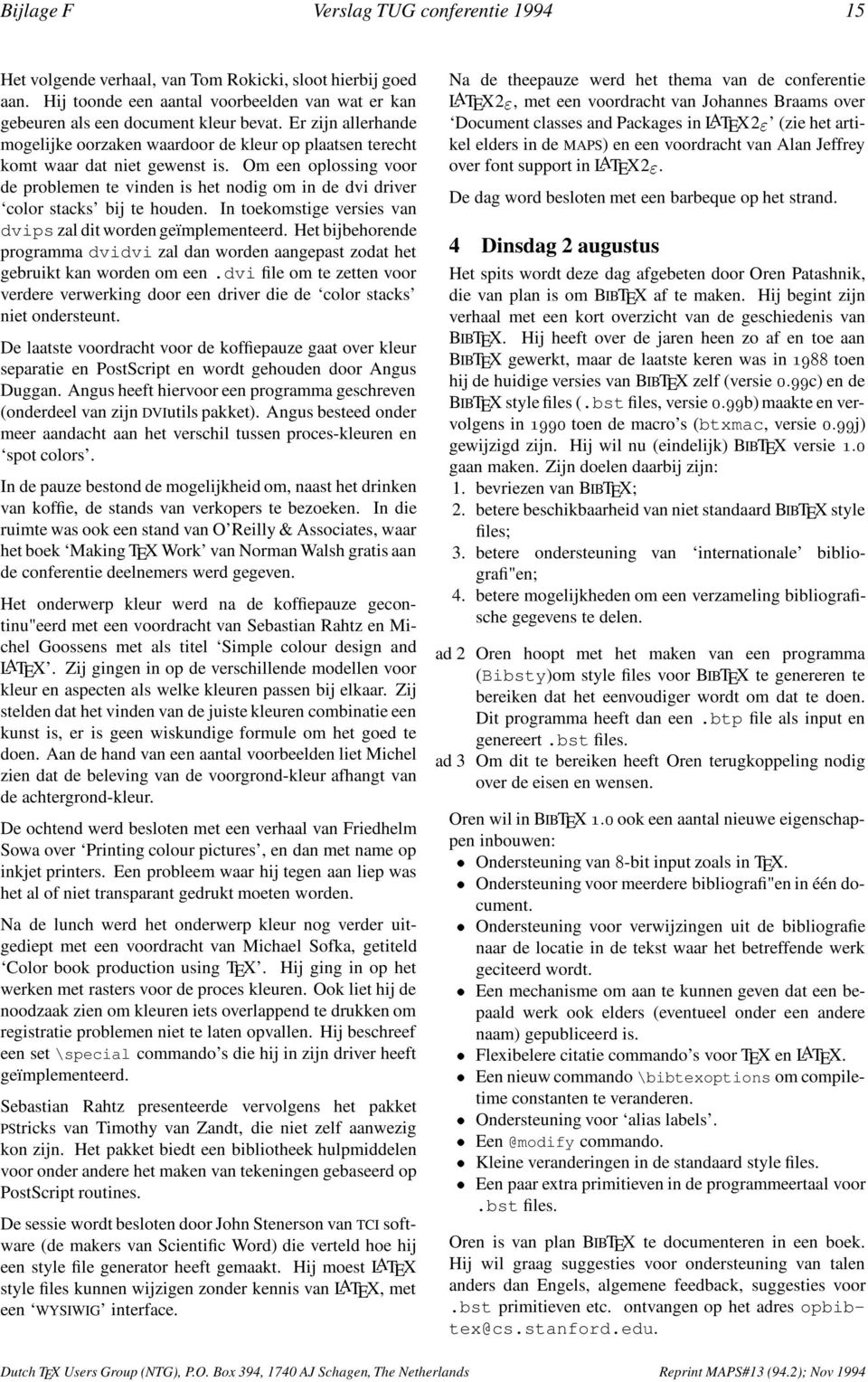
18 16 Verslag TUG conferentie 1994 Bijlage F Pierre Mackay vertelde daarna over zijn ervaringen met het maken van boeken Hij moest werken met bron materiaal dat met diverse (al of niet nog bestaande) tekstverwerkers was gemaakt Conversie naar TEXcode leverde soms code op als: {\i italic {\b_}{\r{\i}}}= Zijn aanbeveling is dan ook om minimale markup te gebruiken Ook breekt hij een lans voor een designer interface voor TEX Dit zou er uit kunnen zien als \specify CT,20/18,centered,18pc down Michael Barnett verhaalde daarna over zijn ervaringen met het mathematica Hij heeft TEX gebruiktom de uitvoer van Mathematica beter leesbaar te maken De laatste voordracht voor de koffiepauze wordt gehouden door Minato Kawaguti Hij heeft gewerkt aan een het laten samenwerken van emacs en xdvi Het aanklikken van een woord in het xdvi scherm laat emacs naar de betreffende positie in de bron tekst springen Na de koffiepauze weer een voordracht van Yannis Haralambous; ditmaal over een preprocessor voor TEX, Indica genaamd, die bedoeld is om Indische schriften (behalve Urdu) met TEX te kunnen zetten De preprocessor accepteert LATEX commando s, 7-bit ASCII, CSX en ISO UNICODE als input en produceert TEX code De preprocessor is in flex geschreven Het tweede deel van de voordracht was gewijd aan het Singalese schrift De ochtend werd besloten door Jean-Luc Doumont over Pascal pretty-printing: an example of preprocessing within TEX Zijn macropakket heeft de volgende eigenschappen: reserved words worden in vet gezet; de programma code wordt op basis van de syntax van de juiste indentering voorzien door het herkennen van constructies zoals begin :::end; string literals worden in een type-letter \tt, gezet; Pascal commentaar wordt als TEX code geïnterpreteerd Na de lunch was iedereen vrij om Santa Barbara te bezichtigen Later op de middag kon worden deelgenomen aan een bootreisje langs de kust of een wijnproeverij Wij zijn het water opgegaan in de hoop dolfijnen te zien Helaas, geen dolfijn te bekennen langs de kust Wel ging het steeds harder waaien, waardoor enkele mensen zich genoodzaakt zagen de vissen van extra voedsel te voorzien 5 Woensdag 3 augustus De derde dag van de conferentie begon met het verslag van werk van Joachim Schrod: Towards interactivity for TEX Hij geeft een overzicht van eerder werk in deze richting: Textures, VORTEX (two view editor), Edimath, easytex, Scientific Word (allen front ends ) Arbortext s SGML publisher, VAX DOCUMENT Volgens Joachim wordt interaktiviteit gedefini"eerd door: 1 run-time contrôle over de acties van het systeem, 2 vroege (directe) terugkoppeling Een systeem dat hieraan volledig voldoet is moeilijk te maken; daarom onderscheid Joachim verschillende niveaus van interaktiviteit: ondersteuning van macro ontwikkeling (TEX debugger 2 ); goede visualisatie van het document; gestructureerde edit faciliteiten voor (delen van) een document; een volledig publishing systeem Dit alles vergt voor TEX een formele beschrijving van het programma TEX Als aanzet tot een interaktieve TEX heeft Joachim een executable TEX language specification gebouwd Dit is een TEX interpretator, geïmplementeerd in Common Lisp Dit systeem kan als een debugger voor macro ontwikkeling gebruikt worden De tweede spreker van deze morgen was Chris Rowley, die het een en ander vertelde over de onderzoeksaspecten van het werk in het LATEX3 projekt Voor de samenstelling van een pagina moeten drie basisonderwerpen bestudeerd worden: Talen Er is sprake van verschillende talen; een low level taal voor de implementatie van algemene zaken en een high level taal die een interface voor een document designer moet zijn Van de laatste taal kan gezegd worden dat die een breed spectrum aan regels voor het samenstellen van een pagina moet ondersteunen en tegelijkertijd de gelegenheid moet bieden een nauwkeurig te specificeren hoe de pagina eruit moet zien Modellen Een pagina kan op verschillende manieren beschreven worden; een beschrijving waar nu op gestudeerd wordt gaat uit van Moulds, Areas en Rectangles en het Logical Document Een Rectangle heeft een vaste grootte en twee referentie punten (aan weerszijden) Een Mould is als een Rectangle maar met een vaste lengte in één richting en een lengte beperking in de andere richting Een terminal mould bevat alleen rectangles, een non-terminal mould kan ook Areas bevatten Een Area is ook een Rectangle met een vaste lengte in één richting en een lengte beperking in de andere richting Een area heeft minstens 1 referentie punt en een beschrijving waar de Area in een Mould geplaatst moet worden Verder is er een lijst van Moulds waarin de Area past Algorithmen Don Hosek vervolgde de ochtend met een verhaal over het ontwerpen van de layout van documenten Hij doet dat aan de hand van de layout van zijn tijdschrift Serif 2 Een TEX debugger werd op de EuroTEX conferentie besproken Reprint MAPS#13 (942); Nov 1994 Dutch TEX Users Group (NTG), PO Box 394, 1740 AJ Schagen, The Netherlands

19 Bijlage F Verslag TUG conferentie De laatste voordracht voor de koffiepauze werd door John Plaice gehouden Hij vertelde over de voortgang in het project is in principe een TEX XET die intern met een 16 bits representatie van tekens werkt Nieuw in zijn filters die op de input en op de output kunnen worden toegepast is ge"implementeerd als een change file voor texweb, samen met een aantal programma s ter ondersteuning Na de koffiepauze volgen twee voordrachten over object oriented programmeren Arthur Ogawa besprak aspecten van beschrijvende markup en object oriented programming gerelateerd aan TEX en document verwerking De tweede voordracht, van Wiliam Baxter, gaat in op de implementatie van een object oriented programmeer systeem in TEX Na de lunch vond de ledenvergadering van TUG plaats In deze vergadering lichtte de penningmeester de financi"ele resultaten van TUG over 1993 toe Over 1993 blijkt TUG een tekort te hebben opgelopen van ongeveer $ 16000, Dit tekort is geheel veroorzaakt door een dubieuze debiteur met wie inmiddels een betalingsregeling is getroffen In de vergadering van de board was een voorstel aangenomen dat inhield dat de contributie lager zou worden Ook was besloten de leden de mogelijkheid te bieden alleen TEX andtug News (TTN) te ontvangen tegen een verder gereduceerde contributie Onderdeel van dit voorstel was om meer inhoud aan TTN te geven De contributie wordt in 1995 $ 55,, wanneer TUGboat niet wordt ontvangen wordt dat $ 40, Dit besluit van de board bracht zoveel discussie te weeg dat de voordracht van George Greenwade kwam te vervallen De idee achter het verlagen van de contributie is dat verwacht wordt dat mensen die de oude prijs te hoog vonden, wél de nieuwe prijs willen cq kunnen betalen Andere besluiten van de board zijn: de kortingdie leden krijgen bij bestellen via het kantoor van TUG wordt verhoogd van 10% naar 20%; De voorzitter gaat in een discussie met andere gebruikersgroepen (LUGs) proberen vast te stellen wat de relatie tussen TUG en de LUGs moet zijn de verschillende LUGs zal worden gevraagd aangegeven wat zijn van TUG verwachten en eventueel aan TUG kunnen bieden; De tariefstruktuur voor institutional memberships wordt vereenvoudigd; één basistarief ($ 350, op basis van 7 personen) en een vast bedrag per extra te registreren persoon ($ 45, ) De penningmeester van TUG heeft een voorlopige begroting opgesteld voor 1995 Deze begroting is sluitend Na deze tumultueuze ledenvergadering mocht Yannis Haralambous de eerste toepassingen van bespreken Na de theepauze volgde de show van het NTS team; Phil Taylor gaf een globaal overzicht van de gebeurtenissen tot nu toe, waarna Peter Breitenlohner inzicht verschafte in "- TEXenJiří Zlatuška meer inhoudelijkinging op de plannen voor NTS "-TEX is een uitgebreide versie van TEX; "-TEX moet in compatibilty mode en in extended mode kunnen draaien Voor NTS wordt voorgesteld te beginnen met een volledig nieuwe implementatie van TEX in een moderne taal, geschikt voor prototyping, zoals Common Lisp Object System Deze nieuwe implementatie moet modulair zijn opgezet zodat modules kunnen worden uitgewisseld Wel moet de nieuwe implementatie in eerste instantie aan de trip test voldoen 6 Donderdag 4 augustus De laatste dag van de conferentie was gewijd aan Publishing and design De dag werd geopend met een voordracht van het Louis-Jean printing house in Gap De voordracht werd gehouden door::: Yannis Haralambous Zij hebben diverse hulpmiddelen ontwikkeld,waaronder een dvi editor (edvitor) die als WYSIWIG editor gebruikt kan worden maar ook als postprocessor ingezet kan worden en een TEX naar SGML vertaler De volgende spreker was Michael Downes die vertelde over een macro pakket dat design by template mogelijk maakt Het macro pakket kan een layout specificatie vertalen in een TEX style file De derde spreker van deze ochtend was Alan Hoenig, die liet zien dat bepaalde layout problemen uitstekend met TEX kunnen worden opgelost zolang ervan uitgegaan wordt dat de tekst aan een set beperkende voorwaarden voldoet Hij toont bijvoorbeeld aan dat het mogelijk is met TEX code een window in een blok tekst open te laten De laatste voordracht voor de koffiepauze was van Jonathan Fine, maar werd verzorgd door Malcolm Clark, Jonathan kon op het laatste moment niet op de conferentie aanwezig zijn Jonathan Fine betoogt dat met TEX endejuiste hulpmiddelen veel meer mogelijk is dan tot nu toe wordt verondersteld Na de pauze vertelden Marko Grobelnik cs over een ge"integreerd systeem voor het zetten van een encyclopedie met behulp van TEX De laatste voordracht van de conferentie werd verzorg door Henry Baragar die voor het weergeven van de regels van een expert systeem een speciale invoer taal heeft ontworpen Zijn oplossing is erop gericht om de regels van het expert systeem correct weer te geven op een zodanige wijze dat ze begrijpelijkzijn voor zowel de programmeur als voor de eigenaar van het systeem De conferentie werd tenslotte afgesloten door Christina Thiele Zij sprak de hoop uit iedereen op de volgende TUG conferentie (in Florida) weer te mogen ontmoeten Wie meer informatie wil over die conferentie kan terecht bij tug95@scrfsuedu; tot 1 februari as kunnen voorstellen voor een presentatie worden ingediend Suggesties voor TUG kunnen gestuurd worden naar tugsuggest@shsuedu 7 Tot slot Het was weer, zoals altijd, een drukke week Ook tussen de voordrachten door werd veel overlegd Tijdens de conferentie zijn door mij de eerste besprekingen over de 4AllTEX CD-ROM gevoerd met Peter Gordon van Addison &Wesley Dutch TEX UsersGroup (NTG), PO Box394, 1740 AJ Schagen, The Netherlands Reprint MAPS#13 (942); Nov1994

20 18 Goossens at TUG 94 Bijlage G Goossens at TUG 94 July 31st, Santa Barbara, California, USA Michel Goossens goossens@hpkuipccernch 1 Introduction July 31st, Santa Barbara, California, USA Just the right combination of sunshine, temperature, and sea breeze The mountains in the background, the beach nearby, the food nearly perfect The ideal setting for a conference And here we were, some 120 TEX enthusiasts, coming from many countries and cultures, to meet each other, and talk about and listen to presentations of the latest developments in the area of high quality typesetting We were not disappointed The quality of the presented papers was uniformly good, or even outstanding, so many Birds of a Feather (BoFs) were going on in parallel that it was impossible to keep track of the many hot topics being debated by specialists and users in these informal meetings that took place when there were no formal presentations The formal theme of the conference was Innovation Malcolm Clark and Sebastian Rahtz brought together a tremendous programme that clearly showed how TEXisnowmaking inroads in many areas of book production, like colour support, more flexible page layouts, scholarly and non- Latin alphabet editions Several groups are working on extending TEXorLATEX so that these tools become ever better adapted to the demands of present-day document handling and are integrated more readily into electronic distribution networks or databases Several new approaches introduce object-oriented programming techniques, and hence show that TEX forms an integral part of a modern computing development environment I hope that the following detailed overview will give you a flavour of all these developments, and that it will convince you that you want to know more about one or more points You can obtain the proceedings of the Conference by becoming a TUG member for $60, which entitles you to four issues of TUGboat and of TEX and TUG News, or else for $30 you can obtain a copy of the Proceedings only For more details contact the TUG office at the following address TEX Users Group Phone: +1 (805) PO Box 869 Fax: +1 (805) Santa Barbara, CA 93102, USA tug@tugorg 2 Saterday July 30th It all started Saturday July 30th in the evening with the traditional Welcome Party, where one meets old friends and colleagues or discovers new faces, that are at first looking around with somewhat anxious eyes, but are quickly surrounded by reassuring oldies, shaking hands, and being welcomed to the Family The Californian wine, beer, or lemonade flowed freely, and by the end of the evening all ice was broken and the atmosphere was one of harmonious warmth and unity 3 Sunday July 31th The Conference was formally opened the next day by TUG S Executive Director, and local organizer, Patricia Monohon, and Christina Thiele, TUG s President also spoke a few words of welcome The theme of the day was Publishing, languages, literature and fonts It was Charles (Chuck) Bigelow who had the honour to present the first paper He started by looking back at letter forms over the past 2500 years or so, and then discussed work together with Kris Holmes on the Lucida Sans Unicode font, that contains at present some 1700 alphabetic and mathematical symbols and is or will be available with the multi-byte operating systems Windows/NT, Apple GX and AT&T Plan 9 Frank Mittelbach then discussed some of the do s and don t s that he learned while preparing the LATEX Companion From the discussions following the talk it seemed that his impressions were shared by many other authors/editors who are in the publishing business Just before tea it was Yannis Haralambous who showed off his artistic talents using MET A F O N T when he presented his work on typesetting the Holy Bible in biblical Hebrew using his Tiqwah system, that will make it possible, for the first time, to use the typographic powers of TEX to typeset high-quality Bible editions Together with his work on typesetting the Holy Koran using several thousand ligatures, and his font developments for many other scripts, (as described at earlier conferences, and later in the present one) this will allow scholars in many disciplines to typeset their works at affordable prices using TEX and any computer Michael Cohen, an American teaching at the University of Aizu in Japan, explained how his Zebrackets system of meta-met A F O N T s can generate striated parenthetical delimiters on demand This offers the reader a more complete graphical picture of the relationship between various document elements by augmenting the information content of their representation Reprint MAPS#13 (942); Nov 1994 Dutch TEX Users Group (NTG), PO Box 394, 1740 AJ Schagen, The Netherlands
21 Bijlage G Goossens at TUG Yannis Haralambous then came back on stage to present Humanist, his new system to humanize LATEX Document input, markup and editing is performed using any word processor that supports RTF output (likeword, Word- Perfect), that will then be turned into LATEX code by the Humanist system A user can thus work on a text in the most friendly and natural way (ie, without a single LATEX command), but will get syntactically correct LATEX output so that the powerful TEX engine can be used to obtain high-quality typeset output The final paper of the Sunday was by Basil Malyshev, on converting MET A F O N T fonts automatically into PostScript Type 1 outlines It was read by Alan Hoenig in the author s absence Various techniques to perform the conversion in question were presented and the one chosen for the creation of theparadissa Fonts Collection was described This collection offers a freely available set of PostScript Type 1 renderings of all Computer Modern, Euler, CM Cyrillic and LATEX fonts 4 Monday August 1th It was Leslie Lamport who had the honour to start the presentations of the second day, which had LATEX and Colour as its theme He gave us his ideas on LATEX4, a WYSIWYGlike, though structured text editor, well integrated into the user environment James Hafner gave a short historical overview of how colour was first implemented in Tom Rokicki s dvips dvi driver to provide an efficient and simple method for specifying colour with TEX Tom Rokicki then discussed a new implementation of colour support and proposed a standard way for specifying colour and colour-like specials, implemented by modular C-code, that can be easily integrated into the dvi drivers Angus Duggan described his program DVISep, a simple colour separator for dvi files, as well of some other tools for working with dvi files Sebastian Rahtz provided an introduction to the colour commands available in LATEX2 " and showed some interesting examples Michel Goossens discussed some of the more basic issues concerning the use of colour in documents He emphasized that the colour dimension has to be used with great care, so as not to distract the reader from the main message Colour, like typography, has a set of rules, that have to be learnt and applied for greater effectiveness Friedhelm Sowa presented his original and deviceindependent approach to colour support and showed some results obtained using BM2FONT on a Hewlett Packard inkjet printer Michael Sofka gave an overview of the various stages in the productionof a colour book He addressed the issues involved in professional colour separation, and demonstrated how TEX, with a suitable driver, can be used to produce high-quality custom and process colour books Then Sebastian Rahtz returned to the spotlight, with a presentation of PSTricks, a paper by Denis Girou and Timothy van Zandt, who could not be present Sebastian, in his usual clear style, showed how PSTricks provides a convenient interface to PostScript from within TEX It allows one to draw any kind of graphics object, like circles, polygons, curves, springs It offers several drawing tools, grids and has various commands to place text along a path Objects and text can be rotated, scaled and tilted, and 3-D effects are available Framing and clipping are supported, as is a general tree-drawing package A package for generating slides, seminar, exists, and an early version of a plotting package is also ready After the presentations on colour our attention turned to the subject of general LATEX-related developments First, Jon Stenerson showed us his system for creating customized LATEX style files via a graphical user interface, composed of menus, windows, and dialog boxes It is at present closely linked to the Scientific Word text processor, although, in principle, it could be used with any LATEXenvironment Johannes Braams provided a clear introductionto classes and packages and LATEX2 " He started by relating the LATEX2 " packages and classes to LATEX 209 major and minor styles Then he discussed how old styles can be most easily upgraded In the last part of his talk he gave a concise overview of the document classes and packages that come with LATEX2 " The last talk of the day was by Alan Jeffrey, who covered the subject of using PostScript fonts with LATEX2 " He described the LATEX2 " font packages psnfss and mathptm and some of the design decisions made in their development Before the dinner on the beach several BoF sessions took place One was on colour, coordinated by David Carlisle, another on practical indexing, coordinated by Nelson Beebe, and one on font encoding, coordinated by Alan Jeffrey Many of the discussions in the BoFs carried over into the beach dinner time, but, as families were also present, other more mundane subjects were also addressed It was one more golden occasion to get to know each other in a more personal context, withoutreference to glue, (coloured) boxes or other TEX speak 5 Tuesday August 2th Tuesday morning was devoted to Tools, and started with a presentation by Oren Patashnik, the author of BIBTEX He first took a look back and explained why some of the design decisionsof BIBTEX were made Then he discussed some of the features that he plans to include in the new version, such as an easier interface to create non-standard bibliographies, support for national languages and the possibility of multiple bibliographies in a single document The next talk was by Pierre MacKay, who presented his typesetter s toolkit, which includes tools for remapping fonts and generating composite glyphs, and a program for generating AFM PostScript metric files for the Computer Modern fonts Michael Barnett described a remarkable application where a combined use was made of electronic typesetting and symbolic computations His work seems to indicate that a considerable amount of time and effort can be saved when complex formulae are obtained symbolically by a computer program, like MATHEMATICAMinato Kawaguti, of Japan, proposed a new and efficient method Dutch TEX UsersGroup (NTG), PO Box394, 1740 AJ Schagen, The Netherlands Reprint MAPS#13 (942); Nov1994
22 20 Goossens at TUG 94 Bijlage G to edit (LA)TEX source files by combining an emacs-type editor and a special version of xdvi, where the two windows (emacs and xdvi) are displayed simultaneously, and pointing to a portion of the document in the xdvi window positions the text in the editing window in the same region After coffee Yannis Haralambous showed his work on the Indica system, and a completely new TEX system for Sinhalese The Indica system is a generalized preprocessor for Indic scripts (scripts of languages used on the Indian subcontinent, plus Sanskrit and Tibetan Urdu, where the Arabic script is used, is not supported) Various input encodings are accepted and with the help of flex, a UNIXbased lexical analyser generator, are translated into TEX commands Identical input encodings can be used for different languages, thus minimizing user retraining when inputting in different languages The Sinhalese TEX system is a complete typesetting workbench for that language, containing specially designed fonts Jean-luc Doumont explained how pretty-printingof Pascal programs can be done entirely within TEX, without the need of a preprocessor He showed how this approach of preprocessing within TEX, using two-token tail-recursion, can also be applied to other situations, eg, for an elementary chemistry mode After lunch we had the afternoon off and most of us spent it in the nice town of Santa Barbara (the town itself has a population of 86,000, while the county counts about 360,000 inhabitants) The town lies about 150 km north of Los Angeles, and 530 km south of San Francisco The climate is sunny and temperately warm (average temperature isabout 12 centigrades in December, and 20 in July) The architecture of the town offers a unique blend of Chumash, Spanish, Mexican and American heritage State Street, Santa Barbara s main and most famous street, whose lower lying part was rebuilt after the 1925 earthquake as a beautiful Spanish-style avenue, lined with trees, plants, benches, and lamps is the town s favorite shopping area At the end of State Street Stearn s Wharf, built in 1872, and the oldest operating wharf on the west coast, offers a lot of restaurants, gift and souvenir shops, wine tasting, a seafood market and other small shops From the wharf one has a marvelous view of the mountains, the ocean and the yacht harbor Santa Barbara also has an interesting history, and many of its buildings and museums will give the visitor an overview of what happened since 1542,when the first European, Juan Cabrillo, set foot in the area But it was not until 1782 that the Spaniards came to stay, and also around that time they established amilitary presidio and thenow famous Mission, established in 1786 Its beautiful setting, unique twin bell towers and lovely facade have earned it the title Queen of the Missions Santa Barbara, heart of the American Riviera, also offers white-sand beaches, whale watching, mountain biking, sailing, and many good restaurants In fact, during the Tuesday afternoon we were supposed to go and have a look near the Santa Barbara Channel Islands, that provide a shelter for the area between the islands and the mountains, thus giving Santa Barbara its unique subtropical climate The plan was to go and spot a few whales, but the sea was somewhat rough, and the captain preferred to take us on a 3-hour tour along the coast Even so quite a few of our passenger-colleagues felt sick, and it was with some relief that many of us set foot ashore again around 7 pm, and set off to go and pick a restaurant to enjoy the local food 6 Wednesday August 3th The next day s theme was Futures, and Joachim Schrod thought that interactivity was the way forward He emphasized that Knuth already very early on thought that an interactive TEX would be useful Many TEX systems have been built that contain some interactivity To better understand the actions of TEX he proposes that a formal approach should be used since, according to his views, informal descriptions have failed As part of a solution he presented, after developing an abstract decomposition, a formal description for TEX s macro language The latter can be interpreted by a Common Lisp system and the resulting Executable TEX Language Specification (ETLS) can be used as the basis for a debugger of TEX macros Chris Rowley then reviewed some of the investigations of the LATEX3 team in the area of modeling and specifying page layouts One of the questions that they asked themselves was how well LATEX can cope with that job compared to other text processing software systems, and whether a complete redesign of the system is needed He also mentioned the wider question of how these aspects should be addressed in futuretypesetting systems Don Hosek gave an overview of various page layouts he had tried for his new magazine Serif, and showed how he could massage TEX into doing (almost) everything he wanted, mainly using code from the infamous Appendix D of The TEXbook John Plaice then reported on the present status of the Omega project, which is a series of extensions to TEX to improve its multi-lingual abilities It supports multiple input and output character sets and allows any input encoding Transformations from one coding to the other are supported 16-bit or 32-bit virtual fonts can also be used, so that even scripts requiring a very complex contextual analysis, such as Arabic or Khmer, can be handled elegantly After a short break Arthur Ogawa showed ways of combining within TEX the descriptive markup and object-oriented programming (OOP) paradigms He discussed an extension to LATEX s markup scheme that more effectively addresses the needs for a production environment, and for implementing such a system he heavily relied on the use of OOP techniques, where LATEX environments can be thought of as objects, and several environments can share functionality of a common, more general object In his companion talk to Ogawa s, William Baxter went on to describe the actual implementation of an OOP system in TEX, where formatting procedures and markup are strictly decoupled, so that, indeed, designers can fully benefit from the OOP techniques available The afternoon started with the TUG Business meeting, where decisions taken by the TUG Board of Directors Reprint MAPS#13 (942); Nov 1994 Dutch TEX Users Group (NTG), PO Box 394, 1740 AJ Schagen, The Netherlands
23 Bijlage G Goossens at TUG for the coming year were presented, explained, and discussed These decisions will be presented in a separate message The Knuth Scholar was also announced: Shelly Lee Ames of the University Manitoba, where she works for the Canadian Mathematical Society (Société mathématique du Canada) preparing formats and proofing all papers published by the society in their Journal and Bulletin This involves handling submissions in many different flavours of TEX, and initiating the development of macros to implement their formatting requirements After the meeting Yannis Haralambous, in a companion paper to Plaice s on the Omega project, showed a few applications for fully diacriticized scholarly Greek, vowelized Arabic, properly kerned Khmer, and for Adobe s calligraphic Poetica font Then Phil Taylor reported progress on the NTS project This project was started in 1992 by the German-speaking TEX user s group, DANTE, and has as its main task the development of a successor to Donald Knuth s now frozen TEX system In fact two paths, one evolutionary, with e-tex, and one more revolutionary, with NTS (New Typesetting System) are at present being investigated As the TEX typesetting system consists of a rather complex set of tools, the group proposed to define a canonical TEX kit, which is assumed to be present at every installation The status of the e-tex project was reviewed by Peter Breitenlohner At present improved control over tracing, additional math delimiters, improved access to the current interaction mode, checking for the existence of a control sequence, alternative ligature/kerning, extensions to the set of valid prefixes for macro definitions (eg, nprotect and nbind), support for colour Finally it was Jiří Zlatuška who told us about the team s present thinking on the more ambitious NTS project He sees essentially a two-phase approach, namely first a re-implementation in a rapid-prototype language such as CLOS or Prolog, so that one can experiment easily with various modular representations of the present TEX engine Using this model one will try and identify functionally independent units, for which various alternate ways of extensions can then be proposed and tested Based on the knowledge gained in phase one, the second phase will then see the step-by-step re-implementation of the functional units in a more efficient and widely available programming language, such as C++ Initially only e-tex will be implemented in NTS, but later on alternate algorithms can be included to perform some of the typesetting tasks better The long-term aim of NTS is thus to make maximum use of the phase-1 test bed to investigate and evaluate possible approaches to overcome various of TEX s perceived shortcomings A lively discussion followed these presentations, and then the participants went off into one of the three BoF sessions The first was on WWW servers, coordinated by Peter Flynn and Norman Walsh, where the latter discussed at some length his paper describing his WWW interface to the CTAN archive, which provides an attractive means to combine different views of the archive into a single view Marko Grobelnik coordinated a BoF on database publishing, while Oren Patashnik discussed extensions to BIBTEX in his BoF At the Banquet, that started at 19:30, all participants had one last chance together with their families to socialize, and enjoy the good food, wine (some had original 16 year old cask Caol Ila malt Whisky:::), and the music 7 Thursday August 4th It was a little difficult for some of the participants to get up on time for the last morning, which had the theme Publishing and design Yannis Haralambous and Maurice Laugier discussed some of the tools used at the Louis- Jean Printing house in Gap (France) to typeset books The TradTEX-SGML program was introduced It is used to convert TEXandLATEX files into SGML The tool is presently implemented on a Macintosh and is in real-life production edvitor is a program that allows interactive editing of a dvi file, using a mouse-driven cursor to move blocks of text, insert illustrations,change colours, etc It runs on both DOS and Macs Michel Downes stated that the American Mathematical Society produces almost all its publications (a couple of dozen journalsand book series) with TEXusing AMS-developed macro packages About two years ago a major overhaul of the macros package was decided, one of the goals being to ease revisions to the visual design In this new approach the design specifications are kept outside of the TEX code in an element spec template that is relatively easy to understand and modify by traditional book designers Alan Hoenig then showed us some examples of visually pleasing page layouts, which most TEX users only thought possible with PageMaker or Quark Express His secret is to turn off some of the TEX functions, like vertical glue or tall characters, and all lines are assumed to have the same height and depth It is to be said that this arguably restrictive set of conditions still allows one to typeset probably at least 99% of all printed material in the world And, indeed, the model is not so limited as it seems, since with some work one can include section heads, display material, and so on Just before the coffee break, Malcolm Clark presented Jonathan Fine s paper in his absence He described first some historic aspects of the TEX typesetting program, leading to a discussion of strategies for possible future extensions He strongly believes that with improved macro packages and dvi processors many of the present problems will be solved Also imposing a more rigorous syntax for inputting compuscripts should help This will not only allow the source to be used with a possible future successor of TEX, but also ensure re-use with other, not-necessarily typesetting, applications Marko Grobelnik presented a TEX-based system developed in Slovenia for publishing dictionaries, lexicons and encyclopedia The TEX macros are augmented with many special purpose written editing tools to assist the editor, who looks after the contents and form of the publications The final talk was by Henry Baragar, who showed how special purpose ( small ) languages can be used for documenting Knowledge bases so that LATEX can be augmented by adding expressiveness for specific tasks He introduced the language TESLA, that allows Expert System analysts to mark up groups of rules into tables so that the logical Dutch TEX UsersGroup (NTG), PO Box394, 1740 AJ Schagen, The Netherlands Reprint MAPS#13 (942); Nov1994
24 22 Goossens at TUG 94 Bijlage G structure of the database becomes clear The system generates LATEX tables, that can be typeset in tabular form to be used by expert system programmers or typeset as text, to be used by Domain experts, thus yielding presentation forms adapted to the targeted audience 8 See you next year in Florida The conference was brought to a close by Christina Thiele, but not before Mimi Burbank, coordinator of next year s TUG meeting, gave us a short outline of plans for the 1995 meeting, to be held during the week of July 24 28th 1995 in the Trade Winds Hotel in Florida It was also the occasion to honour the winners of the trophies for the best papers, namely Alan Hoenig, Yannis Haralambous and Tom Rokicki I think that I can safely suppose that at the end of our five day conference all participants left the University of California, Santa Barbara Campus satisfied to have taken part in this unique event Even though most of us, Internet addicts, were a little surprised to find only very limited access to the Internet, this fact might indeed have been more of a blessing than a shortcoming, since in this way we were not distracted by having to answer or otherwise respond to urgent requests from home In any case it certainly benefited contacts between the participants and hence contributed to the friendly atmosphere Another positive factor was the hard work of John Berlin and Janet Sullivan of the TUG office, who did their best almost 24 hours per day to help solve problems, or better, trying to prevent them before they occurred Their kindness and helpfulness were truly appreciated by all those present Thanks once again to John, and to Malcolm Clark, as coeditors of T HE T U GLY T ELEGRAP H, which kept us informed of the latest conference news, and to Katherine Butterfield, Suki Bhurgi, and Wendy McKay for helping with staffing the on-campus TUG office Reprint MAPS#13 (942); Nov 1994 Dutch TEX Users Group (NTG), PO Box 394, 1740 AJ Schagen, The Netherlands
25 Bijlage H CyrTUG CyrTUG 94 and some more Sept 7th 10th, Dubna, Russia Kees van der Laan Hunzeweg 57, 9893 PB Garnwerd, The Netherlands cgl@rcservicerugnl Russian TEX tour Introduction CyrTUG 1 invited me again to participate in their annual meeting There was more to that Kazan (Renat and Sergej) and St Petersburg (Yuri and Olga) urged me to visit their towns too and to lecture about TEX It promised to become a real Russian TEX tour A lot of details had to be fixed and dangers to be circumvented The visa came off in time and I definitely felt at ease when Irina and Sergej offered to host me again at Moscow The trip was a bit more complicated than last year Now I drove to Warsaw by car, and from there by train (The Polonez) to Moscow My Polish friends (met at BachoTEX 94) turned out to be indispensable The idea was that on mywaybackicouldpassbytheeurotex 94 meeting at Gdansk On Saturday 3 September my hosts Irina & Sergej Gorbunovi welcomed me into Moscow, this time at the Belarus station The weather was fine again The city holiday weekend invited us into the Sokolniki park to enjoy various exhibitions,especially the one devoted to virtual reality Most of the park was in dinasauris mode imported straight from the USA Later Sergej showed me around in the house of the press, where he has one of his two jobs as designer 2 In his office Macintoshes are used with big screens, such that two facing pages can be seen on the screen simultaneously The many colour printing machines were impressive The newspaper industry is upcoming, especially those newpapers which contain a lot of advertisements In the old days people informed each other when something special was on sale Because of the cash-and-carry shopping Russian people developed all kinds of tricks to ascertain quality CDs seen through the light of a lamp must yield a nice regular wire! 4AllTEX passed of course the test We also went to the Zoo The news in there was the Tset-tset bird, after which tap-dancing in Russia is named Much activity in Moscow Many things are under reconstruction The smell of the town is typical Moscovite 1 Conference at Dubna The conference was attended by some 60 members and essentially about the experience of using TEX We had mostly a one-stream reports schedule about the usual things: fonts, hyphenation, and ligatures Michel Goossens was there to report about his work on LATEX2 " and the use of colours He also told about TUG 94 at Santa Barbara Attention was paid to (LA)TEX and PostScript, next to moving to UNIX platforms User reports came from Dubna, Moscow State University, and the people at the Academy of Sciences Irina detailed with the submission process of camera ready copy to MIR I presented BLUe s Format, and had my tutorial about Manmac BLUes Like last year CyrTUG 94 attendees were the first to hear about my latest work The papers were well-received, although the main interest was towards LATEX2 " developments, which is not much of a surprise Suited to the occasion was the visit to the Publishing Department of the Dubna institute At the Dubna JINR 3 the scientists use (LA)TEX for submissions to journals, while the Publishing Department uses Ventura The cooperation of the Dubna Publishing Department with CyrTUG is emerging and promising Courses were run in parallel: a LATEX course for beginners, a LATEX2 " course, a Manmac BLUes workshop, and a computer room for those who just liked to demo, and to discuss (LA)TEX matters, or to exchange software The attendees were less eager for new software compared to last year There was also a Birds-of-a-Feather session The equipment consisted of some 386-based PCs with emtex andams-tex on it as basis Overhead projectors supported the lectures However, nearly all of the 1 The Russian TEX Users Group 2 Because of his job rotation he learns on the fly, and comes into contact with many advanced software, for example CorelDraw and QuarkXpress Very common in Russia is the Norton commander 3 Joint Institute of Nuclear Research Dutch TEX UsersGroup (NTG), PO Box394, 1740 AJ Schagen, The Netherlands Reprint MAPS#13 (942); Nov1994
26 24 CyrTUG 94 Bijlage H lectures were in Russian Most of what I know about the meeting reports was prompted to me by Renat Zagretdinov The reading table contained many nice contributions: the GUTenberg colour issue, some LATEX introductionsin Russian, the LATEX2 " companion, of course the TEXbook in Russian, and like last year an introduction to PostScript, also in Russian, next to NTG s 4AllTEX CD-ROM The conference banquet (better known as towaritzeski oozin ) had as usual a cosy Russian atmosphere Many a toast was given, for example one to the health of Don Knuth and traditionally to the Ladies present I toasted on the friendship of CyrTUG and NTG and the maturity of CyrTUG This time I drank friendship with at least three Olgas After dinner we had our Russian round dance and Irina Balerina and I let ourselves go into a Wolga ballet The Wolga and Dubna here are beautiful More of the Wolga was still to come at Kazan 2 The Tatarstan Next was Kazan The train leaves at 6 PM, meaning that an oozin had to be enjoyed on the train as well as a night s sleep The Tatarstan as was said by Renat is the best train to be found in all Russia, and indeed that is true The curtains, the blankets and everything was well-maintained Sergej, Renat, Marina and me enjoyed it very much A little talking and a bite now and then The guest in our compartment, Yakowlef a musician, joined the party by offering a bottle of champagne to finish the meal Otsin priatne, very pleasant indeed The Wolga was overwhelming here No time of yet for a boat trip First Sergej and Tania showed me around The most pleasant was just the walking together and chatting Of course I liked the museum with some Tartan art Kazan means Wolga and Tartar culture to me now Renat showed me around in the University Museum and that was impressive The best University museum I have ever paid a visit The big surprise was that Lobachevski worked here for the better part of his life His lecture rooms are still there and I could feel the crossing of parallel lines In the evening we enjoyed a Tartar festival in the national theatre So subtle the Tartar music The next days I had to go to work: What is TEX and MET A F O N T all about? and BLUe s Format Students spotted immediately Big BLUe Renat took me for lunch one day to the place where the Russian people go It was within the walls of the Kremlin, and indeed we had to queue and it was very warm in there For the afternoon tea we were invited by Marina Her boss Andre runs a small science park -like company offering computer science technology, not in the least the networking infrastructure He donated a UNIX machine with two 486 in there to the University, and therefore he could locate his office within the Computer Science building The last day was devoted to what I had hoped for By hydrofoil Renat, Marina, Tania and me went to Swiyask, an island in the Wolga with a rich history So pleasant to walk about and around and having a lunch a la Russe Unforgettable 3 St Petersburg For the last part of the trip John Roseman from Urbansoft company was my escort After the tea at MIR publishers on the occasion of the LATEX introduction book, John invited me to come along for some business Surprise, surprise, it was Luda we went to Of course I do remember Luda from last year to say the least We had some contact after the meeting via and she even sent me Evgeny Onegin in Russian She was at the heart of this Russian TEX tour, although the way she envisioned it did not work out Needless to say it was a cosy visit and we really had to hurry to catch the St Petersburg train Getting more and more confident it all went smooth 4 The Newa was beautiful, especially with those palaces along it Olga Grineva was my hostess and all went smooth, and given the experience so far, I was not surprised at all Joseph Romanovski took me out for a walk and detailed about art nouveau, the special Peter the Great statue and more such things After this morning walk we were invited for tea at Urbansoft Yuri was a shy but pleasant host His office reflected TEX in a very surprising way The walls of the office garden consisted of boxes of Russian TEXbooks A handy storage and well-suited to inflation In the evening Olga took me to a Jazz club on my request, and that was an experience Russia is not for Jazz, they have their own culture I should have known better But with charming Olga around I would have enjoyed everything The next day Joseph Romanovski had invited us for oozin Knuth seated on their divan some months before, as I could witness from the photographs, and now it was me!?! On his video he had Knuth lecturing about (Stanford) tree(s) 5 Joseph also told about how Knuth processed the illustrations in the Bible Illuminated by computer He used 4 colours as basis and calculated the nuances all by himself Knuth did it again and just nobody knows about it On his home computer he showed me his work in Post- Script, and he gave me some homework for casting this into MET A F O N T He was especially interested in the size of the files The next day Olga showed me around in the University I was surprised to find out that Alexander Block was a stu- 4 The problem is that foreigners have to pay a different price and my hosts had bought tickets as if I was a Russian, so all I had to do was to keep my mouth shut and look intelligent 5 Video tapes are abundant now in the booths on the street Reprint MAPS#13 (942); Nov 1994 Dutch TEX Users Group (NTG), PO Box 394, 1740 AJ Schagen, The Netherlands
27 Bijlage H CyrTUG dent of this University 6 BLUe s Format was rehearsed for the third time, a piece of cake by now Joseph was again interested in the size of the memory used and suggested to load only what a user needed 7 His attitude is different form ours We are used to larger and larger hard disks He also mentioned that BLUe s Format reflects the Russian attitude: not only using tools but also understanding them I m happy that BLUe s Format was sown into the right soil Tania from the Univeristy Press would try it out too, next to a colleague of her In Moscow Nikolai Tretjakof was also very pleased, and he communicated that especially persons who used AMS-TEX so far would welcome the alternative, not in the least the underlying realistic model of how to cope with scripts during their life-phases MIR Publishers A visit to MIR publishers was less formal than last year It looks like that MIR is experiencing difficulties Less titles have been produced and the selling slows down, due to inflation Corridors The plans are to organize next year s meeting in Yaroslav, and to offer TUG to host the TUG 96 meeting, and to unite TUG 96 with EuroTEX 96 Russia is a country of extremes, and definitely things are going to happen here in near future Watch out! Social life The shopping has been improved It is still difficult to find the good shops As a foreigner one has to rely on the centre of Moscow Irina however helped me with finding the shop for Russian music and other souvenirs on the former Lenin prospect Inflation goes still up by the hour During my stay the fare for the underground was nearly doubled The mafia was there but grace to my disguise I was not noticed, despite my continuous escorte I believe I m the first TEXVIP The Dacha Olga and her parents took me to their Dacha This was a true experience First we stopped for collecting mushrooms Next the drivingin Russia resembles much Russian roulette But I survived Many people enjoy their freedom at the Dacha They can build their own house roughly as they wish on their allotment No rules, and hardly no papers to be filled in All like to have their bania too Olga s Dacha was still under construction The bania of her friends was not yet ready either Their hospitality was again great: friends of friends are friends Jobs Curious for me was that many people have more than one job!?! Usually an University tenure with a low salary and a job somewhere else The agreement is that the University does not fire employees but just divides the workload such that each has work only for a day or two Every person is encouraged to look elsewhere for another paid job in order to survive Banks are the rich employers Men also help to build Dachas for some extra money 4 EuroTEX 94 at Gdansk This was not yet the end Gdansk was still on the program Irina and Olga were also on the Polonez to Warsaw From there I took them with me in my old car to Gdansk, meeting old and new friends An impressive program and a tidy issue of the proceedings with many a paper worthwhile to study at home Jackovski and Ryćko again earned the public approval for their presentation and work To be honest this meeting had all to do with lookingfor amber, collecting mushrooms, and enjoying guitars at night (LA)TEX was just a excuse During my Manmac BLUe s Tutorial I found that I did not really understand Knuth s subtleness completely of yet While lecturing I realized that Knuth s \beginchapter tag is as close to natural markup as I can think of An eye-opener! Phil Taylor s lucid \ignorewhitespace as generalization of \ignorespaces has been immediately incorporated in BLUe s Format Thanks folks! Some EuroTEX afterthoughts Although I know that not many people like me thinking aloud, I feel I should do it nevertheless, with all respect to those involved It is just that from my point of view innocent users should be warned Given the main stream and my warnings it is up to them what to decide Personally, I think to let LATEX2 " pass by I don t need it and its inherent quasi-static nature is too cumbersome for my personal collection of works To boost a standard is one thing while how to cope with change and customization is another, and more realistic to my taste That the coding is based on a one-part macro is regrettable and an inheritance from LATEX If I only think of that exercise 1512 about automatic numbering of footnotes was completely neglected, and that counters with value zero can t be printed, see the LATEX book figure C6, then too much has to be corrected still at the elementary level which does not give me confidence in advanced issues BiBTEX needs a multi-pass job, and is complicated, and so on As I see it the innovative approach of Knuth via processing on the fly via two-part macros has not been appreciated as it should have been 6 Not true as Olga communicated later to me Alexander was born in the Rector s house because his grandfather DI Mendeleev was in that time rektor of the University 7 Because of the modular approach he can easily delete what he does not need His suggestion to load only the macros needed has the wrong granularity IMHO, with all respect, especially in view of the increasing number of megabytes per dollar, of which the end is not yet in sight Dutch TEX UsersGroup (NTG), PO Box394, 1740 AJ Schagen, The Netherlands Reprint MAPS#13 (942); Nov1994
28 26 CyrTUG 94 Bijlage H Many thanks: :: I like to thank again CyrTUG for having invited me, and not in the least I owe my gratitude to my hosts at Moscow (Irina and Sergej) at Kazan (Sergej and Tania)and at St Petersburg (Olga and Yuri) for having taken care of me, andneverleavingmeonmyown Ofcourse,Ialsothank those whom I met and chatted with so friendly There was always a friend watching over me Thank you! Unbelievable, it was the trip of my life, very much so indeed Unforgettable::: and many a sweet dream pops up now and then in my mind I hope I will find the discipline and energy to continue my learning of Russian PS I: CyrTUG CyrTUG is thriving Roughly 300 members with Knuth as number 314 Cyrillic TEX is available, with some diversity with respect to cyrillic fonts MIR publishers especially Irina s Makhovaya s department, is the heart of the organization The new board consist of Evgeny Pankratiev (Moscow) president, and members Sergej Strelkov (Moscow), Wladislav Andrushenko (Moscow), Renat Zagretdinov (Kazan) and perhaps some more Strong centres are Moscow of course (Irina and her staff at MIR, Pankratiev and co-workers of Moscow State University, Tretjakov and Academy of Sciences colleagues) next to St Petersburg (Joseph Romanovski of St Peterburg University and Academy of Sciences, Yuri Nesterenko and John Roseman of Urbansoft, Olga Grineva, Alex Berdnikof), Kazan (Renat Zagretdinov, Sergej Perfilof, Andre Wladislawowitz of TISSA), and Siberia Of the latter I did not meet nor talk to specific persons this time, but Olga Lapko assured me that it is a strong branch of CyrTUG The new generation is also present I spotted various young people for example Tania Gavrilova (Kazan, involved in (LA)TEX education), Tania Semjova (St Peterburg, head of University Press) PS II: GUST GUST (the Polish Local TEX Users Group) is modest but stable and was already on the scene before NTG existed Polish TEX has been around already for some years, and the interaction of MET A F O N T and PostScript is common and used in (business) practice Like CyrTUG they have a non-nonsense approach Organizing an EuroTEX within a couple of months, did not seem to be a heavy exercise They enjoy a hundred or so members, but are deprived from institutional members, as Jackovski told to me Definitely some top class TEXies are within their ranks Ryćko and Jacko earn rewards regularly when they participate in EuroTEXs Their annual meetings The BachoTEXs are renowned, not in the least for the courses and the courseware The only disadvantage for me is that the booklets are in Polish, alas The GUST bulletin is tidy and wellsuited for the purpose, IMHO as observer, with all respect The fileserver is on the air since a year or two with GUST members works reliable Warsaw, Gdansk, and possibly Torun are strong centres Figure 1: Mr BLUe lecturing in St Petersburg Reprint MAPS#13 (942); Nov 1994 Dutch TEX Users Group (NTG), PO Box 394, 1740 AJ Schagen, The Netherlands
29 Bijlage I Goossens at EuroTEX 94inGdańsk 27 Goossens at EuroTEX 94inGdańsk Michel Goossens CERN, Geneva, Switzerland goossens@cernvmcernch 1 Sunday September 25th After a Fokker 50 took me in about one hour from Copenhagen to Gdańsk, it was about midday on Sunday September 25th, when I stepped out of the plane and was greeted by a beautiful blue sky and summer-like temperatures A trip by taxi of 41 km around the southern part of Gdańsk brought me in about 30 minutes to the Orle holiday center in Sobieszewo, a resort on the Baltic some 20 km east of the city The hotel was located 100 meters from the beach, and already straight after lunch I had the pleasure of walking along the wide sandy beach in search of amber and shells, while discussing TEX and other text processing related problems with several colleagues and friends of the TEX world, who had already arrived the day before The hotel had nice rooms, comfortable lecture theaters; and the organizing Committeeof thepolish user group GUSTmade available two PC s, a printer and a photo-copyingmachine, so that those who wanted to exchange software had the necessary infrastructure, while many of the participants came with their own notebooks (PC s, Mac s, a Sparcbook) The drop in price of these machines (I now have one myself!) allows users to readily take their development or production systems with them and demonstrate their work They allow allow one to test new ideas immediately, and that is very important in developers environments, like the ones that most of those attending TEX conferences are dealing with It also makes it possible to make notes, without the need to retype them afterwards, and to distribute documentation in a flexible way In fact the hard disk of my Notebook PC contained a lot more Mbytes of data and source files when I left Sobieszewo than when I arrived, and it will take some time before I can put to good use all the goodies I got from various friends at the conference 2 Monday September 26th The next day, the Monday, was kept free to allow people to register and to meet one other On arrival everybody was given a copy of the Proceedings, and extremely useful typographic ruler, and the tradional mug, with the specially designed EuroTEX94 logo, showing a paper origami boat in the foreground, symbol of Gdańsk and its famous shipyard, on a dark background (the Baltic sea), and the words EuroTEX 94 in a light sky at the top Very nice stylistic work, indeed! I also be glad if you mention that mug and rules were given to the all participants My friends put a lot of work preparing these What about the EuroTeX 94 logo That also cost a lot of voluntarily work? Could you mention that too? The conference had a total of 57 participants coming from 15 different countries, with the Polish (19) and German (13) representations being the largest, while there were also TEX users from Belgium, Canada, the Czech Republic, France, Hungary, Lithuania, the Netherlands, Norway, Russia, Slovenia, Switzerland, the United Kingdom, and the United States All those who had arrived by 1 o clock in the afternoon were taken by bus on a guided tour of the most interesting parts of Gdańsk, a northern Polish city of inhabitants with a proud cultural history and a promising future Thanks to the extremely competent guide who showed us the various places where events had become history, we got an extremely good idea of the life and death, the joys and tragedies, the wars and peace in this famous city on the Baltic during the last millenium 3 Tuesday September 27th The formal opening of the conference was on Tuesday morning, and after the usual opening speeches by the organisers, it was Petr Sojka who walked us through the various aspects of hyphenation with TEX and described the significant success that has been obtained recently, especially in the case of multi-lingual documents Bernd Raichle demonstrated how useful it is to use TEX s mouth to process data and showed how he had applied these ideas to implement a quicksort algorithm Klaus Lagally, the author of the multi-lingual ArabTEX system, explained in his talk how he solved, staying within standard TEX, the problem of line-breaking inside paragraphs with text that runs both from right to left (like English) and from left to right (like Arabic or Hebrew), thus providing a really portable solution The techniques described were successfully used to process a forty-page paper containing mixed English and Hebrew with some Arabic and even Latin or other short language fragments, and it showed how flexible and powerful the basic TEX typesetter really is Just before lunch Marion Neubauer told us about her experiences with converting Word and WordPerfect documents from This report was posted to the usenet newsgroup comptexttex on Monday October 10th, 1994 Michel Goossens was recently in attendance at the 1994 EuroTeX Conference in Gdańsk He has kindly provided an overview report of the activities at that meeting (similar to his earlier report about TUG 94 in Santa Barbara) and asked that they be passed along for everyones reference The ASCII text file of this report has been placed in the newly-created usergrps/info/ directory on the CTAN as eurotex94txt; thelatex2 " source file is present there as eurotex94tex If you missed it, the report for TUG 94 is in tug94* in the usergrps/info/ directory Otherreports forothermeetingsofusersgroupswill also appearin this new directory Also already present is Michel s report from the 1994 CyrTUG meeting in Dubna Dutch TEX UsersGroup (NTG), PO Box394, 1740 AJ Schagen, The Netherlands Reprint MAPS#13 (942); Nov1994
30 28 Goossens at EuroTEX 94inGdańsk Bijlage I andtotexandlatex and I am sure many of those present would agree with her finding that unless the elements of the document are already clearly marked up in the source, the LATEX document obtained was hardly usable, and that converting rather complex documents is in any case a timeconsuming process The answer might be using an editor in conjunction with an internal conversion program The afternoon session started with a description by Olga Lapko of the MET A F O N T package developed at Mir Publishers in Moscow and distributed as part of the CyrTUGemtex package It contains the MET A F O N T sources of a completely redesigned Russian Computer Modern-like font family, which is more adapted to Russian typographic tradition than previous Computer Modern Cyrillic fonts Yannis Haralambous then gave a detailed overview of the system, a 16-bit extension to TEX that uses the Unicode standard as internal encoding and allows multipleinput and output character encodings He described various applications, including calligraphic poetry, mixtures of languages with many special characters, vowelized Arabic, fully diacriticized Greek, and correctly kerned Khmer Finally, Kees van der Laan gave us an overview of his BLUe s (Ben Lee User) Format At the user level this new format is supposed to facilitate the creation, formatting, exchange and maintenance of compuscripts during the complete lifetime of a publication The format is easily customizable and provides for the possibility of having cross-references using a one-pass process I found it an interesting approach since Kees introduced many ideas from modern software engineering practice That evening, we had the traditional EuroTEX banquet, with a lot of atmosphere, champagne, wine, plenty of beer, good food, guitar playing and singing by several of the participants in a word (or two) a hell of an evening, with TEX andlatex (almost) forgotten and other themes such as family, children, politics, philosophy, real life, in short, becoming the main subjects of the evening, and it was not before we were all convinced that we had solved all of the world s problems that we went to bed in the early morning hours 4 Wednesday September 28th So, the next morning at breakfast, it came as a shock to many of us that there were still a few unsolved problems left (mainly in the area of TEX, of course) and so we decided to continue the conference and turn our attention to the niceties of colour techniques and their realization in LATEX2 " I emphasized in my part of the first talk of the day that colour is rarely needed in normal text, and that when it is used, the function of each colour should be unambiguously clear There exist many (empirical) rules about colour harmonies and only a lot of experience and practice allows one to become an expert in this field and apply colours efficiently Sebastian then showed how LATEX2 " implements a few simple tools for obtaining colour and he presented some nice examples Janusz Bień gave an overview of different standards connected with the Polish language (keyboards, character encodings, localisation, fonts layout) and put them into perspective relative to developments of the international standards bodies Yannis Haralambous described his Tiqwah ( Hope in Hebrew) system for typesetting Biblical Hebrew, going into some detail on issues of font design, classical Hebrew typography and the user interface He hoped that his system would help to revive the interest in Biblical Hebrew typography Vladimir Batagelj gave an introduction to the PostScript language, and presented some of his experience in combining TEX and PostScript Karel Horák gave an overview on how one can decompose largemet A F O N T pictures into smaller fragments and described techniques to place them on a page in a seamless way He stressed the importance of resolution dependence and hoped that the new versions of some of the drivers would eliminate most of the constraints of this powerful approach where one only uses TEX and MET A F O N T to generate pictures, thus making the whole document fully portable Bogusław Jackowski and Marek Ryćko showed some extremely nice and pleasing pictures made with MET A F O N T (and their paper was rightly given the prize of Best Paper in a ballot amongst all conference participants at the end of the conference) They demonstrated some examples of non-standard MET A F O N T programming and advocated the creation of libraries ofmet A F O N T routines, that would make the use of MET A F O N T as a universal drawing tool much more appealing Éric Picheral, who looks after the Unixpartof thegutenberg TEX archive, gave an overview of the history of that archive, the various steps required to adapt TEX and its companion programs to the needs of the French-speaking TEX user community, and the way the various versions (Unix, PC, Mac) are made available to users worldwide via the Internet (ftp, http/www, gopher) Lutz Birkhahn discussed his work on developing debugging tools for TEX and presented Tdb, an extension to TEX that provides an interface to the Tk/Tcl X11 toolkit This allowed him to set up a graphical user interface to allow one to set breakpoints, have stepwise execution, and to look at macro definitions and the value of variables The last talk of the day was by Philip Taylor, who advocated the virtues of defensive programming for TEX since in the real world one cannot assume that user code or input is correct Hence it is the task of the programmer to make sure that the results of developed macros are as close as possible to those the users expect Defensive programming techniques let the programmer anticipate both errors in data and flaws in algorithm design 5 Thursday September 29th During the first talk on the last day of the Conference I had the pleasure of giving a 20-minute talk about the lessons learned when writing The LATEX Companion I once more tried to emphasize the importance of generic markup for all logical elements of the document Also, the global design of the book should be discussed at an early stage, while formatting decisions should be left to the final stage of running the chapters into pages Wietse Dol and Erik Frambach then gave a very impressive talk-demonstration Reprint MAPS#13 (942); Nov 1994 Dutch TEX Users Group (NTG), PO Box 394, 1740 AJ Schagen, The Netherlands
31 Bijlage I Goossens at EuroTEX 94inGdańsk 29 of their 4TEX workbench, that also forms the basis of the extremely succesfull NTG CD-ROM It is without doubt the best integrated TEX system for the MS-DOS world, and many participants who wanted to know more about the system also took part in the full day tutorial that they ran on the Friday Jörg Knappen discussed work going on to standardize the IPA characters, and advocated the creation of a 256- character IPA font for use with TEX Jiří Zlatuška talked about work he was doing withinthe framework of LATEX2 " to allow different languages and encoding schemes to be used together in a same format, at the same time providing mechanisms to switch freely between languages and encodings Friedhelm Sowa showed his approach to generate colour pictures, especially on cheap printers He discussed how the dvi driver must be colour conscious and gave as an example the dvidjc drivers and the latest version of his BM2FONT program, that provides the four primary colours of the pictures by generating four different bitmap images He showed some quite impressive pictures as examples of his approach but he pointed out that colour is not simple to realize and great care must be taken to obtain the effects one really intends The afternoon session began with two presentations about LATEX2 ", the first by Johannes Braams, who gave a clear introduction to the principles of class files and packages, as he showed using simple examples how it is possible to transform LATEX 209 styles into LATEX2 " classes and packages Dag Langmyhr, in the second talk, gave an explicit example of how to roll one s own complete LATEX2 " document class, and detailed the various stages of building up the necessary ingredients by borrowing from existing examples, introducing (small) changes into existing constructs, and incorporating the functionality of supplementary packages He showed convincingly that customizing LATEX classes to obtain a certain house style or specific look and feel is not very difficult and he hoped that his listeners would now be able to create their own document classes Before the official part of the 1994 EuroTEX Conference came to a close, Philip Taylor and the "TEX and NTS team presented an overview of the present status of these two projects The first one is based on the existing TEX code, and plans to extend it in various areas, while keeping 100% backward compatibility with TEX for those who want it The NTS project, on the other hand, seeks to first reimplement TEX in a list language, so that several alternative approaches to the various components that build the system can be more easily tested In the longer run it might thus be possible to develop a New Typesetting System (hence the name) that will be at least as good as TEX, but that extends or improves TEX in areas where the latter is considered too limited These last eighty minutes or so about futures were followed by closing remarks from Włodek Bzyl and Philip Taylor of the Organizing Committee, who announced the winners of the Best Paper contest (see above), who were given a bottle of vodka with tiny pieces of gold floating inside (a local specialty), and the venue of the next Conference, that is to take place next year somewhere in the Netherlands (possibly in the (now) famous town of Maastricht) 6 Friday September 30th On Friday, most participants stayed on to attend one or more of four tutorials, namely on 4TEX (WietseDoland Erik Frambach), Manmac BLUe s (Kees van der Laan), Book design and Typography (Marek Ryćko and Philip Taylor), and LATEX2 " (with Johannes Braams and myself) In the afternoon, a 20-hour course by Marek and Phil on advanced TEX macro writing started The LATEX2 " tutorial and advanced TEX course went on the Saturday, while on the Sunday only Marek and Phil had enough energy to go on speading the TEX word, this time no longer at the Sobieszewo Center, but on the computers in Gdańsk University Thus, when I left around 11 o clock on Sunday October 2nd, I left behind me three floors of (almost) empty rooms Also a Babel-like mixture of East and Western-European languages no longer floated through the corridors Yes, it had been a good conference, and quite different from the 1994 TUG Annual meeting, whose theme was innovation, so that many papers described more or less exotic, front-line developments (colour, sophisticated page layout, object-oriented techniques 1 ), while in Gdańsk more attention was given to practical issues of typesetting in multiple languages and working with cheap printers and machines (hyphenation, the use of MET A F O N T, MS-DOS related developments) I can only congratulate the local organizers, especially Włodek Bzyl and Tomek Przechlewski, for their nice work, and I hope that this conference has contributed to making TEX better known in Poland, and that those present will take with them the spirit of Sobieszewo, where it was shown how to put principles into practice to make progress in the field of applying TEX in real-world applications 2 When I stepped into the Fokker 50 to fly back to Copenhagen (and from there on to Geneva), I realized that I had witnessed how Summer had become Autumn The trees were putting on their nice yellow-brown dresses, and were waving their heads in the breeze, that had become definitely cooler in only a week s time They were preparing for their last party, before going into a long winter sleep See you next year, some time, somewhere, they were saying And indeed they will 1 See my report on the Santa Barbara TUG Annual Meeting where a similar talk was given by this team, or the Proceedings of that Conference that will be available in November from the TUG Office, Balboa Building, Room 307, 735 State Street, Santa Barbara, CA 93101, USA, for a price of 30 USD 2 A copy of the 200-page Proceedings of the EuroTEX94 Conference, which, as mentioned above, were available on the Monday thanks to the hard work of Tomek and Włodek, can be obtained by sending 15 DEM (postage included) to Włodek Bzyl, Instytut Matematyki, Uniwersytet Gdański, Wita Stwosza 57, PL , Poland Dutch TEX UsersGroup (NTG), PO Box394, 1740 AJ Schagen, The Netherlands Reprint MAPS#13 (942); Nov1994
32 30 Bijlage I Reprint MAPS#13 (942); Nov 1994 Dutch TEX Users Group (NTG), PO Box 394, 1740 AJ Schagen, The Netherlands
33 Bijlage J FGBBS: de kastelein 31 FGBBS: de kastelein Frans Goddijn & Henk de Haan Postbus AD Arnhem BBS tel: (uuencoded files aub naar files@fgbbsiafnl) goddijn@fgbbsiafnl & haan@fgbbsiafnl 27 september 1994 Abstract De komst van de 4allTEX CD-ROMs heeft de afgelopen maanden voor veel nieuws gezorgd, ook op FGBBS Het NTG schonk FGBBSeen CD-ROM drive, waarop de 4allTEX werd geplaatst Inmiddels is de tweede editie4alltex gearriveerd, en deze is in zijn geheel beschikbaar via het bulletin board systeem De kastelein Slechts zelden maak je het mee dat vraag en aanbod absoluut op elkaar aansluiten Daarom was het een plezier om van een beller de volgende vraag te krijgen, door hem op het FGBBS achtergelaten in een bericht: Wie kan mij helpen aan een complete Latex versie voor MS-DOS? Ik antwoordde hem als volgt: Date : Sep 09 94, 09:00 From : Frans Goddijn To : Harold Kasperink Subj : Latex versie voor DOS said Harold Kasperink to All: HK> Wie kan mij helpen aan een complete Latex HK> versie voor MS-DOS? Welkom! Je stelt de goede vraag op het goede adres Ik voel me als de kastelein die een dorstige voorbijganger aan de deur krijgt, en de voorbijganger vraagt weet u een plek waar ik wat te drinken kan krijgen? Kort en goed: hier Je kunt gratis en voor nop alles halen wat je wilt, alles is een rondje van de zaak Wanneer je een CD-ROM drive hebt, kun je jezelf telefoontijd besparen door de NTG 4allTeX CD-ROM te kopen (60 gulden voor meer dan 600 MB aan files, en een werkend systeem in 15 seconden installatietijd, met een minimum aan kilobytes op je hard disk erbij) Van FGBBS kun je daarna specifieke aardigheidjes halen, stylefiles, het nieuwste van het nieuwste etc En je kunt hier in de diverse TeX berichtengbieden met bijna iedere TeX user ter wereld van gedachten wisselen Dat wil zeggen, als je NTG-lid bent Tot die tijd kun je eindeloos alles mee-lezen, steek je ook voor jaren wat van op (vrijwel alle TeX vragen zijn al eens gesteld en de antwoorden staan op FGBBS) Je kunt ook een doos geformatteerde 144 MB floppen aan mij zenden, in een aan jezelf geadresseerde en goed gefrankeerde binnendoos, met een exacte lijst van welke files je wilt hebben Kost ook al niks (die kastelein zou zich opvreten van nijd) Nieuwe files Henk de Haan heeft, het internet afspeurend, in het afgelopen half jaar voor ongeveer veertig megabytes aan nieuwe files gezorgd, ten dele updates van bestaande files, maar ook spullen die voorheen nog niet op FGBBS waren te vinden, zoals de afdelingen LINUX, PSMETRIC, LJMETRIC en GTEX Aan een zending van René vander Heijden danken we een collectie voor ATARI-gebruikers Op de hard disk van FGBBS staan momenteel (op 13 september) 1083 files van in totaal 165 megabytes Dat lijkt iets minder dan de vorige keer, maar nu staan de diskettefiles van de modulaire 4allTEXversieopCD-ROM::: en op die CD-ROM staan ruim 600 MB aan files, die ook alle op FGBBS zijn te vinden::: van de opgetogenheid hierover getuigt het volgende bericht: Date : Sep 12 94, 19:25 From : Frans Goddijn To : all Subj : IT IS HERE! Dankzij de vernuftige inspanningen van Henk de Haan en Hans Eichbaum is het nu op FGBBS beschikbaar: de ** TWEEDE ** editie van de onvolprezen 4allTeX CD-ROM! Dankzij Wietse Dol en Erik Frambach is deze CD-ROM er gekomen, met steun van het NTG Al vanaf vorige week was een *KEUZE* van deze CD-ROM bereikbaar voor modembezitters, maar dat was meer een update van de versie die hier al eerder was te vinden Mijn luxe-probleem was nu: hoe krijg ik _alle_ 548 directories op het BBS? Dutch TEX UsersGroup (NTG), PO Box394, 1740 AJ Schagen, The Netherlands Reprint MAPS#13 (942); Nov1994
34 32 FGBBS: de kastelein Bijlage J Dat kon natuurlijk door een directory te printen van de CD-ROM, waarop zoveel staat dat ook andere bezitters ervan zich soms voelen als in een onderaards grottenstelsel met overal schatten Met die directory-lijst in de hand / op schoot kon ik dan een bewegwijzering in FGBBS gaan aanleggen, wat wil zeggen dat ik elke directory met zijn path tweemaal kon gaan intikken bijna elfhonderd regeltjes path-info! Dat zou, met mij als sysop, alleen maar rampen opleveren Daarom heeft Henk een slimme BTM-file gemaakt die een lijst aanlegt van alle directories, tegelijk worden door dezelfde BTM alle FILESBBS-inhoudsopgaves gekopieerd, ontdaan van onnodige informatie, van naam en nummer voorzien en bij elkaar gezet Hans Eichbaum programmeerde een utility genaamd CDPLEUREXE, de naam zegt het al Deze slorpt Henk s lijstje op en maakt daar vijf inhoudsopgaves van die ik binnen het BBS zo kon aankoppelen Het moet in vijven, want in een keer 548 directories lezen kan het BBS niet Of beter gezegd, het kan wel, maar de beller ziet er dan niets meer van op zijn scherm Let wel: Hans en Henk kennen elkaar niet, hebben elkaar niet gesproken en moesten alle gegevens van mijn warrige geest vernemen (Henk schreef wel aan Hans een analyse van het probleem Dat hielp) Daarop volgde nog wat klein handwerk, enige zorgen toen Hans CDPLEUR hier en daar kortstondig een andere volgorde-telling aanhield (alle directories waren alfabetisch geordend, maar moest "latex2e" nu voor of na "latex209"? En komt "1037dpi" nu voor of na "450dpi"?) Nadat ik doorkreeg dat dit de hiaten opleverde, kon ik de inhoudsopgaven ordenen Aldus, en dankzij het enthousiasme en de weekend-kostende werklust van Henk en Hans, is op FGBBS gedaan wat onder het WME BBS systeem nog niemand anders deed: in een keer een hele CD-ROM op een BBS "pleuren" ********************************************** Mochten jullie nog probleempjes opmerken: meld het even ********************************************** EEN advies: het kan ERG tijdrovend zijn om nu nog het ZOEK-commando te geven Zoek je een file, of een lijst van files sinds de laatste keer dat je belde, dan kun je heel lang wachten tot ALLE directories zijn afgezocht Er zijn er immers in een keer 548 bijgekomen Nogmaals, ik zal niet van mijn stoel vallen wanneer er alsnog iets fout blijkt te gaan: wat we hier hebben, is immers nog nooit eerder vertoond Berichten Op dit gebied is de situatie stabiel Wie zijn verhaal over het werken met TEX kwijt wil, of tips van anderen erover wil lezen, kan terecht in verschillende berichtengebieden FGBBSLOKAAL is er voor bellers van FGBBS onderling Het gebied is voor iedereen toegankelijk, zowel lezend als schrijvend De internet-berichtengebieden zijn voor allen te lezen, maar alleen NTG-leden kunnen (op verzoek) autorisatie krijgen om er zelf ook berichten in te plaatsen TEX- NL, 4TEX en COMPTEXTTEX behoeven hier geen verdere toelichting Verder zijn er: LATEX-2E, EMTEX en LATEX-L, alsmede voor muziekliefhebbers MUTEX Lijsten een analyse van het BBS-gebruik, door Henk de Haan Hieronder volgt een hitparade van de interactieve BBS bellers tussen 4 april en 9 september Het sterretje (*) geeft aan dat de bewuste persoon NTG-lid is In totaal zijn er 73 geweest (waarvan 17 NTG-leden), die samen 684 maal opbelden De eigen sysops van het FGBBS en 4allTEXmedewerker Wietse Dol zijn hier buiten beschouwing gelaten Top Naam NTG 136 Bert Doppenberg * 79 Hans Eichbaum 44 De Coninck Luc * 42 Gerhard Hoogterp 39 Thomas Knoop 31 John Timmerman * 26 Menno Tillema 26 Gilbert Van Den Dobbelsteen 14 Fred J Lauwers * 10 Steven Maas 10 Joost Ten Cate * 10 Frank Pouels 9 Wouter Berkepeis 8 Roelof Berkepeis 8 Heiko Ebeling 7 Phons Bloemen * 7 Onno Geenen 7 Bert Bulder * 6 Freek Stelpstra 5 Serge Söntjens 5 Rik Winter 5 Philippe Vanoverbeke * 5 Daan VanRooijen Via de mailer, FrontDoor, is in de periode van 31 maart tot 17 september contact geweest met 39 personen, in 1392 calls (zowel inkomend als uitgaand): Reprint MAPS#13 (942); Nov 1994 Dutch TEX Users Group (NTG), PO Box 394, 1740 AJ Schagen, The Netherlands
35 Bijlage J FGBBS: de kastelein 33 Top Naam 436 Rob Koel 286 Henk de Haan 151 Tom Ordelman 144 Wietse Dol 83 John Timmerman 47 Robert De Vos 44 Peter vanzeeland 26 Lody Caenen 21 Jacoline van Weelden 21 Jac Trum 17 Gilbert van den Dobbelsteen 15 Hans Eichbaum 13 Winston van Oosterhout 11 Matthijs Wachtmeester 8 Thomas Knoop Wat betreft de elektronische post: het aantal berichten in de verschillende areas is: Groep In Uit COMPTEXTTEX emtex TEX-NL TEX LaTeX2e 99 0 Typo-l 67 1 LaTeX-L 17 0 En dan de bestanden die in het afgelopen half jaar zijn overgehaald In totaal zijn dat er 1308 geweest, waarvan sommigen meermalen zijn gevraagd (de inhoudsopgave van FGBBS bijvoorbeeld 81 maal) waardoor het bij elkaar komt op 3465, waarvan 202 via de mailer Gebruikersmogelijkheden Het bbs wijst zich vanzelf NTG-leden die ook berichten in internet afdelingen willen schrijven, kunnen aan de systeembeheerders vragen hun naam te plaatsen in de configuratie-files van de software die de op FGBBS geschreven bestanden vertaalt voor verzending naar het internet Floppy-post Nog steeds is het mogelijk per post files op te halen: stuur hiertoe een aan jezelf geadresseerde en gefrankeerde envelop naar het FGBBS, met daarin voldoende floppies en een exact verlanglijstje: welke files uit welke directories moeten erop komen te staan? Plannen Er zit al een tweede CD-ROM driveindemachinewaarop FGBBS draait Aangezien die drive slechts incidenteel nodig is, voor eigen gebruik door de systeembeheerder, kan daar de overige tijd gemakkelijk een extra CD-ROM met TEX-materiaal op worden geplaatst voor de bellers van FGBBS Dit is iets dat we nog gaan verwezenlijken Welke zal het worden? Dutch TEX UsersGroup (NTG), PO Box394, 1740 AJ Schagen, The Netherlands Reprint MAPS#13 (942); Nov1994
36 34 General information 4allTEX CD-ROM Bijlage K General information 4allTEX CD-ROM September 28th, 1994 Below you will find the most important items concerning the 4allTEX CD-ROM 1 Availability The first 4allTEX CD-ROM was introduced on June 9th 1994 at the 13th local NTG (Dutch TEX Users Group) meeting in the Netherlands Within 3 months all 600 copies were sold (all over the world) and the NTG decided to make a second edition that was introduced on September 15th On this second edition NTG puts an extra 130 Mb in addition to the first release 2 Contents 4TEX is based on the famous, fast, and well-known emtex distribution Besides that, the 4allTEX (yes for all!) CD- ROM contains all related software as available as of August 1994 So: 1 It contains the latest 4TEX version (325; network drive independent) 4TEX gives the user a user friendly interface with a large set of utilities 2 4TEX contains software in direct executable form 3 4TEX supports 37 formats including big versions, TEX, LATEX, Cyrillic, Polish, Greek, TEXinfo, LOLLIPOP, LATEX2 " (official release) etc 4 4TEX supports 59 printer drivers (including linotronics, matrix printers, 300/600 dpi laserprinters, laserjets, fax etc) 5 4TEX supports graphics: both for previewing and printing All functionality of eg BM2FONT, GHOSTSCRIPT 30, HP2XX, TEXCAD, QFIG are included, ready to use! 6 4TEX includes AMSPELL: a spell-checker for languages English (UK), English (USA), Dutch, German, French, Spanish and Italian 7 4TEX contains conversion utilities: WP to LATEX/TEX, MS-WORD/CHIWRITER/PC-WRITE/TROFF to LATEX, DETEX, UNTEX, etc 8 4allTEX contains a huge set of fonts: why waste your time generating fonts (fax, 300dpi, 600dpi, etc)? They can be used also fornon-dos systems! 9 4allTEX contains a huge set of STY MF PK FLI TFM BST etc files 10 4TEX includes METAFONT with automatic font generation 11 4TEX fully supports PostScript fonts Eg with automatic font generation using PS2PK! and with the utility MAKEFONT youcan convert any PostScript fontforuse within TEX 12 With 4TEX you can view and print directlyin eg Times 13 4TEX contains dbase utilities, supports MAKEINDEX,etc 14 4TEX uses default the integrated QEDIT editor (you can change that in the 4TEX configuration file: use your favourite editor!) With the QEDIT editor you can even do block compilation: mark a small part of your (large) document, and only that part will be compiled and viewed 15 4allTEX contains a huge set of documentation (> 15Mbyte), including TEX/LATEX/METAFONT documentation and tutorials both for novices and gurus, including: all MAPS issues (botch Dutch and English articles; starting in 1988; about 1600 pages with high density informationarranged in a large set of PostScript files), all TEXHAX issues ( ), all TEX-NL issues ( ), all TEX-MAG issues, all UKTEX issues ( ), A lot of tutorials in TEX/LATEX source (also DVI and PS files available), The TEXbook and the METAFONTbook in TEX source format, FAQ about TEX, PostScript, etc, WEB/literate program related contributions 16 4allTEX contains FUN : chess (including chinese), bridge, music, crossword, go, and more; including all fonts 17 4allTEX contains French, Cyrillic and Polish packages 18 With 4TEX, it is very easy to generate completely new formats 19 4allTEX contains a lot of DVI and PostScript utilities 20 4allTEX contains GNUPLOT 21 4allTEX contains extensive bibliographies on TEXrelated topics 22 It contains a 4TEX 144 Mbyte 35" disc distribution version You can install only one disc (a basic emtex installation), or a number of discs, or all discs The 4allTEX CD-ROM contains even more than that!!! Hard disk requirement for running 4TEX (processing all your documents): less than 50kb! The 4allTEX CD-ROM is the first and (at least in the near future) the only CD-ROM witha: ready-to-use MS-DOS full TEX implementation including a huge set of documentation (and it also works under OS/2and WINDOWS ina DOS box) The 4allTEX CD-ROM contains a unique set of TEX and LATEX software for both MS-DOS and non MS-DOS users! Unbelievable but TRUE! Reprint MAPS#13 (942); Nov 1994 Dutch TEX Users Group (NTG), PO Box 394, 1740 AJ Schagen, The Netherlands
37 Bijlage K General information 4allTEXCD-ROM 35 3 Computer system requirements The ready-to-use 4TEX system is available for PC MS-DOS 8086/80286/80386/80486/pentium systems However, the major part of the software on the 4allTEX CD-ROM is system independent Further you need: a hard disk of 50kb (yes: bytes), or more:::, a CD-ROM drive (ofcourse), no memory requirements, any printer 4 How to install The 4TEX system on the 4allTEX CD-ROM can be installed within seconds (!) and the first TEX example can be previewed and printed within the next seconds For installation, only the following commands are needed: > cd F: (if F: is your local CD-ROM drive) > inst4tex C(ontinue) C:\ (name of the local drive where 50k software will be installed) Y or N (Yes or No for generating ACD tree) Y or N (for installing the 4TEX BTM batch files on harddisk) For starting 4TEX: > 4tex sample That s all! 5 Price The price of the CD-ROM including a 110+ pages manual (when ordering from the NTG office) is: ** 60 Dutch guilders ** (or the equivalence in dollars) The price includes shipping (even by air mail for outside Europe!) Add $12 if you pay to NTG with a bank cheque (cheques are not recommended) =) But add nothing if you pay to NTG by Mastercard/VISA! 6 How to order the 4allTEX CD-ROM UK Ireland : Sebastian Rahtz (sebastianrahtz@clcamacuk) For orders, please send him an first (pricing could be different) : Micromail Limited Computer Books & Software 7 Crawford Commercial Park Bishop Street Cork, Ireland phone fax (pricing could be different) USA Germany Belgium : You can also pay by MasterCard/VISA to the TUG office Send ( ) your MasterCard/VISA card number & experation date to: TeX Users Group Financial department att Janet Sullivan PO Box 869 Santa Barbara, CA USA Fax: (805) janet@tugorg And a copy of the order to the NTG; address see below; ntg@nicsurfnetnl If you payto TUG, the 4allTEX CD-ROM will be sent from the NTG office in Holland : JF Lehmanns Hardenbergstr Berlin phone fax bestellung@jf-lehmannsde WWW : Price: 88DM for Germany (incl TaX & Shipping) : Het Computerwinkeltje Mechelen bvba M Sabbestraat 39 B-2800 Mechelen Belgium phone fax Asks for pricing; shipping charge depends on country Please send a FAX before ordering Computercollectief welcomes Master/Visa cards Netherlands: Computercollectief Amstel AP Amsterdam The Netherlands phone fax (pricing could be different) Asks for pricing; shipping charge depends on country Please send a FAX before ordering Computercollectief welcomes Master/Visa cards NTG : In Holland: Postgiro , members att Penningmeester NTG, Leiden In Belgium: Postgiro att Ph Vanoverbeke (NTG), Langenhoekstraat 28, B-8210 Veldegem Plus confirmation to ntg@nicsurfnetnl or NTG PostBox (only if payed in Belgium) Dutch TEX UsersGroup (NTG), PO Box394, 1740 AJ Schagen, The Netherlands Reprint MAPS#13 (942); Nov1994
38 36 General information 4allTEX CD-ROM Bijlage K Others : Wietse Dol (treasurer NTG; ntg@nicsurfnetnl) For orders: Please send ( ) your MasterCard or VISA card number & expiration date to: NTG PO Box AJ Schagen, The Netherlands ntg@nicsurfnetnl You can also pay by sending money (cash) by registrated post to the Dutch TEX Users Group: NTG PO Box AJ Schagen, The Netherlands 9 4allTEX ftp availability On anonymous ftp-site: archivecsruunl in directory: pub/tex/msdos/4alltex you will find: the 4allTEX distribution version (an earlier version of 4TEX) in 30 files of about 144 Mbyte updates of the 4allTEX CD-ROM You will also find these files at the CTAN sites, directory: /systems/msdos/4alltex There could be a possibility that TEX Local User Groups (LUGs) are also (re)selling the 4allTEX CD-ROM So please contact your local LUG first! NTG is selling the 4allTEX CD-ROM directly to all LUGs for bookstore pricing 7 4TEX discussion list support Yes there is already a lot of 4TEX support using the worldwide 4TEX discussion list How to subscribe send the one line message: subscribe 4tex your personal name to the listserv manager: listserv@nicsurfnetnl How to use send your questions/bugs/remarks/suggestions to: 4tex@nicsurfnetnl How to retrieve old s All discussions will be archived In order to receive a list of all archived files, send the one-line message: INDEX 4TEX to the listserv manager: listserv@nicsurfnetnl In order to retrieve one of the monthly archieved file, send the one-line message (for month 05 in year 94): GET 4TEX LOG9405 to the listserv manager: listserv@nicsurfnetnl The 4TEX authors Wietse Dol (wdol@leiagronl) and Erik Frambach (ehmframbach@ecorugnl) are monitoring this fast growing 4TEX list! For very special requests/questions use: 4tex-support@ecorugnl 4TEX discussion list s can also be found on the 4allTEX CD-ROM 8 The4TEX manual The price of the 4TEX manual only (without the 4allTEX CD-ROM)is: In Holland/Belgium: f 20, (including shipping) Other countries : $ 15 (including shipping) 10 Latest update Just a quick list of the additions in 4TEX version 325 compared to the earlier release 320: (as complete as possible) version of LATEX2 " (patch level 3) (eg with PSNFSS), all OS/2 executables, upgrades DVI-drivers from Eberhard Mattes (15c), DVIPS 32 bits version for 386 and higher systems, new BibTEX version (E Mattes) using EMX, new GHOSTSCRIPT version 3, updates of the 4TEX batchfiles, in order to eg: view/print/convert JPEG pictures; include your own PostScript fonts into TEX; updatefor WINDOWS users: Aftercompilingwithin 4TEX it is possible to view the DVI-file with virtial fonts under DVIWIN; source codes for GNU software and more, support for HP laserjet III en IV internal fonts And to get people enthousiastic: the CD-ROM will contain now files and consists of more than 600Mb (= 70 minutes of music) software and documentation 11 Future improvements Of course 4TEX is continuously under development In a next release you can expect eg: latest version of other (TEX-related) products, update DVI drivers (15f), and more If some essential packages and/or files are missing on the 4allTEX CD-ROM, please contact the authors on: 4tex-support@ecorugnl Some of the above extensions and further improvements will be available as additional installation files from the internet archives and from the Dutch FGBBS bulletinboard service of NTG (phone: ) For more information, please contact: Dutch (language oriented) TEX Users Group (NTG) PO Box AJ Schagen The Netherlands Gerard van Nes (secretary) vannes@ecnnl NTG board: ntg@nicsurfnetnl Reprint MAPS#13 (942); Nov 1994 Dutch TEX Users Group (NTG), PO Box 394, 1740 AJ Schagen, The Netherlands
39 Bijlage L 4allTEX, the ultimate TEX-resource 37 4allTEX, the ultimate TEX-resource Sober en Onafhankelijk Hans Paijmans jjpaijmans@kubnl oktober 1994 Abstract In het Nederlandse maandblad Personal Computer Magazine verscheen in het oktober nummer de hier beschreven recensie van LATEX/TEX en de onlangs verschenen 4allTEX CD-ROM 1 Terwijl aan het PC-front de supertekstverwerkers onder Windows elkaar met messen te lijf gaan, blijft het in Unixcontreien betrekkelijk rustig Met name de wetenschappelijke wereld met zijn warme belangstelling voor formules en grafieken blijkt een slechte klant van al dat moois dat onder Windows te koop is De reden: TEX, in het bijzonder LATEX Principe TEX is een tekstopmaaksysteem dat, anders dan andere desktop publishings-programma s, het gehele document in ogenschouw neemt voordat er drukklare pagina s uit de printer rollen De tijd die nodig is om een tekst te zetten ligt dan ook een eind boven de tijd die W4Win of WP4Win daarvoor nodig hebben, maar zelfs de meest verstokte TEXhater zal moeten toegeven dat het resultaat er dan ook naar is Het is geen overdrijving te stellen dat van de gangbare PC-desktop-publishers alleen TEX een werkelijk professioneel gezette pagina aflevert Al langere tijd zijn er ook op de PC, programma s zelfs onder Windows die teksten in TEX (sources geheten) kunnen omzetten naar gezette tekst in DVI-vorm (DeVice Independent) Die kunnen dan door weer andere programma s naar de aangesloten printer of naar het grafische scherm (als preview) worden gestuurd De vraag is dan ook wanneer dit systeem dat in beginsel nog gratis is bovendien! zich geen grotere bekendheid heeft verworven in de PC-wereld Toepassing Als je een tekst vervaardigt met TEX oflatex,ziejeniet van seconde tot seconde hoe de gedrukte pagina er uit komt te zien Gelikte helpschermpjes en -vensters ontbreken doorgaans Alles wat u tijdens het schrijven voor u ziet is gewone Ascii-tekst met onelegante aanwijzingen in de vorm van commando s, voorafgegaan door een backslash (n) Niettemin biedt dit op het oog wat archaïsche programma een paar grote voordelen Om te beginnen bent u niet afhankelijk van een bepaald pakket of zelfs besturingssysteem om aan uw teksten te kunnen werken; platte tekst is ontegenzeggelijk de grootste gemene deler in computerland Editors voor zulke tekstbestanden werken ook snel, zelfs op kleine PC s en hoewel ze qua scherm-layout niet veel meer bieden dan misschien het afbreken van woorden en regels, hebben ze vaak zeer geavanceerde functies voor zoeken, vervangen en het werken met blokken Belangrijker is echter dat zulke kale tekstverwerkers de gebruiker niet afleiden bij het werk waar het om gaat: het schrijven van tekst Zelfs moeilijke zaken als formules zijn met wat eenvoudige commando s neer te zetten De energie die daarmee wordt uitgespaard kan de gebruiker mooi in het up-to-date houden van zijn database met boeken en artikelen steken, zodat zodra hij in zijn verhaal citeert TEX enhet hulpprogrammabibtexvolautomatisch de database induiken en een en ander in de juiste bibliografische vorm in het document invoegen Hetzelfde geldt voor inhoudsopgaven, indexen en dergelijke Kortom, TEX behoedt u voor ellende als organisatie en layout, terwijl de geproduceerde tekst conform de standaard in de internationale wetenschappelijke wereld is Shareware op CD-ROM Onlangs werd een CD-ROM uitgebracht met een sharewareversie van TEX, 4TEX, op zijn beurt weer gebaseerd op EmTEX Het is een complete schrijversomgeving, compleet met fonts voor alle denkbare printers en videokaarten Er zijn ook voorzieningen in vreemde talen, van Duits tot Russisch, van Arabisch tot muzieknotatie Verder bevat de schijf onder meer enkele shareware/pd-editors, waaronder Q en Emacs, conversieprogramma s om van bestaande Word- of WP-documenten TEX-broncode te maken Tekenprogramma s met TEX-output ontbreken evenmin als de bovengenoemde BibTEX spelling-checkers en, last but 1 Personal Computer Magazine, het computerblad van Nederland en België; #10, oktober 1994, blz 84; ISSN Gepubliceerd met toestemming van de auteur en PCM redactie Dutch TEX UsersGroup (NTG), PO Box394, 1740 AJ Schagen, The Netherlands Reprint MAPS#13 (942); Nov1994
40 38 4allTEX, the ultimate TEX-resource Bijlage L not least, het GhostScript-programma waarmee elke printer is om te toveren tot een PostScript-printer Conclusie De TEX-familie krijgt binnen het PC-wereldje minder aandacht dan ze verdient Vooral in de praktijk van alledag is TEX als tekstverwerker verre te prefereren boven de dure wysiwygs De Nederlandse TEX Gebruikersgroep heeft met deze CD-ROM een belangrijke bijdrage geleverd aan het toegankelijk maken van TEX, en de prijs van f 60, maakt hem in feite tot een weggevertje Specificaties Besproken programma: 4allTEX, the ultimate TEX resource Producent: Nederlandstalige TEX Gebruikersgroep Toepassing: Tekstopmaak Systeemeisen: Een PC met 1 Mb harde-schijfruimte vrij, CD-ROM speler Prijs: f 69, / ca Bfr 1240, inclusief btw Leverancier: Computercollectief, Amsterdam, telefoon ; voor België: Het Computerwinkeltje, Mechelen/Brugge, telefoon 015/206645, 050/ Reprint MAPS#13 (942); Nov 1994 Dutch TEX Users Group (NTG), PO Box 394, 1740 AJ Schagen, The Netherlands
41 Bijlage M The NTG 4allTEX CD-ROM on the Macintosh 39 The NTG 4allTEX CD-ROM on the Macintosh and some other (LATEX2 " )stuff Hans Renkema Theologische Universiteit Postbus GA Kampen tel As a Macintosh user I decided to buy the NTG 4allTEX CD-ROM because it contains the basic TEX- and MET A - FONT -files as well as many other interesting styles and files and so you can get rid of a lot of floppydisks How to access the MS-DOS files on it? Of course you need a CD-ROM player (in my case the Apple CD 300) with the appropriate driver and other software Your MAC must also have a Superdrive Furthermore you need two important and useful programs: SoftPC and Apple Exchange First some details about SoftPC This program changes your MAC in a PC AT (286) 1 A part of your MAC-drive(s) functions as the C-drive 2 and the Superdrive as drive A SoftPC has a remarkable feature which enables access to Network Disks So any disk on your MAC even any separate folder can be installed as E-drive or F-drive andsoon 3 Of course any CD-ROM or any folder on it, can be appointed to be for example drive E And so you can copy files from E to any other disk 4 I copy to the C-drive because here I have installed the program ARJEXE which is also on the NTG CD-ROM Among other things this program allows you to unpack the often used arj archives 5 If you want the CD-ROM files from archive xarj 6 to be unpacked and written in a special folder (eg F) on the MAC, you have to type after the prompt (c:\>) arj e x f: 7 and give an enter And if everything is done right the unpacking of archive x will take place and the files are written in the appointed folder on the MAC-drive When theunpacking iscompleted youleave SoftPC and return to your MAC-environment Looking in the destination folder you see the files you wanted, having a PC-icon However, you can t use them instantly, because and this is important they are in the IBM-ascii format, which is different from MAC-ascii Now the second program Apple Exchange has to be used ItsmainfunctionistomakeMS-DOS-files accessible for the MAC and the reverse So it is able to change IBM-ascii into MAC-ascii 8 Happily enough Apple Exchange can handle a lot of files in the same run Because it cannot write the conversion of the files in the same folder you have to appoint another destination folder After this procedure OzTEX and other TEX-implementations can handle the files 9 This whole procedure is necessary if you want to install the new(est) LATEX2 " format In SoftPC you can copy from any floppydisk or CD-ROM to drive C the LATEX2 " arj, unpack it writing the files in a folder on your MAC-drive 10 After conversion of the ascii-format it might be necessary to exchange an older file ltpatchltx for its latest version 11 In OzTEX you focus the fileselector on the file unpackins and hit the cancel box Then start INITEX and type: unpackins In the run a lot of files are produced which have to be placed in the subfolder LATEX2 " in the folder TeX inputs of OzTEX 12 The main file produced is latexltx which is used by INITEX to build the LATEX2 " format 1 You can even run 4allTEX on it! 2 Another part can be drive D 3 It goes to T 4 Suppose you are in the directory of the files you want, you have to type after the prompt the MS-DOS command: copy xy c: (without the quotes) xy can be any archive or file, and c can be any other destination drive 5 This is done with option e ForZIP-archives there is an UNZIP utility available which can be used directly on the MAC 6 x can be any name 7 This is horrible but I can t help it 8 For this you have to choose the mode textconversion 9 Some editors on the MAC can also read IBM-ascii and you don t see any difference because the signs for linefeeds and carriage returns are left out But IBM-ascii confusesfor example OzTEX and CMacTEX producing in a TEX-run an out of memory message In this case the shareware editor Alpha is very useful because it indicates which kind of ascii is used: IBM, MAC or UNIX It is also capable of conversion vice versa SoMAC TEX-files can be made accessiblefor MS-DOSand UNIX 10 Don t throw away any of the files because they are listed for installation 11 Momentarily (sept 94) patch level 3 12 Or in the folder TeX inputs of TEXTURES Dutch TEX UsersGroup (NTG), PO Box394, 1740 AJ Schagen, The Netherlands Reprint MAPS#13 (942); Nov1994
42 40 Makefont: a new 4TEX utility Bijlage N Makefont: a new 4TEX utility Wietse Dol Landbouw-Economisch Instituut (LEI-DLO) POBox LS Den Haag The Netherlands wdol@leiagronl Abstract The second release of the 4allTEX CD-ROM comes with 4TEX 325 This version of 4TEX has a new utility that is not described in the manual In this note I will explain the use of this extra feature: Makefont With the makefont utility it becomes easy to include whatever PostScript font you need into your (LA)TEX documents If you have a complete font family of PostScript fonts you can also decide to develop your own style file and use this as your default font family (instead of the CMR family) 1 Introduction The need to include a PostScript font into my documents comes from the fact that our institute uses the Frutiger font for all our reports and papers This PostScript font can be used within WordPerfect (only in combination with a PostScript printer) and that challenged me to make it also available for TEX(on any printer) Before you can use a PostScript font within TEX documents you need several utilities to convert the PostScript font into all kinds of other files (vf, tfm and pk) For a good explanation of PostScript fonts I refer to the article of Phons Bloemen (included in this MAPS) To include a PostScript font you need the afm file and a pfb or pfa file The afm (Adobe font metric) can be more or less explained as the PostScript counterpart of the tfm file withintex Ie it contains the informationabout the sizes of the characters The pfb or pfa file can be seen as the PostScript versions of a mf file MET A F O N T uses The difference between a pfb and a pfa file is that the first one is a binary file and the second one is an ASCII file In this note I will use the Frutiger font as an example (ie ftli afm and ftli pfb) If you do not have an afm but only a pfm (ie this file is used within MS-Windows) you can convert the pfm into an afm with the utility pfm2afmexe This utility can of course be found on the 4allTEX CD-ROM directory d:nemtexnutility 1 Note, however that not all the information contained in the afm is also available in the pfm, so there may be some loss in quality 2 Makefont utility In this section I will not try and explain all the technical details but only will describe what is to be done before we have converted a PS font for use within TEX The first thing that should be done is to convert the afm file into a tfm file This is done by the utility afm2tfmexe As a result of differences between font encodings we also need a virtual font The virtual font is generated by the programs vptovplexe and vptovfexe When we want to view or print the font a bitmap needs to be generated (ie a pk file) This pk can be generated by using the ps2pkexe program When 4TEX misses a font it will check if it is a PostScript font or a Metafont font When it is a ps font it will call ps2pkexe to generate a bitmap from the PS font When it is a mf font it will call Metafont to generate the missing font The user doesn t need to bother, after the detection of a missing font, 4TEX will check a file called c:ntexfilesn4systemnpsfontsinf 2 if it is a PS font If you want bitmaps of PS fonts you need to add the PS fonts to this file If you want to use the PostScript font with dvips to print on a PS printer, then you need to add this font to the c:ntexfilesn4systemnpsfontsmap file If you want to use the PS font with Ghostscript you need to update the file c:ntexfilesn4systemnfontmap Of course all these files are updated anatomically within the makefont utility In figure 1 we can see the 4TEX menu after choosing the makefont utility(ie theutilityoptionin the main menu) First you need to select a PS font you want to convert This is done by pressing the F You can type the font name 1 Assuming that the CD-rom drive is called d: 2 Assuming that the 4allTEX CD-ROM installation is done on the c: drive Reprint MAPS#13 (942); Nov 1994 Dutch TEX Users Group (NTG), PO Box 394, 1740 AJ Schagen, The Netherlands
43 Bijlage N Makefont: a new 4TEX utility 41 or use the wildcard options as anywhere else in the 4TEX workbench You can select from all the afm files that are stored in the directory specified by the environment variable %MYPSFONTS This variable is stored in the file c:ntexfilesn4systemntexuserset By pressing the E you can select one of the following three encoding: No font encoding: use Adobe encoding old NFSS v1 encoding new NFSS v2 (Cork) encoding The default encoding is the old NFSS v1 encoding (see also Phons Bloemens article in this MAPS) The letter T will allow you to select one of the following transformations: Raw (no transformation) Caps-small caps Oblique Narrow The default transformation is Raw (no transformation) The type of transformations as well as the use of fonts are clearly explained in the LATEXcompanion By pressing S you can edit the font-setting files: psfontsmap, psfontsinf, andfontmap After selecting the font, the encoding and the type of transformation you now can convert the PS font for use within TEX, simply by pressing the C Because not all the PS fonts follow Karl Berry s font naming rules, I decided to take the first 5 letters of the PS font and the last character of the font name to make the (LA)TEX font For example the PS font testfontps will result in the TEX font testft After generating the files needed within TEX and updating the font-setting files 4TEX will tell you how to use the font within your document Converting the font ftli afm wil result in the following message: The PostScript font ftli is now available for use within TeX Within LaTeX this is done by defining the font, eg \font\ownfontname=ftli or \font\ownfontname=ftli at 12pt or \font\ownfontname=ftli scaled \magstep2 The font is activated eg by the command {\ownfontname This is a test} When using NFSS v1 just look at the file cd:\emtex\latex209\ps\avantgarsty and with NFSS v2 look at the file cd:\emtex\input2e\psnfss\timessty how the new font can be used within NFSS After converting the font you can view or print the font in a fonttable As an example I show you the output for the Frutiger Light Italic font in tabel 1 Although this utility is still expirimental and will probably contain bugs, I think that it is valuable for everyone who would like to use PS fonts in his documents and then print these fonts without having a PS printer Happy 4TEX-ing::: 4TEX v325 AFM file : ftli afm Transformation : Raw Encoding type : NFFS v1 encoding Makefont menu: choose Font to convert Convert font change Encoding type choose Transformation edit font-setting files Print fonttable View fonttable show Log file fonttable Return to main menu make your choice (c) 4U Figure 1: The makefont utility Dutch TEX UsersGroup (NTG), PO Box394, 1740 AJ Schagen, The Netherlands Reprint MAPS#13 (942); Nov1994
44 42 Makefont: a new 4TEX utility Bijlage N Test of Frutiger Light Italic on January 22, 1995 at }8 }9 }A }B }C }D }E }F Table 1: The Frutiger Light Italic Font Reprint MAPS#13 (942); Nov 1994 Dutch TEX Users Group (NTG), PO Box 394, 1740 AJ Schagen, The Netherlands
45 Bijlage O TEX zonder omhaal voor Atari ST en andere PC s (V) 43 TEX zonder omhaal voor Atari ST en andere PC s (V) Robert Best best@zeusrijnhnl Abstract TEX kan niet alleen instructies uitvoeren maar ook vragen Het resultaat hangt dan af van de antwoorden van de gebruiker: interactie Als voorbeeld maken we een brief waarbij de gebruiker (die niets van TEX hoeft te weten) nog de afzender en de geadresseerde kan aangeven En ::: TEX doet niet moeilijk over Poolse accenten Deze cursus is een herdruk van een serie artikelen uit het blad ST 1, uitgegeven door Stichting ST 2 Daar zijn de in de tekst genoemde schijfjes te verkrijgen 1 TEX interactief Tot nu toe hebben we TEX gebruikt om tekst en figuren in een bepaalde opmaak op papier te krijgen 3 Daarbij geeft TEX wel commentaar, maar dat betreft dan meestal onze verkeerde instructies Als die verbeterd zijn, voert TEX ze uit Basta Maar met TEX zijn ook programma s te maken voor interactief gebruik: tijdens de uitvoering worden nadere instructies gevraagd en gegeven Als voorbeeld maken we een brief waarbij de gebruiker nog kan kiezen uit een aantal afzenders en/of geadresseerden We onderscheiden dus de programmeur die het TEX-bestand maakt, en de gebruiker die dat bestand alleen verwerkt met texprg enz of met de shell ctexprg 11 Dialoog De eenvoudigste manier om instructie te vragen aan de gebruiker is als volgt: \message {Van wie is deze brief? } \read -1 to \afz \message zet de vraag op het scherm en \read -1 laat TEX wachten op het antwoord, dat van het scherm (-1) gelezen wordt Stel dat de gebruiker Pieter Maas tikt, en [Return] Dan slaat TEX dit antwoord op onder \afz en verderop in de brief is \afz dan te gebruiken als afkorting (macro) voor Pieter Maas Op deze manier kan \afz maar één regeltje tekst bevatten, dat achter de vraag getikt moet worden 12 Adres intikken We willen nu een adres van maximaal vijf regels laten tikken door de gebruiker, onder de vraag Wat is het adres? Daarvoor moeten we niet message maar write gebruiken Bovendien is het commando immediate nodig, anders zet TEX de tekst pas op het scherm, als de eerste briefpagina vol is Maak eerst een macro \def\print{\immediate \write -1 } en zet in de brief op de plaats waar het adres moet komen: \print {Wat is het adres? (max 5 regels)} \read -1 to \regel \regel \par \read -1 to \regel \regel \par \read -1 to \regel \regel \par \read -1 to \regel \regel \par \read -1 to \regel \regel 13 Menu We laten de gebruiker kiezen uit een aantal namen en vervolgens TEX het bijbehorendeadres opzoeken ineen adresbestand Eerst het menu \print {1 P Maas} \print {2 A v Goet} \print {3 J Jansen} \message {Voor wie is deze brief? Tik 1, 2 of 3} \read -1 to \adr De gebruiker krijgt zo drie namen te zien, hij kiest door een cijfer te tikken, en TEX bergt dat in \adr op 14 Adreslijst ::: Dan het bestand dat bijvoorbeeld datatex heet en er als volgt uit kan zien: {Dr P M Maas Azuriet 2 Leusden} {Baron A van Goet tot Slegt Melafier 5 Ede} {Jan Jansen Herikhof 10 Amersfoort} De namen zijn natuurlijk verzonnen en de lijst kan uitgebreid worden 1 Uitgave ST50 2 Stichting ST, Postbus 11129, 2301 EC Leiden, tel ST is een onafhankelijk tijdschrift van en voor gebruikers van Atari ST computers 3 Zie MAPS #10 (mei 93; #11 (nov 93); #12 (mei 94) Dutch TEX UsersGroup (NTG), PO Box394, 1740 AJ Schagen, The Netherlands Reprint MAPS#13 (942); Nov1994
46 44 TEX zonder omhaal voor Atari ST en andere PC s (V) Bijlage O 15 ::: lezen Zet in de brief op de plaats waar het adres van de gekozen persoon moet komen: \count1 \adr \openin 1 DATA {\obeylines \loop \read 1 to \adres \advance \count1 by -1 \ifnum \count1 > 0 \repeat \adres} Dit is een slimme routine die Rens Swart mij toestuurde in een mooie met TEX gezette brief Het werkt als volgt In de eerste regel wordt het cijfer \adr omgezet in een getal (TEX maakt als programmeertaal onderscheid tussen het teken 2 en het gehele getal 2) De getalregisters count1 t/m count9 zijn beschikbaar voor de TEX-programmeur In de 2e regel wordt het bestand datatex geopend om te lezen TEX kan 16 files tegelijk open hebben genummerd van 0 tot 15 In de programmalus \loop :::\repeat wordtuitbestand 1 (=DATA) een adres gelezen en opgeborgenindemacro\adres Vervolgens wordt met advance de teller count1 verminderd met 1 Dan leest TEX hetvolgende adres waarbij \adres steeds overschreven wordt, tot de teller 0 is Dat is het juiste adres, de lus eindigt, en met de laatste regel wordt het in de brief opgenomen \obeylines dient om TEX zich aan de regelindeling te laten houden De accolades om de adressen in DATA zijn belangrijk Als je ze weglaat leest read steeds een regel in plaats van een heel adres 2 Poolse accenten Rein Bakhuizen van den Brink heeft de problemen aan de orde gesteld die tekstverwerkers hebben met bijzondere accenten zoals bijvoorbeeld het Pools kent WordPerfect zou het enig bruikbare programma zijn Bij andere programma s moet er moeizaam aan fonts gesleuteld worden En TEX dan? Inderdaad een onvergelijkbare tekstverwerker TEX en WP hebben gemeen dat ze tekst opmaken om af te drukken Maar ze verschillen hemelsbreed: TEX is gemaakt door één professor en WP is het product van een legertje programmeurs in een multinational Beide geslaagd, als wetenschappelijk project, respectievelijk massaproduct TEX heeft met vreemde accenten weinig moeite Kijk maar: ĆŃÓŚŹ maak je door n voor de letter te tikken nl geeft Ł met een dwarsstreepje De punt op Z _ zet je met nz Iets moeilijker zijn A en E Met de cedille nc krijg je A en Ȩ, niet echt goed Ik heb ze gemaakt door de eronder te schuiven zoals beschreven in MAPS 931 pag 64: A\kern-5em\lower15ex\hbox{ } Kleine letters met Poolse accenten gaan natuurlijknet zo Reprint MAPS#13 (942); Nov 1994 Dutch TEX Users Group (NTG), PO Box 394, 1740 AJ Schagen, The Netherlands
47 Bijlage P TEX zonder omhaal voor Atari ST en andere PC s (VI) 45 TEX zonder omhaal voor Atari ST en andere PC s (VI) aan het werk met MET A F O N T Rens Swart De Blieckstraat 199, 3572 WC Utrecht Abstract MET A F O N T is een programma waarmee het mogelijk is om via wiskundig beschreven curves en oppervlakken lettertypes of andere symbolen te ontwerpen Deze kunnen gebruikt worden in het zetprogramma TEX Dit artikel gaat niet in op het werkelijke ontwerp-proces en zelfs nauwelijks op de faciliteiten die MET A - FONT hiertoe biedt, maar op de vraag hoe MET A F O N T functioneert in de Atari-omgeving, gebaseerd op het Public Domain pakket van Christoph Strunk 1 Kortom: hoe kun je aan het werk met MET A F O N T? Deze cursus is een herdruk van een serie artikelen uit het blad ST 2, uitgegeven door Stichting ST 3 Daar zijn de in de tekst genoemde schijfjes te verkrijgen 1 Inleiding MET A F O N T en TEX zijn nauw met elkaar verwant Beide zijn ontworpen door een hoogleraar Wiskunde en Informatica van de universiteit van Stanford in de Verenigde Staten van Amerika, Donald Knuth Deze ergerde zich zo aan de typografische kwaliteit van zijn boeken dat hij eind zeventiger jaren besloot programmatuur te ontwikkelen die het wetenschappers mogelijk moest maken zelf hun artikelen en boeken te zetten Daarbij wilde hij de typografische kennis en het grafische inzicht van ambachtelijke zetters in het pakket inbouwen Er ontstonden twee pakketten: TEX om teksten te zetten en MET A F O N T om hiervoor de lettertekens te ontwerpen TEX is een geavanceerd programma vol typografische kennis, dat bij de opmaak van een regel niet alleen naar die regel kijkt maar ook naar de consequenties voor de gehele bladzijde, hetgeen de kans op typografisch niet geheel bevredigende uitvoer verkleint Het programma werkt daarom ook niet interactief: een tekst moet worden voorzien van opdracht-codes en vervolgens door een soort vertaler gehaald worden Met name het automatisch zo fraai mogelijk zetten van formules is de sterke kant van TEX Het gebruik van het pakket is in de Wiskunde en Natuurwetenschappen wereldwijd zeer verbreid Knuth heeft voor het gebruik in TEX met zijn programma MET A F O N T een familie lettertypes gemaakt die hij Computer Modern noemt De tienpunts romein bijvoorbeeld heet daarom cmr10, de 8 punts bold extended (breed vet) heet cmbx8 Het gebruik van MET A F O N T om lettertypes te maken heeft lang niet zo om zich heen gegrepen als het gebruik van TEX, zodat cmr algemeen gebruikt wordt Werken met MET A F O N T is geheel anders dan werken met TEX Is voor het eenvoudigste gebruik van TEX nauwelijks kennis nodig en kunnen met enkele opdrachten al fraai moet men gezette teksten gemaakt worden, MET A F O N T eigenlijk zien als een programmeertaal, waarmee alleen goede resultaten bereikt kunnen worden als men hem na een gedegen studie enigszins in de vingers heeft zitten Het MET A F O N T boek van Donald Knuth (uiteraard opgemaakt met TEX) is onmisbaar 4 En dan nog komen daarin alleen de faciliteiten van MET A F O N T aan bod, niet het ontwerpen zelf Het ontwerpen van lettertypes is een vak apart en vergt veel tijd en goede smaak 2 Wat doet Metafont? Om het procedé van het ontwerpen en beoordelen van een lettertype in MET A F O N T te begrijpen is het goed eerst te schetsen wat er gebeurt als een kant-en-klaar ontwerp door MET A F O N T gehaald wordt Een MET A F O N T -bestand bevat voor ieder teken in het lettertype een soort programma dat de vorm van het teken, de te gebruiken denkbeeldige pennen en de weg die met elke pen moet worden afgelegd beschrijft MET A F O N T kijkt welke pixels hierdoor uiteindelijk zwart worden en schrijft dit pixelbeeld weg MET A F O N T rekent zelf in pixels Omdat het onprettig zou zijn als een letter op een Deskjet-afdrukker met 300 pixels per inch driemaal zo klein zou zijn als op het scherm met 96 pixels per inch, kan MET A F O N T worden meegedeeld hoeveel millimeter een letter moet zijn MET A F O N T rekent dan zelf uit hoeveel pixels dat is, afhankelijk van het uitvoerapparaat Daartoe zijn in de plain base (de standaard 1 Verkrijgbaar in het public domain bij de Stichting ST, schijven B95 t/m Uitgave ST51 3 Stichting ST, Postbus 11129, 2301 EC Leiden, tel ST is een onafhankelijk tijdschrift van en voor gebruikers van Atari ST computers 4 The MET A F O N T book, Donald E Knuth, Addison-Wesley, ISBN , prijs omstreeks f 65, Dutch TEX UsersGroup (NTG), PO Box394, 1740 AJ Schagen, The Netherlands Reprint MAPS#13 (942); Nov1994
48 46 TEX zonder omhaal voor Atari ST en andere PC s (VI) Bijlage P macroverzameling van MET A F O N T ) een aantal modi gedefinieerd waarmee onder andere het aantal pixels per inch kan worden gegeven Zo is er een mode=atari (voor het scherm) en een mode=deskjet,diewein het vervolgzullen gebruiken als we het hebben over het maken van lettertypes voor de afdrukker Later gaan we verder op het begrip modus in Van het mf-bestand met het lettertype maakt MET A F O N T een generic font-bestand gf Dit kan worden gecomprimeerd met het programma gftopk, dat een pk-bestand (packed) oplevert Hierin wordt elk teken exact in pixels beschreven Tegelijk levertmet A F O N T een tfm-bestand (TEX font metric data), waarin de diverse afmetingen van elk teken worden beschreven Wordt nu met TEX een tekst gezet uit dit vers gegenereerde lettertype, dan gebruikt TEX het tfm-bestand om te kijken waar de tekens precies moeten komen TEX hoeft tenslotte niet te weten waar de pixels komen, alleen hoe de letters tegen elkaar gezet moeten worden en dat is alleen afhankelijk van hun afmetingen TEX maakt een dvi-bestand (device independent, apparaatonafhankelijk) waarin dat staat Ten slotte is er nog een programma nodig dat aan de hand van het dvi-bestand de pixels werkelijk op de plek van elk teken zet Dat programma gebruikt het pk-bestand, dat elk teken in het juiste aantal pixels voor het betreffende uitvoerapparaat beschrijft Omdat dit programma het aldus in het geheugen opgebouwde veld pixels samen met de juiste grafische printercommando s naar de printer (of het scherm) moet sturen, is er voor elk uitvoerapparaat een apart programma, bijvoorbeeld dvi_dj voor de Deskjet inktstraaldrukker of dvi_view voor het scherm Voor elke vergroting van een lettertype heel eenvoudig aan MET A F O N T mee te geven is de beschrijving in pixels natuurlijk anders Daarom is er voor elke vergroting een apart pk-bestand In de Atari-omgeving hebben ze exact dezelfde naam Daarom is ervoor gekozen om ze in verschillende folders te plaatsen om ze te kunnen onderscheiden In de foldernaam is de vergroting opgenomen 5 Dit gedoe met folders neemt MET A F O N T niet zelf voor zijn rekening: dat doet de shell c_mfprg, die de onvolprezen Christoph Strunk er voor de Atari omheen gemaakt heeft Voor TEX maakt een vergroting niet veel uit, omdat het niets met pixels te maken heeft: het berekent gewoon de vergrote afmetingen van elke letter uit het tfm-bestand 3 Basisgebruik Metafont Doorgaans zal men MET A F O N T alleen gebruikenommet behulp van bestaande lettertype-ontwerpen lettertypes aan te maken op de gewenste vergrotingen en voor de gewenste uitvoerapparatuur Laten we even kijken hoe dat gaat In het vervolg ga ik ervan uit dat u het complete public domain TEX-pakket van de Stichting ST hebt en dat u dat geïnstalleerd hebt op harde schijf Voor MET A F O N T moeten schijven B102 en B103 geheel zijn geïnstalleerd Lees bestand info op die schijven en kijk eventueel naar de bestanden in \tex\tex_doc, met name naar st_infotxt De MET A F O N T -programmatuur bestaat uit diverse grote programma s, die zelfstandig te gebruiken zijn Eenvoudig is dat echter niet De bewerker van TEX enmet A F O N T voor de Atari, Christoph Strunk, heeft een grafische schil om deze programmatuur heen geschreven: c_mfprg Vanuit dit programma laat bijna alles zich eenvoudig met de muis sturen Na automatische installatiestaan de meeste parameters al goed Bekijk bijvoorbeeld menukeuze Environment onder Parameter en lees eventueel genoemde st_infotxt De shell moet elk van de programma s kunnen vinden: daartoe dient menu Finden Onder Arbeiten wordt het proceswerkelijkin gang gezet Daar staat ook een externes Programm: handig is bijvoorbeeld een editor, die onder Finden wel eerst moet worden aangemeld Het uitvoerapparaat waarvoor moet worden gegenereerd laat zich eenvoudig onder Device aanklikken De vergroting laat zich eveneens makkelijk kiezen Nu worden de gewenste lettertypes aangeklikt, de gewenste vergroting ingesteld en het apparaat waarvoor de lettertypes moeten worden aangemaakt De schil kan zelf nagaan of lettertypes al aanwezig zijn en zal dat melden of ze direct aanmaken Welke van alle getoonde lettertypes ontbreken op de ingestelde vergroting kan worden getoond door c_mf ze te laten selecteren: kies selektieren fehlendeonder Auswahl Veel praktischer is zelf de gewenste lettertypes aan te klikken en vervolgens Auswahl: Testen, welche fehlen onder Arbeiten te kiezen, of Fehlende erzeugen, waarna de ontbrekende terstond worden gemaakt De schil kan ook gebruikmaken van bestanden met lettertype-lijsten Een aantal staat in de folder \metafont\fts Lijsten hebben, behalve dat men zelf een voorkeurselectie kan maken, als voordeel dat verschillende vergrotingen kunnen worden aangegeven: bij aanklikken (Auswahl) kan dat niet De schil controleert na selectie van Liste: Fehlende erzeugen onder Arbeiten zelf welke lettertypes nog niet aanwezig zijn Zelfs de voor de vergrotingen benodigde folders worden automatisch gemaakt Het is ook mogelijk vanuit TEX de nog ontbrekende lettertypes, nodig voor laten we zeggen brieftex, automatisch te laten aanmaken Nadat TEX opbrieftex is losgelaten kiezen we in de TEX-schil ctexprg onder Arbeiten voor Fonts erzeugen Uitbriefdvi wordt dan brieffts gemaakt, waarna de MET A F O N T -schil gestart wordt Nu kan (na kiezen van het juiste uitvoerapparaat) Liste: Fehlende erzeugen onderarbeiten worden gekozen 5 In de Atari-omgeving bevat de folder ntexnfonts folders voor verschillende vergrotingen van de beeldscherm-lettertypes De niet-vergrote lettertypes staan in folder font0096: 96 is het aantal pixels per inch van het scherm Lettertypes voor een vergroting met magstep 2 (1,2 maal 1,2) staan in font0138: 138 is 1,44 maal 96 De bestanden zelf heten allemaal bijvoorbeeld cmr10pk Knuth gebruikt oorspronkelijk in plaats hiervan cmr1096gf voor het niet vergrote lettertype en cmr10138gf voor het 1,44 maal vergrote lettertype, zodat geen afzonderlijke folders nodig zijn Reprint MAPS#13 (942); Nov 1994 Dutch TEX Users Group (NTG), PO Box 394, 1740 AJ Schagen, The Netherlands
49 Bijlage P TEX zonder omhaal voor Atari ST en andere PC s (VI) 47 Bij de standaardinstellingen van c_mf komen de tfmbestanden terecht in meta-font\outputs, terwijl ctex ze zoekt in \tex\tfm Copieer ze dus daarheen, als ze er nog niet stonden Eigen instellingen van de schil kunnen worden bewaard: door Speichern onder Parameter te kiezen wordt bestand c_mfinf geschreven Bij starten van c_mfprg wordt dit automatisch geladen Het is niet mogelijk meerdere sets instellingen te bewaren, tenzij door tevoren en nadien het bestandje te hernoemen 4 Bestanden voor Metafont De schil c_mf zit zo slim in elkaar dat alle benodigde bestanden worden gevonden Wat gebeurt er bijvoorbeeld als we het standaard Computer Modern Roman lettertype op 12 punts willen hebben, maar met factor 1,2 vergroot? Na alle deselektieren onder Auswahl klikken we op cmr12 We kiezen HP Deskjet onder Device: daarvoor moet het lettertype worden gemaakt Klik op Magnification, kies vergroting 1200 Kijk eventueel of het lettertype er al is: kies Auswahl: Testen, welche fehlen onder Arbeiten Er volgt een keurige melding Kies Auswahl: Fehlende erzeugen Wat MET A F O N T doet komt behalve op het scherm ook in een log-bestand In Environment onder Parameter staan de environment-variabelen die door de schil c_mf worden gebruikt om de plaats van de invoerbestanden te bepalen en waarheen de uitvoer moet worden geschreven c_mf bepaalt via environment-variabele MFOUTPUTS niet alleen waarheen MET A F O N T de gf- entfm-bestanden moet schrijven, ook komt daar het logbestand te staan Ergens in dat bestand staat: input cmr12 c_mf vindt dit bestandje met behulp van een environmentvariabele, namelijk MFINPUTS = \atari;\* waarbij, zoals we lezen, de punt de hoofdfolder is, meestal metafont\inputs\*mf Dit is in te stellen met Haupt- Ordner onder Finden c_mf is in staat tot drie niveaus diep onder deze hoofdfolder te zoeken naar invoerbestanden In paragraaf 6 van bestand st_infotxt staat dat eerst in \atari wordt gezocht, daarna pas in andere folders onder metafont\inputs Dit heeft Strunk zo geprogrammeerd, omdat gewijzigde bestanden dan in \atari kunnen worden gezet, terwijl de originelen gewoon kunnen blijven staan cmr12mf wordt uiteindelijk gevonden inmetafont\inputs\cm\param Het bestand bevat alleen een flink aantal parameters: het werkelijk genereren gebeurt elders Door de generate roman aan het einde wordt bestand cm\drive\romanmf gelezen Dit op zijn beurt roept onder andere cm\drive\romanlmf op, waarin de kleine letters staan (l = lowercase), maar ook punctmf die onder andere punt, komma, uitroepteken en haakjes bevat 6 Zie MET A F O N T -boek blz 35 5 De plain base MET A F O N T is eigenlijk een verzameling primitieve functies Slechts door het laden van een verzameling macro s is er fatsoenlijk mee te werken De standaard macroverzameling heet plain base en wordt door MET A F O N T direct geladen Deze verzameling staat in \metafont\bases\plainbse Normaal is dit bestand al aanwezig, maar het is ook aan te maken Het programma inimfttp compileert als het ware het MET A F O N T -bestand plainmf naar plainbse Zoals in metafont\inputs\base\plainini te zien is, wordt behalve plainmf ook het bestand \metafont\inputs\atari\atarimf in de plain base voor MET A F O N T ingebakken In atarimf staan de definities van de modi voor de diverse uitvoerapparaten Wordt iets in dit bestand gewijzigd, dan heeft dat voor MET A F O N T dus alleen effect als het wordt verwerkt in een nieuwe plain base, dus na opnieuw draaien van inimfttp Ditkaninc_mf met Base file erzeugen onder Arbeiten Ontwerper Knuth heeft voor zijn Computer Modern lettertypes een speciale macroverzameling gemaakt die resulteert in een speciale base file: cmbse Als de eerste twee lettersvan denaam van een lettertypecm zijn, neemt c_mf automatisch deze base Dit is vastgelegd bij BASE files onder Parameter Wat c_mf doet is direct na de invoerprompt ** van MET A F O N T &CM doorgeven Lees het logbestand er maar eens op na Als het eerste argument dat MET A F O N T ontvangt begint met een &, dan interpreteert MET A F O N T dat als de naam van een te laden base file Men kan dus MET A F O N T naar zijn hand zetten door een eigen base file te laten laden 6 6 Modi Een lettertype wordt altijd speciaal voor één uitvoerapparaat gemaakt, omdat elk uitvoerapparaat andere eigenschappen heeft, zoals het aantal pixels per inch, zwarting, vetheid van de pixels, etcetera MET A F O N T kan daarmee allemaal rekening houden Uiteindelijk doet MET A F O N T niets anders dan pixels zwart maken of wit laten, maar MET A F O N T kan op grond van die informatie wel beslissen of bijvoorbeeld dunne lijntjes het beste twee of drie pixels dik kunnen worden In het hiervoor genoemde bestand atarimf staan voor vele uitvoerapparaten de bovengenoemde eigenschappen exact beschreven Er wordt bijvoorbeeld een modus atari gedefinieerd, waar onder andere staat: pixels_per_inch:=96; blacker:=0; o_correction:=01 Omdat deze modi in de plain base zijn ingebakken, kan MET A F O N T direct aan het werk gezet worden voor elk in bestand atarimf genoemd uitvoerapparaat Dutch TEX UsersGroup (NTG), PO Box394, 1740 AJ Schagen, The Netherlands Reprint MAPS#13 (942); Nov1994
50 48 TEX zonder omhaal voor Atari ST en andere PC s (VI) Bijlage P Dit gebeurt door aan het begin van een MET A F O N T - bestand een modus te vermelden of het als eerste argument mee te geven c_mf doet dat laatste: als als Device de HP Deskjet is geselecteerd, geeft c_mf aan MET A - FONT mee: mode=deskjet ; voor Bildschirm is dat mode=atari Voor MET A F O N T heeft dit overigens pas effect als daarna opdracht mode setup wordt gegeven In kant-en-klare lettertypebestanden gebeurt dit al Wordt geen modus gegeven, dan gaat MET A F O N T aan het werk voor mode=proof, waarover straks meer Het aanpassen van atarimf is doorgaans alleen nodigals een nieuw uitvoerapparaat in gebruik wordt genomen dat niet (geheel) compatibel is met de erin genoemde apparaten Een nuttigeaanpassing is soms echter ook het wijzigen van de parameter blacker Naarmate een afdrukker scherper afdrukt moeten dunne lijntjesiets meer gewicht krijgen blacker moet dan worden vergroot De in atarimf genoemde factor 0,6 voor de Deskjet is echter aan de hoge kant Ik heb er 0,2 van gemaakt, alle lettertype-bestanden weggegooid en in twee nachten nieuwe laten berekenen Denk eraan dat voor lettertypes beginnend met cm de base cmbse opnieuw moet worden aangemaakt 7 Proefvelletjes Tot nu toe kwam alleen het aanmaken van bestaande lettertypes aan bod, bijvoorbeeld voor een nieuw uitvoerapparaat of in een nog niet aanwezige vergroting Men maakt dan gebruik van de noeste ontwerparbeid van Knuth en gebruikt zijn MET A F O N T -bestanden Het is ook mogelijk met MET A F O N T zelf nieuwe lettertypes of andere tekens te ontwerpen, of beter gezegd: op te maken Be- papier te ontwerpen en met MET A F O N T kijken we echter de omvang en complexiteit van Knuths MET A F O N T -bestanden, dan is het duidelijk dat enige bescheidenheid ons past Niettemin: laat ons op verkenning gaan MET A F O N T biedt een fraaie mogelijkheid tot het bekijken en beoordelen van letterontwerpen: proefvelletjes Dit is een speciale modus, mode=proof In plaats van lettertekentjes van een millimeter of drie waaraan nauwelijks te zien is waarom precies ze nog niet naar wens zijn, zoals bij modi voor het scherm of een afdrukker, zorgt de proefmodus voor een soort proefvelletjes Op elk vel wordt één teken flink vergroot weergegeven, in een kader dat de omvang aangeeft De pixels worden weergegeven als grijze blokjes; gelabelde punten komen op de plaats van de referentiepunten waar doorheen MET A F O N T de curves trekt De gang van zaken voor het tonen van de proefvelletjes is geheel anders dan die voor het aanmaken van een lettertype Op welk uitvoerapparaat de proefvelletjes uiteindelijk ook worden afgedrukt, het aantal pixels per inch is altijd hetzelfde: 2601,72 Dit is exact 36 pixels per punt Een punt is een eenheid die veel gebruikt wordt in de wereld van druk en typografie als het om lettergroottes gaat; 1 punt is exact het 72,27-ste deel van een inch (25,4 mm), dus ongeveer 0,35 millimeter Het idee hierachter is dat uitvoerapparaten in het ontwerpstadium nog niet interessant zijn, de exacte verhoudingen, vorm en afmetingen van de lettertekens wel Elk pixel van het ontwerp wordt op het proefvelletje weergegeven door een grijs blokje van (standaard) 4 bij 4 pixels van het uitvoerapparaat Een voorbeeld: moet een ontworpen teken 10 punten hoog worden, dan wordt het op het proefvelletje getekend in 10 maal 36 grijze blokjes hoog die elk een pixel voorstellen De totale hoogte van het teken is dus 1440 pixels van het uitvoerapparaat en dat is op het scherm 15 inch en op de Deskjet 4,8 inch Voor het weergeven van de proefvelletjes is een speciaal programma aanwezig: gftodvittp MET A F O N T maakt van het lettertype-ontwerp in de proefmodus een bestand dat eindigt op gf Het programma gftodvi maakt hier rechtstreeks een dvi-bestand van Dit programma draagt zorg voor het tekenen van het kader, het zetten van de titel, de labels bij de punten en het bepalen waar de grijze blokjes komen Van TEX wordt geen gebruik gemaakt Hiervoor gebruikt gftodvi de bestanden cmr8tfm, cmtt10tfm, graytfm and logo8tfm, die in de foldertex\tfm moeten staan Het eerste en het laatste lettertype worden gebruikt voor het bovenschrift, het tweede voor de labels en gray voor de uitvergrote pixels Hierna kunnen we de proefvelletjes bekijken op bijvoorbeeld het scherm met het van TEX bekende programma dvi_view Dit programma heeft daarvoor de lettertypes cmr8pk, cmtt10pk, graypk and logo8pk nodig, die zoals gebruikelijk in de folder tex\fonts\font0096 moeten staan Drie fonts hiervan kunnen op het scherm van c_mfprg worden geselecteerd en zijn dus te maken zoals eerder beschreven Gray ontbreekt echter De tekenset gray, die de grijze blokjes bevat, kan met Knuth s MET A F O N T -bestand grayfmf gemaakt worden, te vinden in de folder metafont\inputs\lib Dit kan het beste door een ander bestandje worden aangeroepen dat afgestemd is op het uitvoerapparaat zoals het scherm of de afdrukker 7 Bruikbaar voor het scherm is het volgende bestandje, dat we graymf noemen en in metafont\inputs zetten: font_identifier "GRAY_ATARI"; input grayf Klik op een leeg vakje in c_mf terwijl de control-toets wordt ingedrukt en tik gray Nu kan gray zoals gebruikelijk worden aangemaakt Nadat gray, cmr8, cmtt10 en logo8 voor het scherm op vergroting 1000 zijn aangemaakt, moeten de vier tfm-bestanden nog in tex\tfm worden gezet 8 Experimenteren met Metafont Nu zijn alle bestanden aanwezig om met MET A F O N T te kunnen experimenteren Het eenvoudigst is het het eerste experiment uit het MET A F O N T boek, dat op bladzijde 31, uit te voeren Al direct zal een aantal zaken anders gaan 7 In appendix H van het MET A F O N T boek staan op blz 332 MET A F O N T -bestandjes die grayf aanroepen Reprint MAPS#13 (942); Nov 1994 Dutch TEX Users Group (NTG), PO Box 394, 1740 AJ Schagen, The Netherlands
51 Bijlage P TEX zonder omhaal voor Atari ST en andere PC s (VI) 49 Knuth meldt dat er iets op het scherm verschijnt, maar dat gebeurt op de ST niet Christoph Strunk heeft op de Atari de opdracht showit niet geïmplementeerd 8 Wat de namen en de plaatsen van de bestanden betreft, biedt het bovenstaande meer houvast dan Knuth s boek Het is het overzichtelijkst om voor de experimenten een nieuwe folder te maken en hier alle invoer én uitvoer in te laten zetten Maak bijvoorbeeld metafont\exp en maak hierin het bestandje testmf met de tekst uit het MET A - FONT boek: drawdot (35,70); drawdot (65,70); draw (20,40)(50,25)(80,40); shipit; end Nu moet de hele machinerie in werking gezet worden en dat valt niet mee 9 Gebruik c mf in de proefmodus De schil c_mf leent zich nauwelijks om experimenten met MET A F O N T in de proefmodus te doen 9 Na enig africhten lukt het echter wel Start c_mf Deselecteer alle lettertypes, klik op een leeg vakje terwijl de control-toets wordt ingedrukt, tikdenaamvan hettestbestandje test en selecteer dit nieuwe vakje met een muisklik Kies als hoofdfolder (onder Finden) metafont\exp Wijzig Environment onder Parameter als volgt: verander MFOUTPUTS in een punt (dat is de hoofdfolder) Selecteer gf erhalten onder Parameter: het gf-bestand hebben we nodig Kies als externes Programm metafont\bin\gftodvittp We hebben nog meer programmatuur nodig, maar daarvoor is binnen c_mf geen plaats We zouden Finden: GFtoPK kunnen misbruiken door daar gftodvittp selecteren, waardoor een ander externes Programm te gebruiken is Dit heeft niet het gewenste effect, omdat c_mf er argumenten aan meegeeft die gftodvi niet begrijpt Toch is het handig, omdat door de foutmelding voorkomen wordt dat gftopk het pk-bestand aanmaakt We hebben dit niet nodig, maar als het er is denkt c_mf dat het font er al is en wordt MET A F O N T niet gestart We zouden testpk dan elke keer zelf moeten weggooien De schil kent alleen echte devices, niet de proefmodus Klik dus op het vak Device: om het met de hand te wijzigen Verander Name in proof HetFont path zetten we op metafont\exp De resolutie doet er niet toe: het dient hier alleen om de naam van de folders met de lettertypes te bepalen Maak er bijvoorbeeld 100 van Wij gebruiken die folders niet, maar c_mf wil ze wel aanmaken en als gftopk wel wordt gedraaid, komt hier testpk te staan Zorg verder dat Magnification op 1000 staat Kies nu Auswahl: Fehlende erzeugen onder Arbeiten en MET A F O N T maakt van testmf testgf Wezien gftodvi een foutmelding opleveren en nemen dat voor kennisgeving aan: druk op return Start dan het externe programma gftodvionder Arbeiten Geef als parameter \metafont \exp\test in tegenstelling tot wat er wordt beweerd, blijkt het toch nodig het gehele pad op te geven gftodvi maakt van testgf testdvi De mogelijkheden van c_mf zijn nu uitgeput Bewaar alle instellingen met Speichern! Verlaat c_mf en start de schil rond TEX: ctexprg Druk op H en kies als Hauptdatei metafont\exp\testmf TEX kan hier niets mee, maar wij wel Wijzig in Environment onder Parameter (met uw eigen driveletter): TEXOUTPUTS = D:\METAFONT\EXP ctex weet daar dan testdvi te vinden Bewaar de parameters Gebeurt dat in ctexinf, dan wordt het automatisch geladen bij het starten van ctexprg: wel zo makkelijk 10 Druk nu op V, hetgeen dvi_view start en de test op het scherm zet Ha! De cyclus van een bestand wijzigen (toets E in ctex), door MET A F O N T halen, bewerken met gftodvi en bekijken met dvi_view is dus door omschakelen tussen c_mf en ctex uit te voeren Door de parameters te bewaren wordt met het instellen daarvan geen tijd verloren Echt prettig werkt het niet Een volgende keer bekijken we het gebruik van een Unix-achtige schil hiervoor 10 Enige principes van Metafont Tot nu toe is MET A F O N T zèlf nog niet aan de orde geweest We zullen een tipje van de zware sluier oplichten door testmf als volgt te wijzigen z1 = (35,70); drawdot z1; x2 = x1 + 30; y2 = y1; drawdot z2; draw (20,40)(50,25)(80,40); z3 = (50,0); z4 = (50,110); draw z3z4cycle; penlabels (1,2,3,4); shipit; end De eerste zes regels doen hetzelfde als de eerste drie regels van het vorige bestandje Het is makkelijk met coördinaten te werken Elk punt heeft een x-coördinaat (gerekend van links naar rechts) en een y-coördinaat (van onder naar boven) Punt 1 is aan te geven met (x1,y1), maar in MET A - F O N T is hiervoor ook de afkortingz1 toegestaan De eerste regel geeft tegelijk x1 en y1 een waarde In de derde en vierde regel wordt punt 2 afgeleid uit punt 1 y1=y2 betekent eenvoudig: zorg dat punt 1 en 2 op gelijke hoogte komen Alle coördinaten zijn uitgedrukt in pixels: daarmee werkt MET A F O N T De derde regel betekent dat punt 2 30 pixels 8 In de nieuwe versies van het TEX-pakket inmiddels MultiTEX geheten werkt dit wel MultiTEX is in Duitsland uitsluitend tegen betaling verkrijgbaar bij Maxon Wellicht komen we hierop later terug 9 Bij MultiTEX is met het gebruik van de proefmodus wel rekening gehouden 10 Het overschrijven van ctexinf levert een write error op Schrijf het eerst weg onder een andere naam, gooi op de desktop de oude ctexinf weg en geef die naam aan het zojuist weggeschreven bestand Dutch TEX UsersGroup (NTG), PO Box394, 1740 AJ Schagen, The Netherlands Reprint MAPS#13 (942); Nov1994
52 50 TEX zonder omhaal voor Atari ST en andere PC s (VI) Bijlage P verder naar rechts moet komen dan punt 1 In dit geval hebben die pixels geen relatie tot die van een uitvoerapparaat, omdat we in de proefmodus werken Met draw z3: ::z4 tekentmet A F O N T een zo vloeiend mogelijke kromme door de punten 3 en 4 Kunst! Door twee punten is dat gewoon een rechte lijn! Afhankelijk van de coördinaten van 3, 4 en 5 zijn er echter heel fraaie krommen mogelijk met draw z3: ::z4: ::z5 Door hieraan :::cycle toe te voegen wordt MET A F O N T gedwongen de kromme vloeiend met het beginpunt te verbinden Wij schreven draw z3: ::z4: ::cycle : slechts twee punten; MET A F O N T kan haast niet anders dan daar een cirkel doorheen tekenen, vanwege de eis dat de punten vloeiend moeten worden verbonden Het is handig te zien waar de punten nu precies staan waardoorheen MET A F O N T getekend heeft Dat kan met penlabels met als argument de punten die getoond moeten worden Voorlopig voldoende om mee te experimenteren! Een volgende keer komt het gebruik van een Unix-schil ter sprake, alsmede het afdrukken van proefvelletjes op een printer en de mogelijkheden daarvan Reprint MAPS#13 (942); Nov 1994 Dutch TEX Users Group (NTG), PO Box 394, 1740 AJ Schagen, The Netherlands
53 Bijlage Q NTEX12 51 NTEX12 Frank Langbein e94fla@studenttdbuuse (till November 1994), langbein@mathematikuni-stuttgartde September 1994 I just uploaded NTEX 12 on sunsiteuncedu in /pub/linux/incomming/ntex This should be copied to the position of NTEX 11 in /pub/linux/distributions/ntex (makesuretoget 12!) NTEX isatex distribution for Linux I tried to remove all the problems reported (especially by Thomas Esser) for NTEX 11 There were a lot of changes and I hope that the system works better now However, I there is still a lot of work left For a more detailed list of the changes see the file CHANGES on disk ntex01 The complete NTEX distribution needs 13 disks Please note that the organisation of the disks changed from version 11 to 12 For those who do not know TeX/NTeX: TEX is a softwaresystem that was orginallywritten by Donald Knuth to typeset texts LATEXisasetofmacrosforTEX written to simplify typesetting with TEX Therearealot of other macros and style files, etc which were designed for the same pupose The NTEX distribution also include MetaFont, a program which allows the user to design fonts NTEX also includes a lot of these fonts I tried to include a lot of macros and fonts into the NTEX distribution which could be installed for your needs Also the basic configuration of TEX, etc can be done with shell scripts and/or during installationtime The purpose of NTEX is to provide a distribution for TEX and the fronts, macros which could be easily installed and configured Overview of the packages included in NTEX (for details seethefileinfo): TEX, MetaFont, BibTEX, xfig and related utilities MakeIndex, GLOTEX, IDXTEX for indexing DVI drivers for X11, postscript, HP Laserjet series, Deskjet500 (xdvik, dvipsk and dvi2ljk are the new versions using kpathsea 21) The GNU TEXinfo system Formats: plain TEX, extended plain TEX, AMSTEX, PicTEX, LATEX2 " (including AMSLATEX, BABEL, SLITEX, :::) Various formats for: Arabic, Devanagari, Greek, Hebrew, Hieroglyphs, Tamil, Turkish, Thai, ::: Suport of the 35 standard Postscript fonts Free available Postscript fonts: Charter, Courier, UR- WAntiquaT, URQGroteskT, Nimbus, Utopia Fonts: Sauter Computer Modern Fonts, DC (European fonts), fc (african fonts), astro, bard, blackboard, blackletter, calligra, cherokee, cyrillic, old english, pica, cypriote, dingbat, duerer, elvish, engwar, furthark, georgian, ghothic, karta, klinz, la script, logic, ocr-a, ogham, okuda, osmanian, pandora, phonetic symbols, rsfs, tengwar, twcal, ugaritic, mathematical symbols, ::: For error reports, suggestions and comments contact me I will try to remove all the problems and improve NTEX Right now I have to concentrate on my lectures, so it might take a little longer until I can reply to your mails I will have more time after November Don t bother mailing me bugs and problems Send submissions for composlinuxannounce to: linux-announce@tccornelledu Be sure to include Keywords: and a short description of your software Dutch TEX UsersGroup (NTG), PO Box394, 1740 AJ Schagen, The Netherlands Reprint MAPS#13 (942); Nov1994
54 52 BLUe blood in math mode? Bijlage R BLUe blood in math mode? Frans Goddijn goddijn@fgbbsiafnl 11 oktober 1994 Abstract Some time ago I started work on a book (a collection of letters written by one of the most renowned Dutch publishers, Johan Polak) and at the time I was typesetting it in the Palatino font Then I heard that the creator of Palatino, the world famous Hermann Zapf, has worked with Donald Knuth What did they do, I wondered? Is TEX more famous than we think it is? Did the fingers of both geniuses touch in the creation of our Math fonts? The replies to my queries in TYPO-L were promising You decide Zapf meets Knuth Barbara Beeton wrote: re Donald Knuth and Hermann Zapf: when Knuth created MET A F O N T, he enlisted the best help he could get to give him guidance and critique on the font he created (Computer Modern) Hermann Zapf visited Stanford University and, as I understand it, Knuth tried to teach him to use MET A F O N T, but ultimately Zapf worked as artist and Knuth as supporting craftsman (kind of the relationship between font designer and punchcutter) I m not sure what, if anything, original came out of this cooperative effort (see below cencerning Euler), but the quality of Computer Modern in its mf84 incarnation is very much improved because of it Zapf may also have had some influence on the Concrete variation on Computer Modern; certainly his Euler font had a direct influence (ordinary Computer Modern by comparison had too much stroke weight variation for Knuth s taste, so he generated a new set of parameters to produce an Egyptian-style font, and I suspect that Knuth showed Zapf Computer Concrete before publication of Concrete Mathematics), but I can t find any references to him actually critiquing it The Euler fonts came out of a suggestion made by Knuth to the American Math Society to create new alphabets for use as math symbols Zapf, on Knuth s recommendation, prepared drawings of the shapes, and these were examined by a committee comprising of American Mathematical Society staff members and mathematicians with publishing experience After several iterations of comments and revisions, the drawings were approved, and the work moved to Stanford Scott Kim, one of Knuth s graduate students, began to create MET A F O N T programs for the penstrokes from which the font could be assembled In the event, the facilities of mf79 proved unsuitable for the task However, this experience led to the drastic revision of MET A F O N T (yielding mf84) which provides for filled-in outlines as the norm rather than penstrokes The Euler fonts were finally rendered in (non-meta)met A - F O N T code by another group of graduate students using a graphics tablet to enter coordinates and tangent directions, and this is what we have today This was all done under Knuth s scrutiny with timely consulting from Zapf, who also gave final approval to the project results Knuth subsequently made a few modifications to a few letter shapes, and added an extension font containing versions of, eg, summation and integral signs that blend more neatly with the Euler (and Concrete) shapes than the original Computer Modern versions; Zapf looked at these as well, and gave them his blessing I know that Knuth and Zapf are still in touch with one another, but I don t know of any current or envisioned projects 3:16 This still leaves unanswered the question of precisely what *did* Knuth and Zapf work on together I know that both were involved in designing and producing the book 3:16 1 that Frans Goddijn mentions, but that s not work on fonts, strictly speaking I can t find a record of anything else in my TEX archives, which go back to 1979, so I suspect that it was largely the joint learning experience that occupied them Palatino myths Steven Skaggs, who studied with Zapf, wrote: (: ::) I might have something to contribute to the Palatino debate While I can t recall a specific instance when the subject of classification came up in my studies with Zapf, I think he would agree with a position that would say that the terms Old Style, Modern, Egyptian etc: :: simply act as broad handles for folks to use when discussing type It is not so important to the designer that a given typeface is 1 3:16, publ A-R Editions, Inc, 801 Deming Way, Madison, WI 53717, tel Reprint MAPS#13 (942); Nov 1994 Dutch TEX Users Group (NTG), PO Box 394, 1740 AJ Schagen, The Netherlands
55 Bijlage R BLUe blood in math mode? 53 correctly categorized Of course, as these categories are to a large extent historically derived, and reference a tradition from which new typefaces grow, they are still useful in suggesting likely stylistic features If I were to say to you that I m designing a new face and that it is Old Style, you already have a sense of the basic serif construction, weight, axis and so on Zapf designed Palatino after a trip to Italy following the war The great contribution of Palatino (named after the Paltine hill overlooking the Forum Romanum) in my opinion is that it reflects the movement of the chisel edged pen without appearing unduely quaint or forced (ie the faces of Wm Morris et al at the century s birth) Instead he has produced a face based upon the Humanist minuscule script that is an adaptation of of the pen technology into the technology of steel Only a calligrapher who is immersed also in type production and printing can do this Whereas designers from Griffo to Robert Estienne to Morrison to Rogers based faces upon earlier faces (Nicolas Jenson primarily), Zapf like Sweynhem and Pannartz or like Jenson himself began with the script as the model While Palatino may seem too decorative for some occasions, and while it does exhibit the feel of the pen, I would stop short of placing it in a category of Novelty or Decorative faces We grow tired of Palatino for the same reason we grew tired of Helvetica - it is simply overused As Univers replaced Helvetica in fashion, so Garamond replaced Palatino It certainly is no inherent fault of the face itself Steven Skaggs (s00skag01@ulkyvmlouisvilleedu) Post-creational inspiration? Hermann Zapf himself gave rise to the romantic assumption that the Palatino font was inspired by a trip to Italy, but facts prove that in this case, the inspiration must have come after the creation, as is shown by the researches of Dutch NTG member Erik Jan Vens: From Sebastian Carter, Twentieth Century Typedesigners, p 146ff: In 1941, Zapf was called up, and served as an army cartographer in France, first in Dijon and later Bordeaux, where he began a set of flower drawings which were used in Das Blumen-ABC, again cut by Rosenberger and published by the Stempel press in 1948 His war service ended as technically a French prisoner in various military hospitals, but he was quickly released On his return he took up the design direction of Stempel, and began the enormous task of rebuilding its repertoire of faces after the devastation of the war Already in 1946 he had begun work on a pen-formed roman called Novalis, which was not dissimilar to Warren Chappell s pre-war Trajanus for the same foundry, but was never issued This work was quickly overtaken by a new face based on Renaissance forms for which the first drawings were ready in 1948, and which made its first appearance in the introduction to Feder und Stichel the following year It was called Palatino Palatino has proved so universally popular that its remarkable qualities tend to be taken for granted Zapf himself wrote in About alphabets, 2 The studies and sketches of my Italian visit were converted into the Palatino type family, their very names suggesting Italian models, and certainly the type s classicalsense of proportion shows every sign of the powerful impact made by the experience of his first visit to Italy on an impressionable young man who had hitherto been working in the Koch tradition Palatino is so completely unlike such characteristic pre-war German roman types as Weiss Antiqua and Koch s Marathon that the direct influence of Italian lettering seems needed to explain it Nevertheless, the fact is that Zapf did not go to Italy until the Autumn of 1950, by which time Palatino and Michelangelo, those miracles of Renaissancegrace, were already cut Only Sistina, the more robust titling fount, was based on sketches actually made in Italy Together with this extraordinary and apparently instinctive absorption of classical letter forms, Palatino still shows beneath its surface the stirrings of penmanship learned from Koch, which leaves small but vital traces on the contours of the letters While this is never allowed to dominate the shapes, it gives the type its crispness, and prevents it ever becoming bland The earliest cuttings were more calligraphic in some details, such as the absence of serifs on the tails of p and q, but these were added later Palatino was immediately adapted for Linotype composition, since Stempel had held the contract for making matrices for the German brand of Mergenthaler Linotype since 1900, and it has since been adapted for virtually every typesettings system in the West As it was found somewhat heavy in weight for text setting in the smaller sizes, Zapf designed a lighter version, called Aldus, for Linotype compositon sizes (1952-3) Again from Carter, p 154: In 1977, Zapf was appointed Professor of Typographic Computer Programs at the Rochester Institute of Technology in New York State, and in 1983 his work with the Metafont design program developed by Professor Donald Knuth at Stanford University produced the Euler type family for the American Mathematical Society The basic roman is, like Zapf Chancery, really an upright italic, with rounded contours rather in the manner of Goudy; and there are script, italic and even Fraktur versions, as well as many mathematical sorts Lapidary majuscules This globe-spanning conversation of networking letterfreaks which took place around the turn of the year 1993/4 ended with a message from Freek Wiedijk: From Anatomy of a Typeface by Alexander Lawson, page 124: Following his work on Palatino, Zapf went to Italy, visiting Florence, Rome, and Pisa in order to study firsthand the Roman inscriptional letters found there in such pro- 2 Hermann Zapf, About alphabets, some marginal notes on type design, New York, The Typophiles, 1960 (Revised edition, MIT Press, 1970) Dutch TEX UsersGroup (NTG), PO Box394, 1740 AJ Schagen, The Netherlands Reprint MAPS#13 (942); Nov1994
56 54 BLUe blood in math mode? Bijlage R fusion The sketches he made at this time later became the basis for the Palatino titling fonts Michelangelo and Sistina The influence of the classical lapidary majuscules is evident throughout the Palatino family, markedly in E, F, and L, wich retain the narrow proportions The swash variants he produced for Palatino italic stem particularly from studies in the Laurentian Library in Florence and the Vatican Library in Rome Hope this helps a bit (By the way, if you haven t been there, you should visit Valenton & Henstra in the Nes (behind the Dam) in Amsterdam, where I bought AoaT It s a great bookstore, specialised in typography) Freek (freekwiedijk@philruunl) Charles Kinbote Can we draw any conclusions as to the chance of us having a blue-blooded math font out of the artistic match of Knuth & Zapf? If I behold the beauty in the old style numbers, which have long held itself in disguise as Math Italic, I must say it reminds me of the anonymous king in Vladimir Nabokovs masterpiece Pale Fire 3 And if some say I have digressed a bit too far from my subject, I ll end with a remark Charles Kinbote wrote after a footnote of his that was as fascinating as it was beside the point: I trust the reader has enjoyed this note 3 Annotated by Charles Kinbote Reprint MAPS#13 (942); Nov 1994 Dutch TEX Users Group (NTG), PO Box 394, 1740 AJ Schagen, The Netherlands
57 Bijlage S CijferBLUes: Verborgen schoonheid in LATEX2:09 55 CijferBLUes: Verborgen schoonheid in LATEX2:09 Frans Goddijn goddijn@fgbbsiafnl 11 oktober 1994 Abstract Een toevallige samenloop van omstandigheden brengt een even verbluffend mooie als oeroude optie van TEX aan het licht, die tot dusverre door iedereen over het hoofd is gezien 1 De zakenbrief Afgelopen week sprak ik met mijn zwager over de tekst van een zakenbrief Zijn architectenbureau ging fuseren en de relaties moesten hiervan op de hoogte worden gesteld Nadat we de tekst hadden bekeken, liet hij mij het nieuwe briefpapier zien: een magnifiek ontwerp met de schoonheid van eenvoud Als je lang met TEX werkt, krijg je op den duur een typografie-tik: bij een eerste blik op drukwerk gaat het niet zozeer om de inhoud van de tekst als om op de vragen: wat voor letters staan er op? Hoe is de uitvulling? Kunnen zij iets wat ik niet kan? Vooral de prachtige cijfertjes in huis- telefoon- en bankrekeningnummer imponeerden me Velen kijken er overheen, maar wie van een fraai tekstbeeld houdt, kent die mooie cijfers: nul, een en twee zijn zo klein als de letter x, de cijfers drie, vijf, zeven en negen zijn groter maar bungelen ontspannen met de benen onder de regel en zes staat samen met acht fier en hoog, over de anderen heen te turen Wanneer je het als leek van dichtbij beschouwt, ziet het er gek uit, maar in het geheel van de tekst staat het beeldschoon In zijn standaardwerk Boek over het maken van boeken noemt Huib van Krimpen ze uithangende cijfers of mediaeval-cijfers De NTG-leden zullen Van Krimpen nog kennen van zijn indrukwekkende lezing tijdens de 11-de bijeenkomst op 10 juni 1993 in De Bilt Hoewel hij aangeeft dat sinds 1800 de andere manier van cijfer-zetten (alle cijfers even groot en even hoog) in zwang zijn geraakt, gebruikt hij in zijn voorbeeldige boek wel steevast de mediaeval-cijfers : :: Mediaeval -cijfers: De cijfers en 67890, van een tot nul op rij En zomaar wat cijfers door elkaar Tabel -cijfers: De cijfers en 67890, van een tot nul op rij En zomaar wat cijfers door elkaar Koeiecijfers Probleem was echter dat de broodtekst van de brief ook cijfers bevatte, en dit waren weer gewone koeiecijfers: :: Erg lelijk, alsof ze uit het spuitgat van een tube komen De adressering vloekt met het fraaie briefpapier, de datum is een ketser en ook overige cijfers in de brief vallen ongelukkig op het netvlies Nu kun je zeggen: een kniesoor die daarop let, maar de brief van een architect, vakman in vormgeving, mag kritischer worden bekeken dan de factuur van een fietsenmaker Van de voorzitter Kort daarna zag ik een concept-brief van Johannes Braams, werkzaam bij PTT Research Neher Laboratorium én: :: onze NTG-voorzitter Laat hij nou net zulke schitterende cijfertjes hebben: :: Dit betekende dat ik hetzelfde zou moeten kunnen! Zijn datering stond nog in vermicellicijfers, maar dat was waarschijnlijk een uitglijer Ik vroeg hem (via internet) hoe hij dit had klaargespeeld en Johannes antwoordde me dat dit effect standaard zit ingebakken in de nieuwste versie van LATEX2 " (eerst macro, dan voorbeeld): \newcommand{\num}[1]{\oldstylenums{#1}} In eerste instantie zouden we \num{250} CD-ROMs gaan maken Verder schreef Johannes: In principe kan dat ook met LATEX2:09: \newcommand{\olstylenums}[1]{% $\mit\tenmi#1$} Oldstyle, of in goed Nederlands mediaeval, cijfers hebben niet zoveel met functionaliteit als wel met leesbaarheid en verstoring van het tekstbeeld te maken In principe zijn de normale (tabel) cijfers bedoeld voor gebruik in tabellen (vandaar de naam) en mediaeval cijfers voor gebruik in de broodtekst Tabelcijfers in de broodtekst vallen te veel op Vanwege dezelfde reden heeft het de voorkeur voor afkortingen en dergelijke die in hoofdletters staan klein kapitalen te gebruiken 1 Bewerking van een deel van een column voor het blad Computer Info van SALA Commnunications, Amsterdam Dutch TEX UsersGroup (NTG), PO Box394, 1740 AJ Schagen, The Netherlands Reprint MAPS#13 (942); Nov1994
58 56 CijferBLUes: Verborgen schoonheid in LATEX2:09 Bijlage S In principe moest ik het dus ook kunnen, en wel met een doodsimpel macrootje! Mijn enthousiasme én ongeloof waren even groot als die keer dat ik, vijfentwintig jaar geleden, ergens las dat je een radio-ontvanger kunt maken met kristal en koperdraad Als het klopt, is het toch te gek dat zo goed als niemand er gebruik van maakt? In de handleidingen van Lamport en Kopka staan ze niet, terwijl vrijwel alle betere boeken onder mijn handbereik (zoals het levenswerk van Dr L de Jong en het fonds van Athenaeum Polak&van Gennep) een mediaeval voeren! Een vondst Ik probeerde het direct Helaas, mijn LATEX2:09 zwikte op \tenmi uit het voorbeeld van Johannes Jakkes! Ik ben een leek en wil dat ook blijven, vandaar dat ik enkele TEXgoeroes probeerde te bereiken, maar deze waren niet thuis of in gesprek Johannes, die ik wel aan de lijn kreeg, gaf me de aanwijzing dat het ligt aan NFSS Geduldig wachten gaat niet met zulke prachtige cijfertjes onder handbereik, dus ik ben gaan speuren in de boeken Toen bleek dat dit bloedmooie fontje altijd al heeft bestaan, maar door ingewijden slechts is gezien als een manier om wiskundige formules in cursief te zetten! Donald Knuth heeft ons de Computer Modern Math Italic lang geleden geschonken en iedereen mag het gratis gebruiken maar: :: we wisten het niet! In de vermaarde handleiding A Guide To LATEX van Helmut Kopka staat alleen op bladzij 287 een terloopse aanwijzing voor het gebruiken van deze variant op het doorsnee font voor wiskundige formules in TEX Zelfs Kopka had niet door dat deze wiskundige optie van belang is voor veel anderen! De oplossing: weg met \tenmi en twee accolades erbij \newcommand{\olstylenums}[1]{$\mit{#1}$} hetgeen ik heb afgekort tot: \newcommand{\onum}[1]{$\mit{#1}$} Een test met \onum{125} gaf zonder mokken een prachtig cijferbeeld: 125 Hello Wietse Mijn vreugdekreten weerklonken via het FGBBS en van Wietse Dol kwam prompt een aanvulling: Date : Oct 09 94, 20:48 From : Wietse Dol To : Frans Goddijn Subj : over cijfers / nu ook in math mode \newcommand{\onum}[1]{\ifmmode\mit{#1}\else% $\mit{#1}$\fi} Nu kun je zowel Daarna heb ik een middag besteed aan het herzien van mijn persoonlijke briefpapier-ontwerp (gelukkig wordt het briefpapier tegelijk gedrukt met de brief, zodat ik niet eerst de oude troep hoefde op te maken eer ik op de mooie cijfers kon overstappen) en tegelijk heb ik de opmaak van de datering aangepast: :: voilá! Mijn dag kon niet meer stuk Een groot deel van de avond zat ik vertederd naar een afdruk van mijn cijfertjes te kijken, en op hun beurt keken mijn huisgenoten vertederd naar mij Old index Nadat ik een dag naarna een boek-tekst in aanwas (het boekje over zweefvliegen) had doorgeploegd om overal de gebruikte getallen (bijvoorbeeld 150 km/u ) om te zetten (bijvoorbeeld in 150 km/u ), ging ik verder Met fancyheadings was het eenvoudig om de paginanummeringvan56omtezettennaarthepage, maar hoe zat het nu met de index? Dat werd lastig, zodat ik aanvankelijk wilde concluderen het is moeilijk, dus het is lelijk, zoals wel vaker in TEX het geval wil zijn Zou in een index de tabel -cijfer nodig zijn? Echter, toen ik even ter bevestiging in Dr Lou de Jongs luxe uitgave keek, bleek hij ook in de index de oldstyle numbering te hebben gebruikt: :: Henk de Haan bracht uitkomst: plaats een filenaamist in de directory bij het te compileren document Zorg dat er in die ist file het volgende staat: delim_0 ", \\onum{" delim_1 ", \\onum{" delim_2 ", \\onum{" delim_r "-" delim_t "}" en geef vervolgens in 4allTEX, Utils, Options de volgende optie: -s filenaamist ga verder met Makeindex, compileer het document nogeens, en JA HOOR! Gelukt! Meer? Ik ben een voorstander van vooruitgang en ik popel om de overstap naar LATEX2 " te maken, maar ik vraag me nu af hoeveel méér verrukkelijke truffels er onder de oppervlakte van LATEX2:09 schuil gaan Is dit het begin van een lofzang in vele afleveringen? Wie weet Straks, als u allen bent overgestapt op LATEX2 ", leest u welke vondsten het wroetende Biggetje LATEX User, afgekort BLU, verder deed: BLUes out of Ancient Terra Incognita $\onum{12345}$ als \onum{12345} zeggen Groet Dolly Reprint MAPS#13 (942); Nov 1994 Dutch TEX Users Group (NTG), PO Box 394, 1740 AJ Schagen, The Netherlands
59 Bijlage T The new LATEX: LATEX2 " 57 The new LATEX: LATEX2 " June 1994 The LATEX3 projectteam is pleased toannounce therelease of the new standard version of LATEX It is upwardly compatible with existing LATEX documents, and contains new features including the long-awaited graphics extensions Over the years many extensions of LATEX have been developed This is, of course, a welcome development, since it shows that the LATEX system is in a healthy state It has, however, had one unfortunate consequence: there were several incompatible systems all claiming to be LATEX The new LATEX puts an end to this unsatisfactory situation it gives access to all extensions such as SLiTEX, AmSLATEX, and PSLATEX, based on a single format This will end the proliferationof mutually incompatible dialects of LATEX We have also introduced a small number of often-requested features (such as more control over float placement) and an improved interface for writers of document classes and packages The new LATEX is described in a new edition of LATEX: A Document Preparation System by Leslie Lamport (to appear during 1994) and The LATEX Companion by Goossens, Mittelbach and Samarin, both published by Addison-Wesley From now on there will be a new distributionof LATEXtwice a year, in June and December The new LATEX can be retrieved by anonymous ftp from the CTAN archives: ftptexacuk /tex-archive/macros/latex/base ftpshsuedu /tex-archive/macros/latex/base ftpdantede /tex-archive/macros/latex/base Important note: During the transition phase to the new release the directory name may actually remain /tex-archive/macros/latex2e/base This is only until the archive sites have updated their collection Apologies and Thanks For obvious reasons, we have not been able to incorporate everyone s suggestions for improvements or fixes to LATEX We are nevertheless very grateful to everyone who has made suggestions and/or reported bugs and other problems with old versions and with the beta-test versions We hope that all of your reports have been answered by one of us: if not, please let us know We have given them all serious consideration and, in many cases where we have not been able to act on them now, we have added them to the list of things that need further attention in the future Also, of course, many of them could be developed into useful LATEX packages, by you! For the LATEX3 Project Johannes Braams David Carlisle Michael Downes Alan Jeffrey Frank Mittelbach Chris Rowley Rainer Schöpf Dutch TEX UsersGroup (NTG), PO Box394, 1740 AJ Schagen, The Netherlands Reprint MAPS#13 (942); Nov1994
60 58 Document Classes and Packages for LATEX2 " Bijlage U Document Classes and Packages for LATEX2 " Johannes Braams PTT Research PO box AK Leidschendam The Netherlands jlbraams@researchpttnl August 31, 1994 Abstract In the first section of this article I describe what document classes and packages are and how they relate to LATEX 209 s style files Then the process of upgrading existing style files for use with LATEX2" is described Finally I give an overview of the standard packages and document classes that are part of the distribution of LATEX2" 1 Introduction This article is written for people who have written document styles for LATEX 209 and want to upgrade them for LATEX2" For a description of the new features of the user level commands, see LATEX2" for authors (in the file usrguidetex in the LATEX2" distribution) The details about the interface for class and package writers can be found in LATEX2" for class and package writers (in the file clsguidetex) The way LATEX now deals with fonts is described in LATEX2" font selection (in the file fntguidetex) 2 What are document classes and packages? LATEX is a document preparation system that enables the document writer to concentrate on the contents of his text, without bothering too much about the formatting of it For instance, whenever he starts a new chapter the formatting of the chapter is defined outside of his document The file that contains these formatting rules used to be called a document style Such a document style can have options to influence its formatting decisions Some of these options are stored in separate files, document style option files An example of such option files is fleqnsty which was part of the LATEX 209 distribution This option changes one aspect of the formatting of a document it makes displayed equations come out flush left instead of centered There are also extensions to LATEX that implement constructs that are not available in the default system, such as arraysty These extensions are also known as document style option files, although they can often be used with many kinds of documents To make a better distinction possible between these two kinds of options new names have been introduced for them What used to be called a document style is now called a document class 1 Extensions to the functionality of LATEX are now called packages 21 Options, options, options Like the document styles of LATEX 209 document classes can have options that influence their behaviour to select the type size for instance But with LATEX2" it is now also possible for packages to have options As a consequence there are now two kinds of options, local options which are only valid for the package or document class they are specified for and global options which can influence the behaviour of both the document class and one or more packages As an example of this let s consider a document written in German The author chooses to use the babel package He also wants to be able to refer to a figure on the following page so he uses the varioref package The preamble of his document might then look like: \documentclass{article} \usepackage[german]{babel} \usepackage[german]{varioref} As you see the option german was specified twice Using a global option this preamble could be changed to read: \documentclass[german]{article} \usepackage{babel} \usepackage{varioref} This way it is known to the document class as well as all packages used in the document that the option german is specified This article was first published in the proceedings of the 15th Anual TEX Users Group Meeting 1 This also gives a possibility to distinguish between documents written for LATEX 209 and documents written for LATEX2 " Reprint MAPS#13 (942); Nov 1994 Dutch TEX Users Group (NTG), PO Box 394, 1740 AJ Schagen, The Netherlands
61 Bijlage U Document Classes and Packages for LATEX2 " Command names This new version of LATEX comes with a new set of commands Those LATEX users who have written their own extensions to LATEX in the past know that in version 209 basically two types of commands existed There are internal commands which -signs in their name and there are user level commands -signs in their name In LATEX2" there are also commands that have both upperand lowercase letters in their name Those commands are part of the interface for package and class writers They are not intended for use in documents, but they are meant to provide an easy interface to some of the internals of LATEX2" 23 Filenames The new version of LATEX introduces a number of new file extensions This makes it easy to distinguish between files that contain a Document Class, files that contain an external option to a Document Class and files that contain Packages In table 1 you can find an overview of the extensions that have been introduced I would suggest that you would stick to the same set of extensions when you upgrade your old sty files cls clo sty cfg def ltx dtx fd fdd ins A file containing a document class A file containing an external option to a document class A file that contains (part of) a package An optional file that is looked for at runtime and which can contain customization code A file containing definitions that will be read in at runtime A file used when building the LATEX2 " format Documented source code for cls, clo, sty, cfg, def, andltx files A font definition file Documented source code for fd files DOCSTRIP instructions to unpack dtx and fdd files Table 1: Extensions for LATEX2" files 3 Upgrading existing styles ; general remarks 31 Is it a class or a package? The first thing to do when you upgrade an existing style file for LATEX2", is to decide whether it should become a document class or a package Here are a few points which might help you to decide what to do with your sty file Was the original sty file a documentstyle? Then turn it into a document class Was the original sty file meant to be used for a certain type of document? In that case you should consider turning it into a document class, possibly by building on top of an existing class An example of this is procsty which is now proccls Was it just changing some aspects of the way LATEX does things? In that case you would probably want to turn your sty file into a package Was it adding completely new functionality to LATEX? Examples of this kind of sty file are files such as fancyheadingssty and XYpicsty This you most certainly will want to turn into a package for LATEX2" 32 Style options! packages Trying it out unchanged After you ve decided to produce a package file, you should first try to run a document that uses your sty file through LATEX2" unmodified This assumes that you have a suitable test set that tests all functionalityprovided by the sty file (If you haven t, now is the time to make one!) The experience of the last months has shown that most of the available sty files will run with LATEX2" without any modification Yet if it does run, please enter a note into the file that you have checked that it runs and resubmit it to the archives if it was a distributed file Bits that might have failed Some sty files will need modification before they can be used successfully with LATEX2" Such a modification is needed for instance when you used an internal macro from the old font selection scheme An example is \fivrm which is used by some packages to get a small dot for plotting The obvious solution for this seems be to include a definition such as: \newcommand{\fivrm} {\normalfont \fontsize{5}{65pt}\selectfont} But that involves a lot of internal processing and may result in long processing times for your documents that use this For this purpose the command \DeclareFixedFont is available It bypasses a lot of the overhead of the font selection scheme Using this command the solution becomes: \DeclareFixedFont{\fivrm} {OT1}{cmr}{m}{n}{5} This tells LATEX that the command \fivrm should select a font with OT1 encoding, cmr family, medium weight, normal shape and size 5 point Pieces of code that might need checking If your file sty file uses commands that used to be part of the way LATEX used to deal with fonts than your file will almost certainly not work You will have to look in LATEX2" fontselection or The LATEX Companion (Goossens et al 1994) to find out the details about what needs to be done Commands such as \tenrm or \twlsf have to be replaced: \tenrm! \fontsize{10}{12pt}\rmfamily \twlsf! \fontsize{12}{145pt}\sffamily Another possibility is to use the rawfonts package, described in LATEX2" for Authors Dutch TEX UsersGroup (NTG), PO Box394, 1740 AJ Schagen, The Netherlands Reprint MAPS#13 (942); Nov1994
62 60 Document Classes and Packages for LATEX2 " Bijlage U Also commands such as \xipt do not exist any longer They also have to be replaced: \vpt! \fontsize{5}{65pt}\selectfont \xipt! \fontsize{11}{136pt}\selectfont LATEX 209 used commands with names beginning with \p for protected commands For example, \LaTeX was defined to be \protect\platex, and\platex produced the LATEX logo This made \LaTeX robust, even though \platex was not These commands have now been reimplemented using \DeclareRobustCommand (described in LATEX2" for class and package writers) If your package redefined one of the \p-commands, you should replace the redefinition by one using \DeclareRobustCommand When you use internal commands from NFSS version 1 you will have to be very careful to check if everything still works as it was once intended Note that macros such as \rm are now defined in class files, so their behaviour may differ for each class Instead you should use the lower level commands such as \rmfamily in packages When you want to make sure that you get a certain font, independent of the environment in which your macro is activated, you can first call \normalfont and then switch the various parameters of the font selection scheme as necessary In some cases you may need to use the user level commands such as \textrm Thisisnecessary forinstancewhen you defineacommandthatmayalsobeusedinmathmode 33 Document styles! Classes Minimal updates are necessary When you are upgrading a document style to a document class there are a few things that you really have to change, or your class will not work One of the things that must be done, is making sure that your class doesn t define \@normalsize but \normalsize Make sure that \renewcommand is used to redefine \normalsize as it is already defined in the kernel of LATEX, but to produce a warning that it needs to be given a real definition Another aspect that needs to be dealt with, is that the parameters \@maxsep, \@dblmaxsep and \footheight no longer exist The first two were part of the float placement algorithm, but a change in that algorithm made them superfluous The parameter \footheight was reserved in LATEX 209, but it was never used The declarative font changing commands (\rm, \sf etc) are no longer defined by default Their definitions have been moved to the class files Make sure that you define them or that they are not used by the users of your class The standard document classes all contain definitions such as the following: \DeclareOldFontCommand{\rm} {\normalfont\rmfamily}{\mathrm} This tells LATEX that when \rm is used in the text it should switch to \normalfont and then select the roman family When \rm is used in mathmode the LATEX will select the font that would be selected by \mathrm 2 Build on standard classes When upgrading your own document style you should consider to reimplement it by buildingon an existing Document Class With the new features of LATEX2" this has become very easy The advantage of this approach is that you don t have to maintain a whole lot of code that is probably basically a copy of the code in one of the standard document classes (See below for a few examples of how to build your own document class on an existing class) Some documentstyles written for LATEX 209, such as ltugboat, contain a command such as \input{articlesty} This was the only solution in LATEX 209 to build a new documentstyle upon an existing style But, there was no way of ensuring that the file articlesty which was found by LATEX wasn t out of date As you see in the examples below, it is now possible to ensure that you use a version of articlecls that was released after a certain date Suggested updates Apart from the essential changes to your document class, there are also a few changes that you are encouraged you to make Most of these changes have to do with the new possibilities the package and class writers interface gives you In a LATEX 209 document style an option was declared by defining a command that starts with \ds@ followed by the name of the option Later on in the documentstyle the command \@options was called to execute the code for the options that were supplied by the user For example, the document style article contained the following lines of code: \def\ds@twoside{\@twosidetrue \@mparswitchtrue} \def\ds@draft{\overfullrule 5\p@} \@options This code fragment defined two options, twoside and draft The same effect can be achieved by using LATEX2" syntax, as is shown by the following code fragment from the document class article: \DeclareOption{oneside} {\@twosidefalse \@mparswitchfalse} \DeclareOption{twoside} {\@twosidetrue \@mparswitchtrue} \DeclareOption{draft} {\setlength\overfullrule{5pt}} \DeclareOption{final} {\setlength\overfullrule{0pt}} \ProcessOptions 2 See LATEX2 " font selection for more details Reprint MAPS#13 (942); Nov 1994 Dutch TEX Users Group (NTG), PO Box 394, 1740 AJ Schagen, The Netherlands
63 Bijlage U Document Classes and Packages for LATEX2 " 61 As you can see, the intention of this code is easier to understand I consider it good practice, when writing packages and classes, to use the higher level LATEX commands as much as possible So instead of using \def I recommend using one of \newcommand, \renewcommand or \providecommand This makes it less likely that you inadvertently redefine a command, giving unexpected results When you define an environment use the commands \newenvironment or \renewenvironment instead of \def\foo{} and \def\endfoo{} If you need to set or change the value of a hdimeni or hskipi register, use \setlength The advantage of this practice is that your code is more readable and that it is less likely to break when future versions of LATEX are made available Some packages and document styles had to redefine the \begin{document} or \end{document} commands to achieve their goal This is no longer necessary The hooks \AtBeginDocument and \AtEndDocument are now available They make it more likely that your package wil work together with someone else s When a document class needs to pass information to the user, you can use one of the commands \ClassInfo, \ClassWarning, \ClassWarningNoLine or \ClassError A similar set of commands exists for packages Be colour safe One of the new features of LATEX2" is the support for coloured documents To create a document that contains colour you need: the color package, which is part of the LATEX2" distribution; a driver which supports colour dvips by Tomas Rokicki is an example of such a driver; colour safe macros The first two points are probably obvious, the third point needs some explanation TEX has no knowledge of colour, therefore the macros need to keep track of the colour To achieve that, various changes have been made to the kernel of LATEX This has been done in such a way that the changes are dormant when thecolor package isn t used As an example, here is the current definition 3 of the LATEX command \sbox: \def\sbox#1#2{\setbox#1\hbox{% \color@@setgroup#2\color@@endgroup}} The extra level of groupingis activated by the color package and is needed to keep colour changes local For more information about being color safe you should read the documentation that comes with the color package If you use the LATEX commands for boxing sunch as \mbox, \sbox, \fbox, etc instead of the low level commands 3 Shown here only as an illustration, the actual implementation may change \hbox, \vbox and \setbox, your code will be automatically colour safe 4 Upgrading existing styles an example tour 41 A minimal class Most of the work of a class or package is in defining new commands, or changing the appearance of documents This is done in the body of the class or package, using commands such as \newcommand, \setlength and \sbox (or \savebox) However, there are some new commands for helping class and package writers These are described in detail in LATEX2" for class and package writers There are three definitions that every class must provide These are \normalsize, \textwidth and \textheight So a minimal document class file is: \NeedsTeXFormat{LaTeX2e} \ProvidesClass{minimal} [1994/06/01 Minimal class] \renewcommand{\normalsize}{% \fontsize{10}{12}\selectfont} \setlength{\textwidth}{65in} \setlength{\textheight}{8in} However, most classes will provide more than this! 42 Extending a class with new commands The first example shows how you can extend an existing class with a few extra commands Suppose you call your new class extart It could start off with the following code: % Identification % \NeedsTeXFormat{LaTeX2e}[1994/06/01] \ProvidesClass{extart} [1994/08/01 v20j Article like class with new commands] This first line tells LATEX that your code was written for LATEX2", released after june first, 1994 The second line informs LATEX that this file provides the document class extart, dated august 1, 1994 and with version 20j % Option handling % \DeclareOption*{% \PassOptionsToClass{\CurrentOption} {article}} The code above instructs LATEX topassonevery optionthe user asked for to the document class article \ProcessOptions % Load other class % \LoadClass[a4paper]{article}[1994/06/01] The command \ProcessOptions executes the code associated with each option the user specified The \LoadClass command subsequently loads the class file The first optional argument to \LoadClass passes the option a4paper to the class; the second optional argument to \LoadClass asks for articlecls dated june first, 1994 or later Note that if you change your mind and load report instead you also have to change the second argument of \PassOptionsToClass Dutch TEX UsersGroup (NTG), PO Box394, 1740 AJ Schagen, The Netherlands Reprint MAPS#13 (942); Nov1994
64 62 Document Classes and Packages for LATEX2 " Bijlage U % Extra command % \newcommand\foo{\typeout{hello world!}} The rest of the file contains the extra code you need such as the definition of the command \foo 43 Changing the layout produced by another class The first few lines of a class that modifies the layout of an existing class would look much the same as in the example above % Identification % \NeedsTeXFormat{LaTeX2e}[1994/06/01] \ProvidesClass{review} [1994/08/01 v10 Article like class with changed layout] % Option handling % \DeclareOption*{% \PassOptionsToClass{\CurrentOption} {article}} \ProcessOptions % Load other class % \LoadClass{article}[1994/06/01] Suppose we have to print on paper 7 inch wide and 9875 inch tall The text should measure 55 inch by 825 inch % Layout of text % \setlength{\paperwidth}{7in} \setlength{\paperheight}{9875in} \setlength{\textwidth}{55in} \setlength{\textheight}{825in} What we have to do now is position the body of the text in a proper place on the paper \setlength{\topmargin}{-5625in} \setlength{\oddsidemargin}{-25in} \setlength{\evensidemargin}{-25in} \setlength{\marginparwidth}{25in} \setlength{\headsep}{1875in} We could go on and modify other aspects of the design of the text, but that is beyond the scope of this article 44 Extending a class with new options As before, we start the document class with some identification % Identification % \NeedsTeXFormat{LaTeX2e}[1994/06/01] \ProvidesClass{optart} [1994/08/01 v10 Article like class with extra options] Suppose you want to be able to print a document in 9pt type or when you want to be loud, print it in 14pt type You know that the standard LATEX classes contain the command \input{size1\@ptsizeclo} just after the execution of \ProcessOptions Supposing you don t want to print an article in 19pt type, you use the file name size9clo to implement your design for a layout that assumes the type size is 9pt To implement a design for 14pt type you create the file size14clo Adding the options to your extended document class is done by the following two lines of code: \DeclareOption{9pt}{\renewcommand\@ptsize{9}} \DeclareOption{14pt}{\renewcommand\@ptsize{4}} All other options have to be passed on to the article class % Option handling % \DeclareOption*{% \PassOptionsToClass{\CurrentOption}{article}} \ProcessOptions % Load other class % \LoadClass{article}[1994/06/01] 45 A real life example Apart from adding options to an existing document class it is also possible to disable options that are allowed by the document class you are building upon An example of this is the document class ltxdoc,usedbythelatex3 project team for the documented source code of LATEX It contains the following lines of code: \NeedsTeXFormat{LaTeX2e} \ProvidesClass{ltxdoc} [1994/05/27 v20n Standard LaTeX documentation class] \DeclareOption{a5paper}% {\@latexerr{option not supported}{}} \DeclareOption*{% \PassOptionsToClass {\CurrentOption}% {article}} The interesting bit is the line that associates the option a5paper with an error message When someone specifies the a5paper option to the class ltxdoc he will be warned that this document class does not support A5 paper printing This document class allows customization by checking if afileltxdoccfg exists If a file with that name is found the user is told that the file is read in \InputIfFileExists{ltxdoccfg} {\typeout{% *************************************ˆˆJ% * Local config file ltxdoccfg usedˆˆj% *************************************}} {} Such a configuration file might contain the instruction to use A4 paper for printing: \PassOptionsToClass{a4paper}{article} When the configuration file is read, the options are processed and the article class is loaded \ProcessOptions \LoadClass{article} Then the package doc is required This package is needed to print documented TEX source code, which the document class ltxdoc is made for \RequirePackage{doc} The last line from this document class that is interesting is the following: \AtBeginDocument{\MakeShortVerb{\ }} This instructs LATEX to store the command \MakeShortVerb together with its argument (\ ) tobe executed when \begin{document} is encountered Reprint MAPS#13 (942); Nov 1994 Dutch TEX Users Group (NTG), PO Box 394, 1740 AJ Schagen, The Netherlands
65 Bijlage U Document Classes and Packages for LATEX2 " 63 \PackageWarningNoLine{babel} {The language Dutch doesn t have hyphenation patterns\messagebreak I will use the patterns loaded for \string\language=0 instead} produces: Package babel Warning: The language Dutch doesn t have hyphenation patterns (babel) I will use the patterns loaded for \language=0 instead Figure 1: An example of the use of the command \PackageWarning 46 Informing the user 47 Error handling LATEX2" contains a set of commands that provide an interface for error handling There are commands to signal an error (and prompt for corrective user input); commands to issue a warning about something and commands to just provide some information In figure 1 you can see an example of the use of the command \PackageWarningNoLine The result of executing the command is also shown 48 Compatibility with LATEX209 Upwards compatibility is provided by the compatibility mode of LATEX2" This mode was introduced to be able to run old LATEX 209 documents through LATEX2", yielding (almost) the same result If this is what you need to achieve, than you may be pleased to know that the \if@compatibility switch can be used to test for compatibility mode Using this switch, you can develop a full blown LATEX2" Package or Document Class out of a LATEX 209 style file and yet still be able to print your old documents without changing them 49 Possible Pitfalls while upgrading Some mistakes that might be easily made and that can lead to unexpected results: You declare options in your package using \DeclareOption but forget to call \ProcessOptions LATEX will give an error, unprocessed options unless sometimes other errors in the class file intervened and prevent the system detecting this mistake The usage of either \footheight, \@maxsep or \@dblmaxsep outside of compatibility mode will lead to a complaint from TEX about an unknown command sequence With LATEX 209 the order in which options to a documentstyle were specified was very significant A document would fail if the options were given in the wrong order By default LATEX2" does not process the options in the order that they were specified in the document It rather processes them in the order that they are declared in the class or package file When the order of processing the options is relevant to your code you can use the command \ProcessOptions* This will make LATEX2" evaluate the options in the order that they were specified in by the user For the babel package for instance, the order of processing the options is significant The last language specified in the option list will be the one the document starts off with 5 Document Classes and Packages in the LATEX2 " distribution 51 Standard Document Classes In table 2 an overview is given of the document classes that are available when you get the standard distribution of LATEX2" article report book letter slides proc ltxdoc ltxguide ltnews successor of the article document style successor of the report document style successor of the book document style successor of the letter document style successor of the slides document style and SLITEX Successor of the proc style option to typeset the documented sources of LATEX2 " to typeset the LATEX2 " guides to typeset the news letter that comes with each release of LATEX Table 2: Available document classes that are part of LATEX2" Most of these will be familiar to you, they are the successors of their LATEX 209 counterparts Basically these document classes behave like the old document styles But there are a few changes: The options openbib and twocolumn are now internal options, the files openbibsty and twocolumnsty do not exist any more A number of new options are implemented; supporting a range of paper sizes Currently implemented are a4paper, a5paper, b5paper, letterpaper, legalpaper and executivepaper These options are mutually exclusive Another new option is the landscape option It switches the dimensions set by one of the paper options Note that this does not necessarily mean that when you combine a4paper and landscape the whole width of the paper will be used for the text The algorithm which computes the \textwidth from the \paperwidth has an upper bound in order to make lines of text not too long The document class letter now also supports the option twoside It does not support the option landscape The document class slide can now be used with LATEX, SLITEX does not exist as a separate format any longer Dutch TEX UsersGroup (NTG), PO Box394, 1740 AJ Schagen, The Netherlands Reprint MAPS#13 (942); Nov1994
66 64 Document Classes and Packages for LATEX2 " Bijlage U Two column (using the option twocolumn slides are not supported While processing the document class slides LATEX tries to load the optional file sfontscfg This file can be used to customize the fonts used for making slides The former option procsty has now been turnedinto a separate document class, which is implemented by building on article using the \LoadClass command This class does not allow the options a5paper, b5paper and onecolumn A few new document classes have been added to the distributionof LATEX These are mainly meant to be used for documents produced by the LATEX3 project team, but they can be used as an example of how to build a new class on top of an existing class These classes are not yet finished and will probably change in the future The document class ltxdoc is used in the documentation of all the LATEX2" source code The document class is built upon the article class and also loads the doc package It defines the command \DocInclude which works like the \include command from LATEX, but sets things up for formatting documented source code The formatting of the source code can be customized by creating the file ltxdoccfg Such a file could for instance select your favorite paper size This can be done by entering the following command in ltxdoccfg: \PassOptionsTo- Class{a4paper}{article}} Selecting a5paper is not allowed; the source listings wouldn t fit The document class ltxguide is used for the user guides that are included in the distribution The document class ltnews is used for the short newsletter that accompanies the LATEX distribution 52 Packages Table 3 lists the packages that are contained in the LATEX2" distribution ifthen successor of the ifthen option makeidx successor of the makeidx option showidx successor of the showidx option doc successor of the doc option shortvrb implements \MakeShortVerb and \DeleteShortVerb newlfont successor of the newlfont option oldlfont successor of the oldlfont option latexsym makes the LATEX symbol fonts available exscale implements scaling of the math extension font cmex fontenc supports switching of output encoding syntonly successor of the syntonly option tracefnt successor of the tracefnt option Table 3: Available packages that are part of LATEX2" The packages that are contained in the LATEX2" distribution are listed in table 3 Most of the packages in table 3 are described in The LATEX Companion The package ifthen (which used to be the option ifthen) has been enhanced and now also defines \newboolean, \setboolean and \boolean{} to providealatex interface to TEX s switches Other new commands are \lengthtest and \ifodd The package shortvrb has only recently been introduced It contains the definitions of the commands \MakeShortVerb and \DeleteShortVerb from the doc package By providing this package those commands can also be used in other documents besides LATEX source code documentation 53 Related software bundles Table 4 lists some related software bundles that are distributed separately amslatex babel color graphics mfnfss psnfss tools Advanced mathematical typesetting from the American Mathematical Society Supports typesetting in over twenty different languages Provides support for colour Inclusion of graphics files Typesetting with bit-map (Metafont) fonts Typesetting with Type 1 (PostScript) fonts Miscellaneous packages written by the LATEX3 project team Table 4: Packages that are not partoflatex2" These packages come with documentation and each of them is also described in at least one of the books The LATEX Companion (Goossens et al 1994) and LATEX: A document preparation system (Lamport 1994) References [1] Goossens, Michel, Frank Mittelbach and Alexander Samarin The LATEX Companion Addison-Wesley Publishing Company, 1994 ISBN [2] Lamport, Leslie LATEX: A Document Preparation System Addison-Wesley Publishing Company, second edition, 1994 ISBN [3] The LATEX3 Project team LATEX2" for Authors A document provided in the LATEX2" distributionin file usrguidetex [4] The LATEX3 Project team LATEX2" for class and package writers A document provided in the LATEX2" distribution in file clsguidetex [5] The LATEX3 Project team LATEX2" font selection A document provided in the LATEX2" distribution in file fntguidetex Reprint MAPS#13 (942); Nov 1994 Dutch TEX Users Group (NTG), PO Box 394, 1740 AJ Schagen, The Netherlands
67 Bijlage V How to make your own document style in LATEX2 " 65 How to make your own document style in LATEX2 " Dag F Langmyhr Department of Informatics University of Oslo dag@ifiuiono 1 Background Both the old LATEX209 and the new LATEX2" is distributed with five standard document styles or classes: 1 article, report, book, slides and letter Nearly all LATEX users base their documents on one of these standard classes, perhaps slightly modified by one or more of the myriad of options found on the net Very few users design new document classes, even though there are several reasons why you might want to do just that: The standard classes may not fit your needs Typical other useful classes would be for lecture notes, technical manuals, theater plays, exam questions, CVs, memos, official letters, etc You are more likely to achieve a good result if you design a complete document class rather than apply several options from various sources You get bored of always seeing the same LATEX classes It is very easy to design a new document class, particularly since LATEX2" came along For my own personal use, I needed a class for lecture notes: I wanted more space in the margins and between paragraphs, as the students like to make notes I needed an environment for showing short examples of program code, and a list of examples just like the list of figures I wanted a quotation at the start of every chapter I wanted something that did not look quite so LATEXy This class I called lecnotes It was originally designed to work under the old LATEX209, and has since been updated to LATEX2" 2 How to find information Even though designing a new document class is not difficult, you need some information on how classes work This information can be found in Leslie Lamport: LATEX, A Document Preparation System, Addison-Wesley 1994; second edition, ISBN Michel Goosens, Frank Mittelbach and Alexander Samarin: The LATEX Companion, Addison-Wesley 1994; ISBN The files clsguidetex, which describes how to write a class file, usrguidetex, which introduces LATEX209 users to LATEX2", andfntguidetex, which contains an introduction to the font handling mechanisms of LATEX2" These three files are found in the LATEX2" distribution The LATEX2" source code itself, in particular the two files source2etex and classesdtx These files can be processed by LATEX2" to give you an indexed and commented version of the source code You also need some proficiency in plain TEX, as the class files are usually written in a mixture of plain TEX and LATEX 3 What is a document class? A document class such as lecnotes is really a file lecnotescls containing plain TEX andlatex code This file is read and processed when its name is found as a parameter to \documentclass AclassfileinLATEX2" should contain five parts: identification, declaration of options, execution of options, package loading and the main code 31 Writingaclassfile When writing a class file for a new document style, you can do this in one of three different ways: You can write it from scratch This is quite difficult and not recommended for beginners You can start with a copy of one of the standard classes and modify it This is a better approach, but will give you problems if essential parts of LATEX are changed in a later version You can write a class file which loads a standard class and makes the necessary modifications This will increase the processing time slightly, but you are much safer against problems with future revisions This is no doubt the preferred way to do it in LATEX2", as a special command \LoadClass is available for just this purpose Lecnotes was written using \LoadClass, and it is based on the standard report class 2 1 LATEX209 uses the term document style while LATEX2 uses document class for the same thing, namely a definition of the appearance of a document; this choice of words is also used in LATEX2 " to distinguish between the two versions 2 The examples shown here contain just the actual code file lecnotescls This code is derived from the documented file lecnotesdtx Dutch TEX UsersGroup (NTG), PO Box394, 1740 AJ Schagen, The Netherlands Reprint MAPS#13 (942); Nov1994
68 66 How to make your own document style in LATEX2 " Bijlage V 32 The identification part This part tells the name of the class and also specifies that it only works under LATEX2": \NeedsTeXFormat{LaTeX2e} \ProvidesClass{lecnotes}[1994/08/26 v10 Private LaTeX2e document class] 33 The declaration of options part Some document classes have options and they are declared in this part of the class file Lecnotes has two options, or rather, one option norsk for specifying that the text is in Norwegian, and an invalidation of twocolumn: 3 \newcommand{\lnotes@exa@id}{example} \newcommand{\lnotes@exa@tit}{list of Examples} \DeclareOption{norsk}{% \renewcommand{\lnotes@exa@id}{eksempel} \renewcommand{\lnotes@exa@tit}{eksempler} } \DeclareOption{twocolumn}{% \ClassWarningNoLine{lecnotes}{option twocolumn unsupported in this class}} In addition, it has the usual size options 10pt (see figure 2), 11pt and 12pt All other options should just be passed on to the report class: \DeclareOption*{\PassOptionsToClass {\CurrentOption}{report}} 34 The execution of options part The previous part just declared the options; now is the time to have them executed In lecnotes I always execute 10pt in case the user does not specify a size: \ExecuteOptions{10pt} Then all the user-supplied options are executed: \ProcessOptions 35 The package loading part As mentioned previously, lecnotes isbasedonthereport class, so that must be loaded: \LoadClass[twoside]{report} I supply the twoside option, as I always use that Lecnotes needs two packages (see Incorporating packages below) and these must be loaded at this stage: \RequirePackage{float} \RequirePackage{moreverb} (Moreverb also loads the verbatim package) 36 The main code part The rest of this document describes the main code part 4 Adjusting parameters There are several style parameters in the standard classes, and part of the work of designing a new class is simply to adjust some of these parameters 41 Adjusting paragraph spacing The two TEX values \parindent and \parskip control paragraph indentation and the vertical space added between paragraphs, respectively Since I wanted no indentation but instead some space between paragraphs, I defined: 4 \setlength{\parskip}{12\p@ \@plus 4\p@ \@minus 2\p@} \setlength{\parindent}{\z@} I added some stretch and shrink to the paragraph spacing to avoid vertical spacing problems The effect of these two definitions is shown in figure 1 42 Adjusting figure placement Several parameters control how floating material such as figures, tables and examples (see below) is placed In lecnotes I wanted a different layout from the standard one: Because of all the program examples I have, I wanted floats to be allowed to fill up to 80% of a text page I wanted up to three floats on a text page, but no bottom floats I wanted separate float pages when necessary, but only when they fill at least 75% of the page The specification of this is \setcounter{topnumber}{3} \renewcommand{\topfraction}{080} \setcounter{bottomnumber}{0} \setcounter{totalnumber}{3} \renewcommand{\textfraction}{020} \renewcommand{\floatpagefraction}{075} 3 To avoid name conflicts, LATEX alters the \catcode of character so that it behaves as a letter when reading class and package files When writing a class file, it is a good idea to prefix each local name with the name of the class to avoid possible conflict with local names in other class or package files 4 To save both storage space and processing time, LATEX uses commands for words that occur often, such as \@depth for depth \@height for height \@minus for minus \p@ for pt \@plus for plus \@width for width It also uses a dimen register named \z@ to contain the width 0pt Reprint MAPS#13 (942); Nov 1994 Dutch TEX Users Group (NTG), PO Box 394, 1740 AJ Schagen, The Netherlands
69 Bijlage V How to make your own document style in LATEX2 " CHAPTER 5 A SHORT INTRODUCTION Chapter 6 A SHORT INTRODUCTION This is a handbook about TEX, a new typesetting system intended for the creation of beautiful books and ecspecially for books that contain a lot of mathematics By preparing a manuscript in TEX format, you will be telling the computer exactly how the manuscript is to be transformed into pages whose typographic quality is comparable to that of the world s finest printers, yet you won t need to do much more work than would be involved if you were simply typing the manuscript on an ordinary typewriter This is a handbook about TEX, a new typesetting system intended for the creation of beautiful books and ecspecially for books that contain a lot of mathematics By preparing a manuscript in TEX format, you will be telling the computerexactlyhowthemanuscriptistobetransformedintopageswhose typographic quality is comparable to that of the world s finest printers, yet you won t need to do much more work than would be involved if you were simply typing the manuscript on an ordinary typewriter This is a handbook about TEX, a new typesetting system intended for the creation of beautiful books and ecspecially for books that contain a lot of mathematics By preparing a manuscript in TEX format, you will be telling the computer exactly how the manuscript is to be transformed into pages whose typographic quality is comparable to that of the world s finest printers, yet you won t need to do much more work than would be involved if you were simply typing the manuscript on an ordinary typewriter 1 This is a handbook about TEX, a new typesetting system intended for the creation of beautiful books and ecspecially for books that contain a lot of mathematics By preparing a manuscript in TEX format, you will be telling the computerexactlyhowthemanuscriptistobetransformedintopageswhose typographic quality is comparable to that of the world s finest printers, yet you won t need to do much more work than would be involved if you were simply typing the manuscript on an ordinary typewriter 2 This is a handbook about TEX, a new typesetting system intended for the creation of beautiful books and ecspecially for books that contain a lot of mathematics By preparing a manuscript in TEX format, you will be telling the computer exactly how the manuscript is to be transformed into pages whose typographic quality is comparable to that of the world s finest printers, yet you won t need to do much more work than would be involved if you were simply typing the manuscript on an ordinary typewriter This is a handbook about TEX, a new typesetting system intended for the creation of beautiful books and ecspecially for books that contain a lot of mathematics By preparing a manuscript in TEX format, you will be telling the computer exactly how the manuscript is to be transformed into pages whose typographic quality is comparable to that of the world s finest printers, yet you won t need to do much more work than would be involved if you were simply typing the manuscript on an ordinary typewriter This is a handbook about TEX, a new typesetting system intended for the creation of beautiful books and ecspecially for books that contain a lot of math- 1 This is a small foot note which is normally placed at the bottom of the page on which it is referenced Such foot notes provide useful information without distracting the reader too much 2 This is a small foot note which is normally placed at the bottom of the page on which it is referenced Such foot notes provide useful information without distracting the reader too much This is a handbook about TEX, a new typesetting system intended for the creation of beautiful books and ecspecially for books that contain a lot of mathematics By preparing a manuscript in TEX format, you will be telling the computer exactly how the manuscript is to be transformed into pages whose typographic quality is comparable to that of the world s finest printers, yet you won t need to do much more work than would be involved if you were simply typing the manuscript on an ordinary typewriter This is a handbook about TEX, a new typesetting system intended for the creation of beautiful books and ecspecially for books that contain a lot of mathematics By preparing a manuscript in TEX format, you will be telling the computerexactlyhowthemanuscriptistobetransformedintopageswhose typographic quality is comparable to that of the world s finest printers, yet you won t need to do much more work than would be involved if you were simply typing the manuscript on an ordinary typewriter This is a handbook about TEX, a new typesetting system intended for the creation of beautiful books and ecspecially for books that contain a lot of mathematics By preparing a manuscript in TEX format, you will be telling the computer exactly how the manuscript is to be transformed into pages whose typographic quality is comparable to that of the world s finest printers, yet you won t need to do much more work than would be involved if you were simply typing the manuscript on an ordinary typewriter 1 This is a handbook about TEX, a new typesetting system intended for the creation of beautiful books and ecspecially for books that contain a lot of mathematics By preparing a manuscript in TEX format, you will be telling the computerexactlyhowthemanuscriptistobetransformedintopageswhose typographic quality is comparable to that of the world s finest printers, yet you won t need to do much more work than would be involved if you were simply typing the manuscript on an ordinary typewriter 2 This is a handbook about TEX, a new typesetting system intended for the creation of beautiful books and ecspecially for books that contain a lot of mathematics By preparing a manuscript in TEX format, you will be telling the computer exactly how the manuscript is to be transformed into pages whose typographic quality is comparable to that of the world s finest printers, yet you won t need to do much more work than would be involved if you were simply typing the manuscript on an ordinary typewriter This is a handbook about TEX, a new typesetting system intended for the creation of beautiful books and ecspecially for books that contain a lot of mathematics By preparing a manuscript in TEX format, you will be telling the computer exactly how the manuscript is to be transformed into pages whose typographic quality is comparable to that of the world s finest printers, yet you won t need to do much more work than would be involved if you were simply typing the manuscript on an ordinary typewriter This is 1 This is a small foot note which is normally placed at the bottom of the page on which it is referenced Such foot notes provide useful information without distracting the reader too much 2 This is a small foot note which is normally placed at the bottom of the page on which it is referenced Such foot notes provide useful information without distracting the reader too much Page 122 The standard report class The new lecnotes class Figure 1: A typical text page 43 Roman and Arabic page numbering In lecnotes I wanted the page numbers for the initial part of the document (containing the title page, the abstract, the table of contents, the list of examples, etc) to be in lower case Roman numbers: \pagenumbering{roman} The first \chapter command will change this to Arabic numbers and reset the page counter to 1: : \pagenumbering{arabic} \setcounter{page}{1} : 44 Other adjustments I also made a few other adjustments I wanted a bolder look, so I made the rules in arrays, tables and framed boxes thicker: \setlength{\fboxsep}{3\p@} \setlength{\fboxrule}{06\p@} \setlength{\arrayrulewidth}{08\p@} 5 Choosing a font A document contains two kinds of text: the body text and the additional text used in headings, headers and footers, figures captions, table of contents, etc Usually fonts from the same family are used for both kinds of text, but one might achieve a more lively result with two contrasting font families In lecnotes I leave the choice of body text to the writer 5 and use Gill Sans in various weights for the additional text 6 Since the document class should work for 10, 11 and 12 point body text, I made a macro for each kind of font needed The fonts defined for the 10pt option are shown in figure 2 6 Utilizing hooks The standard document classes contain many hooks which allow a designer to easily modify the class by redefining simple macroes 61 Designing page styles LATEX uses the four macroes \@evenhead, \@oddhead, \@evenfoot and \@oddfoot to obtain the page header and footer for a left-hand and right-hand page 7 A call on a page style such as \pagestyle{plain} is just a different notation for calling the macro \ps@plain which defines 5 The example pages shown here are in New Century Schoolbook 6 In case the user does not have Gill Sans available, it is possible to choose another alternative 7 If the document does not use the twoside option, all pages are regarded as odd-numbered Dutch TEX UsersGroup (NTG), PO Box394, 1740 AJ Schagen, The Netherlands Reprint MAPS#13 (942); Nov1994
70 68 How to make your own document style in LATEX2 " Bijlage V \newcommand{\lnotes@font@id}{psg}% % Gill Sans \newcommand{\lnotes@font}[4]{% \fontfamily{\lnotes@font@id}% \fontseries{#1}\fontshape{#2}\fontsize{#3}{#4\p@}\selectfont } \DeclareOption{10pt}{% \newcommand{\lnotes@abs@hed}{\lnotes@font{b}{n}{14}{14}}% Abstract heading \newcommand{\lnotes@cap@num}{\lnotes@font{b}{n}{10}{10}}% Caption number \newcommand{\lnotes@cap@txt}{\lnotes@font{m}{n}{10}{10}}% Caption text \newcommand{\lnotes@cha@app}{\lnotes@font{b}{n}{20}{20}}% Chapter name \newcommand{\lnotes@cha@num}{\lnotes@font{eb}{n}{30}{20}}% Chapter number \newcommand{\lnotes@cha@tit}{\lnotes@font{b}{n}{30}{30}}% Chapter title \newcommand{\lnotes@cit@aut}{\lnotes@font{l}{n}{10}{12}}% Citation author \newcommand{\lnotes@cit@txt}{\lnotes@font{l}{it}{10}{12}}% Citation text \newcommand{\lnotes@exa@num}{\lnotes@font{m}{n}{7}{0}}% Example number \newcommand{\lnotes@fot@num}{\lnotes@font{b}{n}{8}{0}}% Footnote number \newcommand{\lnotes@hed@sec}{\lnotes@font{b}{n}{17}{18}}% Section heading \newcommand{\lnotes@hed@sse}{\lnotes@font{b}{n}{14}{15}}% Subsection heading \newcommand{\lnotes@hed@sss}{\lnotes@font{b}{n}{12}{12}}% Subsubsection heading \newcommand{\lnotes@hed@par}{\lnotes@font{b}{n}{11}{11}}% Paragraph heading \newcommand{\lnotes@hed@spa}{\lnotes@font{b}{n}{10}{10}}% Subparagraph heading \newcommand{\lnotes@lis@txt}{\lnotes@font{m}{n}{11}{13}}% List of examples \newcommand{\lnotes@num@sec}{\lnotes@font{eb}{n}{14}{14}}% Section number \newcommand{\lnotes@num@sse}{\lnotes@font{eb}{n}{12}{12}}% Subsection number \newcommand{\lnotes@num@sss}{\lnotes@font{eb}{n}{11}{11}}% Subsubsection number \newcommand{\lnotes@num@par}{\lnotes@font{eb}{n}{10}{10}}% Paragraph number \newcommand{\lnotes@num@spa}{\lnotes@font{eb}{n}{9}{9}}% Subparagraph number \newcommand{\lnotes@pag@bot}{\lnotes@font{l}{n}{12}{0}}% Page footer \newcommand{\lnotes@pag@top}{\lnotes@font{l}{n}{11}{0}}% Page header \newcommand{\lnotes@tit@pag}{\lnotes@font{b}{n}{10}{10}}% Title page } Figure 2: Various font macros used in the 10pt option \@evenhead etc 8 To define a new page style xxx, one must supply the \ps@xxx macro with the necessary definitions Sometimes the header or footer contains the name of the chapter or section found on the page This is done in three steps: 1 The macro \chapter always calls \chaptermark with the chapter title as parameter 9 Similarly, \section calls \sectionmark,etc 2 \chaptermark, \sectionmark, etc, define the appearance of the running title by calling \markboth or \markright Each page style defines its own \chaptermark and \sectionmark (and other \: ::mark if necessary) 3 The running title is then available in \leftmark and \rightmark for use in \@evenhead or one of the others If there have been several calls on \markboth or \markright on that page, the first one of these will be given I redefined the page style headings using the code in figure 3, and the result is shown in figure 1 Another thing to remember is that some commands like \chapter contain a call on \pagestyle{plain} This implies that if one wants to modify the appearance of the first page of a chapter, one must either rewrite \chapter or redefine the plain page style I chose the latter approach, and made plain a copy of headings but with empty headers: \renewcommand{\ps@plain}{\ps@headings \renewcommand{\@oddhead}{}% \renewcommand{\@evenhead}{}% } 62 Modifying the section headings The main hook for designing section headings is \@startsection which has six parameters: name is the level name for the heading, like subsection level is the level number for the heading, for instance 2 for a subsection indent is the amount of horizontal indentation beforeskip is the amount of vertical space to put above each heading This parameter serves an additional pupose If its value is negative, the space above will be the absolute value of the parameter, but in addition the first text paragraph following the heading will not be indented afterskip is the amount of vertical space to put below the heading This parameter also has a special effect when negative In this case the heading will be a run-in heading, and the absolute value of the parameter gives the horizontal space between the heading and the following text 8 Calling \thispagestyle is a little more complex, but that is handled by the LATEX kernel 9 If \chapter is used with an optional argument, that optional argument is passed on to \chaptermark rather than the main one Reprint MAPS#13 (942); Nov 1994 Dutch TEX Users Group (NTG), PO Box 394, 1740 AJ Schagen, The Netherlands
71 Bijlage V How to make your own document style in LATEX2 " 69 \renewcommand{\ps@headings}{% \renewcommand{\@oddfoot}{\hfil \rlap{\hspace*{1em}\lnotes@pag@bot \pagename\space \thepage}}% \renewcommand{\@evenfoot}{% \llap{\lnotes@pag@bot \pagename\space \thepage \hspace*{1em}}\hfil}% \renewcommand{\@oddhead}{% \underline{\raisebox{\z@}[1ex]{% \makebox[\textwidth][r]{\lnotes@pag@top \rightmark \strut}}}}% \renewcommand{\@evenhead}{% \underline{\raisebox{\z@}[1ex]{% \makebox[\textwidth][l]{\lnotes@pag@top \leftmark \strut}}}}% \def \chaptermark ##1{% \markboth{\@chapapp\space \thechapter\space\space\space \uppercase{##1}}% {}}% \def \sectionmark ##1{% \markright{\thesection\space\space\space \uppercase{##1}}}% }% end of \ps@headings Figure 3: Defining the page style headings The road to wisdow? Well, it s plain andsimpletoexpress: Erranderranderragain but less and less and less PietHein Chapter 5 Introduction Chapter 5 Introduction This is a handbook about TEX, a new typesetting system intended for the creation of beautiful books and ecspecially for books that contain a lot of mathematics By preparing a manuscript in TEX format, you will be telling the computer exactly how the manuscript is to be transformed into pages whose typographic quality is comparable to that of the world s finest printers, yet you won t need to do much more work than would be involved if you were simply typing the manuscript on an ordinary typewriter 51 Background This is a handbook about TEX, a new typesetting system intended for the creation of beautiful books and ecspecially for books that contain a lot of mathematics By preparing a manuscript in TEX format, you will be telling the computer exactly how the manuscript is to be transformed into pages whose typographic quality is comparable to that of the world s finest printers, yet you won t need to do much more work than would be involved if you were simply typing the manuscript on an ordinary typewriter This is a handbook about TEX, a new typesetting system intended for the creation of beautiful books and ecspecially for books that contain a lot of mathematics By preparing a manuscript in TEX format, you will be telling the computer exactly how the manuscript is to be transformed into pages whose typographic quality is comparable to that of the world s finest printers, yet you won t need to do much more work than would be involved if you were simply typing the manuscript on an ordinary typewriter 511 Previous editions This is a handbook about TEX, a new typesetting system intended for the creation of beautiful books and ecspecially for books that contain a lot of mathematics By preparing a manuscript in TEX format, you will be telling the computer exactly how the manuscript is to be transformed into pages whose typographic quality is comparable to that of the world s finest printers, yet you won t need to do much more work than would be involved if you were simply typing the manuscript on an ordinary typewriter This is a handbook about TEX, a new typesetting system intended for the creation of beautiful books and ecspecially for books that contain a lot of mathematics By preparing a manuscript in TEX format, you will be telling the computer exactly how the manuscript is to be transformed into pages whose typographic quality is comparable to that of the world s finest printers, yet you won t need to do much more work than would be involved if you were simply typing the manuscript on an ordinary typewriter 51 Background This is a handbook about TEX, a new typesetting system intended for the creation of beautiful books and ecspecially for books that contain a lot of mathematics By preparing a manuscript in TEX format, you will be telling the computer exactly how the manuscript is to be transformed into pages whose typographic quality is comparable to that of the world s finest printers, yet you won t need to do much more work than would be involved if you were simply typing the manuscript on an ordinary typewriter This is a handbook about TEX, a new typesetting system intended for the creation of beautiful books and ecspecially for books that contain a lot of mathematics By preparing a manuscript in TEX format, you will be telling the computer exactly how the manuscript is to be transformed into pages whose typographic quality is comparable to that of the world s finest printers, yet you won t need to do much more work than would be involved if you were simply typing the manuscript on an ordinary typewriter 511 Previous editions This is a handbook about TEX, a new typesetting system intended for the creation of beautiful books and ecspecially for books that contain a lot of mathematics By preparing a manuscript in TEX format, you will be telling the computer exactly how the manuscript is to be transformed into pages whose typographic quality is comparable to that of the world s finest printers, yet you won t need to do much more work than would be involved if you were simply typing the manuscript on an ordinary typewriter 121 Page 121 The standard report class The new lecnotes class Figure 4: Chapter and section headings style specifies which type style to use when printing the heading, for example \Large\bf Using this hook it is easy to define the various section headings My definitions differ from the standard ones in both spacing and font style and are shown in figure 4: 10 \renewcommand{\section}{% \@startsection{section}{1}{\z@}% {25ex \@plus 1ex \@minus 02ex}% {-075\baselineskip}{\lnotes@hed@sec}} \renewcommand{\subsection}{% \@startsection{subsection}{2}{\z@}% {200ex \@plus 08ex \@minus 02ex}% {-080\baselineskip}{\lnotes@hed@sse}} \renewcommand{\subsubsection}{% \@startsection{subsubsection}{3}{\z@}% {150ex \@plus 06ex \@minus 02ex}% {-085\baselineskip}{\lnotes@hed@sss}} \renewcommand{\paragraph}{% 10 The sign of the fourth and fifth parameters may not be as you expected, but that is because I have redefined \@startsection;see the section Modifying the code below Dutch TEX UsersGroup (NTG), PO Box394, 1740 AJ Schagen, The Netherlands Reprint MAPS#13 (942); Nov1994
72 70 How to make your own document style in LATEX2 " Bijlage V \@startsection{paragraph}{4}{\z@}% {-10ex \@plus -04ex \@minus -02ex}% {1em}{\lnotes@hed@par}} \renewcommand{\subparagraph}{% \@startsection{subparagraph}{5}{\z@}% {-001ex \@plus -02ex \@minus -001ex}% {1em}{\lnotes@hed@spa}} The appearance of the section number is defined in a hook of its own called \@seccntformat having the section level name as its parameter I redefined that to put the numbers into the margin (using \llap) and in a font of their own: \renewcommand{\@seccntformat}[1]{\llap {\csname lnotes@#1\endcsname \hspace*{6\p@}}} \newcommand{\lnotes@section}{% {\lnotes@num@sec \thesection}} \newcommand{\lnotes@subsection}{% {\lnotes@num@sse \thesubsection}} \newcommand{\lnotes@subsubsection}{% {\lnotes@num@sss \thesubsubsection}} \newcommand{\lnotes@paragraph}{% {\lnotes@num@par \theparagraph}} \newcommand{\lnotes@subparagraph}{% {\lnotes@num@spa \thesubparagraph}} 63 Modifying the chapter and part headings The chapter and part headings are more complex and usually not made with \@startsection Chapter headings are defined by the macro \@makechapterhead (or \@makeschapterhead if \chapter* was used) and part headings by \@part (or \@spart), and these can be modified if needed I redefined \@makechapterhead to use different spacing and font, and also to include a short quotation defined previously using a new command called \chaptercite; the result can be seen in figure 4 64 Modifying the table of contents There exist hooks for designing the appearance of each line in the table of contents, and these hooks are called \l@part, \l@chapter, etc There also exist two hooks named \l@figure and \l@table fordefiningtheentriesin the lists of figures and tables Each line on the table of contents file filetoc is on the form \contentsline{section}% {\numberline{21}hex numbers}{14} indicatingthat section number 21 titledhex numbers starts on page 14 This is just a different notation for calling the right hook: \l@section {\numberline{21}hex numbers}{14} Since most tables of contents look rather alike, with a dotted line leading from the section title to the page number, LATEX provides a macro to make such a line It is called \@dottedtocline and has five parameters: level is the section level number, for instance 1 for a section indent is the amount of indentation to the left numwidth is the width to be reserved for the section number text is the section title This usually consists of two parts: the section number, given as a parameter to \numberline, and the title text The macro \numberline just sets its parameter left justified in a box of the width specified by the third parameter to \@dottedtocline page is the page number This is set right justified in a box of width \@pnumwidth, which may be redefined by the user It is now easy to define the three hooks \l@section, \l@subsection and \l@subsubsection using \@dottedtocline: 11 \renewcommand{\l@section}{% \@doubledottedtocline{1}{25em}{2em}} \renewcommand{\l@subsection}{% \@doubledottedtocline{2}{45em}{3em}} \renewcommand{\l@subsubsection}{% \@doubledottedtocline{3}{75em}{4em}} (Since the two parameters to \l@section etc are to be transmittedunaltered to \@dottedtocline, they have been omitted in these definitions) 65 Modifying the footnotes In lecnotes I wanted the footnote markers to be more striking than in the standard classes, so I redefined \@makefnmark to place them in a box as shown in figure 1: \renewcommand{\@makefnmark}{% \hbox{\hspace*{01em}% \setlength{\fboxsep}{10\p@}% \setlength{\fboxrule}{04\p@}% \raisebox{08ex}{\fbox{% \lnotes@fot@num \@thefnmark}}% \hspace*{01em}}}% I also redefined \@makefntext to change the appearance of the actual footnote; in particular I wanted the footnote marker to hang out in the left margin, and I wanted a wider paragraph indentation: \long\def \@makefntext #1{% \setlength{\parindent}{3em}\noindent \llap{\@makefnmark \hspace*{3\p@}}#1} I wanted more space between the footnotes: \setlength{\footnotesep}{12\p@} Finally, I wanted a longer and thicker rule separating the footnotes from body text: 12 \renewcommand{\footnoterule}{% \vspace*{-3\p@} \hrule \@width 06\columnwidth \@height 08\p@ \relax \vspace*{22\p@}} 11 In lecnotes Iuse\@doubledottedtocline instead It is my own very simple modification of \@dottedtocline placing the dots in groups of two, as shown in figure 5 12 LATEX requires that \footnoterule occupies no vertical space, so it must contain negative spacing equal to the thickness of the rule and the positive spacing Reprint MAPS#13 (942); Nov 1994 Dutch TEX Users Group (NTG), PO Box 394, 1740 AJ Schagen, The Netherlands
73 Bijlage V How to make your own document style in LATEX2 " 71 Contents Contents 1 Introduction 7 11 Inside a computer : : : : : : : : : : : : : : : : : : : : : : : : : : Different processors : : : : : : : : : : : : : : : : : : : : : Reduced instruction set computers : : : : : : : : : : : : 8 12 Machine and assembly language : : : : : : : : : : : : : : : : : Assembly language : : : : : : : : : : : : : : : : : : : : : High-level programming : : : : : : : : : : : : : : : : : : About this book : : : : : : : : : : : : : : : : : : : : : : : : : : : Computer dialog : : : : : : : : : : : : : : : : : : : : : : : Program code on the disk : : : : : : : : : : : : : : : : : 14 2 Representing numbers and characters Number systems : : : : : : : : : : : : : : : : : : : : : : : : : : : Absolute number systems : : : : : : : : : : : : : : : : : Posisional number systems : : : : : : : : : : : : : : : : The binary number system : : : : : : : : : : : : : : : : The hexadecimal number system : : : : : : : : : : : : : The octal number system : : : : : : : : : : : : : : : : : : Storing numbers : : : : : : : : : : : : : : : : : : : : : : : : : : : Bits : : : : : : : : : : : : : : : : : : : : : : : : : : : : : : Bytes : : : : : : : : : : : : : : : : : : : : : : : : : : : : : Words : : : : : : : : : : : : : : : : : : : : : : : : : : : : : Long words : : : : : : : : : : : : : : : : : : : : : : : : : : Nibbles : : : : : : : : : : : : : : : : : : : : : : : : : : : : Representing characters : : : : : : : : : : : : : : : : : : : : : : Negative numbers : : : : : : : : : : : : : : : : : : : : : : : : : : Signed numbers : : : : : : : : : : : : : : : : : : : : : : : s complement : : : : : : : : : : : : : : : : : : : : : : : s complement : : : : : : : : : : : : : : : : : : : : : : : What is stored in a byte? : : : : : : : : : : : : : : : : : : : : : : Exercises : : : : : : : : : : : : : : : : : : : : : : : : : : : : : : : 26 3 Programming in C Background : : : : : : : : : : : : : : : : : : : : : : : : : : : : : C and other languages : : : : : : : : : : : : : : : : : : : A minimal example : : : : : : : : : : : : : : : : : : : : : : : : : A slightly bigger example : : : : : : : : : : : : : : : : : : : : : A final example : : : : : : : : : : : : : : : : : : : : : : : : : : : 35 1 Introduction 7 11 Inside a computer :: :: :: :: :: :: :: :: :: :: :: :: Different processors :: :: :: :: :: :: :: :: :: Reduced instruction set computers :: :: :: :: :: 8 12 Machine and assembly language :: :: :: :: :: :: :: :: Assembly language :: :: :: :: :: :: :: :: :: :: High-level programming :: :: :: :: :: :: :: :: About this book :: :: :: :: :: :: :: :: :: :: :: :: Computer dialog :: :: :: :: :: :: :: :: :: :: Program code on the disk :: :: :: :: :: :: :: 14 2 Representing numbers and characters Number systems :: :: :: :: :: :: :: :: :: :: :: :: Absolute number systems :: :: :: :: :: :: :: Posisional number systems :: :: :: :: :: :: :: The binary number system :: :: :: :: :: :: :: The hexadecimal number system :: :: :: :: :: The octal number system :: :: :: :: :: :: :: :: Storing numbers :: :: :: :: :: :: :: :: :: :: :: :: Bits :: :: :: :: :: :: :: :: :: :: :: :: :: :: Bytes :: :: :: :: :: :: :: :: :: :: :: :: :: Words :: :: :: :: :: :: :: :: :: :: :: :: :: Long words :: :: :: :: :: :: :: :: :: :: :: :: Nibbles :: :: :: :: :: :: :: :: :: :: :: :: :: Representing characters :: :: :: :: :: :: :: :: :: :: Negative numbers :: :: :: :: :: :: :: :: :: :: :: :: Signed numbers :: :: :: :: :: :: :: :: :: :: s complement :: :: :: :: :: :: :: :: :: :: s complement :: :: :: :: :: :: :: :: :: :: What is stored in a byte? :: :: :: :: :: :: :: :: :: :: Exercises :: :: :: :: :: :: :: :: :: :: :: :: :: :: :: 27 3 Programming in C Background :: :: :: :: :: :: :: :: :: :: :: :: :: :: C and other languages :: :: :: :: :: :: :: :: :: A minimal example :: :: :: :: :: :: :: :: :: :: :: :: A slightly bigger example :: :: :: :: :: :: :: :: :: :: A final example :: :: :: :: :: :: :: :: :: :: :: :: :: The major features of C :: :: :: :: :: :: :: :: :: :: Sentences in C :: :: :: :: :: :: :: :: :: :: :: 38 5 Page v The standard report class The new lecnotes class Figure 5: The table of contents 7 Incorporating packages There is littlesense in reinventing features implemented by others, so when writing a document class some of the work is to make those features available, perhaps with a different interface To create a suitable command for showing program examples, as shown on figure 6, I found the material I needed in three packages: Verbatim by Rainer Schöpf makes it possible to include verbatim code from a file Moreverb by Angus Duggan extends verbatim with line numbers and correct handling of TAB characters Float by Anselm Lingnau makes it possible to design new kinds of floats The loading of these packages was specified in the package loading part of the class file I could now create the new float environment I needed: \newfloat{example}{tp}{loe}[chapter] \floatname{example}{\lnotes@exa@id} \floatstyle{plain} Using this, I could make a command \examplefile with two parameters: the name of the example file, and a caption: \newcommand{\examplefile}[2]{% \begin{example} %% First the top rules: \hrule \@height 10\p@ \vspace{2\p@} \hrule \@height 04\p@ \vspace{4\p@} %% Then the example text: {\renewcommand{\baselinestretch}{085} \listinginput{1}{#1}} %% After that, the bottom rules: \vspace{4\p@}\hrule \@height 04\p@ \vspace{2\p@}\hrule \@height 10\p@ \relax %% And finally, the caption: \caption{#2} \end{example}} I added the two rules above and below the code to make it stand out more clearly from the body text The final touch is the macro \listofexamples All the necessary code was in the float package; I only needed to add some font specifications: \newcommand{\listofexamples}{% {\lnotes@lis@txt \setlength{\parskip}{\z@ \@plus 1\p@}% \renewcommand{\rmdefault}{% \lnotes@font@id}% \rmfamily \listof{example}{\lnotes@exa@tit}% }} 8 Modifying the code Even though you can get quite a long way just using the parameters and hooks supplied by the LATEX designers, you sometimes need to modify the actual LATEX code Dutch TEX UsersGroup (NTG), PO Box394, 1740 AJ Schagen, The Netherlands Reprint MAPS#13 (942); Nov1994
74 72 How to make your own document style in LATEX2 " Bijlage V 122 CHAPTER 5 A SHORT INTRODUCTION Chapter 5 A SHORT INTRODUCTION Section text Xdef _super _super ; Name: ; Synopsis: Execute a routine in "supervisor mode" ; Signature void super(void (*f)(void)) i C: ; External refs: XBIOS routine no 38 ; Special: Made for Atari TOS XBIOS equ 14 ; Trap number for XBIOS _super: MoveL 4(SP),-(SP) ; Put address of routine ; on the stack ; Put number of MoveW #38,-(SP) XBIOS ; routine on the stack Trap #XBIOS ; Call the XBIOS rutinen AddQL #6,SP ; Fix the stack Rts ; Return end Figure 523: A routine to access supervisor mode This is a handbook about TEX, a new typesetting system intended for the creation of beautiful books and ecspecially for books that contain a lot of mathematics By preparing a manuscript in TEX format, you will be telling the computer exactly how the manuscript is to be transformed into pages whose typographic quality is comparable to that of the world s finest printers, yet you won t need to do much more work than would be involved if you were simply typing the manuscript on an ordinary typewriter This is a handbook about TEX, a new typesetting system intended for the creation of beautiful books and ecspecially for books that contain a lot of mathematics By preparing a manuscript in TEX format, you will be telling the computerexactlyhowthemanuscriptistobetransformedintopageswhose typographic quality is comparable to that of the world s finest printers, yet you won t need to do much more work than would be involved if you were simply typing the manuscript on an ordinary typewriter This is a handbook about TEX, a new typesetting system intended for the creation of beautiful books and ecspecially for books that contain a lot of mathematics By preparing a manuscript in TEX format, you will be telling the computer exactly how the manuscript is to be transformed into pages whose typographic quality is comparable to that of the world s finest printers, yet you won t need to do much more work than would be involved if you were simply typing the manuscript on an ordinary typewriter This is a handbook about TEX, a new typesetting system intended for the creation of beautiful books and ecspecially for books that contain a lot of mathematics By preparing a manuscript in TEX format, you will be telling the computer 1 Section text 2 Xdef _super 3 4 ; Name: _super 5 ; Synopsis: Execute a routine in "supervisor mode" 6 ; Signature void super(void (*f)(void)) i C: 7 ; External refs: XBIOS routine no 38 8 ; Special: Made for Atari TOS 9 10 XBIOS equ 14 ; Trap number for XBIOS _super: MoveL 4(SP),-(SP) ; Put address of routine 13 ; on the stack 14 MoveW #38,-(SP) ; Put number of XBIOS 15 ; routine on the stack 16 Trap #XBIOS ; Call the XBIOS rutinen 17 AddQL #6,SP ; Fix the stack 18 Rts ; Return end Example 51: A routine to access supervisor mode This is a handbook about TEX, a new typesetting system intended for the creation of beautiful books and ecspecially for books that contain a lot of mathematics By preparing a manuscript in TEX format, you will be telling the computer exactly how the manuscript is to be transformed into pages whose typographic quality is comparable to that of the world s finest printers, yet you won t need to do much more work than would be involved if you were simply typing the manuscript on an ordinary typewriter This is a handbook about TEX, a new typesetting system intended for the creation of beautiful books and ecspecially for books that contain a lot of mathematics By preparing a manuscript in TEX format, you will be telling the computerexactlyhowthemanuscriptistobetransformedintopageswhose typographic quality is comparable to that of the world s finest printers, yet you won t need to do much more work than would be involved if you were simply typing the manuscript on an ordinary typewriter This is a handbook about TEX, a new typesetting system intended for the creation of beautiful books and ecspecially for books that contain a lot of mathematics By preparing a manuscript in TEX format, you will be telling the computer exactly how the manuscript is to be transformed into pages whose typographic quality is comparable to that of the world s finest printers, yet you won t need to do much more work than would be involved if you were simply typing the manuscript on an ordinary typewriter This is a handbook about TEX, a new typesetting system intended for the creation of beautiful books and ecspecially for books that contain a lot of mathematics By preparing a manuscript in TEX format, you will be telling the computer exactly how the manuscript is to be transformed into pages whose typographic quality is comparable to that of the world s finest printers, yet you won t need to do much more work than would be involved if you were simply typing the manuscript on an ordinary typewriter This is a handbook about Page 122 The standard report class The new lecnotes class Figure 6: A program code example One example is the \@startsection command which does not allow negative space after a heading Since I use \parskip>0, I get too much vertical space between the heading and the following text The only solution is to redefine \@startsection to use the fourth parameter to specify display or run-in heading rather than the fifth No lines are indented in the lecnotes class anyway 81 Redefining the abstract environment Anotherexample isthe abstract environment which I want to start on a odd-numbered page, use a special font, and produce an extra blank page if twoside is used The only way to achieve this, is to redefine it: \renewenvironment {abstract}{% \cleardoublepage \begin{titlepage} \mbox{}\vfill \centerline{\lnotes@abs@hed \abstractname}% }{% \par\vfill \mbox{}% \end{titlepage} \if@twoside \begin{titlepage}\mbox{} \end{titlepage} \fi } 82 Modifying the theindex environment One does not always have to redefine the whole piece of code, since it is easy to keep the original under a different name using a \let, and just specify some additional action For instance, to ensure that the theindex environment always starts on an odd-numbered page, the following will suffice: 13 \let \lnotes@theindex = \theindex \let \lnotes@endtheindex = \endtheindex \renewenvironment{index}% {\cleardoublepage \lnotes@theindex}% {\lnotes@endtheindex} 9 Conclusion My intention with this description of lecnotes is not to promote it as a great new document class, which it is not, but to show that it is quite easy to create a new document class My hope is that others will make classes of their own, and make them widely available The lecnotes class can be found at ftpifiuiono: pubntexnlecnotescls 13 Internally, LATEX implements a \begin{xxx} as a \xxx, andan\end{xxx} as an \endxxx Reprint MAPS#13 (942); Nov 1994 Dutch TEX Users Group (NTG), PO Box 394, 1740 AJ Schagen, The Netherlands
75 Bijlage W A Guide to use Macros and Style Files in LATEX 73 A Guide to use Macros and Style Files in LATEX Version 215e : August 7, 1994 Tetsuo Iwakuma y and Tetsuo Furukawa bear@hashi1civiltohokuacjp furukawa@hagiceskyutechacjp Abstract People may not need to read this article any more if LATEX2 " has been completed But since this is somehow transient period from LATEX v209 to a new one, this kind of documents may be useful for those who are making documents every day and night This is a concise guide for these people Authors are hoping this may become a help to many users of LATEX Contents 1 Introduction 75 2 Why Optional Style Files? Document size settings and personal macros Change of environments and macros : : Something is wrong with the : 76 3 Modification of Page Style Size of text : : : : : : : : : : : : : : : Set the number of lines per page Set the number of characters per line : : : : : : : : : : : : : : : Make landscape page : : : : : : : : : : Set header and footer : : : : : : : : : : Display the last page number : : : : : : Set the default font size be 8pt : : : : : Put line numbers : : : : : : : : : : : : Need ragged-right documents : : : : : : Show labels in draft manuscript : : : : : I don t like formatted documents : : : : Making similar letters to different addresses (mail-merge) : : : : : : : : : : Make a manual : : : : : : : : : : : : : Other style files : : : : : : : : : : : : : 78 4 Title Page empty won t kill page number at title page Make titles simpler : : : : : : : : : : : One-column abstract in two-column documents : : : : : : : : : : : : : : : One-column footnote by \thanks in twocolumn document : : : : : : : : : : : : Change of title layout : : : : : : : : : : 79 5 Table of Contents Change depth of table of contents : : : : Always need compilation three times? : Reference page in the table of contents : Table of contents in each chapter of bookstyle document : : : : : : : : : : : : : 79 6 Sections Cannot use a command in section title : Centering of section titles : : : : : : : : Adjust spacings above and below section titles : : : : : : : : : : : : : : : : : : Relax pagination system in booksty : : Why no section number at subsubsection in book? : : : : : : : : : : : : : : : : 81 7 Main Body of Text Change expression of paragraphs : : : : Emphasize the beginning of paragraphs : : : : : : : : : : : : : Set indentation or margins of paragraphs : : : : : : : : : : : Make the shape of paragraph meaningful : : : : : : : : : : : Numbering of paragraphs : : : : Underlining : : : : : : : : : : : : : : : Emphasis with underlines : : : Wavy underlines : : : : : : : : Double underlines : : : : : : : Multi-column documents : : : : : : : : Need one-column and doublecolumn mixed, or three-column documents : : : : : : : : : : : 81 y This an FAQ-like document was distributed on usenet in newsgroup comptexttex on September 1th, 1994 Any parts of contents including macros and examples printed on papers can be freely distributed and used Source files and data files can also be distributed and used freely provided all the original files are present and are not modified so that no error occurs except the error due to installation of the site Macros which are not displayed in dvi file cannot be used without showing their references In Japan, a serial publication of the similar contents by the same authors exists on a magazine However since the editor of the magazine added his own information in this serial article, it is not allowed that the information appeared in the magazine but not in this document is copied into this package Responsible for English translation Dutch TEX UsersGroup (NTG), PO Box394, 1740 AJ Schagen, The Netherlands Reprint MAPS#13 (942); Nov1994
76 74 A Guide to use Macros and Style Files in LATEX Bijlage W 732 Balance the last page in twocolumn documents : : : : : : : : : : : Side-by-side translation : : : : Ruby not diamond : : : : : : : : : : : Italic correction : : : : : : : : : : : : : German, French and Russian : : : : : : Umlaut in German : : : : : : : French documents : : : : : : : Russian documents : : : : : : : On verbatim environment : : : : : : : : \verb cannot span to multiple lines Make commands active even in verbatim environment : : : : : Draft and final, or neglecting many lines On footnotes : : : : : : : : : : : : : : Put footnotes and floats at the end of documents : : : : : : : : : : Short footnotes : : : : : : : : : Indentation for long footnotes : What happened to footnotes in tabular environment? : : : : : : Place all the footnotes in the right column : : : : : : : : : : : : : On hyphenation : : : : : : : : : : : : : Temporary change of line pitch : : : : : Program listings from separate files : : : Algorithm of program : : : : : : : : : Emphasis by thick rules : : : : : : : : : Other environments : : : : : : : : : : : 84 8 Mathematics Equation numbering : : : : : : : : : : Sub numbering of equations : : Set section number into equation numbers : : : : : : : : : : : : One equation number for a set of equations : : : : : : : : : : : : Leaders in flush-lefted equations : : : : Spaces at & are too wide in eqnarray environment : : : : : : : : : : : : : : On matrices : : : : : : : : : : : : : : : Space between rows is small : : Alignment of quadratic forms : Simplification of matrices : : : Over and under braces to separate terms in equation : : : : : : : : : : : : : : : Height of parentheses and spaces in math mode : : : : : : : : : : : : : : : : : : Math commands of plain TEX : : : : : : Alignment of square root symbols Pile up : : : : : : : : : : : : : Matrices : : : : : : : : : : : : Cases : : : : : : : : : : : : : : Floating point calculation in the text : : Chemical formulas : : : : : : : : : : : Want to use variable-length arrows : : : Double bracket : : : : : : : : : : : : : Use symbols of AMS-TEXinLATEX documents : : : : : : : : : : : : : : : Integral symbols : : : : : : : : : : : : Big and standing integral symbols A symbol BELOW multiple integral symbols : : : : : : : : : Closed surface integral : : : : : Blackboard style symbols : : : : : : : : Draw commutative diagrams : : : : : : Flow of proof : : : : : : : : : : : : : : Change style of newtheorem : : : : : : 88 9 Modification of list Environment Modification of itemize environments : Change of labels in enumerate environment : : : : : : : : : : Change labels in itemize environment : : : : : : : : : : : : Add a symbol to labels of enumerate environment : : : : : : Adjust vertical spacings near and in the list environment : : : : : : : : : : : : : Align indentation of description environment : : : : : : : : : : : : : : Write dialog : : : : : : : : : : : : : : Making Q & A : : : : : : : : : : : : : How about Figures, Tables and Photos? On captions : : : : : : : : : : : : : : : Change caption headers : : : : Indentation of long caption : : : Fragile commands cannot be used in captions : : : : : : : : : : : : Need line break within captions Want to place floats at specified place : : Put two figures side by side : : : : : : : Paragraph wrapping figure and table : : Tables longer than one page : : : : : : Drawings within the limit of picture environment : : : : : : : : : : : : : : : : Simple flow chart : : : : : : : : Flow charts : : : : : : : : : : : Draw tree diagrams : : : : : : : Draw bar-graphs : : : : : : : : Change attribute of rules of tables : : : Widen vertical spaces in tables : : : : : Align decimal points in tables : : : : : Tables with their total width specified : Improvement of array and tabular environments : : : : : : : : : : : : : : Diagonal line at the left-top corner of tables Subnumbering for floats : : : : : : : : Photo environment : : : : : : : : : : : Input figures and pictures directly : : : Within limit of LATEX : : : : : Driver-dependent methods : : : Too many unprocessed floats : : : : : : 96 Reprint MAPS#13 (942); Nov 1994 Dutch TEX Users Group (NTG), PO Box 394, 1740 AJ Schagen, The Netherlands
77 Bijlage W A Guide to use Macros and Style Files in LATEX TEXintheBox Put a paragraph into a box : : : : : : : A box surrounding a minipage environment Strings in oval box : : : : : : : : : : : A box with title : : : : : : : : : : : : : Floats (Figs and Tables) in a box : : : : A box with shadow : : : : : : : : : : : Shading strings : : : : : : : : : : : : : Framed paragraphs that spans several pages Framing a page or list environment : : : Bibliography and Index Referring bibliography by 1);2) : : : : : Modification of bibliography list : : : : Sorting cite labels : : : : : : : : : : : : Bibliography listings for each chapter : Chicago style bibliography : : : : : : : Index for each section : : : : : : : : : Other Useful Macros Date and week : : : : : : : : : : : : : Time of compilation : : : : : : : : : : Put key words in the footnote : : : : : : Ordinal numbers : : : : : : : : : : : : Put a comma every thousands : : : : : : Want to write music : : : : : : : : : : Two pages side by side : : : : : : : : : Transparencies for OHP : : : : : : : : Make a poster : : : : : : : : : : : : : : Need to select pages to be output : : : : Fonts Available fonts : : : : : : : : : : : : : Want to use fonts not loaded : : : : : : New character without Metafont : : : : Use of non-standard fonts : : : : : : : : Manual fonts of TEX : : : : : : Calligraphic characters : : : : : Old-german fonts : : : : : : : : Symbol tables : : : : : : : : : : : : : : Creating undefined symbols : : : : : : Mathematics : : : : : : : : : : Encircled numerals : : : : : : : Cand=Y : : : : : : : : : : : : : Smiley : : : : : : : : : : : : : Logo symbols : : : : : : : : : : : : : : Other Things on TEX Programming Interactive input through keyboard : : : Macros with option : : : : : : : : : : : Choice by if : : : : : : : : : : : : : : Modification of \@tfor : : : : : : : : : Epilogue Where are style files? : : : : : : : : : : Samples to use style files : : : : : : : : Finally : : : : : : : : : : : : : : : : : To Draw Bar Graphs barsty 103 References Introduction This document was first released as an article on bbs of Tohoku University by the second author, titled LATEX style files: Q & A written in Japanese The first author transferred it intoa LATEX document which can become a kind of manuals and indexes to show examples and samples of those style files This one is an English-translationversion, but becomes much concise because the first author is not good at English and also because of time shortage Many parts in the Japanese version have been discarded Since a new version of LATEX, LATEX2 ", has been released, this kind of documents may not be necessary any more But still many FAQ s for the old LATEX, LATEX209, are repeated on a Network News, for example comptexttex, and the new LATEX needs style files to attain some kinds of features We here enumerate useful style files on LATEX209 and show examples Most style files can be retrieved through many ftp servers, especially from CTAN If you get a footnote saying foosty is not installed here, you must obtain foosty to show a sample Choice of style files has been done by the first author, so still many other useful style files exist in the world Some of style files introduced here were named by the first author not by their original creators, because they were posted on the network news systems and the creators did not give names These files can be obtained from an ftp server in Japan, ftptohokuacjp ( ) pub/tex/latex-styles/bear_collections/style-files/ Compilation has been checked by Big emtex on a personal computer under MS-DOS and TEX onunix 1 2 Why Optional Style Files? 21 Document size settings and personal macros When you want to use your own macros and to change the page size, you put definitions and settings in the preamble Among these macros and settings some may be almost always necessary for you to write documents, but it is cumbersome to put these definitions in the preamble every time you create a document file In such cases, once you put all the necessary macros and settings in an optional style file, say mydocsty, you can use it in any documents by \documentstyle[11pt,mydoc]{article} \begin{document} where the default font size is set 11pt of articlesty and mydocsty is read before processing so that you can use macros defined in mydocsty within the document 1 UNIX is a licensed OS by AT & T and MS-DOS is a trademark of Microsoft Corporation Dutch TEX UsersGroup (NTG), PO Box394, 1740 AJ Schagen, The Netherlands Reprint MAPS#13 (942); Nov1994
78 76 A Guide to use Macros and Style Files in LATEX Bijlage W 22 Change of environments and macros Sometimes you may want to change spacings above and below the itemize environment for your own special purposes In such cases you must change the default definitions of the macros and environments possibly given in the file latextex However you should NOT modify the macros in the files directly You must first copy the necessary portion in the definition files into your own style file, say mydocsty, and then you can edit it Most basic definitions are given in latextex, but several ones depending on the size or style of the document may be given in articlesty, art12sty or booksty etc There are many style files which attain functions not available within the original LATEX For example a style file called wrapfigsty assists you to make a paragraph wrap around a figure smaller than the text width In order to use it, you simply begin a document file with \documentstyle[12pt,wrapfig,mydoc]{jarticle} \begin{document} You may insert as many style files as you like here 23 Something is wrong with the When you look into definitions in latextex, you may notice many macro names include a This at symbol is a special mark within the LATEX document so that one cannot use it within the ordinary documents It is probably used to avoid conflict of system macros with user-defined macro names As long as the macros witch include this symbol are read as optional style files, you may not worry about any warnings and errors relating to this mark However when you want to change a short macro temporarily in one document, it is not a good idea to put such a macro into your own style file In such a case, one can do the followings: \documentstyle[11pt]{j-article} \makeatletter \def\thisisapen{\@ifnextchar \makeatother \begin{document} % from here % through here where the portion between \makeatletter and \makeatother handles the as an ordinary letter Or \catcode`\@=11 (=\makeatletter) and \catcode`\@=12 (=\makeatother) have the same functions On the other hand, if \makeatother is used in the optional style files, you may get a lot of errors in compilation For example, an optional style file wrongsty includes such a command, \documentstyle[11pt,wrong,right,mydoc]{j-article} will read rightsty and mydocsty after wrongsty has been executed But since this command already makes the special, all the lines within the last two files cause errors in compilation 3 Modification of Page Style 31 Size of text There are a few style files to set size of the text body For example, A4 size used in Europe and Japan can be set by using a4sty or a4widesty But the simplest way is to define the sizes manually as \setlength{\topmargin}{-6mm} \setlength{\textheight}{30cm} \setlength{\textwidth}{20cm} % dviware dependent % B4 size \setlength{\oddsidemargin}{5mm} % dviware dependent \setlength{\evensidemargin}{5mm}% dviware dependent This document uses the following settings to save spaces One line may be too long \setlength{\topmargin}{-11mm} \setlength{\headsep}{20pt} \setlength{\textheight}{24cm} \setlength{\textwidth}{16cm} \setlength{\oddsidemargin}{15mm} \setlength{\evensidemargin}{15mm} % A4 size If the dvi-driver can handle landscape printings, a command defined in mydocsty as \def\landscape{% \@tempdima=\textwidth \textwidth=\textheight \textheight=\@tempdima} will exchange the height and width of the document, although slight change of margins may be necessary line control default line control default header \headrulewidth 04pt \plainheadrulewidth 0pt footer \footrulewidth 0pt \plainfootrulewidth 0pt Table 1: Default of Thickness of Rules book or (report + twoside) report article article + twoside \leftmark \chapter \chapter \section \section \rightmark \section \chapter \section \subsection Table 2: Default of \leftmark, \rightmark Reprint MAPS#13 (942); Nov 1994 Dutch TEX Users Group (NTG), PO Box 394, 1740 AJ Schagen, The Netherlands
79 311 Set the number of lines per page Since it is not a feature of TEX, it is almost impossible because glue will be inserted in proper positions However as an average or an approximation, one can use the next command to set the number of lines \def\linesparpage#1{ \baselineskip=\textheight \divide\baselineskip by #1} % lineheight = textheight / line# If one uses \linesparpage{20} in the preamble, it will reset \baselineskip so that the number of lines per page becomes approximately 20 However this command cannot be used before \maketitle, because \maketitle modifies \baselineskip Moreover \baselineskip is frequently changed in many commands and environments, so that it is not usually appropriate to change it The line pitch can be changed by setting \baselinestretch as \renewcommand{\baselinestretch}{17} where 17 times default line-pitch is used everywhere in the document Trial and error is necessary to set the number of lines by adjusting \baselinestretch Since the method above changes all the spacings in the document, for example, footnotes and captions become ugly One must set line pitch differently depending on the appearance of each environment One can use doublespacesty for that purpose Usage is written in the style file When the textheight must be adjusted by fixing the default line pitches, one can set it in the preamble of the document as \textheight=19\baselineskip \advance\textheight \topskip just like settings in art10sty [7] 312 Set the number of characters per line We do not know how to do it in non-japanese TEX 32 Make landscape page It is easy to set all the pages in landscape direction by setting its width and height But sometimes only one table must be in landscape direction within the documents in portrait direction In this case, portlandsty can be used Two commands, \portrait and \landscape switch the direction of the page, but it is necessary to check and set \paperheight appropriately Default paper size is for A4 size paper As switchings are recorded in log file, one can change the settings of the dvi-drivers and printers accordingly If the dvi-driver cannot handle page-wise output, a style file, selectpsty in Section 1310 (p 99) may be helpful 33 Set header and footer A standard way of doing is to use the command \pagestyle{myheadings} [5], or a new style of the page can be easily defined [8] 34 Display the last page number Suppose the total page number is fifteen, one may need to put each page number as 3/15 A hint is given in the book [8] and is used here One way is to use \ref and \label First you define in your own style file \let\thepageoriginal=\thepage \def\thepage{\thepageoriginal/\l@stp@genumber} % <--- this style \def\l@stp@genumber{\@ifundefined% {r@l@stp@genumber}{(last page)}{\expandafter% \@car\r@l@stp@genumber\@nil}} \def\lastpagenumber{\def\@currentlabel{% \arabic{page}}\label{l@stp@genumber}} Then rightbefore the line of \end{document} the command \lastpagenumber must be placed Or even in the definitionof \end{document}, \lastpagenumbercan be inserted This method generates desired page numbering in the second compilation, but the table of contents and output of \pageref become correct after the third compilation This method will also generate \pageref to be the form of 3/15 If you do not want to change \pageref, you must re-define \label as \let\thepageoriginal=\thepage \def\thepage{\thepageoriginal/\l@stp@genumber} % <--- this style \def\l@stp@genumber{\@ifundefined{r@l@stp@genumber}% {(last page)}{\expandafter\@cdr\r@l@stp@genumber% \@nil}} \def\lastpagenumber{\label{l@stp@genumber}} \def\label#1{\@bsphack\if@filesw {\let\thepage\relax \def\protect{\noexpand\noexpand\noexpand}% \edef\@tempa{\write\@auxout{\string \newlabel{#1}{{\@currentlabel}% {\thepageoriginal}}}} \expandafter}\@tempa % <---- changed \if@nobreak \ifvmode\nobreak\fi\fi\fi\@esphack} But still three-times compilation is necessary to make the table of contents right In the table of contents, all the page numbers become the form of 3/15, because \thepage is re-defined in the preceding two methods Here we show a simple method given in the reference [8] which modifies the page style In the personal style file, one may define \def\ps@totalpagestyle{% \let\@mkboth=\@gobbletwo \def\@oddhead{}\def\@evenhead{} \def\@oddfoot{\hfill \thepage% /\pageref{lastpagenumber} \hfill} \def\@evenfoot{\hfill \thepage% /\pageref{lastpagenumber} \hfill}} \pagestyle{totalpagestyle} Note that this \thispagestyle{totalpagestyle} must be placed right after \maketitle when the document has a title section as will be written in Section 41 (p 78) The last method is used to create an example of this page This method is also used in nofmsty 77/110
80 78 A Guide to use Macros and Style Files in LATEX Bijlage W 35 Set the default font size be 8pt In LATEX the default font size is 10pt, while 11pt or 12pt can be chosen as an option There exists a style file called xarticlesty where 7pt, 8pt and 9pt can be used for the font size of the main body of text art7[8,9]sty are necessary \documentstyle[8pt]{xarticle} will do all 36 Put line numbers For example, a draft may need such line numbers numlinesty will put numbers every 5 lines One may also be able to reset line number every page 37 Need ragged-right documents You may sometimes need a ragged-right documents just like articles by type writers However since the original \raggedright suppresses hyphenation, appearance becomes strange when the text width is set narrow An improvement has been done by raggedristy Acommand, \RaggedRight and FlushLeft environment are defined The declaration, \RaggedRight, sets all and Flush- Left environment is similar to flushleft environment may change a few words in the letter correspondingly to receivers and also one needs address labels for many receivers A style file formlettsty is a very fancy macro to do such things Manual and samples are provided together with the style file 311 Make a manual When one needs to create on-line-manual like documents on UNIX, one can use manpagesty Sample and manuals are provided 312 Other style files We only enumerate several other files below For school teachers to make problems, hints and answers, answerssty and anssty will help a lot Also exercisesty will do the similar things examsty is slightly different but is for preparation of examination recipesty is for recipe of cooking, and resumesty is for vita As for vita, vitasty can also be used schedulesty will create a simple table of personal schedule 38 Show labels in draft manuscript Cross-reference in LATEX is the most valuable function, but one must remember all the labels while writing document It is very helpful to show these labels on the pages in the phase of draft 2 showkeyssty shows labels and ref s in the pages and margins For example, \cite{total} of references will be shown as [6] total \label{eq:sk} is printed as a n = 1` Z ` 0 f(x) exp( in!x) dx (1) eq:sk while its reference \ref{eq:sk} will be indicated as Eq ( 1) eq:sk Margins are used to show definitions of equations and sections, but \label in the main body of the text will show the keys IN the paragraphs 39 I don t like formatted documents It is the most cumbersome job to make a form like an applicationform for Graduate Schools by LATEX But a style file fillformtex may be helpful It uses the picture environment and makes the page interactively Another file is atsty Similar method is used and specification of the distance from the origin of the document must be given For example \at(2cm,5cm){\parbox[t]{10cm}{this is a box}} will put the \parboxat 2cm right and 5cm below the origin 310 Making similar letters to different addresses (mail-merge) As a business letter, we sometimes need to send almost the same letters to many different people Copy machine can be used if completely the same letters are sent, but one 4 Title Page 41 empty won t kill page number at title page This is because the macro \maketitle includes \thispagestyle{plain} in it Therefore to cancel this declaration one must put empty page style right after the \maketitle command as \maketitle\thispagestyle{empty} (from comptexttex or [8]) % No Line Break 42 Make titles simpler It is not necessary to make a personal memo with author, and only the title and date may be needed Moreover spacing at \maketitle is too large for a simple article of a small meeting A simple title making is possible by the following command: \def\makesimpletitle{% \def\@maketitle{\newpage\null\vskip 5em% \@ifundefined{@author}{{\large \@title}% \hfill(\@date)\par\vskip 5em}{\begin{center}% {\LARGE \@title} \end{center}\begin{flushright}% \@author~(\@date) \end{flushright}}% \par\vskip 1em}% \maketitle \let\makesimpletitle\relax} Instead of using \maketitle, one may use \makesimpletitle to display a simple title heading If \author{} is not defined, output will become simpler This can be used in two-column documents 2 Similar function can be attained by using draftsty, but sometimes it will output warnings as too many unprocessed float And since draft is a reserved option for the original LATEX, one must rename this style file or \string\input is needed Reprint MAPS#13 (942); Nov 1994 Dutch TEX Users Group (NTG), PO Box 394, 1740 AJ Schagen, The Netherlands
81 Bijlage W A Guide to use Macros and Style Files in LATEX One-column abstract in two-column documents Usual abstract environment will appear at the beginning of the left column in two-column documents Several scientific journals ask authors to write abstract in one-column centered right below the title This layout can be possible if \twocolumn[title abstract ] is used Or the following change of \maketitle may be used Define in your personal style file \def\abstract#1{\long\def\@abstract{#1}} \def\@abstract{} \let\@oldmaketitle=\@maketitle \def\@maketitle{ \@oldmaketitle \begin{center}\large\bf Abstract\end{center} \begin{quotation}\@abstract\end{quotation} \vskip 15em} and you can use as \title{this is THE title of my paper} \author{it's ME!} \abstract{we've discovered} \maketitle If \parbox is used in place of quotation environment, the width can be set to a certain dimension In such a case, \parbox must be inside a centeringenvironment If \long is neglected in the definition of \def\abstract, blank line cannot be used, so that only one paragraph of the abstract is allowed One may change the definition of \maketitle more drastically for more complicated layout, say, including affiliations and key words listing This can be achieved by redefining \@maketitle andanexampleisgivenin 1-in- 2sty where a sample is also included 44 One-column footnote by \thanks in twocolumn document This may be attained by using multicolsty in Section 731 (p 81), but is possible by cheating to put a fullwidth footnote in the left column One simple method is to change the definitions of \par temporarily, so that the first paragraph in the right column of the very first page automatically put a blank footnote there An example is included in 1-in-2sty in Section 43 (p 79) 45 Change of title layout Another example can be seen in jscesty 3,whichisa style file to write a paper for the Journal of Japan Society of Civil Engineers In two-column article, the title and authors are centered and the \thanks will appear right below authors list Abstract and key words of the paper is put below them 5 Table of Contents 51 Change depth of table of contents A counter tocdepth determines the depth of table of contents The larger this number is, the deeper the depth becomes Corresponding number for the depth of the article style is shown in the table at the right It indicates that subsubsection will be in the table of contents if one sets \setcounter{tocdepth}{3} in the preamble [7] 0: chapter 1: section 2: subsection 3: subsubsection : 52 Always need compilation three times? At the first compilation, no table-of-contents file, (toc), exists At the second compilation, it exists but it contains only the page numbers compiled without table of contents This situation forces us to compile three times However if one set separate page numbering system in the preface and main text body just like books, one can usually get proper page numbers in the second compilation As an example, this document sets as follows: \pagenumbering{roman} \maketitle \hrule width \textwidth {\par\baselineskip=8\normalbaselineskip \begin{quotation} \tableofcontents \end{quotation} \par} \vskip 1em \hrule width \textwidth \pagebreak \setcounter{page}{1}\pagenumbering{arabic} Namely the page numbers of the preface are displayed by roman numerals, but the counter for the page is reset at the end of preface so that the main body of the text begins with page number ONE Page numbers are displayed in arabic numerals (But please check toc file every time you compile) 53 Reference page in the table of contents If in the definition of thebibliography environment you add one line of \addcontentsline{toc}{section}{\refname} it will write the page number of the reference listings into toc file, so that the final output of the table of contents includes the page number of the list of references The style of appearance depends on the second argument of the command \addcontentsline 54 Table of contents in each chapter of bookstyle document When a couple of people get together to make a book, it is convenient to have table of contents in each chapter This is easily attained if minitocsty is used Commands are dependent on the document style, but when article style is used, \dosecttoc right before the table of contents and 3 This is available from ftptohokuacjp at pub/tex/latex-styles/jsce Dutch TEX UsersGroup (NTG), PO Box394, 1740 AJ Schagen, The Netherlands Reprint MAPS#13 (942); Nov1994
82 80 A Guide to use Macros and Style Files in LATEX Bijlage W \secttoc at each section will do everything Manual and samples are included in the original package Note that the style file must be modified when it is used on MS-DOS systems And one always needs to compile three times 6 Sections 61 Cannot use a command in section title A fragile command cannot be used in \section{} It may be something to do with timing of macro expansion [8] To use such a command, one must put \protect before it Within the command, \string may be used to escape special letters, and the space may be given explicitly by \space However since these does not work if you want to make table of contents, you must use \section[]{} with no fragile commands in the bracket 62 Centering of section titles One method is given in the reference [2] which is a modification of the macro in latextex \def\@sect#1#2#3#4#5#6[#7]#8{\ifnum #2>\c@secnumdepth For example, as the section is the level 1 section in the article style, modification as \ifdim \@tempskipa>\z@ \ifnum #2=1 \begin{center} \else \fi %<--- \begingroup #6\relax \@hangfrom{\hskip #3\relax\@svsec}% {\interlinepenalty \@M #8\par} \endgroup \ifnum #2=1 \end{center} \else \fi %<--- \csname #1mark\endcsname{#7}\addcontentsline will center the section title The chapter will be centered in the report style documents Note that the glue spacing by center environment is added above and below the title The same effect is possible if the macro as \def\section{\@startsection {section}{1}{\z@}% {-35ex plus-1ex minus-2ex}{23ex plus2ex} {\reset@font\center\large\bf}} is added Or \def\section{\@startsection {section}{1}{\z@} {-35ex plus-1ex minus-2ex}{23ex plus2ex}% {\reset@font\centering\large\bf}} will give almost the same output The difference may be (?) glue spacing Another simple method is given in the TEX andtug NEWS ttn2n1sty \def\section{\@ifstar{\@section[2pt]}{\@section[\z@]}} % \def\@section[#1]#2{\ifdim #1<1pt% \refstepcounter{section}\fi% \section*{\centering \ifdim #1<1pt% \addcontentsline{toc}{section}% {\protect\numberline{\thesection}#2}% \thesection \fi #2 \nopagebreak[4]}} This defines \Section{} to center the title Since \section* is used instead of \section, you must modify it if you need to show \thesection In this case, \refstepcounter must also be used to increment \thesection and to reset \thesubsection etc 63 Adjust spacings above and below section titles In submitting a camera-ready manuscript to proceedings of conferences, the default spacings near the section titles are a bit large enough to squeeze information in the article These spacings can be adjusted through re-definition of \section in art12sty etc For example, art10sty has the definition as \def\section{\@startsection {section}{1}% {\z@}{-35ex plus-1ex minus-2ex}% {23ex plus2ex}{\reset@font\large\bf}} The fourth and fifth arguments of \@startsection define the spacings If the fourth argument is negative, it prohibits indentation at the beginning of the first paragraph When it is modified as \def\section{\@startsection {section}{1}{\z@}% {11ex plus2ex minus1ex}{1ex plus2ex}% {\reset@font\large\bf}} spacings become small and the first paragraph has the same indentation as those succeeding paragraphs The font size of the section titles is also changed into \large Furthermore, if the fifth argument is set negative, the first paragraph will follow the title without carriage return (Not that the string \reset@font is not used in the old version of articlesty and latextex ) When you want to change the display of section numbers to [1], you simply re-define \thesection as \def\thesection{[\arabic{section}]} 64 Relax pagination system in booksty In the book style, the chapter begins in the odd page The table of contents is also controlled by the same macros as \chapter, and begins in the odd page For example, in bk10sty, the definition of \chapter is given as follows: \def\chapter{ \cleardoublepage % make it into odd page \thispagestyle{plain} % and no header in THAT page \global\@topnum\z@ \@afterindentfalse \secdef\@chapter\@schapter} Therefore change of \cleardoublepage into \clearpage will stop output of white page and will start chapters from even page Although it is not a good idea, it saves papers while making a draft Reprint MAPS#13 (942); Nov 1994 Dutch TEX Users Group (NTG), PO Box 394, 1740 AJ Schagen, The Netherlands
83 Bijlage W A Guide to use Macros and Style Files in LATEX Why no section number at subsubsection in book? The section numbering is controlled by a counter secnumdepth which can be set just like tocdepth in Section 51 (p 79) 7 Main Body of Text 71 Change expression of paragraphs 711 Emphasize the beginning of paragraphs Some old books start the paragraph with the big first letter that spans a few succeeding lines The style file named dropsty will do this kind of fancy output 4 An example is from the manual of this style file \drop{in} THE beginning the earth darkness was beginning God created the heaven and the earth Now the earth was unformed and void, INTHE and darkness was upon the face of the deep; and the spirit of God hovered over the face of the waters Old German fonts in Section 1443 (p 102) may be useful Or dropcapssty doesthe same thingwithmore controls than dropsty Manual and samples are included in the original package 712 Set indentation or margins of paragraphs A simple way is shown in the reference [6], but it is not in effect within verbatim environment Another method may be to use list environment, but it is not easy to set spacings before and after the paragraph A solution is to use \parshape,andtheindentation environment defined in indentsty can be used 713 Make the shape of paragraph meaningful For example, a paragraph in a message card for birthday or wedding may be in the shape of heart for strong impression Or any kind of shape may be defined if you use shapeparsty \shapepar{\heartshape} This is an example of using heart shape paragraph defined in the original style file There are a few more shapes defined in this style file This is an example of using heart shape paragraph defined in the original style file Thereareafewmore shapes defined in this style file 714 Numbering of paragraphs While making a draft of a book with some other friends, it may be convenient for the discussion on telephone to have the number at each paragraph just like a sheet music A style file numberparsty puts paragraph number at the beginning of each paragraph 72 Underlining 721 Emphasis with underlines Underlines do not seem to be recommended in TEX, and a command \underline{} cannot span to multiple lines If you really want to draw underlines for emphasis, you may use ulemsty which allows underlines in multiple lines Within this style file, if one decides to use extended functions, one can use wavy underlines, scratch-out and cross-out This is an example of ulemsty When ulemsty is used, the emphasized text by is under-lined unless is declared at the beginning Note that the does not behave normally but needs Other options are \uwave: underline, \sout: scratch out and \xout: cross / out / wavy 722 Wavy underlines This symbol may be used for proof-reading or type-setting to make the letter gothic Vectors and tensors are sometimes indicated by this symbol on blackboard at school A style file undtildesty can be used It seems to use \tilde Note that the name of this style file is set by us and that this is an article on comptexttex 723 Double underlines This might have been used in proof-readings uulinesty utilizes the extended functions in ulemsty to put double underlines This file, uulinesty, explains a method to put any kinds of strings underneath characters 73 Multi-column documents 731 Need one-column and double-column mixed, or three-column documents LATEX has two commands to switch one- and doublecolumn, which are \onecolumn and \twocolumn Butthese always clear the page When you want one-column part and double-column part in one page, you need multicolsty, which also enables arbitrary multi-column documents One big restriction is that one cannot use floats within columns You will get a balanced portion of n-column beginning with \begin{multicols}{n} through the line of \end{multicols} \begin{multicols}{3} [\section{}] 4 dropsty needs to be edited to set the font size before installation Dutch TEX UsersGroup (NTG), PO Box394, 1740 AJ Schagen, The Netherlands Reprint MAPS#13 (942); Nov1994
84 82 A Guide to use Macros and Style Files in LATEX Bijlage W puts the section title in one-column and starts the section in 3-column format Between columns, a rule with width of 04pt is inserted The thickness is specified by setting dimension, \columnseprule, the default of which is 0pt You may need BigTEX forcompilations 732 Balance the last page in two-column documents In the ordinary twocolumn documents, the columns of the last page are not balanced so that the right column ends at the middle of the page while the left column reaches the bottom of the page The style file multicolsty in Section 731 (p 81) automatically controls this kind of output, but one can use a cheating in the ordinary twocolumn documents If you put a blank footnote in the left column, you may force a part of text move into the right column By trial and error, specification of the height of this blank footnote will eventually balance columns This method is used in 1-in-2sty in Section 43 (p 79) (See Fig 1) 733 Side-by-side translation One may need instructions in English and Japanese side by side, for example, for graduate students in universities The minipage environment is not easy to use and twocolumn style does not suit for this A style file called multicolparsty may be used easily It makes a two-column document with changing columns automatically at every paragraphs Oops! multicolsty may be input rather than multicolparsty On MS-DOS, these files cannot be distinguished and multicolparsty may not be installed =) Last Page 4 END 6? 16 cm Figure 1-a: Ordinary Output 6? 8cm Last Page \lastpagesettings \lastpagecontrolf8cmg 4 END ABSTRACT One needs to use \"u for ü, but it is cumbersome A style file germansty makes such codings easy enough;eg ü can be input by "u Other examples are: "`"u"' becomes ü ; "<"a"> outputs ä \lastpagesettings 74 Ruby not diamond A macro in the reference [7, 8] will help but NTT JTEX supplies a style file called rubysty in the package If proper font name is chosen in rubysty, ASCII Nihongo TEX can process it Usage is written in comment lines Or nrubysty is in public The font size of ruby is set to \tiny 75 Italic correction When italic font is used in the roman documents, \/ is usually needed at the end of the italic strings A file italicsty put it automatically, but \ital{} and \slant{} must be used in place of \it and \sl 76 German, French and Russian 761 Umlaut in German Figure 1-b: Cheated Last Page Figure 1: Balancing the Last Page 762 French documents Similarly to germansty, frenchsty is prepared We did not try yet, but it is used to create a format file (fmt) by initex 763 Russian documents I am afraid that the documents are written in Japanese, but sscyrsty uses cyrillic fonts of AMS-TEX to write documents in Russian 77 On verbatim environment 771 \verb cannot span to multiple lines For example, a long path-name on UNIX may not be displayed in one line, so that the \verb cannot be used As has been pointed out in the reference [8], if \tt and \slash are used in place of \verb and /, one can write a long string But pathsty accepts line break at any kind of Reprint MAPS#13 (942); Nov 1994 Dutch TEX Users Group (NTG), PO Box 394, 1740 AJ Schagen, The Netherlands
85 Bijlage W A Guide to use Macros and Style Files in LATEX 83 delimiters Note that if you want to use it with TEX ofold version; ie before ver3, a numeral 255 in this file must be changed into Make commands active even in verbatim environment In theverbatimenvironment, \ is treated as a string Hence no command is active within this environment But if you use allttsty, output is written in Typewriter Type font, while \ and {} remain to be TEX sspecial characters Therefore you can change fonts inside this environment \begin{alltt} This is an example of \large `allttsty' \tt This \scriptsize This is the end \end{alltt} This is an example of the environment `allttsty' This is Yes you have this style file Usage is given in the comment lines of the file This is the end of example Similar function is possible by astypedsty 78 Draft and final, or neglecting many lines While making draft, we want to write down many things as memos but do not want to output these lines In the final manuscript, we may need some parts of these lines Or you may need to neglect many lines temporarily versionsty can be used for these purposes If you want to neglect lines, then put \begin{comment} at the beginning of the lines and \end{comment} at the end If you declare \includeversion{draft} and \excludeversion{final}, all the portion within draft environment will be output but final environment will be neglected Exchange of \includeversion and \excludeversion reverses the output versionsty is used in this package to decide whether examples can be shown or not depending on existence of the corresponding file commentsty is also used to comment out many lines 79 On footnotes 791 Put footnotes and floats at the end of documents One may need to gather all the figures and tables or footnotes at the end of documents endnotesty will help it Or endnotessty can be used As for tables and figures, endfloatsty can be used 792 Short footnotes When there are many footnotes in one page but they are short, one may want to list them sideways fnparasty will do this 793 Indentation for long footnotes You may like indented footnotes like those in TEXBook [9] A creator of JaWaTEX, Dr Watanabe 5 modified footnote macros as \long\def\@makefntext#1{\parindent 1em\noindent \hbox to 2em{\hss$^{\@thefnmark}$~}% \@tempdima\columnwidth\advance\@tempdima-2em% \parbox[t]{\@tempdima}{#1}} to do so This modification is employed in this package Other methods are collected in hangingtex 794 What happened to footnotes in tabular environment? In the manual, \footnotemark and \footnotetext{} and \addtocounter{footnote}{??} must be used But if you use ftnsty,\ftn{} instead of \footnote will output footnotes in tabular environment properly 795 Place all the footnotes in the right column ftnrightsty in the Mainz package does this, but multicolsty in Section 731 (p 81) cannot be used at the same time 710 On hyphenation TEX itself has a rule for hyphenation but it is not always correct especially for proper nouns In such cases, one must specify the rule as \hyphenation{man-u-script man-u-scripts } or you may find several rules in many ftp sites 711 Temporary change of line pitch For example a program listingin the manual may be printed out with smaller line pitch just like this document If \baselineskip is changed, this becomes active only when \cr is encountered Therefore english environment in this document is defined as \def\english{\par\baselineskip=7% \normalbaselineskip\vskip 4286% \baselineskip\noindent\ignorespaces} % 4286=(1-7)/7 \def\endenglish{\par} to use \begin{english} Programs may be put here \end{english} \noindent where 5 watanabe@akiugwtohokuacjp Dutch TEX UsersGroup (NTG), PO Box394, 1740 AJ Schagen, The Netherlands Reprint MAPS#13 (942); Nov1994
86 84 A Guide to use Macros and Style Files in LATEX Bijlage W Note that \begin{english} always breaks line without indentation but that \end{english} breaks line with indent Therefore an explicit usage of \noindent is necessary to continue statement without indentation after this environment If \baselinestretch is changed inside the document, it does not seem to function This is because this correction is active only when size-change commands are executed (Here make the pitch twice) It is written in TEX and TUG NEWS (Vol2, No3 June 1993 ttn2n3tex ) that the change of the pitch becomes active if you change temporarily font size;ie \renewcommand{\baselinestretch}{2}\tiny\normalsize will change the pitch twice with normal font size (Here we return to the ordinary line pitch) Note that the spacings above and below this changes must be adjusted manually 712 Program listings from separate files For example, verbatimenvironment can be used with small line pitch as \newenvironment{program}% {\begin{quote} \addtolength{\baselineskip}% {-08ex}} {\end{quote}} where quote environment is used to add indentation But it is not realistic to include all the lines of program directly into your document file If you use the stylefile verbatimfilessty, \verbatimfile{filename} reads filename in and outputs the lines in verbatim environment If \verbatimlisting{filename} is used, the line number will be output Oops! verbatimsty may be input instead of verbatimfilessty It is a problem of the length of file names in MS-DOS verbatimfilessty may not be here cprogsty will input and beautify C programs There is a program to convert files of FORTRAN or Prolog into text files for LATEX with font change of key words lgrind converts into LATEX file, while plain TEX sources can be obtained by tgrind About 25 kinds of source files likec, FORTRAN, CSH and Mlisp can be converted Note that the spaces in comment lines must be replaced by ~ for proper display 713 Algorithm of program Just like the theorem environment, the flow of programs sometimes needs to be displayed with variable fonts algorithmssty is the one to do so There is a completely different file algorithmsty for another purpose 714 Emphasis by thick rules In TEX and TUG NEWS (Vol2, No4 Oct 1993 ttn2n4tex ), a fancy usage of rules was seen We here modify it TODAY S TOPIC Photo Contest of Beautiful Bridges Today the meeting will be held on 15:00 at a conference room on the 5th floor One of the big topics to discuss is about judges Everyone must prepare the following items 1 Eyeglasses 2 Pens and cakes 3 is output of the following announce environment \def\reyrule{\hbox to 2cm{\leaders\hrule height 3pt% \hfill}}\newbox\reybox\def\announce#1{% \setbox\reybox=\hbox{\reyrule\quad% {\LARGE\bf #1}\quad\raise3pt\REYrule}% \gdef\reybigrule{\hbox to \wd\reybox% {\leaders\hrule height 3pt\hfill}}% \vspace{1em}\centerline{\raise3pt\reyrule\quad% {\LARGE\bf #1}\quad\raise3pt\REYrule}} \def\endannounce{\par\centerline{\reybigrule}} An example above starts with \begin{announce}{today's TOPIC} 715 Other environments algorithmsty is for algorithm display of programs programsty helps display of programs 8 Mathematics 81 Equation numbering 811 Sub numbering of equations LATEX automatically put numbers sequentially using only one counter, equation One may need to put sub number as (3-a) especially in the eqnarray environment subeqnsty seems to be the one for that purpose This also allows text between equations Or subeqnarraysty may have the similar function But using these style files, we cannot specify \label s properly Here we made a simple macro for the purpose manyeqnssty uses a new counter for sub number within a new manyeqns environment The sub number can be changed manually, so that one can put text between two consecutive manyeqns environments Cross-reference by \ref and \label can be set for each equation as well as all the set Since subeqnarraysty does have a problem about \label, another style file is introduced which is similar to \case in plain TEX casessty defines a macro Reprint MAPS#13 (942); Nov 1994 Dutch TEX Users Group (NTG), PO Box 394, 1740 AJ Schagen, The Netherlands
87 Bijlage W A Guide to use Macros and Style Files in LATEX Set section number into equation numbers \theequationneeds to be modified to include section number and to reset every sections For example \@addtoreset{equation}{section} \def\theequation{\arabic{equation} of Sec \thesection} F = Z sin zdz (2 of Sec 8) A command \@addtoreset{ca}{cb} resets a counter ca every time another counter cb changes 813 One equation number for a set of equations Of course, one can get such output using \nonumber in the eqnarray environment, but it does not look good when the number of equations is even A simple method is to use array environment in the equation environment Since the default style in array environment is \textstyle, one must explicitly declare \displaystyle when \sum and/or \int are included \begin{equation} \begin{array}{l} {\displaystyle I=\sum_{i=1}^N a_i\,b_i} \\ \noalign{\vskip 1ex} {\displaystyle f=\int_0^\ell g(x)\,\sin x\, dx} \end{array} \end{equation} NX I = a i b i i=1 Z ` f = g(x) sin xdx 0 Moreover, as shown here, \noalign may be necessary to control spacings when high symbols like \int must be used (See Section 841 (p 85) ) 82 Leaders in flush-lefted equations When an option of fleqnsty is used, space between equation and equation number becomes wide so that some kind of leaders may be necessary Macros introduced here are defined by Mr Isozaki[8] and Dr Watanabe doteqn-fsty is the name of a style file and puts leader in the eqnarray environment The equationenvironment can have such a leader It is defined in dot-eqnssty included in thepackage of manyeqnssty above 83 Spaces at & aretoowideineqnarray environment This spacing has been set at the definition of eqnarray environment[7] $\displaystyle\tabskip\z@{##}$&\global\@eqcnt\@ne (3) \hskip 2\arraycolsep \hfil${##}$\hfil %^^^^^^^^^^^^^^^^^^^^^^^^^^^^^^^^ &\global\@eqcnt\tw@ \hskip 2\arraycolsep$% % ^^^^^^^^^^^^^^^^^^^^^^ \displaystyle\tabskip\z@{##}$\hfil \tabskip\@centering&\llap{##}\tabskip\z@\cr} The portions underlined are to be modified as $\displaystyle\tabskip\z@{##}$&\global\@eqcnt\@ne \hfil$\;{##}\;$\hfil &\global\@eqcnt\tw@ $\displaystyle\tabskip\z@{##} $\hfil\tabskip\@centering&\llap{##}\tabskip\z@\cr} to get the following example In the reference[7], the part between these two & is also changed to be \displaystyle! F = G = Z F = G= Z 1X n=0 1X n=0 sin zdz a n t n sin zdz a n t n 84 On matrices 841 Space between rows is small Especially when displaystyle \frac is in the element of a matrix, rows become too close to each other In order to separate them, \noalign{\vskip } can be used[4] \left\{\begin{array}{c} f_1\\ f_2\\ f_3 \end{array}\right\}= \left(\begin{array}{ccc} A & 0 & B \\ \noalign{\vskip 12ex} % < & \displaystyle{\frac{ea}{\ell}} & -\displaystyle{\frac{ea}{\ell}}\\ \noalign{\vskip 12ex} % <----- B & -\displaystyle{\frac{ea}{\ell}} & \displaystyle{\frac{ea}{\ell}} \end{array}\right)\left\{ \begin{array}{c} u_1\\ u_2\\ u_3 \end{array}\right\} 8 < : f 1 f 2 f = ; = is a typical example A 0 B 0 B EA ` EA ` EA ` EA ` 1 8 < C A: u 1 u 2 u 3 9 = ; Dutch TEX UsersGroup (NTG), PO Box394, 1740 AJ Schagen, The Netherlands Reprint MAPS#13 (942); Nov1994
88 86 A Guide to use Macros and Style Files in LATEX Bijlage W 842 Alignment of quadratic forms There are a few methods to align a row vector to the top line of the matrix in quadratic forms One method by Mr Daniel H Luecking is a modification of the plain TEX command \def\tpmatrix#1{ } \setbox\z@=\vtop{\normalbaselines\m@th } \ialign{\hfil$##$\hfil&&\quad\hfil$##$\hfil\crcr } \mathstrut\crcr \noalign{\kern-\baselineskip} #1\crcr \mathstrut\crcr \noalign{\kern-\baselineskip} \dimen\z@=\dp\z@ \setbox\z@=\vbox to \ht\z@{ } \hbox{$\displaystyle \left(\,\vcenter{\unvbox\z@}% \,\right)$}\vss \dp\z@=\dimen\z@ \box\z@ will generate \pmatrix{x & y & z} \tpmatrix{a_1 & a_2 & a_3 \cr } a_4 & a_5 & a_6 \cr a_7 & a_8 & a_9 \cr \tpmatrix{b \cr c \cr d} 0 10 ( x y z a 1 a 2 a 3 A a 4 a 5 a 6 a 7 a 8 a 9 Another one by Mr Donald Arseneau is \newbox\matbox b c d 1 A \vtop{\normalbaselines\m@th % set the matrix in \ialign{\hfil$##$\hfil&&\quad\hfil$##$% \hfil\crcr % a \vtop so the \mathstrut\crcr\noalign{\kern-\baselineskip} % first baseline #1\crcr\mathstrut\crcr\noalign{\kern-\baselineskip}}} % lines up % get twice difference between baseline % and centerline of inner matrix: \dimen255=\dp\matbox \advance\dimen255% by -\ht\matbox % Center matrix and surround with parentheses: \setbox\matbox=% \hbox{$\left( \,\vcenter{\box\matbox}\,\right)$} % Correct for difference between baseline and % centerline of parentheses: \advance\dimen255 by -\dp\matbox% \advance\dimen255 by \ht\matbox % Lower centered matrix back to its proper baseline: } \lower05\dimen255\box\matbox will be used to get \pmatrix{x & y & z} \topmatrix{a_1 & a_2 & a_3 \cr } a_4 a_7 & a_5 & a_6 \cr & a_8 & a_9 \cr \topmatrix{b \cr c \cr d} 0 10 ( x y z a 1 a 2 a 3 A a 4 a 5 a 6 a 7 a 8 a b c d 1 A The last one by Mr Bruce Ikenaga is the easiest method \matrix{ A = \cr \vphantom{ 0 } \cr \vphantom{ 0 } \cr} \matrix{ \pmatrix{a & b & c\cr} \cr \vphantom{ 0 } \cr \vphantom{ 0 } \cr} \pmatrix{ 1 & 0 & 0 \cr 0 & 1 & 0 \cr 0 & 0 & 1 \cr} \pmatrix{b \cr c \cr d} 0 10 A =(a b A and in LATEX we can write as follows: \begin{array}{ccc} \lfloor\quad a & b & c \quad\rfloor \\ \vphantom{0} \\ \vphantom{0} \end{array} \left(\begin{array}{ccc} a_1 & a_2 & a_3 \\ a_4 & a_5 & a_6 \\ a_7 & a_8 & a_9 \end{array}\right) \left\{\begin{array}{c} x \\ y \\ z \end{array}\right\} b a b c c a 1 a 2 a 3 a 4 a 5 a 6 a 7 a 8 a Simplification of b c d 18 < A : 1 A x y z 9 = ; Alignment in matrices or cases is one of the most cumbersome inputs in LATEX delarraysty may make it a bit easy Manual and samples are included in the original package, but always another stylefile arraysty is needed Reprint MAPS#13 (942); Nov 1994 Dutch TEX Users Group (NTG), PO Box 394, 1740 AJ Schagen, The Netherlands
89 Bijlage W A Guide to use Macros and Style Files in LATEX Over and under braces to separate terms in equation It was an article on comptexttex We made this article to be a style file called ovudbracessty without creator s consent The creator is Mr Donald Arseneau The question is how to output x,--^--, y,--^--, a+b+c+d+e+f + g+h+i+j+k+l + m = \pi r^2 `-----v-----' in LATEX documents z 86 Height of parentheses and spaces in math mode Spaces must be set manually in math mode Here we enumerate an example to refer g=\int_a^b\int_c^e f(x,y)\,dx\,dy g=\int_a^b\!\!\!\int_c^e f(x,y)\,dx\,dy 87 Math commands of plain TEX 871 Alignment of square root symbols a &=& \sqrt{g}+\sqrt{h} b &=& \sqrt{\mathstrut g}+\sqrt{\mathstrut h} 872 Pile up {a \atop b} + c a \atopwithdelims<> b a \atopwithdelims\{ b a b + c; a = p g + p h b = p g + p h a b ; a b g = g = Z b Z e f(x; y) dx dy a c Z b Z e f(x; y) dx dy a c 873 Matrices A=\pmatrix{ a & b \cr c & d \cr } A= \left[ \matrix{ a & b \cr c & d \cr } \right] f(x)=a x + b f(x)=a\,x + b f(x)=a\:x + b f(x)=a\;x + b a b A = ; A = c d a c b d f(x) = ax + b f(x) = ax+b f(x) = ax+b f(x) = ax+b Also variable-height parentheses are listed below: \left\{\sqrt{1+\frac{\pi}{\omega}} \Biggl[\biggl(\Bigr \bigr](a+b)\right\} (r 1+!" ) (a+b) Sometimes we need a pile-up of symbols There are several ways but a few from the reference[4] are shown below: g\stackrel{\rm def}{=}\sin(x) \sum_{{\scriptstyle j=1} \atop{\scriptstyle i\neq j}}^n \mathop{\bf Res}_{\Im z>0}\,f(z) \mathop{\sum_{i=1}^n \sum_{j=1}^m}% _{i+j=\mbox{\scriptsize even}} g def = sin(x):::; nx j=1 i6=j ; Res f(z); =z>0 nx mx i=1 j=1 i+j=even (4) 874 Cases x =\cases{ x & (if $x$ $\ge$ 0) \cr -x & (otherwise) \cr } jxj x (if x = 0) x (otherwise) 88 Floating point calculation in the text TEX itself carries out all the calculation by integer variables probably because of its historical reasons But a style file by Mr Isozaki, eclarithsty enables us to calculate real numbers or even to use trigonometric functions 89 Chemical formulas In LATEX it is a very difficult task, but it becomes a little easy if one uses AMS-LATEX There is a package called ChemTEX to handle these chemical formulas, in which chemtexsty and manual are included 6 As for reaction equations, a style file dchemsty can be used New environmentsliketheequation and eqnarray onesinmath mode are prepared Another file to be used in plain TEX is called chemstructtex We don t use it, though 6 In compiling on UNIX, it is necessary to correct file names in the manual, because upper-case letters are used while the actual file names are in lower-case letters Dutch TEX UsersGroup (NTG), PO Box394, 1740 AJ Schagen, The Netherlands Reprint MAPS#13 (942); Nov1994
90 88 A Guide to use Macros and Style Files in LATEX Bijlage W 810 Want to use variable-length arrows Even not in math mode, one may need an arrow with explanation above it The style file dchemsty introduced above has a couple of definitions for such arrows For example \Yields can be used in math mode Length can be explicitly specified as \Yields[3cm] Double arrow with explicit length is used by \Eqbm 811 Double bracket In TEX and TUG NEWS (Vol1, No2 May 1992 ttn1n2tex ), we found a macro defined by Mr Michael Barr (McGill Univ, Montreal, barr@mathmcgillca)as \newdimen\argwidth \def\[[#1\]]{% \setbox0=\hbox{$#1$}\argwidth=\wd0 \setbox0=\hbox{$\left[\box0\right]$}% \advance\argwidth by -\wd0 \left[\kern3\argwidth\box0% \kern3\argwidth\right]} This P helps us to use $\[[\sum_{i\in I}A_i=A\]]$ to output i2i A i = A In the ordinary displaying math mode, \displaystyle can be used within these brackets is an example "" X i2i A i = A 812 Use symbols of AMS-TEXinLATEX documents AMS-TEX has many varieties of mathematical symbols and macros Among such features, one can use symbols by using amssymbolssty 813 Integral symbols 8131 Big and standing integral symbols The integral symbol is a variable-height symbol, but the maximum height is limited And some people dislike that slanted integral symbol bigintsty defines a new integral symbols probably using \lmoustache etc \bigint[overlap symbol] [_lower][^upper] {integrand} is a typical usage where the parts in brackets are options ## (5) 8132 A symbol BELOW multiple integral symbols Usually a volume integral is indicated by putting V rightbelow three integral symbols But sometimes a domain likev needs to be placed below the integral symbols multiintsty will output such symbols automatically 8133 Closed surface integral I Even AMS-TEX does not have this symbol In order to output with two integral symbols, one may use Ointintsty 814 Blackboard style symbols There exists a font set of this kind in a separate package or in AMS-TEX But one can cheat to get similar symbols in the ordinary LATEX byusing pmbb-symsty 815 Draw commutative diagrams There are style files called cdsty and diagramsty 7 cdsty draws rather simple diagrams On the other hand, diagramsty can help drawing complicated diagrams A sample is shown from the original manual \resetparms \square[a`b`c`d;\sum_{i=1}^{\infty}`g`h`\psi^a_k] g A C? P 1i=1 - - A k Another style file is diagramstex, which can be used in both LATEX and plain TEX Manual and samples are included in the original package, but it can output Postscript and TPIC codes by user s choice B D h? 816 Flow of proof proofsty draws such a tree in proof 817 Change style of newtheorem If you want to change Theorem 41 into Theorem 4-1, you simply re-define as \def\@thmcountersep{-} See latextex 9 Modification of list Environment 91 Modification of itemize environments 911 Change of labels in enumerate environment Since labels and symbols of each depth are stored in the following pairs, they can be changed by modification of these[1] \labelenumi \labelenumii \labelenumiii \labelenumiv \labelenumv \theenumi \theenumii \theenumiii \theenumiv \theenumv For example, if the first enumeration needs to begin with symbols as A), B), one can set as \def\labelenumi{\theenumi)} \def\theenumi{\alph{enumi}} where arabic numerals can be obtained by \arabic{enumi}, while roman numerals are by \roman{enumi} 7 It used to be catmacsty Reprint MAPS#13 (942); Nov 1994 Dutch TEX Users Group (NTG), PO Box 394, 1740 AJ Schagen, The Netherlands
91 Bijlage W A Guide to use Macros and Style Files in LATEX Change labels in itemize environment Similarly this can be done by modifying \labelitemi etc For example, the next definition changes the second deep itemize symbol to a solid diamond shape \def\labelitemii{$\diamond$} 913 Add a symbol to labels of enumerate environment There are several style files to add a mark to labels of enumerate environment One is called outlinesty, style and string for the label can be specifies as an option \begin{enumerate}[{\bf Problem 1}] \item Solve \item Explain \begin{enumerate}[{h{i}nt a}] \item Let \item Suppose \end{enumerate} \item Calculate \begin{enumerate}[{h{i}nt i}] \item Let \item Suppose \end{enumerate} \end{enumerate} Problem 1 Solve Problem 2 Explain Hint a Let Hint b Suppose Problem 3 Calculate Hint i Let Hint ii Suppose Note that the braces in options as H{i}nt or {i} are necessary to distinguish these characters and specification of numbering style A and I are used to set the numbering to be upper-case letters and upper-case roman numerals respectively Another file is enumspecsty, and it simply put a symbol at the left of numerals 92 Adjust vertical spacings near and in the list environment A bit wide space is inserted before and after the itemize and enumerate environment And also space between \item s becomes wider than the ordinary line pitch In a personal memo or private report, this space need not be so wide To change these, one has to edit definitions of list environments For example, the following modification kills all the extra spacings above and below each environment \def\enumerate{\ifnum \@enumdepth >3 \@toodeep\else \advance\@enumdepth \@ne \edef\@enumctr{enum\romannumeral% \the\@enumdepth}\list{\csname label\@enumctr \endcsname}{\usecounter{\@enumctr} \def\makelabel##1{\hss\llap{##1}}% \parsep\z@ \itemsep\z@ \topsep\z@}\fi} % ^^^^^^^^^^^^^^^^^^^^^^^^^^^^^^^^^ \def\itemize{\ifnum \@itemdepth >3% \@toodeep\else \advance\@itemdepth \@ne \edef\@itemitem{labelitem\romannumeral% \the\@itemdepth}% \list{\csname\@itemitem\endcsname}% {\def\makelabel##1{\hss\llap{##1}}% \parsep\z@ \itemsep\z@ \topsep\z@}\fi} %^^^^^^^^^^^^^^^^^^^^^^^^^^^^^^^^ \def\description{\list{}{\labelwidth\z@% \itemindent-\leftmargin \let\makelabel% \descriptionlabel \parsep\z@ \itemsep\z@% %^^^^^^^^^^^^^^^^^^^^^^^^^^^^^^^^^ \topsep\z@}} This kind of settings has been also done in a style file called jeepsty 93 Align indentation of description environment The descriptionenvironment fixes the amount of indent to a certain width no matter how the argument becomes long One method to specify this width by hand is introduced in the reference[4] Example follows: \begin{namelist}{this length} \item[first item] This is the first one \item[second item] the next one \item[last one] finally the last one \end{namelist} Time Place Materials Today after midnight That place near church This book and that pencil 94 Write dialog The list environment can be used for this purpose \newenvironment{dialog}{% }{% \begin{list}{}{% }% \setlength{\labelwidth}{3cm} \setlength{\labelsep}{1cm} \setlength{\itemsep}{0pt} \setlength{\leftmargin}{35cm} \end{list}} \def\character#1#2{\def#1{\item[{\bf #2:}]}} \def\naration#1{\item \par \medskip\hspace{-\leftmargin} \parbox{098\textwidth}{\it #1} \smallskip} is the definition of dialog environment Then \begin{dialog} \character{\turtle}{turtle} \character{\bear}{bear} \naration{bear is peeping into a room of Turtle} \bear Hi, Turtle Where in the world have Dutch TEX UsersGroup (NTG), PO Box394, 1740 AJ Schagen, The Netherlands Reprint MAPS#13 (942); Nov1994
92 90 A Guide to use Macros and Style Files in LATEX Bijlage W you been last night? \turtle Well After finishing my routine job, I stopped by \bear Oh, Yeah? What? \end{dialog} will output the followings: Bear is peeping into a room of Turtle Bear: Hi, Turtle Where in the world have you been last night? Turtle: Well After finishing my routine job, I stopped by Bear: Oh, Yeah? What? 95 Making Q & A The enumerate environment can be used with slight modification Numbers must be changed every two \item s For example, \def\qanda{\setbox\@tempboxa\hbox{{\bf ~Q99~:~}}% \labelwidth\wd\@tempboxa \leftmargini\labelwidth \advance\leftmargini\labelsep \def\labelenumi{\theenumi~:~} \enumerate} \let\endqanda\endenumerate \def\qitem{\@ifnextchar [{\@item}% {\@noitemargtrue \@item[\@qitemlabel]}} \def\@qitemlabel{{\bf Q\@itemlabel}} \def\aitem{\@ifnextchar [{\@aitem}% {\@noitemargtrue \@aitem[\@aitemlabel]}} \def\@aitemlabel{{\bf A\@itemlabel}} \def\@aitem[#1]{\addtocounter% {\@listctr}{-1}\@item[#1]} will define a new environment so that we can use \begin{qanda} \Qitem Why How? \Aitem Because In order to \Qitem Then? \Aitem Yes \end{qanda} Q1 : Why How? A1 : Because In order to Q2 : Then? A2 : Yes 10 How about Figures, Tables and Photos? 101 On captions 1011 Change caption headers One may want to change the default style of Figure 1 : into, say, Fig 1 of the caption header Look into the definition of \def\fnum@figure, \def\fnum@figure{\figurename \thefigure} to find out that modification of \figurename is necessary Namely \def\figurename{fig} changes the header Similar definition exists for tables We can set as \def\tablename{tab --} As for the font and delimiter as : can be changed in the definition of \long\def\@makecaption For example, \long\def\@makecaption#1#2{% \vskip 10\p@ % \setbox\@tempboxa\hbox{#1: #2}%<--- original \setbox\@tempboxa\hbox{{\bf#1}\ \ #2}% \ifdim \wd\@tempboxa >\hsize % #1: #2\par %<--- original \fi} {\bf#1}\ \ #2\par \else \hbox to\hsize{\hfil\box\@tempboxa\hfil}% will make the font be \bf Furthermore font size of the caption can be changed in the definition of \long\def\@caption in latextex In the article style, the numbers of figures and tables are monotonically incremented throughout the entire document If one needs to make these number to have the section number and to reset them in each section, a command \@addtoreset{figure}{section} works similarly to the case in Section 812 (p 85) 1012 Indentation of long caption Automatic indentation can be achieved by the next method by Mr Watanabe as \long\def\@makecaption#1#2{% \vskip 10\p@ \setbox\@tempboxa\hbox{{\bf #1}\ \ }% \@tempdima\hsize\advance\@tempdima-\wd\@tempboxa \setbox\@tempboxa\hbox{{\bf #1}\ \ #2} \ifdim \wd\@tempboxa <\hsize \fi} \hfil {\bf#1}\ \ #2\hfil\par \else \hbox to\hsize{\hfil {\bf #1}\ \ \parbox[t]% \@tempdima{#2}\hfil}% where \parbox in LATEX is used after the check of the width of caption By this macro, long captions span to the entire width of the text On the other hand, hangcaptionsty can be used to put appropriate margins with indented captions When this style file is used, \hangcaption{} is used instead of \caption{} 1013 Fragile commands cannot be used in captions This is the same situation as those in \section{},and \protect will solve problems (See Section 61 (p 80) ) Reprint MAPS#13 (942); Nov 1994 Dutch TEX Users Group (NTG), PO Box 394, 1740 AJ Schagen, The Netherlands
93 Bijlage W A Guide to use Macros and Style Files in LATEX Need line break within captions A simple method is to use \vtop The original definition of \caption does not allow line break It can be circumvented by usage of \usebox as \newsavebox{\@parc@ption} \def\parcaption#1{% \sbox{\@parc@ption}{\shortstack[l]{#1}}% \setbox\@tempboxa\hbox{\csname fnum@% \@captype\endcsname}\@tempdima\columnwidth% \advance\@tempdima-\wd\@tempboxa \@tempdimb8\@tempdima %<-- maximum length is set here \ifdim\wd\@parc@ption>\@tempdimb% \@tempdima\@tempdimb \else\@tempdima\wd\@parc@ption\fi \sbox{\@tempboxa}{\parbox[t]{\@tempdima}{#1}}% \caption{\usebox{\@tempboxa}}} Using this macro, we can write \begin{figure} \vspace{?cm} \parcaption{this is a long caption\\ \end{figure} with line-break} to put line break within \parcaption{} 102 Want to place floats at specified place Since they are float, it is not designed to put figures and tables at the place specified However, one can ask LATEX to try the best by the following settings: Try to specify the position by the option as \begin{figure}[hbtp] Move the floats slightly backward Relax the limits of floats To do this, one must change parameters as topnumber etc[4, 5] These parameters limit the number of floats in one page In this document, we set \def\textfraction{08} \def\topfraction{9} \def\floatpagefraction{99} \def\dbltopfraction{9} \def\dblfloatpagefraction{99} to put many tables in one page Or heresty may be used With this style file, \begin{figure}{h} can be used as an option to force that figure HERE But of course you must take care of the position of page break manually by yourself 103 Put two figures side by side Mr Watanabe taught me how It is simply possible if one uses the minipage environment \begin{figure}[htbp] \vspace{3cm} % Left Figure \caption{figure in the left} \vspace{3cm} % Right Figure \caption{figure in the right} \end{figure} will is the solution An example is shown in Fig 1 (p 82) 104 Paragraph wrapping figure and table The minipage environment can handle this situation, but one must adjust many things by hands A style file wrapfigsty does it semi-automatically This file is modified to handle tables and it is named wrapfloatsty You usually need to give the width of figure or table, but sometimes you further need to specify its height It is the case when epsfsty is used Moreover you must take care of the position of page break by yourself Similar output can be obtained if picinparsty isused It is to open windows inside a paragraph And also cutsty has almost the same function as wrapfloatsty There is a style file called floatfigsty, but it seems to have bugs Samples in the original package cannot be compiled properly, but we do not know why Comparisons are made in Table 3 Another one is picinssty which seems to be the best The style file picinssty defines a macro of \parpic to wrap floats at the beginning of paragraphs One can use four kinds of frames ~4 This example output figure framed by a boxshaped lines upper-right of this frame, Figure 2: Wrapped figure a symbol ~4 is places One can write more than two paragraphs in the following parts Caption is given in \piccaption If the caption is outside the frame as shown above, one need to put \piccaptionoutside Specification can be done as \parpic(width,height)(x_offset,y_offset)% [option][position]{picture} and the example above is output by \piccaptionoutside \piccaption{figure Caption} \parpic(82cm,1cm)[xr][tr]{\picinsymbol} where offset sets offset from the origin; option is used to choose frames Please read manual in German for more information, sorry, I am not good at German either As is the case with other style files, flush-lefted equations and verbatim environment cannot be used 105 Tables longer than one page There are a couple of style files One is supertabsty Manual and samples are distributed with the style file This can be used in twocolumn documents Another one has better controls of spacings than supertabular environment It is longtablesty but cannot be used in twocolumn documents The package also includes manuals and samples In the latter style file, the caption is set Table 1: If you want to change this into expressions in other languages, you must re-define the following macros in preamble: Dutch TEX UsersGroup (NTG), PO Box394, 1740 AJ Schagen, The Netherlands Reprint MAPS#13 (942); Nov1994
94 92 A Guide to use Macros and Style Files in LATEX Bijlage W \def\lt@c@ption[#1]#2{% \LT@mkcaption{{\bf Table \thetable:} #2}% <----- \def\@tempa{#1}\ifx\@tempa\empty\else {\let\\\space \addcontentsline{lot}{table}{\protect% \numberline{\thetable}{#1}}}% \fi} \def\lt@@c@ption#1{% \LT@mkcaption{{\bf Table \thetable:} #1}% <----- {\let\\\space \addcontentsline{lot}{table}{\protect% \numberline{\thetable}{#1}}}} where \bf is added Function cutsty wrapfigsty picinparsty Width Need spec Need spec Automatic but narrow Lines Need spec Semi automatic Automatic Starting Paragraph top Top Free Location Left/Right L/R L/R and Center Table Yes Yes with wrapfloatsty Yes Equation (centered) Yes Yes Need $$ Equation (left) No number No number No number New paragraph Use \Par Blank line works Blank line but no indent Usage of \verb No Yes Yes Table 3: Comparison of float-wrapping paragraph A style file called bigtabularsty is the one for the same purpose 106 Drawings within the limit of picture environment 1061 Simple flow chart Although picture environment has a lot of restrictions, simple charts may be drawn within such restrictions A style file smallgrfsty helps to draw simple flow charts with arrows 1062 Flow charts It is difficult to draw them by hands within picture environment A style file Flowsty assists to draw flow charts It supports while and if, but does not write flows with goto jumps A sample is included in the original package of the style file A style file fcharttex helps writing somehow different flow charts Besides these style files, there exists a program to convert an input file in some format to a flow chart in picture environmentoflatex The name is flow writtenin C, so that it can be used on both UNIX and MS-DOS Onesample is given in Fig 3 where \ is not used deliberately to avoid font replacement Note that \verb may not be used 1063 Draw tree diagrams There are many kinds of tree diagrams Vertical trees can be drawn by using a style file[8], which has the name of ecltreesty Anextended picture environment in epicsty is needed, and a better output may be obtained if your system supports eepicsty Among samples in the original documents, an example is chosen in Fig 4 The file eepicsty is not used here Many other styles of tree diagrams can be drawn by this style file Oval Documents by LaTeX Box Edit source files Tilt Compile by TeX Tag Choice Yes No Error in compilation Tag Left 1 Up 7 Right 1 * ToTag Down Box dvi file Tilt preview Choice Yes No Errors in logic and layout Tag Right Tilt Output in public Down Oval Output ToTag Left 1 Up 11 * ToTag Right SetTrack line Box LaTeX macros user's macros SetTrack none Up 1 TxtPos [l] [l] Text documentstyle title author date begin maketitle Down 6 Text <- the most <- cumbersome <- here Down 3 Text <- need <- big display <- for clear <- preview Reprint MAPS#13 (942); Nov 1994 Dutch TEX Users Group (NTG), PO Box 394, 1740 AJ Schagen, The Netherlands
95 Bijlage W A Guide to use Macros and Style Files in LATEX 93 - Documents by LaTeX? Edit source files? Compile by TeX documentstyle title author date begin maketitle LaTeX macros user s macros \treeroot{animal} {\branch*{bird} {\LEAF{Penguin\\% Cardinal} \LEAF*{Ostrich} \LEAF{Robin}} \branch{mammal} {\LEAF{Human Being} \branch{dog}% {\LEAF{Sheep Dog} Yes Error @? dvi file? preview No the most cumbersome here need big display for clear Errors No logic and - Output Output Figure 3: Source and output of flow chart \begin{bundle}{xxx} \chunk{aaa} \chunk{ \chunk{ccc} \end{bundle} \begin{bundle}{yyy} \chunk{bbb} \chunk{ddd} \end{bundle}} Animal Bird Mammal Penguin Cardinal Ostrich Robin Human Being Dog Cat Sheep Dog Dachshund Figure 5: Example by treesty Fig 5 shows a slight modification of the original sample Furthermore a tree to show subdirectory structures of file systems on UNIX can be drawn with a style file called eclclasssty 1064 Draw bar-graphs There is a nice style file to support it within LATEX s framework barsty makes it easy to draw bar graphs Although a manual is in the package, there are many features not written in the documents Due to limit of LATEX, we cannot include a sample within this document Please use a separate file bargraphtex for examples " b " bb " aaa xxx yyy J J bbb ddd ccc Figure 4: Tree using ecltreesty Horizontal trees can be drawn by the macros in treesty Dutch TEX UsersGroup (NTG), PO Box394, 1740 AJ Schagen, The Netherlands 107 Change attribute of rules of tables Thickness of rules can be specified by \arrayrulewidth Change of attribute to dashed lines is suggested in the reference[8], in which a horizontal dashed line is defined A style file arydshlnsty can be used to draw vertical and horizontal dashed lines within tables An example is showninsection841(p85) Reprint MAPS#13 (942); Nov1994
96 94 A Guide to use Macros and Style Files in LATEX Bijlage W 108 Widen vertical spaces in tables Laplace transforms f(t) (p) no struts (t) 1 optional arg p cos! 0 t p 2 +! 0 2 Laplace transforms f(t) (p) with struts (t) 1 optional arg cos! 0 t p p 2 +! 2 0 Table 4: Lines may be too close This is given in the article of TEXandTUGNEWS(Vol2, No3 July 1993 ttn2n3tex ), and the macro above is defined by Mr Claudio Beccari (Politecnico di Torino, beccari@politoit) Define \newcommand\settbstruts{\def\t{\rule{0pt}{26ex}}% \def\b{\rule[-12ex]{0pt}{0pt}}} and declare \settbstruts at certain place, and \T and \B broaden vertical spaces The right one in Table 4 is an output of the followings: \begin{tabular}[t]{ c c l } \hline \multicolumn{3}{ c }{Laplace transforms\t\b} \\\hline $f(t)$ \T & $(p)$ \B & with struts \\\hline $\delta(t)$ & $1$ \T & optional arg \\[5ex] $\cos\omega_0t$ & $\frac{p}{p^2+\omega_0^2\b}$ & \\\hline \end{tabular} 109 Align decimal points in tables There is a solution within the framework of the default tabular environment but they may not be flexible A style file dectabsty does this job, but integer numerals lose decimal points in the output Another is a better one The style file is included in the package about tips on tablemaking by Mr Mittelbach; so-called Mainz File It is dcolumnsty Or decalignsty may be used 1010 Tables with their total width specified The environment, \begin{tabular*}{12cm} is the originally prepared one in LATEX But it usually needs a couple sto get desired horizontal alignment, and you need experience or trial and error to do it right A style file tabularxsty assists you to do the same thing more easily It moreover can handle footnotes inside the environment, and a new specifier of width, X, for flexible adjustment 1011 Improvement of array and tabular environments Modification and refinement of array environment has been carried out by arraysty It does something to do with spaces around vertical rules and 1012 Diagonal line at the left-top corner of tables Frequently the left-top corner of tables indicates meanings of row and column items with a diagonal line in the box This kind of line is not supported within (LA)TEX However a style file slashboxsty is designed for that purpose 1013 Subnumbering for floats Similarly to those for equations in Section 811 (p 84), one may need subnumbering system for floats such as Fig 1(a) There is a style file subfiguresty for this purpose, but it is possible by a simple modification of \caption command as shown below The next lines are also used in subfloatsty, where several other sub-numberings are supported We here presume that the figure captions are located below the figures and that those for tables appear above the tables \@definecounter{subfloatnumber} \def\@t@ble{table} \def\subfloatcap{-\alph{subfloatnumber}} \def\subcaption{\@addtoreset{subfloatnumber}% {\@captype}\ifx\@captype\@t@ble\relax\else% \addtocounter{\@captype}{1}\fi \def\the@subfloatnumber{\csname the\@captype% \endcsname\subfloatcap} \stepcounter{subfloatnumber}% \edef\@currentlabel{\csname the@subfloatnumber% \endcsname}\@dblarg{\@subcaption\@captype}} \long\def\@subcaption#1[#2]#3% {\par\addcontentsline{\csname ext@#1\endcsname}% {#1}{\protect\numberline{\csname the#1\endcsname% \subfloatcap}{\ignorespaces #2}}\begingroup \@parboxrestore\normalsize\@makecaption{\csname% fnum@#1\endcsname\subfloatcap}{\ignorespaces #3}% \par\endgroup% \ifx\@captype\@t@ble\relax\else% \addtocounter{\@captype}{-1}\fi} Usage follows \begin{figure} \subcaption{} \label{fig:thisone-1} \subcaption{} \label{fig:thisone-2} \caption{main Caption} \label{fig:thisone} \end{figure} Examples are found in Fig 1 (p 82) and the table at Section 33 (p 77) Reprint MAPS#13 (942); Nov 1994 Dutch TEX Users Group (NTG), PO Box 394, 1740 AJ Schagen, The Netherlands
97 Bijlage W A Guide to use Macros and Style Files in LATEX Photo environment Tables and figures are put within the environments called float, so that they can move around in pages to fit writers needs Photo environment can be defined similarly as \newcounter{photo} \def\thephoto{\@arabic\c@photo} \def\fps@photo{tp} \def\ftype@photo{4} \def\ext@photo{lop} \def\fnum@photo{\photoname \thephoto} \def\photo{\@float{photo}} \let\endphoto\end@float \@namedef{photo*}{\@dblfloat{photo}} \@namedef{endphoto*}{\end@dblfloat} \def\photoname{photo} where \ftype@photo is set 4 in the fourth line, because this number must be in the power of two Then \begin{photo} \caption{this is a beautiful picture} \end{photo} yields a caption as Photo 5: This is, and the list of photosare writteninthefile \jobnamelop Therefore in report style, \def\listofphotos{\@restonecolfalse \if@twocolumn\@restonecoltrue\onecolumn\fi \chapter*{\listphotoname\@mkboth{\uppercase% {\listphotoname}}{\uppercase{\listphotoname}}}% \@starttoc{lop}\if@restonecol\twocolumn\fi} \let\l@photo\l@figure will help us to output the list of photos by the command as \listofphotos, but\listphotoname must be properly defined as \def\listphotoname{list of Photos} If you need to reset photo number every chapter in report style, one must define this new counter by \newcounter{photo}[chapter] or add one line as \@addtoreset{photo}{chapter} A style file floatsty helps us to define new floating environments easily Photos in any format cannot be directly input by TEX, but can be handled depending on dviwares For example a dviware dviout/prt on Japanese MS-DOS can include monochrome gif and pbm files 1015 Input figures and pictures directly Cut & paste of figures is the most cumbersome job in preparing reports or manuscripts The original picture environment in LATEX uses fonts for this special purpose and thus there exists strong limit in drawing lines, curves and circles Neither arcs nor circles of arbitrary radii can be drawn in this environment Therefore a simple figure such as simple maps can be depicted within a document, but complicated graphs cannot be included without cut & paste In order to overcome these limits, macros and fonts are created for specific purposes of drawings, one of which may be called xypic Or if PICTEX is used, no further special fonts is necessary, but one must read in huge macro files so that one must use BigTEX instead of ordinary small TEX Its manual is not free though Other methods depend on dvi-wares or devices, but can handle many flexible commands to draw complicated pieces of images Here we enumerate a couple of methods to draw figures and pictures available in a wide range of environments Within limit of LATEX First, portable methods within the limit of LATEX are introduced 1 Use of picture environment: If you do not mind drawing figures and pictures on section papers, you can use this environment Or there are a couple of utilities to help you to input coordinates Typical ones of such softwares are gnuplot 8, xfig 9 and texdraw 10 Converted files are either directly included in the source file or read-in by \input 2 Use of PICTEX: Usage is shown in the manual or can be imagined by reading pictextex Inthe preamble of your document, you must declare as follows: \documentstyle{article} \input{prepictextex} \input{pictextex} \input{postpictextex} Pictures can be created, for example, by xfig or qfig etc 3 Use of bitmapsty : Figures and photos input through scanners might be converted into a form of files called X bitmap format (xbm) Then a style file called bitmapsty can be used to make an image within documents from that file Of course complicated figures cannot be processed because of the capacity of TEX itself 4 Use of curvessty : Another style file called curvessty has similar features to those of PICTEX, but its macros are so lighter than those of PICTEX that it can be used even with small TEX 8 There are those on both UNIX and MS-DOS 9 Another program transfig is necessary to convert figures into TEXfiles 10 It operates only on UNIX Dutch TEX UsersGroup (NTG), PO Box394, 1740 AJ Schagen, The Netherlands Reprint MAPS#13 (942); Nov1994
98 96 A Guide to use Macros and Style Files in LATEX Bijlage W v z ru Figure 6: Example using curvessty and qfig 5 Use of METAFONT: It is also possible to consider one figure as a special font and to make it by METAFONT A style file called drawingtex can be used for that purpose Driver-dependent methods Functions of device drivers or printer can be used to draw figures Namely a drawing command of the printer is set by a \special and the dvi-ware passes it directly into the printer A typical example is to use PostScript 11 printers 1 Use of PostScript: If you have a PostScript printer or are able to use GhostScript, figures and pictures created by so many utilities can be included in the documents Either epsfsty or epsboxsty is used The former is for NTT JTEX, while the latter is used in ASCII Nihongo TEX However the file to be input into LATEX must be in the form of EPSF (Encapsulated PostScript File) 12 There exist many free softs to create PostScript files;eg gnuplot, xfig, idraw and tgif+ Typical usage of epsfsty is like the followings: \epsfile{file=imageps,scale=05} 2 Use of TPIC codes: This code is supported by many dvi-wares One method is to write a figure directly by the TPIC codes in \special Or using epicsty and eepicsty, you can draw figures a bit more easily than using TPIC directly xfig and qfig 13 can be used to draw lines and curves Since there exist both epicsty and eepicsty, an example of a Japanese software called Ngraph and a picture created by qfig are shown in Fig 7 If you see any lines and curves there, your dvi-ware can handle TPIC codes L EAST SQUARE F IT masked error bar 5 Polynomial Fit Trigonometrical Fit Figure 7: Examples of Ngraph and qfig with eepicsty As for usage of epicsty and eepicsty, one must be careful to declare these options as \documentstyle[epic,eepic,]{j-article} and your dvi-ware must recognize TPIC codes If your driver does not understand it, you may use its emulation by replacing eepicsty by eepicemusty or ecleepicsty It takes time to compile and it loses some of the features, but the output is portable in any environments 1016 Too many unprocessed floats In compilation, floats in several pages are saved within memory, so that sometimes TEX complains with warning message of memory shortage In order to circumvent this situation, floats may be forced to settle in the desired page by a command \clearpage, although it is in general difficult Another method is to use morefloatssty to enlarge the limit 11 PostScript is a trade mark of Adobe Systems Inc 12 It can be checked by looking for a line as %%BoundingBox: at the top of the file If it is not, a utility called bbfig may be used to convert it into EPSF format 13 qfig is originally created on a Japanese MS-DOS, but recently it is converted so that it can be used on IBM PC s The former supports output for curvessty Reprint MAPS#13 (942); Nov 1994 Dutch TEX Users Group (NTG), PO Box 394, 1740 AJ Schagen, The Netherlands
99 Bijlage W A Guide to use Macros and Style Files in LATEX TEX inthebox 111 Put a paragraph into a box \fbox can put a minipage environment into a box, but within it verbatim environment cannot be used One style filetodoitiscalled boxitsty, as long as the box is within a page A box which can span multiple pages can be achieved by a method explained in Section 118 (p 97) It should also be noted that a minipage environment has no indent at the beginning of paragraphs, so that one must specify \parindent in the environment 112 A box surrounding a minipage environment The minipage environment is often used to show samples and usage of LATEX commands One may want to use a frame for samples boxedminipagesty will allow to use \verb within a frame Change the name of environment from minipage to boxedminipage 113 Strings in oval box \fbox outputs a rectangular box, but lovalsty can be used to use an oval box The author of this style file created another style file called ovalsty, but one needs to make new circle fonts by Metafont Note that fancyboxsty in Section 119 (p 97) seems better than this file 114 A box with title One may need a titlefor each box One article on Network News (comptexttex)isoriginallydesignedforplaintex but can be used in LATEX documents I put the macro into a file called tboxitsty which is not named by the creator 115 Floats (Figs and Tables) in a box In addition to enough space surrounding floats, one may also want a frame around it bigboxsty does it A portion within a float enclosed between \begin{bigbox} and \end{bigbox} is framed 116 A box with shadow In order to emphasize a word on OHP screen, for example, a box with shadow may be effective shadowsty isa style file for it Line thickness and width of shadow are controlled by three parameters A content in \shabox{}will be framed Default values for each parameter are shown to the right The shadow-frame to the right is obtained from \shabox{\shortstack[l]{% This is the first line \\ then the \verb+\string\second+ \\ Finally the last one }} where care must be needed for \verb \sboxsep= 10pt\sdim= 4pt\sboxrule= 4pt Note that fancyboxsty in Section 119 (p 97) seems better 117 Shading strings Usually one needs a special command that depends on printerordrivertobeused But shadeboxsty can be used in the ordinary environment I am not sure but it may be using many dots within a box of string 118 Framed paragraphs that spans several pages A short column article in textbooks may be inside a frame, but a page break may occur in the middle eclbkboxsty by Mr Isozaki helps to do so As an option, line number may be put outside the frame Examples are also included in the original archive file The portion in breakbox environment is framed and can span several pages Line number is controlled by \bkcounttrue and \bkcountfalse 119 Framing a page or list environment Page framing is not an original feature of LATEX, and one must change the output routine A style file called pageframesty put crop-marks or grid in pages As for crop-marks, cropmarksty can be used On the other hand, fancyboxsty does excellent jobs for these purposes This file is included in seminarsty to make transparencies for OHP, but can be obtained separately from many ftp servers It also supports framing of list and verbatim environments For example, \doublebox{\begin{minipage}{25\textwidth} \begin{bitemize} \item \shadowsize=2pt\shadowbox{first item} \item \cornersize{2}\ovalbox{second one} \item \Ovalbox{The last one} \end{bitemize} \end{minipage}} First item Second one The last one Index page at the end of this document is created by \fancypage{\fboxsep=2em\cornersize{2}\ovalbox}{} 12 Bibliography and Index 121 Referring bibliography by 1);2) One can get it by modifying definition of \@cite The original definition is given by \def\@cite#1#2{[{#1\if@tempswa, #2\fi}]} and modification as \def\@cite#1#2{$^{\mbox{\scriptsize% {#1\if@tempswa, #2\fi})}}$} will change it into the desired form overcitesty may be used Or a style file Dutch TEX UsersGroup (NTG), PO Box394, 1740 AJ Schagen, The Netherlands Reprint MAPS#13 (942); Nov1994
100 98 A Guide to use Macros and Style Files in LATEX Bijlage W 122 Modification of bibliography list A method is to modify thebibliography environment In the definition of \def\thebibliography, one may change the following under-lined parts {\refname}{\refname}}\list {[\arabic{enumi}]}{\settowidth\labelwidth{[#1]}% % ^^^^^^^^^^^^^^^^ ^^^^ \leftmargin\labelwidth\advance\leftmargin\labelsep into {(\arabic{enumi})}{\settowidth\labelwidth{(#1)}% \leftmargin\labelwidth to change list numbering from [1] to (1) The latest version of LATEX209 as of (Mar 20, 1992), a file articlesty has a definition of \@biblabel, so that the change as \def\@biblabel#1{(#1)} will do the same Also enumiv is used in place of enumi at the definitionof \thebibliography in the latest version of LATEX Sorting cite labels When one cites a few references like \cite{rakuraku,koho,jlamport,isozaki,total} in this document, it becomes [4, 2, 5, 8, 6] One may need to change it into [2,4-6,8] after sorting citesty is for this purpose The same citing as above becomes [2,4 6,8] 124 Bibliography listings for each chapter You may need this kind of list of references in a book with many authors For this purpose there is a style file called chapterbibsty Or bibunitssty does similar things But the name of temporary files cannot be used on MS-DOS so that a slight modification is needed Moreover bibperincludesty isforfiles with \include 125 Chicago style bibliography There is a famous book about writings called Chicago Manual of Style chicagosty and chicagobst for BibTEX are to be used for that purpose Current version is based on the 13th Edition of the book 126 Index for each section indexsty will do it 13 Other Useful Macros 131 Date and week There seem to exist many style files among which afile ukdatesty changes the definition of \today into one of English style A week can be output by \dayofweek Namely Sunday 22 nd January 1995 outputs the date, and the week is obtained by Sunday In conjunction with these expressions, new definitions of ordinal numbers are given as 1\st and 2\nd, which become 1 st and 2 nd respectively Furthermore \phaseofmoon shows a string in its last quarter for today Weeks can be also obtained by weekdaysty In addition, austdatesty assists you to have an Australian expression of the date 132 Time of compilation LATEX originally remembers the time of starting of compilation in \time, so that one needs a simple manipulation to extract hour and minute To this end, one may use a macro like %\mod<counter><value> : <counter>=<counter> %<value> \def\mod#1#2{ \count255=#1 \divide\count255 by #2 % <register> = <counter> / <value> \multiply\count255 by #2 % <register> *= <value> \advance\count255 by -#1 % <register> -= <counter> #1=-\count255} % <counter> = -<register> \newcount\hour \hour=\time \divide\hour by 60 % <time> = <\time> / 60 \newcount\minute \minute=\time \mod{\minute}{60} % <minute> = <\time> % 60 to use \the\hour and \the\minute (nowis20:6) Such style files are daytimesty, another one I like mickeytimesty 133 Put key words in the footnote For example, a simple macro like[5] \def\keyword#1#2{\def\@thefnmark{}% \@footnotetext{{\bf #1}: #2}} and timesty is will do it \keyword{key WORD}{EXPLANATION} will output a footnote like the one in this page 134 Ordinal numbers Just like the one in date command in Section 131 (p 98), one may need to use ordinal numbers like 1st and 2nd Mr Donald Arseneau posted one in comptexttex and it is saved as a style file in our ftp server The file is named ordinalnosty 135 Put a comma every thousands As is often used in expression for money or price, one puts a comma every 10 3 A style file called sumofmoneysty is not named by the creator, but it can be used for that purpose Another file is numberstysty 136 Want to write music There is a package called MusicTEX Originally it has been developed within plain TEX, but recent version supports LATEX and includes style files Metafont sources for musical notes are also distributed within this package A manual says all and there is a Japanese version of the manual, too KEY WORD: This is an example to use \keyword Reprint MAPS#13 (942); Nov 1994 Dutch TEX Users Group (NTG), PO Box 394, 1740 AJ Schagen, The Netherlands
101 Bijlage W A Guide to use Macros and Style Files in LATEX Two pages side by side It is possible to use a copy machine with 50% reduction in length, but it is very difficult to make them in the right order for both side binding This kind of manipulation in page arrangement can be easily done by using a style file called 2upsty A good document is included in the package, and it can be used independently of peripherical devices In the preamble of the document, declarations like \target{\magstep0}{21\textwidth}{\textheight} \source{\magstep0}{\textwidth}{\textheight} \targetlayout{twosided} do it all 138 Transparencies for OHP One method is to use a copy machine with enlarging feature Another is to use SliT E X, but you may lose many LATEX commands One may want to use LATEX with large fonts to create transparencies A style file eslidessty may be one of the simplest style files Font enlargement is defined by \magnification, but one must specify that magnification rate directly to the driver for the screen and printer If the driver has the same notation of magnification as that of TEX, then Table 5 will help the switch for the driver to be used Set \pagestyle to be myslide,and \begin{slide} for one transparency \end{slide} \begin{remark} comment and memo for that sheet \end{remark} will output a desired page, where a slide environment is centered in both vertical and horizontal directions Page number is put at the left-bottom corner of the page If you begin a remark environment immediately after the end of slide environment, it becomes a brief note for speakers and it has no page number Moreover \logo put a logo at the left-bottom corner of the page, while redefinition of \conference shows the name of conference at the centerbottom On the other hand, seminarsty has many other features and is designed quite neatly It can be used with AMS- LATEX, too But every time I have to make an OHP sheet, I give up reading the manual in the middle, because it is not written in Japanese So I am not using it There is a style file called lslidesty, but I have never used it, either 139 Make a poster Unlike many drawing tools or WYSIWYG editors,it is usually difficult to make a poster in TEX But postertex is an excellent macro to convert ordinary documents into posters It enlarges the entire page and splits it into a few pages with crop-marks at four corners Once you get such pages, you simply cut along the crop-marks (not all of them, of course), and paste them to make a big sheet of poster It is not pain at all to convert a page into proper numbers of papers, but it is a bit cumbersome to cut and paste them crawling on the floor \magnification dviware -mag0 -maghalf -mag1 -mag2 -mag3 -mag4 -mag5 Table 5: Magnification and switches with eslidessty 1310 Need to select pages to be output If your dviware does not have a feature to output individual pages separately, it is necessary to have appropriate pages in the dvi file For this purpose, selectpsty can be used \outputonly{1,3, 1 2-5} specifies the pages to be output In this example, the first and third pages of the table of contents and the first and second through fifth pages are written into the dvi file Usage is written in the comment lines of the file 14 Fonts 141 Available fonts Possibly either fntbltex or testfonttex is installed, and prompt > tex fntbl \CR will output font tables interactively Or the following lines can be compiled by the plain TEX Usually fonts shown in Table 7 are prepared and can be used by request \def\fox{a quick brown fox jumps over the lazy dog\par} \def\sampleof#1{\font\fonta=#1 \rm #1:\quad\fontA \fox} %CM = Computer Modern \sampleof{cmb10} % CM Bold Roman \sampleof{cmbsy10} % CM Bold Math Symbols \sampleof{cmbx10} % CM Bold Extended Roman \sampleof{cmbxsl10} % CM Bold Extended Slanted Roman \sampleof{cmbxti10} % CM Bold Extended Text Italic \sampleof{cmcsc10} % CM Roman Caps and Small Caps \sampleof{cmdunh10} % CM Dunhill Roman \sampleof{cmex10} % CM Math Extension \sampleof{cmff10} % CM Funny Roman \sampleof{cmfi10} % CM Funny Italic \sampleof{cmitt10} % CM Italic Typewrite Text \sampleof{cmmi10} % CM Italic Math Italic \sampleof{cmmib10} % CM Math Italic Bold \sampleof{cmr10} % CM Roman \sampleof{cmsa10} % \sampleof{cmsl10} % CM Slanted Roman \sampleof{cmsltt10} % CM Slanted Typewriter Text \sampleof{cmss10} % CM Sans Serif \sampleof{cmssbx10} % CM Sans Serif Bold Extended \sampleof{cmssdc10} % CM Sans Serif Demibold Condensed Dutch TEX UsersGroup (NTG), PO Box394, 1740 AJ Schagen, The Netherlands Reprint MAPS#13 (942); Nov1994
102 100 A Guide to use Macros and Style Files in LATEX Bijlage W \sampleof{cmssi10} \sampleof{cmsy10} % CM Slanted Sans Serif % CM Math Symbols \sampleof{cmtcsc10} % CM Typewrite Caps ans Small Caps \sampleof{cmtex10} \sampleof{cmti10} \sampleof{cmtt10} \sampleof{cmu10} \sampleof{cmvtt10} \bye % CM TeX extended ASCII characters % CM Text Italic % CM Typewriter Text % CM Unslanted Italic % CM Variable-Width Typewriter Text 142 Want to use fonts not loaded Fonts which are not pre-loaded can be used if you define their font names by a command \newfont[5] For example boldface italic (cmbxti10) fonts in the size of 12pt can be used if you declare \newfont{\bolditalic}{cmbxti10 scaled \magstep1} in the preamble However it enables you to use this font in a fixed size, so that the size change by \Large etc does not affect this font A method to use different sizes in a document can be found in a reference[8], but there exists a style file for that For example bsfsty defines a boldface Sans-Serif fonts into one font family Then arbitrary size change becomes possible as \documentstyle[bsf]{article} This is normal {\Large\bsf Bold Sans Serif font} Again normal Similarly bslsty defines a boldface slanted font family, isfsty is for italic Sans-Serif font On the other hand, slemsty changes \em into \sl 143 New character without Metafont Funny symbols or Chinese characters is to be made by Metafont, but can be created as bit map images A style file spritesty is used to define arbitrary symbols by defining bit map patterns As shown in Fig 8, numbers of dots of the pattern in its vertical and horizontal direction is declared as \sprite{\macroname}(n,m)[width,height] \endsprite where n and m indicate numbers of dots Then the pattern ispacked intoa box with width and height Namely final size of the character can be controlled by these two size with the same dot pattern For example, a special KANJI such as can be defined and Danger! \DYNAMITE willoutput Danger! without Metafont \noindent\mbox{}\dotfill\dotfill% \raisebox{-3pt}[0pt][0pt]{\snipsnip}% \dotfill\raisebox{-15pt}[0pt][0pt]% {\ {\small Cut Here}\ }\dotfill\dotfill\mbox{} ::::::: ::::::: ::::::: Cut Here ::::::: ::::::: Figure 8: Examples of spritesty \newsavebox{\gaijia} \sbox{\gaijia}{>8} \def\snipsnip{\kern5pt\raisebox{-18ex}% {\scissors}\kern 1pt} \sprite{\scissors}(24,24)% \endsprite [12\wd\GAIJIa,15\ht\GAIJIa] :BB :BB :BBBBBBB :BBBBBBBB :BBBBBBBBB :BBBBBBBBB :BBBBBBBBB :BBBBBBBB :BBBBBBBB :BBBBBBBB :BBBBBBB :BBBBBBBBB :BBBBBBBB :BBBBBBBBBBB :BBBBBBB :BBBBBBBB :BBBBBBB :BBBBBBBBB :BBBBBBBBB :BBBBBBBBB :BBBBBBBBB :BBBBBBBB :BBBBBBB :BB \sbox{\gaijia}{()} \def\dynamite{\kern5pt% \raisebox{-18ex}{\dynamite}\kern 1pt} \sprite{\dynamite}(24,24)% \endsprite [15\wd\GAIJIa,15\ht\GAIJIa] : :B : :BBB :BB :B :BB :BBB :BBBBBBBBBBB :BBBBBBBBBBBBBB :BBBBBBBBBBBBB :BBBBBBBBBBBBBBB :BBBBBBBBBBBBBBB :BBBBBBBBBBBBBBB :BBBBBBBBBBBBBBBBB :BBBBBBBBBBBBBBBBB :BBBBBBBBBBBBBBBBB :BBBBBBBBBBBBBBB :BBBBBBBBBBBBBBB :BBBBBBBBBBBBB :BBBBBBBBBBB :BBBBBBBBB :BBBBBBBBB :BBB 144 Use of non-standard fonts 1441 Manual fonts of TEX FontsusedinTEXBook[9] are defined in a package called manfnt A few samples are shown in Table 6 Reprint MAPS#13 (942); Nov 1994 Dutch TEX Users Group (NTG), PO Box 394, 1740 AJ Schagen, The Netherlands
103 Bijlage W A Guide to use Macros and Style Files in LATEX Calligraphic characters An example is shown in Table 6 Just like the style file in Section 142 (p 100), calligrasty enables us to use it in different size font Sample Description manfnt METAFONTBCDGHIJD & y ~ manual font callig15 A quick brown fox jumps over the lazy dog Calligraphy yfrak Digitales TonbandgerŠt bei der Aufnahme, bei Fraktur ysmfrak (Not Available) Fraktur ygoth Digitales Ton ndger[t i r Aufnahme, i Gothisch yswab Digitales TonbandgerŠt bei der Aufnahme, bei Schwabacher yinit ABCDE Initials Table 6: Non-standard fonts font Sample Description cmr10 A quick brown fox jumps over the lazy dog Roman : \rm cmti10 A quick brown fox jumps over the lazy dog Italic : \it cmcsc10 A quick brown fox jumps over the lazy dog Small Caps : \sc cmsl10 A quick brown fox jumps over the lazy dog Slanted : \sl cmtt10 A quick brown fox jumps over the lazy dog Typewriter : \tt cmbx10 A quick brown fox jumps over the lazy dog Boldface : \bf cmss10 A quick brown fox jumps over the lazy dog Sans Serif : \sf cmbxsl10 A quick brown fox jumps over the lazy dog Boldface Slanted cmbxti10 A quick brown fox jumps over the lazy dog Boldface Italic cmssbx10 A quick brown fox jumps over the lazy dog Boldface Sans Serif cmssi10 A quick brown fox jumps over the lazy dog Italic Sans Serif cmu10 A quick brown fox jumps over the lazy dog Unslanted Italic cmssdc10 A quick brown fox jumps over the lazy dog S S Demibold Condensed cmitt10 A quick brown fox jumps over the lazy dog Italic Typewriter cmsltt10 A quick brown fox jumps over the lazy dog Slanted Typewriter cmtcsc10 A quick brown fox jumps over the lazy dog Typewriter Small Caps cmvtt10 A quick brown fox jumps over the lazy dog Variable-Width Typewriter cmtex10 A quick brown fox jumps over the lazy dog TEX Extended ASCII Char cmdunh10 A quick brown fox jumps over the lazy dog Dunhill ABC cminch 1-Inch-High Char cmfi10 A quick brown fox jumps over the lazy dog Funny Italic cmff10 A quick brown fox jumps over the lazy dog Funny Roman cmmi10 Aquickbrownfoxjumpsoverthelazydog Math Italic cmmib10 Aquickbrownfoxjumpsoverthelazydog Math Italic Boldface cmsy10 ABCDEFGHIJKLMNOPQRSTUVWXYZ Math Symbol cmbsy10 ABCDEFGHIJKLMNOPQRSTUVWXYZ Boldface Math Symbol Table 7: Standard fonts sample on TEX Dutch TEX UsersGroup (NTG), PO Box394, 1740 AJ Schagen, The Netherlands Reprint MAPS#13 (942); Nov1994
104 102 A Guide to use Macros and Style Files in LATEX Bijlage W 1443 Old-german fonts There is such a font called old-german Samples are also shown in Table 6 You should read manual especially to output umlaut and ligature 145 Symbol tables There are a few symbol tables for LATEX and/or AMS-TEX symbolstex outputs such a table including AMS-TEXif it is installed Also latexsymbolstex may be useful for further information in Japan Standard tables are given at the end of this document 146 Creating undefined symbols 1461 Mathematics Here we show only a method to define characters within the limit of LATEX by Mr Watanabe \def\therefore{\setbox0 \hbox{$\cdot$} \raise-02em \copy0 \raise02em \copy0 \raise-02em \box0 ~} by Mr Watanabe \def\because{\setbox0\hbox{$\cdot$} \raise02em \copy0 \raise-02em \copy0 \raise02em \box0 ~} 2 - This is made of $\Box$ and $\hookleftarrow$, but you can find much more sophisticated ones in ascmacsty and a reference[7] To use " for and, a style file quotesty can be used Each pair of " will result in a pair of double quotation marks In a portion between \begindoublequotes and \enddoublequotes, it is activated For example, "quotation mark" will become quotation mark 1462 Encircled numerals A method is given in a reference[8] Here we shown another one using overwriting by Mr Watanabe \def\maru#1{\leavevmode\setbox0\hbox{$\bigcirc$}% \copy0\kern-\wd0 \hbox to\wd0{\hfil% {\scriptsize#1}\hfil}} will convert \MARU{3} etc into 3 and C and=y Japanese currency mark =Y is also defined by the overwriting method as =Y \def\yen{{\leavevmode\tt\rlap=y}} Y= \newlength{\ywidth} \def\yen{\mbox{\tt\settowidth{\ywidth}% {Y}Y\hspace{-\Ywidth}=}} Unit for temperature C can be obtained by C \newcommand{\degc}{\char'27 C} C \newcommand{\degc}{\char'27\kern-3em\hbox{c}} \circ maybeusedinplaceof\char'27 which might be found in references 1464 Smiley I found it in TEX and TUG NEWS (Vol1, No4 Nov 1992 ttn1n4tex ) It is created by Mr Peter Flynn (University College Cork, cbts8001@iruccvaxuccie), but we modified it so that one can use it many times in a document \typeout{smiley by Peter Flynn% (cbts8001@iruccvaxuccie)} \font\tmi@grin=cmmi7 \font\tsy@grin=cmsy5 \font\bsy@grin=cmsy10 scaled\magstep4 \newsavebox{\sbox@grin} \savebox{\sbox@grin}{\vbox{\hsize=1pc% \baselineskip=5pt \centerline{{\tsy@grin\char'014\ \char'014}} \centerline{{\tsy@grin\char'064}}\vskip-1pt \centerline{{\tmi@grin\char'136}}}} \newsavebox{\bbox@grin} \savebox{\bbox@grin}{\hbox{{\bsy@grin\char'015}}} \def\grin{\hbox{\usebox\bbox@grin\kern-575mm\usebox% \sbox@grin\kern-\wd\sbox@grin\kern575mm}} \grin will output 4^, where horizontal positioningis not precise 147 Logo symbols An a in LATEX logo uses \sc with other characters in \rm So that no bold-face nor italic logo exists There seem to exist many methods to improve it in Network News, but ttn2n1sty definesone ofsuchlogoswhichare used within this document Other logos are also defined there but there exists another style file texnamessty for the same purpose 15 Other Things on TEX Programming 151 Interactive input through keyboard You may want to choose compilation conditions or to input a string interactively while compilation A command \typeindoes this[5] For example, one can choose whether the final output of dvi file is needed or not A sequence like \typein[\answer]{do you need dvi output? (y or n) } \if\answer y \typeout{normal operation with output} \else \typeout{ok! No output} \output={\setbox0=\box255\deadcycles=0} \fi controls such output by selecting Yes or No during compilation Or one can show a menu for multiple choice It can be possible to use fillformtex explained in Section 39 (p 78) Reprint MAPS#13 (942); Nov 1994 Dutch TEX Users Group (NTG), PO Box 394, 1740 AJ Schagen, The Netherlands
105 Bijlage W A Guide to use Macros and Style Files in LATEX Macros with option If you need to use an option with a pair of bracket [],a conditional choice with \@ifnextchar can be used Usage is like the following: \def\foo{\@ifnextchar [{\@foo}{\@@foo}} \def\@foo[#1]#2{} % with option [] \def\@@foo#1{} % w/o option Or, if there is a default for this option in [], say length 2em is such a default, you may specify it as \def\foo{\@ifnextchar [{\@foo}{\@foo[2em]}} \def\@foo[#1]#2{} % ^^^^^ = default If you need to put such options in fg, \bgroup must be used, because f cannot be used as a character within the macro[8] Or one may use * to control such choices In such a case, one may use a command \@ifstar{yes}{no} \def\foo{\@ifstar{\@foostar}{\@foonostar}} can give different definitions for \foo{} and \foo*{} 153 Choice by if One may need to put different paragraphs between the final manuscripts and drafts In such a case, a declaration as \newif\ifdraft enables us to use controls by setting this if-flag \draft to either true or false \documentstyle{article} \newif\ifdraft \drafttrue \begin{document} \ifdraft \else \fi % newly define \ifdraft % Now draft mode ON!!! % operation when draft mode is ON % operation at the final manuscript This example shows an usage 154 Modification of \@tfor The loop by \@tfor simply outputs listings of arguments delimited by commas in that order However in English documents, one may need and in place of comma right before the last item;eg we need a feature so that a command \fignos{2,5,6,9} outputs Figs 2, 5, 6 and 9 Mr Watanabe made one for me in preparing a style file for the Japan Society of Civil Engineers Journals It is defined as follows: \def\andfor#1{\@ffor\@ndfora:=#1\do{\@ndfora}} \def\@ffor#1:=#2\do#3{\def\@fortmp{#2}% \ifx\@fortmp\@empty \else\expandafter% \@fforloop#2,\@nil\@@#1{#3}\fi} \def\@fforloop#1,#2\@@#3#4{\def#3{#1}% \ifx #3\@nnil \else\ifx #2\@nil{#4}\else {#4}\@ifforloop #2\@@#3{#4}\fi\fi} \def\@ifforloop#1,#2\@@#3#4{\def#3{#1}\ifx #2\@nil {\ and\ {\ignorespaces #4}}% \let\@nextwhile=\@fornoop \else {,\ {\ignorespaces #4}}% \let\@nextwhile=\@ifforloop\fi \@nextwhile#2\@@#3{#4}} Then \andfor{apple, banana, orange} willbecome apple, banana and orange But it may need large memory when one puts \ref s in the arguement 16 Epilogue 161 Where are style files? Usually environment variabletexinputsholds the name of directories for macros and style files for TEX On emtex this may be TEXINPUT If on UNIX you want to add your own directory of style files;eg HOME/tex/inputs can be added by setenv TEXINPUTS ``:$HOME/tex/inputs:/usr/local/lib/tex/inputs'' where the second directory is commonly used as a default Most style files are located in these directories Therefore, if you want to change something in the public files to make your own private style files, you must copy those into your own directory to edit them Since especially on UNIX those public files are shared with others, you should not touch them directly 162 Samples to use style files Many style files show its usage in comment lines or include sample files after the line of \endinput Some use features of docstriptex inthevery firstmz0 package of the famous Mainz files It is used to extract style files as well as document files and/or samples 163 Finally We guess that LATEX is originally designed to use TEX easily but in somehow formatted page styles So many style files are then created to modify or broaden the original features of LATEX, and are enumerated in this document with samples Choices of files introduced here are made accordingly to the first author s taste and needs This spring a new version, LATEX2, has been released, and many style files are converted for this new system Or some of them might be included in the new LATEX itself 17 To Draw Bar Graphs barsty Basic usage is the following: \begin{barenv} Any declarations \bar{height}{filler pattern}[header] \bar{height}{filler pattern}[header] \end{barenv} Dutch TEX UsersGroup (NTG), PO Box394, 1740 AJ Schagen, The Netherlands Reprint MAPS#13 (942); Nov1994
106 104 A Guide to use Macros and Style Files in LATEX Bijlage W where header can be omitted Among declarations, \setyaxis is the most essential one Argument can be imagined from the following examples This document has been created because the original manual contains 8-bit characters for non-japanese PC sand because there seems to exist many options which are not written in the original documents Ordinate HH Bear Rock ChickenGoofy Teddy \begin{barenv} \setwidth{25} \sethspace{2} \setyaxis{0}{60}{20} \setnumberpos{up} \setxname[l]{abscissa} \setyname[c]{ordinate} \bar{10}{1}[bear] \bar{30}{1}[rock] \bar{20}{1}[chicken] \bar{55}{1}[goofy] \bar{40}{1}[teddy] \bar{25}{1}[tiger] \end{barenv} Tiger Abscissa :::::: :::::: :::::: :::::: :::::: :::::: :::::: :::::: :::::: :::::: :::::: ::: ::: :::::: :::::: :::::: :::::: -10 :: ::: \begin{barenv} \setwidth{25} \setdepth{10} \setnumberpos{inside} \setxaxis{1991}{1996}{1} \setyaxis[10]{-20}{60}{20} \hlineon \bar{10}{1} \bar{30}{1} \bar{20}{1} \bar{-10}{1} \bar{40}{1} \bar{-22}{1} \end{barenv} \begin{barenv} \setwidth{25} \setyaxis[10]{-20}{60}{20} \sethspace{2} \bar{40}{3} \bar{30}{6} \begin{barenv} \setdepth{10} \setwidth{20} \setxaxis{40}{90}{10} \setyaxis[10]{-20}{60}{20} \bar{10}{7} \bar{30}{6} \bar{20}{5} \bar{-10}{4} \bar{40}{3} \bar{-20}{2} \end{barenv} \bar{20}{5} \bar{10}{7} \vline \bar{-10}{4} \bar{-20}{2} \end{barenv} \vskip 1em \begin{tabular}{ll} \legend{7}{tokyo}& \legend{6}{osaka}\\ \legend{5}{kobe} & \legend{4}{yokohama}\\ \legend{3}{yokosuka}& \legend{2}{okinawa} \end{tabular} Reprint MAPS#13 (942); Nov 1994 Dutch TEX Users Group (NTG), PO Box 394, 1740 AJ Schagen, The Netherlands
107 Bijlage W A Guide to use Macros and Style Files in LATEX 105 \tmpc=\tmpd\divide\tmpc by7\multiply% H H \tmpc by7\advance\tmpd -\tmpc\put(0,-10)% {\makebox(0,0){{\mytmp@style\ifcase\tmpd Sun% \or Mon\or Tues\or Wed\or Thur\or Fri\or Sat\fi% }}}% } will output ::::::: ::::::: ::::::: ::::::: ::::::: ::::::: H Tokyo Osaka Kobe Yokohama Yokosuka Okinawa Abscissa can be either month or week but they are defined in German It is necessary to re-define the following macros: \def\monat@#1{% } \tmpd=#1\divide\tmpd by65536\tmpd=\the\tmpd% \tmpc=\tmpd\divide\tmpc by12\multiply% \tmpc by12\advance\tmpd -\tmpc% \put(0,-10){\makebox(0,0){{\mytmp@style% }}}% \ifcase\tmpd Dec\or Jan\or Feb\or Mar% \or Apr\or May\or Jun\or Jul\or Aug% \or Sep\or Oct\or Nov\fi% \begin{barenv} \setstretch{15} \setwidth{25} \setxvaluetyp{month} \setxaxis{1}{6}{1} \setyaxis[10]{-20}{60}{20} \sethspace{2} \setnumberpos{axis} % \setprecision{3} \bar{115}{8} \bar{297}{8} \bar{202}{8} \bar{-103}{8} \bar{408}{8} \bar{-199}{8} \end{barenv} Jan Feb Mar Apr May Jun As for the week, \def\tag@#1{% \tmpd=#1\divide\tmpd by65536\tmpd=\the\tmpd% ::::::: ::::::: ::::::: ::::::: ::::::: ::::::: ::: ::::::: ::::::: ::::::: ::::::: ::::::: ::::::: ::::::: Mon Tues Wed Thur Fri Sat \begin{barenv} \setwidth{30} \setxvaluetyp{day} \setxaxis{1}{6}{1} \setyaxis[10]{-20}{60}{20} \setnumberpos{empty} \hlineon \bar{12}{6} \bar{33}{6} \bar{21}{6} \bar{-14}{6} \bar{45}{6} \bar{-22}{6} \end{barenv} References [1] Leslie Lamport, LATEX A Document Preparation System, Addison-Wesley Publishing Co, 1986 [2] Otabe and Nawata, Modification of style files of LATEX Tune-up of family sedan, Kyushu-Univ Computer Center News, 1989 (in Japanese) [3] Ohno, Introduction to TEX, Kyoritsu Pub Co 1989 (in Japanese) [4] Nodera, Easy going with LATEX, Kyoritsu Pub Co 1990, 2nd ed 1994 (in Japanese) [5] Eds Cooke, Kurasawa, LATEX[1], Ohno, Kogure and Fujiura, ASCII Pub, 1990 (Japanese translation) [6] Ito, Total guide for LATEX, Shuwa-system trading, 1991 (in Japanese) [7] Okumura, Introduction of document making by LATEX document layout on personal computer, Gijutu hyouron Pub Co 1991 (in Japanese) [8] Isozaki, Pleasure with LATEX, Computer Today Library Vol5 Science Pub Co 1992 (in Japanese) [9] Donald E Knuth, The TEXbook, Addison-Wesley Publishing Co, 1984 [10] EdSaito,TEXBook[9], Sagitani, ASCII Pub, 1989 (Japanese translation) Note: Translation of Japanese authors names in this list above may be wrong, and titles of Japanese books are not original but are loosely translated by the first author of this article Dutch TEX UsersGroup (NTG), PO Box394, 1740 AJ Schagen, The Netherlands Reprint MAPS#13 (942); Nov1994
108 106 A Guide to use Macros and Style Files in LATEX Bijlage W \alpha \beta \gamma \delta \epsilon \zeta \eta \theta \iota \kappa \lambda \mu \nu \xi \pi \rho \sigma \tau \upsilon \phi \chi \psi! \omega " \varepsilon # \vartheta $ \varpi % \varrho & \varsigma ' \varphi \Gamma \Delta \Theta \Lambda \Xi \Pi \Sigma \Upsilon \Phi \Psi \Omega Table 8: Greek Letters (Math Mode) 6 ` \ell < \Re = \partial 1 \infty 0 \prime ; \emptyset r \nabla \angle 4 \triangle 8 \forall 9 \aleph h \hbar { \imath \jmath } \wp 0 \mho p \surd > \top? \bot k \ : \neg [ \flat \ \natural ] \sharp 2 \Box 3 \Diamond n \backslash \clubsuit } \diamondsuit ~ \heartsuit \spadesuit Table 9: Symbols in Math Mode \pm \mp \times \ast \bullet \div \ddots \vdots? \star \circ \cdot \cdots \ \cap [ \cup \oplus \ominus \otimes \odot ] \uplus u \sqcap t \sqcup n \setminus o \wr \diamond \lhd \rhd \unlhd \unrhd \oslash \bigcirc y \dagger z \ddagger q \amalg 4 \bigtriangleup / \triangleleft \triangleright 5 \bigtriangledown Table 10: Binary Operation Symbols (Math Mode) \leq \geq \ll \gg _ \vee ^ \wedge \subset \supset \subseteq \supseteq 2 \in 3 \owns, \ni \sim ' \simeq \equiv \approx = \cong 6= \neq : = \doteq / \propto =2 \notin k \parallel ^ \smile _ \frown \prec \preceq \succ \succeq j= \models? \perp j \mid \asymp / \bowtie 1 \Join ` \vdash a \dashv < \sqsubset v \sqsubseteq = \sqsupset w \sqsupseteq Table 11: Relation Symbols (Math Mode) " \leftarrow! \rightarrow, \to $ \leftrightarrow \uparrow # \downarrow l \updownarrow % \nearrow \swarrow & \searrow - \nwarrow ; \leadsto ( \leftharpoonup * \rightharpoonup ) \leftharpoondown + \rightharpoondown *) \rightleftharpoons 7! \mapsto 7 ( \Leftarrow ) \Rightarrow, \Leftrightarrow * \Uparrow + \Downarrow m \Updownarrow \longleftarrow! \longrightarrow! \longleftrightarrow (= \Longleftarrow =) \Longrightarrow () \Longleftrightarrow! \longmapsto - \hookleftarrow,! \hookrightarrow Reprint MAPS#13 (942); Nov 1994 Dutch TEX Users Group (NTG), PO Box 394, 1740 AJ Schagen, The Netherlands
109 Bijlage W A Guide to use Macros and Style Files in LATEX 107 P X Q Y ` a R Z H I \sum \prod \coprod \int \oint Table 12: Arrows (Math Mode) T \ S [ F G W _ V ^ \bigcap \bigcup \bigsqcup \bigvee \bigwedge J K N O L M U ] \bigodot \bigotimes \bigoplus \biguplus Table 13: Variable-sized Symbols (Math Mode) \arccos \cos \csc \exp \ker \limsup \min \sinh \arcsin \cosh \deg \gcd \lg \ln \Pr \sup \arctan \cot \det \hom \lim \log \sec \tan \arg \coth \dim \iinf \liminf \max \sin \tanh Table 14: Log-like Symbols (Math Mode) ( ( ) ) [ [ ] ] f \{ g \} b \lfloor c \rfloor d \lceil e \rceil h \langle i \rangle = / n \backslash j k \ " \uparrow # \downarrow * \Uparrow + \Downarrow l \updownarrow m \Updownarrow : (to balance) Table 15: Balanced Parentheses with \left and \right (Math Mode) 9 : \rmoustache 8 ; \lmoustache 9 ; \rgroup 8 : \lgroup? \arrowvert w \Arrowvert > \bracevert Table 16: Delimiters with \[B]bi[g]gr[l] (Math Mode) Output Ordinary Mode Math Mode ò \`{o} 14 \grave{o} ó \'{o} 15 \acute{o} ô \^{o} \hat{o} cm \widehat{m} ö \``{o} \ddot{o} õ \~{o} \tilde{o} fm \widetilde{m} ō \={o} 16 \bar{o} o \overline{o} Output Ordinary Mode Math Mode _o \{o} \dot{o} ŏ \u{o} \breve{o} ǒ \v{o} \check{o} }o \H{o} oo \t{oo} o \c{o} ọ \d{o} ~o \vec{o} o \underline{o} \underline{o} 14;15;16 : \a`{o}, \a'{o},and\a={o} must be used in tabbing enironment respectively Table 17: Accents Dutch TEX UsersGroup (NTG), PO Box394, 1740 AJ Schagen, The Netherlands Reprint MAPS#13 (942); Nov1994
110 108 A Guide to use Macros and Style Files in LATEX Bijlage W \dag \ddag \S \P c \copyright \pounds ł \l Ł \L ß \ss?`!` # \# $ \$ % \% & \& \_ œ \oe Œ \OE æ \ae Æ \AE å \aa Å \AA ø \o Ø \O f \{ g \} ^ \tt\symbol{'136} \ \tt\symbol{'134} ~ \tt\symbol{'176} Table 18: Symbols in Ordinary Mode Reprint MAPS#13 (942); Nov 1994 Dutch TEX Users Group (NTG), PO Box 394, 1740 AJ Schagen, The Netherlands
111 Bijlage W A Guide to use Macros and Style Files in LATEX 109 Index 1 indicates existence of a sample in this article 2 : Samples are in the original package 3 : Need docstriptex to get manual and/or sample 4 : Samples are below the line of \endinput 5 Usage is found in the comment lines of the file 1-in-2sty ::::::::::::(2/93),79 2upsty :::::::::::::::::(12),99 a4sty ::::::::::::::::::(5/87),76 a4widesty ::::::::::::::(7/86),76 algorithmsty ::::::::::::::(-),84 algorithmssty :::::::::::(-),84 allttsty :::::::::::::(12/87), 83 amssymbolssty :::::::::(11/85),88 anssty ::::::::::::::: (2/94), 78 answerssty ::::::::::(10/92), 78 arraysty :::::::::::: (21b),94 arydshlnsty ::::::::::::(10), 93 astypedsty ::::::::::::::(13),83 atsty ::::::::::::::::::(3/92),78 austdatesty :::::::::::(5/87), 98 barsty ::::::::::::::: (10),93 bibperincludesty :::::: (6/91),98 bibunitssty :::::::::::::(-),98 bigboxsty :::::::::::::(8/90), 97 bigintsty :::::::::::::(8/93), 88 bigtabularsty ::::::::::(7/90),92 bitmapsty :::::::::::::: (-),95 boxedminipagesty ::::: (6/89), 97 boxitsty ::::::::::::::(2/92), 97 bsfsty :::::::::::::::::(6/89), 100 bslsty :::::::::::::::::(6/89), 100 calligrasty :::::::::::(3/94), 101 calligraphy :::::::::::::::(-), 101 casessty :::::::::::::::(10), 85 cdsty :::::::::::::::::(3/89),88 chapterbibsty :::::::::::(12),98 chemstructtex :::::::::(10), 87 chemtexsty :::::::::::: ('87),87 chicagobst ::::::::::::::::(4),98 chicagosty ::::::::::::::::(4),98 citesty ::::::::::::::::(32), 98 commentsty :::::::::::: (20),83 cprogsty ::::::::::::::::(12),84 cropmarksty :::::::::::::::(1),97 curvessty :::::::::::(132),95 cutsty :::::::::::::: (10/91), 91 daytimesty :::::::::::(10/91), 98 dchemsty :::::::::::::::::(-),87 dcolumnsty ::::::::::(101),94 decalignsty :::::::::(10/87), 94 dectabsty :::::::::::::(4/91), 94 delarraysty :::::::::(100), 86 diagramsty ::::::::::(5/91), 88 diagramstex ::::::::::(329), 88 docstriptex ::::::::::(20r), 103 dot-eqnssty ::::::::::(3/92), 85 doteqn-fsty :::::::::(3/92), 85 doublespacesty ::::::::::::(-), 77 draftsty ::::::::::::::::::(-), 78 drawingtex :::::::::::(10a), 96 dropsty :::::::::::::::(2/88), 81 dropcapssty ::::::::::::(030), 81 eclarithsty ::::::::::(11), 87 eclbkboxsty ::::::::::(5/93), 97 eclclasssty :::::::::(9/92), 93 ecleepicsty :::::::::::(10), 96 ecltreesty ::::::::::(4/91), 92 eepicsty :::::::::::: (1/1b), 96 eepicemusty ::::::::::::(11a), 96 endfloatsty :::::::::::::(20), 83 endnotesty :::::::::::::(9/91), 83 endnotessty :::::::::::::::(-), 83 enumeratesty ::::::::(201), 89 enumspecsty :::::::::::(1/88), 89 epicsty :::::::::::::: (12), 96 epsboxsty ::::::::::::: (15), 96 epsfsty ::::::::::::::: (12), 96 eslidessty :::::::::::(2/90), 99 examsty ::::::::::::::::(7/89), 78 exercisesty :::::::::::(10/88), 78 fancyboxsty ::::::::::(10), 97 fcharttex ::::::::::::: (20), 92 fillformtex :::::::::::('92), 78 floatsty ::::::::::::: (11c), 95 floatfigsty :::::::::::(04), 91 flowexe ::::::::::::: (099), 92 Flowsty :::::::::::::: (8/89), 92 fnparasty :::::::::::::(10/88), 83 fntbltex ::::::::::::::::::(-), 99 formlettsty ::::::::::(20), 78 frenchsty :::::::::::: (3,25), 82 ftnsty ::::::::::::::: (1/92), 83 ftnrightsty ::::::::::(10d), 83 germansty ::::::::::: (24a), 82 hangcaptionsty :::::::::(200), 90 Dutch TEX UsersGroup (NTG), PO Box394, 1740 AJ Schagen, The Netherlands Reprint MAPS#13 (942); Nov1994
112 110 A Guide to use Macros and Style Files in LATEX Bijlage W hangingtex :::::::::::::(5/93),83 heresty :::::::::::::: (101), 91 indentsty :::::::::::::(1/93), 81 indexsty ::::::::::::: (301), 98 isfsty :::::::::::::::::(8/89), 100 italicsty ::::::::::::::(8/91),82 jeepsty :::::::::::::: (2/89), 89 jscesty :::::::::::::: (210), 79 latexsymbolstex ::::::::(6/93), 102 lgrindc ::::::::::::::: (14), 84 longtablesty :::::::::(304), 91 lovalsty ::::::::::::: (11),97 lslidesty :::::::::::(201), 99 manfnt :::::::::::::::::::: (-), 100 manpagesty :::::::::::(103), 78 manyeqnssty :::::::::(2/91),84 mickeytimesty :::::::::(7/93), 98 minitocsty ::::::::::::: (16),79 morefloatssty ::::::::::(7/90),96 multicolsty :::::::::(14m),81 multicolparsty :::::::::::(-),82 multiintsty ::::::::::(10/92), 88 musictextex ::::::::::(501), 98 nofmsty ::::::::::::::::(9/88),77 nrubysty :::::::::::::: (20), 82 numberparsty ::::::::::::::(-),81 numberstysty ::::::::::(1/94), 98 numlinesty :::::::::::: (12),78 Ointintsty ::::::::::::(2/94), 88 old-german :::::::::::::: (-), 102 ordinalnosty ::::::::::(5/93), 98 ovalsty ::::::::::::::: ('91),97 overcitesty :::::::::::::(32),97 ovudbracessty :::::::(4/93),87 pageframesty ::::::::::(11/91),97 pathsty ::::::::::::::::(302),82 picinparsty :::::::::::('92), 91 picinssty :::::::::::: (30),91 pictextex ::::::::::::: (11),95 pmbb-symsty :::::::::(1/94),88 portlandsty :::::::::::(12/88),77 postertex ::::::::::::: (10),99 programsty ::::::::::::: (91),84 proofsty ::::::::::::::::(10),88 seminarsty ::::::::::::(10), 99 shadeboxsty :::::::::::(3/94), 97 shadowsty ::::::::::::::(11), 97 shapeparsty ::::::::::::(10), 81 showkeyssty :::::::::(101), 78 slashboxsty :::::::::(5/93), 94 slemsty :::::::::::::::(10/86), 100 smallgrfsty :::::::::(4/92), 92 spritesty ::::::::::(10/87), 100 sscyrsty ::::::::::::: (3/94), 82 subeqnsty ::::::::::::::(2/90), 84 subeqnarraysty ::::::::::(11), 84 subfiguresty ::::::::::::(11), 94 subfloatsty :::::::::(8/93), 94 sumofmoneysty :::::::::(1/94), 98 supertabsty ::::::::::(37b), 91 supertabularsty ::::::(37b), 91 symbolstex :::::::::::::(200), 102 tabularxsty :::::::::(104), 94 tboxitsty :::::::::::::(1/93), 97 testfonttex :::::::::::::::(-), 99 texnamessty :::::::::::::::(-), 102 timesty :::::::::::::::(1/92), 98 treesty :::::::::::::: ('85), 93 ttn2n1sty :::::::::::::::(21), 80 ukdatesty :::::::::::::(100), 98 ulemsty ::::::::::::::::('93), 81 undtildesty ::::::::::::::(-), 81 uulinesty ::::::::::::::::(-), 81 verbatimfilessty :::::::::(-), 84 versionsty :::::::::::::::(-), 83 vitasty ::::::::::::::::(2/92), 78 weekdaysty ::::::::::::(2/91), 98 wrapfigsty ::::::::::::('91), 91 wrapfloatsty ::::::::(3/92), 91 xarticlesty ::::::::::::(9/90), 78 quotesty ::::::::::::::(8/91), 102 raggedristy :::::::::(100),78 recipesty ::::::::::::::(7/92),78 resumesty :::::::::::(10/89), 78 rubysty :::::::::::::::(1/88), 82 schedulesty :::::::::::::(-),78 selectpsty ::::::::::::::(09),99 Reprint MAPS#13 (942); Nov 1994 Dutch TEX Users Group (NTG), PO Box 394, 1740 AJ Schagen, The Netherlands
113 Bijlage X Een proefschrift zonder knippen en plakken 111 Een proefschrift zonder knippen en plakken Henk de Haan Ghanastraat GJ Delft haan@fgbbsiafnl 29 september 1994 Abstract LATEX wordt voor veel verschillende soorten drukwerk gebruikt In dit artikel wordt het vormgeven van een proefschrift met behulp van LATEX2 " beschreven Hierbij spelen de persoonlijke voorkeuren van de auteur een belangrijke rol, zonder dat daarbij de krachtige mogelijkheden van LATEX onbenut blijven Eén van de belangrijkste onderdelen van het schrijven van een proefschrift is het onderwerp In mijn geval betrof dat Muon catalyzed fusion (MCF, letterlijk vertaald: door muonen gekatalyseerde kernfusie ) 1 Ik zal niet verder op de materie ingaan, afgezien van de vermelding dat het hier om een interessant stukje natuurkunde gaat De randvoorwaarden In de beginperiode van m n promotieonderzoek (ie in 1988) kreeg ik, samen met een collega, de beschikking over een fonkelnieuwe set computerapparatuur, te weten een MicroVAX-II met daarbij een flinke hoeveelheid schijfgeheugen, een LN03+ laserprinter, een LJ250 kleuren inktjetprinter en een tweetal VT340 (kleuren) terminals Deze apparatuur was voornamelijk bedoeld voor de analyse van experimentele data en het tonen van mooie plaatjes De mogelijkheden voor tekstuele presentatie met deze computer waren beperkt tot platte tekst of het door DEC geleverde RunOff Onze vakgroep beschikte weliswaar over een tweetal Olivetti-PC s, maar daarop draaide slechts, het toen al archaïsche programma, WordMarc Na een speurtocht op het Bitnet (het World Wide Web moest nog uitgevonden worden en van een internetaansluiting konden we alleen dromen) stuitte ik op TEX enlatex Doordat ik genoeg schijfruimte tot mijn beschikking had, kon ik al snel andere mensen op ons instituut overtuigen van de voordelen van LATEX Ik heb eigenlijk geen moment nagedacht over andere programma pakketten voor het schrijven van mijn proefschrift Ik had weliswaar thuis intussen de beschikking over een Personal Computer met daarop WordPerfect 51, maar ik gaf toch de voorkeur aan de LATEX-mode van de Language Sensitive Editor op de VAX en aan de emtex/multi-edit combinatie op mijn PC Aangezien ik een flinke kater over had gehouden aan het schrijven van mijn afstudeerverslag (mbv PC-Write) had ik me verder voorgenomen om mijn proefschrift zonder knippen en plakken te verwezenlijken Uiteindelijk is het proefschrift geschreven met behulp van de emtex programmatuur op een onder OS/2 draaiende PC en is het afgedrukt op een HP Laserjet 4MP Tijdens het schrijven ben ik overgestapt op de pre-release van LATEX2 ", aangezien dit een aantal voor mijn interessante innovaties bevatte In de rest van dit artikel zal ik verder ingaan op de keuzen die ik heb gemaakt 2 Het skelet Op de TU-Delft worden er geen typografische eisen gesteld aan een proefschrift 3 De uitgever stelt alleen een bepaald formaat voor ( mm 2 ), waarbij ook enkele eisen aan de afdrukkwaliteit worden gesteld Als basisfont heb ik voor Computer Modern gekozen Sommige mensen vinden het een lelijk font, maar ik krijg persoonlijk de kriebels bij het zien van een Times New Roman font (alles staat net ietsjes te dicht op elkaar) Andere fonts geven problemen bij het weergeven van formules Een uitzondering hierop vormt het Lucida Bright font, maar dat is voor particulieren bijna onbetaalbaar De corpsgrootte voor de normale tekst bedraagt 10 punten Ik ben uitgegaan van de standaard Report class, maar heb daar een paar vrij ingrijpende wijzigingen op losgelaten Zo heb ik het \@makechaphead commando flink veranderd: \def\chapapp{} \newfont{\chapfont}{cmssbx10 scaled 2074} 1 H de Haan, Direct Sticking Measurements in Muon Catalyzed Fusion, Delft University Press 1994, ISBN Liefhebbers kunnen een kopie van mijn thesissty krijgen Deze stijl file voldoet echter niet aan de esthetische eisen die aan een LATEX2 "-stijl file gesteld dienen te worden 3 Uit het promotieregelement 1993: Het proefschrift wordt uitgevoerd in boekvorm van een handzaam formaat, tenzij een andere uitvoering wenselijk is, zulks ter beoordeling van de promotor De promovendus draagt zorg voor een verdere vormgeving die passend is bij de in Nederland in dezen heersende gebruiken Dutch TEX UsersGroup (NTG), PO Box394, 1740 AJ Schagen, The Netherlands Reprint MAPS#13 (942); Nov1994
114 112 Een proefschrift zonder knippen en plakken Bijlage X \def\@makechapterhead#1{ \vspace*{1pt} { \parindent 0pt \raggedright \par \shbox{\chapfont % IF secnumdepth > -1 THEN \ifnum \c@secnumdepth >\m@ne \chapapp{} \thechapter \fi #1} \par \nobreak \vskip 30pt } } Dit commando verzorgt de eigenlijke layout van het kopje aan het begin van elk hoofdstuk Ik heb de referentie aan \chaptername (in de \def\chapapp regel) verwijderd, heb de verticale ruimte flink verkleind en heb een ander font gebruikt De meest opvallende aanpassing is echter het \shbox commando (uit een eigen variant van het SHADOW pakket) Hiermee wordt een zogenaamde shadow box gemaakt waarin het hoofdstuknummer en de hoofdstuktitel vermeld staan De breedte en de hoogte van de tekst zijn bepaald door middel van enkele proefdrukken Het nauwkeurig definiëren van \textheight is gedaan met behulp van het voorbeeldje op pagina 88 van The LATEX Companion (waarbij ook gebruik is gemaakt van calcsty): \setlength{\textheight}{190mm-\topskip} \newcounter{tempc} \setcounter{tempc}{\textheight} \newcounter{tempcc} \setcounter{tempcc}{\baselineskip} \setcounter{tempc}{\value{tempc}/\value{tempcc}} \setlength{\textheight}% {\baselineskip*\value{tempc}+\topskip} De standaard vormgeving van de verschillende listachtige environments is aangepast aan mijn eigen wensen met behulp van de commandos: \newcommand{\deflists}{ \def\@listi{\leftmargin\leftmargini \parsep 2pt plus 1pt minus 05pt \topsep 9pt plus 3pt minus 5pt \itemsep 2pt plus 1pt minus 05pt} \let\@listi\@listi \@listi} \deflists Het inkleuren Zoals al eerder vermeld wilde ik niet knippen en plakken bij de produktie van mijn proefschrift Aangezien de meeste figuren tegenwoordig met behulp van computers worden gemaakt, leek me dit een haalbare doelstelling Uiteindelijk heb ik geen fysieke schaar en lijm nodig gehad, maar ik heb wel elektronische equivalenten van deze hulpmiddelen gebruikt De figuren in het proefschrift zijn van verschillende bronnen afkomstig: VAX/VMS programma s die oa HP-plotter uitvoer kunnen produceren; het interactieve functie-plot programma GNUPLOT; figuren of tekeningen die mbv een scanner zijn ingelezen; zelf gemaakte/overgetekende figuren Alle figuren zijn hierna met het programma CORELDRAW! verder bewerkt Hierbij is veel aandacht besteed aan een consequente vormgeving van de lijnen en de tekst (ie 8- punts Helvetica) In eerste instantie stuurde ik de figuren als bitmaps (PCX of MSP) naar de printer, maar nadat ik mogelijkheden kreeg om afdrukken op een Postscriptprinter te maken ben ik overgeschakeld op het EPS formaat Dit had ook weer gevolgen voor gedraaide teksten langs de assen in grafieken Hiervoor heb ik gebruik gemaakt van het pakket ROTATING van Sebastian Rahtz en Leonor Barroca Het eigenlijke opnemen van de figuren heeft ook nog aardig wat voeten in de aarde gehad In eerste instantie gebruikte ik hiervoor het oude PSFIG pakket Dit pakket had echter te weinig mogelijkheden om plaatjes (relatief) te schalen Naar aanleiding van een berichtje op de TEX-NL mailinglijst ben ik overgeschakeld op het BOXEDEPS pakket: \input boxedepstex \SetEPSFDirectory{c:\\boek\\graph\\} \SetRokickiEPSFSpecial \HideDisplacementBoxes \newcommand{\plotfile}[2][1000]% {\bboxedepsf{#2 scaled #1}} Hierbij is \plotfile een commando met een optioneel argument, dat de relatieve schaalfactor aangeeft (de defaultwaarde hiervan is 1000) 4 De onderschriften van de figuren en tabellen zijn in de schreefloze variant van Computer Modern weergegeven Korte onderschriften worden gecentreerd weergegeven, terwijl langere onderschriften in een \parbox worden gezet: \def\fnum@figure% {{\sffamily\bfseries Figure \thefigure}} \def\fnum@table% {{\sffamily\bfseries Table \thetable}} \newcommand{\mycap}[1]% {\begin{center}% \parbox{118cm}{\caption{\sffamily #1}}% \end{center}} Vaak wordt de plaatsing van de zogenaamde floats (figuren en tabellen) aangemerkt als een van de zwakkere punten van LATEX Ik heb dit oorspronkelijk opgelost dmv: \setcounter{topnumber}{3} \setcounter{bottomnumber}{2} \def\bottomfraction{7} \setcounter{totalnumber}{4} \def\textfraction{05} \def\floatpagefraction{95} 4 De mogelijkheden om optionele argumenten bij een zelf gedefiniëerd commando te gebruiken is nieuw in LATEX2 " Reprint MAPS#13 (942); Nov 1994 Dutch TEX Users Group (NTG), PO Box 394, 1740 AJ Schagen, The Netherlands
115 Bijlage X Een proefschrift zonder knippen en plakken 113 Gelukkig heeft LATEX2 " een betere behandeling van floats Met behulp van het uitroepteken in de lokatiestring (bv \begin{figure}[t!]), het \enlargethispage commando en de AFTERPAG stijl heb ik uiteindelijk een goede plaats voor alle figuren en tabellen kunnen vinden De belangrijke details Ik ben niet zo te spreken over de door het tabular environment gegenereerde tabellen Gelukkig biedt het ARRAY pakket, in combinatie met het HHLINE pakket, wat meer mogelijkheden om tabellen naar m n eigen inzicht te maken Met behulp van een tip van Claudio Beccari uit het TEX and TUG NEWS (Vol 2, No 3, 1993) heb ik verticale ruimte in de tabellen iets bij kunnen stellen, bijvoorbeeld: \newcommand{\bstrut} {\rule[-12ex]{0pt}{0pt}} \newcommand{\tstrut} {\rule{0pt}{26ex}} \addtolength{\tabcolsep}{6pt} \begin{tabular}{ c c c c c } \hhline{ } \multicolumn{2}{ c }{Drift\Tstrut} & \multicolumn{3}{c }{$B$-factor\Bstrut} \\ \hhline{ } $\delta$ (cm)\tstrut & $\sigma$ (cm)\bstrut & 1 bar & 2 bar & 3 bar \\ \hhline{:==::===:} 00 & \Tstrut & 0144 & 0137 & 0139 \\ 05 & & & & 0151 \\ 10 & & & & 0167 \\ & 025 & & & 0146 \\ & 033 & 0149 & 0144 & \\ & 050 & 0153 & 0145 & 0150 \\ & 075 & & & 0155 \\ \Bstrut & 100 & 0156 & 0155 & 0157 \\ \hhline{ } \end{tabular} Ik wilde de headings van de pagina s in dezelfde stijl hebben als in het boek van Leslie Lamport Met behulp van het FANCYHEADINGS pakket van Piet van Oostrum was dit gelukkig niet al te moeilijk: \pagestyle{fancyplain} \renewcommand{\chaptermark}[1]% {\markboth{#1}{}} \renewcommand{\sectionmark}[1]% {\markright{\thesection\ #1}} \lhead[\fancyplain{}{\bfseries\thepage}]% {\fancyplain{}{\bfseries\boldmath% \rightmark\unboldmath}} \rhead[\fancyplain{}{\bfseries\leftmark}]% {\fancyplain{}{\bfseries\thepage}} \cfoot{\fancyplain{\bfseries\thepage}}{} \chead{}\lfoot{}\rfoot{} Doordat het wenselijk is dat een nieuw hoofdstuk op een oneven (ie rechter) pagina begint kan het voorkomen dat laatste pagina van het voorafgaande hoofdstuk leeg moet zijn Het standaard \cleardoublepage commando zet op deze pagina echter nog wel een header Dit probleem kan opgelost worden met behulp van het uit The LATEX Companion geleende commando \clearemptydoublepage: \newcommand{\clearemptydoublepage}% {\newpage{\pagestyle{empty}\cleardoublepage}} Ik wilde in mijn boekenlijst graag een referentie naar een niet-vertaald Russisch Artikel opnemen Ik heb dit opgelost mbv van de volgende NFSS2 commandos: \DeclareFontEncoding{OT2}{}{} {\fontencoding{ot2}\selectfont Reakcii, vyzyvaemye $\mu$-mezonami v vodorode} De standaard symbolenset van LATEX was net iets te beperkt voor mijn werk Gelukkig kon ik een aantal symbolen lenen uit het WASY font (bv \apprle, \apprge en \diameter) Aangezien ik in de platte tekst en in de formules consequent dezelfde commandos wilde gebruiken voor de weergave van mathematische symbolen heb ik veel gebruik gemaakt van het nieuwe LATEX2 " commando \ensuremath, bv: \newcommand{\ws}{\ensuremath{\omega_{\mrm{s}}}} Om enig inzicht in de uiteindelijk vormgeving van mijn proefschrift te krijgen heb ik proefafdrukken gemaakt waarbij, met behulp van het PAGEFRAME pakket, de uiteindelijke randen van het papier door een rechthoek worden weergegeven Ditzelfde pakket zorgde ook voor de crop-marks in het uiteindelijke versie van het document Het resultaat Ik ben tevreden over de uiteindelijke vormgeving van mijn proefschrift (ik laat me hier niet over de inhoud uit:::) Hierbij waren The LATEX Companion en de hulp van Frans Goddijn onontbeerlijk Het resultaat van al deze arbeid is een boekje van 116 pagina s wat in een oplage van 300 stuks gedrukt is en waarmee ik op 6 juni 1994 mijn doctorstitel heb behaald Dutch TEX UsersGroup (NTG), PO Box394, 1740 AJ Schagen, The Netherlands Reprint MAPS#13 (942); Nov1994
116 114 Een proefschrift zonder knippen en plakken Bijlage X 14 Fusion processes in DT-mixtures Direct Sticking Measurements in Muon Catalyzed Fusion 1-c dq 1s t c dq 1s F=1 c d 1 dt + + n PROEFSCHRIFT d c t 10 t dt! s c d 0 dt +n t F=0 Ter verkrijging van de graad van doctor aan de Technische Universiteit Delft, op gezag van de Rector Magnicus, Prof ir KF Wakker, in het openbaar te verdedigen ten overstaan van een commissie door het College van Dekanen aangewezen, op maandag 6 juni 1994 te 1030 uur door HENDRIK DE HAAN doctorandus in de natuurkunde geboren te Buitenpost Figure 24: Simplied scheme of the kinetics of the CF cycle in a deuterium{ tritium mixture 221 Simplied scheme A simplied scheme of the kinetics involved in dt fusion, with thermalized t atoms, is shown in gure 24 A fraction c dq 1s of the muons reaches the ground state of the d atom and is transferred to a tritium atom with rate c t dt, the rest of the muons are either transferred rapidly from an excited state of the d atom (not shown in gure 24) or are captured directly by a tritium atom The time necessary for one fusion cycle can be written as a sum of the time the muon spends in the d ground state and the times in the t triplet and singlet ground states The steady state cycling rate c, neglecting the fusion time in dt and the slowing down time of the muon, can be written as [33]: 1 c = c dq 1s c t dt + 3=4 c t 10 t + c d 1 dt + 1=4+3=4 c d 0 dt ; (28) where the t-triplet quenching rate is represented by 10 ; t 0 and dt 1 are the molecular formation rates, which contain contributions from both DT and D 2 dt molecules The branching ratio is dened as: c t 10 t c t 10 t + c d 1 dt : (29) The decay rate of the muons (ie the inverse of the lifetime) is represented by 0, the density is represented by the symbol ' and the total muon loss per cycle by 60 Experimental setup Table 42: Overview of the new Monte Carlo simulations using the simulated muon stopping distributions [93] and using several delta ( specied) and gaussian ( specied) drifts The statistical error in the B-factor is about 0003 Drift B-factor (cm) (cm) 1 bar 2 bar 3 bar The o-line acquisition software In section 455 the computer interface used in the actual experiments was described The experimental data is stored in histogram les and in specialized event data les The exact format of these two le types is explained in [96] Generally one single event le is used to store the event data of one specic run An event le contains a series of sequential numbered blocks of 512 bytes There are three kinds of blocks in the event le: Header block: Scaler block: Event block: the rst block of the event le, containing general information on the current run; a block containing the contents of the scalers used in the experiments (see section 455); a block containing the actual data of maximal 14 single events Scaler blocks are normally stored at 5 minute time intervals during a measurement (see section 455) An event block contains a small header and a number of records with the actual event data The header consists of the block number, the number of events in the block, an indication of the time the block was written and a number for the accumulated muon intensity since the start of the experimental run An event data record contains the contents of the pattern unit, the various ADC readings, the muon intensity since the previous event and the spill number The pattern unit and ADC signals are already described in the section on the computer interface (section 455) The spill number is dened as the number of beam pulse packets since the start of the experimental run Samenvatting `Muon catalyzed fusion' (MCF, letterlijk vertaald: `door muonen gekatalyseerde kernfusie' ) is een manier om fusie te bewerkstelligen tussen de kernen van twee lichte atomen Bij een kernfusie komt een hoeveelheid energie vrij doordat er een miniem verschil is tussen de massa van het systeem voor en na de fusiereactie Kernfusie is de energiebron van de zon Het gebruikelijke fusie-onderzoek richt zich voornamelijk op het creeren van extreme omstandigheden waarbij kernen dicht bij elkaar worden gebracht in een omgeving met een hoge druk en een hoge temperatuur In MCF worden de kernen van twee waterstof isotopen zeer dicht bij elkaar gebracht door een negatief muon, dat (in een simplistische voorstelling) een elektron in een waterstof molecule vervangt Het muon is een elementair, geladen deeltje met een massa equivalent aan die van 207 elektronen Door de grotere massa van het muon (vergeleken met een elektron) worden de dimensies in het molecule drastisch verkleind, hetgeen tot een relatief grote fusiewaarschijnlijkheid leidt Het muon komt na de fusie weer vrij en kan, in z'n eindige levensduur van 22 s, meer fusies katalyseren Er bestaat echter een kleine mogelijkheid dat het muon aan de nieuwe kern vast blijftplakken Dit eect wordt aangeduid met `sticking' en het vormt een fundamentele beperking voor de hoeveelheid energie die een muon kan produceren (alhoewel sommige van de oorspronkelijk vastgeplakte muonen weer vrij kunnen komen door het zogenaamde reactivatie eect) De sticking factor! s wordt gedenieerd als de fractie van de fusiereacties waarbij het muon niet in staat is om een nieuwe fusie te veroorzaken doordat het vastgeplakt zit aan een kern In dit proefschrift worden experimenten beschreven met betrekking tot sticking in mengsels van deuterium en tritium gas met een lage druk De kernfusiereactie tussen een deuteriumkern en een tritiumkern, waarbij een helium atoom, een neutron en 176 MeV aan energie worden geproduceerd, is van groot belang door de hoge fusiesnelheid en de relatief lage sticking factor Bij de voorafgaande experimenten werd meestal een indirecte methode gebruikt om de sticking factor vast te stellen (waarbij de fusieneutronen of de rontgenstraling van het fusieproces werden gebruikt) In onze experimenten worden de verschillende fusieprodukten rechtstreeks gemeten, hetgeen de gevoeligheid voor systematische fouten aanzienlijk kleiner maakt De kernfusies vinden plaats in een cel van 777cm 3, die gevuld is met een mengsel van deuterium en tritium op een druk van een paar atmosfeer, waarin muonen uit een gepulste bundel gestopt worden De helium kernen waaraan wel of niet een muon is blijven hangen ( en ) worden met een silicium sensor gedetecteerd, terwijl de fusieneutronen met behulp van vloeibare scintillators worden waargenomen 99 Figuur 1: Enkele typische pagina s uit het proefschrift Reprint MAPS#13 (942); Nov 1994 Dutch TEX Users Group (NTG), PO Box 394, 1740 AJ Schagen, The Netherlands
117 Bijlage Y TEX: buitengewoon goed tekstverwerken! 115 TEX: buitengewoon goed tekstverwerken! Hans Renkema Theologische Universiteit Postbus GA Kampen tel Abstract In bepaalde kringen is het tekstverwerkingsprogramma (of beter: het zetsysteem) TEX bijzonder populair Het programma is vrij verkrijgbaar bij Bulletin Boards en bestaat ook in een versie voor de Mac Hans Renkema is een enthousiaste TEX Macintosh gebruiker In dit artikel geeft hij een beschrijving van TEX 1 In den beginne Velen die in de afgelopen jaren overstapten van de eenvoudige schrijfmachine naar één van de moderne tekstverwerkers zijn zeer ingenomen met het gemak en de vele extra mogelijkheden daarvan Schrijven op het scherm geeft grote vrijheid Corrigeren van tekst, herbewerken, invoegen uit andere teksten, controle van spelling en grammatica, kiezen van een font, perfectioneren van het uiterlijk en inhoud van de tekst, dat kan allemaal voordat de printer aan het werk wordt gezet Het resultaat stemt de trotse makers over het algemeen tot grote tevredenheid: het ziet eruit alsof het gedrukt is Zo wordt het dan ook camera-ready ingeleverd bij de drukker Snel en doeltreffend, en geheel anders dan het oude zetwerk Het oude ambacht van het zetten is overigens nog steeds te bewonderen in het Grafisch Museum te Meppel Op een Monotype waarop zeer veel bekroonde boeken zijn gezet worden letterblokjes uit lood gegoten en in regels geplaatst Het wit tussen de woorden wordt gelijkmatig verdeeld Alleen als het niet anders kan worden woorden afgebroken In sommige lettercombinaties ligaturen genaamd worden de letters dichter bij elkaar gezet zoals ff fi fl ffi ffl etc Zetterijen hadden niet zelden een enorme verzameling letters, tekens en symbolen uit vele schriftsoorten Prachtige boeken zijn zo gemaakt Maar de oude typografen, die zo werkten, kijken niet zelden misprijzend naar de output van moderne tekstverwerkers en Desktop Publishers Wie tekstverwerkerboeken legt naast klassiek zetwerk moet hen gelijk geven Wat is er mis? Veel, en vaak tegelijk De tekst ziet er te vet uit De regelafstand is niet correct Pagina s zijn te vol De layout laat te wensen over Italic past niet goed bij de letter van de hoofdtekst en vrijwel altijd zijn SMALL CAPS (kleine hoofdletters) afwezig Onjuiste woord- en letterafstand Grote verschillen in witruimte in de regels van een alinea Ligaturen ontbreken Incomplete fonts Verkeerde woordafbreking Vooral bij het zetten van wiskundige formules laten moderne tekstverwerkers het afweten Voor wie zich hieraan ergert of gewoon van goed uitziende tekst houdt is er een alternatief: TEX, uit te spreken als tech 2 En toen was er TEX TEX werd ontwikkeld door Donald E Knuth, hoogleraar informatica aan de Stanford Universiteit in Californië Overal is zijn standaardwerk The Art of Computer Programming te koop Knuth houdt van mooie boeken Om zijn zetwerk er echt prachtig uit te laten zien schreef hij zelf een computerprogramma Hij dacht daar een jaar over te doen Hij bestudeerde de klassieken over de typografie, nam kennis van de historische ontwikkeling van de boekdrukkunst en zette zich aan het werk om de expertise van de bijna uitgestorven klassieke zetter te vangen in een programma dat op allerlei soorten computers zou kunnen draaien Het kostte hem zeven jaar Als goed wetenschapper publiceerde hij het resultaat van zijn werk in de vijfdelige uitgave Computers and Typesetting Schrik niet, men hoeft hier geen letter van te lezen om met TEX te kunnen werken Eerste versies van TEX circuleerden op vele universiteiten Studenten en wetenschappers experimenteerden driftigmet het programma Dat leidde tot het opsporen van alle bugs Knuth heeft een premie uitgeloofd voor degene die in de definitieve versie nog een fout kan vinden In 1986 gaf hij het programma vrij, samen met de bijbehorende Computer Modern fonts Slechts eenmaal in 1991 heeft hij TEX aangepast om met grotere fonts te kunnen werken Thans wordt het programma over de hele wereld zeer enthousiast gebruikt Wat is het verschil tussen TEX en andere tekstverwerkers? De meeste moderne tekstverwerkers en ook de Desktop Publishing programma s zijn gebaseerd op het WYSIWYGprincipe, (afkorting van: what you see is what you get ) Dit artikel is eerder gepubliceerd in het tijdschrift voor de Macintosh gebruiker: Apple World Magazine, mei 1994 Dutch TEX UsersGroup (NTG), PO Box394, 1740 AJ Schagen, The Netherlands Reprint MAPS#13 (942); Nov1994
118 116 TEX: buitengewoon goed tekstverwerken! Bijlage Y Zoals de tekst op het scherm staat komt hij ook op het papier Vormgeving en uiterlijk komen dus voor rekening van de gebruiker TEX daarentegen is een zetsysteem waarin de opmaak van een tekst van te voren gestructureerd is vastgelegd in (aanpasbare) documentstijlen ( artikel, rapport, boek, brief etc) zodat de gebruiker zich alleen hoeft bezig te houden met de structuur van zijn tekst Deze kan ingetypt worden in (eenvoudige) teksteditors zoals Leertekst, Text Edit, Alpha etc, waarna deze door TEX inde gekozen documentvorm wordt gezet Verder geldt dat wat moderne tekstverwerkers kunnen kan TEX reeds lang en beter, en wat TEX niet beheerst kan het programma via aanvullende bevelen aangeleerd worden Gevorderde TEXgebruikers doen dat met macro s en halen typografische hoogstandjes uit 3 Voordelen van TEX De voordelen van TEX ten opzichte van de bekende WYSIWYG-tekstverwerkers en gangbare Desktop Publishing programma s zijn talrijk,al vallen er eerlijkheidshalve ook wel enkele nadelen te noemen Eerst echter de vele voordelen Gewone, platte tekst ziet er veel beter uit Dit komt omdat TEX niet per regel uitlijnt maar eerst een hele alinea inleest en pas dan de afbreking van de regels bepaalt, met een zeer homogeen tekstbeeld als gevolg Buitengewoon sterk is TEX in het maken van tabellen en het zetten van wiskundige maar ook chemische formules Indexering is uiteraard ook mogelijk TEX kent een bijzonder goed woordafbrekingssysteem en kan ook in meertalige documenten correct afbreken Ongewenste afbreking kan worden verhinderd zonder afbreuk te doen aan het uiterlijk van de tekst Knuth heeft voor TEX een uitgebreide en op elkaar afgestemde set fonts gemaakt, gebaseerd op de Bodoniachtige Modern 8A TEX kan hiermee elke ligatuur maken en ook alle tekens die in de moderne talen voorkomen Behalve de basis Roman omvat de set een italic font, een typewriter, mathematische fonts met elk denkbaar symbool en teken, een SMALLCAPS, en dat alles in de verschillende puntgroottes Ook andere (postscript)fonts zijn in TEX te gebruiken Met het programma MET A F O N T (bijgeleverd) zijn schermfonts en printerfonts in elke gewenste resolutie genereren Ook voor fotozetapparatuur Men kan zijn documenten werkelijk op schijf aanleveren De fonts zijn aan te passen aan elke printer Op vet afdrukkende printers kan de letter dunner gemaakt worden, op dunne printers dikker TEX-gebruikers in de hele wereld hebben via experimenteren ideale waarden vastgesteld Voor gebruikintex is verder Grieks, Hebreeuws, Russisch, Arabisch, Japans etc beschikbaar Gebruik van PostScriptfonts vormt geen probleem TEX kan ook gebruikt worden om muziekschrift mee te zetten Schaakdiagrammen, losse schaaksymbolen en Bridgespelen vormen geen probleem Maar ook Egyptische hiëroglyphen kunnen worden weergegeven De letters in woorden zijn zelfs afzonderlijk te verplaatsen, zoals met het logo van TEX wordt aangegeven Tekst valt in allerlei vormen weer te geven en is op elke plaats te positioneren TEX kan zijn output naar believen vergroten of verkleinen waarbij de fonts worden aangepast met een beter beeld als gevolg Documenten gemaakt met TEX zijn zeer eenvoudig overdraagbaar op andere computersystemen Verandert men van systeem dan kan men zijn files gewoon en onveranderd blijven gebruiken Voor het ingeven van tekst wordt slechts gebruik gemaakt van de bekende toetsen van het gewone toetsenbord TEX s output is ook als PostScriptfile beschikbaar Er zijn nog meer verschillen maar deze liggen in een andere sfeer dan de hierboven genoemde Een zeer belangrijk verschil met andere tekstverwerkers is de prijs Kosten laatstgenoemde vaak vele honderden guldens, TEX daarentegen kost in principe niets! Knuth heeft zijn werk public domain gemaakt Gelukkig maar, anders zou zijn programma duizenden guldens hebben gekost Een aantal professionele TEX-gebruikers hebben de broncodes opgevraagd en het programma geïnplementeerd voor het eigen computersysteem Voor het beschikbaar stellen van deze implementaties worden over het algemeen kleine bedragen gevraagd in de sharewaresfeer Voor de Macintosh is dit onder andere OzTEX, een implementatie van de Australiër Andrew Trevorrow, die veel aandacht heeft besteed aan integratie met de voor de Mac zo belangrijke PostScript omgeving Ook veel fonts en documentstijlen zijn gratis te verkrijgen Een ander verschil is de samenwerking van de gebruikers In de afgelopen jaren hebben zich internationaal vele gebruikersgroepen gevormd die TEX-ervaringen uitwisselen, onder andere in eigen tijdschriften In ons land is dit de Nederlandstalige TEX Gebruikersgroep (NTG) die tweemaal per jaar een bijeenkomst organiseert en ook tweemaal een aflevering van hun tijdschrift verzorgt Deze georganiseerde TEX-gebruikers vertegenwoordigen samen een grotere en meer gevarieerde deskundigheid dan (de enkele) programmeurs van commerciële programma s Ook internationaal vinden regelmatig samenkomsten plaats waarvan verslagen worden gepubliceerd Uit het bovenstaande moet men niet de conclusie trekken dat TEX slechts te gebruiken is door academici, studenten etcetera, want niets is minder waar Het vervaardigen van eenvoudige platte tekst vraagt niet meer kennis dan het werken met een of andere grotere tekstverwerker Uiteraard wordt het moeilijker als men meer specifieke teksten wil maken Maar ook dan leert men snel en zijn er veel voorbeelden beschikbaar De praktijk wijst uit dat individueel maar een beperkt aantal soorten teksten wordt geschreven en dat veel toeters en bellen van grote tekstverwerkers ongebruikt blijven Heeft men eenmaal zijn stijl voor brieven, notulen, verenigingskrant, artikel etc gekozen en eventueel aangepast, dan vragen in het vervolg alleen inhoud en structuur nog aandacht De output blijft Reprint MAPS#13 (942); Nov 1994 Dutch TEX Users Group (NTG), PO Box 394, 1740 AJ Schagen, The Netherlands
119 Bijlage Y TEX: buitengewoon goed tekstverwerken! 117 immer uitmuntend, hoewel natuurlijk de resolutie van de (laser)printer het uiteindelijke resultaat bepaalt 4 Nadelen van TEX Nadeel van TEXisde vrijgroteomvang Programma, fonts, stijlen etc vragen veel schijfruimte Dat geldt ook voor MET A F O N T metdevelefilesomdefontstevervaardigen Neemt Word 51 een kleine 7 meg op de schijf in beslag, TEX enmet A F O N T hebben samen zeker het dubbele nodig Een commerciële implementatie Textures genaamd ondervangt dit bezwaar door de standaardfonts van TEX als PostScriptfonts te leveren, maar dat kost een aanzienlijk bedrag Daarvoor wordt overigens ook een zeer snelle implementatie van TEX geleverd waarmee een ander bezwaar wordt ondervangen Wil men de output van TEX corrigeren, dan moet men in het venster van de editor de verbeteringen intypen en vervolgens TEX opnieuw de tekst laten zetten Bij een korte tekst en een snelle CPU gaat dat vlug genoeg Maar bij een lange tekst vraagt dat enige tijd Bij TEX moet men dus wachten waar men in een WYSIWYG-tekstverwerker de verbetering gelijk kan aanbrengen Maar dit TEX-leed is maar betrekkelijk omdat lange teksten in korte onderdelen getext kunnen worden en na correctie zeer eenvoudigzijn samen te voegen Watbetreft het gebruik van geheugenruimte valt TEX nogal mee MettweemegabytevrijinRAM komt men een heel eind 5 TEX handleidingen Sinds kort is er een vertaling verschenen van een Duitse handleiding voor het gebruik van TEX, Inleiding TEX genaamd, van de hand van Norbert Schwarz, verschenen bij Addison-Wesley Dit is een handboek voor het gebruik van het zogenaamde Plain TEX, het programma zoals Knuth dat geschreven heeft Een andere TEX-gebruiker, Leslie Lamport heeft een eenvoudiger versie van TEX gemaakt door de TEX-bevelen via macro s te vereenvoudigen Verder heeft hij een aantal stijlen vervaardigd Deze versie wordt LATEX genoemd Bij de diverse TEX-implementaties wordt LATEX en bijbehorende stijlen altijd meegeleverd Het verdient aanbeveling om met deze versie te beginnen Een probleem kan zijn dat voor LATEX geen Nederlandse gebruiksaanwijzing beschikbaar is, alleen een Engelstalige, eveneens uitgegeven bij Addison-Wesley, met een vestiging te Amsterdam Beide handboeken geven veel informatie en voorbeelden van de output van opdrachten 6 TEX opdrachten Een eenvoudige opdracht om bijvoorbeeld tekst met het boldfont te zetten ziet er als volgt uit: {\bf dit is vet} wat door TEX gezet wordt als: dit is vet {\sl slanted} geeft slanted tekst Buiten de accolades wordt weer normale tekst gebruikt Het commando \textwidth, ingegeven voordat de tekst begint, bepaalt de breedte ervan Over het algemeen zijn de bevelen doorzichtig en bij regelmatig gebruik gemakkelijk te onthouden Voor superscript wordt het teken ˆ gebruikt en voor subscript _ TEX heeft ook een speciale mathematische mode waarbij de tekst tussen $-tekens wordt geplaatst P Zo geeft de opdracht $\sum A_{i}$ als uitkomst: Ai De ruimte tussen alinea s is te beïnvloeden met bevelen als \smallskip, \medskip en \bigskip Voetnoten 1 vormen geen probleem Zoals gezegd is TEX goed in het zetten van wiskundige formules zoals x 3y =7en a 1 >x 2n =y 2n >x 0 TEX voert zijn taak interactief uit, dat wil zeggen het programma geeft onmiddellijk aan wat het niet begrijpt Dat gebeurt wanneer er een fout commando is ingegeven In de dialoogbox blijft TEX met een vraagteken bij de fout staan Wie per ongeluk in plaats van {\sl tekst} {\sk tekst} ingeeft, krijgt geen slanted tekst te zien, wel op zijn scherm dat vraagteken 7 Tot slot Een volgende keer hoop ik dieper in te gaan op bijzonderheden en de werking van de OzTEX-implementatie voor de Macintosh Wie ondertussen nieuwsgierig is geworden of enthousiast, kan zelf al aan de slag OzTEX is samen met een User Guide te verkrijgen via Internet Wie geen toegang tot Internet heeft kan wel een OzTEX disketteversie ontvangen via de auteur van dit artikel TEX, het computerzetprogramma van Donald Knuth, stelt de gebruiker in staat om de meest eenvoudige maar ook een gecompliceerde tekst als deze te zetten Het is een zeer precies documentpreparatie systeem waarmee allerlei soorten teksten gezet kunnen worden: handleidingen, memo's, (standaard)brieven, verslagen, verenigingsbladen etc al of niet verlicht met illustraties Hiervoor kaneen `huisstijl' ontwikkeldworden Veel databaseprogramma's { ontworpenvoor het opslaan van gegevens { hebben een nogal schamele uitvoer De aanpasbaarheid van TEX's output maakt het systeem bij uitstek geschikt om als `print engine' te functioneren Als de rapport-generator van een database-programma in staat is TEX-instructies tussen de gegevens te plaatsen, kan de kracht van TEX benut worden om de uitvoeropelke gewenste manier af te drukken Hoewel het programma al langer dan een decennium bestaat is het in feite uiterst modern Het idee van gestructureerde documentopmaak is in de meest verregaande vorm uitgewerkt in de door de standaardisatie-organisatie iso vastgelegde taal smgl Het basisidee van smgl is gegeneraliseerde, dat wil zeggen structuurbeschrijvende, in plaats van uitvoergerichte, zogenaamde descriptieve `markup' Doordat de output van TEX volkomen aan te passen is, kunnen macro's gemaakt worden die bijna als directe vertaling van smgl-instructies kunnen fungeren TEX lijkt hierdoor het perfecte `back end' voor een op smgl gebaseerd tekstopmaaksysteem smgl wordt gebruikt of zal gebruikt gaan worden door de Amerikaanse ministeries van Defensie en Economie, het onderzoeksinstituut cern in Geneve, en een aantal Europese uitgevers, waaronder nu ookelsevier TEX werd allang gebruikt door studenten en academici Voor hen wordt het erg aantrekkelijk gemaakt TEX te gebruiken, aangezien steeds meer tijdschriften artikelen in TEX-vorm accepteren en dat vaak belonen met versnelde publicatie Ook buiten de universiteit begint TEX geaccepteerd te raken Zo werkt de Amerikaanse `TV-Guide' { wekelijks meer dan honderd verschillende edities, met een gezamenlijke omvang van ruim pagina's { al geruime tijd met TEX Dichter bij huis gebruiken in Nederland bedrijven als het Energiebedrijf voor Groningen en Drente TEX voor het zetten van een serie handleidingen Zoals men ziet is TEX dus echt voor zeer veel doeleinden goed bruikbaar 1 Dit is een voetnoot Dutch TEX UsersGroup (NTG), PO Box394, 1740 AJ Schagen, The Netherlands Reprint MAPS#13 (942); Nov1994
120 118 TEX en SGML bij Elsevier Science Bijlage Z TEX en SGML bij Elsevier Science Simon Pepping Elsevier Science, Physics & Materials Science, Sara Burgerhartstraat 25, Postbus 103, 1000 AC Amsterdam spepping@elseviernl 1 LATEX-projekt Op de TEX90-conferentie [1] kondigde Nico Poppelier aan dat Elsevier Science ging beginnen met het aannemen van LATEX-files van auteurs; deze zouden worden verwerkt tot de in het wetenschappelijke tijdschriftgepubliceerde tekst zonder dat het artikel opnieuw gezet werd Er waren op dat moment documentstijlen voor 4 tijdschriften geschreven, waarmee men de mogelijkheden en moeilijkheden van zo n onderneming wilde verkennen De eigenlijke publikatie werd voorlopig nog via konventioneel zetwerk vervaardigd Dit bleek de voorzichtige start te zijn van een succesvol projekt Twee jaar lang werd er experimenteel gewerkt Selektief vroegen we auteurs om ons hun LATEX-file toe te sturen Af en toe deden zich onverwachte problemen voor Zo kwam ik bij het bewerken van een overzichtsartikel van 225 gedrukte pagina s voor de volgende verrassing te staan Urenlang had ik ieder hoofdstuk afzonderlijk geedit en door TEX gehaald Eindelijk kon ik het artikel in zijn geheel draaien; verwachtingsvol zag ik de paginacijfers van de afgewerkte bladzijden over het scherm trekken Plotseling verscheen daar de mededeling dat ik de TEX-capaciteit overschreden had: ik had teveel strings gebruikt Een narigheidje van LATEX op een PC was de boosdoener: LATEX moet een publikatie als één geheel beschouwen vanwege de mogelijkheid van kruisverwijzingen; bij een grote publikatie kan dat de beperkte mogelijkheden van het op de PC draaiende TEX-programma te boven gaan In de loop van dit jaar heb ik aan de hand van deze ervaring nog een vraag op TEX-NL kunnen beantwoorden; het maakte de vraagsteller niet gelukkiger Zo hebben wij allen onze portie verrassingen gehad die ons vertwijfeld deden afvragen waar we aan begonnen waren Gelukkig bleken ze nooit fataal te zijn; steeds hebben we de problemen met kennis, inzet en kreativiteit op kunnen lossen Na een experimentele periode van 2 jaar volgde eind 1992 de openbare aankondiging dat Elsevier Science voor vele tijdschriften auteurs uitnodigde om hun LATEX-files in te sturen; daarbij kregen ze de garantie dat de ingezonden file zou worden gebruikt voor de publikatie als die gekodeerd was in standaard LATEX en er geen TEX-fouten in zouden zitten Dit bleek te voorzien in een behoefte bij onze auteurs In de loop van 1993 steeg de stroom ingestuurde compuscripten (manuscripten in electronische vorm) gestaag en dit jaar heeft die toename zich voortgezet In 1993 hebben we ruim gedrukte pagina s in 38 wetenschappelijke tijdschriftengepubliceerd uitgaande van door auteurs ingestuurde LATEX-compuscripten Op dit moment werken 45 bureauredakteuren verspreid over 4 uitgeefafdelingen geheel of gedeeltelijk met LATEX-compuscripten We verzorgen zelf de training van onze bureauredakteuren via eigen kursussen, aangevuld door coaching op de werkplek door kollega s met ervaring Technisch wordt het projekt ondersteund door onze afdeling Informatietechnologie, die zorgt voor de installatie en het onderhoud van het TEX-systeem en voor het schrijven en bijhouden van gevarieerde software die ons helpt om de stroom compuscripten zo efficiënt en foutloos mogelijk te verwerken Bovendien hebben op de diverse afdelingen enkele bureauredakteuren een diepgaande kennis van LATEX opgebouwd, zodat hun kollega s op hen kunnen terugvallen bij de velerlei LATEXproblemen die de verschillende artikelen kunnen oproepen De coördinatie van het projekt berust eveneens bij de afdeling Informatietechnologie In de loop van de tijd hebben we de volgende procedure ontwikkeld Slechts enkele tijdschriften, zoals het tijdschrift Nuclear Physics, handelen het refereeingproces via netwerkkommunikatie af Daardoor ontvangen we nog bijna alle voor publikatie aanvaarde artikelen op papier Als het lettertype (Computer Modern) of de stijl van het manuscript suggereren dat het in TEX oflatex is geschreven, vragen we de auteur of hij of zij ons de file wil opsturen Gelukkig is het een wijd verbreide gewoonte van auteurs geworden om het adres op het artikel te vermelden; dit maakt ook voor ons de kommunikatie efficiënt en snel De meeste auteurs reageren positief, willen het zelfs graag Ze hebben veel werk gestoken in de juiste presentatie van hun manuscript, niet alleen naar de editors van het tijdschrift toe maar ook naar kollega s In deze Internettijden is een wetenschappelijk tijdschrift namelijk nooit meer het forum waar een artikel wereldkundig gemaakt wordt In preprint-vorm is het allang rondgestuurd naar een grotere of kleinere kring kollega s, ter kennisneming en voor reakties Veel auteurs vinden het prettig dat al dat werk resultaat heeft tot in de gedrukte versie van het artikel Bovendien geeft het hen het gevoel dat ze meer greep hebben op het gedrukte resultaat en niet meer afhankelijk zijn van bureauredakteuren of proeflezers Net als vroeger wordt de tekst na ontvangst van het artikel door een bureauredakteur doorgelezen en bewerkt Oor- Reprint MAPS#13 (942); Nov 1994 Dutch TEX Users Group (NTG), PO Box 394, 1740 AJ Schagen, The Netherlands
121 Bijlage Z TEX en SGML bij Elsevier Science 119 spronkelijkdeden we dat met dezelfde filosofie en normen als vroeger: de auteur levert alleen de tekst; layout, spellingsnormen en allerlei andere kleine zaken worden door ons bepaald in overeenstemming met de stijlrichtlijnen van het tijdschrift Geleidelijk aan zijn we tot de konklusie gekomen dat met het veranderen van de techniek ook deze normen moeten veranderen: we zetten het artikel niet meer helemaal opnieuw; dan is het ook zinloos om alle keuzen die een auteur al gemaakt heeft nog eens over te doen Bovendien, nu auteurs een betere vormgeving tot hun beschikking hebben dan de typemachine van de sekretaresse en hun eigen vulpen voor de formules, besteden ze daar ook veel meer aandacht aan dan vroeger We laten de teksten dus veel meer zoals ze zijn en grijpen alleen daar in waar dat naar ons oordeel beslist nodig is De stijl van het tijdschrift wordt in een goed LATEX-artikel wel heel eenvoudig verkregen: in de \documentstyleregel wordt de door de auteur gebruikte documentstijl vervangen door de documentstijl van het tijdschrift Na deze werkzaamheden produceert de bureauredakteur een dvi-file en leest deze na op onverwachte effekten die zouden kunnen optreden bij de omzetting van documentstijlen op fouten die bij het editen gemaakt kunnen zijn Na de nodige korrekties uitgevoerd te hebben levert hij of zij de dvi-file van het artikel bij de zetterij in Daar wordt een uitdraai op hoge resolutie gemaakt en worden eventueel de figuren gemonteerd (ingeplakt) Van de ontvangst van de LATEX-file tot de uitvoer op papier wordt de TEX-omgeving dus niet verlaten Dit garandeert een hoge grafische kwaliteit, vermijdt de kans op konversiefouten, vooral in de formules, en bespaart veel werk; Elsevier Science heeft nooit Computer Modern als lettertype voor haar tijdschriften geaccepteerd Hoewel het in het kader van TEX een zeer succesvol lettertype is geweest, hebben wij altijd de voorkeur gegeven aan het in de grafische wereld meer gebruikelijke Times Roman lettertype Daarom heeft ons LATEX-projekt van het begin af aan gedraaid met de zetletter van onze fotozetter; op dit moment is dat Adobe Times Een van de medewerkers van onze zetterij, een grafikus, heeft de fonts geschikt gemaakt voor gebruik door TEX door de font dimen parameters aan te vullen en te korrigeren waar nodig Een dergelijke onderneming was al eerder voltooid door de American Mathematical Society (AMS), die daarover uitvoerig gerapporteerd heeft op de TUG bijeenkomst in augustus 1990 [2] Mede naar aanleiding van de daarbij opgedane ervaringen beschreef Knuth in datzelfde jaar [3] het idee van virtuele fonts Net als in andere implementaties van PostScript-fonts, zoals PSNFSS, is ook voor ons het mechanisme van virtuele fonts een essentieel hulpmiddel geweest om de Adobe fonts op een beheersbare manier in TEX in te brengen Een ander aspekt van de filosofie die reeds in [1] naar voren is gebracht is het volgende: wij willen de auteur niet lastig vallen met speciale instrukties voor het voorbereiden van compuscripten voor Elsevier-tijdschriften Dit zou de flexibiliteit van de refereeingprocedure aantasten: als de auteur in de loop van die beoordelingsprocedure bij een ander tijdschrift van een andere uitgever terecht zou komen, zou hij zijn LATEX-file aan moeten passen aan de specifieke instrukties van die uitgever Daarom hebben wij nooit van auteurs geeist dat zij hun artikelen in een of ander voor Elsevier specifiek formaat zouden koderen Wij voeren een breed acceptatiebeleid: artikelen in de standaard documentstijl article of zelfs in de stijl revtex van onze medeuitgevers van de American Physical Society (APS) worden door ons verwelkomd Daardoor zijn wij zelfs pas vrij laat met onze eigen documentstijl elsart naar buiten gekomen Met deze brede acceptatiepolitiek staan we vrijwel alleen De meeste van onze konkurrenten vragen van hun auteurs dat ze de artikelen intypen met gebruikmaking van hun specifieke macropakket of zelfs van macro s die specifiek voor één tijdschrift zijn geschreven Het is een onmiskenbaar feit dat dit beleid extra eisen aan ons als uitgever stelt: ieder artikel kan komen met zijn eigen macro s die op hun eigen wijze met onze gewenste tijdschriftstijl in konflikt kunnen komen Dat betekent dat we de artikelen niet op een standaardmanier aan kunnen pakken en dat onze medewerkers over meer kennis van LATEX moeten beschikken om de situatie op te vangen (Er zijn natuurlijk grenzen aan wat we kunnen accepteren; de aanwezigheid van teveel eigen programmeerwerk in een artikel is een reden voor behandeling van het artikel op de konventionele manier) Aan de andere kant denk ik dat deze brede benadering ook bijgedragen heeft aan de bereidheid van auteurs om ons hun LATEX-files toe te sturen en daarmee tot het succes van ons LATEX-projekt Een strenge grens aan ons acceptatiebeleid is dat we ons in principe alleen tot LATEX-artikelen beperken; daarmee wijzen we Plain-TEX files,phyzzx-tex filesenharvmac files af Waarom hebben we voor LATEX gekozen? LATEX werkt met documentstijlen Dit geeft de uitgever de gelegenheid om in principe het artikel in de stijl van zijn tijdschrift af te drukken door alleen maar een andere documentstijl voor het artikel aan te geven Zoals Lamport in zijn boek [4, p 6] schrijft moet het de primaire funktie zijn van bijna alle LATEX-opdrachten die men intypt om de logische struktuur van een dokument te beschrijven Daarmee is een LATEX-dokument geschikt om naar een SGML-dokument omgezet te worden Verderop zal ik aangeven waarom wij dat belangrijk vinden Terugkijkend over de laatste 4 jaar mogen we konstateren dat het voorzichtige begin van ons LATEX-projekt met 4 tijdschriften, parallel aan de konventionele produktie, succesvol is uitgegroeid tot een dagelijks gebruikte produktiemethode 2 Andere compuscripten Het succes van ons LATEX-projekt is deels te danken aan het feit dat LATEX bij onze auteurs erg populair is: bijna iedereen gebruikt het Dat is echter alleen zo binnen bepaalde vakgebieden in de academische wereld: natuurkunde, wis- Dutch TEX UsersGroup (NTG), PO Box394, 1740 AJ Schagen, The Netherlands Reprint MAPS#13 (942); Nov1994
122 120 TEX en SGML bij Elsevier Science Bijlage Z kunde, kunstmatige intelligentie Hoe platter de tekst in een bepaald vakgebied, dwz hoe minder formules er in de artikelen en rapporten voorkomen, hoe minder populair LATEX is Dat is bv duidelijk te zien in het vakgebied materiaalkunde: hoewel dit vak dicht tegen de natuurkunde aan ligt, is het meer beschrijvend en minder wiskundig Het gevolg is dat we hier veel meer artikelen krijgen die met tekstverwerkers als WordPerfect geschreven zijn In ons biomedische uitgeefprogramma is men al in de jaren tachtig gestart met het opvragen en verwerken van zulke compuscripten Volgens dezelfde filosofie als eerder geschetst, willen we de auteurs zo weinig mogelijk beperkingen opleggen bij het schrijven van hun artikel Daarom accepteren we compuscripten uit een zo breed mogelijke reeks van tekstverwerkers In de praktijk moeten we een grens leggen bij tekstverwerkingsprogramma s die te weinig gebruikt worden om er een konversie voor te vervaardigen Al die verschillende binnenkomende auteursfiles worden direkt gekonverteerd naar een standaardformaat Daarvoor is een brede reeks aan konversieprogramma s geschreven Met de zo vervaardigde file doet de bureauredaktie hetzelfde als bij LATEX-files: de tekst wordt gekontroleerd en bewerkt Het uiteindelijke doel is echter meer dan een geredigeerde file De file moet geschikt zijn om door een zetter naar zijn zetsysteem vertaald te worden Dat gaat het beste als de file gestruktureerd is, dwz dat bij de verschillende onderdelen niet alleen staat hoe ze vorm gegeven zijn, maar vooral wat hun funktie in het dokument is Aan het einde van de redaktieproces wordt daarom de tekst omgezet in een SGML-file volgens de door Elsevier opgestelde document type description Wanneer het niet mogelijk is een syntaktisch korrekte SGML-file te produceren door inconsistenties in de oorspronkelijke file, wordt dit door het konversieprogramma gesignaleerd en wordt de bureauredakteur gevraagd om korrektie De resulterende, syntaktisch gekontroleerde SGML-file wordt naar de zetter gestuurd, die het artikel vervolgens op papier zet Hier treedt wel een duidelijk verschil tussen TEXenSGML naar voren: TEX is een grafische taal en een TEX-file bevat dus reeds de opmaak op papier SGML is een documentbeschrijvingstaal; een SGML-document bevat geen enkele opmaakinformatie voor de vormgeving voor welk medium dan ook Die opmaak wordt door de zetter vervaardigd uitgaande van de beschrijving die de SGML-file biedt LATEX tracht beide te doen: het document wordt gekodeerd met degrafische taaltex, maar het macromechanisme daarvan wordt zodanig gebruikt dat de koderingen in de file tevens een beschrijving van het dokument geven in de zin van Generalized Markup 3 Toekomst SGML In de nabije toekomst is ons doel niet meer om uitsluitend de binnengekomen artikelen op papier te zetten en te verspreiden onder de abonnees, wat eeuwenlang de taak van tijdschriftuitgevers is geweest In het electronische tijdperk willen wij informatie in gestruktureerde vorm klaarzetten voor meervoudig gebruik, zowel in uitgeefprojekten, waarvan het tijdschrift een voorbeeld is, als op verzoek van klanten ( on demand publishing ) In [1] is de basisfilosofie waarmee we dit doel willen bereiken al uiteengezet Onze fundamentele uitgangspunten en overwegingen zijn sindsdien weinig of niets veranderd Ik maak die filosofie daarom duidelijk aan de hand van dezelfde figuur die in [1] is gebruikt (Fig 1) Zoals Fig 1 laat zien, staat in de Elsevier-filosofie SGML centraal Onze redenen daarvoor kunnen in de volgende vier punten worden samengevat: 1 SGML stelt ons in staat om de logische struktuur van een dokument te scheiden van de visuele struktuur 2 SGML stelt ons in staat om compuscripten van verschillende origine na konversie te verwerken in een uniforme omgeving 3 SGML stelt ons in staat om compuscripten te verwerken onafhankelijk van het uitvoermedium of het uitvoerformaat 4 SGML stelt ons in staat om de artikelen in een database op te slaan en later in een andere vorm van publikatie, eventueel op een ander medium, opnieuw te gebruiken Het zou natuurlijk prachtig in deze filosofie passen als auteurs in staat zouden zijn om ons een SGML-file aan te leveren Zover is het echter nog niet SGML-invoer van auteurs zal pas mogelijk zijn als de tekstverwerkingssoftware in staat is achter de schermen een SGML-file te produceren van hetgeen de auteur op voor hem of haar begrijpelijke wijze invoert De ideale tekstverwerker van de toekomst kombineert dan ook de volgende vaardigheden: De invoer is WYSIWYG, zelfs voor formules De uitvoer is in een hoogwaardige grafische taal, bv TEX Tevens wordt er van de tekst een SGML-file geproduceerd Totdat die ideale tekstverwerker bij onze auteurs gemeengoed zal zijn geworden, is de strategie zoals geschetst in Fig 1, met een SGML-file als uniform uitgangsprodukt voor de verwerking en opslag, voor LATEX-artikelen niet haalbaar; het is nog steeds erg moeilijk om formules uit bv een LATEX-file naar SGML te vertalen en later, na bewerking, weer naar een grafische taal, bv TEX, terugte vertalen met behoud van de grafische kwaliteit Wel streven we ernaar om aan het einde van het trajekt, als de LATEX-file binnen de TEX-omgeving geredigeerd en voor publikatie gereed gemaakt is, een SGML-versie van het artikel te produceren voor opslag in een database en hergebruik in andere publikatievormen Voor niet-latex-compuscripten, in het algemeen met geen of weinig formules, wordt de in Fig 1 geschetste procedure al grotendeels gerealiseerd Een ander belangrijk punt van de toekomstige behandeling van artikelen vormen de illustraties Tot voor kort vielen ze buiten het kader van de tekstverwerking en moesten ze na afloop met de hand ingeplakt worden In deze situatie komt snel verandering: integratie van tekst en beeld Reprint MAPS#13 (942); Nov 1994 Dutch TEX Users Group (NTG), PO Box 394, 1740 AJ Schagen, The Netherlands
123 Bijlage Z TEX en SGML bij Elsevier Science 121 TEX WordPerfect Word ::: SGML H HH H HH X XXXX Hj X Xz - : * SGML 6 database? * P PPP P PP Z P Pq Z Z Z Z Z Z Z Z~ 8 >< >: paper TEX STI Penta XYvision,::: CD-ROM hypertext 8 >< >: ::: on-line FIZ Fialog STN ESA,::: Figuur 1: Konversie naar en van SGML wordt steeds beter mogelijk De veelheid van programma s waarmee die integratiebereikt wordt maakt het de uitgevers echter niet gemakkelijk In de LATEX-wereld is een snelle konvergentie te zien naar PostScript Het probleem van PostScript-files voor de uitgever is dat ze nauwelijks bewerkt kunnen worden Zelfs kleine aanpassingen zijn niet altijd mogelijk Gelukkig wordt de manipuleerbaarheid van PostScript-files steeds beter, door de komst van allerlei hulpprogramma s Dat maakt het steeds beter mogelijk voor uitgevers om PostScript-files te accepteren als vorm waarin beeldmateriaal voor een artikel wordt aangeleverd 4 TEX en nieuwe electronische produkten Nieuwe electronische produkten worden samengesteld uit informatie die in een database is opgeslagen in SGMLgekodeerde vorm Zoals boven al vermeld is SGML geen formatteringstaal Dus de ruwe gegevens uit de database moeten gekonverteerd worden naar een taal die wel formatteert TEX is daarvoor geschikt, zeker als de gegevens veel formules bevatten; het feit dat een TEX-file geheel in ASCII is is natuurlijk een voorwaarde om de teksten via te kunnen distribueren Daarom hebben we konversieprogramma s ontwikkeld die de in SGML gekodeerde databaseuitvoer omzet in TEX-teksten die aan onze afnemers gepresenteerd kunnen worden Het zwaartepunt bij de nieuwe produkten heeft de afgelopen jaren gelegen bij het opzetten van zgn alerting services In deze tijd met zijn gigantische informatiestroom, die bovendien nog steeds groeit, is het moeilijk voor onderzoekers om op de hoogte te blijven van wat er in de vakliteratuur omgaat Onze alerting services, Contents Alert geheten, helpen hen hierbij door hen regelmatig de verzamelde inhoudsopgaven toe te sturen van de verschillende tijdschriftnummers die Elsevier in de komende weken op hun vakgebied uit gaat brengen Via electronic mail wordt deze informatie rechtstreeks op het bureau van de abonnees afgeleverd Deze Contents Alert uitgaven worden gepresenteerd als plaintex-teksten die op een zodanige wijze zijn getypt dat een lezer die niet over TEX beschikt er toch goed van kan kennisnemen Een stap verder gaat onze dienst Nuclear Physics Electronic Het toonaangevende kernfysica tijdschrift Nuclear Physics zit in een hoek van de fysica waar snelheid een overheersende rol speelt en waar men bij uitstek ingespeeld is geraakt op het gebruik van netwerkkommunikatie en de modernste informatietechnologie Nuclear Physics Electronic biedt kernfysici een database van de in het tijdschrift Nuclear Physics gepubliceerde artikelen De database kombineert bibliografische informatie met de volledige gepubliceerde tekst De eerste komt uit onze eigen database, en wordt gepresenteerd in LATEX De volledige tekst van de artikelen komt van de auteurs en bestaat uit de TEX-files van de manuscripten 5 Conclusie Al vanaf het begin van de jaren tachtig is het bij Elsevier Science duidelijk geweest dat de opkomende informatietechnologie de werkwijze en de rol van de wetenschappelijke uitgever grondig zouden veranderen Gedurende de laatste jaren hebben bij Elsevier Science de volgende informatietechnologische projekten duidelijk gestalte gekregen: In de vakgebieden wis- en natuurkunde publiceren we zoveel mogelijk uitgaande van de door auteurs in LATEX geschreven artikelen In sommige afdelingen worden meer dan 50% van de artikelen, oplopend tot 90%, op Dutch TEX UsersGroup (NTG), PO Box394, 1740 AJ Schagen, The Netherlands Reprint MAPS#13 (942); Nov1994
124 122 TEX en SGML bij Elsevier Science Bijlage Z deze manier gepubliceerd Het traditionele zetwerk vanaf manuscript is daardoor sterk afgenomen In de andere vakgebieden verwerken we de auteursfiles van een zo breed mogelijk spectrum van tekstverwerkers; daarbij maken we een essentieel gebruik van SGML als intermediaire kodering en voor database opslag Ongetwijfeld zal de informatietechnologie ook in de komende decennia snel verder evolueren Daarmee zullen het gezicht van de wetenschappelijke informatievoorziening en de rol en plaats daarin van de wetenschappelijke uitgever sterk veranderen, veel meer dan in het afgelopen decennium In die komende situatie zal het een belangrijke taak van de uitgever zijn om informatie in gestruktureerde vorm op te slaan en klaar te zetten voor gebruik in meerdere vormen, zowel in allerlei uitgeefprojekten als direkt toegankelijk voor individuele klanten ( on demand publishing ) SGML is het gereedschap waarmee die strukturering bereikt kan worden Voor het presenteren van een deel van de uitgeefprodukten is TEX een geschikte taal Referenties [1] NAFM Poppelier, SGML and TEX in scientific publishing, TUGboat 12 (1991) [2] RE Youngen, WB Woolf and DC Latterner, Migration from Computer Modern fonts to Times fonts, TUGboat 10 (1989) [3] DE Knuth, Virtual fonts: more fun for grand wizards, TUGboat 11 (1990) [4] L Lamport, LATEX, a document preparation system, user s guide and reference manual (Addison-Wesley, 1985, 1994) Reprint MAPS#13 (942); Nov 1994 Dutch TEX Users Group (NTG), PO Box 394, 1740 AJ Schagen, The Netherlands
125 Bijlage A Real life book production lessons learned from The L A TEX Companion 123 Real life book production lessons learned from The LATEX Companion Michel Goossens y & Frank Mittelbach z Abstract Some aspects of the production of The LATEX Companion are described 1 Deciding to write a book Text processing support staff at CERN, as, without doubt, in many other research institutes, universities or companies, had followed Leslie Lamport s advice in the LATEX Reference manual [2], and developed a Local Guide,which describes how LATEX can be used on CERN s various computer platforms, explains which interesting style files are available, and provides a set of examples and pointers to further information Alexander Samarin and one of the authors (Michel) had long planned to expand the material in that guide, to make it more generally available When Frank visited CERN in April 1992 to give a presentation on the LATEX3 project, we talked to him about our idea We outlined vaguely what we wanted to write, and Frank found the idea interesting After he got back home he proposed to talk to Peter Gordon of Addison-Wesley, to see whether they would be interested They were, and at that point, all three of us decided that it would be a good idea to collaborate 2 Defining contents and time scale At the end of June 1992 Michel had a first meeting with Frank in Mainz, where they wrote a detailed table of contents, down to the section level, which contained in most cases an extended outline, with an estimated number of pages Work by each of the authors, as assigned in the plan discussed in Mainz, continued over the summer, so that by the time of the Prague EuroTEX Conference in September 1992 we already had a nice 300 page preprint, which we discussed in great detail during various meetings in the Golden City We also met with Peter Gordon, our editor at Addison-Wesley and finalized aspects of the contract we had been discussing previously The final date for delivery of the compuscript was tentatively set for April 1st 1993, in order to having a chance of getting the book printed for the TUG Conference in Aston (Birmingham, UK) in the summer Further work on the book during the autumn and the winter was essentially carried out by Frank and Michel, since Alexander went back to Russia at the end of October 1992, and when he finally returned to Geneva in March 1993, he took up a job with ISO, and had very littletime left to spend on the book 3 Getting feedback The text, as it was at the end of 1992, was sent to several of our colleagues and friends in the LATEX world, and they kindly spent part of their Christmas holidays reading the first complete draft of the book At the same time Addison-Wesley had some chapters read by a few of their reviewers It is extremely important and helpful to have feedback at an early stage, not only to find possible mistakes, but also to receive comments and suggestions from other people, who can often shed an interesting new light on points which are taken for granted, or point out grey areas in style and explanation 4 Design specification In the meantime Frank was hard at work trying to translate the page specifications (for headings, figures, captions, running titles, etc) as given by the Addison-Wesley designer into values of TEX glue, rules, boxes, and penalties It was not always evident how to translate the fixed-space approach of the classical design specs into TEX s page-layout paradigm; so on various occasions clarifications had to be obtained 5 Coding conventions It was soon realized that it is extremely important to have a common way to generically mark up commands, environments, counters, packages, or any other global distinctive document element This not only ensures a homogeneous presentation throughout the book, but also allows one to change presentation form without modifying the in- This paper was first presented at the TEX Users Group 15th Annual Meeting in Santa Barbara, California, USA, July 31st August 4th, 1994, and appears in TUGBOAT 15(3); reprinted with permission y CERN, CN Division, CH1211 Geneva 23, Switzerland, michelgoossens@cernch z Zedernweg 62, D55128 Mainz, Germany, Mittelbach@mzdmzazdvUni-Mainzde Dutch TEX UsersGroup (NTG), PO Box394, 1740 AJ Schagen, The Netherlands Reprint MAPS#13 (942); Nov1994
126 124 Real life book production lessons learned from The L A TEX Companion Bijlage A put text; one merely has to change the definition of the generic command (a few examples are shown in table 1) As a supplementary benefit one can decide to globally (and automatically) enter certain of the marked-up entities in the index 6 Setting up communication channels In order to make communication between the production people in the Boston area and ourselves easier, it was decided to bring in the expertise of a production bureau, Superscript, with its competent manager Marsha Finley, and her colleague Anne Knight Another decision was to have the complete text reviewed by a professional copy-editor Around Easter 1993 we thus started to copy PostScript files with ftp (quite a new procedure to all the production people involved, who were, at best, used to transporting 35 inch diskettes between their Macs or IBM PCs and the printing bureau) These files were then retrieved on the Sun in the Reading office of Addison-Wesley, printed locally, and picked up by Marsha, who took the pages to the copy-editor The latter returned the edited copy to Marsha, several copies were made, and Frank and Michel both got a copy via Federal Express The changes were then introduced into the text, by either Frank or Michel, and, whenever we had a problem, we would solve it via with Marsha 7 And then came L A TEX2 " While this iterative process was getting well under way, an unexpected event happened Frank and Leslie Lamport, who was visiting Mainz in the spring of 1993, decided to consolidate LATEX into a new version, LATEX2 ",which would bring together the various dialects and formats floating around on the various networks and archives, and include the New Font Selection Scheme (NFSS) by default It would also include a few limited extensions and propose a better style writer interface This very good news for the LATEX community, however, meant for us that we were now describing and using an evolving software system After the copy-editing stage, in several tens of places non-trivial changes had to be introduced in the text, new paragraphs written, and complete new sections added in some parts Moreover, the Companion was typeset with the alpha release of the continuouslychanging version of LATEX2 ", thus giving us some surprises from time to time (of which one or two even ended up in the first printing of the book) 8 Gettingreadytoprint By the end of the summer we had included all the comments of the copy-editor into the compuscript, and done most of the updates for LATEX2 " Wethenwentonto the proofreading stage, where, again with Marsha Finley acting as liaison, a proofreader reread all pages after final typesetting, pointing out remaining typos or errors in cross-references 9 Tuning L A TEX and hand work While we were preparing the final run, we had to tune the LATEX parameters extensively, in particular to allow for the huge number of floats we had to deal with, but also for finding suitable glue settings and penalties There was also some hand tuning needed Table 2 shows the amount of hand-formatting we found necessary to produce the final copy of the book To flag all visual formatting clearly (so that it could easily be identified and removed in case the text needed changing), we never used the standard LATEX commands directly Instead we defined our own set of commands, often simply by saying, eg, \newcommand{\finalpagebreak}{\pagebreak} The table divides the commands used into three groups The first deals with changes to the page length: \finallongpage and \finalshortpage run a page longor short, respectively, by one \baselineskip The command \finalforcedpage enlarges a given page and is therefore always followed by an explicit page break in the source The second group contains the commands for correcting LATEX s decision about when to start a new page, and the final group contains a single command for adding or subtracting tiny bits of vertical space to improve the visual appearance The average number of corrections made with commands from the first group is slightly over 20%, or one out of five double spreads, since we applied such a change always to pairs of pages If you look at the chapters with a large percentage of corrections, you will find that they contain either very large in-line examples or large tables that should stay within their respective sections Hard page breaks were inserted, on average, every tenth page, often in conjunction with a command from the first group In most cases this was used to decrease the number of lines printed on the page Most uses of \finalfixedskip can be classified as correcting shortcomings in the implementation of the design With an average of about 16% this may seem high But in fact such micro adjustments usually come in pairs, so this corresponds to approximately one correction every 12 pages 10 Preparing the index As already mentioned above, most of the important document elements were entered into the index in an automatic way by using generic mark-up to tag them But that is not enough to have a good index, and indeed, we went over each page and asked ourselves which keywords should be entered into the index so as to direct the reader to the information on that page In fact quite a few readers comments that we received after the first printing had to do with suggestions for adding additional keywords into the index Reprint MAPS#13 (942); Nov 1994 Dutch TEX Users Group (NTG), PO Box 394, 1740 AJ Schagen, The Netherlands
127 Bijlage A Real life book production lessons learned from The L A TEX Companion Production problems Since we were working in different locations (Geneva and Mainz) on different workstations (Digital and Hewlett- Packard) and with mostly non-identical versions of LATEX (Frank was improving LATEX2 " continuously, whereas Michel was using a frozen version that got updated every now and then), small differences could appear in line and page breaks, leading on many occasions to a state of minipanic, which had to be relieved by an exchange of one or more urgent messages, often sent well after midnight, when the other members of our families had already long gone to bed 12 The first printing After a final LATEX run of our complete 560-page book, late on December 1st, Michel was able to copy the the resulting PostScript file, 95 Mbytes in size, in 26 self-contained pieces, by ftp from the CERN computer to Reading This was necessary since the PostScript files had to be transferred on 144 Mbyte PC diskettes between the Sun at Addison-Wesley and the Varityper 4300P 1200 PostScript printer of the service bureau, where the camera-ready pages were produced 13 Taking a break, or so we thought So, we could spend a nice 1993 Christmas holiday, hoping that everything would go all right, and, fair enough, we received the first printed copy of our book just after the New Year Soon our first readers started to send us comments and suggestions, and to point out problems of various kinds (printing, typos, unclear explanations) In March Addison-Wesley informed us that we had to prepare an updated version of the book for a second printing at the beginning of May We thus started to introduce the suggested corrections and improvements into the text, finally ending up with over 160 pages that we wanted to reprint (many of them containing only tiny changes, but also, owing to knock-on effects, sometimes several pages in a row had to be reproduced) We also took advantage of readers comments to redo the complete index 14 Conclusion We hope we have been able to convey in this short article some of the excitement, fun and frustration people experience when trying to write a book We are well aware of the fact that those of you who have been involved in the production of books or large documents have come across several of these problems before We nevertheless hope that by telling our story some of the lessons we learnt will be useful to some of you References [1] Goossens, Michel, Frank Mittelbach, and Alexander Samarin The LATEX Companion Reading Mass: Addison-Wesley, 1994 [2] Lamport, Leslie LATEX A Document Preparation System User s Guide and Reference Manual Reading Mass: Addison-Wesley, First Edition, 1986 and Second Edition, 1994 Acknowledgements We would like to thank Geeti Granger and Gareth Suggett for their helpful comments and suggestions Dutch TEX UsersGroup (NTG), PO Box394, 1740 AJ Schagen, The Netherlands Reprint MAPS#13 (942); Nov1994
128 126 Real life book production lessons learned from The L A TEX Companion Bijlage A LATEX command (control sequence) \stop should be input as \Lcs{stop} to produce the text and the reference, as \xlcs{stop} to produce only the reference and as \nxlcs{stop} to only typeset the command sequence in the text \newcommand{\lcs}[1]{\mbox{\normalfont\ttfamily\bs#1}\xlcs{#1}} \newcommand{\xlcs}[1]{\index{#1@{\ttfamily\protect\idxbs#1}}} \newcommand{\nxlcs}[1]{\mbox{\normalfont\ttfamily\bs#1}} \Lmcs makes a main index entry for places where one defines or really talks about a command \newcommand{\lmcs}[1]{\mbox{\normalfont\ttfamily\bs#1}\xlmcs{#1}} \newcommand{\xlmcs}[1]{\index{"#1@{\ttfamily\protect\idxbs"#1} idxbf}} The \Lcsextra command is for producing a subentry for a command name \newcommand{\lcsextra}[1]{\mbox{\normalfont\ttfamily\bs#1}\xlcsextra{#1}} \newcommand{\xlcsextra}[2]{\index{#1@{\ttfamily\protect\idxbs#1}!#2}} \newcommand{\lmcsextra}[1]{\mbox{\normalfont\ttfamily\bs#1}\xlmcsextra{#1}} \newcommand{\xlmcsextra}[2]{\index{#1@{\ttfamily\protect\idxbs#1}!#2 idxbf}} For flagging a range of pages covered by a definition, we use the rangel (start of range), and ranger (end of range) construct \newcommand{\xlcsextrarangel}[2]{\index{"#1@{\ttfamily\protect\idxbs"#1}!#2 (}} \newcommand{\xlcsextraranger}[2]{\index{"#1@{\ttfamily\protect\idxbs"#1}!#2 )}} Table 1: Examples of generic tags used to reference command sequences Chapter A1 Number of pages \finallongpage \finalshortpage \finalforcedpage Page length change Average per page \finalpagebreak \finalnewpage Page break change Average per page \finalfixedskip Average per page Sum Average per page Table 2: Manual work some numbers (from [1]) Reprint MAPS#13 (942); Nov 1994 Dutch TEX Users Group (NTG), PO Box 394, 1740 AJ Schagen, The Netherlands
129 Bijlage B Headers and footers in LATEX 127 Headers and footers in LATEX Piet van Oostrum Dept of Computer Science Utrecht University piet@csruunl September 1994 Abstract Standard LATEX offers the page styles empty, plain, headings and myheadings For simple page layouts these suffice, but they are rather rigid A more flexible page layout may be obtained by using the FANCYHEADINGS package This article describes how to create advanced page headers and footers in LATEX documents by using this package Some of the techniques described are also applicable with other page styles 1 What is fancyheadings The fancyheadings macro package allows you to customize in LATEX your page headers and footers in an easy way You can define: three-part headers and footers decorative lines in headers and footers headers and footers wider than the width of the text multi-line headers and footers separate headers and footers for even and odd pages different headers and footers for chapter pages Of course, you also have complete control over fonts, uppercase and lowercase displays, etc 2 Where to get it? You only need the file fancyheadingssty which you can find at the CTAN sites: ftpshsuedu (US), ftptexacuk (UK), and ftpdantede (Germany) You will find it in the directory /tex-archive/macros/latex209/contrib/ fancyheadings Although fancyheadings is a LATEX 209 style file, it will work with LATEX2 " Also this article and the two packages fixmarks and extramarks can be found there 3 Use of fancyheadings To use this package in a LATEX2 " document, place the file fancyheadingssty in a directory/folder where TEX can find it (normally in the input directory/folder), and include in the preamble of your document after \documentclass{} the commands: \usepackage{fancyheadings} \pagestyle{fancy} We can visualize the page layout we can create with fancyheadings as follows: LeftHeader CenteredHeader RightHeader page body LeftFooter CenteredFooter RightFooter The LeftHeader and LeftFooter are left justified; the CenteredHeader and CenteredFooter are centered; the Right- Header and RightFooter are right justified We define each of the six fields and the two decorative lines separately 4 A simple example K Grant is writing a report to Dean A Smith, on The performance of new graduates with the following page layout: The performance of new graduates page body From: K Grant To: Dean A Smith 3 where 3 is the page number The title: The performance of new graduates is bold This is accomplished by these commands following \pagestyle{fancy}: A considerable part of this article was written by George Grätzer (University of Manitoba) in Notices Amer Math Soc Thanks, George! Dutch TEX UsersGroup (NTG), PO Box394, 1740 AJ Schagen, The Netherlands Reprint MAPS#13 (942); Nov1994
130 128 Headers and footers in LATEX Bijlage B \lhead{} \chead{} \rhead{\bfseries The performance of new graduates} \lfoot{from: K Grant} \cfoot{to: Dean A Smith} \rfoot{\thepage} \setlength{\headrulewidth}{04pt} \setlength{\footrulewidth}{04pt} (The \thepage macro displays the current page number \bfseries is the LATEX2 " s way of selecting bold face) This is now fine, except that the first page does not need all these headers and footers To eliminate all but the centered page number, issue the command \thispagestyle{plain} after the \begin{document} and the \maketitle commands Alternatively, issue \thispagestyle{empty} if you do not want any headers or footers In fact the standard LATEX classes have the command \maketitle defined in such a way that a \thispagestyle{plain} is automatically issued So if you do want the fancy layout on a page containing \maketitle you must issue a \thispagestyle{fancy} after the \maketitle 5 An example of two-sided printing Some document classes, such as bookcls, print twosided: the even pages and the odd pages have different layouts; other document classes use the twoside option to print two-sided Now let us print the report two-sided Let the above page layout be used for the odd (right-side) pages, and the following for the even (left-side) pages: The performance of new graduates page body 4 From: K Grant To: Dean A Smith where 4 is the page number Here are the commands: \lhead[]{\bfseries The performance of new graduates} \chead{} \rhead[\bfseries The performance of new graduates]{} \lfoot[\thepage]{from: K Grant} \cfoot[from: K Grant]{To: Dean A Smith} \rfoot[to: Dean A Smith]{\thepage} \setlength{\headrulewidth}{04pt} \setlength{\footrulewidth}{04pt} As you see, the values of the fields for the even (left-side) pages are given in the square brackets Again, you may use \thispagestyle{plain} for a simple page layout for page 1 6 Redefining plain style \thispagestyle{plain} may not be your choice for the page style of the first page For instance, if all the page numbers are bold, you may want this on the first page also fancyheadings allows you to also redefine the plain page style with the command \pagestyle{fancyplain} This command performs the function of \pagestyle{fancy} and redefines the plain page style Note that this does not issue a \pagestyle{plain} or \thispagestyle{plain} command This is either done by LATEX2 " (for instance, for the first page of a chapter in the book class), or you have to do it explicitly with the \thispagestyle{plain} command The redefinition of the plain style is done with the command \fancyplain{plain_value}{normal_value} inserted into all the appropriate arguments As an example, let us redefine the plain style for the report in Section 5 by making the page number bold The leftheader definition: \lhead[]{\bfseries The performance of new graduates} changes to \lhead[\fancyplain{}{}]{\fancyplain{}{\bfseries The performance of new graduates}} Note that the first argument of both \fancyplain commands is empty, since the redefined plain style has an empty leftheader The \fancyplain{}{} is superfluousbut for symmetry reasons it is given in this example The left- and rightfooter definitions change more For instance, the leftfooter definition changes from \lfoot[\thepage]{from: K Grant} to \lfoot[\fancyplain{}{\bfseries \thepage}] {\fancyplain{}{from: K Grant}} Carrying out these changes for all six fields, we get the code: \lhead[\fancyplain{}{}]{\fancyplain{}{\bfseries The performance of new graduates}} \chead{\fancyplain{}{}} \rhead[\fancyplain{}{\bfseries The performance of new graduates}]{\fancyplain{}{}} \lfoot[\fancyplain{}{\thepage}]{\fancyplain{}{% From: K Grant}} \cfoot[\fancyplain{\bfseries \thepage}{from: K Grant}]{\fancyplain{\bfseries \thepage}{to: Dean A Smith}} \rfoot[\fancyplain{}{to: Dean A Smith}]{% \fancyplain{} {\bfseries \thepage}} \setlength{\headrulewidth}{04pt} \setlength{\footrulewidth}{04pt} Reprint MAPS#13 (942); Nov 1994 Dutch TEX Users Group (NTG), PO Box 394, 1740 AJ Schagen, The Netherlands
131 Bijlage B Headers and footers in LATEX 129 For the fancy plain page style, the thickness of the lines is defined by \plainheadrulewidth and \plainfootrulewidth (both default to 0pt) Observe that you may have different fancy plain page styles for even and odd pages To use the fancy plain page style, define these macros; in the preamble, include \usepackage{fancyheadings} \pagestyle{fancyplain} and invoke the page style fancy plain with \thispagestyle{plain} where desired 7 The default layout Let us use the bookcls documentclass and the default settings for fancyheadings; so we only issue the commands \usepackage{fancyheadings} \pagestyle{fancy} and let fancyheadings take care of everything On the pages where new chapters start, we get a centered page number in the footer; there is no header, and there are no decorative lines On an even page, we get the layout: 12 EVALUATION CHAPTER 1 INTRODUCTION page body On an odd page, we get the layout: CHAPTER 1 INTRODUCTION 4 page body 3 12 EVALUATION where the header text is slanted uppercase This default layout is produced by the following commands: \lhead[\fancyplain{}{\slshape \rightmark}]{% \fancyplain{} {\slshape \leftmark}} \chead{} \rhead[\fancyplain{}{\slshape \leftmark}]{% \fancyplain{} {\slshape \rightmark}} \lfoot{} \cfoot{\rmfamily \thepage} \rfoot{} The following settings are used for the decorative lines: \headrulewidth \footrulewidth \plainheadrulewidth \plainfootrulewidth 04pt 0 pt 0 pt 0 pt The header text is turned into all uppercase in bookcls 8 Custom layouts Usually, for documents of class book and report, you may want to use chapter and section information in the headings (chapter only for one-sided printing), and for documents of class article, section and subsection information (section only for one-sided printing) LATEX uses a marker mechanism to remember the chapter and section (section and subsection) information for a page; this is discussed in detail in the LATEX Companion, Section 431 There are two ways you can utilize and change the higherand lower-level sectioning information available to you The macros: \leftmark 1 (higher-level) and \rightmark (lower-level) contain the information processed by LATEX, and you can use them directly as shown in Section 7 You can influence how chapter, section, and subsection information (only two of them!) is displayed by redefining the \chaptermark, \sectionmark, and \subsectionmark commands Let us illustrate this with chapter info It is made up of three parts: the number (say, 2), displayed by the macro \thechapter the name (in English, Chapter), displayed by the macro \chaptername the title, contained in the first argument of \markboth Figure 1 shows some variants for Chapter 2 Do it now (the last example is appropriate in some non-english languages) For the lower-level sectioning information, do the same with \markright So if Section 22 First steps is the current section, then \renewcommand{\sectionmark}[1]{ \markright{\thesection\ #1}} will give 22 First steps It should be noted that the LATEX marking mechanism works fine with chapters (which always start on a new page) and sections (which are reasonably long) It does not work quite as well with short sections and subsections This is a problem with LATEX, not with fancyheadings 1 The names leftmark and rightmark unfortunately are very counter-intuitive Dutch TEX UsersGroup (NTG), PO Box394, 1740 AJ Schagen, The Netherlands Reprint MAPS#13 (942); Nov1994
132 130 Headers and footers in LATEX Bijlage B Code: \renewcommand{\chaptermark}[1]{ \markboth{\chaptername\ \thechapter\ #1}{}} \renewcommand{\chaptermark}[1]{ \markboth{\uppercase{ \chaptername}\ \thechapter \ #1}{}} \renewcommand{\chaptermark}[1]{ \markboth{\uppercase{ \chaptername\ \thechapter\ \ #1}}{}} \renewcommand{\chaptermark}[1]{ \markboth{#1}{}} \renewcommand{\chaptermark}[1]{ \markboth{\thechapter\ #1}{}} \renewcommand{\chaptermark}[1]{ \markboth{\thechapter\ \chaptername\ #1}{}} Prints: Chapter 2 Do it now CHAPTER 2 Do it now CHAPTER 2 DO IT NOW Do it now 2 Do it now 2 Chapter Do it now Figure 1: Marker variants 9 Fancy layouts Youcan make a multi-linefield withthe \\ command It is also possible to put extra space in a field with the \vspace command Note that if you do this you will probably have to increase the height of the header (\headheight) orof the footer (\footskip), otherwise you may get error messages Overfull \vbox ::: has occurred while \output is active See Section 41 of the LATEX Companion for detail For instance, the following code will place the section title and the subsection titleof an article in two lines in the upper right hand corner: \documentclass{article} \usepackage{fancyheadings} \pagestyle{fancy} \addtolength{\headheight}{\baselineskip} \renewcommand{\sectionmark}[1]{\markboth{#1}{}} \renewcommand{\subsectionmark}[1]{\markright{#1}} \rhead{\leftmark\\\rightmark} You can customize the decorative lines You can make the decorative line in the header quite thick with \setlength{\headrulewidth}{06pt} or you can make the decorative line in the footer disappear with \setlength{\footrulewidth}{0pt} The decorative lines, themselves, are defined in the two macros \headrule and \footrule For instance, if you want a dotted line rather than a solid line in the header, redefine the command \headrule: \renewcommand{\headrule}{\vbox to 0pt{\hbox to\headwidth{\dotfill}\vss}} 10 Two book examples The following definitions give an approximation of the style used in L Lamport s LATEX book Lamport s header overhangs the outside margin This is done as follows The width of headers and footers is \headwidth, which by default equals the width of the text: \textwidth You can make the width wider (or narrower) by redefining \headwidth with the \setlength and \addtolength commands To overhang the outside margin where the marginal notes are printed, add both \marginparsep and \marginparwidth to \headwidth with the commands: \addtolength{\headwidth}{\marginparsep} \addtolength{\headwidth}{\marginparwidth} You must issue these commands after the first \pagestyle{fancy} or \pagestyle{fancyplain} command as this will establish the default for \headwidth And now a complete definition of Lamport s book style: Reprint MAPS#13 (942); Nov 1994 Dutch TEX Users Group (NTG), PO Box 394, 1740 AJ Schagen, The Netherlands
133 Bijlage B Headers and footers in LATEX 131 \documentclass{book} \usepackage{fancyheadings} \pagestyle{fancyplain} \addtolength{\headwidth}{\marginparsep} \addtolength{\headwidth}{\marginparwidth} \renewcommand{\chaptermark}[1]{\markboth{#1}{}} \renewcommand{\sectionmark}[1]{\markright{% \thesection\ #1}} \lhead[\fancyplain{}{\bfseries\thepage}] {\fancyplain{}{\bfseries\rightmark}} \rhead[\fancyplain{}{\bfseries\leftmark}] {\fancyplain{}{\bfseries\thepage}} \cfoot{} Noticethat the \chaptermark and \sectionmark commands have been redefined to eliminate the chapter numbers and the uppercaseness However this example does not eliminate all uppercaseness Eg the bibliography will have a title of BIBLIOGRAPHY in the header, as the \uppercase is explicitly given in the definition of \thebibliography If you don t want to redefine this command (and maybe others also), you can use an ugly hack like the following: \lhead{\let\uppercase\relax\rightmark} \rhead{\let\uppercase\relax\leftmark} For the second example, we take the AMS-LATEX book Chapter pages have no headers or footers So we declare \thispagestyle{empty} for every chapter page, and we do not need fancyplain Chapter and section titles appear in the form: 2 DO IT NOW, so we have to redefine \chaptermark and \sectionmark as follows (see Section 8): \renewcommand{\chaptermark}[1]% {\markboth{\uppercase{\thechapter\ #1}}{}} \renewcommand{\sectionmark}[1]% {\markright{\uppercase{\thesection\ #1}}} In an even-header, the page number is printed as the Left- Header and the chapter info as the RightHeader; in an odd-header, the section info is printed as the LeftHeader and the page number as the RightHeader The Centered- Headers are empty There are no footers There is a decorative line in the header It is 05pt wide, so we need the commands: \setlength{\headrulewidth}{05pt} \setlength{\footrulewidth}{0pt} The font used in the headers is 9 pt bold Helvetica The PSNFSS system by Sebastian Rahtz uses the short (Karl Berry) name phv for Helvetica, so this font is selected with the commands: \fontfamily{phv}\fontseries{b}\fontsize{9}{11}% \selectfont (See Sections 761 and 1191 of the LATEX Companion) Let us define a shorthand for this: \newcommand{\helv}{% \fontfamily{phv}\fontseries{b}\fontsize{9}{11}% \selectfont} Now we are ready for the page layout: \lhead[\helv \thepage]{\helv \rightmark} \rhead[\helv \leftmark]{\helv \thepage} \cfoot{} Putting this all together: \documentclass{book} \usepackage{fancyheadings} \pagestyle{fancy} \renewcommand{\chaptermark}[1]% {\markboth{\uppercase{\thechapter\ #1}}{}} \renewcommand{\sectionmark}[1]% {\markright{\uppercase{\thesection\ #1}}} \setlength{\headrulewidth}{05pt} \setlength{\footrulewidth}{0pt} \newcommand{\helv}{% \fontfamily{phv}\fontseries{b}\fontsize{9}{11}% \selectfont} \lhead[\helv \thepage]{\helv \rightmark} \rhead[\helv \leftmark]{\helv \thepage} \cfoot{} 11 Dictionary style headers Dictionaries and concordances usually have a header containing the first word defined on the page or both the first and the last words This can easily be accomplished with fancyheadings and LATEX s mark mechanism Of course if you use the marks for dictionary style headers, you cannot use them for chapter and section information, so if there are also chapters and sections present, you must redefine the \chaptermark and \sectionmark to make them harmless: \renewcommand{\chaptermark}[1]{} \renewcommand{\sectionmark}[1]{} Now you do a \markboth{#1}{#1} for each dictionary or concordance entry #1 and use \rightmark forthefirst entry defined on the page and \leftmark for the last one If you want to use a header entry of the form firstword lastword it would be nice if this wouldbe reduced to just the form firstword if both are the same This could happen if there is just one entry on the page In this case a test must be made to check if the marks are the same However, TEX s marks are strange beasts, which cannot be compared out of the box with the plain TEX \if commands Fortunately the ifthen package works well: \newcommand{\mymarks}{ \ifthenelse{\equal{\leftmark}{\rightmark}} {\rightmark} {\rightmark--\leftmark}} \lhead[\rm \mymarks]{\rm \thepage} \rhead[\rm \thepage]{\rm \mymarks} Dictionaries are often done with two columns Unfortunately there is a bug in LATEX s twocolumn option which causes some marks to be lost If you use the following package (see figure 2), this will be solved in all except a few pathological cases Dutch TEX UsersGroup (NTG), PO Box394, 1740 AJ Schagen, The Netherlands Reprint MAPS#13 (942); Nov1994
134 132 Headers and footers in LATEX Bijlage B % fixmarkssty: % Patch LaTeX s output routine to handle marks correctly with two columns % Joe Pallas <pallas@edustanfordneon> % Corrected by Piet van Oostrum <piet@csruunl> on Feb 5, 1993 \def\@outputdblcol{\if@firstcolumn \global\@firstcolumnfalse % Remember the marks from the first column \global\setbox\@leftcolumn\vsplit\@outputbox to\ht\@outputbox \expandafter\gdef\expandafter\@firstcoltopmark\expandafter{\topmark}% \expandafter\gdef\expandafter\@firstcolfirstmark \expandafter{\splitfirstmark}% \ifx\@firstcolfirstmark\empty\global\let\@setmarks\relax\else \gdef\@setmarks{\let\firstmark\@firstcolfirstmark \let\topmark\@firstcoltopmark}% \fi % End of change \else \global\@firstcolumntrue \setbox\@outputbox\vbox{\hbox to\textwidth{\hbox to\columnwidth {\box\@leftcolumn \hss}\hfil \vrule width\columnseprule\hfil \hbox to\columnwidth{\box\@outputbox \hss}}}\@combinedblfloats % Override current first and top with those of first column if necessary \@setmarks % End of change \@outputpage \begingroup \@dblfloatplacement \@startdblcolumn \@whilesw\if@fcolmade \fi{\@outputpage\@startdblcolumn}\endgroup \fi} \def\toprightmark{\expandafter\@rightmark\topmark} Figure 2: Fix marks in twocolumn style 12 Special page layout for float pages Some people want to have a special layout for float pages (pages only containing floats) As these pages are generated autonomically by LATEX, the user doesn t have any control over them There is no \thispagestyle for float pages and any change of the page style will at least also affect the page before the float page With fancyheadings you can give the following definition in your preamble 2 : \makeatletter \def\iffloatpage#1#2{\if@fcolmade #1\else #2\fi} \makeatother In each of the header- or footer fields you can now specify \iffloatpage{value for float page}{value for other pages} You can even use this to get rid of the decorative line on float pages only by defining: \renewcommand{\headrulewidth}{% \iffloatpage{0pt}{04pt}} Note that \renewcommand is used rather than the usual \setlength command to change the \headrulewidth Changing it with \setlength will not work 3 After this \renewcommand it will no longer be possible to change the \headrulewidth with \setlength, youwill have to use \renewcommand in the rest of the document Sometimes you may want to change the layout also for pages that contain a float on the top of the page or a float on the bottom of the page Enter the following definitions in a style file (or between \makeatletter and \makeatother inyour preamble: \let\latex@makecol\@makecol \def\@makecol{\let\topfloat\@toplist% \let\botfloat\@botlist\latex@makecol} \def\iftopfloat#1#2{\ifx\topfloat\empty #2% \else #1\fi} \def\ifbotfloat#1#2{\ifx\botfloat\empty #2% \else #1\fi} You can then use \iftopfloat and \ifbotfloat in the same way as \iffloatpage 13 Those blank pages In the book class when the openany optionis not given or in the report class when the openright option is given, chapters start at odd-numbered pages, half of the time causing a blank page to be inserted Some people prefer this page to be completely empty, ie without headers and footers This cannot be done with \thispagestyle as this command would have to be issued on the previous page There is, however, no magic necessary to get this done: \clearpage \pagestyle{empty} \cleardoublepage \pagestyle{fancy} % or whatever pagestyle was % in force You can of course put the above in a private command If you want to have this done automatically or when you want some other text on the page then you must redefine the \cleardoublepage command 2 If you have fancyheadings version 15 or higher these commands are already included 3 It was probably a dumb decision to define the width parameters as lengths There is no need to and I may change this in a future version of fancyheadings Reprint MAPS#13 (942); Nov 1994 Dutch TEX Users Group (NTG), PO Box 394, 1740 AJ Schagen, The Netherlands
135 Bijlage B Headers and footers in LATEX 133 \makeatletter \def\cleardoublepage{\clearpage\if@twoside \ifodd\c@page\else \hbox{} \vspace*{\fill} \begin{center} This page intentionally contains only this sentence \end{center} \vspace{\fill} \thispagestyle{empty} \newpage \if@twocolumn\hbox{}\newpage\fi\fi\fi} \makeatother 14 N of M style page numbers Some document writers prefer the pages to be numbered as n of m where m is the number of pages in the document There is a package nofmsty available, but some versions of it are defective, and most don t work with fancyheadings because they take over the complete page layout For LATEX2 " there is a package lastpage available which you can use with fancyheadings as follows: \usepackage{lastpage} \cfoot{\thepage\ of \pageref{lastpage}} If you are still using LATEX209 and you are not able to switch to LATEX2 " you can define a LATEX209 compatible lastpagesty as follows: \let\origenddocument=\enddocument \def\enddocument{\clearpage\if@filesw {\addtocounter{page}{-1} \immediate\write\@mainaux {\string\newlabel{lastpage}{{}{% \thepage}}}}\origenddocument} With some trickery 4 the value of the LastPage label can be used to make different headers or footers on the last page of a document Eg if you want the footer of every odd page, except if it is the last one, to contain the text please turn over, this can be done as follows: \usepackage{lastpage} \usepackage{ifthen} \makeatletter \def\lastpagenum{\@ifundefined{r@lastpage}{0}{% \expandafter\expandafter \expandafter\@cdr \csname r@lastpage\endcsname\@nil\null} } \makeatother \rfoot{\ifthenelse{\isodd{\value{page}} \and \not \value{page}=\lastpagenum}{please turn over}{}} 15 Headers and footers induced by the text We have seen how we can use LATEX s marks to get information from the document contents to the headers and footers The marks are the only mechanism that you can use to get changing information to the headers or footers This is because LATEX may be processing your document ahead before deciding to break the page Only in cases where you know for sure that a page break will not occur you can communicate information to the headers and footers by storing it in regular commands or by calling one of the fancyheadings commands in the middle of the text The start of a chapter would be such an occasion for example So if you have a book where each chapter is written by a different author and you want the name of the author in the lower left-hand corner you can use the following commands: \newcommand{\author}{} \lfoot{\author} and start each chapter with the command \renewcommand\author{real Name} If however, the author name could change in the middle of the text you must use either the \leftmark or the \rightmark as described in section 8 Sometimes the two marks that LATEX offers are not enough An example is the following: If a solution to an exercise goes across a page break, then I would like to have (Continued on next page:::) at the bottom of the first page and (Continued: ::) at the top in the margin of the next page You cannot use LATEX s mark mechanisms for this if you also want to use chapter and section information The code from figure 3 constitutes a package that gives you two extra marks that can be used in this situation Here is a way to use this package: \usepackage{extramarks} \pagestyle{fancy} \lhead{\firstxmark} \rfoot{\lastxmark} \extramarks{}{continued on next page\ldots} Some text that may or may not cross a page boundary \extramarks{continued\ldots}{} Note that the \extramarks command must be close to the text, ie no empty lines (paragraph boundaries) should intervene Otherwise the page may be broken at that boundary and the extramarks would come on the wrong page There are two new marks that can be used in the page layout with this package: If commands of the form \extramarks{m 1 }{m 2 } are given \firstxmark gives you the first m 1 value and \lastxmark gives you the last m 2 value of the current page To stress the point that marks are the correct way to do this, let me give you a solution that will not work 5 : \lhead{continued} \rfoot{continued on next page\ldots} Some text that may or may not cross a page boundary \lhead{} \rfoot{} 4 If you have a recent version of the ifthen package the tricks are not necessary You can then test the \pageref{lastpage} directly 5 Actually there is another way but it requires two LATEX passes: you can put \label commands before and after the text and compare the \pagerefs Dutch TEX UsersGroup (NTG), PO Box394, 1740 AJ Schagen, The Netherlands Reprint MAPS#13 (942); Nov1994
136 134 Headers and footers in LATEX Bijlage B % extramarkssty \def\@leftmark#1#2#3#4{#1} \def\@rightmark#1#2#3#4{#2} \def\markboth#1#2{{\def\protect{\noexpand\protect\noexpand} \let\label\relax \let\index\relax \let\glossary\relax \expandafter\@markboth\@themark{#1}{#2} \mark{\@themark}}\if@nobreak\ifvmode\nobreak\fi\fi} \def\markright#1{{\def\protect{\noexpand\protect\noexpand} \let\label\relax \let\index\relax \let\glossary\relax \expandafter\@markright\@themark {#1}\mark{\@themark}}\if@nobreak\ifvmode\nobreak\fi\fi} \def\@markright#1#2#3#4#5{\gdef\@themark{{#1}{#5}{#3}{#4}}} \def\@markboth#1#2#3#4#5#6{\gdef\@themark{{#5}{#6}{#3}{#4}}} \def\leftmark{\expandafter\@leftmark\botmark{}{}{}{}} \def\rightmark{\expandafter\@rightmark\firstmark{}{}{}{}} \def\@themark{{}{}{}{}} \def\extramarks#1#2{{\def\protect{\noexpand\protect\noexpand} \let\label\relax \let\index\relax \let\glossary\relax \expandafter\@markextra\@themark{#1}{#2} \mark{\@themark}}\if@nobreak\ifvmode\nobreak\fi\fi} \def\@markextra#1#2#3#4#5#6{\gdef\@themark{{#1}{#2}{#5}{#6}}} \def\firstxmark{\expandafter\@firstxmark\firstmark{}{}{}{}} \def\topxmark{\expandafter\@firstxmark\topmark{}{}{}{}} \def\lastxmark{\expandafter\@lastxmark\botmark{}{}{}{}} \def\@firstxmark#1#2#3#4{#3} \def\@lastxmark#1#2#3#4{#4} Figure 3: Package for extra marks in LATEX You may be tempted to think that the first \lhead and \rfoot will be in effect when TEX breaks the page in the middle of the text, and the last ones when the page breaks after the text This is not true as the whole paragraph (including the last definitions) will be processed before TEX considers the page break, so at the time of the page break the last definitions are effective Putting a paragraph boundary between the text and the last definitions will not work either, because you don t want thefirst definitionsto be in effect when TEX decides to break the page exactly at this boundary Actually the marks mechanism was invented to get rid of these kinds of problems In the above example the text Continued appears in the page header It may be nicer to put it in the top of the margin This can be easily accomplished by positioning it at a fixed place relative to the page header In plain TEX you would use a concoction of \hbox to 0pt, \vbox to 0pt, \hskip,\vskip, \hss and \vss but fortunately LATEX s picture environment gives a much cleaner way to do this In order not to disturb the normal header layout we put the text in a zero-sized picture Actually this is the best way to position things on fixed places on the page See also section 16 for another example of this technique You can then also use the normal headings \setlength{\unitlength}{\baselineskip} \lhead{\begin{picture}(0,0) \put(-2,-3){\makebox(0,0)[r]{\firstxmark}} \end{picture}\leftmark} This solution can of course also be used for the footer Be sure to put the picture first in left-handside entries and last in right-handside ones Finally you may want to put (Continued:::) in the text rather than in the header or the margin Then you have to use the afterpage package We also decide to make a separate environment for it \newenvironment{continued}{\par \extramarks{}{continued on next page\ldots} \afterpage{\noindent\firstxmark\vspace{1ex}} }{\extramarks{(continued\ldots)}{}\par} It is a bit dangerous to use \firstxmark outside the page layout routine, but apparently with \afterpage this works If you would need the information further on in the page you must remember the state of the marks in your own variable You can do this in one of the fancyheadings fields For example if you want to add something after the broken piece of text you can use the following: \newcommand{\mysaved}{} \newenvironment{continued}{\par \extramarks{}{continued on next page\ldots} }{\extramarks{(continued\ldots)}{}% \par\vspace{1ex}\mysaved} \lhead{\leftmark} \chead{\ifthenelse{\equal{\lastxmark}{}} {\gdef\mysaved{}} {\gdef\mysaved{\noindent[continued from previous page]}}} If you want to include one of the marks in the saved text, you must use \xdef rather than \gdef 16 Thumb-indexes Some railroad guides and expensive bibles have so called thumb-indexes, ie there are marks on the sides of the pages Reprint MAPS#13 (942); Nov 1994 Dutch TEX Users Group (NTG), PO Box 394, 1740 AJ Schagen, The Netherlands
137 Bijlage B Headers and footers in LATEX 135 that indicate where the chapters are You can create these by printing black blobs in the margin of the pages The vertical position should be determined by the chapter number or some other counter As the position is independent of the contents of the page, we print these blobs as part of the header in a zero-sized picture as described in the previous section Of course we have to take care of two-sided printing, and we may want to have an index page with all the blobs in the correct position The solution requires some hand-tuning to get the blobs nicely spaced out vertically For the application that I had there were 12 sections, so I made the blobs 18 mm apart, ie 9 mm blob separated by 9 mm whitespace In order to avoid calculations they are set in a picture environment with the \unitlength set to 18 mm Page numbers are set in the headers at the outer sides, and the blobs are attached to these In this example the section numbers are used to position the blobs, but you can replace this with any numeric value See figure 4 for the code \setlength{\unitlength}{18mm} \newcommand{\blob}{\rule[-2\unitlength]{% 2\unitlength}{5\unitlength}} \newcommand\rblob{\thepage \begin{picture}(0,0) \put(1,-\value{section}){\blob} \end{picture}} \newcommand\lblob{% \begin{picture}(0,0) \put(-3,-\value{section}){\blob} \end{picture}% \thepage} \pagestyle{fancy} \cfoot{} \newcounter{line} \newcommand{\secname}[1]{\addtocounter{line}{1}% \put(1,-\value{line}){\blob} \put(-75,-\value{line}){\large \arabic{line}} \put(-7,-\value{line}){\large #1}} \newcommand{\overview}{\thepage \begin{picture}(0,0) \secname{introduction} \secname{the first year} \secname{specialisation} etc \end{picture}} \begin{document} \rhead{\overview}\mbox{}\newpage % This % produces the overview page \rhead{} % Front matter may follow here \clearpage \rhead[\rightmark]{\rblob}% \lhead[\lblob]{\leftmark} Figure 4: Thumb-index code 17 Final Remarks The commands to specify the headers and footers are quite complicated when even- and odd-numbered pages have different layout and we want also to redefine the plain page style Therefore for version 2 of fancyheadings I will create an easier user interface (the old commands will still work) To give you the opportunity to comment, here is a preview: The *head and *foot commands will be replaced by commands \fancyhead and \fancyfoot These will have an optional argument that selects which fields to change, eg L for the left field, E for even pages, etc See figure 5 Selectors can be combined so \fancyhead[le,ro]{text} will define the field for both the left header on even pages and the right header on odd pages E O L C R T B F Even page Odd page Left field Center field Right field float at Top float at Bottom Float page Figure 5: Selectors There will also be a new command \fancypagestyle that allows you to (re)define page styles One use for this is to redefine the page style plain so the \fancyplain stuff isno longer necessary Another use is to allow special page styles to be used with thispagestyle or maybe for float pages The complicated example in section 6 will then become: \fancyhead{} % clear all fields \fancyhead[le,ro]{\bfseries The performance of new graduates}} \fancyfoot[lo,ce]{from: K Grant} \fancyfoot[re,co]{to: Dean A Smith} \fancyfoot[ro,le]{\bfseries \thepage} \setlength{\headrulewidth}{04pt} \setlength{\footrulewidth}{04pt} \fancypagestyle{plain}{% \fancyhead{} \fancyfoot[c]{\bfseries \thepage}} As you can see this is much less complicated If you want to comment please use or regular mail to: Piet van Oostrum Dept of Computer Science Utrecht University PO Box TB Utrecht, The Netherlands Telephone: Telefax: Internet: piet@csruunl Dutch TEX UsersGroup (NTG), PO Box394, 1740 AJ Schagen, The Netherlands Reprint MAPS#13 (942); Nov1994
138 136 Metafont als matrixprinter Bijlage C Metafont als matrixprinter Phons Bloemen phons@eieletuenl Abstract Een verslagje van een stoeipartij met MET A F O N T, waarbij MET A F O N T wordt misbruikt als matrixprinter Door alleen de vorm van de printnaalden te definieren, en een beperkt aantal plaatsen waar ze neer mogen komen, kun je heel snel een font in elkaar zetten 1 Het Apelioteslogo Mijn eerste ervaringen met MET A F O N T bestonden uit het digitaliseren van het logo van mijn studentenhockeyclub Apeliotes in Nijmegen Dit logo is in 1991 gemaakt Bij dit logo hoort een font Capital Baseball genaamd Dit font vind je vaak terug op de ruggen van voetballers en hockeyers Ook Studio Sport gebruikt het Het font moest zodanig in het logo worden verwerkt dat het moest rondlopen (zie het plaatje) Daarvoor moest het geroteerd en vervormd kunnen worden Een simple manier om een font te maken is het bepalen van een aantal referentiepunten, waartussen je dan rechte lijnen trekt MET A F O N T kan heel ingewikkeld doen met splines etcetera, die zijn echter niet nodig De vlakken tussen de lijnen vul je vervolgens gewoon op MET A F O N T heeft een functie fill(z1 - - z2 -- z3 -- cycle) die op deze wijze een mooi driehoekje opvult Bij het Capital Baseball font (en de vervormingen daarvan voor het logo) ben ik een dergelijke manier te werk gegaan: referentiepunten bepalen en vlakken vullen Een tweede font, Simple, is gemaakt om met het logo wat leuke gimmicks uit te halen Simple was ook een manier om eens met MET A F O N T te oefenen: er worden 9 referentiepunten gebruikt, waartussen met de draw functie de lijntjes worden getekend De 9 referentiepunten bestaan uit de 4 hoekpunten van het uiteindelijke teken en alle punten halverwege die 4 hoekpunten, waarbij punt 9 dus het middelpunt van het teken is De D is op deze wijze gemaakt: draw z$p1 -- z$p2 {right} z$p6 {left} z$p1 withweight s; Hier ligt punt 1 linksonder, 2 linksboven, 3 rechtsboven, 4 rechtsonder, en 6 ligt halverwege 3 en 4 De puntjes in de draw opdracht duiden op een spline, met right kun je de richtingscoefficient bepalen waarmee de spline uit een punt vertrekt De parameter s bepaalt de lijndikte Het Simple font diende als eerste vingeroefening, en is gewoon een snel in elkaar geflanst ding 2 Metafont to the limit Het uitendelijke logo is één (nogal grote) letter geworden De krans met Nijmeegse Studenten Hockeyclub is ook één letter De balk van het pijlsymbool kan gebruikt worden om een tekstje in te zetten: daarvoor zijn de letters van Simple in diapositieve vorm aanwezig Er waren flinke vergrotingen nodig van dit logo Een vergroting tot 20x20 cm bleek geen probleem te zijn voor de emtex drivers Het gaat hier om het afdrukken van 1 teken dat 20x20cm groot is, en de dvi standaard specificeert slechts een maximale lettergrootte van 1x1 inch! Voor dergelijke grapjes heb je wel een big MET A F O N T nodig Bij het logo-font hoort ook nog een style-file met briefhoofd en pagina-opmaak voor het verenigingsblad en smoelenboek Toen ik Nijmegen verliet, verdween daarmee ook de TEXpertise uit de club Het logo is er nog wel: in de vorm van een tot het uiterste opgeblazen PCX file 3 Nog meer fontjes Bij het maken van dit verhaaltje voor de MAPS besloot ik er nog wat fontjes bij te maken, zie figuur 3 De fonts voor de segment-displays zijn op dezelfde manier gemaakt als Capital Baseball : referentiepunten bepalen en vlakken vullen Het maken van een font voor zo n display wordt dan heel simpel: je definieert eerst alle segmenten als macros De letters kun je dan maken door de juiste segmenten aan te sturen De fonts Flyspec en Neckerspoel benaderen de zaak iets anders: hier wordt MET A F O N T gebruikt als matrixprinter Kern is de functie in figuur 4 Met deze functie kun je allerlei soorten dot-matrix tekens maken De vorm van de naalden van de printer kun je zelfs veranderen: gebuik gewoon een ander soort pen in het pickup commando Het aanmaken van de tekens zelf is niet meer dan het opgeven van lijsten met punten De namen Neckerspoel en Flyspec lijken misschien vreemd voor deze simpele matrix-fontjes Neckerspoel komt van het futuristische busstation in Eindhoven, waar ze het gebruiken in de flip-dot displays boven de bussen Ook komt het voor op oude terminals Het gebruikt een 5x7 matrix Flyspec komt uit de Jargon File [2], en gebruikt een 5x5 matrix Reprint MAPS#13 (942); Nov 1994 Dutch TEX Users Group (NTG), PO Box 394, 1740 AJ Schagen, The Netherlands
139 Bijlage C Metafont als matrixprinter smoelenboek Figuur 1: Het Apeliotes-logo, ietwat aangepast SIMFON ABCDE abcde FLYSPEC NECKERSPOEL ABCDE abcde ABCDE abcde 7SEG ABCDE abcde *SEG ABCDE abcde CAPITAL BASEBALL ABCDE OUTLINED BASEBALL ABCDE Figuur 2: Samples van de fonts, in 20 punten Flyspec 3 n Standard name for any font that is so tiny as to be unreadable (by analogy with such names as `Helvetica 10' for 10-point Helvetica) Legal boilerplate is usually printed in Flyspec 3 n Standard name for any font that is so tiny as to be unreadable (by analogy with such names as `Helvetica 10' for 10-point Helvetica) Legal boilerplate is usually printed in Flyspec 3 n Standard name for any font that is so tiny as to be unreadable (by analogy with such names as `Helvetica 10' for 10-point Helvetica) Legal boilerplate is usually printed in Flyspec 3 n Standard name for any font that is so tiny as to be unreadable (by analogy with such names as `Helvetica 10' for 10-point Helvetica) Legal boilerplate is usually printed in Flyspec 3 n Standard name for any font that is so tiny as to be unreadable (by analogy with such names as `Helvetica 10' for 10-point Helvetica) Legal boilerplate is usually printed in Flyspec 3 n Standard name for any font that is so tiny as to be unreadable (by analogy with such names as `Helvetica 10' for 10-point Helvetica) Legal boilerplate is usually printed in Flyspec 3 n Standard name for any font that is so tiny as to be unreadable (by analogy with such names as `Helvetica 10' for 10-point Helvetica) Legal boilerplate is usually printed in Flyspec 3 n Standard name for any font that is so tiny as to be unreadable (by analogy with such names as `Helvetica 10' for 10-point Helvetica) Legal boilerplate is usually printed in Flyspec 3 n Standard name for any font that is so tiny as to be unreadable (by analogy with such names as `Helvetica 10' for 10-point Helvetica) Legal boilerplate is usually printed in Flyspec 3 Figuur 3: De entry van Flyspec 3 in de Jargon File, gezet in Flyspec 3 :-) 4 Een gereedschapskist toe Geinspireerd door de zuurstokletters in [1] heb ik een toolkitje gemaakt voor het aanpassen van MET A F O N T fonts De functie endchar wordt in plainmf gedefiniëerd Hij wordt aangeroepen wanneer een teken al helemaal is gedefinieerd, en het alleen nog maar afgedrukt hoeft te worden Op dat moment kun je nog transformaties op het hele teken loslaten Met een aagepaste endchar kun je dus leuke dingen gaan doen De toolkit mftoolsmf bevat functies die je kunt gebruiken in je aangepaste endchar Hij bevat allerlei transformaties als spiegelingen, rotaties, het in diapositief zetten, maar ook outline en double outline (zie het Capital Baseball voorbeeld) Ook de matrix-printer komt hier weer terug: hij wordt gebruikt als patroongenerator Met de matrix-print functie wordt een patroon (bijvoorbeeld een arcering) op het gehele karakterveld gezet Het al gegenereerde teken wordt nu gebruikt als stans, om het resultaat uit dit patroon te snijden De zuurstokletters zijn hiermee eenvoudig te maken Ook deze buggy versie van cmtt10 komt uit deze stal * Bugbusters! * Je hoeft er dus niet eens de originele cmtt10mf le voor aan te passen Ook een `grayed font' is geen probleem De functie otilepic stanst het al gegenereerde teken uit in het papier met bugjes (picture groundpattern), en voegt tevens een outline van het teken toe Er is ook een functie tilepic, die de outline niet toevoegt Dutch TEX UsersGroup (NTG), PO Box394, 1740 AJ Schagen, The Netherlands Reprint MAPS#13 (942); Nov1994
140 138 Metafont als matrixprinter Bijlage C %%% This draws the dot matrix (a generic function, can %%% be used for many dot matrix characters) %%% Parameters of flychar : %%% c : character number (decimal) %%% k : # dots horizontal ( width ) %%% l : # dots vertical ( height ) %%% m : # dots descender ( depth ) %%% t : sequence of dot numbers to set %%% Dot numbering of a 4 x 5 flychar : def flychar(expr c,k,l,m)(text t) = beginchar((char c), (k+1)*uu#, l*uu#, m*uu#); clearit; pickup pensquare xscaled (w/(k+1)) yscaled((h+d)/(l+m)); for a = t : drawdot((05+(a mod k))*w/(k+1),h-((05+floor(a/k))*(h+d)/(l+m))); endfor; endchar; enddef; %%% %%% And this prints the number 0: flychar(48,5,5,0)(1,2,3,5,9,10,14,15,19,21,22,23); %%% Figuur 4: The matrix printhead in MET A F O N T % Computer Modern Bugs %%% Example of mftools if unknown mag: mag := 1; fi; input mftools; %%% get the toolkit uu# := 01pt#; %%% define dot size of bugs picture groundpattern; %%% create clean paper gentile(001,13,14,25uu#,17uu#,08uu#,pensquare,groundpattern)( 1,2,6,7, 14,15,19,20, 28,29,31,32, 40,43,46, 52,56,60, 65,69,73, 78,82,86, 91,95,99, 105,108,111, 119,120,121,122,123, 58, 85, 96, 67, 106); %%% fill it with bugs clearit; def endchar = %%% modify the endchar of plainmf scantokens extra_endchar; reversevideo; %%% try some tools from mftools otilepic(groundpattern,6uu#); %%% cut character out of bug paper xmirror; %%% if proofing>0: makebox(proofrule); fi chardx:=w; % desired width of the character in pixels shipit; if displaying>0: makebox(screenrule); showit; fi endgroup enddef; input cmtt10; %%% pick any font you like :-) Figuur 5: Voorbeeld van een vervormd font 5 Verkrijgbaarheid Het hele pakketje draagt de naam Capital Baseball Het staat helaas nog niet op de CD-ROM (de extra fontjes zijn vrij recent) Op CTAN zal het in de directory /fonts/capbas worden geplaatst Happy MET A F O N T ing::: Referenties [1] Alan Hoenig When TEXandMET A F O N T work together MaPS, 10:124, 1993 [2] Eric S Raymond The New Hacker s Dictionary MIT Press, London, GB, 1991 aka Jargon File v296 Reprint MAPS#13 (942); Nov 1994 Dutch TEX Users Group (NTG), PO Box 394, 1740 AJ Schagen, The Netherlands
141 Bijlage D Postscript fonts in TEX 139 Postscript fonts in TEX Phons Bloemen phons@eieletuenl Abstract A guide through the jungle of installing and using PostScript and other types of fonts in TEX The installation of the font is discussed, and it is shown how to use the fonts in an automatic font generation scheme 1 Types of fonts When searching for another set of fonts than the usual Computer Modern, one encounters a variety of other fonts to choose from Some of them are easy to handle for TEX, others create more difficulties The various fonts may be classified according to the format in which they appear Real MET A F O N T These are fonts created with MET A - FONT, and exploit its capabilities In other words, these fonts contain different designs for different sizes The most prominent example of this kind is Computer Modern Fake MET A F O N T These fonts are created with MET A - FONT, but only in a single design size Other sizes are created by magnifying the design Examples are Malvern and the German fonts of Yannis Haralambous Postscript A large collection of fonts are in PostScript format, or Adobe type 1 format A PostScript font is designed for a single design size When other sizes are needed, magnification takes place PostScript fonts come in pfa or pfb files, which contain the character glyphs The pfa files are 7bit ASCII files, they are mainly used on Unix systems The pfb file is an 8bit file format, found on MS-DOS machines Each PostScript font is accompanied by an afm file, which contains information about the sizes of the characters Ghostscript The 35 standard PostScript fonts are also available in a gsf format This format was introduced by Ghostscript In order to distribute Ghostscript as a useful program, the 35 fonts had to be supplied, without infringingadobe s copyrights This was done by creating them again: the gsf files However, the quality of these gsf fonts is very poor Ghostscript is able to use real PostScript fonts, when they are available HP softfonts Again, a large amount of fonts is distributed in a format suitable for downloading into HP Laserjet printers They can be converted for use by TEX, with utilities like sfptopk, hptfm2pl How this is done is not discussed here Windows Truetype This font format is found on MS- DOS computers running MS Windows, or Macintosh computers There are currently no tools to convert these for use by TEX However, most of the fonts in TrueType format are also available in PostScript format Most PostScript fonts are commercial (like the standard 35 PostScript fonts ), and pfa/pfb files of them are not to be found on public file servers like CTAN Some font suppliers have put one of their creations in the public domain, like Bitstream Charter and Adobe Utopia CD- ROM versions of Corel Draw contain several PostScript fonts Public domain PostScript fonts, of varying quality, can be found at ftpcicaindianaedu or its mirror ftpnlnetnl After the choice is made, and the font files are obtained, they must be installed on the system Install the font such that TEX recognizes it: create the tfm files Create a style file to use the font in LATEX: create the sty and fd files Set up the previewer to display the font: create the pk files Implement automatic font generation Instruct the printer driver how to process the font 2 Previewing Previewing is an important step in creating TEX documents, and a lot of effort has been put in creating comfortable software to preview dvi files Previewers of choice are xdvi on Unix platforms, and dviscr (from emtex) on MS- DOS platforms dviscr/xdvi use pk font files when previewing a document: there must be pk files available in different sizes of each font Usually, they are stored using filenames like cmr10300pk or 300dpi/cmr10pk They may also be stored in a font library, afileformat (fli) introduced by emtex 21 Automatic font generation An important option of the previewers is automatic font generation When the previewer can not find a particular Dutch TEX UsersGroup (NTG), PO Box394, 1740 AJ Schagen, The Netherlands Reprint MAPS#13 (942); Nov1994
142 140 Postscript fonts in TEX Bijlage D pk file, it can spawn a subprocess to create it On Unix, this usually is a shell script called MakeTeXPK OnMS- DOS, there is a program mfjobexe which performs this task The subprocess investigates which size of the missing font is to be generated, and then calls MET A F O N T with the appropriate parameters In order to get this scheme working, there must be a tfm and a mf file available for each font Using automatic font generation has advantages above the use of a fixed set of fonts or font libraries: there are no problems anymore when some odd size of a rare font is needed No more ugly substitutions! Another bonus is less use of disk space: It is not necessary to have a full set of all possible magsteps of Computer Modern online Fonts are created when they are needed, and from time to time the directory tree containing the pk files can be deleted to free disk space 22 Previewing PostScript fonts When PostScript fonts are to be previewed, there are four possibilities to get them on the screen dvidrv, xdvi is used There is no way of converting a PostScript font to a pk file, and a substitution is used This solution is clearly not satisfactory The PostScript font is converted to MET A F O N T There is a program ps2mf by Erik-Jan Vens [4], which converts a PostScript font in pfa form to a MET A F O N T file The tfm file necessary for TEX and automatic font generation can be created by runningmet A F O N T The resulting mf files are rather large: in the order of 300 kb per font A MET A F O N T with a high capacity (bigmet A F O N T )mustbeusedtoprocessthem The advantage is that the favorite previewer still can be used The use of xdvi/dviscr is abandoned The dvi file is converted to a Postscript ps file by dvips The PostScript file is then previewed with Ghostscript The advantage of this scheme is that there is no extra setup required for previewing Yes, dvips must be installed (and this may cause some problems), but the documents are to be printed on a PostScript printer anyway 1 Almost all versions of Ghostscript have the abilityto show the page on the screen (using X11 or VGA graphics), but the user interface of Ghostscript is not very friendly This problem is solved by ghostview for X11 and gsview for MS Windows However, these two previewers are not as easy to use as xdvi/dviscr, an extra conversion step by dvips is needed to preview, and the previewing is slower The last option (and IMHO the best) is the use of 1 Of course, Ghostscript may be used to convert the PostScript file for Laserjet or matrix printers 2 Available at De Slegte ps2pk by Piet Tutelaars ps2pk can convert a Post- Script form directly into pk format It needs an afm and a pfa/pfb file to do this There are also options for magnification, slanting and expanding/condensing the font Above all, it is FAST Now it is possible to preview PostScript fonts, while using xdvi/dviscr The newest version of xdvi (v118)iseven able to preview eps pictures, by calling Ghostscript Before we discuss how to set up automatic font generation using ps2pk, and how to install the fonts for use by dvips, first something about font names 3 Font names and encodings As TEX runs on virtually every platform, a naming sheme for filenames must be used which runs on every platform Since every platform has different conventions, the least common denominator must be used: this means there are 8 characters available for a file name, without an extension The file name is case insensitive, and only letters and numerals may be used: this adds up to 36 possibilities per character position 31 The Berry names In [1], Karl Berry proposes a naming scheme for font files matching the restrictions above The eight characters are divided as follows: S TT W V E DD STTWVEDD represents the source of the font, and is omitted if the source is unknown or irrelevant Usually, the source is a company selling fonts, called a foundry Different sources can supply the same typeface represents the typeface name There is space for 36 * 36 = 1296 different typefaces in this naming scheme When the font naming scheme was first presented, this was not judged such a problem However, there are many more typefaces in the world See, for instance, [3] 2 which contains samples of 700 fonts represents the weight, or boldness represents the variant, and is omitted if both it and the width are normal Many fonts have more than one variant In this case, Berry proposes to give the variant letters in alphabetical order Some fonts have so many variants that they exhaust the 8 character name space The variant representation is the weak point of the naming scheme represents the width ( expansion ), and is omitted if it is normal represents the design size One or two numerals are used, so fonts of design sizes between 1 and 99pt can be named Very big fonts with design sizes above 100pt do exist The design size is omitted if the font is linearly scaled from a single tfm file, which is the case when using PostScript fonts, and gives us 2 extra positions to put other font characteristics in Table 22 shows a quick reference card for the Berry names The weight, variant, and width are probably best Reprint MAPS#13 (942); Nov 1994 Dutch TEX Users Group (NTG), PO Box 394, 1740 AJ Schagen, The Netherlands
143 Bijlage D Postscript fonts in TEX 141 Source (S) 9 unknown a Autologic b Bitstream c Compugraphic d DTC f freely distributable g GNU / FSF h Bigelow & Holmes i ITC l Linotype m Monotype n IBM o Corel (?) p Adobe r raw [obsolete] s Sun u URW x AMS (math) y Y& Y z bizarre Weight (W) a hairline, thin i extra light l light k book r regular m medium d demibold s semibold b bold x extra bold h heavy c black u ultra p poster Berry names quick reference chart Format of a Berry name: S TT W V E DD Variant/Appearance (V) Variant/Encoding (V) 1 semi sans 3 fractions 4 fax 9 oldstyle digits 6 semi serif c small caps b bright z Cyrillic d display, titling, caption k Greek e engraved, copperplate 5 phonetic (IPA) f Fraktur, gothic, blackletter m math italic g grooved v math extension h i j l n o p r s t u w shadow text italic, kursiv invisible outline, open face informal oblique (ie, slanted) ornament normal (roman or sans) sans serif typewriter unslanted italic script, handwritten, swash Width (E) o ultra condensed u ultra compressed t thin q extra compressed p compressed c condensed (hand) n narrow (auto) r regular (omitted) x extended (hand) e expanded (auto) w wide Design size (DD) Two decimal digits y symbol 0 Adobe standard encoding 2 changed chars, (Adobe s Dfr) 81 ISO Latin 1 (8859/1) 82 ISO Latin 2 (8859/2) 85 ISO Latin 5 (8859/5) 8m 8w 7t a q x Table 1: A quick reference chart for Berry Names Macintosh standard Windows ANSI old 7-bit TEX(OT1) Adobe alternate TeX extended (Cork, DC) Adobe expert Typeface (TT) (extract) ag AvantGarde bk Bookman cr Courier hv Helvetica nc NewCenturyS pl Palatino tm Times zc ZapfChancery ch Charter ut Utopia nm Nimbus lc Lucida aq Antiqua gs GillSans taken from the original source of the typeface, instead of trying to relate them to some external standard Examples of Berry names for the 35 standard Postscript fonts are also givenintable22 32 Problems using Berry names The Berry naming scheme is not perfect A drawback is the small amount of possible typeface codes (almost always a lookuptable is necessary to find the correct typeface code) The table with typeface codes is updated regularly Get the newest version from CTAN:/docs/fontname A bigger problem is the representation of font variants The variants include codes for appearance (like grooved, italic ), different character sets (Cyrillic, small caps), and different encodings Especially the large amount of encodings imposes problems Also, the alphabet rule is broken in a lot of cases (see the examples of the Lucida Bright names: both names are used!) Combined with the fact that the position for width is usually omitted, this may give rise to anomalies like one name being used for two fonts, or one font being given two different names The fact that weight and variant are sometimes omitted makes it very hard to decode a Berry name In some cases, the slanted version of a font can be generated from the regular or roman version In this case, the Berry name must be decomposed to find out whether slanting is needed Dutch TEX UsersGroup (NTG), PO Box394, 1740 AJ Schagen, The Netherlands Reprint MAPS#13 (942); Nov1994
144 142 Postscript fonts in TEX Bijlage D pagk pagko pagd pagdo AvantGarde pzdr Zapf-Dingbats pbkl pbkli pbkd pbkdi Bookman psyr Symbol pcrr pcrro pcrb pcrbo Courier pzcmri Zapf-Chancery phvr phvro phvb phvbo Helvetica phvrrn phvron Helvetica-Narrow pncr pncri pncb pncbi NewCenturySchoolbook mtmi MathTimes MathItalic pplr pplri pplb pplbi Palatino mtex MathTimes Extension ptmr ptmri ptmb ptmbi Times mtsy MathTimes Symbols bchr bchri bchb bchbi Charter unmr Nimbus Roman bcrr bcrro bcrb bcrbo Bitstream Courier unmrs Nimbus Sans ncrr ncrro ncrb ncrbo IBM Courier uaqrrc AntiquaT putr putri putb putbi Utopia ugqb GroteskT hlcrb hlcrbi hlcdb hlcdbi LucidaBright hlcrf Lucida-Blackletter hlcr4 hlcr4i hlcd4 hlcd4i LucidaFax hlcriw Lucida-Calligraphic hlcri4 hlcdi4 * hlcrh Lucida-Handwriting hlcrs hlcris hlcds hlcdis LucidaSans hlcrbm LucMath Mathitalic hlcrsi hlcdsi * hlcrbv LucMath MathExtensions hlcrst hlcrost hlcbst hlcbost LucidaSansTypewriter hlcrby LucMath Symbols hlcrsto hlcbsto * hlcrba LucMath Arrows Table 2: Examples of Berry Names 33 Font encodings A lot of the confusion about installing PostScript fonts is caused by encodings An encoding is the way in which the characters are ordered in a font For instance, the encoding defines the position 65 to be the letter A If there was only one encoding, life would be easy: the A would always be found on position 65 The ASCII table is en example of an encoding However, ASCII, being a 7-bit encoding, did not specify which symbols should be encoded on the positions above 127 When the use of computers grew larger and larger, the need for special (language specific) characters also became greater Since there was no standard, everyone defined the positions above 128 in his own way (trying to push his encoding as the new standard, like IBM-ASCII on PC s) Also, ASCII defined positions 0-31 as control characters, used to send commands to terminals These positions were also misused to put all kinds of symbols on The result: a big mess, hundreds of encodings and a lot of tedious programming to provide mappings between encodings In case of TEX, the situation is not different: TEX useshis own encodings, derived from the standard ASCII In fact, there are about 8 different TEX specific font encodings, the most important are TEX text(also called OT1, Old 7- bit TEX encoding), and the Cork/DC encoding (also called T1) When PostScript fonts are to be used, a mapping must be created, since PostScript fonts use different encodings The Adobe Standard encoding is the most important one The three encodings mentioned above are shown in table 5 Virtual fonts are used to map the encoding of PostScript and other fonts to TEX encoding The main application of virtual fonts is to incorporate PostScript fonts in TEX Two tfm files are used, a cooked file and a raw file The cooked file is used by TEX and has a TEX encoding The raw tfm file is generated from the afm file of the PostScript font and still has the same encoding as the original font A virtual font file vf with the same name as the cooked tfm file performs the mapping In earlier versions of the naming scheme, the raw font was recognizable by an r prefix This was a mistake, since the raw font is just another encoding, This is admitted in later versions of the naming scheme: the raw Adobe-encoded fonts now get the variant letter 0 to indicate Adobe encoding The default encoding is the old 7-bit TEX encoding (the cooked encoding), and this one does not get a variant letter When the Cork encoding was introduced, the variant letter q was used To make things worse, the latest versions of the naming scheme introduce the 7t variant letter to indicate the old TEX encoding This last step is unnecessary in my opinion: the old 7-bit TEX encoding is the default encoding of a font in the Berry name scheme Introducing yet another set of names only increases confusion To summarize the confusion, using Charter Roman as an example: Adobe encoding: rbchr (OBSOLETE!)! bchr0 7-bit OT1 TEX encoding: bchr! (?) bchr7t 8-bit T1 Cork encoding: bchrq The latest releases of the major software packages dealing with PostScript fonts, like dvips and psnfss2e, use the new names The old names with r prefix are still widespread, and can be found at sites running older versions of the software Reprint MAPS#13 (942); Nov 1994 Dutch TEX Users Group (NTG), PO Box 394, 1740 AJ Schagen, The Netherlands
145 Bijlage D Postscript fonts in TEX A 0B 0C 0D 0E 0F A 1B 1C 1D 1E 1F 00 20! " # $ % & ( ) * +, - / : ; < = >? A B C D E F G H I J K L M N O P Q R S T U V W X Y Z [ \ ] ^ _ 60 a b c d e f g h i j k l m n o p q r s t u v w x y z { } ~ 80 A0 ƒ ' «fi fl» C0 ` ˆ ˇ E0 Æ ª Ł Ø Œ º æ ı ł ø œ ß Table 3: bchr0 Adobe font encoding A 0B 0C 0D 0E 0F A 1B 1C 1D 1E 1F 00 Γ ΘΛΞΠΣ ϒΦΨΩ fffi fl ffiffl ı ` ˇ ß æ œ ø Æ Œ Ø 20! # $ % & ( ) * +, - / : ; =? A B C D E F G H I J K L M N O P Q R S T U V W X Y Z [ ] ˆ 60 a b c d e f g h i j k l m n o p q r s t u v w x y z Table 4: bchr, bchr7t Old 7 bit TEXencoding (LATEX209) A 0B 0C 0D 0E 0F A 1B 1C 1D 1E 1F 00 ` ˆ ˇ ı fffi flffiffl 20! " # $ % & ( ) * +, - / : ; < = >? A B C D E F G H I J K L M N O P Q R S T U V W X Y Z [ \ ] ^ _ 60 a b c d e f g h i j k l m n o p q r s t u v w x y z { } ~ - 80 Ă A Ć Č Ď Ě Ę Ğ Ĺ L Ł Ń Ň Ő Ŕ Ř Ś Š Ş Ť Ţ Ű Ů Ÿ Ź Ž Ż IJ İ d A0 ă ą ć čd ě ę ğ ĺ l ł ń ň ő ŕ ř ś š ş t ţ ű ů ÿ ź ž ż ij C0 À Á Â Ã Ä ÅÆ Ç ÈÉ Ê Ë Ì Í Î Ï ÑÒÓÔÕÖŒ Ø Ù Ú Û Ü Ý SS E0 à á â ã ä åæ ç è é ê ë ì í î ï ñ ò ó ô õ öœ ø ù ú û ü ý ß Table 5: bchrq New 8 bit TEXCork/DC encoding (LATEX2 " ) 4 Installation of new fonts In this section, the process of installing new fonts for TEX is discussed We will use the Bitstream Charter font as an example, when the installation of PostScript fonts is discussed 41 Setting up the system In the rest of this article, it is assumed that automatic font generation is used Here is a short description of how to set this up First, MET A F O N T must be available on the system On Unix systems, the MakeTeXPK shell script must be installed This script is included in the dvips and xdvi distributions It must be edited to reflect the local TEXsetup (pathnames of directories containing mf, tfm, pk files) Once the script is installed, it will be recognized by xdvi and dvips and used For emtex, the mfjobexe program must be installed The dvidrv previewers must be instructed to use automatic font generation with the commands +metafontmode, +mfjob-file, +batch-mode See the dvidrv manuals for more information 42 New Metafont fonts The installation of a new MET A F O N T font is not too difficult The main problem is how to get a tfm file Supposewehaveafontklinz, which is in MET A F O N T format Put the file klinzmf (and the files which are read when it is processed by MET A F O N T ) in a directory which can be found by MET A F O N T The most recent versions of MET A F O N T are able to search subdirectories (Unix versions compiled with the kpathsea library, emmet A F O N T version 5 or higher) Use this Dutch TEX UsersGroup (NTG), PO Box394, 1740 AJ Schagen, The Netherlands Reprint MAPS#13 (942); Nov1994
146 144 Postscript fonts in TEX Bijlage D feature to keep some order in your MET A F O N T fonts, and create a subdirectory for klinz Create the tfm file by calling MET A F O N T : mf mode=laserjet; mag=1; input klinz It will generate klinztfm and klinz300gf 3 Put the tfm file in the directory with other tfm files (/usr/local/tex/tfm, nemtexntfm) The gf file may be deleted The font is now ready to use 43 New PostScript fonts Installing a PostScript font is more complicated We will use Bitstream Charter (a public domain font, donated by Bitstream) as an example 44 Get the correct filenames First of all, make sure you have the proper files, and that they have the correct names, according to the Berry naming scheme: bchr0afm, bchri0afm, bchb0afm, bchbi0afm, and the corresponding pfa/pfb files Please rename the fonts if they do not have the trailing 0 : this indicates Adobe encoding The afm files can be found on public file servers (if they were not supplied with the font files pfa/pfb themselves) Look in CTAN:/fonts/postscript/afm for afm files for the standard PostScript fonts They are already converted to Berry names More afm files are in CTAN:/fonts/postscript/adobe/AFMFiles The installation procedure will create the corresponding TEX encoded fonts bchr7t/bchr and bchrq from bchr0 The 7t suffix (indicates old TEX(OT1) encoding), is omitted If you decide to omit it, this decision refers to all occurrences of 7t The new LATEX2 " packages use the 7t suffix, so these also must be adapted when you omit the suffix Install the font files in the directory containing all PostScript fonts (/usr/local/tex/ps/fonts, nemtexnpsnfonts) 45 Create pl vpl with fontinst Use the fontinst [2] package to create pl and vpl files This package consists of a set of special TEX files We will use TEX to scan the afm file of the PostScript font, and tocreate the pl, vpl files The fontinst package is best installed in a separate directory, searched by TEX It is easy to use: create a file containing \input fontinststy \latinfamily{bch}{} \bye and run plaintex on it 4 It takes some time (about 5 minutes on a 486/50) to process the complete Charter family (4 fonts) After processing, TEX has created a set of pl files and vpl files, which are human-readable versions of the tfm and vf files Small-caps and slanted versions of the font in all 3 encodings are also available: Adobe, OT1, T1 The fontinst package may be slow, it will give the best results, with almost complete T1 encodings of the font It also contains a bag of tricks for special things like creating new math fonts, and combining two different fonts See [2] for more details 46 Quick and dirty afm2tfm A different approach is the use of afm2tfm This method is a little faster, but less precise The afm2tfm program is included in dvips distribution The simplest form is afm2tfm bchr0afm -v bchrvpl bchr0tfm This creates bchr0tfm, which is still Adobe-encoded, and bchrvpl, which has the old TEX(OT1) encoding If you are only using LATEX209 (with NFSS1 and PSNFSS24), this is enough There are also some tricks, to create small-caps and slanted versions of fonts The second and third argument of vptovf may be omitted afm2tfm bchr0afm -V bchrcvpl bchr0tfm afm2tfm bchr0afm -s 167 -v bchrovpl bchr0tfm When a different encoding is needed, like the T1 encoding used by LATEX2 ", things get complicated: afm2tfm bchr0afm -t ecenc -v bchrqvpl bchr0tfm vpltovpl bchrcqvpl bchr0afm Here ecenc contains the encoding vector of the T1/Cork encoding Various other enc files are distributed with afm2tfm, more information about the use of encoding files is in the afm2tfm manual Thevpltovpl program is used to construct combined characters (such as accented characters), and to put them in the new font The result, however, is not as complete as the results obtained by using fontinst 47 Convert vp vpl files Use pltotf on every pl file to create a tfm file, for example, bchr0pl: pltotf bchr0pl bchr0tfm Use vptovf on every vpl file, to create a tfm and vf file (same base filename for every argument) vptovf bchrvpl bchrvf bchrtfm The two programs convert the human-readable property list files in TEX readable font metric files They are distributed together with MET A F O N T The versions of vptovf and pltotf distributed with emtexderivethefile names from the first argument The pl and vpl files may be discarded after the conversion Now we have a bunch of newly created tfm files Put them in the directory where the other tfm files reside The same applies to the vf files The fonts can now be used by TEX, but further steps are necessary to preview them 3 When entering this command you may want to use shell escape characters, in order to prevent the Unix shell or MSDOS commandcom from interpreting the options 4 emtex users may have problems running fontinst Add the parameter -ms 6000 to increase stack size Reprint MAPS#13 (942); Nov 1994 Dutch TEX Users Group (NTG), PO Box 394, 1740 AJ Schagen, The Netherlands
147 Bijlage D Postscript fonts in TEX Alternative: pre-installed files For those who do not wan to run into trouble when creating the tfm files themselves, there are packages which contain pre-compiled tfm and vf files for PostScript fonts For the 35 standard PostScript fonts, they are grouped together in the psnfss2e package This package also contains style files and fd files for use with LATEX2 " The metric files in this package (CTAN:/macros/latex/packages/psnfss)were created using fontinst Simply extract the tfm and vf files and put them in the correct directories These metric files also work for LATEX209 with NSFSSv1 and the PSNFSS 24 package of S Rahtz The directory CTAN:/fonts/metrics containsmetric files and font description files for PostScript fonts, (tfm, vf, fd), grouped together per font family Metric files are also supplied in the dvips package However, they still use the obsolete r prefix for the raw fonts (even in version 558) 49 Caution with math symbol fonts! When installing a PostScript math font like MathTime or LucidaMath, be very careful Do not try to create the tfm file for the math extension or math symbol font using afm2tfm, or weird errors from LATEX will occur These are caused by the fact that math extension fonts have additional metric information, which is not generated by afm2tfm For MathTimes, take the tfm files from the mathtime (CTAN:/fonts/mathtime) package This package also contains LATEX stylefiles to use thenews math fonts in TEX Metric files for LucidaMath are found in (CTAN:/fonts/metrics/bigholm) Style files to use LucidaBright in LATEX2 " are found in the psnffs2e package 410 Inform dvips The newly installed fonts must be made known to dvips The PostScript font files (pfa/pfb) go into a directory specified in DVIPSHEADERS, together with the other header files used by dvips There is a file psfontsmap, which is used by dvips to determine what to do when it encounters a particular font 5 For our newly installed Charter font family, the following lines must be added to psfontsmap: bchr0 CharterBT-Roman <bchr0pfb bchro0 CharterBT-Roman "167 SlantFont" <bchr0pfb bchri0 CharterBT-Italic <bchri0pfb bchb0 CharterBT-Bold <bchrb0pfb bchbo0 CharterBT-Bold "167 SlantFont" <bchb0pfb bchbi0 CharterBT-BoldItalic <bchbi0pfb The psfontsmap file isused todetermine whichfileto send to the printer as a header file, when a font is requested As can be seen from the example, only the raw Berry font names have to be included in the psfontsmap file The second field of each line contains the font name itself It can found at the top of the afm file of the font Transformations like slant or enlarge are also mentioned The generation of small caps is not: this is done via the virtual font mapping When fonts are resident in the PostScript printer, omit the field <bchr0pfb in the corresponding lines When Ghostscript is used for further processing of the print jobs, all available fonts are resident (at least, if Ghostscript has access to the pfa/pfb files) If afm2tfm was used to create the tfm files, you may have noticed that afm2tfm prints a line on the standard output when it is processing This line has the exact format for use in psfontsmap It may be captured using output redirection 411 Inform Ghostscript Ghostscript has also a file fontmap whichitusestodetermine how to handle a font It has a different format than psfontsmap Ghostscript uses the real, long font name as an index It will only encounter this type of names in PostScript files generated by dvips, and it does not use any othermetric file like tfm, vf In the case of the new Charter family, following lines must be added: /CharterBT-Roman (bchr0pfb) ; /CharterBT-Italic (bchri0pfb); /CharterBT-Bold (bchb0pfb) ; /CharterBT-BoldItalic (bchbi0pfb); The pfb fonts files must also be installed in a directory listed in the GS_LIB environment variable, otherwise Ghostscript substitutes them with the really ugly Ugly font The new version 3 of Ghostscript does not need this anymore It builds the fontmap table itself: put all fonts (pfb files) in a directory listed in GS_FONTPATH It only needs fontmap to list the gsf fonts in (the public domain surrogates of the 35 standard PostScript fonts) Users of Ghostscript version 3 only need to edit the fontmap file if the obtain the real standard PostScript fonts, to replace the gsf files This feature alone is worth the upgrade 412 Using gsf fonts with TEX If you want to use the Ghostscript fonts for previewing, act like the surrogate gsf fonts are the real PostScript fonts Get the corresponding afm files from a file server like CTAN, or the 4allTEX CDROM, and execute the procedure described above 5 Setting up ps2pk and automatic font generation In order to keep out beloved previewers xdvi and dvips, some way must be found to convert PostScript font into bitmapped pk files The package ps2pk by Piet Tutelaars will perform this task: it is fast, and the output is of high quality (when good quality pfa/pfb files are used The problem is how to incorporate ps2pk into an automatic font generation scheme 5 The map file is set in the dvips configuration file configps Additional (local) map files may also be specified Dutch TEX UsersGroup (NTG), PO Box394, 1740 AJ Schagen, The Netherlands Reprint MAPS#13 (942); Nov1994
148 146 Postscript fonts in TEX Bijlage D 51 Only raw fonts are needed It the installation of tfm and vf files for a PostScript font was done correctly, only raw (Adobe encoded) fonts must be generated When a previewer search for a font, it first looks at the name of the tfm file given in the dvi file This tfm file was used by TEX to base its typesetting on The previewer will now try to find a pk file in the appropriate magnification If it is not found, it searches for a vf file forthe requested font Inavf file, it may get new pointers to other tfm files If a vf file is not found either, the automatic font generation mechanism is called, with the name of the not found font and the desired sizes as parameters In case of a PostScript font, the vf file maps the TEXencoding vector onto the Adobe encoding vector, so the tfm files pointed to are raw tfm files in Adobe format The fontnames discussed here are in the Berry format Example: bchrq or bchr7t/bchr is used in a document There are no pk files with these name, but there are vf files They all point to bchr0tfm Forthe raw fonts, there are no vpl files, so the names of raw fonts are passed to the automatic font generator, if the pk files are not there already 52 Mixing Metafont and ps2pk The automatic font generator is the MakeTeXPK script on Unix, and the dvidrvexe program on MSDOS (which calls mfjobexe) The mfjobexe program on DOS is only able to drive MET A F O N T Thedvidrvexe program is very simple, and can easily be replaced by a batch file, which looks like MakeTeXPK The use of 4DOS as command processor on a MSDOS system is recommended, since some arithmetic takes place when calculating the desired sizes The MakeTeXPK script can be adapted in the following way Before it passes control tomet A F O N T it first checks if there is a MET A F O N T file available to generate the font with This may be done by a file search operation on the MET A F O N T font directory If no mf file is found, it must be a PostScript font Then, ps2pk enters the arena to generate the pk file Search the directory containing the afm pfa pfb files to find the correct font file (if nothing is found, give an error message) Run ps2pk, and place the pk file in the appropriate directory An adapted MakeTeXPK scriptisdistributedwithps2pk Examples of how to set this up are also given in [5], both for Unix and MS-DOS Of course, the mixed use of ps2pk and MET A F O N T is incorporated in 4TEX 53 Generating the correct font: :: To create a pk file from a PostScript font at 300dpi, issue: ps2pk -v -X300 -Y300 -P10 -abchr0afm bchr0pfb bchr0300pk It is also able to slant PostScript fonts, or to expand them Note the change in the Berry name of the resulting pk file ps2pk -v -X300 -Y300 -P10 -abchr0afm -S 0167 bchr0pfb bchro0300pk ps2pk -v -X300 -Y300 -P10 -abchr0afm -E 08 bchr0pfb bchrn0300pk However, problems arise when PostScript fonts are created by slanting or expanding other fonts The Berry name must be decomposed, in order to extract the base font used for the slanting operation And decomposing Berry names is not easy, see section 32 The following is a simple scheme for decomposing Berry names, which can be implemented in scripts or batch files No design size is used Check last position in Berry name If it is a width modifier, use this to set the E option, and remove it from the name The width modifier always comes last in a Berry name Again, check the last position If it is the 0 of Adobeencoding, strip it from the name Check the last position for other font variants, like slanted to set the S parameter Bear in mind that the first 4 positions of a Berry name do not contain variant symbols The variant letters should be in alphabetical order However, this rule is often broken Now, if you still understand how to decompose Berry names, you must admit that it causes many problems (if you don t understand it anymore, you know it is problematic, and you wish for another, simpler scheme) 54 Use psfontsmap to find the font A nice solution to the problem of decomposing a Berry name, is to borrow the psfontsmap file from dvips This file is modified such that all fonts are considered nonresident : a field like<bchr0pfb appears on every line We can now decode the lines in psfontsmap to construct the command line for ps2pk: it list all possible raw font names (in Berry format) in the first field on every line (the index field), gimmicks like slanting and expanding are clearly documented for use by dvips, and the base file is also given : the <bchr0pfb like field See section 410 for an example of the psfontsmap lines used for the Charter family The drawback is that dvips will now consider every font being non-resident in the printer, and prepend all fonts used in the print job to the PostScript file sent to the printer Unfortunately, there is no way to instruct dvips never to download fonts 55 You only have gsf files If you use gsf fonts instead of pfa/pfb fonts, there are two options to preview them without ugly substitutions However, do not expect top quality, since the gsf fonts are poor First, there is a utility gsftopk which converts the gsf font into pk format It is used in the same way as ps2pk It works by internally spawning Ghostscript for rendering the character glyphs Due to the fact that it calls Ghostscript Reprint MAPS#13 (942); Nov 1994 Dutch TEX Users Group (NTG), PO Box 394, 1740 AJ Schagen, The Netherlands
149 Bijlage D Postscript fonts in TEX 147 with more than 100 parameters, it does not work on MS- DOS machines (even if they have enough memory to accommodateghostscript, gsftopk and the previewer) On Unix systems it works fine An adapted version of the MakeTeXPK script is enclosed in the gsftopk package Since gsftopk does not work on MSDOS systems, some friendly guys created all the necessary pk files, in a reasonable number of magnifications on a Unix system, and put them into emtex font libraries These are on the 4allTEX CDROM (also on the diskette distribution), they can also be found on CTAN:/fonts/postscript/pk-files in a rather large archive-file These pk files have the Adobe encoding, so please add a 0 to the font name (and remove the r prefix!) Otherwise, the previewer can not find them : it must have raw font names ending with a 0 which indicates the Adobe encoding Unfortunately, the font libraries on the CDROM still contain files with old names Solving this may require some tedious renaming work: the font libraries (fli) must be extracted into single pk files, the files themselves renamed, and the libraries created again using fontlibexe After this operation, everything works fine, and previewing can be done using dviscr without touching Ghostscript 6 Creating style files for LATEX To facilitate the use of our new font family in LATEX style files and font description files must be created Examples of how such files look like are given below The two examples, chartersty and ot1bchfd are computer-generated I use a batch file or shell script to perform all steps needed to install a PostScript font, as discussed in the article In the final stage, the batch file creates a style file and fd files, such that the font is ready to use after installing The fontinst package also creates a fd when it processes a font family With minor adaptions, it is also possible to let it create a sty file as shown in the examples 61 chartersty This is an example of a LATEX style file which sets up a Post- Script font This style file can be used by both LATEX209 and LATEX2 " The LATEX2 " branch will read the fd files corresponding to the Charter font: an example of such an fd file is given in the next section The LATEX209 branch uses PSNFSS to get the appropriate tfm files, in LATEX2 ", this task is performed by the fd files The last part of the style file contains code to make the Charter font the default The default sans-serif font will be NimbusSans, and BitstreamCourier will do the typewriter The latter two fonts are set up by calling the appropriate style file (which look like the one given for Charter) The style file can be used as an option for documentstyle in LATEX209, or loaded with usepackage in LATEX2 " The final effect is the whole document being typeset in Charter (except the math symbols, which are not supplied in Charter) 62 ot1bchfd, t1bchfd LATEX2 " uses fd files to find the names of the tfm files it has to load when a specific font is requested The file displayed is ot1bchfd Thefilefilet1bchfd can be created by search and destroy : fot1g!ft1g and 7t! q The7t suffix may be omitted 7 Summary of the results After successfully installing the PostScript font CharterBT Roman on your system, the following files will be available, ready to use by LATEX209 and LATEX2 " : bchr0pfb character glyphs in Adobe encoding bchr0afm font metrics (character sizes) in Adobe format and Adobe encoding bchr0tfm font metrics, TEX format, Adobe encoding bchrvf maps Old TEX encoding into Adobe encoding bchrtfm font metrics in old TEX encoding bchrqvf maps Cork encoding into Adobe encoding bchrqtfm contains font metrics in Adobe encoding bchr0pk bitmapped character (in several sizes) t1bchrfd font description file for Cork encoding ot1bchrfd chartersty ditto, for old TEX encoding style file to use the font in LATEX psfontsmap contains line how to create bchr 8 Automating this hassle The procedure for installing PostScript fonts as it is described above can be automated by using batch files or shell scripts Such a batch file is also incorporated in 4TEX In 4TEX, a new [Makefont] utility menu is created It automatically installs PostScript font families, and offers a sneak preview for quick font viewing You may also take a look on a pre-installed TEX installation, in which all necessary software is already installed No more difficult installation procedures! Unfortunately, there are only two such installations available at this moment One of them is the ready to run 4TEX systemon the 4allTEX CDROM The other is NTEX, which is available for Linux systems NTEX is part of the Slackware Linux distribution, and comes on 10 HD floppys It features a complete ready to run TEX installation, including LATEX2 ", PostScript font support, and automatic font generation Unfortunately for non-x86 users, the programs are delivered in binary form The source code (web2c and so on) is not included References [1] Karl Berry Filenames for TEX fonts, volume v16 TeXINFO document, karl@csumbedu, 1993 Dutch TEX UsersGroup (NTG), PO Box394, 1740 AJ Schagen, The Netherlands Reprint MAPS#13 (942); Nov1994
150 148 Postscript fonts in TEX Bijlage D %%Filename: chartersty [4allTeX postscript font setup] %%Created by: tex bch %%Created using fontinst v1332 %%This fontinst was hacked by Phons Bloemen %%Based on PSNFSS 241 and 3 by S Rahtz %%Can be processed by LaTeX209/NFSS1 and LaTeX2e %%Berry name composition {bch}{r}{b}{}{i}{} %%Can be processed by both PSNFSS1 and LaTeX2e %%Put this file in a TEXINPUT directory \def\fileversion{3p} \def\filedate{94/07/28} \ifx\providespackage\undefined \immediate\write\sixt@@n{file: chartersty NFSS1 4allTeX fontinst (PhB)} \ifx\selectfont\undefined \@latexerr{no NFSS1 detected}\@eha\endinput\fi \ifx\declare@font\undefined\input{psnfsssup}\fi \def\load@charter% {\postscript@fontdef{charter}{charter}{bchr}{bchri}{bchb}{bchbi}{bchrc}{bchro}} \ifx\load@nimbussans\undefined\input{nimbussanssty}\fi \ifx\load@couribm\undefined\input{couribmsty}\fi \romanfont{charter}\sansfont{nimbussans}\typewriterfont{couribm} \late@extra@def{bch}{}{} \endinput\fi \immediate\write\sixt@@n{file: chartersty LaTeX2e 4allTeX fontinst (PhB)} \ProvidesPackage{charter}[\filedate\space\fileversion\space LaTeX2e 4allTeX fontinst (PhB)] \RequirePackage{couribm}\let\ttdefault=\rmdefault \let\sfdefault=\rmdefault \RequirePackage{nimbussans}\let\sfdefault=\rmdefault \def\rmdefault{bch} \endinput Figure 1: Example of a LATEX font selection style file %Filename: OT1bchfd %Created by: tex bch %Created using fontinst v1332 %THIS FILE SHOULD BE PUT IN A TEX INPUTS DIRECTORY \DeclareFontFamily{OT1}{bch}{} \DeclareFontShape{OT1}{bch}{b}{n}{<-> bchb}{} \DeclareFontShape{OT1}{bch}{b}{sc}{<-> bchbc}{} \DeclareFontShape{OT1}{bch}{b}{sl}{<-> bchbo}{} \DeclareFontShape{OT1}{bch}{b}{it}{<-> bchbit}{} \DeclareFontShape{OT1}{bch}{m}{n}{<-> bchr}{} \DeclareFontShape{OT1}{bch}{m}{sc}{<-> bchrc}{} \DeclareFontShape{OT1}{bch}{m}{sl}{<-> bchro}{} \DeclareFontShape{OT1}{bch}{m}{it}{<-> bchri}{} \DeclareFontShape{OT1}{bch}{bx}{n}{<->ssub * bch/b/n}{} \DeclareFontShape{OT1}{bch}{bx}{sc}{<->ssub * bch/b/sc}{} \DeclareFontShape{OT1}{bch}{bx}{sl}{<->ssub * bch/b/sl}{} \DeclareFontShape{OT1}{bch}{bx}{it}{<->ssub * bch/b/it}{} \DeclareFontShape{OT1}{bch}{b}{ui}{<->sub * bch/b/it}{} \DeclareFontShape{OT1}{bch}{bx}{ui}{<->ssub * bch/b/ui}{} \DeclareFontShape{OT1}{bch}{m}{ui}{<->sub * bch/m/it}{} \endinput Figure 2: Example of a NFSS2 font description file [2] Alan Jeffrey The fontinst package, volume v1332 alanje@cogssusxacuk, 1994 [3] Gordon Rookledge and Christopher Perfect Rookledge s International Typefinder Sarema Press, Carshalton Beeches, Surrey, GB, 1983 ISBN X [4] Erik-Jan Vens Incorporating ps fonts in TEX MaPS, 9:81, 1992 [5] Norman Walsh Making TEX work O Reilly, Sebastopol, CA, USA, 1994 Reprint MAPS#13 (942); Nov 1994 Dutch TEX Users Group (NTG), PO Box 394, 1740 AJ Schagen, The Netherlands
151 Bijlage E (Al)DraTEX, Portable Graphics in TEX 149 (Al)DraTEX A package for doing (portable) graphics in TEX Jos Winnink joswinnink@cpbnl 1 Introduction Aren t there enough graphic systems that you can use in combination with (LA)TEX? You may ask It depends on what you need and prefer Some systems use picture formats (eg different type of bitmap formats) that are generated outside of TEX 1 This mechanism is inherent not portable 2 The same argument can be given to the use of PostScript That leaves two ways to implement graphics in TEX in a portable way One solution is to implement the graphic system in TEX (like PICTEX 3,and(Al)DraTEX) The other route that can be taken is to use MET A F O N T in combination with TEX In this article I will concentrate on the (Al)DraTEX-package This package is a representative of the TEX approach Because (Al)DraTEX onlydepends on TEX, it can be used on any system on which you want to process your TEX documents It is possible to use (Al)DraTEX in a non portable fashion Gurari describes in his book how to use PostScript, but that is not the subject of this article In the rest of this article I will give a rough overview of the system and present some examples with the corresponding the source code The examples are taken from Gurari s book 2 Structure of (Al)DraTEX Gurari used a two level design when creating (Al)DraTEX There is a lower level which consists off so called low-level drawing facilities The file dratexsty implements this level The file aldratexsty implements the high-level facilities, which are modular designed This means that it is possible to only load the module(s) you need The (Al)DraTEX package can be used without modifications with plain TEX, LATEX2 " and LATEX 21 The low-level facilities (DraTEX) Of course there are the basic drawing facilities: lines moving from one location to another marked locations rectangles circles and ovals bézier curves Then there are add-on features like: painting clipping putting text into pictures dimensions backtracking features the placement of figures Eitan M Gurari,TEX&LATEX, Drawing & Literate Programming, McGraw Hill, TEX means any system like LATEX, LATEX2 " and plain-tex 2 Portable to me means in this case only depending on standard TEX tools 3 Michael J Wichura, The PICTEX manual DraTEX offers different coordinate systems: two dimensional three dimensional polar coordinates The axes can be rotated during the drawing process Furthermore DraTEX has knowledge of intersection points of lines and circles You can do repetitons on simple variables (Do-loops), on paths and with data It is possible and usefull to define your own objects and commands It speaks for itself that doing calculations is also possible 22 The high-level facilities (AlDraTEX) Based on the low-level facilities offered by DraTEX, charts and diagrams are implemented in AlDraTEX Chart types The following types of charts are offered pie charts Dutch TEX UsersGroup (NTG), PO Box394, 1740 AJ Schagen, The Netherlands Reprint MAPS#13 (942); Nov1994
152 150 (Al)DraTEX, Portable Graphics in TEX Bijlage E xy charts Sept May Jan 3 Examples made with (Al)DraTEX Example 1 This picture Su Mo Tu We Th Fr Sa sentence bar charts the noun girl Diagram types The following diagram types are implemented spead diagrams, like eg A Beginner s Book of by Topic TEX by Example in Practice was produced by the following code \Draw \TreeSpec(\NodeA)(\NodeB)() \SaveDrawSize(a){\RectNode(x)(--XXXXXXXXX--)} \SaveDrawSize(b){\RectNode(x)(--XXXX X X--)} \Define\NodeA{\MinNodeSize(a) \RectNode} \Define\NodeB{\MinNodeSize(b) \RectNode} \Tree()(2,sentence// 0,the & 1,noun// 0,girl// ) \EndDraw for Beginners grid diagrams Writing with Example 2 Making art like: a b c bb tree diagrams the sentence noun girl is done by executing: \Draw \RotateTo(90) \Do(1,50) { \Do(1,4){ \LineF(22) \Rotate(90) } \MoveF(22)\Rotate(-30) \Scale(09,09) } \EndDraw Reprint MAPS#13 (942); Nov 1994 Dutch TEX Users Group (NTG), PO Box 394, 1740 AJ Schagen, The Netherlands
153 Bijlage E (Al)DraTEX, Portable Graphics in TEX 151 Example 3 To illustrateyour own weather forecast column in the newspaper you could use the following program fragment \Draw(005in,1mm) \DrawRectAt(-1,7,1,16) \PaintRectAt(-1,3,1,7) \PaintCircle(3) \Move(-004,5) \Text(--32$ˆo$F- - -0$ˆo$C --) \EndDraw 32 o F o C Example 4 It is even possible to compute mathematical functions like the sine Do some computation with them and plot the results 80 Example 5 Drawing a fully connected network with 10 nodes needs the following instructions: 2 10 \Draw \Do(1,10){ \MoveF(40) \RectNode(\DoReg)(--\DoReg--) \MoveTo(0,0) \Rotate(36) } \Do(1,9){ \I=\DoReg; \K=\I; \K+1; \Do(\Val\K,10){ \Edge(\Val\I,\DoReg) } } \EndDraw 1 40 Example 6 An example tree Is created bij the following piece of code \Draw \MarkLoc(a) \MoveTo(120,80) \MarkLoc(b) \Axis(a,b)(S-1,0&60&120) \Axis(a,b)(W-1,0&40&80) \Define\Sin(1){ \SaveUnits \Units(1pt,1pt) \MarkLoc(t) \MoveTo(0,0) \MarkLoc(o) \RotateTo(#1) \MoveF(1) \MarkLoc(p) \CSeg\Y(o,p) \MoveToLoc(t) \RecallUnits } \Define\Y(2){\Q=#2;} \MoveTo(0,40) \Do(0,120){ \I=\DoReg; \I*20; \Sin(\Val\I) \Q*\DoReg; \Q/3; \Q+40; \LineTo(\DoReg,\Val\Q) } \EndDraw is produced by \Draw \PictNode(1){ \Do(1,#1) { {\Line(3,10) {\Line(3,-10)} {\Move(0,9){\Line(-3,-9)} {\Line(3,-9)}} \Line(0,13) \Text(--$\bullet$--) } \Move(9,0) } } \Tree()( 2,5 // 0,2 & 2,3 // 0,1 & 0,2 // ) \EndDraw Dutch TEX UsersGroup (NTG), PO Box394, 1740 AJ Schagen, The Netherlands Reprint MAPS#13 (942); Nov1994
154 152 (Al)DraTEX, Portable Graphics in TEX Bijlage E Example 7 A transition diagram describing a finite state automata is quite easy generated using the following program \Draw \NewCIRCNode(\StateNode,106,) \NewCIRCNode(\AStateNode,106,103) \Define\StateAt(3)% {\MoveTo(#2,#3) \StateNode(#1)(--$q_{#1}$--)} \Define\AStateAt(3)% {\MoveTo(#2,#3) \AStateNode(#1)(--$q_{#1}$--)} \DiagramSpec(\StateAt & \AStateAt & \TransEdge) \ArrowHeads(1) \Diagram (0,0,0 & 1,50,50 & 3,90,-50 & 4,20,- 50)% (2,75,0)% (0,1,a,b & 1,2,a, & 0,2,,b & 2,2,0,b & 0,4,a, & 4,3,a,b) \CurvedEdgeAt(3,1,0,1,1,0)(20,03,0,05) \EdgeLabel[+](--a--) \EndDraw a q 0j a b b q 4j q 1j a b a q 2gj b q 3j a 4 Conclusions In my opinion Gurari succeeded in implementing a powerfull graphics facility for TEX with TEX The drawback of his approach is the time it takes to process the graphics An advantage is that you get a system that has a one-pass approach and can be used on any platform for which there exists a TEX implementation The system itself is much more versatile than eg the picture environment that comes with LATEX2 " I myself experienced a problem with the software that was included in the book This was version 10 that gave some problems with LATEX On the FTP-site 4 mentioned in the book I found version 11 and this version has not shown any problems up to now I like to suggest to the people involved in the LATEX3 project to look at this package before implemting a graphics subsystem 4 ftp-address: ftpcisohio-stateedu in /pub/tex/osu/gurari Reprint MAPS#13 (942); Nov 1994 Dutch TEX Users Group (NTG), PO Box 394, 1740 AJ Schagen, The Netherlands
155 Bijlage F Plaatjes in een tekst 153 Plaatjes in een tekst Jeroen Fokker & Piet van Oostrum Dept of Computer Science Utrecht University jeroen@csruunl piet@csruunl Abstract In deze artikel wordt eerst aandacht besteed aan de (beperkte) mogelijkheden die LATEX zelf biedt voor het maken van plaatjes Soms zijn die voldoende, en dan is het wel zo gemakkelijk om die te gebruiken Daarna wordt de rol van PostScript besproken bij het gebruik van plaatjes, al of niet in combinatie met LATEX Vervolgens wordt een vijftal tekenprogramma s besproken waarmee interactief ingewikkeldere figuren gemaakt kunnen worden Tenslotte wordt aangegeven hoe bitmaps (letterlijke afbeeldingen van het scherm van een computer) als plaatje behandeld kunnen worden Dit laatste is vooral van belang bij het schrijven van handleidingen voor programma s Inleiding Steeds meer uitgevers gebruiken LATEX voor de opmaak van wetenschappelijke teksten in tijdschriften en boeken LATEX is dan ook een uitstekend pakket, vooral voor de opmaak van teksten over wiskunde en informatica Dat het daarbuiten nog weinig toepassing vindt, is vooral te wijten aan het feit dat er een soort programmeurs-denken voor nodig is om de tekst in te voeren Voor de doorsneeschrijver van informatica-teksten is dat echter geen probleem, integendeel Een zwak punt van LATEX is echter de mogelijkheid om plaatjes in een tekst op te nemen Deze is zo beperkt, dat zelfs de meest doorgewinterde LATEX-gebruiker in zwakkere momenten denkt aan de aanschaf van een Apple of PC met desktop-publishing software Dat is echter helemaal niet nodig; LATEX biedt genoeg mogelijkheden om plaatjes in de tekst op te nemen die met andere programma s zijn gemaakt In dit artikel wordt eerst aandacht besteed aan de (beperkte) mogelijkheden die LATEX zelf biedt voor het maken van plaatjes Soms zijn die voldoende, en dan is het wel zo gemakkelijk om die te gebruiken Daarna wordt de rol van PostScript besproken bij het gebruik van plaatjes, al of niet in combinatie met LATEX Vervolgens wordt een vijftal tekenprogramma s besproken waarmee interactief ingewikkeldere figuren gemaakt kunnen worden Tenslotte wordt aangegeven hoe bitmaps (letterlijke afbeeldingen van het scherm van een computer) als plaatje behandeld kunnen worden Dit laatste is vooral van belang bij het schrijven van handleidingen voor programma s Deze versie van het artikel is aangepast voor LATEX2 " NB Een aantal van de behandelde programma s en technieken is specifiek voor Unix 1 LATEX 11 Figuren in LATEX Onder een figuur (figure) wordt in LATEX een stuk van een tekst verstaan die niet op een vaste plaats hoeft te staan Dat kan een plaatje zijn, maar ook bijvoorbeeld een listing van een programma, of een speciaal stuk tekst Zo n figuur kan een onderschrift hebben, en wordt door LATEX automatisch genummerd De figuur wordt door LATEX op een plek gezet waar voldoende ruimte over is Als een figuur meer ruimte kost dan de resterende ruimte op een pagina, dan wordt de figuur op de volgende pagina gezet Een figuur kan gemaakt worden met een figureenvironment Alle tekst die tussen \begin{figure} en \end{figure} staat behoort tot de figuur In die tekst kan met een aanroep van \caption worden aangegeven wat het onderschrift (of bovenschrift) van de figuur is De makkelijkste manier om een plaatje te maken is wel, om in een figure-environment simpelweg ruimte te reserveren doormiddelvaneenaanroep van \vspace Een voorbeeld daarvan is (eerst de source-tekst, daaronder het resultaat): \begin{figure} \vspace{15mm} \caption{functioneel wit} \end{figure} Figure 1: Functioneel wit De tekst Figure 1: wordt door LATEX zelf toegevoegd In een Nederlandse tekst is het natuurlijk niet mooi om figuren aan te duiden met Engelse woorden Een oplossing daarvoor is het babel package met de dutch optie op te nemen, bijvoorbeeld: \usepackage[dutch]{babel} Ook woorden als Contents worden dan vervangen door Inhoudsopgave Bovendien worden bij gebruik van deze Dutch TEX UsersGroup (NTG), PO Box394, 1740 AJ Schagen, The Netherlands Reprint MAPS#13 (942); Nov1994
156 154 Plaatjes in een tekst Bijlage F optie de Nederlandse afbreekregels gebruikt in plaats van de Engelse en krijgt het " teken een andere betekenis Zoals gezegd wordt de nummering van de figuren door LATEX zelf uitgevoerd Als je vanuit de tekst daarnaar wilt verwijzen, kun je het figuur een symbolische naam geven met \label (na het \caption commando) Later kun je dan naar de figuur verwijzen met een aanroep van \ref Bijvoorbeeld: \begin{figure} \vspace{15mm} \caption{mooi plaatje} \label{figmooi} \end{figure} In figuur \ref{figmooi} staat een mooi plaatje Figuur 3: Mooi plaatje In figuur 3 staat een mooi plaatje In plaats van met \vspace gegenereerde witruimte mag er in de figuur natuurlijk ook iets anders staan Een figuur kan bijvoorbeeld goed gebruikt worden om een listing weer te geven die niet op een specifieke plaats in de tekst hoeft te staan: \begin{figure} \small \begin{verbatim} int fac(int n) { return (n==0?1:fac(n-1)) } \end{verbatim} \caption{de faculteit-functie} \end{figure} int fac(int n) { return (n==0?1:fac(n-1)) } Figuur 7: De faculteit-functie Met het \parpic commando uit het picins package is het mogelijk om plaatjes op te Hier de figuur nemen die niet de hele breedte van het papier beslaan Er zijn wel enige beperkingen aan dit commando: Figuur 1: Een picins figuur zo gaat bijv het gebruik van een verbatim omgeving rechts naast de figuur niet goed, en moet je ook zelf opletten dat de figuur niet op een pagina-overgang terecht komt Het picins package gebruik je door vooraan in je document op te nemen: \usepackage{picins} Je kunt dan een plaatje invoegen in een alinea door bijvoorbeeld: \piccaption{een { picins} figuur} \parpic(5cm,4cm)[s]{hier de figuur} 12 Plaatjes in LATEX Voor het maken van eenvoudige plaatjes, die bestaan uit lijnen, pijlen, cirkels en tekst is in LATEX het environment picture beschikbaar Een picture zal vaak optreden als de inhoud van een figure Verplicht is dat echter niet; een picture kan bijvoorbeeld ook los in de tekst staan, bijvoorbeeld in een quote of een center environment Zelfs kan een picture midden in een zin worden opgenomen (het is dan wel verstandig om de afmetingen klein te houden, zoals hier: b) Een picture environment begint met de tekst \begin{picture} Direct daarachter moet, tussen ronde haakjes, worden aangegeven wat de breedte en de hoogte van het plaatje is Alle afmetingen worden gegeven in veelvouden van \unitlength Default is dat 1 punt (ongeveer 1 3 mm), maar met setlength kun je de lengte-eenheid veranderen In een picture environment staan gewoonlijk alleen aanroepen van de macro \put Direct achter \put staan de coördinaten waar iets neergezet moet worden, daarachter staat tussen accolades wàt er neergezet moet worden Dat kan bijvoorbeeld een lijn of een cirkel zijn Een voorbeeld van de opbouw van een picture volgt hieronder \setlength{\unitlength}{1mm} \begin{picture}(40,20) \put(10,10){\circle{6}} \put(10,10){\circle*{2}} \put(0,0){\line(1,2){40}} \put(0,20){\vector(1,0){20}} \end{picture} u - De volgende objecten kunnen optreden als parameter van \put: circle{diam} een cirkel met gegeven diameter wordt neergezet met het middelpunt op de plaats die achter \put is gespecificeerd (maximum diameter is 40 punt) circle*{diam} de cirkel wordt zwart opgevuld (maximum diameter is 15 punt) line(x,y){breedte} een lijn met (x; y) als richtingsvector met een gegeven breedte (als de lijn vertikaal staat wordt niet de breedte maar de hoogte opgegeven) vector(x,y){breedte} een pijl in de gegeven richting met de gegeven breedte Reprint MAPS#13 (942); Nov 1994 Dutch TEX Users Group (NTG), PO Box 394, 1740 AJ Schagen, The Netherlands
157 Bijlage F Plaatjes in een tekst 155 oval(x,y)[deel] een ovaal dat past in een rechthoek met gegeven afmetingen De parameter deel bepaalt (indien aanwezig) welk deel van het ovaal getekend moet worden: zet hier één (voor een half ovaal) of twee (voor een kwart ovaal) van de letters t (top), b (bottom), l (left) of r (right) makebox(x,y)[positie]{tekst} de gegeven tekst wordt in een onzichtbare rechthoek met gegeven afmetingen gezet, waarbij de positie aangeeft waar de tekst wordt gezet: l (tegen de linkerkant), r (tegen de rechterkant), t (tegen de bovenkant), b (tegen de onderkant), rb (tegen de rechteronderhoek), enz framebox(x,y)[ positie]{tekst} alsmakebox, alleen is het rechthoekige kader nu ook zichtbaar Er zijn nogal wat beperkingen aan het pictureenvironment 1 De schuinte van lijnen is bijvoorbeeld aan voorwaarden gebonden: de x en y waarmee de richtingsvector van een lijn wordt gespecificeerd moeten tussen 6 en 6 liggen Voor pijlen (vectors) is dit zelf tussen 4 en 4 Bovendien zijn, behalve de kwartcirkels die door oval worden geproduceerd, ronde lijnen niet mogelijk Tenslotte zijn alle tekeningen lijntekeningen; het is niet mogelijk om arceringen aan te brengen Een belangrijk voordeel van het picture-environment is dat het plaatje in de tekst kan worden opgenomen, en gegarandeerd overal kan worden uitgeprint waar men LATEX verstaat Ook zijn alle teksten in het plaatje netjes in hetzelfde lettertype als de rest van de tekst, en kunnen bijvoorbeeld formules worden opgenomen in het plaatje 13 Macropakketten voor LATEX Om het maken van LATEX-pictureswat eenvoudigerte maken zijn er macropakketten beschikbaar die extra commando s bieden om plaatjes te maken De naam van zo n macropakket moet worden opgenomen tussen de accolades in het \usepackage commando De volgende macro-pakketten kunnen handig zijn: epic (een afkorting van extended picture ): hiermee kunnen eenvoudig allerlei soorten stippellijnenworden gemaakt Bovendien kan een lijnfiguur worden gespecificeerd doordeachtereenvolgendehoekpunten op te sommen, zonder voor ieder lijnstuk apart de richtingsvector te hoeven berekenen De beperking dat de richtingscoëfficiënt van een lijn een simpele breuk moet zijn blijft; specificeer je een lijn die dat niet heeft, dan wordt deze benaderd met korte lijntjes die dat wel hebben eepic Dit is uitbreidingvan epic waarbij de beperkingen opgeheven zijn bezier dit (LATEX209) macropakket biedt een macro \bezier waarmee kromme lijnen getekend kunnen worden (Bézier-curves, om precies te zijn) Deze curves worden benaderd door een heleboel punten naast elkaar te zetten, dus echt mooi wordt het niet Bovendien mogen de lijnen niet te lang zijn, want bij meer dan 1000 punten gaat TEX out of memory Voor een enkel krom lijntje is het pakket echter wel bruikbaar In LATEX2 " is standaard het commando \qbezier beschikbaar xypic met dit pakket kunnen relatief eenvoudig het soort diagrammen getekend worden waar wiskundigen dol op zijn: formules met pijlen ertussen waarbij bijschriften staan Het voert te ver om deze pakketten hier uitgebreid te behandelen; er is meer over te lezen in de bijbehorende documentatiefiles 14 Gebruik van dvi-files De uitvoer van LATEX is een dvi-file Zo n file is device independent ; hij kan bijvoorbeeld bekeken worden op het scherm, of afgedrukt op de printer Bovendien kan een dvi-file worden getransformeerd in een andere dvi-file De volgende programma s zijn beschikbaar om dvi-files te verwerken: xdvi Hiermee kan een dvi-file op het scherm bekeken worden Na het geven van de opdracht xdvi aapdvi verschijnt een window waarin de eerste pagina van de file aapdvi te zien is (zie figuur 2) Als de pagina te groot is om in het window te passen, kan er met scrollbars door gebladerd worden Naast de pagina zijn een aantal buttons te zien waarmee door de tekst gebladerd kan worden Blader-commando s kunnen ook via het toetsenbord gegeven worden: d scroll down u scroll up n next page p previous page getal g go to page getal q quit xtex Dit is een andere previewer voor dvi-files Het programma maakt twee nieuwe windows: een window waarin de pagina verschijnt, en een apart controlewindow (zie figuur 3) Handig van deze previewer is vooral de mogelijkheid om pagina s te markeren Dat kan door op het betreffende paginanummer (onderin het controlewindow) te klikken, of door naar de pagina te bladeren en op m te drukken In de lijst met paginanummers verschijnt een sterretje voor de geselecteerde pagina(s) De geselecteerde pagina s kunnen geprint worden door op de button print marked te drukken Er zijn geen buttons om te bladeren, maar het programma kent dezelfde toetsenbord-commando s als xdvi dvips Hiermee kan een dvi-file worden omgezet in Post- Script (zie hoofdstuk 2) PostScript-files kunnen op een groot aantal (laser)printers geprint worden Deze conversie kan handig zijn als een file opgestuurd moet worden naar een plaats waar LATEX niet is ingeburgerd, en waar men dus geen dvi-files kan verwerken 1 In de toekomst zal er een LATEX2 " package pict2e beschikbaar komen waarmee deze beperkingen opgeheven kunnen worden Dutch TEX UsersGroup (NTG), PO Box394, 1740 AJ Schagen, The Netherlands Reprint MAPS#13 (942); Nov1994
158 156 Plaatjes in een tekst Bijlage F Figuur 2: xdvi, een previewer voor dvi-files Figuur 3: xtex, controlewindow van een alternatieve dvi-previewer dviselect Met dit programma kunnen pagina s uit een dvifile worden geselecteerd en in een andere dvi-file opgeslagen dvidvi Hiermee kunnen pagina s worden geselecteerd, in een andere volgorde gezet, of worden samengevoegd tot grotere pagina s Dit commando kan bijvoorbeeld worden gebruikt om zonder knippen en plakken een A5-boekje te genereren Zie de manual 2 PostScript 21 Eigenschappen van PostScript PostScript is een taal waarmee de opmaak van een pagina beschreven kan worden PostScript wordt veel gebruikt om printers te besturen, en is daarom ook een geliefd formaat voor tekenprogramma s Behalve afbeeldingen kan in een PostScript-plaatje ook tekst worden opgenomen PostScript is veel flexibeler dan LATEX voor het maken van plaatjes Zo zijn er bijvoorbeeld de volgende dingen mogelijk: lijnen in alle richtingen gebogen lijnen geroteerde tekst gearceerde oppervlaktes bitmaps (1-op-1-afbeelding van een grafisch scherm) PostScript heeft echter minder kennis van tekstopmaak dan LATEX Het is bijvoorbeeld niet mogelijk om automatisch woorden over regels te verdelen, en regels over pagina s Voor lange stukken tekst is LATEX dus geschikter, voor ingewikkelde figuren is PostScript geschikter Reprint MAPS#13 (942); Nov 1994 Dutch TEX Users Group (NTG), PO Box 394, 1740 AJ Schagen, The Netherlands
159 Bijlage F Plaatjes in een tekst 157 Een PostScript-file is een gewone tekstfile, en kan dus worden aangemaakt en bekeken met de tekstverwerker Hoewel dit in principe mogelijk is, is het meer gebruikelijk om PostScript-files te laten genereren door andere programma s PostScript is in feite een programmeertaal, waarbij het executeren van een programma tot gevolg heeft dat de layout van een pagina wordt bepaald Het is niet nodig om te weten hoe deze taal is opgebouwd om PostScript-verwerkende programma s te kunnen gebruiken Kennis van de taal is alleen nodig als je met de hand (of liever gezegd: met de editor) PostScript-programma s wilt schrijven Ook is deze kennis natuurlijk nodig als je zelf programma s wilt schrijven die PostScript genereren Een inleiding in de taal volgt in paragraaf Inclusie in LATEX PostScript-plaatjeskunnen in een LATEX-document worden opgenomen Het nadeel daarvan is dat de resulterende dvifile niet echt device-independent meer is: hij kan alleen nog maar worden gebruikt op devices die ook PostScript kennen Dit hoeft geen groot bezwaar te zijn, omdat dvi-files vaak worden afgedrukt op een PostScript-laserprinter De dvi-file wordt daartoe met het programma dvips omgezet in PostScript, en de toe te voegen PostScript-illustratie kan daarbij naadloost worden ingelast De zogenaamde eps (zie beneden) plaatjes kunnen met xdvi gepreviewd worden, voor andere pstscript plaatjes kan dit wel eens een probleem zijn Een probleem is dat ten tijde van de conversie TEX! dvi bekend moet zijn hoeveel ruimte er opengelaten moet worden Je moet in het algemeen een PostScript-tekst geheel interpreteren om te weten hoe groot een tekening is Zo veel kennis van PostScript heeft LATEX niet, dus moet hier iets anders op gevonden worden Net als in veel andere talen kan in een PostScriptprogramma commentaar worden opgenomen Een regel commentaar begint met een procent-teken en loopt tot het einde van de regel Een veelgebruikte conventie is om een speciale commentaar-regel in een PostScript-tekst op te nemen: %%BoundingBox: Hiermee wordt gespecificeerd wat de begrenzende rechthoek van de tekening is De eerste twee getallen zijn de coordinaten van de linker-onderhoek de andere twee getallen de coordinaten van de rechter-bovenhoek (in de eenheid point, dit is ongeveer 1 3mm) Veel programma s die PostScript genereren nemen daarin een bounding-box commentaarregel in op Zelf kan je natuurlijk ook zo n regel toevoegen aan een PostScript-tekst PostScript-plaatjes waarin een bounding box wordt gespecificeerd heten encapsulated PostScript, afgekort eps Aan een LATEX-tekst kun je encapsulated-postscript plaatjes toevoegen Om de afmeting te bepalen, hoeft LATEX alleen de regel waarin %%Bounding Box staat op te zoeken Het toevoegen van een PostScript-plaatje aan een LATEXtekst gebeurt als volgt In het LATEX-document moet je het package epsf ( encapsulatedpostscriptfigure ) epsf gebruiken, dus bijvoorbeeld \usepackage{epsf} Het plaatje kan dan in eenlatex-box geplaatst worden met de macro-aanroep \epsfbox{filenaam} dit kan (voor hele kleine plaatjes) midden in de regel gebeuren, maar meestal zal deze aanroep in een center of quote environment staan In dat geval moet er ook nog \leavevmode voor staan, om TEXnische redenen Dus: \begin{quote} \leavevmode\epsfbox{plaatjeps} \end{quote} Als in de PostScript-file onverhoopt geen Bounding box staat gedefinieerd, kun je die als optionele parameter meegeven aan \epsfbox, bijvoorbeeld \epsfbox[ ]{fileps} Het plaatje krijgt z n natuurlijke grootte Je kunt de grootte beïnvloeden door de macro \epsfsize te herdefiniëren Deze macro heeft twee parameters: de natuurlijke x-afmeting en de natuurlijke y-afmeting Hij moet opleveren wat de gewenste x-afmeting in het eindresultaat is De y-afmeting wordt vanzelf meegeschaald Bijvoorbeeld om een plaatje te halveren: \renewcommand{\epsfsize}[2]{05#1} Of om een plaatje kleiner te maken als het te breed is: \renewcommand{\epsfsize}[2]{% \ifnum#1>\hsize\hsize\else#1\fi} In LATEX2 " kan je het standaard package graphics nemen en dan \includegraphics{filenaam} gebruiken Als optionele argumenten kunnen opgegeven worden [x1; y1] en [x2; y2] voor resp de coordinaten van de linkeronderhoek en de rechterbovenhoek (of alleen de rechterbovenhoek als de linkeronderhoek [0,0] is) 23 PostScript-verwerkende programma s De volgende programma s hebben PostScript als invoer en/of als uitvoer: ghostview dit is een programma waarmee PostScriptprogramma s op het scherm kunnen worden bekeken Als het een document met meerdere pagina s betreft, kun je daardoorheen bladeren door in het window waar je het programma aanroept op return tedrukken Ditprogrammais ideaal om PostScriptprogramma s te debuggen zonder al te veel papier te gebruiken Het programma kan ook gebruikt worden om te controleren of PostScript-plaatjes op de goede plaatsin LATEX-files terecht zijn gekomen als de previewer niet in staat is dit te laten zien Daartoemoetjededvi-fileeerstmetdvips converteren naar een ps-file, die je vervolgens met ghostview kunt bekijken a2ps dit programma maakt van een gewone tekstfile een PostScript-file, waarbij de tekst in twee kolommen is ingedeeld, de pagina s van een header en een nummering worden voorzien, enzovoort Je hebt dit programma meestal niet nodig omdat het standaard Dutch TEX UsersGroup (NTG), PO Box394, 1740 AJ Schagen, The Netherlands Reprint MAPS#13 (942); Nov1994
160 158 Plaatjes in een tekst Bijlage F door laser wordt gebruikt, maar het kan expliciet worden aangeroepen om extra opties mee te geven (bijvoorbeeld om de header-regel weg te laten, de regels te nummeren, of om hele lange regels weer te geven) dvips dit programma converteert een dvi-file naar Post- Script Het wordt automatisch gebruikt bij het laseren van een dvi-file pstops met dit programma kan een PostScript-programma worden geconverteerd in een ander PostScriptprogramma Er kunnen bijvoorbeeld pagina s mee worden geselecteerd of worden samengevoegd Een veel gebruikte optie is om twee PostScript-pagina s naast elkaar op één vel te zetten De wat kryptische commandoregel hiervoor is pstops 2:0L@7(21cm,0)+1L@7 (21cm,1485cm) inputps outputps Om de output van dvips te verwerken moeten de 0 en de 1485 worden omgewisseld idraw dit is een programma om interactief PostScripttekeningen te maken Het programma kan zijn eigen uitvoeropnieuwinlezen, maar kan niet gebruikt worden om willekeurige PostScript-plaatjes aan te passen (zie paragraaf 31) xgrabsc met dit programma kan een snapshot van (een deel van) het scherm gemaakt worden, oa in PostScript-formaat (zie paragraaf 43) 24 PostScript als taal Een PostScript-programma is opgebouwd uit operatoren die worden toegepast op parameters Er is een groot aantal operatoren standaard aanwezig, en het is ook mogelijk om zelf nieuwe operatoren te definiëren Omdat ook keuze en herhaling/recursie mogelijk zijn, is PostScript een echte programmeertaal Het voeden van parameters aan operatoren gebeurt via een stack Bij het executeren van een PostScript-programma wordt elk ding dat geen operator is op de stack gezet Een operator plukt de parameters die hij nodig heeft van de stack Daardoor moeten alle expressies in postfix-notatie worden geschreven: eerst de parameters (die op de stack worden gezet), en dan de operator (die ze er weer af haalt) Naast de stack wordt een belangrijke rol gespeeld door de current page, waarop de tekening wordt opgebouwd, het current path, bestaande uit een aantal lijnstukken (die niet noodzakelijkerwijs aan elkaar vast hoeven te zitten), en het current point Het gebruik al deze zaken wordt gedemonstreerd in het volgende eenvoudige, doch complete PostScript-programma: moveto lineto lineto stroke showpage De operator moveto pakt twee parameters van de stack, en zorgt ervoor dat het current point hier komt te staan De operator lineto voegt een lijnstuk van het huidige punt naar het nieuwe gespecificeerde punt toe aan het path Bovendien wordt dit nieuwe punt het huidige punt De operator stroke zorgt ervoor dat het path als lijn-tekening op de huidige pagina wordt gezet De operator showpage tenslotte laat de huidige pagina zien (op papier of scherm), en begint met een schone lei Behalve de genoemde operatoren die een grafische aktie uitvoeren, zijn er ook operatoren voor het meer conventionele rekenwerk Ook deze operatoren worden in postfixnotatie opgeschreven De expressie ziet er daarom als volgt uit: mul add 4 add Het leren van PostScript bestaat voor een deel uit het handig worden in het gebruik van deze stack-gebaseerde notatie Verder is het natuurlijk belangrijk om te weten welke operatoren er beschikbaar zijn Hieronder volgt een overzicht van een aantal operatoren De lijst is niet compleet, maar geeft wel een idee van wat er zoal mogelijk is In de tabellen wordt voor de operator aangegeven wat de parameters zijn, en erachter wat de operator op de stack achterlaat (of als de parameter verbruikt wordt) Operatoren om de stack te manipuleren x pop verwijder bovenste element xy exch yx verwissel bovenste twee elementen x dup xx verdubbel bovenste element x1 :::xn n copy x1 :::xn x1:::xn kopieer elementen Rekenkundige operatoren xy add z optellen xy sub z aftrekken xy mul z vermenigvuldigen xy div z delen xy idiv z integer delen xy mod z rest bij deling x abs z absolute waarde x neg z omgekeerde x sqrt z wortel x sin z sinus ( x in graden) ::: Reprint MAPS#13 (942); Nov 1994 Dutch TEX Users Group (NTG), PO Box 394, 1740 AJ Schagen, The Netherlands
161 Bijlage F Plaatjes in een tekst 159 Operatoren om een pad op te bouwen newpath begin een nieuw pad currentpoint xy zet coördinaten huidige punt op stack xy moveto verplaats huidige punt dx dy rmoveto verplaats huidige punt relatief xy lineto trek lijn dx dy rlineto trek lijn relatief closepath maak pad gesloten xyrab arc cirkelboognaar (x; y), straal r tussen hoek a en b x1 y1 x2 y2 x3 y3 curveto Bézier curve naar p3 met p1 en p2 als controlepunt Operatoren om een pad te gebruiken stroke trek lijnen langs het pad fill kleur het pad in x setlinewidth verander de dikte van de lijnen x setgray verander de grijstint van lijnen en vlakken Figuur 4: idraw, een interactief tekenprogramma 3 Tekenprogramma s 31 idraw: Een tekenprogramma De makkelijkste manier om een plaatje te maken is om hiervoor een interactief tekenprogramma te gebruiken Een van de mogelijkheden is het programma idraw Na een tijdje gebruik kan het scherm er uitzien als in figuur 4 Het grootste deel van het window wordt gebruikt om het plaatje weer te geven Erboven staat en menubalk, links een itembox Linksonder staat een situatie-diagram, dat aangeeft welk deel van het plaatje in beeld is Door het witte vlak hierop te schuiven, wordt een ander deel van het plaatje zichtbaar Met de vier pijltjes boven het situatiediagram kan ook worden geschoven De twee grote pijltjes worden gebruikt om in- en uit te zoomen op een detail van de tekening Door op een item in de itembox te klikken (of door een letter op het toetsenbord te tikken) kunnen verschillende soorten objecten getekend worden: rechte lijn, stuksgewijs rechte lijnen, curve, rechthoek, ovaal, gesloten polygon, gesloten curve, of tekst Bij de figuren die uit meerdere delen bestaan (zoals curves) wordt het laatste punt gespecificeerd door op de rechter muisknop te klikken Aan het laatst getekende object zitten zwarte vierkantjes Een object kan verschoven worden door move te selecteren, en hem met de muis bij zo n vierkantje op te pakken Met scale kan een figuur groter of kleiner gemaakt worden, met stretch worden uitgerekt in één richting Rotate draait een figuur, en met alter kunnen (bijvoorbeeld in een curve) nog hoekpunten worden verplaatst Transformaties kunnen op meerdere objecten tegelijk werken (bijvoorbeeld om ze allemaal evenveel te vergroten) door ze Dutch TEX UsersGroup (NTG), PO Box394, 1740 AJ Schagen, The Netherlands Reprint MAPS#13 (942); Nov1994
162 160 Plaatjes in een tekst Bijlage F hallo Figuur 5: uitvoer van idraw op de printer aan te klikken terwijl de shift-toets is ingdrukt Nog handiger is het om meerdere geselecteerde objecten te groeperen met het commando group in het structure menu, en ze daarna als één geheel te behandelen Daarna kunnen ze desgewenst weer worden losgmaakt met ungroup De tekening is een vector-tekening, dat wil zeggen dat alle objecten opgeslagen worden in de vorm van hoekpunten en dergelijke Objecten die elkaar overlappen kunnen daarom ook weer worden gescheiden De afbeelding op het scherm is een ruwe benadering van het uiteindelijke resultaat: dit kan veel mooier zijn (vooral wat betreft teksten en curves) Het resultaat, zoals dat op de printer wordt afgedrukt, is te zien in figuur 5 Het stippenpatroon op de achtergrond wordt niet afgedrukt Het is bedoeld als hulpmiddel bij het tekenen Met het align -menu kan worden ingesteld dat alle hoekpunten moeten samenvallen met een rasterpunt ( align to grid ) Daarmee kun je nette tekeningen maken Met de andere menu s kunnen dingen worden ingesteld als lijndikte, invulkleur van gesloten objecten, lettertype van teksten, en pijlkoppen aan lijnuiteinden 32 xfig: nog een tekenprogramma Een ander tekenprogramma is xfig Zoals blijkt uit de ikoontjes in figuur 6 heeft dit programma ongeveer dezelfde mogelijkheden als idraw Een extra eigenschap van xfig is dat het programma een LATEX picture environment kan genereren Er mogen dan natuurlijk geen dingen gebruikt worden die in zo n environment onmogelijk zijn, zoals gebogen lijnen Er zijn aparte ikoontjes beschikbaar om je te helpen om alleen maar lijnen te tekenen met door LATEX toegestane richtingscoëfficiënt Bovendien heeft xfig de mogelijkheid om de tekst in een plaatje in een LATEX lettertypeaf te drukken ipv een PostScript lettertype Dit geeft een betere uniformiteit in je document en ook de mogelijkheid om formules ed in de tekst op te nemen De plaatjes worden door het programma opgeslagen in een privé-formaat Deze files kunnen worden geconverteerd naar PostScript en, binnen de genoemde beperkingen, naar LATEXmetdeexport optie xfig kan ook eps plaatjes opnemen maar deze niet meer wijzigen Wel kunnen elementen aan een tekening toegevoegd worden, waardoor eps plaatjes uit een andere bron geannoteerd kunnen worden Reprint MAPS#13 (942); Nov 1994 Dutch TEX Users Group (NTG), PO Box 394, 1740 AJ Schagen, The Netherlands
163 Bijlage F Plaatjes in een tekst 161 Figuur 6: xfig, een tweede interactief tekenprogramma Figuur 7: xgraph, grafieken maken van meetgegevens Dutch TEX UsersGroup (NTG), PO Box394, 1740 AJ Schagen, The Netherlands Reprint MAPS#13 (942); Nov1994
164 162 Plaatjes in een tekst Bijlage F Y 600 Twee grafieken grafiek 1 grafiek X Figuur 8: PostScript-uitvoer van xgraph Figuur 9: bitmap, ontwerpen van kleine bitmaps Reprint MAPS#13 (942); Nov 1994 Dutch TEX Users Group (NTG), PO Box 394, 1740 AJ Schagen, The Netherlands
165 Bijlage F Plaatjes in een tekst Ipe: Integrated Picture Environment Ipe is een recent tekenprogramma dat de opmerkelijke eigenschap heeft dat het interne formaat waarin tekeningen opgeslagen worden zowel een geldige PostScript file als een geldig stuk LATEX is De ipe-files kunnen zonder meer in een LATEX document worden opgenomen Ipe splitst het tekstgedeelte van het plaatje van het grafische deel Voor de tekst worden gewone LATEX-commando s gebruikt, voor het grafische deel PostScript Verder heeft ipe de mogelijkheid om bestaande PostScript files in te lezen en te bewerken 34 xgraph: Grafieken maken Voor het maken van grafieken, bijvoorbeeld voor de weergave van meetresultaten, zijn de interactieve tekenprogramma s niet altijd even handig Hiervoor is een apart programma beschikbaar: xgraph Invoer van dit programma is een tekstfile waarin de coördinaten van de te plotten punten staan, en enkele andere parameters Schaalverdeling en bijschriften bij de assen worden automatisch verzorgd (zie figuur 7) Met de muis kun je nog inzoomen op een interessant detail Door op de knop hardcopy te drukken kan een plaatje worden bewaard Het uitvoer-formaat kan geschikt worden gemaakt voor idraw, bijvoorbeeld om daarmee nog wat details te veranderen Ook kan direct PostScript worden gegenereerd Om encapsulated PostScript te krijgen, bijvoorbeeldom het plaatje op te nemen in een LATEX-tekst, moet de optie include in document gekozen worden (zie figuur 8) 35 Gnuplot Gnuplot is ook een pakket om grafieken te maken Als invoer van gnuplot wordt een file van coordinaten gebruikt, maar gnuplot kan ook de grafiek van een formule tekenen Gnuplot is verkrijgbaar voor vele systemen en kan ook uitvoer genereren in verschillende formaten, oa LATEX picture formaat en PostScript 4 Bitmaps 41 Bitmap-formaten De tot nu toe besproken tekenprogramma s zijn bedoeld om vector-tekeningen te maken Het voordeel van dit soort tekeningen is dat ze later eenvoudig kunnen worden aangepast, en dat ze onafhankelijk zijn van de resolutie van het gebruikte apparaat Zo blijken tekeningen op de printer vaak mooier te zijn dan ze op het scherm leken Als je een afbeelding wilt maken van het beeldscherm, is de meer aangewezen weg een bitmap Elk puntje op het scherm verschijnt dan als één puntje in de afbeelding In zo n bitmap kunnen geen losse objecten meer worden onderscheiden: dingendie over elkaar heen getekend worden, zijn nooit meer te scheiden Er is een groot aantal formaten in gebruik om een bitmap te beschrijven Sommige zijn alleen voor zwart-wit plaatjes, andere kunnen ook voor kleurenplaatjes gebruikt worden Sommige slaan elke acht pixels op in één byte, andere passen slimme compressietechnieken toe om grote egale vlakken efficiënter op te slaan Het standaardformaat voor X-windows is het xbm-formaat ( X-bitmap ) Voordeel hiervan is dat het met een editor te bekijken is, nadeel is dat het erg veel geheugen kost: bijna 1 byte per pixel Voor kleine plaatjes is dat echter niet zo erg Een compacter formaat om bitmaps op te slaan is gif ( graphics interchange format ) Op pc s is worden de formaten pcx, bmp en img veel gebruikt Dit zijn alledrie gecomprimeerde formaten 42 Bitmaps maken en gebruiken Met het programma bitmap kunnen kleine bitmaps in xbm-formaat worden gemaakt en veranderd Het gebruik van het programma wijst zichzelf; een impressie is te zien in figuur 9 Als je probeert een grote bitmap met dit programma te editten, worden de vierkantjes zo klein dat je ze niet goed meer kunt aanklikken Het programma is dan ook in eerste instantie bedoeld voor het ontwerpen van cursors en kleine patroontjes Een programma dat gebruik kan maken van zo n bitmap is xsetroot Hiermee wordt de achtergrond van het X- scherm veranderd Dit wordt gedemonstreerd in figuur 10 De neutrale toestand krijg je weer terug met xsetroot -grey Er is een conversieprogramma om van een xbm-file een tekstfile te maken waarin elk pixel met een sterretje of een spatie wordt weergegeven Dit programma heet bmtoa De omgekeerde transformatie wordt uitgevoerd door atobm Bitmaps in alle genoemde formaten kunnen worden bekeken met de programma s xloadimage of xv Het programma probeert (meestal met succes) zelf te raden wat het type is van de bitmap Zwartwit plaatjes worden direct afgebeeld; kleurenplaatjes worden zonodig naar zwartwit geconverteerd Daarbij zijn er twee mogelijkheden: dithering, waarbij het plaatje even groot blijft, en halftoning, waarbij het plaatje 44 keer zo groot wordt Beide worden getoond in figuur Scherm-snapshots Vaak wil je in een handleiding van een programma een snapshot van het scherm neerzetten Met het programma xgrabsc kun je daartoe een bitmap maken van een deel van het scherm Bijna alle afbeeldingen in deze tekst zijn met xgrabsc gemaakt Dit commando kun je in een ander window geven Met de muis kun je daarna een deel van het scherm uitknippen Het programma kent opties voor de vorm van de output: -eps voor encapsulated PostScript, -bm voor xbm-formaat Dat laaste wordt al snel erg groot Dutch TEX UsersGroup (NTG), PO Box394, 1740 AJ Schagen, The Netherlands Reprint MAPS#13 (942); Nov1994
166 164 Plaatjes in een tekst Bijlage F Figuur 10: xsetroot, instellen van de window-achtergrond Figuur 11: xloadimage, met twee manieren om kleurenplaatjes ZW weer te geven Reprint MAPS#13 (942); Nov 1994 Dutch TEX Users Group (NTG), PO Box 394, 1740 AJ Schagen, The Netherlands
167 Bijlage F Plaatjes in een tekst 165 vi xfig vi vi idraw vi bitmap vi TEX FIG TXT IDR DAT XBM fig2latex xgraph latex tex fig2ps a2ps cat xgraph xgrabsc X x pictconv i pictconv DVI dvidvi dviselect dvips pstops laser laser papier PS xtex xdvi xgrabsc e pictconv xsetroot xloadimage xgs scherm IMG GIF xloadimage xloadimage ea Figuur 12: Overzicht van conversieprogramma s Normaliter wordt het gewenste deel van het scherm aangegeven door met de muis een rechthoek te trekken Het is ook mogelijk om een compleet window te tonen Hiervoor is de optie -click Vaak wil je voordat het snapshot genomen wordt nog iets prepareren aan het window, bijvoorbeeld het window activeren Je kunt dan de -s optie geven: xgrabsc -eps -click -s 5> schermps Voor afbeeldingen van kleurenschermen zijn er ook opties om de kleuren naar zwartwit te converteren In combinatie met xloadimage kan xgrabsc gebruikt worden om files uit allerlei grafische formaten om te zetten naar PostScript, om ze te kunnen opnemen in een LATEXtekst Een ander programma voor snapshots is xwpick Dit kan verschillende uitvoerformaten leveren en geeft iha kleinere files als output 5 Samenvatting In figuur 12 wordt van (bijna) alle besproken conversieprogramma s aangegeven tussen welke filetypen ze werken Dutch TEX UsersGroup (NTG), PO Box394, 1740 AJ Schagen, The Netherlands Reprint MAPS#13 (942); Nov1994
168 166 Plaatjes in een tekst Bijlage F Reprint MAPS#13 (942); Nov 1994 Dutch TEX Users Group (NTG), PO Box 394, 1740 AJ Schagen, The Netherlands
169 Bijlage G PPCH TEX : Chemische Structuurformules in TEX 167 PPCH TEX : Chemische Structuurformules in TEX J Hagen & AF Otten PRAGMA, Onderwijskundig Bureau voor Advies- en Ontwikkelwerk, Postbus 125, 8000 AC Zwolle Abstract In dit artikel wordt een macropakket beschreven waarmee chemische (structuur)formules kunnen worden gezet Dit pakket is te gebruiken bovenop Plain TEX, LATEX en andere pakketten Het pakket is in eerste instantie ontwikkeld bovenop CONTEXT This article is about a package for typesetting chemical formulas The package has a multi lingual interface This means that all all commands and keywords can be toggled to english Some day, this article and the manual will be translated in english too 1 Inleiding PPCH TEX is een samenhangende serie macro s waarmee chemische formules kunnen worden gezet De macro s vallen terug op PICTEX, een in een door MJ Wichura in public domain gebracht macropakket, waarmee grafieken en andere lijnafbeeldingen kunnen worden getekend De macro s zijn te gebruiken binnen verschillende TEX omgevingen en vallen verder alleen terug op plain TEX van DE Knuth Wel wordt gebruik gemaakt van enkele algemene macro s uit de CONTEXT bibliotheek Daarnaast zijn de macro s zodanig opgezet dat uitbreiden (relatief) eenvoudig is De interactie sluit aan op de binnen CONTEXT gebruikte interactie De macro s zijn in eerste instantie bedoeld om chemische structuurformules, zoals zesringen, te zetten Bovendien kunnen reactiemechanismen worden weergegeven De chemische structuren kunnen in verschillende formaten worden gezet, waarbij vergelijkbare formules optisch op elkaar aansluiten Veel voorkomende structuren kunnen worden voorgedefinieerd en opgeroepen 2 Structuren Het aantal commando s dat wordt gebruikt om chemische structuurformules te zetten is beperkt tot 4 In het volgende voorbeeld zijn al deze commando s gebruikt: 5 4 Voorbeeld \stelchemiein[assenstelsel=aan,kader=aan] \startchemie \chemie[six,b,r,rz][1,2,3,4,5,6] \stopchemie Met \stelchemiein kunnen verschillende kenmerken van het zetwerk worden ingesteld Als een en ander op deze manier wordt ingesteld, dan gelden de instellingen voor alle volgende formules B Voorbeeld 2 C A D E F \startchemie[kader=aan,breedte=6000] \chemie[carbon,cb1][a,b,c,d,e,f] \stopchemie Zoals uit beide voorbeeldenblijkt, is \chemie het centrale commando Dit commando, dat meerdere malen binnen een \start \stop paar kan worden opgegeven, krijgt een of twee argumenten mee Deze worden tussen [ ] opgegeven Het eerste argument heeft betrekking op de te tekenen bindingen, het tweede bevat de weer te geven atomen of moleculen Tekst wordt in de wiskundige mode gezet, dat wil zeggen dat alles wat normaal gesproken tussen $ $ is toegestaan, mag worden opgegeven We werken hier het eerste voorbeeld uit Allereerst is het trefwoord SIX meegegeven Hiermee geven we aan dat we een zesring tekenen Analoog kennen we ONE, THREE, FOUR en FIVE, NEWMAN en CARBON 0 Hoe bij PRAGMA TEX wordt gebruikt is beschreven in MAPS #12, pp (mei 1994) Dutch TEX UsersGroup (NTG), PO Box394, 1740 AJ Schagen, The Netherlands Reprint MAPS#13 (942); Nov1994
170 168 PPCH TEX : Chemische Structuurformules in TEX Bijlage G One Three Four Five ! Six Carbon Newman Symbol Figuur 1: Een overzicht van de verschillende structuren Binnen deze structuren worden de chemische bindingen tussen de C atomen op een vergelijkbare wijze aangegeven Zo gebruiken we in het voorbeeld B en R Bindingen zijn genummerd en kunnen op verschillende manieren worden opgegeven: \chemie[six,b1,b2,b3,b4,b5,b6] \chemie[six,b135] \chemie[six,b15] Deze commando s tekenen delen van een zesring Met R hebben wedemogelijkheid omsubstituenten aan dezesring te plaatsen Het commando R tekent vanuit een hoekpunt van de zesring de aanzet tot een bindingmet een substituent ( ) Het betreffende hoekpunt wordt aangegeven met een getal \chemie[six,b16,r16] De bovenstaande aanroep plaatst alleen de binding naar de substituenten De substituent zelf wordt met RZ aangegeven Ook hier worden getallen gebruikt om de positie te markeren De substituenten worden in het tweede, optionele argument als tekst meegegeven CH 3 3 Definities Het is mogelijk een bibliotheek van structuren op te bouwen Deze structuren kunnen we, al naar gelang de behoefte, later oproepen en voorzien van extra componenten Ook kunnen ze dienen als bouwstenen voor ingewikkelder structuren Het voor definiëren van structuren kan plaatsvinden met behulp van de TEX primitieve \def Als we een structuur, bijvoorbeeld [SIX,B,R,RZ], vaak gebruiken, dan kunnen we deze vooraf definiëren \def\zesring{\chemie[six,b,r,rz]} In plaats van \def kan ook het onderstaande commando worden gebruikt In dat geval wordt een melding gegeven als de definitie reeds bestaat \definieerchemie[zesring] {\chemie[six,b,r,rz]} Hoewel beide manieren van definiëren zijn toegestaan is de tweede manier robuuster, omdat achter de schermen beschermende maatregelen worden genomen om conflicten met bestaande commando s te voorkomen De aanroep \chemie[zesring] levert een zesring op zonder substituenten Er is immers geen tweede argument gegeven CH 3 Voorbeeld 3 OH \startchemie[kader=aan,breedte=6000] \chemie[six,b16,r16,rz13][ch_3,ch_3,oh] \stopchemie Als het tweede argument wordt weggelaten, worden geen teksten geplaatst en heeft het commando RZ13 geen gevolg Voorbeeld 4 Reprint MAPS#13 (942); Nov 1994 Dutch TEX Users Group (NTG), PO Box 394, 1740 AJ Schagen, The Netherlands
171 Bijlage G PPCH TEX : Chemische Structuurformules in TEX 169 \definieerchemie[zesring] {\chemie[six,b,r,rz]} \startchemie[kader=aan,breedte=6000] \chemie[zesring] \stopchemie Als we zes substituenten willen plaatsen, dan kan dat als volgt: R 6 dienen we expliciet aan te geven dat we doorgaan met de zesring (SIX) R 5 B C R 1 A R 5 R 4 R 1 R 2 Voorbeeld 7 R 3 \definieerchemie[zesring] {\chemie[six,b,r,rz135][r_1,r_3,r_5]} Voorbeeld 5 R 3 \definieerchemie[zesring] {\chemie[six,b,r,rz]} \startchemie[kader=aan,breedte=6000] \chemie[zesring][r_1,r_2,r_3,r_4,r_5,r_6] \stopchemie De structuur zesring kan ook zonder substituenten worden gedefinieerd In dat geval worden bij de aanroep \chemie[zesring] geen substituenten verwacht Willen we deze toch plaatsen, dan kan dat bijvoorbeeld als volgt: E D Voorbeeld 6 F C A B \definieerchemie[zesring] {\chemie[six,b,r]} \startchemie[kader=aan,breedte=6000] \chemie[zesring,rz][a,b,c,d,e,f] \stopchemie In principe is het aantal mogelijkheden onbegrensd Men dient zich echter steeds te realiseren dat de atomen en moleculen uit het tweede argument worden opgehaald in de volgorde van het eerste argument In een definitie mogen ook atomen en moleculen (teksten) worden geplaatst \definieerchemie[zesring] {\chemie[six,b,r,rz135][r_1,r_3,r_5]} Hier worden dus altijd drie substituenten geplaatst Als we bij het oproepen meer substituenten willen plaatsen, dan \startchemie[kader=aan,breedte=6000] \chemie[zesring,six,rz246][a,b,c] \stopchemie In definities werkt \chemie[] dus globaal en \chemie[][] lokaal De idee hierachter is dat in het eerste geval een reeks commando s wordt tussengevoegd en in het tweede geval een complete, zelfstandige structuur In een definitie kan dus meerdere malen \chemie voorkomen Het vorige voorbeeld had daarom ook kunnen worden opgeroepen met: R 5 B Voorbeeld 8 C R 3 R 1 A \definieerchemie[zesring] {\chemie[six,b,r,rz135][r_1,r_3,r_5] \chemie[six,rz246]} \startchemie[kader=aan,breedte=6000] \chemie[zesring][a,b,c] \stopchemie Als TEX met de melding komt dat er sprake is van een onbekend commando, dan is men waarschijnlijk vergeten SIX, FIVE of een vergelijkbaar structuur commando mee te geven 4 Bindingen Hieronder is een overzicht opgenomen van de bindingen die men kan aantreffen bij de verschillende structuren Uit de overzichten verderop in deze handleiding zal blijken waar de commando s voor staan In de linker kolom staan steeds de volledige bindingen weergegeven, in de rechter kolom de ingekorte bindingen Deze laatste maken het mogelijk atomen en moleculen in Dutch TEX UsersGroup (NTG), PO Box394, 1740 AJ Schagen, The Netherlands Reprint MAPS#13 (942); Nov1994
172 170 PPCH TEX : Chemische Structuurformules in TEX Bijlage G de binding op te nemen Bindingen kunnen aan beiden kanten, links (-) of rechts (+) wordeningekort B Bond SB Single Bond -SB Left Single Bond +SB Right Single Bond Tabel 1: Enkelvoudige bindingen Een binding kan worden gevolgd door een of meer getallen of een range, bijvoorbeeld: B1, B135 en B15 Als alle bindingen nodig zijn, kan worden volstaan met B Binnen een ring kan een extra binding worden aangegeven en tussen atomen en moleculen dubbele of drievoudige bindingen EB Extra Bond DB Double Bond TB Triple Bond Tabel 2: Meervoudige bindingen Een binding kan worden kortgesloten Dit komt voor bij bijvoorbeeld zesringen In dat geval wordt het atoom dat moet worden overgeslagen opgegeven Daarnaast kan binnen een zesring een cirkel worden getekend S Shortcut C Circle Tabel 3: Bijzondere bindingen Aan de hoekpunten kunnen substituenten worden verbonden Het begrip substituent mag hier overigens ruim worden opgevat Afhankelijk van de aanwezigheid van atomen en moleculen, kunnen de bindingen kort of lang zijn R Radical SR Single Radical -R Left Radical -SR Single Left Radical +R Right Radical +SR Single Right Radical Tabel 4: Bindingen naar substituenten Natuurlijk kunnen substituenten ook door dubbele bindingen aan de structuur worden verbonden ER Extra Radical DR Double Radical Tabel 5: Dubbele bindingen naar substituenten Aan bindingen kunnen teksten worden gekoppeld Deze teksten worden in de opgegeven volgorde uit de tweede set achter \chemie gehaald Z Atom RZ Radical Atom -RZ Left Radical Atom +RZ Right Radical Atom Tabel 6: Atomen en moleculen (radikalen) De atomen/moleculen worden met de klok mee genummerd Ook hier mogen combinaties worden opgegeven Met Z0 (z nul) kan een tekst in het midden van de structuur worden gezet Bij het plaatsen wordt zo goed mogelijk rekening gehouden met de (mogelijke) afmetingen van atomen en moleculen De breedte van de C en de hoogte van C n spelen daarbij m een rol Dit mechanisme kan nog worden verfijnd 5 Combinaties Structuren kunnen worden gecombineerd tot complexe verbindingen Het verplaatsen van de ene structuur ten opzichte van de andere structuur gebeurt met MOV, ROT, ADJ en SUB MOV Move het verplaatsen van eenzelfde structuur in de richting van een binding ADJ Adjace het verplaatsen van een andere structuur in de richting van de x of y as, aanliggend aan een binding SUB Substitute het verplaatsen van de ene structuur ten opzichte van een andere in de richting van de x ofy as ROT Rotate het roteren van een structuur Tabel 7: Verplaatsingen en rotaties De bovenstaande vier commando s hebben binnen de verschillende structuren een ander effect Zo is de hoek waarover wordt geroteerd bij \chemie[five,rot1,b] anders dan die bij \chemie[six,rot1,b] Binnen CARBON is het bovendien mogelijk een structuur te spiegelen Dit gebeurt met MIR MIR Mirror het spiegelen van de structuur Tabel 8: Spiegelen Met een cijfer geven we de richting van een verplaatsing of de mate van de rotatie aan Omdat deze commando s nauw verbonden zijn met de actuele structuur, dienen deze commando s te worden gegeven voordat bindingen en teksten worden getekend Het maakt dus uit of \chemie[five,b,rot1,r] wordt gegeven of \chemie[five,rot1,b,r] De eerste aanroep levert een ongewenst resultaat Voorbeeld 9 \startchemie[kader=aan,breedte=4500,rechts=3500] Reprint MAPS#13 (942); Nov 1994 Dutch TEX Users Group (NTG), PO Box 394, 1740 AJ Schagen, The Netherlands
173 Bijlage G PPCH TEX : Chemische Structuurformules in TEX 171 \chemie[six,b,mov1,b] \stopchemie Achtereenvolgens wordt hier een zesring getekend: SIX,B, een verplaatsing in de richting van binding 1 van de als eerste geplaatste zesring gerealiseerd: MOV1 en een tweede zesring getekend: B Een verplaatsing met MOV kan bij een zesring in zes richtingen plaatsvinden Dit in tegenstelling tot een verplaatsing met ADJ, die in de vier as richtingen plaatsvindt (x, x, y, y) Bij een zesring vallen enkele van deze verplaatsingen samen: het bovenstaande voorbeeld had ook kunnen worden gerealiseerd met: [SIX,B,ADJ1,B] Ook verschillende structuren kunnen worden gecombineerd Aan een structuur FIVE kan bijvoorbeeldsix worden gekoppeld Het mechanisme dat voor de koppeling zorgt is voor de gebruiker grotendeels verborgen In het volgende voorbeeld wordt achtereenvolgens een zesring getekend: SIX,B, een verplaatsing langs de positieve x as gerealiseerd: ADJ1, en een geroteerde vijfring getekend: FIVE,ROT3,B \chemie [structuur, % SIX, FIVE, bindingen binnen de structuur, % B, C, EB, bindingen buiten de structuur, % R, DR, te plaatsen atomen, % Z te plaatsen subsituenten] % RZ, -RZ, [atomen, substituenten] Het aaneenschakelen van structuren komt in de regel neer op enkele translaties en rotaties Hoewel dit misschien niet direct zo lijkt, zit hierin een zekere systematiek Het proces zou dan ook kunnen worden vereenvoudigd De in eerdere versies reeds gerealiseerde automatisering is weer ongedaan gemaakt, omdat gebleken is dat verborgen rotaties leiden tot misverstanden met betrekking tot de plaats van bindingen Bovendien is het eenvoudiger een niet geroteerde structuur van bindingen, atomen en moleculen te voorzien dan een geroteerde Een samengestelde structuur kan beter eerst per onderdeel worden gedefinieerd, eventueel met translaties, en pas als laatste stap worden geroteerd 6 Assenstelsel Structuren worden gezet in een afgeperkte ruimte, gemakshalve aangeduid als assenstelsel De afmetingen van dit stelsel en de plaats van het nulpunt zijn in te stellen Bovendien kan het assenstelsel, ten behoeve van het positioneren in de tekst, zichtbaar worden gemaakt en kan een kader worden getrokken Voorbeeld 10 \startchemie[kader=aan,breedte=4500,rechts=3500] \chemie[six,b,adj1,five,rot3,b] \stopchemie Voorbeeld 12 Voorbeeld 11 \startchemie[kader=aan,breedte=4500,rechts=3500] \chemie[six,rot2,b,r6,sub1,five,b,r4] \stopchemie Een overgang naar een aansluitende structuur vindt dus plaats met ADJ Vaak zal, om een goede aansluiting te krijgen, een van de twee structuren moeten worden geroteerd met ROT Als een structuur niet direct maar via een binding wordt gekoppeld, gebruikt men SUB Rotaties vinden plaats in stappen van 90 o, met de klok mee Verplaatsingen met ADJ en SUB vinden plaats in de vier asrichtingen We zien dus dat de volgorde van de opgegeven commando s uitmaakt Een voor de hand liggende volgorde van commando s is de volgende: \startchemie [assenstelsel=aan, breedte=6000,hoogte=4000] \stopchemie Voorbeeld 13 Dutch TEX UsersGroup (NTG), PO Box394, 1740 AJ Schagen, The Netherlands Reprint MAPS#13 (942); Nov1994
174 172 PPCH TEX : Chemische Structuurformules in TEX Bijlage G \startchemie [assenstelsel=aan, breedte=6000,rechts=4000] \stopchemie Voorbeeld 14 \startchemie [assenstelsel=aan, breedte=6000,boven=1000,onder=3000] \stopchemie De afmetingen van het assenstelsel bepalen de afmeting van detotalestructuur Alsaan breedte en/of hoogte de instelling passend wordt meegegeven, dan worden de afmetingen van de totale structuur bepaald door de werkelijke afmetingen Waar voor gekozen wordt, hangt mede af van de manier waarop structuren in de tekst worden geplaatst: los van elkaar, naast elkaar, onder elkaar enz Voorbeeld 12 toont de standaardinstellingen Binnen een \start \stop paar kunnen PICTEX macro s worden gebruikt Enige voorzichtigheid is daarbij natuurlijk wel geboden 7 Instellingen Achter \startchemie en \stelchemiein kunnen verschillende instellingen worden meegegeven variabele instellingen default breedte getal 4000 hoogte getal 4000 links getal rechts getal boven getal onder getal korps 8pt 9pt 10pt 11pt 12pt \systeemkorps resolutie <getal> \systeemresolutie schaal <getal> klein middel groot middel formaat klein middel groot middel status start stop start optie test assenstelsel aan uit uit kader aan uit uit variant 12 1 Tabel 9: Instellingen bij structuurformules Standaard loopt het assenstelsel van 2000 tot +2000,zowel in de hoogte als in de breedte Het punt Z0 ligt daarbij op (0,0) Andere verdelingen kunnen worden ingesteld met behulp van links, rechts, boven en/of onder in combinatie met breedte en hoogte Met formaat kan de afmeting van de karakters worden ingesteld Er wordt daarbij achter de schermen gebruik gemaakt van de TEX primitieven \textsize, \scriptsize en \scriptscriptsize Met schaal stelt men de afmetingen van de structuur zelf in (11000) De schaal wordt mede bepaald door korps De trefwoorden klein, middel en groot zijn op elkaar afgestemd Met status kan het tijdrovende rekenwerk worden kortgesloten Devariabelenkader en assenstelsel spreken voor zich Met optie=test wordt om de tekst een kader getekend, zodat men kan zien hoe wordt uitgelijnd Met variant stellen we de kwaliteit van de lijnen in Standaard gebruikt PICTEX een 5 punts om lijnen te tekenen Als variant 2 wordt gekozen, worden kleinere punten gebruikt en dus dunnere lijnen getekend R 5 R 4 Voorbeeld 15 R 6 R 3 R 1 R 2 \startchemie[kader=aan,optie=test,variant=2pt] \chemie[six,b,r,rz][r_1,r_2,r_3,r_4,r_5,r_6] \stopchemie 8 Afmetingen Een structuur kan in verschillende formaten worden weergegeven Het instellen gebeurt met formaat en schaal Voorbeeld \startchemie[schaal=klein,formaat=klein] \chemie[six,b,r,rz][1,2,3,4,5,6] \stopchemie Voorbeeld Reprint MAPS#13 (942); Nov 1994 Dutch TEX Users Group (NTG), PO Box 394, 1740 AJ Schagen, The Netherlands
175 Bijlage G PPCH TEX : Chemische Structuurformules in TEX 173 \startchemie[schaal=middel,formaat=middel] \chemie[six,b,r,rz][1,2,3,4,5,6] \stopchemie 5 4 Voorbeeld \startchemie[schaal=groot,formaat=groot] \chemie[six,b,r,rz][1,2,3,4,5,6] \stopchemie 1 2 Eventueel kan bij schaal een getal tussen 1 en 1000 worden ingevuld De waarden die bij de trefwoorden klein, middel of groot horen zijn op elkaar afgestemd 9 Symbolen Er zijn enkele symbolen beschikbaar ten behoeve van het zetten van reactievergelijkingen In de onderstaande figuur wordt een vergelijking getoond Deze vergelijking is als volgt gedefinieerd: \stelchemiein [breedte=passend,hoogte=5500,onder=1500, formaat=klein,schaal=klein] \hbox {\startchemie \chemie[six,b,er6,rz6][o] \stopchemie \startchemie \chemie[space,plus,space] \stopchemie \startchemie \chemie[five,rot4,b125,+sb3,-sb4,z4,sr4, RZ4][N,H] \stopchemie \startchemie \chemie[space,gives,space][?] \stopchemie \startchemie \chemie[six,b,eb6,r6,sub4,five,rot4,b125, +SB3,-SB4,Z4][N] \stopchemie} De \hbox is nodig om de structuren achter elkaar te zetten De symbolen GIVES en PLUS spreken voor zich Met SPACE kan extra ruimte worden afgedwongen O + Ṇ H?! N Een evenwicht kan worden weergegeven met EQUILIBRIUM Boven GIVES en EQUILIBRIUM kan een tekst worden gezet In het voorbeeld is dat een? 10 Bijzonderheden Bij ONE kan Z0 uit meer dan een atoom bestaan In dat geval is de gereserveerde ruimte ontoereikend Als voor Z0 meer ruimte nodig is, dan kunnen de bindingen 1, 2 en 8 worden opgeschoven met het commando OFF, wat staat voor offset Hieronder is een voorbeeld gegeven van het gebruik van dit commando \startchemie[breedte=passend] \chemie [SIX,B,C,ADJ1, FIVE,ROT3,SB34,+SB2,-SB5,Z345,DR35,SR4,RZ35, SUB1,ONE,OFF1,SB258,Z0,Z28] [C,N,C,O,O, CH,COOC_2H_5,COOC_2H_5] \stopchemie De offset is hier 1, wat wil zeggen dat we een karakter extra gebruiken Dergelijke, op het eerste oog vrij ingewikkelde, definities kunnen worden gedefinieerd door eerst de afzonderlijke delen te definiëren Het roteren kan daarbij voor het laatst worden bewaard O C N C O COOC 2 H 5 CH COOC 2 H 5 Er duikt hier nog een nieuw commando op: CRZ Ditcommando kan worden gebruikt om een atoom of molecuul in het verlengde van de binding te plaatsen, wat in dit geval gewenst is Hetzelfde had kunnen worden bereikt met het commando RZ, omdat men via de tweede set de spatiëring kan beïnvloeden: {\,O} in plaats van O OFF Offset CRZ Centered Radical Atom Tabel 10: Bijzondere commando s 11 Lopende tekst Naast het zetten van structuurformules wordt ook het zetten van reactievergelijkingen ondersteund Het hiervoor beschreven commando \chemie heeft daarom nog twee uitvoeringen: Dutch TEX UsersGroup (NTG), PO Box394, 1740 AJ Schagen, The Netherlands Reprint MAPS#13 (942); Nov1994
176 174 PPCH TEX : Chemische Structuurformules in TEX Bijlage G \chemie{formule} \chemie{formule}{tekst} Dit commando past zich aan de plaats in de tekst aan Dat wil zeggen dat onderscheid wordt gemaakt tussen: tekst mode wiskundige tekst mode wiskundige display mode Als het commando in de lopende tekst wordt gegeven, dan worden automatisch $ $ om het commando geplaatst Zo levert \chemie{nh_4ˆ+} de formule NH + 4 op Sub- en superscripts worden, zoals door Knuth in het TEXBook wordt aanbevolen, wat lager geplaatst Zo is het in het TEXBook op pagina 179 gegeven, chemisch gezien wat vreemde, voorbeeld te zetten door in de tekst \chemie{fe_2ˆ{+2}cr_2o_4} op te nemen Dit levert: Fe +2 2 Cr 2 O Zonder correctie zou dit zijn geweest: 4 Fe +2 2 Cr 2O 4 Hetzelfde resultaat wordt bereikt als het commando tussen $ $ wordt geplaatst In beide gevallen wordt het tweede argument dus weggelaten Als we het commando tussen $$ $$ plaatsen, dan is het tweede argument wel verplicht Dit tweede argument mag leeg zijn: $$ \chemie{2h_2}{} \chemie{plus}{} \chemie{o_2}{} \chemie{gives}{} \chemie{2h_2o}{} $$ levert: 2H 2 + O 2! 2H 2 O Dit kan ook korter worden gedefinieerd: $$\chemie{2h_2,plus,o_2,gives,2h_2o}{}$$ of zelfs: $$\chemie{2h_2,+,o_2,->,2h_2o}{}$$ Het zal de TEX kenner opvallen dat zowel het plus teken als depijlopdebaselinestaan Vergelijk + maar eens met + Er is voor gezorgd dat, onafhankelijk van het formaat van weergeven, de + en de! in elkaars verlengde liggen Naast PLUS en GIVES kan EQUILIBRIUM (<->) worden opgegeven, wat de dubbele pijlen! oplevert Deze formule kan ook in de lopende tekst worden opgenomen In dat geval wordt een wat minder ruime layout gekozen: 2H + O 2 2! 2H 2 O Het is ook mogelijk bindingen weer te geven Zo resulteert \chemie{h,single,ch,double,hc,single,h} in de chemische formule H CH HC H Ook dit kan korter: \chemie{h,-,ch,--,hc,-,h} Een drievoudige binding is op te roepen met TRIPLE of ---: HC CH We keren nog even terug naar de display mode Het tweede argument kan worden gebruikt om een toelichting op de formule te geven: $$ \chemie{2h_2}{waterstof} \chemie{plus}{} \chemie{o_2}{zuurstof} \chemie{gives}{heftig} \chemie{2h_2o}{water} $$ Reprint MAPS#13 (942); Nov 1994 levert: 2H 2 waterstof + O 2 zuurstof heftig! 2H2 O water Het formaat van de in de tekst opgenomen formules kan worden met het setup commando: variabele instellingen default tekstformaat klein middel groot groot Tabel 11: Instellingen bij tekstformules Het commando \chemie{h,single,ch,double,hc,single,h} levert bij achtereenvolgens de instellingen groot, middel en klein de formules: H CH HC H H CH HC H H CH HC H 12 Installatie De macro s staan in de file m-chemietex, waarbij de m staat voor module Omdat gebruik wordt gemaakt van de module cont-00atex, is een stylefile opgezet die voor de aansluiting zorgt bij andere pakketten dan CONTEXT Het activeren van PPCH TEX vindt binnen LATEX plaats door middel van het commando \documentstyle: \documentstyle[m-chemie]{} Naast de eerder beschreven Nederlandstalige interface is ook een Engelstalige interface beschikbaar De Engelstalige versie wordt geladen met \documentstyle[m-chemic]{} 13 Some english PPCH TEX has an english interface too This interface is switched on by: \setinterface[english] Switching back to dutch can be done with: \resetinterface Although more interfaces are possible, only the english one is implemented The file m-chemiesty shows how an interface is defined Voorbeeld 20 A B Dutch TEX Users Group (NTG), PO Box 394, 1740 AJ Schagen, The Netherlands
177 Bijlage G PPCH TEX : Chemische Structuurformules in TEX 175 \setinterface[english] \startchemical[axis=on,border=on] \chemical[six,b,r12,rz12][a,b] \stopchemical \resetinterface 14 Uitbreidbaarheid Het staat de gebruikers van PPCH TEX natuurlijk vrij de macro s die er aan ten grondslag liggen ook op een andere, niet commerciële, wijze in te zetten Enige voorzichtigheid is echter geboden omdat de macro s nog steeds worden uitgebreid, worden geoptimaliseerd en meer robuust worden gemaakt Sommige macro s lijken misschien nodeloos ingewikkeld, maar schijn bedriegt Commando s met de vorm \stelin maken bijvoorbeeld gebruik van macro s die nesting en verschillende ASCII layouts ondersteunen Vergelijk bijvoorbeeld: \stelchemiein[formaat=klein] met: \stelchemiein [formaat=klein, schaal=500, tekstformaat=groot] De instellingen mogen in een willekeurige volgorde worden opgegeven Waar mogelijk worden spaties en regelovergangen onderdrukt en worden meldingen gegenereerd met betrekking tot fouten Hieronder is een (beperkt) overzicht gegeven van de verschillende structuren In de handleiding zijn ook de geroteerde en verplaatste varianten opgenomen Om ruimte te besparen is gebruik gemaakt van een wat kleiner korps dan wellicht wenselijk is One Z 6 Z 5 Z 4 Z 7 Z 8 Z 0 Z 1 Z 2 Z 3 Three SB DB TB Z B DB SB -SB +SB R -R +R SR -SR +SR R 3 Z 3 Ż 1 R 1 Z 2 R 2 ER DR Z RZ Four B EB DB SB -SB +SB Dutch TEX UsersGroup (NTG), PO Box394, 1740 AJ Schagen, The Netherlands Reprint MAPS#13 (942); Nov1994
178 176 PPCH TEX : Chemische Structuurformules in TEX Bijlage G R -R +R SR -SR +SR R R 4 R Z Z 1 1 R R 4 R 1 Z 3 Z 2 R 2 R 3 R 3 R 2 R 3 R 2 ER DR Z RZ -RZ +RZ Five B EB DB SB -SB +SB R -R +R SR -SR +SR RZ 4 Z RZ 4 Ż1 1 Z 3 RZ 3 Z 2 Z 3 RZ 2 RZ 3 RZ RZ 1 RZ 4 4 RZ 3 RZ 1 RZ RZ 2 3 RZ 3 RZ RZ 2 3 ER DR Z RZ -RZ +RZ C S Six B EB DB SB -SB +SB R -R +R SR -SR +SR Reprint MAPS#13 (942); Nov 1994 Dutch TEX Users Group (NTG), PO Box 394, 1740 AJ Schagen, The Netherlands
179 Bijlage G PPCH TEX : Chemische Structuurformules in TEX 177 Z 5 RZ 4 Z Ż1 RZ 1 4 Z 3 Z 3 Z 2 RZ 3 RZ 5 RZ 3 RZ 2 RZ 4 RZ RZ 5 1 RZ 3 RZ 2 RZ 3 RZ 3 RZ 4 RZ 5 ER DR Z RZ -RZ +RZ RZ 3 RZ 1 RZ 2 S C Carbon Z 3 Z 4 Z 0 Z 1 Z 2 Z 3 Z 4 Z 5 Z 2 Z 1 Z 6 Newman B C CB MIR Z CB3 Z 3 Z 6 Z 1 Z 5 Z 4 Z 2 Symbol B C CB Z!! + GIVES EQUILIBRIUM PLUS SPACE 15 Tot slot De bovenstaande tekst komt in grote lijnen overeen met de handleiding bij PPCH TEX In aanvulling op het bovenstaande wordt in de handleiding ook aandacht besteed aan: demogelijkheid om (in CONTEXT) delen van een structuur in kleur weer te geven de aansluiting met het in CONTEXT geïntegreerde mechanisme ten behoeve van interactieve teksten de mogelijkheid het formaat van structuurformules te koppelen aan de korpsgrootte in een omhullend pakket de mogelijkheid de resolutie van structuurformules te koppelen aan de resolutie in een omhullend pakket de wijze waarop de Engelstalige interface is gedefinieerd de wijze waarop hoogte van de super- en subscripts wordt gemanipuleerd Bovendien zijn in de handleiding wat uitgebreider overzichten opgenomen, met name met betrekking tot rotaties en verplaatsingen Dutch TEX UsersGroup (NTG), PO Box394, 1740 AJ Schagen, The Netherlands Reprint MAPS#13 (942); Nov1994
180 178 Een meertalige interface naar TEX Bijlage H Een meertalige interface naar TEX J Hagen PRAGMA, Onderwijskundig Bureau voor Advies- en Ontwikkelwerk, Postbus 125, 8000 AC Zwolle Abstract Macropakketten voor TEX zijn vrijwel altijd Engelstalig In dit artikel wordt een meertalige interface beschreven, zoals die is toegepast in PPCH TEX, een pakket dat kan worden gebruikt om chemische structuurformules te zetten 1 Inleiding Kenmerkend voor de meeste macropakketten is dat ze Engelstalig zijn Engels heeft bij het schrijven van macro s en programma s als grote voordeel dat de woorden korter zijn dan in het Nederlands Bovendien bevordert een Engelstalige interface het gebruik van een pakket in het public domain Bij het ontwikkelen van macropakketten met een brede inzetbaarheid en flexibiliteit, ontkomt men niet aan een grote hoeveelheid macro s Zeker een leek zal juist door deze hoeveelheid worden afgeschrikt in het gebruik ervan Als een gebruiker al eenmaal zover is gekomen dat hij weet wat hij nodig heeft, dan wordt hij vervolgens geconfronteerd met de vraag of iets kan en welke macro s moeten worden aangeroepen Mogelijk komt hier voor een beginnend gebruiker het taalprobleem nog eens bij 2 Een interface De auteur van dit artikel heeft de afgelopen jaren een macropakket ontwikkeld dat zo langzamerhand aardig compleet en veelzijdig mag worden genoemd Omdat dit pakket, dat als werktitel CONTEXT heeft, in eerste instantie is ontwikkeld voor gebruik in de eigen organisatie, is de interactie Nederlandstalig De macro s soms ligt het meer voor de hand om over commando s te spreken hebben daarbij verschillende, maar herkenbare vormen Zo vinden instellingen altijd plaats door middel van commando s met de vorm: \stelietsin[variabele=waarde,variabele=waarde,] of \stelietsin[optie,optie,] In beide gevallen staan de instellingen tussen [ ] Er kunnen meerdere instellingen tegelijk, gescheiden door een comma, worden opgegeven Enkele voorbeelden van instellingen zijn: \stelwitruimtein[groot] \stelopsommingin[opelkaar,kolommen] \stelzetspiegelin[rugwit=4cm,kopwit=25cm] \definieeriets[naam] of, als instellingen voor de hand liggen: \definieeriets[naam][variabele=waarde,] Vrijwel altijd kunnen de instellingen ook in een later stadium plaatsvinden met: \stelietsin[naam][variabele=waarde,] Een voorbeeld van zo n, aan een naam gekoppelde instelling is: \stelkopin[hoofdstuk][letter=vet] Hoewel hiermee de belangrijkste varianten van de interface gegeven zijn, gebied de eerlijkheid te zeggen dat er op deze regels uitzonderingen zijn Bijvoorbeeld: \doornummeren[vraag][plaats=inmarge] \gebruikexternfiguur[logo][file001a] [breedte=4em,kader=aan] \definieerkop[rubriek][paragraaf] \stelkopin[rubriek][letter=schuin] Na het eerste commando is (onder andere) het commando \vraag beschikbaar waarmee vragen kunnen worden genummerd, waarbij het nummer in de marge wordt geplaatst Met het tweede commando wordt een buiten TEX aangemaakt figuur gedefinieerd, waarbij breedte betrekking heeft op de breedte in de tekst (de figuur wordt automatisch geschaald) Om de figuur wordt een kader geplaatst Na het derde commando is het commando \rubriek beschikbaar, dat zijn eigenschappen erft van het commando \paragraaf Met het laatste commando wordt een van de eigenschappen van de zojuist gedefinieerde kop veranderd Veel typografische wensen zijn alleen te realiseren als gebruik wordt gemaakt van \start \stop constructies: \startiets \stopiets Vaak kunnen ook hier instellingen worden meegegeven: \startsmaller[2*links,rechts] \stopsmaller Daarnaast kennen we definities Deze hebben als vorm: of Reprint MAPS#13 (942); Nov 1994 Dutch TEX Users Group (NTG), PO Box 394, 1740 AJ Schagen, The Netherlands
181 Bijlage H Een meertalige interface naar TEX 179 \startopsomming[n,ruim,opelkaar] \som \som \stopopsomming Daarnaast is er een \begin \eind constructie, diewordt gebruikt voor het markeren van tekstblokken Gemarkeerde tekstblokken kunnen worden gezet, verborgen, gezet maar verborgen, verplaatst en / of elders worden opgeroepen \beginvaniets \eindvaniets Dergelijke blokken dient men eerst te definiëren: \definieerblok[antwoord] \stelblokin[antwoord][korps=klein] \verbergblokken[antwoord] \hoofdstuk{} \beginvanantwoord \eindvanantwoord Commando s als de bovenstaande maken het mogelijk antwoorden in de ruwe tekst op te nemen en op de gewenste plaats op te roepen Zo kunnen de antwoorden aan het eind van het hoofdstuk worden opgeroepen met: \selecteerblokken[antwoord][criterium=hoofdstuk] Er zijn nog vele andere vormen waarin commando s kunnen worden (en ook zijn) gegoten Neem bijvoorbeeld: \plaatsfiguur [links] [fig:logo] {Dit is een voorbeeld van logo} {\naam{logo}} Dit commando plaatst een figuur links naast de tekst, waarbij de tekst rond de figuur loopt Deze figuur heeft als referentie fig:logo Het derde argument is de titel Als hier geen wordt gegeven, blijft de titel achterwege Het laatste argument is de figuur zelf, in dit geval het eerder gedefinieerde logo In het laatstgenoemde commando zijn argumenten tussen [ ] optioneel Dit is het geval bij meer commando s Zo kan overal waar dat relevant is een referentie tussen [ ] worden meegegeven Bovendien is een ruime layout van de commando s toegestaan 3 Constanten en variabelen Het zal inmiddels duidelijk zijn dat veelvuldig gebruik wordt gemaakt van keywords, zoals links of letter Naarmate CONTEXT in omvang toenam, nam het beschikbare geheugen af Dit was enerzijds een gevolg van het beslag dat referenties op dit geheugen leggen, anderzijds lag er een duidelijke relatie met het gebruik van keywords Er dient immers veelvuldig te worden getest welke instelling actueel is Plaatsen we de figuur bijvoorbeeld links, rechts, hier, boven, onder, opdepagina naast de huidige of op een aparte pagina Bepaalde keywords kwamen dan ook tientallen malen voor in de source Een oplossing voor dit probleem is gevonden in het gebruik van constanten Enig experimenteren leerde namelijk al snel dat het gebruik van constanten niet alleen een aanzienlijke besparing in geheugen opleverde, maar ook snelheidswinst In de source van CONTEXT komen we dan ook erg veel constanten tegen Deze zijn in de source te herkennen aan de vorm: \!!links \!!rechts \!!hier \!!boven \!!onder \!!naast \!!pagina Hierbij is bijvoorbeeld de constante \!!links gedefinieerd als: \def\!!links {links} Naast constanten kennen we ook variabelen Een variabele wordt gevormd uit een constante en een label Het mechanisme dat de instellingen afhandelt, genereert de variabele Zo is het commando: \stelzetspiegelin[hoogte=20cm] verantwoordelijk voor de declaratie: \def\@@zshoogte{20cm} Ieder setup commando heeft een karakteristiek label, in dit geval \??zs Hetlabel\??zs expandeert en vormt samen met de constante \!!hoogte de variabele \@@zshoogte met, in dit geval, de waarde 20cm Gebruik van dit mechanisme heeft in de loop der tijd een aantal positieve neveneffecten gehad Zo resulteert het gebruik van constanten in een consistente interface en een goed leesbare source Overigens is het mechanisme voor de gebruiker verborgen 4 Tweetalige macro s In aanvulling op CONTEXT is een macropakket ontwikkeld voor het zetten van chemische formules: PPCH TEX Omdat dit pakket nauwelijks terugvalt op specifieke CONTEXT commando s is het ook met andere pakketten te combineren Een van de problemen die zich daarbij aandient is dat, wil aansluiting bij andere macropakketten mogelijk zijn, de interface bij voorkeur Engelstalig moet zijn, terwijl hij in ons geval juist Nederlandstalig is Omdat eenzelfde interface wordt gebruikt als binnen CONTEXT, wordt ook binnen PPCH TEX gebruik gemaakt van constanten en variabelen Geconfronteerd met de noodzakelijke aansluiting op bijvoorbeeld LATEX, is daarom onderzocht in hoeverre een tweetalige implementatie mogelijk was, zonder dat daartoe ingrijpende wijzigingen in de source nodig zijn Gebleken is dat inderdaad vrij eenvoudig een meertalige implementatie mogelijk is Afhankelijk van de voorliefde van de gebruiker, kunnen we daarom met PPCH TEX een structuurformule zetten met Nederlandse commando s: Dutch TEX UsersGroup (NTG), PO Box394, 1740 AJ Schagen, The Netherlands Reprint MAPS#13 (942); Nov1994
182 180 Een meertalige interface naar TEX Bijlage H A B \startchemie[assenstelsel=aan,kader=aan] \chemie[six,b,r12,rz12][a,b] \stopchemie of, mits daartoe de juiste voorbereidingen zijn getroffen, met Engelstalige commando s: A B \startchemical[axis=on,border=on] \chemical[six,b,r12,rz12][a,b] \stopchemical We zien dat zowel de commando s als de instellingen in het Engels worden opgegeven 5 Een oplossing Een van de problemen die zich voordoet bij omschakeling van de brontaal naar een nieuwe taal, volgt uit het gegeven dat de macro s geschreven zijn in de brontaal en dat aansluitend daarop reeds instellingen in de brontaal hebben plaatsgevonden Een nadere analyse van de eerder gegeven commando s ten behoeve van instellingen leert dat links van de = altijd constanten voorkomen \stelchemiein [assenstelsel=aan, kader=aan] \setupchemical [ axis=on, border=on] Beide aanroepen moeten resulteren in de onderstaande variabelen: \@@chemieassenstelsel \@@chemiekader Bij het samenstellen van deze variabelen is het label \??chemie gebruikt Omdat links van de = altijd constanten staan, is conversie eenvoudig te realiseren: axis moet assenstelsel worden en border moet worden omgezet in kader Dit kan met behulp van de hulp constanten: \def\!!axis {assenstelsel} \def\!!border {kader} Lastiger is het als we rechts van de = kijken Hier staat namelijk niet altijd een constante Beide onderstaande instellingen zijn namelijk toegestaan \stelchemiein \stelchemiein of in het Engels: [schaal=1000] [schaal=klein] \setupchemical [scale=1000] \setupchemical [scale=small] Er kan rechts zelfs een \macro staan of een \teller Vertalen is hier dan ook ongewenst en bovendien technisch vrijwel onmogelijk Gelukkig is het ook niet nodig Kijkend naar deze instelling zal duidelijk zijn dat bij het afhandelen van de schaalinstelling gekeken moet worden of het een standaard instelling betreft of niet Er kan hier namelijk een van de opties klein, middel en groot of een getal worden opgegeven In PPCH TEX wordt de variabele \@@chemieschaal daartoe vergeleken met de constanten \!!klein, \!!middel en \!!groot In een Engelstalige interface moeten deze constanten dan ook een andere betekenis krijgen: \def\!!klein {small} \def\!!middel {medium} \def\!!groot {big} Immers, \@@chemieschaal is in het geval van een Engelstalige interface small, medium, big of een getal We moeten dus dat wat de gebruiker links van de = opgeeft wel, en dat wat hij rechts opgeeft niet vertalen Met andere woorden: \stelchemiein [assenstelsel=aan, kader=aan] \setupchemical [ axis=on, border=on] moet opleveren: \def\@@chemieassenstelsel{aan} \def\@@chemiekader{aan} \def\@@chemieassenstelsel{on} \def\@@chemiekader{on} 6 Een implementatie In de LATEX stylefile bij PPCH TEX vinden we onder andere de volgende commando s: \defineconstant \defineconstant \defineconstant {assenstelsel} {kader} {schaal} Hiermee wordt een deel van de constanten gedefinieerd die worden gebruikt in PPCH TEX Deze definitie is niet nodig bij gebruik van PPCH TEX met CONTEXT, omdat daar deze constanten reeds zijn gedefinieerd Een Engelstalige interface in m-chemiesty gedefinieerd met behulp van (onder andere) de onderstaande commando s \defineinterface [english] \redefinecommand {stelchemiein} {setupchemical} \redefineconstant {assenstelsel} \redefineconstant {kader} \redefineconstant {schaal} {axis} {border} {scale} Reprint MAPS#13 (942); Nov 1994 Dutch TEX Users Group (NTG), PO Box 394, 1740 AJ Schagen, The Netherlands
183 Bijlage H Een meertalige interface naar TEX 181 Na deze definities zijn beide interfaces beschikbaar Meer interfaces zijn mogelijk, maar op dit moment in PPCH TEX nog niet gedefinieerd Een wisseling van interface vindt plaats met: \setinterface[english] Terugkeer naar de oorspronkelijke (Nederlandstalige) interface vindt plaats met het commando \resetinterface Als de omschakeling binnen een groep ({ }) heeft plaatsgevonden, dan is dit laatste commando niet nodig Het commando \redefinecommand voegt synoniemen toe aan een lijst Voor iedere extra taal wordt zo n lijst bijgehouden: {,axis=>assenstelsel,border=>kader, scale=>schaal,} Als we in de brontaal (Nederlands) werken dan geldt: \def\!!kader {kader} Als we echter in een andere taal werken, bijvoorbeeld Engels, dan geldt: \def\!!kader {border} \def\!!border {kader} Het commando \setinterface draagt zorg voor het herdefiniëren van de constanten en maakt daarbij gebruik van de lijst Hoewel een implementatie zonder lijst mogelijk is, heeft het werken met een lijst als voordeel dat naar hartelust kan worden gewisseld van taal Bovendien maakt het werken met lijsten implementatie in meer dan twee talen mogelijk Hieronder zijn voor de liefhebbers enkele macro s opgenomen die achter de schermen het werk doen Voor meer tekst en uitleg van deze (en aangeroepen) macro s verwijzen we naar de documentatie van de CONTEXT module cont-00atex We beginnen met het declareren van een switch waarmee we bijhouden of we in een andere taal werken \newif\ifsomeinterface Het commando \defineinterface activeert de lijst waarin de nog te definiëren synoniemen worden opgeslagen \def\defineinterface[#1]% {\def\currentdefineinterface% {!!interface!!#1}} Met \redefinecommand laten we het nieuwe commando het in de brontaal geschreven commando aanroepen \def\redefinecommand#1#2% {\doifnot{#1}{#2}% {\setvalue{#2}{\getvalue{#1}}}} Bij \redefinecommand wordtdenieuwenaamvande constante aan de lijst met synoniemen toegevoegd \def\redefineconstant#1#2% {\doifundefined{!!#2}% {\doifundefined{\currentdefineinterface}% {\setevalue{\currentdefineinterface}% {\!!dummy=>\!!dummy}}% \setevalue{\currentdefineinterface}% {\getvalue{% \currentdefineinterface},#2=>#1}}} De onderstaande hulpmacro doorloopt de lijst en roept voor ieder paar synoniemen de macro \dodoswapinterface aan, die de nodige toekenningen doet \def\dodosetinterface% {\def\doswapinterface##1% {\doifnot{##1}{}{\dodoswapinterface##1\\}}% \processcommacommand[\currentinterface]% \doswapinterface} De volgende twee commando s zijn verantwoordelijk voor het wisselen van interface Hier wordt de hulpmacro \dodoswapinterface gedefinieerd \def\resetinterface% {\ifsomeinterface \def\dodoswapinterface##1=>##2\\% {\setvalue{!!##1}{##1}% \setvalue{!!##2}{##2}}% \dodosetinterface \someinterfacefalse \fi} \def\setinterface[#1]% {\resetinterface \def\currentinterface% {!!interface!!#1}% \def\dodoswapinterface##1=>##2\\% {\setvalue{!!##1}{##2}% \setvalue{!!##2}{##1}}% \dodosetinterface \someinterfacetrue} De macro \getparameters speelt de sleutelrol bij het definiëren van en toekennen aan variabelen: \def\dosetvalue#1#2#3% {\doifdefinedelse{!!#2}% {\setvalue{#1\getvalue{!!#2}}{#3}}% {\setvalue{#1#2}{#3}}} \def\doassign[#1][#2=#3]% {\dosetvalue{#1}{#2}{#3}}% \def\getparameters[#1]#2[#3]% {\def\!dogetparameter##1% {\doassign[#1][##1]}% \processcommalist[#3]\!dogetparameter} Het onderstaande voorbeeld toont hoe deze macro kan worden ingezet (\??chemie staat \def\stelchemiein[#1]% {\getparameters[\??chemie][#1]} In het onderstaande fragment van de PPCH TEX macro \startchemie zien we op welke wijze de waarden van instellingen worden geïnspecteerd: \def\startchemie[#1]% { \doif{\@@chemiebreedte}{\!!passend} {} \doifinset{\!!aan}{% \@@chemiekader,\@@chemieassenstelsel} {} } Omdat we bij de vergelijking gebruik maken van constanten, die zich aanpassen aan de interactie taal, hoeven we in m-chemietex deze macro s dus niet aan te passen Dutch TEX UsersGroup (NTG), PO Box394, 1740 AJ Schagen, The Netherlands Reprint MAPS#13 (942); Nov1994
184 182 Een meertalige interface naar TEX Bijlage H 7 Een complicatie Tijdens het zoeken naar de meest geschikte oplossing voor een meertalige interface, zijn verschillende varianten van de bovenstaande macro s de revue gepasseerd De bovenstaande oplossing legt relatief weinig beslag op het geheugen Bovendien neemt de executietijd nauwelijks toe Een van de grootste problemen bij het vinden van een oplossing lag in het feit dat er ook variabele variabelen voorkomen Zo is binnen CONTEXT het volgende commando beschikbaar (in werkelijkheid is deze macro iets anders gedefinieerd): \def\stelkopin[#1][#2]% {\getparameters[\??kop#1][#2]} % \??kop Dit betekent dat na de aanroep \stelkopin[hoofdstuk][letter=vet] de variabele \@@kophoofdstukletter de waarde vet heeft Het kan voorkomen dat we in de source gebruik willen maken van de algemene vorm, bijvoorbeeld omdat we een hulp macro hebben die op alle soorten koppen werkt In dat geval wordt in de source een wat andere vorm gebruikt voor de variabele: \@@kop#1\!!letter met #1=letter \def\dosomething#1% { \doif{\getvalue{\@@kop#1\!!letter}}{\!!vet} {} } Eerder zagen we echter dat, bij gebruik van een andere interactie taal, constanten als \!!letter een Engelstalige betekenis hebben gekregen Na implementatie van het tweetalig mechanisme bleek dat daarom aanroepen als de bovenstaande moeten worden vervangen door: \doif{\dogetvalue{\@@kop#1}{\!!letter}}{\!!vet} waarbij \dogetvalue er voor zorgt dat met de Nederlandse betekenis van \!!letter wordt gewerkt \def\dogetvalue#1#2% {\getvalue{#1\getvalue{!!#2}}} Hoewel het bovenstaande verhaal op het eerste gezicht misschien wat ingewikkeld lijkt,valt het in de praktijk gelukkig mee De source van PPCH TEX hoefde namelijk op slechts op drie plaatsen te worden aangepast 8 Tot slot Het geschetste mechanisme werkt naar behoren Als daar behoefte aan is en als de tijd het toestaat, zal CONTEXT te zijner tijd in meer talen beschikbaar komen in het public domain De tweetalige implementatie van PPCH TEX wordt in dat kader gezien als een experiment, evenals het onderstaande voorbeeld in hsilgne D E C A B \setinterface[hsilgne] \lacimehctrats[sixa=no,redrob=no] \lacimehc[five,b,r,crz][a,b,c,d,e,f] \lacimehcpots Een logisch vervolg op het meertalig maken van de interactie is het genereren van meertalige meldingen Dit staat dan ook op de agneda Reprint MAPS#13 (942); Nov 1994 Dutch TEX Users Group (NTG), PO Box 394, 1740 AJ Schagen, The Netherlands
185 Bijlage I Sub- en Superscripts in Chemische Formules 183 Sub- en Superscripts in Chemische Formules J Hagen PRAGMA, Onderwijskundig Bureau voor Advies- en Ontwikkelwerk, Postbus 125, 8000 AC Zwolle Abstract In dit (korte) artikel wordt een mechanisme beschreven om subscript op een lijn te krijgen Dit is nodig omdat de positie van een subscript mede bepaald wordt door de hoogte en diepte van een eventueel aanwezig superscript Bij het zetten van chemische formules kan men in superscripts de tekens + en tegen komen Omdat de plus vrij fors is uitgevallen, wordt in dat geval het subscript omlaag gedrukt Knuth besteedt in The TEXBook op bladzijde 179 aandacht aan dit probleem Zijn oplossing bestaat uit het aanpassen van enkele \fontdimen s Deze oplossing vinden we ook terug bij Eijkhout in TEXbyTopic Elders in hun boeken vermelden zij dat dergelijke aanpassingen een globaal karakter hebben Bij het schrijven van macro s voor het zetten van chemische formules (PPCH TEX ) dient met dus dit gegeven rekening te worden gehouden Bij het aanpassen van \fontdimen s dient men rekening te houden met de korpsgrootte, om precies te zijn met \textfont, \scriptfont en \scriptscriptfont Bij een 10 punts korps hoeven we immers minder ver omlaag dan bij een 12 punt korps en bij een \scriptfont minder dan bij een \textfont Een relatief eenvoudige oplossing is die, waarbij we gebruik maken van \fontdimen5, dex-height In de macro hieronder worden een drietal \fontdimen s opgehoogd die betrekking hebben op super- en subscripts De eerste macro laat zich samenvatten als: \fontdimen14\textfont2 = 95\fontdimen5\textfont2 \fontdimen16\scriptfont2 = 95\fontdimen5\scriptfont2 \fontdimen17\scriptscriptfont2 = 95\fontdimen5\scriptscriptfont2 De factor 095 is experimenteel vastgesteld Als we wat meer zekerheid willen, kunnen we als factor 10 gebruiken Omdat we na afloop de \fontdimen s 14, 16 en 17 weer moeten resetten, slaan we de oude waarden op \def\setevalue#1% % zie cont-00a {\expandafter\edef\csname #1\endcsname} \def\setsubscripts% {\def\dosetsubscript##1##2% {\dimen0=95\fontdimen5##2% \setevalue{@@\string##1\string##2}{% \the##1##2\relax}% ##1##2=\dimen0\relax}% \def\dodosetsubscript##1% {\dosetsubscript{##1}{\textfont2}% \dosetsubscript{##1}{\scriptfont2}% \dosetsubscript{##1}{\scriptscriptfont2}}% \dodosetsubscript{\fontdimen14}% \dodosetsubscript{\fontdimen16}% \dodosetsubscript{\fontdimen17}} Bij het resetten kunnen we volstaan met het toekennen van de opgeslagen waarden: \def\getvalue#1% {\csname #1\endcsname} % zie cont-00a \def\resetsubscripts% {\def\doresetsubscript##1##2% {\dimen0=\getvalue{@@\string##1\string##2}\relax% ##1##2=\dimen0}% \def\dodoresetsubscript##1% {\doresetsubscript{##1}{\textfont2}% \doresetsubscript{##1}{\scriptfont2}% \doresetsubscript{##1}{\scriptscriptfont2}}% \dodoresetsubscript{\fontdimen14}% \dodoresetsubscript{\fontdimen16}% \dodoresetsubscript{\fontdimen17}} Met behulp van deze commando s kunnen we in plaats van A +1 2 B 3C 4 D 5 het (chemisch) beter ogende A +1 2 B 3 C 4 D krijgen: 5 \setsubscripts$\mathrm Aˆ{+1}_2B_3C_4D_5$ \resetsubscripts Zowel \setsubscripts als \resetsubscript staan dus buiten de $ $ Het mechanisme werkt natuurlijk ook als \rm achterwege wordt gelaten Het ophogen van de genoemde \fontdimen s kan als gevolg hebben dat de volgende regel wat omlaag schuift als in een subscript karakters voorkomen met een depth > 0 Bij chemische formules is dit echter zelden het geval omdat cijfers boven de baseline blijven Dutch TEX UsersGroup (NTG), PO Box394, 1740 AJ Schagen, The Netherlands Reprint MAPS#13 (942); Nov1994
186 184 MIDI2TEX, een MusicTEX tool Bijlage J MIDI2TEX, een MusicTEX tool Hans JP Kuykens kuykens@ddsddsnl MIDI H HH MusicTEX u u u 1 Introductie Ik zal zo n acht, negen jaar zijn geweest Het NINT museum voor techniek in Amsterdam was m n favoriet omdat je overal met je vingers aan mocht zitten Prachtig was de besturingsconsole van een tram die dat rommelende geluid maakte als je aan het gas -wiel draaide Er waren wielen om aan te draaien en knoppen om in te drukken Aan de hand van mijn opa bracht ik er vele uren door Tijdens een van deze bezoekjes werd een rondleiding gegeven in de computerafdeling In een aparte ruimte stond een enorm, zoemend, grommend monster Het beest werd nog met ponskaarten geprogrammeerd Ter illustratie en algeheel vermaak draaide er onder andere een programma waarmee een lijnprinter werd aangestuurd Door de snelheid van aanslagen te variëren, konden ze uit het apparaat zowaar een deuntje tevoorschijn toveren Prehistorisch natuurlijk maar op mij, als klein jongetje, heeft dat toen zo n enorme indruk achtergelaten: een computer die kon zingen Dit staaltje computermuziek verbleekt natuurlijkvolkomen bij de mogelijkheden die computers vandaag te bieden hebben aan de muzikant De computer wordt in de muziek momenteel op verschillende wijzen ingezet Allereerst wordt hij gebruikt voor het opnemen en afspelen van deuntjes; sequencing Hierbij fungeert de computer als een soort draaiorgel waarbij het orgelboek is vervangen door een file waarin de muziekinformatie is gecodeerd De computer is daarbij gewoonlijk niet de geluidsbron Een stap verder is de computer wèl verantwoordelijk voor de generatie van de geluidsgolven In dat geval wordt wel gesproken van sampling Geluid wordt gedigitaliseerd opgenomen en afgespeeld via de computer Als de gedigitaliseerde geluiden bovendien wordenm gemengd om zodoende nieuwe klanken te maken wordt gesproken van (klank)synthese In de wat meer academische sfeer worden computers gebruikt voor het analyseren van de structuur van muziek, veelal klassieke Hoe doet Bach dat nou toch? Zijn er soms foefjes of typische kenmerken te ontdekken? Kunnen we die foefjes dan ook na-apen zodat we de computer automatisch kunnen laten componeren? De huidige hard- en software kunnen de musicus in belangrijke mate ondersteunen bij het componeren of uitvoeren van zijn muzikale ideeën De computer is ook bijzonder geschikt voor het genereren van grafische output Op dat punt heeft in de grafische industrie al een kleine revolutie plaats gevonden Het produceren van bladmuziek kan tegenwoordig ook uitstekend met de computer worden verricht Er zijn kant en klare software pakketten op de markt, al dan niet in combinatie met sequencer software, waarmee bladmuziek kan worden aangemaakt TEX heeft voor het lay-outen van tekst reeds zijn diensten bewezen Maar dit pakket heeft meer in zijn mars en blijkt ook geschikt te zijn om de lay-out van muziek te verzorgen 2 MusicTEX Al vlot na de introductie van TEX bleek dat het pakket mogelijkheden bezat om ook andere dingen dan gewone tekst op het papier te ordenen Andrea Steinbach en Angelika Schofer [3] waren de eersten die zich verdiepten in de combinatie muziek en TEX Zij genereerden de benodigde font files en ontwierpen de eerste macrofiles voor het produceren van muziekschrift in TEX: MTEX De beperking van hun systeem lag in het feit dat het aantal parallelle notenbalken (het aantal instrumenten) dat kon worden gegenereerd beperkt was Dit is waarschijnlijk de hoofdreden geweest voor Daniel Taupin, een fysicus in Frankrijk, om het systeem te verbeteren Zich baserend op het werk van Steinbach en Schofer ontwierp hij een set macro files waarmee de beperkingen van MTEX doorbroken werden Hij gaf het pakket de naam MusicTEX[4] Overigens hebben Steinbach en Schofer hun werk aan MTEX voortgezet en ook dit systeem heeft zijn weg naar vele gebruikers gevonden De grotere flexibiliteit die MusicTEX biedt, heeft echter geleid tot een grotere bekendheid van dit systeem Het systeem is inmiddels geëvolueerd tot een zeer uitgebreid muzieknotatie pakket waarmee niet alleen het traditionele notenschrift maar ook meer bijzondere vormen van muziek notatie kunnen worden vormgegeven Reprint MAPS#13 (942); Nov 1994 Dutch TEX Users Group (NTG), PO Box 394, 1740 AJ Schagen, The Netherlands
187 Bijlage J MIDI2TEX, een MusicTEX tool Wat er mis mee is: :: Toen ik voor het eerst een MusicTEXfile door TEX haalde, stond ik perplex van de uitstekende kwaliteit van de output Zonder meer geschikt voor publicatie doeleinden Net als TEX maakt MusicTEX gebruik van een ASCII input file Hierin staan de codes die het muziekschrift representeren en daar bevindt zich naar mijn smaak dan meteen ook de bottleneck Voor het genereren van een source tekst file voor TEX is een computer toetsenbord uitermate geschikt Als je een K intoetst in de input file zal deze keurig op de TEX output verschijnen Met muziekschrift ligt dat natuurlijk nogal anders Er zitten immers geen noten op dat toetsenbord In MusicTEX is dit probleem opgelost door noten te coderen met TEX commando s Nu wordt een noot gekarakteriseerd door twee parameters : toonhoogte en lengte Toonhoogte wordt in notenschrift weergegeven door de verticale positie van een noot op de notenbalk Lengte van de noot wordt aangegeven door het type symbool Een hele noot wordt bijvoorbeeld weergegeven met een open, ovale circel zonder stok Om één noot weer te geven in MusicTEXmoeten dus twee kentallen worden gebruikt Dit wordt bereikt met een commando dat de lengte van de noot (en dus het symbool) weergeeft en een extra parameter die de toonhoogte (de verticale positie op de balk) weergeeft Als voorbeeld een stukje toonladder in C waarvan iedere volgende noot half zo lang is als zijn voorganger We beginnen met een hele noot met toonhoogte c : \wh c \hu d \qu e \cu f \ccu g \cccu h \ccccu i dit leidt tot de volgende output: G # "!!(!)!*! + Maar voor het produceren van een muziekstuk is meer nodig: meerdere muziekbalken boven elkaar, andere muzieksleutels, verhogingen, verlagingen, ornamenten, etc Als bewijs dat met MusicTEX ook complexere muziekstukken zijn te maken is hier een voorbeeld uit de MusicTEX handleiding overgenomen (Brahms s Intermezzo op 117,1 door Miguel Filgueiras) 2 G 2 2 I 2 2 2!!!! - ^!!!! H D!!!!! J! ( BB!BB De code hiervan: \begin{music} \def\nbinstruments{1}\relax \def\freqbarno{9999}% no bar numbers \nbporteesi=2\relax \cleftoksi={6000}\generalsignature{-3}% 3 flats \debutextrait \normal!! \off{1em}\temps\notes\larpeggio{e}5\zq{ei}\qu{n}% \charnote0{\smallclefdesol}\relax \nextstaff\qsk\ibl0e{-1}\zq{eg}\qb0l\zq{d}% \qb0k\enotes \cleftoksi={0000}\saveclefs\notes\tbu0\zq{ce}% \qh0j\relax \nextstaff\zq{sn}\cl{l}\enotes \Notes\zq{be}\qu{i}\nextstaff\zq{sn}\ql{l}\enotes \cleftoksi={6000}\changeclefs\notes\zq{e}% \cu{i}\relax \nextstaff\ibbu1h{-1}\zq{ae}\qh1h\tbu1\zq{n}% \qh1g\enotes \finextrait \end{music} Het coderen van een stuk bladmuziek bestaat dus uit het aanmaken van een ASCII file met dergelijke macros Het zal duidelijk zijn dat de overzichtelijkheid die karakteristiek is voor muzieknotatie ver te zoeken is bij een dergelijke brei van TEX commandos Dat maakt het coderen van bladmuziek met MusicTEX een moeizaam en arbeidsintensief karwei en dat is er dus mis mee 4 Andere formaten van muziek bestanden, MIDI Met name op het gebied van sequencing hebben computers een grote vlucht genomen In eerste instantie maakte programmeurs zich niet druk om standaardisatie van muziekbestanden Je moest gewoon maar hun produkt gebruiken De vele verschillende fileformaten waren onderling niet uitwisselbaar Parallel met de ontwikkeling van de computers ontstond er ook een opmars van electronische muziekinstrumenten Een vloedgolf van keyboards en synthesizers werd over de markt uitgestort Er ontstond een behoefte om de instrumenten aan elkaar en aan computers te koppelen zodat volledige orkesten uit enkele dozen electronica konden klinken Een probleem was echter dat de instrumenten van verschillende fabrikanten elkaar niet verstonden zodat het aansturen van geluidsmodules van verschillende fabrikanten niet mogelijk was Dit probleem onderkennend, is toen zo n tien jaar geleden een groep fabrikanten van electronische muziekinstrumenten en musici om de tafel gaan zitten om een aantal afspraken te maken Het begrip MIDI werd geboren: Musical Instrument Digital Interface In eerste instantie werd een communicatie protocol ontworpen waarmee electronische instrumenten in staat waren met elkaar te communiceren Het concept werd door alle fabrikanten omarmd en heden ten dage is dan ook vrijwel iedere synthesizer en keyboard uitgevoerd met een MIDI interface Toen ze toch bezig waren met afspraken maken, hebben ze het probleem van de wildgroei in fileformaten ook maar meteen aangepakt Een standaard formaat voor muziek files werd gedefinieerd; de MIDI file De definitie van deze MIDI files maakte het mogelijk om muziekstukken van verschillende programma s op eenvoudige manier uit te wisselen Een beetje fabrikant van muzieksoftware zal dan ook dit fileformaat ondersteunen De huidige sequencers zijn er vrijwel allemaal mee uitgerust Dutch TEX UsersGroup (NTG), PO Box394, 1740 AJ Schagen, The Netherlands Reprint MAPS#13 (942); Nov1994
188 186 MIDI2TEX, een MusicTEX tool Bijlage J 5 De ontwikkeling van MIDI2TEX Daar zat ik nu Een prachtig muziek notatie programma, MusicTEX, met een verschrikkelijk lastige ASCII input en MIDI files die je op eenvoudige manier via een keyboard en sequencer kon opnemen maar waarvan je geen bladmuziek kon afdrukken De link was snel gelegd Er moest software zijn om het ene bestand in het andere te vertalen Een zoektocht op de internationale netwerken leverde niets op Er zat niets anders op dan achter het toetsenbord plaats te nemen en de software zelf te gaan schrijven De eerste actie was de aanschaf van een goed boek over MIDI Ik kwam thuis met MIDI programmer s handbook van Steven De Furia en John Scacciaferro [1] Een uitstekend boek dat de opbouw van MIDI in detail uitlegt, doorspekt met vele programma voorbeelden In eerste instantie was ik van plan om een klein programma te maken dat alleen maar alle noten in een MIDI file zou vertalen naar hun MusicTEX equivalent Ik startte het programmeren op m n Atari ST in de programmeertaal Pascal Maar, al werkende aan het programma, werd het pakket aan eisen steeds uitgebreider Uiteindelijk evolueerde het tot een programma dat van een standaard MIDI file een kant en klare MusicTEX file aanmaakt Via de commando regel kunnen daarbij verschillende opties worden gewijzigd Ik begreep dat ik uiteindelijk een waardevol stuk software had ontwikkeld waar ik een hoop mensen een plezier mee kon doen Zonde om dat in mijn computer een eenzame dood te laten sterven Ik besloot dus om het programma als shareware vrij te geven in netwerk-land In augustus 1992 bracht ik versie P 10 uit In eerste instantie zond ik het pakket via naar geïnteresseerden maar toen de stroom aanvragen over de honderd liep besloot ik om het pakket maar op een FTP-server te zetten Uiteraard volgden daarop bug-reports die verdere ontwikkeling hebben gestuurd en ondersteund 6 Portabiliteit De eerste versies van het programma waren slechts beschikbaar voor de Atari ST en de PC Vele verzoeken stroomden binnen of het programma ook op andere systemen kon worden geïmplementeerd Pascal bleek echter nauwelijks ondersteund te worden op andere computer systemen Als er al een compiler voorhanden was, dan bleek de source code niet compatibel te zijn De programmeertaal C is door standaardisering (ANSI-C) beter geschikt voor portabiliteit naar andere computers Vele verzoeken dus om C- source code Die was er niet Op dat moment was de code al uitgegroeid tot enkele duizenden regels Daarbij kwam dat mijn kennis van C marginaal was Zelf vertalen van de hele zwik was daarmee een ondoenlijke taak Uiteindelijk kreeg ik lucht van het bestaan van programma s die de vertaalslag grotendeels automatisch konden verrichten Steve Chamberlain in de VS heeft toen alle source files door het programma P2C (Pascal to C) geperst Het resultaat heeft toen enkele maanden op een stoffige plank op de hard-disk van mijn computer gestaan tot ik een berichtje binnen kreeg van Ad Verbruggen, een medewerker van DIMES, Universiteit Delft Hij had een Mac, kon goed overweg met C en het meest belangrijke: hij had energie en tijd om de kreupele C code te leren lopen In enkele weken tijd hebben we in nauw overleg toen de C-source uitgewerkt totdat deze op zowel de Mac als de PC correct compileerde en draaide Deze versie C 10 hebben we in de winter vrijgegeven Onmiddellijkstroomden er reacties binnen van mensen die de software op andere systemen hadden gecompileerd Het doel was bereikt: MIDI2TEX was voortaan op bijna alle computers beschikbaar 7 De mogelijkheden Momenteel zijn er twee versies beschikbaar: de C-versie C 13 waarvan alleen de source beschikbaar is en P 13; een Pascal versie Voordat de versie C 10 uitkwam kon ik het niet laten om enkele nieuwe ideeën in de Pascal versie in te bouwen In Pascal programmeer ik circa twee keer zo snel als in C, vandaar dat de Pascal versie nog niet de kast in ging Versie C 10 biedt momenteel onder andere de volgende opties : Skip tracks Onderdrukken output van een te specificeren track in de MIDI file combine tracks Twee of meerdere notenblaken (bijvoorbeeld linker en rechter hand van een piano partij) worden in gecombineerde notenbalken weergegeven samengevoegd Bass clef Een te specificeren notenbalk wordt gecodeerd in de bas sleutel A14 Een te specificeren notenbalk wordt gecodeerd in alt sleutel (14) Order Hergroeperen van de tracks in de MIDI file naar de notenbalken Quantize Kwantisering van de starttijd en lengte van noten Key sign Specificeren met hoeveel kruizen of mollen het stuk gecodeerd moet worden Hiernaast zijn er enkele lay-out parameters die beïnvloed kunnen worden Bovendien biedt versie P 13 nog de mogelijkheid om automatisch teksten in de gegenereerde code in te laten voegen vanuit een separaat bestand MIDI2TEX is geen tovermiddel Het programma is ontworpen met het idee dat het enkel en alleen maar de vele noten in een MIDI file zou moeten omzetten naar MusicTEX Het blijft in vele gevallen noodzakelijk om de source code met de hand te fine-tunen Voor een meer uitgebreidere beschrijving van het pakket wordt verwezen naar de manual die bij het programma is gevoegd [2] 8 Beschikbaarheid MusicTEXis vrij beschikbaar op Internet via anonymous FTP onder andere op ftpgmdde in de directory \music\musictex MIDI2TEX, zowel executables als C source code, is beschikbaar op dezelfde FTP site in de directory \music\musictex\software\midi2tex De programmatuur wordt op korte termijn en tot nu toe in 3 Reprint MAPS#13 (942); Nov 1994 Dutch TEX Users Group (NTG), PO Box 394, 1740 AJ Schagen, The Netherlands
189 Bijlage J MIDI2TEX, een MusicTEX tool 187 Shareware CD-ROM uitgegeven, waaronder de 4allTEX CD- ROM van het NTG MusicTEX kent ook een discussie groep op Internet waarin informatie, problemen en suggesties (via ) worden uitgewisseld Lid worden van deze discussiegroep kan door je aan te melden via op mutexrequeststolafedu 9 De toekomst De ontwikkeling is to nu toe schoksgewijs verlopen en het laat zich aanzien dat deze trend zich zal voortzetten Om de portabiliteit naar andere systemen verder te versoepelen zullen nog enkele bugs worden verwijderd Door de gematigde ontwerpeisen is het pakket op een aantal punten niet optimaal De verticale uitlijning van de noten is niet correct Dit blijkt een moeilijk probleem te zijn en samen met Ad Verbruggen en Dave Benson, een hoogleraar wiskunde in de VS, trachten we de algorithmes om dit probleem op te lossen te verfijnen In de eerste versies van MusicTEX werden triolen niet ondersteund zodat daar in MIDI2TEX ook geen rekening mee is gehouden Dit manko is inmiddels verholpen in MusicTEX maar moet nog worden verwerkt in MIDI2TEX De mogelijkheid van tekst invoegen (van versie P 13) moet worden gekopieerd naar de C-versie Er valt dus nog een hoop te doen En met de voortschrijdendeontwikkelingvan MusicTEX ontstaan er steeds nieuwe mogelijkheden: coderen van percussie, gitaar akkoorden, etc 10 Een voorbeeld Uiteraard een voorbeeldje van de output van MIDI2TEX en MusicTEX Uit ruimtebesparing is slechts één pagina MusicTEX source hiernaast afgebeeld Referenties [1] S De Furia and J Scacciaferro MIDI programmer s handbook M & T Publishing, Inc, 1989 [2] HJP Kuykens MIDI2TEX,aMIDItoMusicTEXtranslation program Dapperstraat 273 c, 1093 BS Amsterdam, kuykens@amcuvanl [3] A Steinbach and A Schofer MTEX Master s thesis, Rheinische Friedrich-Wilhelms Universität, Bonn, Germany, 1987,1988 [4] Daniel Taupin MusicTEX, Using TEX to write polyphonic or instrumental music Laboratoire de Physique ds Solides, Orsay, France, june 1992 (Version 452, (last version 502) %%%%%%%%%%%%%%%%%%%%%%%%%%%%%%%%%%%%%%%%%%%%%%%%% % MIDI2TeX C-version V 13 translation % of MIDI file : % VIVALDIMID % % Written by Hans Kuykens, Ad Verbruggen %%%%%%%%%%%%%%%%%%%%%%%%%%%%%%%%%%%%%%%%%%%%%%%%% %\input musicnft %\input musictex %\input musicadd %\input musictrp \normal \hsize 160mm \vsize 240mm \musicsize=16 \elemskip=6pt% \def\nbinstruments{3} \generalsignature{0}\relax \def\thename{vivaldi} % \centerline{\enorme PUT A NAME HERE and remove } \medskip\centerline{\moyen \thename} \rightline{translation by MIDI2TeX} \rightline{by HJP Kuykens} %\def\date{\number\day -\number\month -\number\year} %\headline={\ifnum\pageno>1 \otherpage % \else\frontpage\fi} %\def\frontpage{\hfil \tenrm\date} %\def\otherpage{\tenrm \thename \hfil \tenrm\date} \generalmeter{\meterfrac{4}{4}}% \cleftoksi{{6}{0}{0}{0}} %\raggedlinestrue % uncomment for ragged right lines %\relativeaccidentals \debutmorceau %measure 1 \NOtes\qu {_I}&\zqp d\qup f&\ibbl1h{0}\qb1{_i}% \qb1h\enotes\relax \NOtes&&\qb1i\tbl1\qb1j\enotes\relax \NOtes\ibu0H{0}\qh0H&&\ibl2k{0}\qb2k\enotes\relax \NOtes\tbu0\qh0G&\zq g\cu {_i}&\tbl2\qb2{ˆk}% \enotes\relax \temps\notes\qu F&\zq h\ql j&\ql m\enotes\relax \NOtes\ds &\ds &\qs \ibbl3m{0}\qb3m\enotes\relax \NOtes\cl M&\zq h\cl j&\qb3n\tbl3\qb3o\enotes\relax %measure 2 \barre \NOtes\ql {_b}&\zq k\ql {_i}&\ibbl3m{0}\qb3{_p}% \qb3o\enotes\relax \NOtes&&\qb3n\tbl3\qb3m\enotes\relax \NOtes\qu I&\zq f\ibu2i{-1}\qh2i&\ibbl4i{0}\qb4{ˆk}% \qb4{=k}\enotes\relax \NOtes&\zq d\tbu2\qh2f&\qb4j\tbl4\qb4i\enotes\relax \NOtes\ibl0{ˆK}{0}\qb0M&\zh c\hu f&\ibu5h{0}\qh5h% \enotes\relax \NOtes\tbl0\qb0{ˆK}&&\tbu5\qh5g\enotes\relax \NOtes\ibu1{=K}{0}\qh1{=K}&&\qu f\enotes\relax \NOtes\tbu1\qh1J&&\enotes\relax %measure 3 \alaligne Dutch TEX UsersGroup (NTG), PO Box394, 1740 AJ Schagen, The Netherlands Reprint MAPS#13 (942); Nov1994
190 - 188 MIDI2TEX, een MusicTEX tool Bijlage J G G I G I G 3 G 6 G I G 9 G I 2!!!! 2!!! 4!! 2!( 2!!! 2!!!!! 2(!!!!?! 2!! BB BB 2!! ( 2!!!!!!! 4!!?! 6! G!2!!!!! 2!! I!!!!! G 12 2!( 2!!!!! 4! -! 4!! 6!! 4!! 2!!! -!! 4!! 4! 6!! -!!! 4! 22!!!! 4!6!!!!!!!?! 2!!! -! "! 2!!? -!! 4! 6!!!! 42!!!! 5 4!6!!!! >!! 2!! -!!! - 2!!! 4!! (! > 2!!!! 6!! 2!!! 7! 2!!!!! BB BB!BB!!!! BB CC!!! - 8! BB 2!BB!! CC! !!!!! 4!!!!!!! 2!!!! >!!!!! CC! BB 2!!! 4!6!! 4!! 2!! !!!! >!! 2!!!! (!!!!!!!!!!!!! BB BB BB!! translation by MIDI2TeX by HJP Kuykens!!! 4!!!!!!! 2" "!!!! >!!!! -!! - BB!BB!!! Reprint MAPS#13 (942); Nov 1994 Dutch TEX Users Group (NTG), PO Box 394, 1740 AJ Schagen, The Netherlands
191 Bijlage K BLUe s Format 189 BLUe s Format The best of both worlds Kees van der Laan Hunzeweg 57, 9893 PB Garnwerd, The Netherlands cgl@rcservicerugnl Abstract An independent format bluefmt is proposed to assist authors with creating, formatting, exchanging and maintaining compuscripts during the lifephases of publications The format builds upon manmactex and the functionalities provided by tugboatsty Experience gained by publishers has been picked up too, because of my in-depthstudy of the activitiesof AMS with respect to TEX formatting More recent work of Knuth and co-authors has been borrowed from gkpmactex The design goal was to provide a format which suits me, which is easy to customize to the world outside, and in general to changing circumstances and which complies with the adages of software engineering Another aim of bluefmt is that it can be used throughout the lifecycle of publications on modest equipment to format articles, transparencies and you name it The hoped for lifety is a lifetime En-passant the design process is accounted for New is the handling of a database of references with cross-referencing or pictures all in one-pass job Keywords: Active documents, design, documentation, education, error handling, floats, format, inner versus outer world, inserts, lifephases formats, macro writing, markup language, plain TEX, scripts, software engineering, (reusable) software parts, style, transparencies 1 Introduction After having studied manmac, 1 the TUGboat and AMS styles, I decided to combine the best of both worlds The goodies given by Knuth to the world are merged with the achievements of the members of the various TEX users groups I decided to separate outer level markup from inner level markup By splitting off as much as possible to the inner level the outer level will shrink The outer level markup is suitable to account for articles, transparencies, and you name it The amount of work to adapt a script for other environments is lessened by this approach We have to deal with the specifications for look-and-feel in print typographical design markup language syntax and semantics coding style data types, control sequences The paper is an abridged version let us say an appetizer of the one available from the CTAN and NTG s fileserver 11 Why? At GUST 94 when presenting Manmac s BLUes, I was urged to provide a user s guide for manmac BLUe s Format is my answer to that request Whatever the value of bluefmt it definitely serves an educational purpose, with a wink to active documents 2 Design This comprises three aspects: typography, markup language, and coding conventions 21 Typography For the look-and-feel of BLUe s two-column in print I was inspired by TUGboat s layout, and started from their OTR No switching from two-column into 1-column on a page In one-column format pseudo two-column document parts 2 can be integrated 22 Markup language I like the orthogonal approach, for example to treat Place within context / Options / Minimal tags 1 Knuth s macros for formatting his Computers and Typesetting series 2 See Knuth s mathdemos This is a different approach to 1 $ 2-column mixing, and an efficient one The 1-column format as basis and markup for two-column document parts now and then Another example is his formatting of the index The latter output routine is similar to tugprocsty, which starts with a 1-column opening, with the rest in two-column Footnotes, and inserts in general, are not supported by the index OTR Dutch TEX UsersGroup (NTG), PO Box394, 1740 AJ Schagen, The Netherlands Reprint MAPS#13 (942); Nov1994
192 190 BLUe s Format Bijlage K independent from each other This approach has been on my mind throughout bluefmt, but not applied unduly Tags can be distinguished in \begin<tag>, \end<tag> pairs, which take global options via \every<tag> and local options via \this<tag> \<tag>, minimal markup token variables \this-<tag> and \every-<tag> for user guidance \pre<tag> and \post<tag> token variables token variables to convey information, like the title \pasteup<tag>-s, which position theformatted script element within context In a nutshell this comes down to the outer markup structures \<tag>{} or \begin<tag> \end<tag> optionally preceded by \every<tag>{} and/or \this<tag>{} When the place within context should differ from the default supply 3 \pre<tag>{} and/or \post<tag>{} I did not bother about the size of the tags, because with nowadays (LA)TEX intelligent editors these tags don t have to be typed in anymore Moreover, for TEX each tag represents one token independent of its length The bad news is that minimal markup for \head and the like can be felt as an anachronism With (LA)TEX intelligent editors we don t need minimal markup anymore The reason to process headtitles and the like on the fly is that catcodes are assigned in phase while processing, meaning for example we can use verbatims as part of the title The good news is that via this mechanism we can abstract at the user level from token variables and definitions The user can supply the information as if it was a token variable 23 What to start with? The script should start with what I call information elements, preliminary matter such as title, keywords and the like Provide the information via assignments to the token variables \title, \subtitle, \issue, nextto providing the information for keywords, abstract and references, all in arbitrary order, as long as done before \beginscript Token variables have defaults For example your bluefmt has the token variables \author, \address, and \netaddress already filled in with defaults If you wish to assign values to these token variables at the start of your compuscript, feel free to do so That is the way of substituting actual values for the defaults Handy isn t it? The contents proper should start with \beginscript to handle the paste up of the title matter and end with \endscript to finish the script Optionally preceded by \everyscript or \thisscript Whena script is formatted on its own the use of \thisscript, and especially \everyscript can be omitted For processing more than one script provide \notlastscript in \everyscript, and provide the last script with \lastscript in \thisscript 24 Active documents The revolution of computer-assisted typography has introduced the concept of active documents For me this activity is all about thediscrepancy of theordering of elements as marked up in the compuscript, and the positioning and representation of the document elements in the result The hierarchy in which the document elements have been supplied does no longer imply a similar sequence in print The ordering can be altered due to writing to and reading from the computer s memory, be it RAM (random access memory) or be it external memory with sequential access Actually, this happens with the title and the like The keywords, abstract and contents are set in boxes and pasted up in the replacement text of \beginscript Similarly, references have to be specified in the preliminary part 4 The references can be paste up by \pasteupreferences New is that pictures can be selectively loaded in the preliminary part from the picture base In order not to lose ground I will start from an informal template and formalise from there 25 Template The outer level markup is as follows %Template script---outer level markup %Info part: elements in arbitrary order \issue{maps 942} \title{blue s Cross-Referencing} \subtitle{---a one-pass approach} \keywords{} \abstract{} \contents{introduction \quad Why? Conclusion, References} \references{\<name_1>\<name_n>} \pictures{\<name_1>pic\<name_n>pic} \beginscript %Copy proper \head{introduction} %various parts with inner markup 3 This does not hold for the title part elements Too much nitty-gritty Not only the positioning within context is relevant but also the ordering 4 Numbers are assigned to the names to serve cross-referencing Reprint MAPS#13 (942); Nov 1994 Dutch TEX Users Group (NTG), PO Box 394, 1740 AJ Schagen, The Netherlands
193 Bijlage K BLUe s Format 191 %Back matter \pasteupreferences \endscript 26 Outer markup Generally I use an empty article as fill-in form The information part consists of title, 5 author (address information), keywords, abstract, contents, references, pictures and the like, independent from whether these issues appear at the beginning in print or not 6 The idea is to supply this information early in the script and in fact author and address information are suited for defaults such that it can be used anywhere 7 By supplying the references also at the beginning we don t need a multi-pass job for cross-referencing 8 The \beginscript control sequence marks the beginning of the compuscript proper Whether it concerns an article, report, book or a set of transparencies, \beginscript is a generic control sequence which has been defined appropriately within the context It starts formatting the title part and processing the script elements which follow The compuscript is ended by \endscript to abstract from \end 9 Note that the contents requires the table of contents to be supplied in a near natural way: line by line For indentation simply supply \quad or \qquad 10 Chapters and the like are marked up by \head and subelements, with the title as argument Running headers and footers makeuseofthetokenvariables \headline and \footline, with the information automatically distilled from the title token variables, like \title and \issue Bibliography handling is a much overstressed aspect IMHO I like to keep it simple Firts of all I like that the database of formatted entries to be already with the publisher, and that we only have to refer to the entries But that seems wishful thinking still, although my approach comes close I use the macros and database which emerged from BLUe s Bibliography, because it facilitates the selection from the database and the formatting all in one-pass job The typograhical design has been inspired by amsppt style It is customizable Since BLUe s Bibliography has been distributed in MAPS, I extended the macros with a simpler user interface Supply the names for the references as argument to \references, and paste up via \pasteupreferences \references not only formats the references but also redefines the names by their sequence numbers for crossreferencing Index preparation can be done via manmac s writing of index reminders (IRs) to a file, and formatting the sorted, compressed and in general enriched IRs via manmac s doublecolumn environment 27 Inner markup Examples are borrowed from special papers on the issue (Special) Paragraphs are for example provided by \item, and derivatives Example (Bulleted items) I love Knuth s \item It is so general and can easily be adapted to automatically format bulleted items and others as well via the use of 11 \def\bitem{\item{$\bullet$}} Example (AN items) A lettered list can be obtained via 12 \aitem first\\next line \itemitem{} nested\\next line \aitem second\\next line \smallbreak with results a first next line nested next line b second next line 5 I favour a short title, optionally extended by a subtitle Because of this I can use the title in the running head too, and there is no need for a separate specification of a running title 6 In regular issues of TUGboat the address information is printed at the end, while in the proceedings issues the address information is printed as part of the front matter 7 This is reminiscent of providing it at the beginning and typesetting it immediately Nowadays the provision of the information is no longer tied up with formatting it immediately 8 The references are set and the names get their numbers as replacement text Later in the script the markup command \pasteupreferences pastes up the earlier set references 9 Via this idea of scripts an editor can happily run \onecol and \twocol submissions in one job 10 No automatisms have been provided for automatically collecting the table of contents information while formatting No multi-pass job! 11 The TEXbook, exercise The numbered list is also part of bluefmt Dutch TEX UsersGroup (NTG), PO Box394, 1740 AJ Schagen, The Netherlands Reprint MAPS#13 (942); Nov1994
194 192 BLUe s Format Bijlage K For footnotes with automatic numbering I use \ftn, based upon The TEXbook exercise 1512, which processes the footnote on the fly Quotations start with \beginquote and end with \endquote The effect is that the left and right margin are indented with \smallskip before and after Exercise and answer markup macros are part of manmac As known the answers are set at the end in Appendix A Actice documents avant là lettre Math from plain can be enriched by automatic numbering and cross-referencing Cross-referencing is a compatible extension Provide the \ref, optionally followed by \<name>, at the place after the \eqno instead of an explicit number Example (From Math into BLUes) Labeled 1-line sin 2x = 2 sin x cos x (1) Two lines aligned, with labeling per line and citations (1), (2) cosh 2x = 2 cosh 2 x 1 (2) = cosh 2 x + sinh 2 x via \bitem Labeled 1-line $$\sin2x=2\sin x\, \cos x \eqno\ref\cgla$$ \bitem Two lines aligned, with labeling per line $$\eqalignno{ \cosh2x&=2\coshˆ2x-1&\ref\cgld\cr &=\coshˆ2x+\sinhˆ2x\cr}$$ and citations \crsref\cgla, \crsref\cgld When I worked on Math into BLUes, I considered it handy to extend \eqalign with a repetitive template such that more than one alignment point is accounted for This extension has been incorporated in bluefmt Tables can be marked up by \halign, 13 or the alignment display In manmac the alignment display is used within \begindisplay Example (Table of markup tags) \begindisplay\displayindent\parindent Tags &Reg script\quad&tansparencies\cr \noalign{\vskip5ex\hrule\vskip1ex} \multispan3{token variables\hfil}\cr \cs{title} &+ &+\cr %et cetera \enddisplay At a higher level I use a bordered table model, where the first row and column are marked up separately from the data proper Moreover, I abstracted from row and column separators, with the effect that rules or a frame can be obtained viatheattributes \ruled, respectively \framed Example (From What is TEX etc ) just framed data add header and rowstubs Header 1 st row nd row vary with ruled and framed, add header and footer via Caption Header 1 st row nd row Footer \def\data{11\cs12\rs21\cs22} \bitem just framed data $$\vcenter{\framed \beginbtable\data\endbtable}$$ \bitem add header and rowstubs \def\header{\logms2\hfill Header\hfill} \def\rowstblst{{$1ˆ{st}$ row}% {{$2ˆ{nd}$ row}}} $$\vcenter{\beginbtable\data\ endbtable}$$ \bitem vary with ruled and framed $$\def\btablecaption{caption} \def\footer{footer} \vcenter{\ruled\framed \beginbtable\data\endbtable}$$ 13 Or its transpose \valign Reprint MAPS#13 (942); Nov 1994 Dutch TEX Users Group (NTG), PO Box 394, 1740 AJ Schagen, The Netherlands
195 Bijlage K BLUe s Format 193 Pictures gkpmac provides LATEX s picture environment in essence for plain My added value to this collection is that I provided options via \thispicture and \everypicture, and created a database of pictures The new \beginpicture with uncoupled coordinates and offsets allows an interesting possibility to store a picture An invocation comes down to \<name>pic %or with user guidance \thispicture{\unitlength<dimen value> \xoffset{<number>}\yoffset{<number>} } \<name>pic The database should contain the picture \def\<name>pic {\bgroup\unitlength<dimen value> \xdim{<number>}\ydim{<number>} \beginpicture %picture descriptions \endpicture \egroup} with \beginpicture defined in the format to handle the \thispicture and the \everypicture among others Example (Vectorbundle via gkpmac) \vectorbundlepic yields CO CC MB C BB CC AK BC J] AA BB I JJ HQ k A B YP C HH PQQ * 1 XXX y AA PJJ BB CC 3 : I assumed that the picture was loaded from the picdat file via \pictures{\vectorbundlepic} For an elaborate discussion consult BLUe s Graphs Verbatim macros are provided for in-line and display verbatim Example (From BLUe s Verbatim) Important functionalities are shown below %1 To handle via % default! escape char % -- other fonts % -- footnotes % -- emc (enable metacode) \thisverbatim={\emc \def\footnotetxt{{\rm Footnote text typed in on more than one line}}} \beginverbatim Some <meta code> and blah, blah,!it Now text in italics!tt and back again in tt footnote!ftn!ftntxt!endverbatim % %2 To handle numbering and % verbatim file inclusion \everyverbatim={\numvrb} \thisverbatim={% \catcode \!=12 \catcode \ =12 \input vrbtex \catcode \*=0 } \beginverbatim Extras after file *endverbatim % %3 To restart (line)numbers \thisverbatim={\vrblin0 } \beginverbatim Just some text with ligatures such as? switched off (TB 381) line numbers restarted via \vrblin0 (in general \numvrb) After two blank lines!endverbatim % %4 Inline verbatim %Minimal tag \makeactive\ \def {\bgroup\setupverbatim \the\everyverbatim \the\thisverbatim \def {\egroup\thisverbatim{}}} \thisverbatim{\emc} Before \verb <inline verbatim> after Remark The -definitionfor the minimal tag has also been included in bluefmt Beware, don t use as such for the symbol, but mark up with \vrt when just the symbol is needed The escape character in verbatim is very convenient I use this for subscriptingin verbatims, and for selective numbering of the macros in verbatim listings, meaning that code parts can start with a nice number, like 100, 200 and so on This can be done by including %<escape char>vrblin= 100 %<escape char>vrblin= 200 Special texts are for example programs Manmac s syntax macros can be used to format the syntax rules Example (The TEXbook p 268) \beginsyntax <unit of measure>\is% <optional spaces><internal unit> \alt<optional {\tt true}>% <physical unit> \endsyntax Dutch TEX UsersGroup (NTG), PO Box394, 1740 AJ Schagen, The Netherlands Reprint MAPS#13 (942); Nov1994
196 194 BLUe s Format Bijlage K The user must be aware that the end of line has been made active and apart from starting a new line looks for an opening < Then it assumes that a new syntax rule has started To continue the line provide a % at the end of the line in the script Continuation via alternatives on the next line goes via \alt See the syntax diagram later Handy is manmac s possibility for shipping out selected pages All what has to be done is to supply the page numbers in the file pagestex, each number on a separate line, and in increasing order Also handy are tugboatcmn s abbreviations and macros for logos, to enhance consistency Syntax for outer markup The template given earlier can more formally be described via the following syntax diagrams, 14 in the spirit of chapter 24 of the TEXbook IM copy denotes script parts marked up with lower level TEX markup hblue scripti!\input bluefmt hscriptsi hscriptsi!hscriptijhscriptihscriptsi hscripti!\transparencieshreg scripti j \hyoursihreg scripti jhreg scripti hreg scripti!hpreliminariesi hscript optionsi \beginscript hsectionsi \endscript with refinements hpreliminariesi!\title jhpreliminariesihpreliminaryi hpreliminaryi!\subtitle j \input j htex codei j\issue j \author\address\netaddress 15 j \keywords j \abstract j \contents j \references j \pictures hscript optionsi!hemptyi j \everyscript j \thisscript j \everyscript\thisscript The sections consist of the tree of head structures with IM copy, inner marked up copy proper hsectionsi!hemptyijhsectionihsectionsi hsectioni!\headhparagraphsi hparagraphsi!hemptyi jhparagraphihparagraphsi hparagraphi!hssectionsijhim copyi The above is repeated for sub(sub)sections The markup for the top level reads \beginsyntax <blue script>\is \input \thinspace% bluefmt\thinspace<scripts> <scripts>\is<script>\alt<script>% <scripts> <script>\is \transparencies % <reg script>% \alt \<yours> <reg script> \alt<reg script> <reg script>\is<preliminaries> \quad<script options> \quad \beginscript \qquad<sections> \quad \endscript \endsyntax 3 Coding I assumed as little TEX knowledge as possible for the outer level markup 31 Conventions Names are important In pursuit of Knuth I favour \begin<tag> and \end<tag> pairs I like to program in paradigms and code these systematically given the language at hand For language dependent names I introduced token variables with names \<tag>name, for example for use within the environments keywords, abstract and references When I built upon available macros I added an extra level to comply with my markup conventions When the original name of the macro had to be maintained at the outer level I changed the name with a prefix denoting the source Below I provide, and explain in detail, code for an outer level suite of macros head and code for an inner level suite of macros AN-items Because of the relevancy I also explained \beginscript with its \pasteup<name>-s and the one-pass handling of references 32 Head and the like I will design \beginhead and \endhead, next to the minimal markup variant \head{} I refrained from more elaborated notational schemes, for example those used in the SGML world The reason is simply that they are not needed to convey the idea The basics of Backus-Nauer notation with some comments will do, similar to the way the syntax diagrams are used in the TEXbook 15 Defaults 16 The subhead variants are similar but different in detail Especially in undoing glue when heads follow-up each other without intervening text Beware! Reprint MAPS#13 (942); Nov 1994 Dutch TEX Users Group (NTG), PO Box 394, 1740 AJ Schagen, The Netherlands
197 Bijlage K BLUe s Format 195 Design goals are discourage to set the title alone at the end of a page typeset (flexible) vertical space before (big) and after (med) the title gobble spaces at the beginning of the title set the title in bold face (and the current size) unindented don t indent the first line of the text after What are the problems? The language constructs to be adopted are a problem In macro expansion the two-part macro TEXnique should be the basis In blue s format I adopted therefore the pairs \begin<tag> and \end<tag> In order to set the title loose from the context we have to determine values for the amount of glue, and be sure that it disappears at the top of a page Another problem is to prevent the head text alone to be printed at the bottom of the page The latter is related to the orphan-widow phenomenon The coding solution below has different values for the parameters as supplied in \beginsection From experiments it turned out that those supplied by Knuth did not give nice results together with BLUe s Format Too much glue was inserted for my taste The idea of a \pre<tag> and \post<tag> is general It parameterizes the placement of a document element within context Important! Whether you talk about titles, displays, tables, graphs, or you name it The code below is inspired by \beginsection, The TEXbook, p355 \def\beginhead{\prehead\bgroup\headfont} \def\endhead{\egroup\posthead} %and auxiliaries \def\prehead{\vskip0pt plus5ex \penalty-250\vskip0pt plus1ex \bigskip\noindent} \def\posthead{\medskip\nobreak \noindent} When deprived from a (LA)TEX intelligent editor use the following minimal variant, which has the same functionalities, especially the processing on the fly of the argument 17 \def\head#{\beginhead\bgroup \aftergroup\endhead \afterassignment\ignorespaces \let\dummy=} Explanation The # as last character of the parameter text makes that the opening brace and what follows is placed after the replacement text of \head, The TEXbook, p204 The replacement text starts a group via \bgroup and reads away the opening brace The latter TEXnique has been borrowed from plain s \footnote, The TEXbook, p363, as used at the end of the replacement text of \fo@t Spaces which precede the title are ignored via the invoke of \ignorespaces at the right time Sigh, quite something isn t it? Paradigm From the above variant the following template can be distilled,to beused with similar two-part macros for a minimal markup variant \def\<tag>#{\begin<tag>\bgroup \aftergroup\end<tag> \afterassignment\ignorespaces \let\dummy=} Although nice it has its limitations Some remarks Note that I did not gobble spaces at the end of the title argument In the headtitle they won t harm because the title is set on a line of its own 18 In the unabridged version the template is automated too via partial expansion 33 Items with AN With automatic numbering and lettering we have to stop the automatism of increasing the counter and to reset the counter for subsequent use at the end of the list In \item nothing special had to be done Ending the paragraph via a blank line (or \par) was enough We cannot modify \par locally because \par starts the replacement text of \item (and \itemitem as well) So the natural markup to let a blank line (or \par) end the AN-list is not possible I could not work along the remark made in The TEXbook exercise 1429 either, because this goes wrong with nesting, read with the use of \itemitem My solution is a mixture of coding borrowed from \item p355, \beginchapter p418, \d@nger p419 of The TEXbook 19 \newcount\itemno %item with automatic numbering \def\nitem{\bgroup \def\nitem{\advance\itemno1 \item{\number\itemno}} \def\smallbreak{\endgraf\egroup \smallbreak} \let\smallskip\smallbreak \nitem} %item with automatic lettering, %that is with a b etc \def\aitem{\bgroup\itemno96 \def\aitem{\advance\itemno1 \item{\char\itemno}} \def\smallbreak{\endgraf\egroup \smallbreak} \let\smallskip\smallbreak \aitem} %end with \smallbreak or %with \endlist \def\endlist{\endgraf\egroup} 17 And if you don t use it as such peruse it, because of the macro writing TEXniques 18 In the other heads the space at the end of the argument can be there on purpose Watch out! 19 The more I come to think of it the more ways of doing boil up How to decide which one is best? Dutch TEX UsersGroup (NTG), PO Box394, 1740 AJ Schagen, The Netherlands Reprint MAPS#13 (942); Nov1994
198 196 BLUe s Format Bijlage K We not only have to end the paragraph(s) but also end the scope The paradigm is the redefinition of a control sequence when this control sequence is used repetitively but with a different function the first time The undoing of the redefinitions via closing the group is also a general macro writing feature 34 Beginning of the script This is included because it shows the paste-up of the various title elements \def\beginscript{\lastscript \the\everyscript\begingroup \the\thisscript \hrule\kern2ex\noindent {\titlefont\the\title {\subtitlefont\the\subtitle}} \medskip\the\author \medskip\pasteupkeywords \medskip\pasteupabstract \medbreak\pasteupcontents \smallbreak} \def\endscript{\makesignature \xcol=\maxcols \vfil\eject\endgroup\tracingstats1 \stop\thisscript{}} %with auxiliaries \def\pasteupkeywords{\box\keywordsbox} \def\pasteupabstract{\box\abstractbox} \def\pasteupcontents{\unvbox \contentsbox} \def\notlastscript{\global \let\stop\relax} \def\lastscript{\global\let\stop\end} 35 One-pass handling of references Various mental steps are integrated maintain an independent database of references provide a references macro to perform the tasks of selecting and formatting the list of names has to be supplied as argument to the macro, and is used twice, for selecting and formatting load selectively from the database format the selected entries redefine the names of the selected entries by their number provide a paste-up tag In the code I made use of the fifo paradigm \def\beginreferences#1\endreferences{% \bgroup\def\process##1{\gdef##1{% Reference {\tt\string##1} not in database (Sorry!) \loaderror{reference}}}\fifo#1\ofif \loadselectivefrom{litdat} %formatting \ifstore\global\setbox\referencesbox= \vbox\bgroup\fi \bcnt0 \lsams%default ls \the\thisreferences \def\process##1{\ls{##1} \xdef##1{\the\bcnt}} \fifo#1\ofif \endgraf\endreferences } \def\endreferences{\egroup \ifstore\egroup\fi \thisreferences{}} \def\pasteupreferences{% \the\prereferences \unvbox\referencesbox \the\postreferences} \prereferences{\head{\the \referencesname}} \postreferences{} \def\references#1{\beginreferences#1 \endreferences} with the auxiliaries \def\loadselective{#1} {\let\x\def%or any name for x \x\def##1{\ifx##1\undefined\ea\gobble \else \ea\x\ea##1\fi} \input #1 \let\def\x} %and \def\gobble#1{} Explanation The selective loading is hinted at in The TEXbook, p382, Selective loading of macros The idea is to consider \def as the name of a macro with as argument the name of the entry to be considered Remind that litdat contains entries of the form \def\<name>{} Then if the name is not yet known the replacement text is gobbled otherwise it is stored under its name Neat isn t it? 36 Selective loading of pictures This is done similarly \def\beginpictures#1\endpictures{% \bgroup\let\commonforpic=x \def\process##1{\gdef##1{picture {\tt\string##1} not in database, Sorry!\loaderror{Picture}}}% \fifo#1\ofif \loadselectivefrom{picdat} \endpictures\commonforpic} % \def\endpictures{\egroup} \def\pictures#1{\beginpictures#1% \endpictures} % \def\loadallpictures{\input picdat \commonforpic} % \def\loaderror#1{\write16{#1 not in database}} Explanation \commonforpic is a defintion which contains common elements for all pictures I did not want the user to bother about this, and also invoked it at the end The rest is similar to the handling of references 4 Software Engineering Not much of this of yet, except for the explicit design goals and the nice error message with \references and \pictures when a name contains typos Reprint MAPS#13 (942); Nov 1994 Dutch TEX Users Group (NTG), PO Box 394, 1740 AJ Schagen, The Netherlands
199 Bijlage K BLUe s Format Customization As example I treat the adaptation of a blue script into a MAPS script, which is LATEXbiased %Template for MAPS submissions \documentstyle[twocolumn]{maps} \begin{document} \title{} \subtitle{} \author{} \date{} \maketitle \begin{abstract}\end{abstract} \begin{keywords}\end{keywords} %Contents table %Copy proper \section{}%et cetera %back matter, LaTeX s \begin{thebibliography}{abcde} \end{thebibliography} \end{document} 51 Conversion The title block is filled in or simply reused from mapstem Globals and running-in heads need special attention I fell back upon LATEX s bibliography handling Laborous is to translate the various \this<tag> and \every<tag> directives Some transformations are shown in the accompanying table Berry builds upon plain alone and neglects other achievements Spivak provides much of LATEX s functionalities in LA M S- TEX but he refrains from plain s math markup The TEXinfotex macros look as if designed bottom-up 20 No attempt for simplicity, nor a set of common markup tags as a foundation to build upon TUGboat s OTR functionality lies at the heart of the page makeup of bluefmt However bluefmt goes much further than tugboatsty in for example the markup for pictures, references, (bordered) tables, verbatims, and math crossreferencing, all designed for use with (LA)TEX, that is it is not tied up with LATEX or plain, exclusively Add to that the way how references and pictures are selected from a database and you will agree that bluefmt is a leap forward The coding of options is less monolithic, and the setup via modules with thin interfaces is more flexible bluefmt is not a goal per se It has an open eye for change in general, and adaptation towards other contexts in particular 7 Transparencies Start with \transparencies after \input bluefmt BLUe fmt \begin abstract \end \beginscript \head \bitem ::: \bitem \begin <esc char>end verbatim \endscript! MAPS sty! \begin{abstract} \end{abstract}! \begin{bijlage}! \let\head\section! \begin{itemize} \item \item \end{itemize}! \begin{verbatim} \end{verbatim}! \end{bijlage} \end{document} 71 Typography Only recently I realized that transparencies are completely different in look-and-feel from pages in a book Each transparency is more or less on its own, and has a strong centered flavour My running heads bear contextual information, a functionality similar to the running heads of a book From each transparency the audience can see at a glance what the context is The running foot takes the date, a number and the copyright In BLUe s Transparencies I have included pictures showing the layout of the title transparency and the regular transparencies 6 Related work First a disclaimer It is not possible to really compare bluefmt with other formats because of different goals What follows below has to be read as a rough indication of how bluefmt relates to the works mentioned In a sense LATEX provides the functionalities I m after However, LATEX is complex and customization is too timeconsuming More important is however that LATEX lacks the two-part macro TEXnique as basis The simple and innovative approach of Knuth via two-part macros has not been appreciated appropriately Doob s macros for typesetting his Gentle introduction to TEX is too limited, especially when we consider the lifecycle of documents 72 Markup As extras I needed token variables for the head titles, because I like to suppress the headers on the transparency proper now and then Also needed are things like continue on the next transparency, or just ship out the current transparency Template for transparencies The accompanying template shows that the outer markup is nearly the same as for articles It is a blue script \transparencies %Template script \title{manmac BLUes} \subtitle{---how to ---} \contents{user s guide Coding 20 What is the use of a meta-parsing macro very clever there is no question about that if we can do without this functionality in ordinary formats? Dutch TEX UsersGroup (NTG), PO Box394, 1740 AJ Schagen, The Netherlands Reprint MAPS#13 (942); Nov1994
200 198 BLUe s Format Bijlage K Modifications Conclusions} \beginscript \head{why?} To return to the roots \head{user s Guide} %Relative page numbering \pagenumber{u\folio}\pageno=1 \nxttrs %Next transparency \subsubhead{markup paragraphs} \continue%continuation on next slide \endscript Remarks I allowed for the possibility to number transparencies by parts For example User s guide and Coding can take their own page numbers I find that convenient when I modify transparencies 21 8 What? The file bluefmt starts with an enumeration of the parts included Each part starts and ends with a %-line denoting which part started or ended At the end of each part a table of contents is supplied Publ formats Extensions Outer Tags Inner Tags - extras - bluefmt ppt ref trs man gkp crs vrb btb abr Data Bases litdat picdat 81 Where? bluefmt, litdat, picdat and the article fmtart are available at the CTAN sites in directory :::,and NTG s fileserver in directory ::: 9 Acknowledgements There are too many people to be named whom I owe much while workingon both the BLUes and BLUe s series They all have helped me a lot One exception though is for NTG, in allowing me to bring out early versions of the papers in MAPS Thank you! 10 Conclusions Macro writing with respect to format or style development is a special way of programming and to embed this within the realm of software engineering is a real challenge, and much needed bluefmt is beyond manmac because it distinguishes two markup levels allows for tranparencies and your format to be added automatically numbers or letters items has awareness of databases to be coupled automatically numbers and cross-references allows two and one column layout contains generic verbatims, bordered tables and gkp s picture environment, and automatically selects and formats references supplied in the literature database My added value to manmac and gkppic is integration of these within a two-column and onecolumn environment, especially articles and transparencies separation of specification and paste up \this<tag>{} and \every<tag>{} extensions \pre<tag>{} and \post<tag>{} parameterizations literature and (new) graphics database one-pass bibliography handling formatting references in the AMS spirit cross-referencing outer and inner markup separation a verbatim suite a bordered table macro transparency macros customization outer markup With respect to coding I added the paradigm a real pearl to paraphrase Bentley to add systematically and automatically a one-part macro with the same functionlities on top of a two-part macro My thesis is that users can benefit from bluefmt in typesetting like a craftsman, to achieve the quality of Knuth The extra bonus is stability, and simplicity as well The disadavantage is investment in learning, which by trial- -and-error takes a substantial amount of time It has all to do with your attitude, whether you believe that TEX proper will serve a lifetime, and whether you like to invest in learning plain and manmac as basis The reward is freedom You are no longer dependent upon the gurus for what-and-when In BLUe s Transparencies I have paid attention to the maintenance aspects How to modify just a few transparencies, or how to add a couple to the collection, without the need to rerun the total collection 22 Don t believe the argument that plain and manmac don t support structured markup That is not true Peruse the TEXbook script and you will know better Reprint MAPS#13 (942); Nov 1994 Dutch TEX Users Group (NTG), PO Box 394, 1740 AJ Schagen, The Netherlands
201 Bijlage K BLUe s Format 199 Remind De Vinne s adage The last thing to learn is simplicity Look at the results as provided in the TEXbook and peruse the markup in the compuscript, 23 and then simply practise Knuth s way of markup 11 References The unabridged version of the paper contains the references to the works I have built upon 12 Appendix: Control sequences The header denotes the minimal one-part macro, the prefixes pre-, post-, this-, every-, and the postfixes -name and -box Regular scripts min pre post this every name box abstract + : : : : + + btable : + center + : : : : : : contents + : : : : + + head : : : : keywords + : : : : + + picture : : : + + : : pictures : : : : : : quote + : : : : : : references script + : : + + : : subhead : : : : subsubhead : : : : subtitle : : : : : : syntax + : : : : : : title : : : : : : verbatim : : : : not implemented + implemented implemented without processing on the fly 23 Available in the public domain, also on NTG s 4AllTEX CD-ROM, and undoubtedly on others Dutch TEX UsersGroup (NTG), PO Box394, 1740 AJ Schagen, The Netherlands Reprint MAPS#13 (942); Nov1994
202 200 BLUe s Graphs Bijlage L BLUe s Graphs Simplicity, aha! Kees van der Laan Hunzeweg 57, 9893 PB Garnwerd, The Netherlands cgl@rcservicerugnl Abstract Graphics facilities for plain TEX have been collected from The TEXbook, manmac and gkpmac, as part of bluefmt The gkpmac picture macros are handy and provide a subset of LATEX s functionality A database of pictures is proposed No interaction with METAfont (or METApost) nor the incorporation of encapsulated PostScript have been treated Keywords: Circles, curves, database, disks, education, graphics, format, lines, macro writing, pictures, plain TEX, reusable software parts, selective loading, software engineering, splines, vectors 1 Introduction This paper is about graphics as part of BLUe s format I ll discuss TEXbook s graphics, manmac s drawing figures, and gkpmac s picture environment with quadratic splines for arbitrary curves 1 Most of my diagrams, set earlier via LATEX s picture environment, are included as test examples BLUe started to think about a picture database similar to the database of references, et voilà Why? ImadeuseofLATEX in the past mainly because of the picture environment facilities Because of gkpmac s subset of the LATEX s picture environment in plain, I can can get rid of LATEX s general overhead The audience in mind consists of those authors who practise (self-)publishing choose for English and ASCII adhere to TEX formatting like stability, consistency, simplicity, portability, generality, flexibility, in short a lifetime tool favour an open, well-documented system prefer an extensible (formatting) language and support the PD software adage Notations and definitions manmactex stands for the macros used by Knuth for formatting his Computers and Typsetting series of books gkpmactex stands for the macros used by Knuth and his co-authors to format Concrete Mathematics 2 TEXbook s graphics In The TEXbook Appendix D Knuth states TEX is designed to put boxes together either horizontally or vertically, not diagonally But that is not a serious limitation, because the use of negative spacing makes it possible to put things anywhere on the page The following example from The TEXbook is IMHO the basis for LATEX s picture environment 2 A little further Knuth states If you enjoy fooling around making pictures instead of typesetting ordinary text, TEX will be a source of endless frustration/amusement for you, because anything is possible, if you have suitable fonts This was well-taken by Lamport when he created his line fontstobeusedinlatex s picture environment It is said that Knuth uses nowadays METApost next to Adobe s photoshop TEX is good at placing elements within context The other half of the twins MET A F O N T is good at creating the graphical elements, don t forget that! The examples with quarter circles, The TEXbook , the dragon figures, remind me of Papert s Turtle graphics 1 No METAfont nor METApost, or the use of encapsulated PostScript 2 It is just a pity that the as separator has been abandoned in LATEX and that parentheses and commas have been introduced as parameter separators Of course it is tempting to adhere the coordinate notation from mathematics, but it assumes too much knowledge from the user about parameter separators Reprint MAPS#13 (942); Nov 1994 Dutch TEX Users Group (NTG), PO Box 394, 1740 AJ Schagen, The Netherlands
203 Bijlage L BLUe s Graphs Manmac s drawing figures Basically macros for drawing hidden lines and a blank box are provided The latter is handy in formatting a framed box \def\hidehrule#1#2{%purpose: %\hrule height#1 depth#2 } \def\hidevrule#1#2{%purpose: %\vrule width#1+#2 } \def\makeblankbox#1#2{%purpose: %puts rules at the edge of a blank box %whose dimensions are those of \box0 %(assuming nonnegative wd, ht, dp) %#1 rule thickness outside %#2 rule thickness inside } %and special cases \def\maketypebox{\makeblankbox{0pt}{1pt}} \def\makelightbox{\makeblankbox{2pt}{2pt}} Example (From Manmac BLUes) $$\hbox{\vbox{% \element{\fbox{amspptsty}} \vconnector \element{\fbox{amstextex}} \vconnector \element{\fbox{\tex}} }\qquad\qquad\qquad\vbox{% \element{\fbox{amsartsty}} \vconnector \element{\llap{\fbox{amstexsty}---} \fbox{\latex}} \vconnector \element{\fbox{\tex}} }}$$ I obtained amspptsty amstextex TEX with the auxiliaries 3 amsartsty amstexsty LATEX TEX \def\strut{\vrule height25ex depth1ex width0pt} \def\fbox#1{\setbox0\hbox{\strut $\;$#1$\,$}\leavevmode\rlap{\copy0}% \makelightbox}%see appendix \def\element#1{\hbox to15ex{\hss#1\hss}} \def\vconnector{\element{\strut\vrule}} 4 gkpmac s picture environment It has been called in the file as Pictures (a subset of LATEX s conventions) LATEX s line fonts have been used Macros are provided for lines, vectors, curves, disks, circles, and ovals The lines and vectors have discrete orientations and can vary in thickness (2 states) The implementationis simpler than LATEX s because of the omission of options, and comprises some 180 lines of code Dimensionless units get their value via \unitlength tobe initializedby the user The documentation of the picture-environment in pseudo code comes with LATEX, and applies to this set too 41 As-is Tostartituse\gkpbeginpicture and for closing use \gkpendpicture The original definition reads 4 \def\gkpbeginpicture(#1,#2)(#3,#4){% %#1 x dimension %#2 y dimension %#3 x-offset %#4 y-offset } Line thickness Default is \thinlines which can be toggled via the use of \thicklines This does not apply to curves Flexibilty there is obtained via \squineelem, 5 the atomic element to be plotted repeatedly (multi)put These are used to control the positioningof picture objects \def\put(#1,#2)#3{% %#1 x-coordinate %#2 y-coordinate %#3 picture object } \def\multiput(#1,#2)(#3,#4)#5#6{% %#1 x-coordinate %#2 y-coordinate %#3 x-increase %#4 y-increase %#5 number of times %#6 picture object } Picture objects Provided are: (h)box, line, vector, disk, circle, oval \def\makebox(#1,#2)#3{% %#1 x-dimension %#2 y-dimension %#3 is put in hbox to#1\unitlength % {\hss#3\hss} } % \def\line(#1,#2)#3{%abs(#1,#2)<=6 %#1 horizontal slope %#2 vertical slope %#3 horizontal size } % \def\vector(#1,#2)#3{%abs(#1,#2)<=4 %#1 horizontal slope %#2 vertical slope %#3 horizontal size } 3 \makeblankbox is used in The TEXbook in exercise 115, for the skyline of words 4 Not conform LATEX because the offset parameters are obligatory These two outer level names have been prefixed by gkp, to free the names \beginpicture and \endpicture while the original macros can still be accessed The next best to a compatible extension 5 Introduced by me Dutch TEX UsersGroup (NTG), PO Box394, 1740 AJ Schagen, The Netherlands Reprint MAPS#13 (942); Nov1994
204 202 BLUe s Graphs Bijlage L % \def\disk#1{% %#1 diameter <=2inch } % \def\circle#1{% %#1 diameter <=5inch } % \def\oval(#1,#2){% %#1 x-dimension %#2 y-dimension %centre set at reference point } Curves The method has been explained in the METAfont book p 13 The functionality provided is similar to Lamport s Beziersty, although here a quadratic spline is used \def\squine(#1,#2,#3,#4,#5,#6){% %#1, #2, #3 x-coordinates of consecutive points %#4, #5, #6 y-coordinates of consecutive points %To plot f(x) between x0 and x1 %\put(0, 0){\squine(x0,xm,x1,y0,ym,y1)}, with %y0=f(x0), y1=f(x1) %xm=(y0-y1+s1x1-s0x0)/(s1-s0) %ym=(s0(s1x1-y1)-s1(s0x0-y0))/(s1-s0) %s0=f (x0), s1=f (x1) \begincpic \endcpic can be used to obtain a vertically centered picture 6 Example (Simplest use) \unitlength1ex \gkpbeginpicture(2, 2)(0, 0) \put(0,0){\markorigin} \gkpendpicture 42 Mods The \gkpbeginpicture macro has been adapted for the offsets as options with default the origin consistency with bluefmt 7 allowing a database of pictures to be set up \newtoks\xdim \newtoks\ydim \newtoks\xoffset \newtoks\yoffset \newtoks\everypicture \newtoks\thispicture \xoffset{0}\yoffset{0}%defaults % \def\beginpicture{\bgroup \the\everypicture\the\thispicture \gkpbeginpicture(\the\xdim,\the\ydim)% (\the\xoffset,\the\yoffset)} % \def\endpicture{\gkpendpicture\egroup \global\thispicture{}} Remark I introduced an extra level of grouping to shield \line Picturebase To allow a picture database with dimensionless sizes included, provide as entries \def\<name>pic {\bgroup%defaults \unitlength=<dimen number> \xdim{number}\ydim{number} \beginpicture \endpicture \egroup} Selecting and loading Imagine you have built up a number of pictures each consisting of a reasonable amount of picture instructions Then you can either input the whole file and use only those entries needed (via \loadallpictures, because the common aspects have to be activated) or load selectively only those needed I have used this selective loading before in BLUe s Bibliography, and it can easily be used for this application of selective loading of pictures from a picturebase The basic observation is that specified control sequences are redefined This in contrast with the application of a format or style file where the file is not loaded when some names are already available, to prevent redefinition My use is the opposite I specify the names I like to be selected The use with bluefmt is to supply the following in the preliminary part \pictures{\<name-1>pic\<name-n>pic} and to invoke the picture at the appropriate place in the script via \<name>pic eventually preceded with \thispicture 5 Examples In the following examples I assume that the loading of the picture has already taken place in the preliminary part of thescript Theoriginhasbeenprintedviaa+nowand then Example (Some simple graphs) \thispicture{\markorigintrue} \simplepic with result Kees Example (Lines, text, circle and disk) \thispicture{\markorigintrue} \linespic Beer v m 6 The \begincpic name has been added to the original \cpic, for consistency reasons 7 To remind you: a two-part macro does not take arguments,but all is provided via \everypicture, respectively \thispicture Reprint MAPS#13 (942); Nov 1994 Dutch TEX Users Group (NTG), PO Box 394, 1740 AJ Schagen, The Netherlands
205 Bijlage L BLUe s Graphs 203 Example (Vectorbundle via gkpmac) \thispicture{\markorigintrue} \vectorbundlepic with result CO CC MB C BB CC AK BC J] AA BB I JJ HQ k A B YP C HH PQQ * 1 XXX y AA PJJ BB CC 3 : Example (Flow chart loop) \flowchartlooppic with result -? pretst? H H H tst posttst \else? Example (Flow chart due to Furuta) \furutapic with result Start - Edit - Format - End Note the use of PMA poor man s arrowheads In the same spirit the following pictures have been realized Salomon s Overview of TEXetc SGML-TEX relation NTG s Pie-chart These have been displayed earlier in MAPS The pictures could easily be transcribed with \bezier replaced by \squine 6 Related work PICTEX is defitely more complete I have not studied that in detail of yet It is not in the PD For most of my needs at the moment gkppic is sufficient and small 7 Acknowledgements Włodek Bzyl made me aware of gkpmac, although for a different purpose Jos Winnink is kindly acknowledged for proofing the article and coercing it into MAPS style Erik Frambach suggested to mark the origin in the examples Thank you! 8 Conclusions Manmac s \makeblankbox is handy For line diagrams gkpmac s picture macros are needed Diagrams set earlier via LATEX s picture environemnt could be adapted easily The placement of arrowheads vectors of zero length is tricky and can t be done easily A problem still is how to add these arrowheads to curves In want for more general arrowheads PMA poor man s arrowheads have been introduced A database of pictures, in analogy with a bibliographical database, has been proposed 9 References The references are of course the TEXbook, thelatex manual and the macro file gkpmac used to typeset Concrete Mathematics The complete article is available in bluefmt on request 10 Appendix: gkpmac s graphics % Pictures (a subset of \LaTeX s conventions) 1 2 % borrow the private macros 3 % of PLAIN (with care) 4 \newskip\hsssglue 5 \hsssglue=0pt plus 1fill minus 1fill 6 \def\hsss{\hskip\hsssglue} 7 8 \newdimen\unitlength \newdimen\linethickness 9 \newdimen\@picheight \newdimen\@xdim 10 \newdimen\@ydim \newdimen\@len \newdimen\@save 11 \newcount\@multicount \newcount\@xarg 12 \newcount\@yarg\newbox\@picbox \newbox\@mpbox \font\tenln=line10 \font\tenlnw=linew10 15 \font\tencirc=lcircle10 16 \font\tencircw=lcirclew10 17 \font\smallln=linew10 scaled 483 % magstep \def\thinlines{\let\linefont=\tenln 20 \let\circlefont=\tencirc 21 \linethickness=\fontdimen8\linefont} 22 \def\thicklines{\let\linefont=\tenlnw 23 \let\circlefont=\tencircw 24 \linethickness=\fontdimen8\linefont} 25 \thinlines \def\gkpbeginpicture(#1,#2)(#3,#4){\begingroup 28 \@picheight=#2\unitlength \let\line=\@line 29 \setbox\@picbox=\hbox to#1\unitlength 30 \bgroup\kern-#3\unitlength Dutch TEX UsersGroup (NTG), PO Box394, 1740 AJ Schagen, The Netherlands Reprint MAPS#13 (942); Nov1994
206 204 BLUe s Graphs Bijlage L 31 \lower#4\unitlength\hbox\bgroup 32 \ignorespaces}\let\picture\beginpicture 33 \def\gkpendpicture{\egroup\hss\egroup 34 \ht\@picbox=\@picheight \dp\@picbox=\z@ 35 \leavevmode\box\@picbox\endgroup} \def\put(#1,#2)#3{\raise#2\unitlength 38 \rlap{\kern#1\unitlength #3}\ignorespaces} \def\multiput(#1,#2)(#3,#4)#5#6{\@multicount 41 =#5\@xdim=#1\unitlength \@ydim=#2\unitlength 42 \setbox\@mpbox=\hbox{#6}% 43 \loop\ifnum\@multicount>0 44 \raise\@ydim\rlap{\kern\@xdim 45 \unhcopy\@mpbox}% 46 \advance\@xdim#3\unitlength 47 \advance\@ydim#4\unitlength 48 \advance\@multicount\m@ne 49 \repeat\ignorespaces} %makebox is replaced because its reference 52 %point does not coincide with LaTeX s 53 %\def\makebox(#1,#2)#3{\setbox\@picbox= 54 % \hbox to#1\unitlength{\hss#3\hss}% 55 % \advance\@ydim-\dp\@picbox 56 % \ht\@picbox=#2\unitlength 57 % \dp\@picbox=\z@ 58 % \leavevmode\lower5\@ydim\box\@picbox} 59 \def\makebox(#1,#2)#3{% 60 \hbox to#1\unitlength{\hss 61 \vbox to#2\unitlength{\vss 62 \hbox{#3}\vss}\hss}} 63 %LaTeX s framebox is added 64 \def\framebox(#1,#2)#3{\setbox0= 65 \hbox to#1\unitlength{\hss 66 \vbox to#2\unitlength{\vss 67 \hbox{#3}\vss}\hss}% 68 \makelightbox\kern-\wd0\box0} \newif\ifneg 71 \def\@line(#1,#2)#3{\@xarg=#1 \@yarg=#2 72 \@len=#3\unitlength \leavevmode 73 \ifnum\@xarg<0 \reverseline \else 74 \negfalse \@ydim=\z@\fi 75 \ifnum\@xarg=0 \@vline 76 \else\ifnum\@yarg=0 \@hline 77 \else\@sline\fi\fi 78 \ifneg\kern-\@len\else\@save=\@ydim\fi} 79 \def\reverseline{\negtrue \kern-\@len 80 \@xarg=-\@xarg 81 \@ydim=\@len \multiply\@ydim\@yarg 82 \divide\@ydim\@xarg \@yarg=-\@yarg} \def\@hline{\vrule height5\linethickness 85 depth5\linethickness width\@len} 86 \def\@vline{\kern-5\linethickness\vrule 87 width\linethickness 88 \ifnum\@yarg<0 height\z@ depth\else 89 depth\z@ height\fi\@len 90 \kern-5\linethickness} \def\@sline{\setbox\@picbox=\hbox{\linefont 93 \count@=\@xarg \multiply\count@ 8 94 \ifnum\@yarg>0 \advance\count@\@yarg 95 \advance\count@-9 96 \else \advance\count@-\@yarg 97 \advance\count@ 55 \fi 98 \immediate\write0{count@=\the\count@}% 99 \char\count@}% 100 \ifnum\@yarg<0 \@picheight=-\ht\@picbox 101 \advance\@ydim\@picheight 102 \else \@picheight=\ht\@picbox \fi 103 \@xdim=\wd\@picbox \@save=\@ydim 104 %\hbox to0pt{\hss$\bullet$\hss}% 105 \loop\ifdim\@xdim<\@len 106 \raise\@ydim\copy\@picbox 107 \advance\@xdim\wd\@picbox 108 \advance\@ydim\@picheight 109 \repeat 110 \advance\@xdim-\@len \kern-\@xdim 111 \multiply\@xdim\@yarg \divide\@xdim\@xarg 112 \advance\@ydim-\@xdim 113 \ifdim\@len<\ht\@picbox%mod cgl June \kern\wd\@picbox\else 115 \raise\@ydim\box\@picbox\fi} \def\vector(#1,#2)#3{\@line(#1,#2){#3}% 118 \ifnum\@xarg=0 \@vvector 119 \else\ifnum\@yarg=0 \@hvector 120 \else\@svector\fi\fi} 121 \def\@hvector{\ifneg\rlap{\linefont\char }\else\smash{\llap{\linefont\char45}}\fi 123 } % we have to smash because of font bug 124 \def\@vvector{\ifnum\@yarg<0 125 \raise-\@len\rlap{\linefont\char63}% 126 \else\setbox\@picbox=\rlap{\linefont 127 \char54}\advance\@len-\ht\@picbox 128 \raise\@len\box\@picbox\fi} \def\@svector{\setbox\@picbox=\hbox 131 to\z@{\linefont 132 \ifnum\@yarg<0 \count@=55 \@yarg=-\@yarg 133 \else\count@=-9 \fi 134 \ifneg\multiply\@xarg16 \multiply\@yarg2 135 \else\hss % \llap 136 \ifnum\@xarg>2 \multiply\@xarg9 137 \multiply\@yarg2 138 \advance\count@ \else\ifnum\@yarg>2 \multiply\@xarg \multiply\@yarg9 141 \advance\count@ \else\multiply\@xarg24 \multiply\@yarg3 143 \fi\fi\fi 144 \advance\count@\@xarg 145 \advance\count@\@yarg \char\count@ 146 \ifneg\hss\fi}% \rlap 147 \raise\@save\box\@picbox} \def\disk#1{\@len=#1\unitlength 150 \count@= 160 \@diskcirc} 151 \def\circle#1{\@len=#1\unitlength 152 \count@= 140 \@diskcirc} 153 \def\@diskcirc{\setbox\@picbox= 154 \hbox{\circlefont\char\count@}% 155 \@xdim=\wd\@picbox \leavevmode 156 \ifdim\@len>15499\@xdim \@bigdc 157 \else \@smalldc\fi} 158 \def\@bigdc{\ifnum\count@< 160 \@bigcirc 159 \else \@len=15\@xdim \@diskcirc\fi} 160 \def\@smalldc{{\advance\@len-5\@xdim 161 \loop\ifdim\@xdim<\@len 162 \advance\count@\@ne 163 \advance\@xdim\wd\@picbox 164 \repeat 165 \hbox{\circlefont\char\count@}}} 166 \def\@bigcirc{{\circlefont\count@= \setbox\@picbox=\hbox{\char\count@ 168 }\@xdim=\wd\@picbox 169 \ifdim\@len>25\@xdim \@len=25\@xdim\fi 170 \advance\@len-125\wd\@picbox 171 \loop\ifdim\@xdim<\@len 172 \advance\count@4 173 \advance\@xdim25\wd\@picbox 174 \repeat 175 \@ydim=5\@xdim 176 \advance\@ydim5\linethickness 177 \setbox\@picbox=\vbox{\hbox{\char 178 \count@\advance\count@-3\char\count@}% Reprint MAPS#13 (942); Nov 1994 Dutch TEX Users Group (NTG), PO Box 394, 1740 AJ Schagen, The Netherlands
207 Bijlage L BLUe s Graphs \nointerlineskip 180 \hbox{\advance\count@\m@ne\char 181 \count@\advance\count@\m@ne 182 \char\count@}}% 183 \kern-\@ydim\lower\@ydim\box\@picbox}} \newif\ifovaltl \newif\ifovaltr 186 \newif\ifovalbl \newif\ifovalbr 187 \ovaltltrue \ovaltrtrue 188 \ovalbltrue \ovalbrtrue 189 \def\oval(#1,#2){\@xdim=#1\unitlength 190 \@ydim=#2\unitlength 191 {\circlefont 192 \setbox\@picbox=\hbox{\char0} 193 \ifdim\@xdim<\wd\@picbox 194 \@xdim=\wd\@picbox\fi 195 \ifdim\@ydim<\wd\@picbox 196 \@ydim=\wd\@picbox\fi 197 \@save=\@xdim 198 \ifdim\@ydim<\@save \@save=\@ydim \fi 199 \count@= \loop \setbox\@picbox=\hbox{\char 201 \count@}\ifdim\@save<\wd\@picbox 202 \advance\count@ \repeat 204 \setbox\strutbox=\hbox{\vrule height\ht 205 \@picbox depth\dp\@picbox width\z@ 206 \kern\wd\@picbox}% 207 \@save=5\wd\@picbox 208 \advance\@save-5\linethickness 209 \setbox0=\hbox to\@xdim{\ifovaltl 210 \char\count@\else\strut\fi 211 \kern-\@save\leaders\hrule height 212 \ifovaltl\linethickness\else\z@\fi 213 \hfil 214 \leaders\hrule height\ifovaltr 215 \linethickness\else\z@\fi 216 \hfil\kern\@save 217 \ifovaltr\advance\count@ \char\count@\else\strut\fi 219 \kern-\wd\@picbox}% 220 \advance\count@\m@ne 221 \setbox2=\hbox to\@xdim{\ifovalbl 222 \char\count@\else\strut\fi 223 \kern-\@save\leaders\hrule height 224 \ifovalbl\linethickness\else\z@\fi 225 \hfil 226 \leaders\hrule height 227 \ifovalbr\linethickness\else 228 \z@\fi\hfil\kern\@save 229 \ifovalbr\advance\count@\m@ne 230 \char\count@\else\strut\fi 231 \kern-\wd\@picbox}% 232 \@save=\@ydim 233 \advance\@save-\wd\@picbox 234 \divide\@save \setbox\@picbox=\vbox{\box0 236 \nointerlineskip 237 \hbox to\@xdim{\vrule height\@save 238 width\ifovaltl\linethickness 239 \else\z@\fi 240 \hfil\ifovaltr\vrule 241 width\linethickness 242 \kern-\linethickness\fi}% 243 \nointerlineskip 244 \hbox to\@xdim{\vrule height\@save 245 width\ifovalbl\linethickness 246 \else\z@\fi 247 \hfil\ifovalbr\vrule 248 width\linethickness 249 \kern-\linethickness\fi}% 250 \nointerlineskip\box2}% 251 \@save=5\@ydim 252 \advance\@save5\linethickness 253 \leavevmode 254 \kern-5\@xdim 255 \kern-5\linethickness 256 \lower\@save\box\@picbox}} \def\begincpic#1\endcpic{\vcenter{\hbox 259 {\picture#1\endpicture}}} % Squines (quadratic splines) 262 % example of use: to plot f(x) between 263 % x0 and x1, you can say 264 % \put(0,0){\squine(x0,xm,x1,y0,ym,y1)}, 265 % where y0=f(x0), y1=f(x1) 266 % xm=(y0-y1+s1x1-s0x0)/(s1-s0), 267 % ym=(s0(s1x1-y1)-s1(s0x0-y0))/(s1-s0), 268 % s0=f (x0), and s1=f (x1) \newdimen\@xi \newdimen\@xii 271 \newdimen\@xiii \newdimen\@xiv 272 \newdimen\@xpt \newdimen\@xoldpt 273 \newdimen\@yi \newdimen\@yii 274 \newdimen\@yiii \newdimen\@yiv 275 \newdimen\@ypt \newdimen\@yoldpt 276 \def\squineelem{} 277 %\def\squineelem{\tencirc q} 278 \def\squine(#1,#2,#3,#4,#5,#6){\setbox 279 \@picbox\hbox{\squineelem}% 280 \global\@xoldpt=#1\unitlength 281 \global\@yoldpt=#4\unitlength 282 \kern\@xoldpt 283 \@xi=\@xoldpt 284 \@xii=#2\unitlength 285 \@xiii=#3\unitlength 286 \@yi=\@yoldpt 287 \@yii=#5\unitlength 288 \@yiii=#6\unitlength 289 \squinerec 290 \@xpt=#3\unitlength 291 \@ypt=#6\unitlength 292 \@addpoint 293 \raise\@ypt\copy\@picbox} 294 \newif\iffar 295 \def\squinerec{\farfalse 296 \testnear\@xi\@xiii \testnear\@yi\@yiii 297 \iffar \decast \fi} 298 \def\testnear#1#2{\@save=#1\advance 299 \@save-#2% 300 \ifdim\@save<\z@ \@save=-\@save\fi 301 \ifdim\@save>\p@ \fartrue \fi} 302 \def\decast{\@xpt=\@xi 303 \advance\@xpt\@xii \divide\@xpt2 304 \advance\@xii\@xiii \divide\@xii2 305 \@xiv=\@xpt 306 \advance\@xiv\@xii \divide\@xiv2 307 \@ypt=\@yi 308 \advance\@ypt\@yii \divide\@ypt2 309 \advance\@yii\@yiii \divide\@yii2 310 \@yiv=\@ypt 311 \advance\@yiv\@yii \divide\@yiv2 312 \begingroup 313 \@xii=\@xpt \@xiii=\@xiv 314 \@yii=\@ypt \@yiii=\@yiv 315 \squinerec 316 \endgroup 317 \@xpt=\@xiv \@ypt=\@yiv \@addpoint 318 \@xi=\@xiv \@yi=\@yiv \squinerec 319 } 320 \def\@addpoint{% 321 %\message{(\the\@xpt,\the\@ypt)}% 322 \global\advance\@xoldpt-\@xpt 323 \wd\@picbox=-\@xoldpt 324 \raise\@yoldpt\copy\@picbox 325 \global\@xoldpt=\@xpt 326 \global\@yoldpt=\@ypt} Dutch TEX UsersGroup (NTG), PO Box394, 1740 AJ Schagen, The Netherlands Reprint MAPS#13 (942); Nov1994
208 206 BLUe s Graphs Bijlage L \endinput 329 \def\vectorhead(#1,#2){\@xarg=#1 \@yarg=#2 330 \setbox\@picbox=\hbox{\linefont 331 \count@=\@xarg \multiply\count@ \ifnum\@yarg>0 \advance\count@\@yarg 333 \advance\count@ \else \advance\count@-\@yarg 335 \advance\count@ 55 \fi 336 %\immediate\write0{count@=\the\count@}% 337 \char\count@}} 338 %Additions% vrblin \newtoks\xdim \newtoks\ydim 410 \newtoks\xoffset \newtoks\yoffset 402 \newtoks\everypicture 403 \newtoks\thispicture 404 \xoffset{0}\yoffset{0}%defaults 405 \let\gkpbeginpicture\beginpicture 406 \def\beginpicture{\bgroup 407 \the\everypicture\the\thispicture 408 \gkpbeginpicture(\the\xdim,\the\ydim)% 409 (\the\xoffset,\the\yoffset) 410 } 411 \let\gkpendpicture\endpicture 412 \def\endpicture{\gkpendpicture\egroup 413 \global\thispicture{}} 414 % %Contents Picture environm gkpmac %\unitlength8 %\linethickness8 %\@picheight9 %\@xdim, \@ydim9-10 %\@xarg, \@yarg, \@len10-12 %\@save10 %\@picbox12 %\@mpbox12 %\@xi, \@xii, \@xiii, \@xiv %\@xpt, \@xoldpt272 %\@yi, \@yii, \@yiii, \@yiv %\@ypt, \@yoldpt275 %Newifs %\ifneg70 %\ifovaltl, \ifovaltr185 %\ifovalbl, \ifovalbr186 %\iffar294 %Fonts %\tenln, \tenlnw14 %\tencirc, \tencircw15-16 %\smallln17 %Size switching %\thinlines, \thinlines19-25 %Picture environment %\gkpbeginpicture % (and \line)27-32 %\gkpendpicture33-35 %\begincpic, \endcpic %\put37-38 %\multiput40-49 %Picture elements %\makebox59-62 %\framebox64-68 %\@line71-78 %\reverseline79-82 %\@hline84-85 %\@vline86-90 %\@sline %\vector %\@hvector %\@vvector %\@svector %\disk %\circle %\@diskcirc %\@bigdc %\@smalldc %\@bigcirc %\oval %Curves %\squineelem %\squine %\squinerec %\testnear %\decast %\@addpoint %Additions, compatible bluefmt conventions %Newtoks %\xdim, \ydim, xoffset, \yoffset %\everypicture, \thispicture %\beginpicture %\endpicture % %Modifications %Jun 94 \makebox adapted to LaTeX % \framebox added % \@sline adapted for case % \@len<\ht\@picbox (suppress line % element but kern conditionally) % The dot element in \squine has been % parameterized and initialized % differently % bluefmt environment conventions added 11 Appendix: picdat This file is available from the fileservers Reprint MAPS#13 (942); Nov 1994 Dutch TEX Users Group (NTG), PO Box 394, 1740 AJ Schagen, The Netherlands
209 Bijlage M BLUe s Cross-referencing 207 BLUe s Cross-referencing A one-pass approach Kees van der Laan Hunzeweg 57, 9893 PB Garnwerd, The Netherlands cgl@rcservicerugnl Abstract A one-pass semi-automatic cross-referencing scheme for math is proposed, which requires some hand adjustments when forward references are used The method is just a little beyond manmac s approach, to assist BLUe Keywords: Compatible extension, cross-referencing, education, graph referencing, macro writing, math referencing, optional parameter, plain TEX, symbolic names, table referencing 1 Introduction This is the fourth paper in the series where a basic approach will be demonstrated 1 In manmac no facilities for cross-referencing have been provided The symbolic name Sesame was defined with the page number attached That was all However, math authors like cross-referencing and with computer-assisted typographysymbolic cross-referencing macros are wanted LATEX, LA M S-TEX, the macros used for the typsesetting Concrete Mathematics all provide these In the sequel I provide a simple suite, especially for math cross-referencing which can be customized It makes use of the fact that all documents need proofs, therefore I could circumvent the multi-pass approach I ll refer for citations to the list of references and touch upon cross-referencing to tables and pictures At the end I ll hint at other work 2 In general references are written to a file and read in the next run, which is called a two-pass job Whether authors will use my macros or not, they serve an educational purpose No attempt has been made to provide for references by pagenumber 3 Why? is BLUe s first question He will say that whenever a reference is needed the number can just be inserted and that is all 4 Certainly that is true, so in essence there is no problem However, we will end up with extra work when last minute changes are made and the numbers have to be retyped 5 To circumvent the above mentioned inelegancies automatic symbolic cross-referencing macros are used 2 Syntax For the markup of math cross-referencing I only need \ref, for creation of the number, and \ref\<name>, for attaching a name to the automatically generated number, and \crsref\<name>, for cross-referencing Example (Automatic numbering 6 ) $$a+b\eqno\ref$$ with result a + b (1) Example (AN and symbolic cross-referencing) $$c*d\eqno\ref\cgl$$ Text, \crsref\cgl with result Text, (2) c d (2) 1 Earlier papers are BLUe s Bibliography, Transparencies and Verbatim, respectively 2 These notes are not meant to survey in depth other work They try to decrease complexity, to simplify 3 A little pondering prompts me that for that a table of formulas, or a table of figures or the like will serve the purpose equally well, if not better 4 And I know of authors who know these numbers by heart 5 When suffices are added or numbers deleted this looks imperfect 6 Called AN hereafter Dutch TEX UsersGroup (NTG), PO Box394, 1740 AJ Schagen, The Netherlands Reprint MAPS#13 (942); Nov1994
210 208 BLUe s Cross-referencing Bijlage M 3 Forward referencing This kind of referencing occurs when an author refers to a document element still to come A remark will appear in the margin when a name is not defined, like here via \crsref\cglx note will be circumvented (in the final stage) by attaching the number to the name via \def\cglx{<number>}, with \cglx the symbolic name 4 Macros The idea is that this FR: \cglx The coding makes use of the assumption that after \ref either a $, \hfil or the name will appear No \futurelet was needed for this simple case In agreement with the TEXbook p384, I assumed further that \undefined is undefined \newif\ifadvance \advancetrue \newcount\frmcnt %Default prenum and postnum \def\prenum{(}\def\postnum{)} %Automatic numbering \def\frmnum{\ifadvance\global\advance\frmcnt1 \fi\prenum\the\frmcnt\postnum} %Automatic numbering and attaching a name \def\ref{\frmnum\create} %Create checks whether a $ or a\hfil follows %If so no name has followed In the other case %the name is associated with the generated %number Note that the $ or the \hfil had to %be reinserted %\def\create#1{\ifx#1$$\else % \xdef#1{\the\frmcnt}\fi} %The general version also for displaylines \def\create#1{\ifx#1$$\else\ifx#1\hfil\hfil \else\xdef#1{\the\frmcnt}\fi\fi} %Citation \newif\ifproof \prooftrue %If the argument of \crsref (a name) is undefined %a note in the margin will appear \def\crsref#1{\ifx#1\undefined{\ifproof \ifhmode\else\leavevmode\fi \vadjust{\rightline{\vbox to0pt{\vss \rlap{fr: \tt\string#1}}}}\fi} \else\prenum#1\postnum\fi} From the macros it can be read that they are flexible with respect to your representation and what you wish to insert before and after the number 7 Note the peculiar test for \hfil in \create This is because of the insertion of this token in the template of the \halign invoked in \displaylines 5 On second thoughts In earlier work 8 I enumerated the following characteristic math constructs \begin{itemize} \item Labeled 1-line $$\sin2x=2\sin x\, \cos x \eqno\ref\cgla$$ \item Three lines, second flushed right (relevant for 2-column printing) $$\displaylines{f(z)= a_0+{a_1\over z}+{a_2\over zˆ2}+\cdots +{a_{n-1}\over zˆ{n-1}}+r_n(z),\cr \hfill n=1,2,\dots\,,\cr \hfill F(z)\sim\sum_{n=0}ˆ\infty a_nzˆ{-n}, \quad z\to\infty\hfill\ref\cglb\cr}$$ \item Two lines aligned, with middle labeling $$\eqalign{\cos2x&=2\cosˆ2x-1\cr &=\cosˆ2x-\sinˆ2x\cr} \eqno\ref$$ \item Two lines aligned, with labeling per line $$\eqalignno{ \cosh2x&=2\coshˆ2x-1& \ref\cgld\cr &=\coshˆ2x+\sinhˆ2x\cr}$$ \end{itemize} and citations \crsref\cgla, \crsref\cglb, \crsref\cgld with result Labeled 1-line sin 2x = 2 sin x cos x (3) Three lines, second flushed right (relevant for 2-column printing) F (z) =a0+ a 1 z +a 2 z 2 ++ a n 1 z n 1 +R n(z); F(z) 1X n=0 Two lines aligned, with middle labeling n =1;2;:::; a n z n ; z!1 (4) cos 2x = 2 cos 2 x 1 = cos 2 x sin 2 x Two lines aligned, with labeling per line 7 For example when the math mode must be circumvented for formatting the reference numbers 8 Math into BLUes, and What is TEXandMET A F O N T all about? (5) cosh 2x = 2 cosh 2 x 1 (6) = cosh 2 x + sinh 2 x and citations (3), (4), (6) The above representative examples have been modified with markup for automatic numbering and symbolic crossreferencing included Note For an out-of-sequence reference just insert the reference, and forget about \ref and \crsref Theextras of the automatisms don t hinder A compatible extension! 6 Related work First of all an important other class of referencing is to refer to publications in the list of references This has been dealt with in BLUe s Bibliography, and references to related work has been incorporated in that note For tables and graphics I prefer to use terminology like in the accompanying table, or give these document elements a description and refer to the description Reprint MAPS#13 (942); Nov 1994 Dutch TEX Users Group (NTG), PO Box 394, 1740 AJ Schagen, The Netherlands
211 Bijlage M BLUe s Cross-referencing LATEX s approach For markup \ref (\pageref)and\label are used for citation and attaching a symbolic name to the automatically generated number 9 Multi-pass jobs are required It is just a pity that plain s inner math macros are not available within LATEX Spivak s method For math he introduced\tag to abstract from \(l)eqno It is in the style file whether the numbers appear at the left or at the right For the representation he used \style Customization can be done via \newstyle\tag{} and \newfontsstyle\tag{} There is the option to provide a string, for example \tag A", to specify an out of range tag, to overrule the default and provide just the string The counter can be controlled via \Reset and \Offset He was the first to intoduce preand posttag, as far as I know Customization goes via \newpre\tag{}, and \newpost\tag{} The LA M S-TEX manual chapter 9 Automatically numbering anything is about cross-referencing When you need a newcounter, just say \count\newcount and all the operators for counters are inherited All-in-all his approach is very general and flexible My only problem is that it is too general and part of LA M S- TEX 11 His LA M S-TEX book is very well written and when people like his approach just buy the book The software is freely available from the CTANs 63 gkp macros For the Concrete Mathematics book cross-referencing was used, with a multi-pass job From the file I borrowed \ref{value} name gives value to name \eqref name gives \eqcount to name \exref name gives \excount to name \tabref name gives page number to name \refin foo inputs references from job foo (other than this job) \showmissestrue if you want to see missing references Some 40 lines of code I don t know whether the file of the book is available If not I m not aware of examples of use 64 Reference assembler A preprocessor approach has been treated by Aho and Sethi Their so-called reference assembler consists just of a few lines of GREP, AWK, and SED code 12 7 Acknowledgements Erik Frambach and Jos Winnink commented the manuscript The latter moreover adapted the markup into mapssty Thank you 8 Conclusion Some macros have been provided to assist an author in cross-referencing math as an extension to plain and manmac As markup tags have been provided: \ref for automatic numbering and optionally attach a name and \crsref for citation At a lower level customizations can be done via redefinitions of for example \prenum and \postnum The proposed codes have been tested on characteristic math examples, that is in display after \eqno, within \displaylines, and within \(l)eqalign A very special technique has been applied to allow for an optional parameter References [1] The TEXbook and the LATEX Manual (Omnipresent) [2] Aho AV, R Sethi (1988): Maintaining cross references in manuscripts Softwpractexp, 18, 1, 1 14 [3] Barlett FH (1991): Contra-LATEX, or what really works in the publishing world TUG 91, TUGboat 1, no 2(3), (For forward referencing a note is printed in the margin) [4] Beebe NHF (1991): The TUGlib server MAPS 912, (Also TEXline 11) [5] Laan CG van der (1993): BLUe s Bibliography- a generic approach MAPS 932, (Selective loading has been added in MAPS 941) [6] Laan CG van der (1993): What is TEX and MET A F O N T all about? MAPS 932, (Also proceedings PD, Shareware, Freeware meeting NLUUG, November 1993) [7] Spivak MD (1989): LA M S-TEX The Synthesis TEXplorators Corporation [8] Spivak MD (1991): LA M S-TEX The wizards manual TEXplorators Corporation (As far as I know no longer available) 9 The \cite command is used for bibliography citation 10 And when these are inserted note the difference between \centering in LATEX and in plain 11 For example the out-of-sequence label can be provided just as such after plain s \(l)eqno, but mind the math mode As usual fancy mechanisms introduce problems which were not there before 12 These are UNIX tools GREP is a pattern-matching command that prints all input lines matched by its regular expression argument AWK is a programming language that is well suited for data processing and string manipulation SED is a stream editor that uses a script to transform its input Dutch TEX UsersGroup (NTG), PO Box394, 1740 AJ Schagen, The Netherlands Reprint MAPS#13 (942); Nov1994
212 210 Paradigms: Plain s nitem-s extended Bijlage N Paradigms: Plain s nitem-s extended Kees van der Laan Hunzeweg 57, 9893 PB Garnwerd, The Netherlands cgl@rcservicerugnl 1 A new series Hi folks After having given birth to BLUe s Format yes YAF, yet another format, to paraphrase YACC I considered it of general interest to spread gems to the world outside via MAPS and hopefully via TTN s Hey It works column The reason for me doing so is that apparently trivial design aspects need careful attention in this macro expansion branch of software engineering We have to start allover from the basics slowly and carefully and end up with paradigms of macro expansion coding I intend a series of backside of the envelope contributions 2 BLUe s design I When you like plain s \item-s so much as I do then this is for you Hang on! In practice we all like bulleted \item-s and \item-s with automatic numbering and lettering It lookslike biased by LATEX that we need some \begin<tag> and \end<tag> to begin and end Notso! It can be done simpler, with nearly the same minimal markup as with \item The extra is to end the list by \smallbreak, which is nearly natural 1 Remember The TEXbook, 102, where Knuth states It is customary to put \medskip before and after a group of of itemized paragraphs, and to say \noindent before any closing remarks that apply to all of the cases I decided not to include \noindent because the list is set apart already 21 Appetizer The coding of the bulleted item reads 2 \def\bitem{\item{$\bullet$}} 22 Coding AN-items With automatic numbering and lettering we have to stop the automatism of increasing the counter and to reset the counter for subsequent use at the end of the list In \item nothing special had to be done Ending the paragraph via a blank line (or \par) was enough We cannot modify \par locally because \par starts the replacement text of \item (and \itemitem as well) So the natural markup to let a blank line (or \par) end the list is not possible I could not work along the remark made in The TEXbook exercise 1429 either, because this goes wrong with nesting, read with the use of \itemitem My solution is a mixture of coding borrowed from \item p355, \beginchapter p418, and of \d@nger p419 of The TEXbook 3 \newcount\itemno \def\nitem{\bgroup \def\nitem{\advance\itemno1 \item{\number\itemno}} \def\smallbreak{\endgraf\egroup \smallbreak} \let\smallskip\smallbreak \nitem} \def\aitem{\bgroup\itemno96!ftn!ftntxt \def\aitem{\advance\itemno1 \item{\char\itemno}} \def\smallbreak{\endgraf\egroup \smallbreak} \let\smallskip\smallbreak \aitem} \def\endlist{\endgraf\egroup} We not only have to end the paragraph(s) but also end the scope! Example of use Text preceding\\next line \nitem first numbered item\\next line \itemitem{--} sublist\\next line \nitem second numbered item\\next line \itemitem{--} sublist\\next line \smallbreak Text in between\\next line \aitem first lettered item\\next line \aitem second lettered item\\next line \smallbreak Text after\\next line 1 Iuse\smallskip after \item-s for setting the list slightly apart from what follows When a header follows, or you just like to end the list, say \endlist which TEXnically ends the group 2 The TEXbook, exercise The more I come to think of it the more ways of doing boil up How to decide which one is best? Reprint MAPS#13 (942); Nov 1994 Dutch TEX Users Group (NTG), PO Box 394, 1740 AJ Schagen, The Netherlands
213 Bijlage N Paradigms: Plain s nitem-s extended 211 with result Text preceding next line 1 first numered item next line sublist next line 2 second numbered item next line sublist next line Text in between next line a first lettered item next line b second lettered item next line Text after next line Have fun, and all the best Dutch TEX UsersGroup (NTG), PO Box394, 1740 AJ Schagen, The Netherlands Reprint MAPS#13 (942); Nov1994
214 212 Paradigms: Headache? Bijlage O Paradigms: Headache? Kees van der Laan Hunzeweg 57, 9893 PB Garnwerd, The Netherlands cgl@rcservicerugnl 1 BLUe s Design II Hi folks When using LATEX I was plagued in the past by the little glob of white space on the first line after a head It made me clear that spaces are harmful, to paraphrase Dijkstra When designing bluefmt I had to look at the problem again among others, and to provide a simple suite, with hardly no knowledge of the user assumed about parameter separators gobble redundant spaces as much as possible allow also processing on the fly of the title choose a coding style, and choose a markup language My starting point was \beginsection The TEXbook, p355 I chose head as root name conform to TUGboat 2 Headers I will design \beginhead and \endhead, next to the minimal markup variant \head{} 1 21 Design goals From a typography point of view I would like to discourage to set the title alone at the end of a page typeset (flexible) vertical space (big) before and after (med) the title gobble spaces at the beginning of the title set the title in bold face (and the current size) unindented don t indent the first line of the text after 22 What are the problems? The markup language constructs have to be chosen In macro expansion the two-part macro TEXnique should be the basis In blue s format I adopted the pairs \begin<tag> and \end<tag> In order to set the title loose from the context we have to determine values for the glue, and be sure that it disappears at the top of a page The coding solution below has different values for the parameters as supplied in \beginsection From experiments it turned out that the values supplied by Knuth don t give nice results with BLUe s Format Too much glue was inserted for my taste Another problem is to prevent the headtitle to be printed at the bottom of a page on its own The latter is related to the widow-orphan phenomenon The coding of the minimal markup variant without parsing but with processing on the fly of the argument has to be resolved in some elegant way The idea of a \pre<tag> and \post<tag> is general It parameterizes the placement of a document element within context Important! Whether you talk about titles, displays, tables, graphs, or you name it Perhaps this should be generalized in something like \pasteup<tag> \def\beginhead{\prehead\bgroup\headfont} \def\endhead{\egroup\posthead} %with auxiliaries \def\prehead{\vskip0pt plus2ex \penalty-250\vskip0pt plus1ex \bigskip\noindent} \def\posthead{\nobreak\medskip \noindent\ignorespaces} 23 Take a deep breath The minimal markup form, with the same functionality, reads \def\head#{\beginhead\bgroup \aftergroup\endhead \afterassignment\ignorespaces \let\dummy=} Explanation The # as last character of the parameter text makes that the opening brace and what follows is placed after the replacement text of \head, The TEXbook, p204 The replacement text starts a group via \bgroup and reads away the opening brace The latter TEXnique has been borrowed from plain s \footnote, The TEXbook, p363, as used at theend of thereplacement text of \fo@t Spaces which precede the title are ignored via the invoke of \ignorespaces at the right time Quite something isn t it? 24 Paradigm We should build upon two-part macros In order to add the short variant to similar two-part macros the following template can be used \def\<tag>#{\begin<tag>\bgroup \aftergroup\end<tag> \afterassignment\ignorespaces \let\dummy=} 1 The subhead variants are similar but different in detail Especially in undoing glue when heads follow-up each other without intervening text Beware! Reprint MAPS#13 (942); Nov 1994 Dutch TEX Users Group (NTG), PO Box 394, 1740 AJ Schagen, The Netherlands
215 Bijlage O Paradigms: Headache? Take a deeper breath When using the above template in practice it occurred to me that TEX couldhandle thattoo For \head the desired functionality is that \onepartmacro{head} will build the macro \head based upon the two-part macros \beginhead and \endhead The naive coding which does not work, but makes the purpose quite clear reads \def\onepartmacro#1{\def\#1##{\begin#1 \bgroup\aftergroup\end#1 \afterassignment\ignorespaces \let\dummy=}} Several desired functionalities have to be coded in TEX s peculiar way, with as result \def\onepartmacro#1{{ \ea\let\csname begin#1\endcsname=0 \ea\let\csname end#1\endcsname=0 \toks0={\bgroup\aftergroup} \toks1={\afterassignment\ignorespaces \let\dummy=} \ea\xdef\csname#1\endcsname##{% \csname begin#1\endcsname \the\toks0 \csname end#1\endcsname \the\toks1 }}} Explanation A lot of the trickery about partial expansion, The TEXbook, p216, has been applied First a \csname is used to compose the names from the root name Second the one-part macro is defined via an \xdef withsuppression of the expansion of the \begin<name>, \end<name>, and the other tags It is an \xdef to keep the auxiliaries used local The first is handled via the property that a control sequence equal to a character (in general an unexpandable control sequence) is not expanded The second is handled by the property that a \the on a token list is a one-step expansion 26 Some remarks Note that I did not gobble spaces at the end of the title argument In the headtitle they won t harm because the title is set on a line of its own 2 Processing a title on the fly is needed for verbatims and in general when we don t like the eyes of TEX to set catcodes differently from those the script expects when digested in the stomach The bad news is that minimal markup for \head and the like can be felt as an anachronism With (LA)TEX intelligent editors we don t need minimal markup anymore Disclaimer The above template does not work for all two-part macros, for example not for verbatims and my btable The good news is that via this mechanism we can abstract at the user level from token variables and definitions The user can supply the information as if it was a token variable The using of the long form or the minimal form has been reduced to a matter of taste And that is a good thing 3 Tests This note itself contains examples of use in its original form \beginhead Head text in verbatim \endhead Text after\\next line \head{head text, with this in verbatim} Text after\\next line with results Head text in verbatim Text after next line Head text, with this in verbatim Text after next line Run it, 3 and have fun All the best 4 Note added in proof In order to allow for a blank line after the heading it is necessary to replace \ignorespaces by a more general command like \ignorewhitespace due to Phil Taylor, or TUG s \ignorespacesandpars A blank line after a heading is natural for a text without explicit markup Knuth started from natural markup and stayed close to that, in MHO His markup tags to format the chapter (titles) in the TEXbook file are \beginchapter \endchapter that is, imagine ASCII text with visual layout and in order to markup the title and text insert the above commands, with the natural blank line already there to end the arguments of \beginchapter Knuth s \beginchapter not only takes care of the title but also handles the chapter contents on the fly until \endchapter is endcountered Really much different from LATEX s approach toname but one general set of markup tags Knuth and natural markup Imagine that the ASCII text of a section reads Section 1 Title Now starts the section text proper And this is the last line of it 2 In the other heads the space at the end of the argument can be there on purpose Watch out! 3 bluefmt is available form the CTAN, as is the accompanying article BLUe s Format Dutch TEX UsersGroup (NTG), PO Box394, 1740 AJ Schagen, The Netherlands Reprint MAPS#13 (942); Nov1994
216 214 Paradigms: Headache? Bijlage O What is the simplest and most natural markup for this? First the requirements Section should be flexible towards language variation Title should be processed on the fly A solution is the following extension heavily inspired by \beginchapter of manmac \def\beginsection#1 #2#3 {\bgroup \def\par{\egroup\the\posthead}% \beginhead#1 #2#3 } \posthead{\nobreak\medskip \noindent\ignorewhitespace} \let\endsection\relax% or forget about it \def\ignorewhitespace{\begingroup %Due to Phil Taylor EuroTeX 94 \catcode \ =9 \catcode \ˆˆI=9 \catcode \ˆˆL=9 \catcode \ˆˆM=9 \futurelet\dummy\endgroup} The marked up script is obtained by only inserting \beginsection!!! \beginsection Section 1 Title Now starts the section text proper And this is the last line of it \endsection%for the purists The beauty of the above approach, Knuth s IMHO, is that the total section is handled, the title as well as the contents part, with the title proper processed on the fly, and that it remains as close to natural markup as I can think of Language problems are absent One can abstract from Section of course via a toks variable \sectionname for example Automatic numbering can be inserted too, but the question is whether it is really handy, especially in view of subsections and the like Acknowledgements Phil Taylor is kindly acknowledged for his \ignorewhitespace as generalization of \ignorespaces, and his suggestion to assign \relax to tokens instead of the number 0 to inhibit expansion Reprint MAPS#13 (942); Nov 1994 Dutch TEX Users Group (NTG), PO Box 394, 1740 AJ Schagen, The Netherlands
Nederlandstalige TEX Gebruikersgroep
 Nederlandstalige TEX Gebruikersgroep Aan : Leden Nederlandstalige TEX Gebruikersgroep, : Secretariaten Internationale TEX Gebruikersgroepen. Betreft : Verslag 8 e NTG bijeenkomst Locatie : Technische Universiteit
MAPS: M inutes and AP pendice S ::::::::::::::::#11
 Nederlandstalige TEX Gebruikersgroep MAPS: M inutes and AP pendice S ::::::::::::::::#11 (93.2) Verslag: 1. Opening 11 e NTG bijeenkomst 10 juni 1993 :::::::::::::::::::::::::::::::1 2. Verslag bijeenkomst
MAPS: M inutes and AP pendice S...#16 (96.1)
 Nederlandstalige TEX Gebruikersgroep MAPS: M inutes and AP pendice S...#16 (96.1) Verslag: 1. Opening 16 e NTG bijeenkomst 5 september 1995...1 2. Verslag NTG bijeenkomst van 24 mei 1995...1 3. Ingekomen
Understanding and being understood begins with speaking Dutch
 Understanding and being understood begins with speaking Dutch Begrijpen en begrepen worden begint met het spreken van de Nederlandse taal The Dutch language links us all Wat leest u in deze folder? 1.
ECN, Service Unit Informatica, Petten. Internet: [email protected]. PTT Dr Neher Laboratorium, Leidschendam. Internet: [email protected].
 Nederlandstalige TEX Gebruikersgroep Aan : Leden Nederlandstalige TEX Gebruikersgroep, : Secretariaten Internationale TEX Gebruikersgroepen. Betreft : Verslag 9 e NTG bijeenkomst Locatie : Centrum voor
ANGSTSTOORNISSEN EN HYPOCHONDRIE: DIAGNOSTIEK EN BEHANDELING (DUTCH EDITION) FROM BOHN STAFLEU VAN LOGHUM
 Read Online and Download Ebook ANGSTSTOORNISSEN EN HYPOCHONDRIE: DIAGNOSTIEK EN BEHANDELING (DUTCH EDITION) FROM BOHN STAFLEU VAN LOGHUM DOWNLOAD EBOOK : ANGSTSTOORNISSEN EN HYPOCHONDRIE: DIAGNOSTIEK STAFLEU
voltooid tegenwoordige tijd
 SirPalsrok @meestergijs It has taken me a while to make this grammar explanation. My life has been quite busy and for that reason I had little time. My week was full of highs and lows. This past weekend
Afdeling Harderwijk-Hierden
 Afdeling Harderwijk-Hierden Nieuwsbrief Januari 2014 Van de bestuurstafel Na de hernieuwde start op de ledenvergadering van september 2013 zet het bestuur zich met enthousiasme in om de afdeling Harderwijk-Hierden
Comics FILE 4 COMICS BK 2
 Comics FILE 4 COMICS BK 2 The funny characters in comic books or animation films can put smiles on people s faces all over the world. Wouldn t it be great to create your own funny character that will give
HET BELANGRIJKSTE OM TE WETEN OM MEER ZELFVERTROUWEN TE KRIJGEN
 HET BELANGRIJKSTE OM TE WETEN OM MEER ZELFVERTROUWEN TE KRIJGEN Gratis PDF Beschikbaar gesteld door vlewa.nl Geschreven door Bram van Leeuwen Versie 1.0 INTRODUCTIE Welkom bij deze gratis PDF! In dit PDF
Nederlandstalige TEX Gebruikersgroep
 Nederlandstalige TEX Gebruikersgroep Aan : Leden Nederlandstalige TEX Gebruikersgroep Betreft : Verslag 4 e bijeenkomst Nederlandstalige TEX Gebruikersgroep Locatie : Katholieke Universiteit Brabant te
Engels op Niveau A2 Workshops Woordkennis 1
 A2 Workshops Woordkennis 1 A2 Workshops Woordkennis 1 A2 Woordkennis 1 Bestuderen Hoe leer je 2000 woorden? Als je een nieuwe taal wilt spreken en schrijven, heb je vooral veel nieuwe woorden nodig. Je
EM7680 Firmware Update by OTA
 EM7680 Firmware Update by OTA 2 NEDERLANDS/ENGLISH EM7680 Firmware update by OTA Table of contents 1.0 (NL) Introductie... 3 2.0 (NL) Firmware installeren... 3 3.0 (NL) Release notes:... 3 4.0 (NL) Overige
Firewall van de Speedtouch 789wl volledig uitschakelen?
 Firewall van de Speedtouch 789wl volledig uitschakelen? De firewall van de Speedtouch 789 (wl) kan niet volledig uitgeschakeld worden via de Web interface: De firewall blijft namelijk op stateful staan
Het beheren van mijn Tungsten Network Portal account NL 1 Manage my Tungsten Network Portal account EN 14
 QUICK GUIDE C Het beheren van mijn Tungsten Network Portal account NL 1 Manage my Tungsten Network Portal account EN 14 Version 0.9 (June 2014) Per May 2014 OB10 has changed its name to Tungsten Network
English is everywhere. hi morning mouse cool help desk hello computers mail school game. Lees de tekst. Omcirkel de Engelse woorden.
 one English is everywhere Test Luister naar wat Daniel vertelt. Welke Engelse woorden hoor je? Kruis ze aan. hi morning mouse cool help desk hello computers mail school game Lees de tekst. Omcirkel de
RECEPTEERKUNDE: PRODUCTZORG EN BEREIDING VAN GENEESMIDDELEN (DUTCH EDITION) FROM BOHN STAFLEU VAN LOGHUM
 Read Online and Download Ebook RECEPTEERKUNDE: PRODUCTZORG EN BEREIDING VAN GENEESMIDDELEN (DUTCH EDITION) FROM BOHN STAFLEU VAN LOGHUM DOWNLOAD EBOOK : RECEPTEERKUNDE: PRODUCTZORG EN BEREIDING VAN STAFLEU
WWW.EMINENT-ONLINE.COM
 WWW.EMINENT-OINE.COM HNDLEIDING USERS MNUL EM1016 HNDLEIDING EM1016 USB NR SERIEEL CONVERTER INHOUDSOPGVE: PGIN 1.0 Introductie.... 2 1.1 Functies en kenmerken.... 2 1.2 Inhoud van de verpakking.... 2
Online Resource 1. Title: Implementing the flipped classroom: An exploration of study behaviour and student performance
 Online Resource 1 Title: Implementing the flipped classroom: An exploration of study behaviour and student performance Journal: Higher Education Authors: Anja J. Boevé, Rob R. Meijer, Roel J. Bosker, Jorien
Verslag Algemene Ledenvergadering STRICT d.d. 11 november 2010
 Verslag Algemene Ledenvergadering STRICT d.d. 11 november 2010 Op de vergadering waren aanwezig: Jos Egberink Karin Abma George Pol Peter Fokker Boudewijn Smit Carol Moes Paul van Putten Dirk Schouten
Houdt u er alstublieft rekening mee dat het 5 werkdagen kan duren voordat uw taalniveau beoordeeld is.
 - Instructie Deze toets heeft als doel uw taalniveau te bepalen. Om een realistisch beeld te krijgen van uw niveau,vragen we u niet langer dan één uur te besteden aan de toets. De toets bestaat uit twee
Puzzle. Fais ft. Afrojack Niveau 3a Song 6 Lesson A Worksheet. a Lees de omschrijvingen. Zet de Engelse woorden in de puzzel.
 Puzzle a Lees de omschrijvingen. Zet de Engelse woorden in de puzzel. een beloning voor de winnaar iemand die piano speelt een uitvoering 4 wat je wil gaan doen; voornemens 5 niet dezelfde 6 deze heb je
In dit nummer: Nieuwsbrief Mei 2013 Jaargang 20, nummer 4. Van het bestuur 2 Wij stellen voor: Els 3. ALV en AVA 4. DVD Goed Te Doen 5.
 Nieuwsbrief Mei 2013 Jaargang 20, nummer 4 In dit nummer: Van het bestuur 2 Wij stellen voor: Els 3 ALV en AVA 4 DVD Goed Te Doen 5 Oproepen 6 Colofon 7-8 Pagina 2 Beste leden, Op het moment van het schrijven
Notulen Algemene Ledenvergadering april 2014
 Notulen Algemene Ledenvergadering april 2014 Datum: maandag 21 april 2014 Tijd: 10.35 uur t/m 12.00 uur Locatie: Dolfinarium Harderwijk Aanwezigen bestuursleden: Goksel Tatlioĝlu, Angelo Verhoeven, Jan
SAMPLE 11 = + 11 = + + Exploring Combinations of Ten + + = = + + = + = = + = = 11. Step Up. Step Ahead
 7.1 Exploring Combinations of Ten Look at these cubes. 2. Color some of the cubes to make three parts. Then write a matching sentence. 10 What addition sentence matches the picture? How else could you
KUNST ONDERZOEK EDUCATIE VISIE VERNIEUWING OMGEVING PUBLIEK WERK BEELD TEKST FASCINATIE
 ARTISTIEK ONDERZOEK MASTER KUNSTEDUCATIE Willem de Kooning Academie Piet Zwart Instituut te Rotterdam april 2012 Marieke van der Hoek-Vijfvinkel begeleiding: Annette Krauss - MaikoTanaka ? KUNST ONDERZOEK
Algemene Ledenvergadering 21 juni 2012, 17.30 18.30 Dutch Space Leiden
 Aanwezig vanuit bestuur: Algemene Ledenvergadering 21 juni 2012, 17.30 18.30 Dutch Space Leiden Gerard Blaauw (voorzitter), Lex Meijer (Penningmeester), Rob Postema, Rob van den Berg, Peter Buist, Tanja
Nieuwsbrief Amigos. maart 2014 DE SAN JUAN DE FLORES
 Nieuwsbrief Amigos maart 2014 DE SAN JUAN DE FLORES Voorwoord Beste Amigos, Terwijl wij hier in Nederland al weer helemaal het gevoel krijgen in het voorjaar te zijn beland, hebben de bursalen in Guatemala
Verzamelen en tentoonstellen
 Verzamelen en tentoonstellen Het opbouwen van een eigen thematische collectie 7: Poststukken Onder poststukken kunnen we van alles verstaan, zoals brieven, drukwerken, kaarten, pakjes en pakketten die
Preschool Kindergarten
 Preschool Kindergarten Objectives Students will recognize the values of numerals 1 to 10. Students will use objects to solve addition problems with sums from 1 to 10. Materials Needed Large number cards
Notulen GMR 17 november 2014
 Voorzitter: Jeroen Boxsem Notulen: Martijn van Iersel Aanwezig: Leon van der Veen, Nico van der Hoeven, Laurens van Tilburg, Dorina van den Berg, André van der Velden, Hans Teegelbeckers, Patrick Berends,
NUCHTER, EEN HELDERE KIJK EN NO-NONSENSE
 NUCHTER, EEN HELDERE KIJK EN NO-NONSENSE NATUURLIJK SAMEN NATURALLY DUTCH. Koolhaas Natuurlijk is a typically Dutch company: Sober, with a clear vision and no-nonsense. That s what our customers may expect
Borstkanker: Stichting tegen Kanker (Dutch Edition)
 Borstkanker: Stichting tegen Kanker (Dutch Edition) Stichting tegen Kanker Click here if your download doesn"t start automatically Borstkanker: Stichting tegen Kanker (Dutch Edition) Stichting tegen Kanker
Nederlandstalige TEX Gebruikersgroep
 Nederlandstalige TEX Gebruikersgroep Aan : Leden Nederlandstalige TEX Gebruikersgroep Betreft : Verslag 10 e NTG bijeenkomst (MAPS #10) Locatie : Grafisch Museum & Koninklijke Boom Pers te Meppel Datum
Empowerment project. Driejarig project van Rotaryclub Rhenen-Veenendaal
 Empowerment project Awasi Kenya Driejarig project van Rotaryclub Rhenen-Veenendaal Empowerment*van* kinderen*in*kenia De#afgelopen#drie#jaren# hebben#we#met#steun#van#de# Rotaryclub##Rhenen: Veenendaal#een#
2019 SUNEXCHANGE USER GUIDE LAST UPDATED
 2019 SUNEXCHANGE USER GUIDE LAST UPDATED 0 - -19 1 WELCOME TO SUNEX DISTRIBUTOR PORTAL This user manual will cover all the screens and functions of our site. MAIN SCREEN: Welcome message. 2 LOGIN SCREEN:
Met o.a. Uitnodiging jaarvergadering dinsdag 17 maart a.s. Locatie tentoonstelling Laatste kans voor ringenbestellen 2015 Ledenlijst maart 2015
 Met o.a. Uitnodiging jaarvergadering dinsdag 17 maart a.s. Locatie tentoonstelling Laatste kans voor ringenbestellen 2015 Ledenlijst maart 2015 Maart 2015 Bestuur van vogelvereniging Zang & Kleur Woudenberg
Archief Voor Kerkelijke Geschiedenis, Inzonderheid Van Nederland, Volume 8... (Romanian Edition)
 Archief Voor Kerkelijke Geschiedenis, Inzonderheid Van Nederland, Volume 8... (Romanian Edition) Click here if your download doesn"t start automatically Archief Voor Kerkelijke Geschiedenis, Inzonderheid
1. In welk deel van de wereld ligt Nederland? 2. Wat betekent Nederland?
 First part of the Inburgering examination - the KNS-test Of course, the questions in this exam you will hear in Dutch and you have to answer in Dutch. Solutions and English version on last page 1. In welk
Security Les 1 Leerling: Marno Brink Klas: 41B Docent: Meneer Vagevuur
 Security Les 1 Leerling: Klas: Docent: Marno Brink 41B Meneer Vagevuur Voorwoord: In dit document gaan we beginnen met de eerste security les we moeten via http://www.politiebronnen.nl moeten we de IP
Bestuur van de vogelvereniging Zang & Kleur Woudenberg
 December 2010 Bestuur van de vogelvereniging Zang & Kleur Woudenberg Voorzitter: Erik-Jan Huisman de Heuvel 5 3931 RH Woudenberg tel. 033-2866901 1 e Secretaris: Daan Huisman Henschoterlaan 28 3931 DB
. Notulen Algemene Ledenvergadering 24 januari 2014. 20.30 uur Opening van de vergadering
 Dutch Lighttown HD Club Schoolstraat 2 5595CS Leende Tel +31 (0)40-7370397 Internet: www.dutch-lighttown-hd-club.nl KvK Eindhoven V 40 240 650 IBAN/Rekeningnummer:NL89 Rabo 0127.4987.45 BIC: RABONL2U.
jan-mrt 2011 Contactenkrant Samen boodschappen doen op de markt? Wie fietst er ook graag? Ik zoek een kaartmaatje
 jan-mrt 2011 Contactenkrant Wie vindt het leuk om samen af en toe te koken? Wie wil samen met mij gaan wandelen? Samen zwemmen? Samen boodschappen doen op de markt? Ik zoek een kaartmaatje Gezocht: vriend(in)
Dutch survival kit. Vragen hoe het gaat en reactie Asking how it s going and reaction. Met elkaar kennismaken Getting to know each other
 Dutch survival kit This Dutch survival kit contains phrases that can be helpful when living and working in the Netherlands. There is an overview of useful sentences and phrases in Dutch with an English
World Dutch Shepherd Federation. Beleidplan / Policy
 World Dutch Shepherd Federation Beleidplan 2015-2020 / Policy 2015-2020 World Dutch Shepherd Federation toelichting / explanation oprichtingsdatum / date of establishment 26 juni 2014 / June 26th 2014
Locatie : Verenigingsruimte AZL, Fluitpolderplein 1, Leidschendam Datum : 27 oktober 2010 Tijd : 20.30 uur
 1 Locatie : Verenigingsruimte AZL, Fluitpolderplein 1, Leidschendam Datum : 27 oktober 2010 Tijd : 20.30 uur Aanwezige bestuursleden : Jos Winnink (voorzitter) Jan Harm Bakhuys (secretaris) André Nieuwenhout
Settings for the C100BRS4 MAC Address Spoofing with cable Internet.
 Settings for the C100BRS4 MAC Address Spoofing with cable Internet. General: Please use the latest firmware for the router. The firmware is available on http://www.conceptronic.net! Use Firmware version
APPROACHING THE FAMILY
 1 Journalists Workshop Organ Donation and Transplantation APPROACHING THE FAMILY COLENBIE LUC TRANSPLANTATION COORDINATION 9 October 2012 2 Everybody arriving hospital Start the fight for saving life Family
Windows 10. 2015 Training voor 50-plussers. PC50plus trainingen Eikbosserweg 52 1214AK Hilversum tel: 035 6213701 [email protected] www.pc50plus.
 2015 Training voor 50-plussers PC50plus trainingen Eikbosserweg 52 1214AK Hilversum tel: 035 6213701 [email protected] www.pc50plus.nl Windows 10 TRAINING VOOR 50- PLUSSERS Inhoud opgave. Pagina 01-0 7
Notulen Algemene ledenvergadering, in het Natuurhistorisch Museum Rotterdam op 23 maart 2013
 Notulen Algemene ledenvergadering, in het Natuurhistorisch Museum Rotterdam op 23 maart 2013 Leden Aanwezig: Bestuur Aanwezig: Afwezig 21 leden (incl. bestuur) Joost Tinbergen (voorzitter) Peter Milders
BIJBEL IN GEWONE TAAL PDF
 BIJBEL IN GEWONE TAAL PDF ==> Download: BIJBEL IN GEWONE TAAL PDF BIJBEL IN GEWONE TAAL PDF - Are you searching for Bijbel In Gewone Taal Books? Now, you will be happy that at this time Bijbel In Gewone
In the classroom. Who is it? Worksheet
 In the classroom 1 Lees wat de meester doet als hij s morgens op school komt. Lees ook wat een leerling doet. Wie van de twee doet het meest voordat de les begint? First, I go to my desk and take out my
Linux Quickstart Cygwin via HTTP
 Linux Quickstart Cygwin via HTTP Deze Quickstart-installatie is bedoeld voor mensen welke overnieuw moeten beginnen omdat hun laptop is gecrashed, of op een andere manier hun gegevens zijn kwijtgeraakt.
OPEN TRAINING. Onderhandelingen met leveranciers voor aankopers. Zeker stellen dat je goed voorbereid aan de onderhandelingstafel komt.
 OPEN TRAINING Onderhandelingen met leveranciers voor aankopers Zeker stellen dat je goed voorbereid aan de onderhandelingstafel komt. Philip Meyers Making sure to come well prepared at the negotiation
 1.1 ORGANIZATION INFORMATION 1.2 CONTACT INFORMATION 2.1 SCOPE OF CERTIFICATION 2.2 AUDITOR INFORMATION 3.1 AUDIT CONCLUSIONS 3.2 MANAGEMENT SYSTEM EFFECTIVENESS 3.3 OBSERVATIONS Organization Address Name
Linux Quickstart Cygwin
 Linux Quickstart Cygwin Deze Quickstart-installatie is bedoeld voor mensen welke overnieuw moeten beginnen omdat hun laptop is gecrashed, of op een andere manier hun gegevens zijn kwijtgeraakt. Let op:
MyDHL+ Van Non-Corporate naar Corporate
 MyDHL+ Van Non-Corporate naar Corporate Van Non-Corporate naar Corporate In MyDHL+ is het mogelijk om meerdere gebruikers aan uw set-up toe te voegen. Wanneer er bijvoorbeeld meerdere collega s van dezelfde
Startlijst NK Vrije renners 2017 Nijeveen
 1 Mike Vliek/Vriezenveen H1 09:31 2 Armando van Bruggen/Purmerend H1 09:32 3 Luc Essink/Almere H1 09:33 4 Jeroen van Dijk/Zwolle H1 09:34 5 Ardjan van der Linden/Eindhoven H1 09:35 6 Christiaan Riemens/Maastricht
Installatie Software - Opdrachten Les 2
 Installatie Software - Opdrachten Les 2 ROC van Amsterdam Gooi en Vechtstreek Naam: Klas: Datum: 2010 Jansn 1 van 11 is een operating system dat ten grondslag ligt aan de verschillende versies van Windows.
Een vrouw, een kind en azijn (Dutch Edition)
 Een vrouw, een kind en azijn (Dutch Edition) D.J. Peek Click here if your download doesn"t start automatically Een vrouw, een kind en azijn (Dutch Edition) D.J. Peek Een vrouw, een kind en azijn (Dutch
Ius Commune Training Programme 2015-2016 Amsterdam Masterclass 16 June 2016
 www.iuscommune.eu Dear Ius Commune PhD researchers, You are kindly invited to attend the Ius Commune Amsterdam Masterclass for PhD researchers, which will take place on Thursday 16 June 2016. During this
Inleiding Latex als wiskundige tekstverwerker
 Inleiding Latex als wiskundige tekstverwerker C.A.J. Hurkens 5 december 2002 Samenvatting In dit stukje zien we in vogelvlucht de meest in het oog springende mogelijkheden die het pakket L A TEX biedt
14 de JAARGANG NR 46. Zomer 2009
 VERENIGING VAN OUD FOKKER EMPLOYÉS 14 de JAARGANG NR 46. Zomer 2009 INDIEN ONBESTELBAAR S.V.P. RETOUR: Kootwijkstraat 135 / 2573 XM Den Haag ===============================================================
Stars FILE 7 STARS BK 2
 Stars FILE 7 STARS BK 2 Of course you have seen X-Factor, The Voice or Got Talent on TV or via the Internet. What is your favourite act? Do you like the dancing performances or would you rather listen
Vastgestelde Notulen Vergadering van het Interim Bestuur, Dorpsvereniging Groote Keeten
 Vastgestelde Notulen Vergadering van het Interim Bestuur, Dorpsvereniging Groote Keeten Plaats & datum: Brekers, 9 april 2016 Aanwezigen: Ivan Louer (IL, vz), Max de Groot (MdG, algemeen bestuurslid),
EEN SERVER TOEVOEGEN...
 BNR2 Manual EEN SERVER TOEVOEGEN... 3 Configuration... 3 Connections... 4 Advanced... 6 Commands... 6 ENKELE OPTIES... 7 Tabblad general... 7 Tabblad confirmations... 7 Tabblad shutdown... 8 NIEUWSGROEPEN
Travel Survey Questionnaires
 Travel Survey Questionnaires Prot of Rotterdam and TU Delft, 16 June, 2009 Introduction To improve the accessibility to the Rotterdam Port and the efficiency of the public transport systems at the Rotterdam
Informatie. over. Fotoclub Rapenland
 Informatie over Fotoclub Rapenland 1 Inhoudsopgave Pagina 3 : algemeen : geschiedenis : waarom een fotoclub Pagina 4 : het bestuur : verloop van een clubavond : forumavonden : forumavond met afdrukken
150 ECG-problemen (Dutch Edition)
 150 ECG-problemen (Dutch Edition) John R. Hampton, Piet Machielse Click here if your download doesn"t start automatically 150 ECG-problemen (Dutch Edition) John R. Hampton, Piet Machielse 150 ECG-problemen
Total Commander NL Help project
 Total Commander NL Help project Ik had al aangekondigd dat er een Nederlandstalig helpbestand voor Total Commander zou komen. Nu, het is er! Toen ik vorig jaar de lezing Total Commander gaf en ik na het
1. Welkom, presentie Naamkaartjes uitdelen en iedereen welkom heten. Presentielijst invullen. Kort voorstellen van jezelf.
 Introductiecursus Engels voor volwassenen Bijeenkomst 1 Programma: 1. Welkom, presentie. 2. Kennismakingsspel Getting to know you 3. Kennismakingsconstructies aanleren. 4. Leren in de volwasseneneducatie.
L A TEX-workshop (Handleiding)
 L A TEX-workshop (Handleiding) TEXniCie 10 november 2014 Inhoudsopgave 1 Inleiding 2 2 L A TEX 2 2.1 Voordelen........................................ 2 2.2 Nadelen.........................................
Uitleg van de Systeeminstellingen in Ubuntu.
 Uitleg van de Systeeminstellingen in Ubuntu. In Windows kun u in het configuratiescherm de computer aanpassen naar uw wensen. In Ubuntu heet dit Systeeminstellingen. Ik zal in deze handleiding de meest
Marinebedrijf Sport- en Ontspanningsvereniging
 Marinebedrijf Sport- en Ontspanningsvereniging Agenda Algemene leden vergadering 2018 Donderdag 5 april 2018 om 20.00 uur 1. Opening. 2. Mededelingen en ingekomen stukken. 3. Vaststellen agenda. 4. Notulen
Naam: Huseyin Ayaz St. Nummer: 1683039 Groep: imm08209 Universiteit der dromen
 Naam: Huseyin Ayaz St. Nummer: 1683039 Groep: imm08209 Universiteit der dromen Onze film gaat over een droom van een student die de Vrije universiteit doorloopt en aan het eind van het film woedend wakker
Escher in Het Paleis. Wiskundepakket. Inleiding. M.C. Escher en Wiskunde. De wiskunde educatie van Escher in Het Paleis
 Escher in Het Paleis Wiskundepakket Inleiding M.C. Escher en Wiskunde De wiskunde educatie van Escher in Het Paleis M.C. Escher en Wiskunde Hieronder volgt de inleiding van de wiskunde educatie voor middelbare
U levert maatwerk, wij ook. Zakelijke taaltrainingen op maat.
 Klantbeoordelingen 2015 - zakelijke taaltrainingen januari t/m december 2015, n = 1.247 Klantenwaardering Vraagstelling Uitstekend Goed Voldoende Onvoldoende Slecht Wat vindt u van het gebruikte lesmateriaal?
Stichting NIOC en de NIOC kennisbank
 Stichting NIOC Stichting NIOC en de NIOC kennisbank Stichting NIOC (www.nioc.nl) stelt zich conform zijn statuten tot doel: het realiseren van congressen over informatica onderwijs en voorts al hetgeen
Jaaroverzicht 2018 van de Vereniging Vrienden van het Airborne Museum
 Jaaroverzicht 2018 van de Vereniging Vrienden van het Airborne Museum Bestuur. Het bestuur van de Vereniging Vrienden van het Airborne Museum bestond uit: Voorzitter : Otto van Wiggen Secretaris : Gerard
Inschrijfformulier uitwisselingsprogramma Geschiedenis en Cultuurwetenschappen. Geboortedatum. Studentnummer
 Inschrijfformulier uitwisselingsprogramma Geschiedenis en Cultuurwetenschappen A. Persoonlijke gegevens Naam Voornamen Roepnaam Geslacht : V M Geboortedatum Studentnummer Adres Postcode Woonplaats Telefoonnummer
Expertise seminar SURFfederatie and Identity Management
 Expertise seminar SURFfederatie and Identity Management Project : GigaPort3 Project Year : 2010 Project Manager : Albert Hankel Author(s) : Eefje van der Harst Completion Date : 24-06-2010 Version : 1.0
Nr. 41: 9 september 2012 Een digitaal platform voor mensen die elkaar ontmoeten bij de Perronmeetings
 Spoor ❶ Het begin Nr. 41: 9 september 2012 Een digitaal platform voor mensen die elkaar ontmoeten bij de Perronmeetings B & W: Bid en Werk De vakantieperiode is voor bijna iedereen weer voorbij. Een heerlijke
Project Landelijke Database NBMs in de WEconomy
 DOCENTENINSTRUCTIE Project Landelijke Database NBMs in de WEconomy V3, 1 september 2015 Hierbij een korte handleiding voor docenten die met hun studenten gaan werken in het kader van het project Landelijke