
Le Robot Café Automatic
|
|
|
- Christiaan de Boer
- 9 jaren geleden
- Aantal bezoeken:
Transcriptie
1 Le Robot Café Automatic Fr Mode d emploi Nl Gebruiksaanwijzing Uk Instructions for use

2

3 SOMMAIRE Descriptif 2 Avant la première utilisation Rinçage 4 Réglage langue 4 Réglage horloge 5 Installation du filtre 6 Niveau de dureté d eau 7 Réglage de la température 7 Préparation d un expresso Utilisation buse Préparation de l appareil 8 Réglage de la finesse de la mouture 8 Expresso court ou long? 8 Expresso léger, corsé, très corsé? 9 1 ou 2 tasses 9 Café moulu 9 Eau chaude1 Vapeur1 Cappuccino 0 0 Entretien Entretien hebdomadaire1 Changement filtre1 Programme de nettoyage1 Programme de détartrage Recettes 16 Messages écran 17 Que faire si 18 Consignes de sécurité 19

4 DESCRIPTIF Lisez attentivement les consignes de sécurité avant d utiliser votre appareil. Compartiment café moulu 1 dose max. Compartiment à café en grains avec réglage de la finesse de la mouture Réservoir d eau amovible (1,8 l.) Réglage quantité d eau Réglage intensité du café 1 tasse 2 tasses Rinçage/Service Ecran digital Robinet vapeur/eau chaude Vapeur Têtes d écoulement Accessoire Cappuccino Interrupteur marche/arrêt (à l arrière de la machine) Buse vapeur/ eau chaude Bac collecteur avec grille amovible Bac à marc Tiroir à marc Cuillère-doseur : 1 cuillère rase = 1 dose (1 café) 2

5 DESCRIPTIF Mode programmation Mode sortie Touche de sélection (permet de faire défiler les programmes) Touche de validation > > > > > P R O G R A M F I LT R E P R O G R A M D U R. E A U P R O G R A M T E M P P R O G R A M L A N G U E P R O G R A M H E U R E LISTE DES PROGRAMMES Vous devez indiquer si vous choisissez d installer le filtre à eau ou non. Voir chapitre «Installation du filtre» (p. 6). Vous devez régler votre dureté d eau entre 1 et 4. Voir chapitre «Niveau de dureté d eau» (p. 7). Vous pouvez régler la température de votre café en fonction de 3 niveaux : Normal, Elevé, Maximal. Voir chapitre «Réglage de la température» (p. 7). Vous pouvez sélectionner la langue de votre choix parmi 8 langues. Voir chapitre «Réglage langue» (p. 4). Vous pouvez régler l heure de mise sous/hors tension. Voir chapitre «Réglage horloge» (p. 5). P R O G R A M > Vous pouvez consulter le nombre d utilisation de chaque fonction. S T A T I S T > > P R O G R A M N E T T O Y A P R O G R A M D E T A R T R Vous pouvez accéder aux options de nettoyage. Voir chapitre «Programme de nettoyage» (p.14). Vous pouvez accéder aux options de détartrage. Voir chapitre «Programme de détartrage» (p.15). 3

6 AVANT LA PREMIERE UTILISATION Rinçage Lors de la première mise en service, vous devez procéder au rinçage du circuit d eau pour éliminer l eau résiduelle du système. REMPLIR SYSTEME Branchez la prise. Appuyez sur l interrupteur. Appuyez. Remplissez d eau fraîche. CHANGER FILTRE TOURNER SOUPAPE Écoulement eau ~ 45 sec. Ouvrez le robinet. Fermez le robinet. CHAUFF EN COURS Attendez la montée en température de la machine. RINCER SVP Placez un récipient. Appuyez sur S dès que le bouton clignote. Vous pouvez procéder au rinçage de votre machine à tout moment en appuyant sur la touche S. Réglage langue NORMAL LANGUE FRANCAIS PROGRAM LANGUE Appuyez sur P puis sur >. Sélectionnez PROGRAM LANGUE. Appuyez sur ok. Appuyez sur >. Sélectionnez la langue. Appuyez sur ok. Appuyez sur exit. 4

7 AVANT LA PREMIERE UTILISATION Réglage horloge NORMAL REGLER HEURE HEURE : -- : REGLER HEURE Appuyez sur P puis sur >. Sélectionnez PROGRAM HEURE. Appuyez sur ok. Appuyez sur >. Sélectionnez REGLER HEURE. Appuyez sur ok. Réglage heure de mise en marche automatique Appuyez sur >. Sélectionnez l heure. Appuyez sur ok. Répétez l opération pour les minutes. Appuyez 2 fois sur exit. Vous pouvez régler l heure de mise en marche de votre appareil. NORMAL REGLER HEURE HEURE : -- : MISE EN MARCHE A Appuyez sur P puis sur >. Sélectionnez PROGRAM HEURE. Appuyez sur ok. Appuyez sur >. Sélectionnez MISE EN MARCHE A. Appuyez sur ok. Appuyez sur >. Sélectionnez l heure. Appuyez sur ok. Répétez l opération pour les minutes. Appuyez 2 fois sur exit. Réglage heure d arrêt automatique Vous pouvez régler l heure d arrêt votre appareil. NORMAL REGLER HEURE ARRET APR 5 H ARRET DANS Appuyez sur P puis sur >. Sélectionnez PROGRAM HEURE. Appuyez sur ok. Appuyez sur >. Sélectionnez ARRET DANS. Appuyez sur ok. Appuyez sur >. Sélectionnez la durée. Appuyez sur ok. Appuyez 2 fois sur exit. 5

8 AVANT LA PREMIERE UTILISATION Installation filtre à eau Option 1 Vous pouvez choisir d activer l option filtre. Dans ce cas, les programmes dureté de l eau et détartrage manuel ne s affichent plus. NORMAL RINCAGE MANUEL CHANGER FILTRE TOURNER SOUPAPE Appuyez sur P puis sur >. Sélectionnez PROGRAM FILTRE. Appuyez sur ok. Appuyez sur >. Sélectionnez FILTRE OUI. Appuyez sur ok. Videz le réservoir. Insérez la cartouche dans le réservoir. Remplissez d eau. Placez un récipient. Écoulement eau ~ 45 sec. Ouvrez le robinet. Fermez le robinet. Option 2 Vous pouvez choisir de ne pas activer l option filtre. Dans ce cas vous devez régler le niveau de dureté d eau (voir p.7) et effectuer le détartrage manuellement (voir p.16). NORMAL Appuyez sur P puis sur >. Sélectionnez PROGRAM FILTRE. Appuyez sur ok. RINCAGE MANUEL 1 2 Appuyez sur >. Sélectionnez FILTRE NON. Appuyez sur ok. PROGRAM FILTRE Appuyez sur exit. 6

9 AVANT LA PREMIERE UTILISATION Niveau de dureté d eau Uniquement si vous n avez pas installé votre filtre, vous devez régler le niveau de dureté d eau afin que le système vous indique à quel moment un détartrage sera nécessaire. Réglage machine 1 s 1 min Plongez la bandelette test dans l eau froide. Comparez NORMAL DURETE NIV PROGRAM DUR. EAU Appuyez sur P puis sur >. Sélectionnez PROGRAM DURETE EAU. Appuyez sur ok. Appuyez sur >. Sélectionnez votre niveau. Appuyez sur ok. Appuyez sur exit. Réglage de la température La température du café peut être réglée sur 3 niveaux en fonction de votre préférence. NORMALE - ELEVEE - MAXIMALE NORMAL TEMP. ELEVEE PROGRAM TEMP Appuyez sur P puis sur >. Sélectionnez PROGRAM TEMP. Appuyez sur ok. Appuyez sur >. Sélectionnez la température désirée. Appuyez sur ok. Appuyez sur exit. 7

10 PREPARATION D UN EXPRESSO Préparation de l appareil Remplissez d eau. Remplissez le compartiment à grains. Robinet fermé. Réglage de la finesse de la mouture Plus les grains sont clairs (légèrement torréfiés) plus le café doit être moulu finement. Le réglage de la finesse de la mouture doit se faire uniquement en cours de fonctionnement du broyeur. Réglez dans le sens des aiguilles d une montre : plus gros. Réglez dans le sens inverse des aiguilles d une montre : plus fin. Expresso court ou long? NORMAL adaptez votre niveau d eau en fonction de votre préparation 30 ml 70 ml > Expresso 80 ml 130 ml > Café crème / Cappuccino 140 ml 240 ml > Café au lait Affichage volume d eau. Tournez le bouton jusqu au niveau souhaité. 8

11 Expresso léger, corsé, très corsé? L intensité du café peut être réglée sur 3 niveaux en fonction du goût. NORMAL Nombre de pressions : x 1 : Léger x 2 : Normal x 3 : Fort PREPARATION D UN EXPRESSO Affichage intensité café. Appuyez. Sélectionnez le niveau souhaité. 1 ou 2 tasses Placez 1 ou 2 tasses. Réglez la hauteur. Appuyez. Café moulu L écoulement s arrête automatiquement. La quantité d eau affichée correspond à la quantité pour chaque tasse. L écoulement du café pour 2 tasses s effectue en 2 temps car l appareil effectue 2 cycles de broyage. L écoulement peut être interrompu à tout moment en appuyant sur la touche de sélection 1 ou 2 tasses. POUDRE PRETE Versez le café moulu dans le compartiment. Fermez le couvercle. Réglez la quantité d eau désirée. Appuyez sur 1 tasse. Ne dépassez jamais 1 cuillère-doseur de café moulu. Ne jamais introduire autre chose que du café moulu (à l exception des pastilles de nettoyage). Si vous ouvrez le compartiment à poudre par erreur ou si vous n appuyez sur aucune touche après avoir versé du café moulu, la machine est rincée automatiquement via les têtes d écoulement. Refermez le couvercle et attendez 1 minute. 9

12 UTILISATION BUSE Eau chaude Placez 1 tasse. Vapeur Ouvrez le robinet. Écoulement eau Fermez le robinet. CHAUFFE VAPEUR Placez 1 tasse. Robinet fermé Appuyez Affichage. VAPEUR PRETE TOURNER SOUPAPE Système prêt. Ouvrez le robinet. Fermez le robinet. Appuyez de nouveau pour revenir au mode «café». Vous pouvez retirer de la vapeur pendant 2 min. Ensuite, la machine interrompt automatiquement le processus. Vous pouvez reprendre le processus en tournant de nouveau le bouton. Une faible quantité d eau coule par la buse avant l arrivée de la vapeur. 10

13 UTILISATION BUSE Cappuccino Assemblez l accessoire. Montez l accessoire sur la buse. Placez 1 tasse sous la buse. Placez le tuyau dans un récipient rempli d 1/3 de lait. Appuyez. CHAUFFE Ouvert Fermé VAPEUR Aspiration du lait Attendez jusqu à l affichage VAPEUR PRETE. Comment faire un Cappuccino? Ouvrez lentement le robinet. Vanne ouverte. Vanne + robinet fermés. Appuyez sur pour revenir au mode café. Préparez votre mousse de lait comme indiqué ci-dessus. Nettoyage accessoire Cappuccino Appuyez pour revenir au mode café. Préparez 1 ou 2 tasses de café. Déposez la quantité de mousse désirée sur la tasse. CHAUFFE VAPEUR Remplissez le récipient d eau et plongez-y le tuyau cappuccino. Placez 1 tasse sous la buse. Appuyez. Attendez jusqu à l affichage VAPEUR PRETE. Ouvrez lentement le robinet. Vanne ouverte. Aspiration de l eau jusqu à ce que le tuyau soit propre Vanne + robinet fermés. 11

14 ENTRETIEN Avant entretien : l appareil doit être débranché et froid. Ne nettoyez pas les éléments au lave-vaisselle. N utilisez pas d éponge abrasive ou de détergent agressif. Entretien hebdomadaire 1 fois / semaine ou plus si nécessaire. Réservoir à eau Bac + grille Contacts Videz le bac collecteur et le bac à marc. Nettoyez et essuyez bien. (eau + détergent doux). Essuyez le corps de l appareil avec un chiffon humide. Nettoyez avec un chiffon humide et séchez le compartiment et le couvercle. Nettoyez avec un chiffon sec. Dévissez à l aide d un tournevis plat ou d une pièce de monnaie. Déverrouillez à l aide de la poignée tout en appuyant sur le bouton rouge. Retirez l unité centrale de la machine. Nettoyez avec un chiffon humide l entonnoir + le filtre. Position fermée. Position ouverte. Replacez l unité centrale au fond de la machine. 12 Verrouillez à l aide de la poignée en appuyant sur le bouton rouge. Revissez la porte.

15 ENTRETIEN Changement filtre Rinçage automatique. L efficacité du filtre est épuisée après la filtration d environ 50 L d eau. La machine avertit lorsqu il faut changer le filtre. CHANGER FILTRE CHANGER FILTRE TOURNER SOUPAPE Le filtre doit être changé. Videz le réservoir à eau. Changez le filtre. Appuyez. Placez un récipient. Écoulement eau ~ 45 sec. Ouvrez le robinet. Fermez le robinet. Rinçage manuel Si vous utilisez peu votre machine, le filtre doit tout de même être changé au bout de 2 mois environ. NORMAL RINCAGE MANUEL Videz le réservoir à eau. Changez le filtre. Remplissez d eau. Appuyez sur P puis sur >. Sélectionnez PROGRAM FILTRE. Appuyez sur ok. Appuyez sur ok. CHANGER FILTRE TOURNER SOUPAPE Placez un récipient. Écoulement eau ~20 sec. Ouvrez le robinet. Fermez le robinet. 13

16 ENTRETIEN Programme de nettoyage Automatique SVP NETTOYER VIDER BACS AJOUTER EAU La machine doit être nettoyée. PASTILLE NETTOY. TIROIR A POUDRE Appuyez. Retirez et nettoyez le bac + le réservoir à eau. APPUYER TOUCHE S Remplissez d eau le réservoir. Remettez le bac en place. Introduisez une pastille de nettoyage dans le compartiment café moulu. Refermez le couvercle. Placez un récipient. Appuyez. VIDER BACS Nettoyage en cours 10 min. Videz les bacs et remettez-les en place. Le programme de nettoyage en cours d exécution ne doit pas être interrompu. Manuel Si besoin, vous pouvez lancer un programme de nettoyage. NORMAL Appuyez sur P puis sur >. Sélectionnez PROGRAM NETTOYA. Appuyez sur ok. 14 NETTOYAGE MANUEL Appuyez sur ok. VIDER BACS AJOUTER EAU Poursuivez comme indiqué dans le mode automatique.

17 ENTRETIEN Programme de détartrage Automatique : option filtre activée Le programme de détartrage en cours d exécution ne doit pas être interrompu. Ne jamais utiliser de vinaigre ou un produit à base de vinaigre pour détartrer. Retirez le filtre du réservoir avant le détartrage. SYSTEME ENTARTRE VIDER BACS AJOUTER ANTICALC La machine doit être détartrée. Appuyez. Videz et remettez les bacs. TOURNER SOUPAPE Eau fraîche + détartrant jusqu au 0.5 L. Placez un récipient. Ouvrez le robinet. 10 min. TOURNER SOUPAPE VIDER BACS 15 min. Fermez le robinet. Videz les bacs et le récipient. AJOUTER EAU TOURNER SOUPAPE TOURNER SOUPAPE 5 min. Versez de l eau dans le réservoir (environ 0.5 L). Ouvrez le robinet. Fermez le robinet. 5 min. VIDER BACS VEUILLEZ RINCER Videz et remettez les bacs. Appuyez. 15

18 ENTRETIEN Manuel : option filtre désactivée Si besoin, vous pouvez lancer un programme de détartrage. NORMAL Appuyez sur P puis sur >. Sélectionnez PROGRAM DETARTR. Appuyez sur ok. DETARTR. MANUEL Appuyez sur ok. VIDER BACS Poursuivez comme indiqué dans le mode automatique. RECETTES L Expresso L expresso se caractérise par sa couleur, entre roux et noisette, sa crème onctueuse et ses arômes puissants. Un expresso représente à peu près 40 à 50 ml de café noir servi dans une tasse de 60 ml. Le Cappuccino Remplissez au 1/3 une grande tasse de mousse de lait (voir chapitre Cappuccino p.11). Faites mousser le lait à l aide de l accessoire cappuccino. Déposez la mousse de lait sur votre expresso et saupoudrez de cacao ou faites couler un expresso sur votre mousse. Le Ristretto C est un concentré d expresso : il est fait avec la même quantité de café tout en étant 2 fois moins dilué. Son volume ne dépasse pas 30 ml. Le Macchiato «Macchiato» signifie «tacheté» en italien. Proche du cappuccino, il est plus fort et plus aromatisé : préparez une tasse d expresso et déposez une cuillère à café de lait mousseux. 16

19 MESSAGES ECRAN Messages écran REMPLIR SYSTEME AJOUTER EAU AJOUTER GR CAFE VIDER BACS BACS ABSENTS SYST TROP CHAUD SVP NETTOYER SYSTEME ENTARTRE CHANGER FILTRE FERMER LA PORTE RINCER SVP Tournez le robinet vapeur/eau chaude. Appuyez sur la touche S. Actions Remplissez d eau fraîche. Positionnez correctement le réservoir d eau. Versez du café en grains dans le compartiment à grains. Le message ne s éteint que lorsque vous broyez du café à nouveau. Videz les bacs. Nettoyez et essuyez bien les contacts au fond du bac. Positionnez correctement les bacs. Nettoyez et essuyez bien les contacts au fond du bac. Refroidissez le système en faisant couler de l eau chaude par la buse. Nettoyer la machine (voir p.14). Détartrez la machine (voir p.15). Remplacez le filtre (voir p.13). Assurez-vous que l unité centrale est bien positionnée (voir p.12). Refermez en revissant la porte. Placez un récipient sous les têtes d écoulement. Appuyez sur la touche S. 17

20 QUE FAIRE SI Le café ne coule pas Question Le café coule trop lentement. Le café est trop clair ou pas assez corsé. Mauvais goût. Café pas assez chaud. Une partie seulement du café s écoule. Bruit anormal du broyeur. Lait pas assez mousseux. L accessoire Cappuccino n aspire plus. Impossible de retirer de l eau chaude ou de la vapeur. Eau autour de l appareil. L appareil ne fonctionne plus. Programme de détartrage ne démarre pas. Réponse Contrôlez la position du réservoir. Remplissez le réservoir d eau. Contrôlez la position des bacs. Appareil entartré ---> détartrez. Nettoyez le filtre de l unité centrale. Mouture trop fine ---> réglez la finesse de la mouture sur plus gros. Remplissez le réservoir à grains. Diminuez le volume de café en ml. Sélectionnez un café plus corsé en appuyant sur la touche Réduisez la finesse de la mouture. Café: éventé? acide? ---> changez de grains de café. Eau: chlorée? ---> utilisez la cartouche filtrante ou de l eau en bouteille (faiblement minéralisée). Après un détartrage: procédez à un rinçage complémentaire, faites couler un réservoir d eau claire ½ côté buse, ½ côté têtes d écoulement. Préchauffez les tasses à l aide de la buse eau chaude. Changez le réglage de la température du café. Remplissez le compartiment à grains. Remplissez le compartiment à grains. Portez votre appareil à un service après-vente agréé Magimix. Buse, tuyau : bouché(e), entartré(e)? ---> voir «entretien». Utilisez du lait entier froid. Nettoyez le tube (voir p.11). Vérifiez le bon emboîtement des éléments de l accessoire. Nettoyez la buse (voir p.11). Videz le bac collecteur. Vérifiez les branchements. Refermez le compartiment à poudre et attendez 1 minute. Appuyez sur la touche S. Portez votre appareil à un service après-vente agréé Magimix. Programmez filtre sur non. (voir p.6) Ce symbole indique que ce produit ne doit pas être traité avec les déchets ménagers. Il doit être apporté dans un point de collecte adapté au recyclage des équipements électriques et électroniques. Pour connaître l emplacement des points de collecte, vous pouvez contacter votre municipalité ou votre déchetterie. 18 Nous nous réservons le droit de modifier à tout moment et sans préavis les caractéristiques techniques de cet appareil. Les informations figurant dans ce document ne sont pas contractuelles. Tous droits réservés pour tous pays par Magimix.

21 CONSIGNES DE SECURITE S assurer que le voltage de votre installation correspond bien à celui indiqué sur la plaque signalétique. Ne pas laisser les enfants sans surveillance lorsqu ils sont à proximité de l appareil. L appareil n a pas été conçu pour être utilisé par des enfants. Cet appareil n est pas conçu pour être utilisé par des personnes (y compris des enfants) à aptitudes physiques, sensorielles ou mentales réduites, manque d expérience et de connaissances à moins qu elles n aient fait l objet d une première supervision ou n aient reçu des instructions concernant l emploi de l appareil par une personne responsable de leur sécurité. L appareil doit toujours être branché sur une prise de terre. Ne pas laisser pendre le cordon du plan de travail. Ne jamais mettre l appareil ou son cordon en contact avec une surface chaude ou mouillée. Débrancher toujours l appareil pour remplir le réservoir, le déplacer, le nettoyer et après chaque utilisation. Ne jamais tirer sur le cordon pour le débrancher. Ne pas laisser votre appareil et/ou son câble à proximité d une source de chaleur. Pendant l utilisation, éviter le contact avec certaines parties de l appareil qui peuvent devenir brûlantes (tête d écoulement, buse ). Ne jamais chauffer de liquides inflammables avec la vapeur. Verser uniquement de l eau froide dans le réservoir d eau et pas d autres liquides. Les pannes dues à une absence de détartrage ou à un détartrage non conforme au mode d emploi ne sont pas couvertes par la garantie. Ne jamais utiliser l appareil après une chute ou s il est en panne. Si le câble d alimentation est endommagé, il doit être remplacé par le fabricant, son service après-vente ou des personnes de qualification similaire afin d éviter tout danger. Ne pas utiliser l appareil à l extérieur. Cet appareil est destiné uniquement à un usage domestique et n est pas conçu pour un usage professionnel/commercial. 19
22 INHOUDSOPGAVE Beschrijving 21 Vóór de eerste ingebruikname Doorspoelen 23 Taal instellen 23 Klok instellen 24 Filter inzetten 25 Hardheidsgraad van het water 26 Temperatuur instellen 26 Een espresso voorbereiden Het apparaat voorbereiden 27 De fijnheid van het maalsel instellen 27 Espresso ristretto of lungo? 27 Lichte, sterke, zeer sterke espresso? 28 1 of 2 kopjes 28 Gemalen koffie 28 Gebruik van het pijpje Onderhoud Warm water 29 Stoom 29 Cappuccino 30 Wekelijks onderhoud 31 Filter verwisselen 32 Reinigingsprogramma 33 Ontkalkingsprogramma 34 Recepten 35 Schermberichten 36 Problemen oplossen 37 Veiligheidsvoorschriften 38 20
23 BESCHRIJVING Lees de veiligheidsvoorschriften aandachtig door, voordat u het apparaat gaat gebruiken. Compartiment voor gemalen koffie max. 1 dosis Compartiment voor koffiebonen met instelling van de fijnheid van het maalsel Uitneembaar waterreservoir (1,8 l.) Instelling van de hoeveelheid water Instelling van de sterkte van de koffie Digitale display Stoom- / warmwaterkraantje Stoom Uitstroomopeningen 1 kopje 2 kopjes Onderhoud / Doorspoelen Cappuccinoaccessoire AAN / UIT -schakelaar Stoom-/ warmwaterpijpje Lekbak met afneembaar rooster Bak voor koffiedik Koffiediklade Maatlepel: 1 afgestreken lepel = 1 dosis (1 koffie) 21
24 BESCHRIJVING Programmeermodus Uitgangsmodus Keuzetoets (hiermee kunt u de programma s doorbladeren) Bevestigingstoets LIJST VAN PROGRAMMA S > > > > > P R O G R A M F I LT E R P R O G R A M W. H A R D H. P R O G R A M T E M P P R O G R A M T A A L P R O G R A M T I J D E N U moet aanduiden of u de waterfilter wel of niet wilt installeren. Zie hoofdstuk «De filter installeren» (p. 25). U moet de hardheid van uw leidingwater instellen tussen 1 en 4. Zie hoofdstuk»hardheidsgraad van het water» (p. 26). U kunt de temperatuur van uw koffie instellen op 3 niveaus: Normaal, Hoog, Maximaal. Zie hoofdstuk «Temperatuur instellen» (p. 26). U hebt de keuze uit 8 talen om een taal in te stellen. Zie hoofdstuk «Taal instellen» (p. 23). U kunt de tijd instellen voor het in-/uitschakelen van de stroom. Zie hoofdstuk «Tijd instellen» (p. 24). P R O G R A M > U kunt het aantal keren zien dat elke functie is gebruikt. S T A T I S T > > P R O G R A M R E I N I G E N P R O G R A M O N T K A L K U kunt toegang krijgen tot de reinigingsopties. Zie hoofdstuk «Reinigingsprogramma» (p.33). U kunt toegang krijgen tot de ontkalkingsopties. Zie hoofdstuk «Ontkalkingsprogramma» (p.34). 22
25 Doorspoelen VÓÓR DE EERSTE INGEBRUIKNAME Voordat u het apparaat voor het eerst in werking stelt, moet u het watercircuit doorspoelen om in het systeem achtergebleven water te verwijderen. SYSTEEM VULLEN Steek de stekker in het stopcontact. Druk op de schakelaar. Drukken. Met koud water vullen. FILTER VERVANGEN VENTIL DRAAIEN Uitstromen van water ~ 45 sec. Open het kraantje. Sluit het kraantje. OPWARMT Wacht tot het apparaat op temperatuur is. SPOELEN AUB Zet een kom onder de uitstroomopeningen. Druk op S zodra de knop knippert. U kunt uw apparaat op elk gewenst moment doorspoelen door op de toets S te drukken. Taal instellen NORMAAL TAAL NEDERL PROGRAM TAAL Druk op P en dan op >. Selecteer PROGRAM TAAL. Druk op ok. Druk op >. Selecteer de taal. Druk op ok. Druk op exit. 23
26 VÓÓR DE EERSTE INGEBRUIKNAME De klok instellen TIJD UREN TIJD NORMAAL INSTELL : -- : -- INSTELL Druk op P en dan op >. Selecteer PROGRAM TIJDEN. Druk op ok. Druk op >. Selecteer TIJD INSTELL Druk op ok. De tijd instellen voor de automatische inwerkingtreding U kunt de tijd instellen waarop uw apparaat uitschakelt. Druk op >. Selecteer de uren. Druk op ok. Doe hetzelfde voor de minuten. Druk 2 keer op exit. TIJD UREN APPARAAT NORMAAL INSTELL : -- : -- AAN OM Druk op P en dan op >. Selecteer PROGRAM TIJDEN. Druk op ok. Druk op >. Selecteer APPARAAT AAN OM. Druk op ok. Druk op >. Selecteer de uren. Druk op ok. Doe hetzelfde voor de minuten. Druk 2 keer op exit. De tijd instellen voor het automatisch uitschakelen U kunt de tijd instellen waarop uw apparaat uitschakelt. NORMAAL TIJD INSTELL UIT OVER 5 UUR APPARAAT UIT OM Druk op P en dan op >. Selecteer PROGRAM TIJDEN. Druk op ok. Druk op >. Selecteer APPARAAT UIT OM. Druk op ok. Druk op >. Selecteer de tijdsduur; Druk op ok. Druk 2 keer op exit. 24
27 VÓÓR DE EERSTE INGEBRUIKNAME Het waterfilter inzetten Optie 1 U kunt besluiten om de filteroptie te activeren. In dit geval worden de programma s voor de hardheid van het water en handmatige ontkalking niet meer weergegeven. SPOELING FILTER VERVANGEN NORMAAL HANDM VENTIL DRAAIEN Druk op P en dan op >. Selecteer PROGRAM FILTER. Druk op ok. Druk op >. Selecteer FILTER JA. Druk op ok. Leeg het reservoir. Plaats de filterpatroon in het reservoir. Vul het met water. Plaats een kom onder het pijpje. Uitstromen van water ~ 45 sec. Open het kraantje. Sluit het kraantje. Optie 2 U kunt besluiten de filteroptie niet te activeren. In dit geval moet u de hardheidsgraad van het water instellen (zie p. 26) en het apparaat handmatig ontkalken (zie p. 35). NORMAAL Druk op P en dan op >. Selecteer PROGRAM FILTER. Druk op ok. SPOELING HANDM 1 2 Druk op >. Selecteer FILTER NEE. Druk op ok. PROGRAM FILTER Druk op exit. 25
28 VÓÓR DE EERSTE INGEBRUIKNAME Hardheidsgraad van het water Alleen wanneer u geen filter hebt ingezet, moet u de hardheidsgraad van het water instellen opdat het systeem u waarschuwt op welk moment een ontkalking nodig is. 1 s 1 min Dompel het teststrookje in het koude water. Testresultaat Vergelijk uw water is... Heel zacht Zacht Matig hard Hard Zeer hard Instelling van het apparaat NORMAAL HARDHEID NIVEAU PROGRAM W.HARDH Druk op P en dan op >. Selecteer PROGRAM W.HARDH. Druk op ok. Druk op >. Selecteer de hardheidsgraad van uw kraanwater. Druk op ok. Druk op exit. De temperatuur instellen De temperatuur van de koffie kan naargelang uw voorkeur ook op 3 niveaus worden ingesteld. NORMAAL - HOOG - MAXIMAAL NORMAAL TEMP. HOOG PROGRAM TEMP Druk op P en dan op >. Selecteer PROGRAM TEMP. Druk op ok. Druk op >. Selecteer de gewenste temperatuur. Druk op ok. Druk op exit. 26
29 EEN ESPRESSO VOORBEREIDEN Voorbereiding van het apparaat Met water vullen. Het compartiment met koffiebonen vullen. Kraantje gesloten. De fijnheid van het maalsel instellen Des te lichter van kleur de koffiebonen zijn (licht gebrand) des te fijner de bonen gemalen moeten worden. De fijnheid van het maalsel moet uitsluitend worden ingesteld tijdens het malen van de koffie. Draai de knop met de wijzers van de klok mee: grover. Draai de knop tegen de wijzers van de klok in: fijner. Espresso ristretto of lungo? NORMAAL pas de hoeveelheid water aan uw bereiding aan 30 ml 70 ml > Espresso 80 ml 130 ml > Koffie met een crèmelaag / Cappuccino 140 ml 240 ml > Koffie met melk Weergave van de hoeveelheid water Draai de knop tot het gewenste niveau. 27
30 EEN ESPRESSO VOORBEREIDEN Lichte, sterke, zeer sterke espresso? De sterkte van de koffie kan naargelang de smaak op 3 niveaus worden ingesteld. Aantal keren drukken: 1 x : Licht NORMAAL 2 x : Normaal 3 x : Sterk Weergave van de sterkte van de koffie. Druk. Selecteer het gewenste niveau. 1 of 2 kopjes Plaats 1 of 2 kopjes onder de uitstroomopeningen. Stel de hoogte in. Druk. Het uitstromen stopt automatisch. De afgebeelde hoeveelheid water komt overeen met de hoeveelheid voor elk kopje. Het uitstromen van de koffie voor 2 kopjes gebeurt in 2 fasen want het apparaat voert 2 maalcycli uit.. Het uitstromen kan op elk moment worden onderbroken door op de keuzetoets 1 of 2 kopjes te drukken. Gemalen koffie POEDER BEREID Doe de gemalen koffie in het hiertoe bestemde compartiment. Sluit het deksel. Stel de gewenste hoeveelheid water in. Druk op 1 kopje. Doe nooit meer dan 1 maatlepel gemalen koffie in het compartiment. Doe nooit iets anders dan gemalen koffie in het compartiment (met uitzondering van reinigingstabletten). Als u het compartiment voor gemalen koffie per ongeluk opent of als u, na de gemalen koffie in het compartiment te hebben gedaan, op geen enkele toets drukt, wordt het apparaat automatisch doorgespoeld via de uitstroomopeningen. Sluit de deksel en wacht 1 minuut. 28
31 GEBRUIK VAN HET PIJPJE Warm water Uitstromen van het water Zet 1 kopje onder het pijpje. Stoom Open het kraantje. Sluit het kraantje. DAMP VOORWAR Zet 1 kopje onder het pijpje. Kraantje gesloten Druk Weergave FILTER WISSELEN VENTIL DRAAIEN Systeem gereed. Open het kraantje. Sluit het kraantje. Druk nogmaals om terug te keren naar de «koffie» modus. U kunt gedurende 2 min. stoom aftappen. Daarna stopt het apparaat automatisch het proces. U kunt het proces hervatten door de knop opnieuw te draaien. Voordat er stoom komt loopt er een klein beetje water uit het pijpje. 29
32 GEBRUIK VAN HET PIJPJE Cappuccino Zet het accessoire in elkaar. DAMP VOORWAR Wacht totdat VAPEUR PRETE verschijnt. Hoe maakt u een Cappuccino? Monteer het accessoire op het pijpje. Open langzaam het kraantje. Zet 1 kopje onder het pijpje. Houd het pijpje in een kom die voor 1/3 is gevuld met melk. Geopend Ventiel open. Aanzuiging van de melk Druk Gesloten Ventiel + kraantje gesloten. Druk op om terug te keren naar de «koffie» modus. Maak uw melkschuim op de hierboven beschreven manier. Druk om terug te keren naar de koffiemodus. Het cappuccino-accessoire schoonmaken Maak 1 of 2 kopjes koffie. Giet de gewenste hoeveelheid schuim op de koffie in het kopje. DAMP VOORWAR Vul een kom met water en dompel er het cappuccino pijpje in. Zet 1 kopje onder het pijpje. Druk Wacht totdat VAPEUR PRETE verschijn. Open langzaam het kraantje. 30 Ventiel geopend. Aanzuiging van het water totdat het pijpje schoon is. Ventiel + kraantje gesloten.
33 Wekelijks onderhoud 1 maal / week of meer indien nodig. ONDERHOUD Voordat u onderhoudswerkzaamheden gaat uitvoeren, moet het apparaat van de stroom zijn losgekoppeld en moet het koud zijn. Was de onderdelen niet af in de vaatwasmachine. Gebruik geen schuurspons of bijtende reinigingsmiddelen. Waterreservoir Bak + rooster Contacten Leeg de lekbak en de bak voor koffiedik. Afwassen en goed afdrogen (water + mild reinigingsmiddel). Veeg de buitenkant van het apparaat af met een vochtige doek. Met een vochtige doek schoonvegen en het compartiment droogmaken. Schoonvegen met een droge doek. Losschroeven met een platte schroevendraaier of een geldstuk. Ontgrendelen met behulp van de handgreep, terwijl u de rode knop indrukt. De centrale eenheid uit het apparaat nemen. De trechter + de filter schoonmaken met een vochtige doek. Gesloten stand. Gesloten stand. De centrale eenheid weer achterin het apparaat plaatsen. Vergrendelen met de handgreep, terwijl u de rode knop indrukt. De deur weer vastschroeven. 31
34 ONDERHOUD Filter verwisselen Automatisch doorspoelen. De doelmatigheid van de filter is afgelopen nadat ongeveer 50 liter water is gefilterd. Het apparaat waarschuwt waneer de filter vervangen moet worden. FILTER VERVANGEN FILTER VERVANGEN VENTIL DRAAIEN De filter moet vervangen worden. Leeg het waterreservoir. Vervang de filter. Druk Uitstroming van het water ~ 45 sec. Zet een kom onder het Open het kraantje. Sluit het kraantje. pijpje. Handmatig doorspoelen Als u uw apparaat weinig gebruikt, moet de filter toch na ongeveer 2 maanden worden vervangen. NORMAAL SPOELING HANDM Leeg het waterreservoir. Vervang de filter. Met water vullen. Druk op P en dan op >. Selecteer PROGRAM FILTRE. Druk op ok. Druk op ok. FILTER VERVANGEN VENTIL DRAAIEN Zet een kom onder het pijpje. Uitstroming van water ~20 sec. Open het kraantje. Sluit het kraantje. 32
35 ONDERHOUD Reinigingsprogramma Automatisch SCHOONMAKEN SCHALEN LEGEN AUB WATER VULLEN Het apparaat moet gereinigd worden. Druk. Verwijder de bak en het waterreservoir en was ze af. Vul het reservoir met water. Breng de bak weer op zijn plaats. REINIGINGSTABLETTEN KNOP S POEDER LA DRUKKEN Plaats een reinigingstablet in het compartiment voor gemalen koffie. Sluit het dekseltje. Zet een kom onder de uitstroomopeningen. Druk SCHALEN Reiniging aan de gang 10 min. LEGEN Leeg de bakken en breng ze weer op hun plaats. Wanneer het reinigingsprogramma bezig is, mag het niet worden onderbroken. Handmatig Indien nodig, kunt u handmatig een reinigingsprogramma starten. NORMAAL Druk op P en dan op >. Selecteer PROGRAM NETTOYA. Druk op ok. REINIGEN HANDM Druk op ok. SCHALEN LEGEN WATER VULLEN Ga verder zoals beschreven voor de automatische modus. 33
36 ONDERHOUD Ontkalkingsprogramma Automatisch: filteroptie geactiveerd Tijdens de uitvoering van het ontkalkingsprogramma mag dit niet worden onderbroken. Gebruik nooit azijn of een product op basis van azijn om te ontkalken. Verwijder de filter uit het reservoir, voordat u het apparaat gaat ontkalken. KALKAANSLAG IN SYSTEEM SCHALEN LEGEN ONTKALKINGPRODUCT TOEVOEGEN Het apparaat moet ontkalkt worden. Druk. Leeg de bakken en breng ze weer op hun plaats. VENTIEL DRAAIEN Vers water + ontkalker tot 0.5 L. Zet een kom onder het pijpje. Open het kraantje. 10 min. VENTIEL DRAAIEN SCHALEN LEGEN 15 min. Sluit het kraantje. Leeg de bakken en de kom. WATER VULLEN VENTIEL DRAAIEN VENTIEL DRAAIEN 5 min. Doe water in het reservoir (ongeveer 0,5 l). Open het kraantje. Sluit het kraantje. 5 min. SCHALEN LEGEN SPOELEN AUB 34 Leeg de bakken en breng ze weer op hun plaats. Druk
37 ONDERHOUD Handmatig: filteroptie gedesactiveerd Indien nodig kunt u handmatig een ontkalkingsprogramma starten. NORMAAL Druk op P en dan op >. Selecteer PROGRAM DETARTR. Druk op ok. ONTKALK HANDM Druk op ok. SCHALEN LEGEN Ga verder zoals vermeld in de automatische modus. RECEPTEN Espresso Een espresso wordt gekenmerkt door de kleur, tussen roodbruin en hazelnootbruin, het romige schuim en de krachtige aroma s Een espresso bestaat uit ongeveer 40 à 50 ml zwarte koffie, geserveerd in een kopje van 60 ml. Cappuccino Vul een grote kop tot 1/3 met melk (Zie hoofdstuk Cappuccino p.30). Laat de melk schuimen met behulp van het cappuccino-accessoire. Giet het melkschuim op uw espresso en bestrooi met cacao of laat de espresso op uw melkschuim uitstromen. Ristretto Dit is een geconcentreerde espresso: hij wordt gemaakt met dezelfde hoeveelheid koffie, maar is twee keer minder verdund. De hoeveelheid is niet meer dan 30 ml. Macchiato «Macchiato» betekent «gevlekt» in het Italiaans. Deze koffie komt dichtbij de cappuccino, maar is sterker en aromatischer: bereid een kopje espresso en doe er een theelepel melkschuim op. 35
38 SCHERMBERICHTEN Schermberichten SYSTEEM VULLEN WATER VULLEN BONEN VULLEN SCHALEN LEGEN SCHALEN ONT BR SYSTEEM TE HEET SCHOONMAKEN AUB KALKAANSLAG IN SYSTEEM FILTER VERVANGEN DEUR SLUITEN SPOELEN AUB Acties Draai het stoom-/warmwaterkraantje open. Druk op de toets S. Met koud water bijvullen. Breng het waterreservoir goed op zijn plaats. Doe koffiebonen in het hiertoe bestemde compartiment. Het bericht verdwijnt pas wanneer u opnieuw koffie maalt. Leeg de bakken. Maak de contacten op de bodem van de bak schoon en droog ze goed af. Breng de bakken goed op hun plaats. Maak de contacten op de bodem van de bak schoon en droog ze goed af. Koel het systeem af door warm water door het pijpje te laten stromen. Maak het apparaat schoon (zie p.33). Ontkalk het apparaat (zie p.34). Vervang de filter (zie p.32). Controleer of de centrale eenheid goed op zijn plaats is gebracht (zie p.31). Sluit het deurtje en schroef het vast. Plaats een houder onder de uitstroomopeningen. Druk op de toets S. 36
39 PROBLEMEN OPLOSSEN De koffie stroomt niet Probleem De koffie stroomt te langzaam uit. De koffie is te licht van kleur of niet sterk genoeg. Vieze smaak. Koffie niet warm genoeg. De koffie stroomt slechts gedeeltelijk uit. De koffiemolen maakt een abnormaal geluid. De melk schuimt niet genoeg. Het Cappuccino-accessoire zuigt niet meer aan. Onmogelijk warm water of stoom af te tappen. Water rondom het apparaat. Het apparaat werkt niet meer. Ontkalkingsprogramma start niet. Oplossing Controleer of het reservoir goed geplaatst is. Vul het reservoir met water. Controleer of de bakken goed geplaatst zijn. Kalkaanslag in het apparaat ---> ontkalken. Reinig de filter van de centrale eenheid. Koffie te fijn gemalen ---> stel de fijnheid van het maalsel grover in. Vul het hiertoe bestemde compartiment met koffiebonen. Verminder het aantal ml van de hoeveelheid koffie. Selecteer een sterkere koffie door op de Maal de koffie fijner. toets te drukken. Koffie: verschaald? zuur? ---> vul met nieuwe koffiebonen. Water: gechloreerd? ---> gebruik de filterpatroon of (licht gemineraliseerd) flessenwater. Na een ontkalking: spoel het apparaat nog een keer extra door, laat een reservoir vol schoon water doorstromen, de ene helft aan de kant van het pijpje en de andere helft aan de kant van de uitstroomopeningen. Verwarm de kopjes voor met het warmwaterpijpje. Verander de instelling van de koffietemperatuur. Vul het koffiebonencompartiment met koffiebonen. Vul het koffiebonencompartiment. Breng uw apparaat naar een erkende Magimix klantenservice. Pijpje, leiding: verstopt, kalkaanslag? ---> zie «Onderhoud». Gebruik koude melk. Maak het pijpje schoon (zie p.30). Controleer of de elementen van het accessoire goed in elkaar geschoven zijn. Maak het pijpje schoon (zie p.30). Leeg de lekbak. Controleer de aansluitingen. Sluit het compartiment voor gemalen koffie en wacht 1 minuut. Druk op de toets S. Breng uw apparaat naar een erkende Magimix klantenservice. Het filterprogramma staat ingesteld op Nee. (zie p.25) Dit symbool duidt aan dat dit product niet met het huisvuil mag worden verwerkt. Het moet naar een inzamelpunt voor recycling van elektrische en elektronische apparaten worden gebracht. Neem contact op met uw gemeente of uw inzamelcentrum voor chemisch afval om te weten waar deze inzamelpunten zich bevinden. Wij behouden ons het recht voor de technische kenmerken van dit apparaat op elk moment en zonder voorafgaande kennisgeving te wijzigen. De in dit document vermelde informatie is niet contractueel bindend. Alle rechten voorbehouden voor alle landen door Magimix. 37
40 VEILIGHEIDSVOORSCHRIFTEN Controleer of de netspanning van uw installatie overeenkomt met de op het typeplaatje vermelde spanning. Laat kinderen niet zonder toezicht in de nabijheid van het apparaat komen. Het apparaat is niet bestemd om door kinderen te worden gebruikt. Dit apparaat is niet bestemd om te worden gebruikt door lichamelijk, zintuiglijk of geestelijk gehandicapte personen (inclusief kinderen), evenmin als door personen met gebrek aan kennis of ervaring, tenzij zij dit een eerste keer onder toezicht hebben gedaan of onderricht hebben gekregen in het gebruik van het apparaat door een persoon die verantwoordelijk is voor hun veiligheid. Het apparaat moet altijd worden aangesloten op een geaard stopcontact. Laat het snoer niet van het werkvlak neerhangen. Laat het apparaat of het snoer nooit in aanraking komen met een warm of nat oppervlak. Trek altijd de stekker van het apparaat uit het stopcontact voordat u het reservoir vult, het apparaat verplaatst of schoonmaakt en telkens na het gebruik. Trek nooit aan het snoer om de stekker uit het stopcontact te trekken. Houd uw apparaat en/of het snoer uit de buurt van warmtebronnen. Vermijd tijdens het gebruik iedere aanraking met bepaalde delen van het apparaat die gloeiend heet kunnen worden (uitstroomopeningen, pijpje enz.). Gebruik de stoom nooit om brandbare vloeistoffen te verwarmen. Giet uitsluitend koud water in het waterreservoir en geen andere vloeistoffen. Storingen veroorzaakt door het niet ontkalken of door het niet volgens de gebruiksaanwijzing ontkalken worden niet door de garantie gedekt. Gebruik het apparaat nooit nadat het is gevallen of wanneer het defect is. Als het snoer beschadigd is, moet dit worden vervangen door de fabrikant, een door hem erkende klantenservice of gelijksoortig bevoegde personen om ieder gevaar te voorkomen. Gebruik het apparaat niet buitenshuis. Dit apparaat is uitsluitend bedoeld voor huishoudelijk gebruik en is niet bestemd voor professioneel / commercieel gebruik. 38
41 CONTENTS Description 40 Set up Rinsing 42 Language selection 42 Adjusting the clock 43 Installing the filter 44 Water hardness level 45 Selecting the temperature 45 Brewing espresso coffee Preparing the machine 46 Adjusting the grind 46 Large or small espresso? 46 Light, strong or extra-strong espresso? 47 1 or 2 cups 47 Ground coffee 47 Using the nozzle Aftercare Hot water 48 Steam 48 Cappuccino 49 Weekly aftercare 50 Changing the filter 51 Cleaning programme 52 Descaling programme 53 Recipes 54 Screen messages 55 Troubleshooting 56 Safety instructions 57 39
42 Description Read these safety instructions carefully before using your machine. Ground coffee compartment Max.: 1 level teaspoon Coffee bean compartment with grind fineness setting Removable water tank (1.8 litres) Water volume Coffee strength setting LED display Steam / hot water pipe Steam Flow head 1 cup 2 cups Service/Rinsing Cappuccino attachment On/Off switch Steam /hot water nozzle Drip tray with removable grid Grounds container Grounds drawer Measuring spoon: 1 level spoon = 1 cup (1 coffee) 40
43 Description Programming mode Exit mode Programmes (Selection of programmes) Ok > > > > > P R O G R A M F I LT E R P R O G R A M W. H A R D P R O G R A M T E M P P R O G R A M L A N G U A G E P R O G R A M T I M E LIST OF PROGRAMMES Indicate whether or not you have chosen to install the water filter. See Installing the filter chapter (p. 44). Choose your water hardness setting between 1 and 4. See Water hardness level chapter (p. 45). Choose between three temperature settings for your coffee: Normal, High, Maximum. See Selecting the temperature chapter (p. 45). Choose between 8 different languages. See Language selection chapter (p. 42). Setting the on/off time See Adjusting the clock chapter (p. 43). P R O G R A M > You can find out how many times each function has been used. S T A T I S T > > P R O G R A M C L E A N I N G P R O G R A M D E C A L C Cleaning programmes. See Cleaning programme chapter (p. 52). Descaling programmes. See Descaling programme chapter (p. 53). 41
44 SET UP Rinsing Before you use your machine for the first time, you must rinse the water circuit to eliminate any residual water in the system. FILL UP PIPE-SYS Plug into earthed socket. Switch the machine on. Select. Fill with fresh water CHANGE FILTER TURN VALVE Allow water to flow for 45 s Turn the tap on. Turn the tap off. SYS.IS HEATING Wait for the machine to heat up. PLEASE RINSE Place a cup underneath the flow head Press S as soon as the button starts flashing You can rinse your machine at any time simply by pressing the S button. Language selection NORMAL LANGUAGE ENGLISH PROGRAM LANGUAGE Press P then >. Select PROGRAM LANGUAGE. Press ok. Press >. Select the language. Press ok. Exit. 42
45 SET UP Adjusting the clock NORMAL TIME SETTING HOURS : -- : TIME SETTING Press P then >. Select PROGRAM TIME. Press ok. Press >. Select TIME SETTING. Press ok. Setting the timer for the automatic switch-on Pre-program your machine for automatic switch on. Press >. Select the hour. Press ok. Repeat the operation for the minutes. Press exit twice. NORMAL TIME SETTING HOURS : -- : UNIT ON AT Press P then >. Select PROGRAM TIME. Press ok. Press >. Select UNIT ON AT. Press ok. Press >. Select the hour. Press ok. Repeat the operation for the minutes. Press exit twice. Setting the timer switch-off Pre-program your machine for automatic switch off. NORMAL TIME SETTING UNIT OFF AFTER 5H UNIT OFF AFTER Press P then >. Select PROGRAM TIME. Press ok. Press >. Select UNIT OFF AFTER. Press ok. Press >. Select the duration. Press ok. Press exit twice. 43
46 SET UP Installing the water filter Option 1 If you decide to use the filter option, the water hardness and manual descaling programmes will no longer be displayed. MANUAL CHANGE FILTER NORMAL RINSING TURN VALVE Press P then >. Select PROGRAM FILTER. Press ok. Press >. Select YES. Press ok. Empty the water tank. Place the cartridge in the water tank. Fill with water. Place a cup underneath the flow head Option 2 Turn the tap on. Water flow ~ 45 s. Turn the tap off. If you decide not to use the filter option, you will need to set the water hardness (see p. 45) and carry out manual descaling (see p. 54). NORMAL Press P then >. Select PROGRAM FILTER. Press ok. MANUAL RINSING Press >. Select NO. Press ok. 1 2 PROGRAM FILTER Press exit 44
47 SET UP Setting Water hardness level If, and only if, you have not installed your filter, you must select the water hardness setting so that the system is set up warn you when you need to descale your machine. The test shows That your water is... Machine level Very soft 1 Soft 1 s 1 min Dip the test strip in cold water Compare. Average hardness Hard Very hard NORMAL Press P then >. Select PROGRAM W.HARD. Press ok. LEVEL Press >. Select your level. Press ok. PROGRAM W.HARD Press exit. Temperature setting You can choose between three temperature settings for your coffee. NORMAL - HIGH - MAXIMUM NORMAL TEMP. MAXIMUM PROGRAM TEMP Press P then >. Select PROGRAM TEMP. Press ok. Press >. Select the desired temperature. Press ok. Press exit. 45
48 Brewing espresso coffee Preparing the machine Fill the water tank. Fill the coffee bean compartment. Ensure the tap is off Setting the fineness of the grind The paler the beans (lightly roasted) the finer they must be ground. Only adjust the grind setting while the grinder is running. Clockwise: coarser grind. Anti-clockwise: finer grind. Large or small espresso? NORMAL adapt your water level to the type of coffee: 30 ml 70 ml > Espresso 80 ml 130 ml > Espresso with milk / Cappuccino 140 ml 240 ml > White coffee Water volume display. Turn the dial to the desired level. 46
49 BREWING ESPRESSO COFFEE Light, strong or extra-strong espresso? Choose between 3 levels of flavour intensity. NORMAL Press the button: x 1 : Light x 2 : Normal x 3 : Strong Coffee intensity display. Press centre of cup dial to obtain desired intensity of coffee. 1 or 2 cups Place 1 or 2 cups under the flow heads Adjust the height. Press the 1 or 2 cup button. The coffee will stop automatically. The water quantity displayed represents the amount for each cup. When you are brewing 2 cups, the flow will stop then resume, as the machine will carry out 2 grinding cycles. The flow can be halted any time by pressing on the 1 or 2 cups selection button. Ground coffee POWDER READY Pour the ground coffee into the compartment. Close the lid. Select the desired quantity of water using cup dial. Press 1 cup button immediately. Never use more than one measuring spoonful of ground coffee. Never insert anything other than ground coffee or cleaning tablets into the ground coffee compartment. If the ground coffee compartment is opened by mistake or a button has not been pressed within a minute of putting the ground coffee in, the machine will automatically be rinsed through via the flow heads. Close the lid and wait 1 minute. 47
50 USING THE NOZZLE Hot water Place the cup underneath the nozzle Turn the tap on. Water flow Turn the tap off. Steam STEAM IS HEATING Place the cup underneath the nozzle Ensure the tap is turned off Press Display STEAM IS READY TURN VALVE System ready. Turn the tap on. Turn the tap off. Return to coffee mode. You can draw steam for 2 minutes at a time. After that, the machine automatically interrupts the supply. You can resume by turning the button again. A small amount of water will flow from the nozzle before the steam arrives. 48
51 USING THE NOZZLE Cappuccino Assemble the attachment. Attach it to the nozzle. Place 1 cup under the nozzle. Put the pipe in a jug 1/3 full of milk. Press. STEAM IS Open Close HEATING Milk sucked Wait for the STEAM IS READY message to be displayed. Slowly turn the tap on. Open valve Turn the tap and valve off. Press to return to coffee mode. Brewing a Cappuccino? Prepare your frothy milk as described above. Cleaning the Cappuccino attachment Press to return to coffee mode. Prepare 1 or 2 cups of coffee. Spoon the desired amount of froth on top of the coffee. STEAM IS HEATING Fill the jug with water and place the Cappuccino pipe in the water. Place a cup under the nozzle. Press. Wait until the STEAM READY message is displayed. Slowly turn the tap on. Open valve Water will be drawn up into the pipe. Turn the steam dial when water runs clear and the pipe is clean. Turn the tap and valve off 49
52 AFTERCARE Always unplug the machine and wait for it to cool down before cleaning. Do not put any of the parts in the dishwasher. Do not use an abrasive sponge or aggressive detergent. Weekly aftercare Once a week or more if necessary. Water tank Tray + grid Contacts Empty the drip tray and the grinds container. Clean and dry well using water + mild detergent. Wipe the the exterior of the machine housing with a damp cloth. Clean the compartment with a damp cloth and dry. Clean with a dry cloth. Unscrew using a flat screwdriver or a coin. Raise the release handle, pressing the red button at the same time. Remove the machine s central unit. Clean the funnel + filter with a damp cloth. Closed. Open. Place the central unit back in the machine 50 Lock into place by pushing the Handle down, pressing the red button at the same time. Screw the door shut.
53 AFTERCARE Changing the filter Automatic rinsing. After filtering approximately 50 litres of water, the filter will need to be replaced. The machine is set up to tell you when you need to change the filter. CHANGE FILTER CHANGE FILTER TURN VALVE The filter needs to be changed Empty the water tank. Change the filter. Press. Place a cup underneath the flowhead. Turn the tap on. Water flow ~ 45 s. Turn the tap off. Manual rinsing Even if you do not use your machine very often, the filter will still need changing approximately every 2 months or so. NORMAL MANUAL RINSING Empty the water tank. Change the filter. Fill with water. Press P then >. Select PROGRAM FILTer. Press ok. Press ok. CHANGE FILTER TURN VALVE Place a cup underneath the flowhead. Water flow ~20 sec. Turn the tap on. Turn the tap off. 51
54 AFTERCARE Cleaning programme Automatic PLEASE CLEAN EMPTY TRAYS FILL WATER The machine needs to be cleaned. Press. The metal sensors at the back of the drip tray are very sensitive and need to be wiped clean thoroughly. Fill the water tank. Put the tray back in position. CLEANING TABS INTO POWDER SHAFT PRESS S KEY Put a cleaning tablet in the ground coffee compartment. Close the lid. Place a large cup under the flow head. EMPTY TRAYS Press. Cleaning underway 10 min. Empty the trays and put them back. Never interrupt the cleaning programme once it has started. Manual You can launch a cleaning programme whenever necessary. 52 NORMAL Press P then >. Select PROGRAM CLEANING. Press ok. MANUAL CLEANING Press ok. EMPTY TRAYS FILL WATER Proceed according to the automatic mode.
55 AFTERCARE Descaling programme Automatic: filter option activated Never interrupt the descaling programme once it has started. Never use vinegar or a vinegar-based product for descaling. Always remove the water tank filter before descaling. SYSTEM CALCIF EMPTY TRAYS DECALC. IN TANK The machine needs descaling. Press Empty the trays and put them back. TURN VALVE Fill the tank with fresh water + descaling product up to the 0.5 l mark. Place a cup underneath the nozzle. TURN Turn the tap on. EMPTY 10 min. VALVE TRAYS 15 min. Turn the tap off. Empty the trays and container. FILL TURN TURN WATER VALVE VALVE 5 min. Fill the water tank up to the 0.5 l mark. Turn the tap on. Turn the tap off. EMPTY PLEASE 5 min. TRAYS RINSE Empty the trays and put them back. Press. 53
56 AFTERCARE Manual: filter option deactivated You can select the descaling programme whenever necessary. NORMAL Press P then >. Select PROGRAM DECALC. Press ok. MANUAL DECALC Press ok. EMPTY TRAYS Proceed as for the automatic mode. RECIPES Espresso Espresso coffee is characterised by the colour of its creamy golden top, midway between russet and hazel, and by its extremely rich aroma Espresso coffee represents roughly 40 or 50 ml of black coffee served in a 60 ml cup. Cappuccino Fill a large cup 1/3 full with frothed milk (see Cappuccino chapter, p. 49). Froth the milk using the cappuccino attachment. You can either spoon the froth onto your espresso coffee and sprinkle it with cocoa powder or pour the coffee on top of your frothed milk. Ristretto This is concentrated espresso coffee, made from the same quantity of ground coffee, but only half the water. It never exceeds 30 ml. Macchiato Macchiato means spotted in Italian. It closely resembles cappuccino coffee, but is stronger and has a more powerful aroma. Make a cup of espresso coffee and top it with a spoonful of milk froth. 54
57 Screen messages Screen messages Actions FILE UP PIPE-SYS Turn the steam/hot water tap on. Press S. FILL WATER FILL BEANS EMPTY TRAYS TRAYS MISSING SYSTEM TOO HOT Fill with fresh water. Position the water tank correctly. Pour coffee beans into the coffee bean compartment. This message will remain on the screen until you grind some more coffee. Empty the trays. Clean the contacts at the bottom of the drip tray and dry thoroughly. Position the trays correctly. Clean the contacts at the bottom of the drip tray and dry thoroughly. Cool the system down by drawing hot water through the nozzle. PLEASE CLEAN Clean the machine (see p. 52). SYSTEM CALCIF Descale the machine (see p. 53). FILTER CHANGE Replace the filter (see p. 51). CLOSE THE DOOR PLEASE RINSE Check that the central unit is properly positioned (see p. 50). Screw the door shut. Place a cup under the flow heads. Press the S button. 55
58 Troubleshooting No coffee flow. Question Coffee flow reduced to a dribble. Coffee too watery, not strong enough. Unpleasant taste. Coffee not hot enough. Insufficient coffee flow. Grinder making unusual noise. Milk not frothy enough. Cappuccino attachment not drawing up liquid. Answer Check the positioning of the water tank. Fill the water tank. Check the positioning of the trays. Machine clogged with limescale ---> descale. Clean the central unit filter. Coffee ground too finely ---> adjust the setting to a coarser grind. Refill the coffee bean compartment. Reduce the volume of coffee in ml. Select a stronger coffee by pressing Reduce the fineness of the grind. Coffee: stale? acidic? ---> replace the coffee beans. Chlorinated water? ---> use the filter cartridge or bottled water (low mineral content). After descaling, fill the water tank and rinse the machine through, ½ via the nozzle, ½ via the flow heads. Preheat the cups using the hot water nozzle. Adjust the coffee temperature setting. Refill the coffee bean compartment. Refill the coffee bean compartment. Call Magimix Customer Care Nozzle or pipe: blocked? clogged with limescale? ---> see Aftercare chapter. Use cold, full fat milk. No steam or hot water supply. Clean the nozzle (see p. 49). Water around the base of the machine. Machine not working at all. Clean the tube (see p. 49 ). Check that the attachment components have been properly assembled. Check valve is open. Empty the drip tray. Check all the connections. Close the ground coffee compartment and wait for one minute. Press S. Call Magimix Customer Care The descaling programme will not start. Deactivate the filter option. (see p. 44) Trouble with initial start up. Ensure machine has been rinsed through following the instructions to allow you to change the language. This symbol means that this product must not be treated as household waste. It must be taken to a suitable collection point for the recycling of electrical or electronic equipment. To find out where your nearest collection points are, contact your local council or the local waste reception centre. 56 We reserve the right to modify the characteristics of this machine at any time and without prior notice. The information contained in this document is not legally binding. All rights reserved for all countries by Magimix.
59 SAFETY INSTRUCTIONS Check that the voltage of your power supply corresponds to that shown on the identification plate of your machine. Never leave children near the machine unattended. The machine has not been designed for use by children. This machine has not been designed for use by persons (including children) with physical, sensory or mental impairments or who are lacking in knowledge or experience, unless they have been the necessary initial supervision or have received instructions as to how use the machine by a person responsible for their safety. The machine must always be connected to an earthed socket. Never allow the power cord to dangle over the work surface. Never allow the machine or its power cord to come into contact with a hot or wet surface. Always unplug the machine after using it before you fill the water tank and move or clean the machine. Never tug on the power cord to unplug it. Never leave the machine and/or its power cord near heat. While operating the machine, avoid touching certain parts which can become extremely hot (flow heads, nozzle, etc.). Never heat flammable liquids with the steam. Always fill the tank with cold water and never add other types of liquid. Malfunctions due to failure to descale the machine or the use of a descaling method other than that described in the Instructions for Use are not covered by the guarantee. Never use your machine after it has fallen or been dropped or if it is not working properly. If the power cord has been damaged, it must be replaced by the manufacturer, approved by Magimix. For further information please contact customer care on; , in order to avoid all possible danger. Never use your machine outside. This machine is intended solely for use in the home and has not been designed for professional/commercial use. 57
60 Réf : /2008
L expresso & Filtre. www.magimix.com
 L & Filtre Fr Mode d emploi Nl Gebruiksaanwijzing www.magimix.com DESCRIPTIF / BESCHRIJVING! Lisez attentivement les consignes de sécurité avant d'utiliser votre appareil. Lees de veiligheidsvoorschriften
L expresso. www.magimix.com
 L expresso Fr Mode d emploi Nl Gebruiksaanwijzing www.magimix.com DESCRIPTIF / BESCHRIJVING! Lisez attentivement les consignes de sécurité avant d utiliser votre appareil. Lees de veiligheidsvoorschriften
La Bouilloire 1,5 l. www.magimix.com
 La Bouilloire 1,5 l Fr Mode d emploi Nl Gebruiksaanwijzing www.magimix.com DESCRIPTIF / BESCHRIJVING Lisez attentivement les consignes de sécurité avant d utiliser votre appareil. Lees de veiligheidsvoorschriften
L expresso Automatic
 L expresso Automatic Fr Mode d emploi Nl Gebruiksaanwijzing www.magimix.com DESCRIPTIF / BESCHRIJVING! Lisez attentivement les consignes de sécurité avant d utiliser votre appareil. Lees de veiligheidsvoorschriften
Jacob 1,25' Muurplaat Etagère Wall unit
 Jacob Muurplaat Etagère Wall unit Gebruik deze handleiding van begin tot einde voor het probleemloos monteren van uw aangekocht meubel aub.. Veuillez bien suivre nos instructions ci-après lors du montage
Oppervlaktereiniger. Nettoyeur de surfaces. Nederlands Gebruiksaanwijzing 2. Français Manuel d instructions (11/09)
 Oppervlaktereiniger Nettoyeur de surfaces Nederlands Gebruiksaanwijzing 2 Français Manuel d instructions 4 59618460 (11/09) Nederlands Veiligheidsvoorschriften VOORZICHTIG! Gebruik het apparaat niet zonder
L expresso & Filtre Automatic
 L expresso & Filtre Automatic Fr Mode d emploi Nl Gebruiksaanwijzing www.magimix.com DESCRIPTIF / BESCHRIJVING! Lisez attentivement les consignes de sécurité avant d utiliser votre appareil. Lees de veiligheidsvoorschriften
Lester 1,35' Tv Meubel Meuble Tele Tv - Case
 Lester Tv Meubel Meuble Tele Tv - ase Gebruik deze handleiding van begin tot einde voor het probleemloos monteren van uw aangekocht meubel aub.. Veuillez bien suivre nos instructions ci-après lors du montage
handleiding mode d emploi
 SCHIJNWERPER 3 LED s en 9 LED s handleiding PROJECTEUR 3 DEL et 9 DEL mode d emploi www.pondtechnics.com - 2 - NL / F Technische gegevens Type Lamptype: Spanning: Stroomverbruik: Bescherming: Kleurtemperatuur:
Handleiding. SOLUS PA (Traditioneel rolluik) met Inus Keo schakelaar
 Handleiding SOLUS PA (Traditioneel rolluik) met Inus Keo schakelaar A. Aansluiting Indien foute draadrichting: wissel de bruine en zwarte motordraad om. B. Afstelling 1. De draairichting van de oprolbuis
INSTELLEN. Stekker in stopcontact steken. Knippert: machine warmt op Brandt: machine gebruiksklaar
 INGEBRUIKNAME 1.. Voorbereiding Ontluchten Bonenreservoir met koffiebonen vullen Nooit gecarameliseerde of gearomatiseerde koffie gebruiken! Waterreservoir met vers water vullen Stekker in stopcontact
Small size. Big fun. Ideas with Passion
 Small size. Big fun. Ideas with Passion Xsmall Plus Espresso is nog lekkerder met twee daarom kunt u twee espresso's tegelijkertijd bereiden met de Xsmall Plus. U zou liever een latte macchiato of cappuccino
Procedure Reset tv-toestellen:
 Procedure Reset tv-toestellen: Volgende procedure is te volgen wanneer er een tv-toestel, op een van de kamers niet meer werkt. TV Re-installation Factory Default Her-installeren van de TV Fabrieksinstellingen
Montagehandleiding: doucheset
 Montagehandleiding: doucheset Installation manual: showerset 0 6 5 7 8 9 0 8 9 7 5 6 Controleer voor installatie of alle onderdelen aanwezig zijn. Check if all parts are present before installation. 5
PHILIPS HD7686/90. Gebruiksaanwijzing
 PHILIPS HD7686/90 Gebruiksaanwijzing HD7692, HD7690, HD7686 2 1 48 Nederlands Belangrijk Lees deze gebruiksaanwijzing zorgvuldig door voordat u het apparaat gaat gebruiken. Bewaar de gebruiksaanwijzing
MARQUE: MAGIMIX REFERENCE : T 250 CODIC:
 MARQUE: MAGIMIX REFERENCE : T 250 CODIC: 2760339 P d V a Le Trancheur T 250 Fr Mode d emploi Nl Gebruiksaanwijzing P D www.magimix.com DESCRIPTIF / BESCHRIJVING! Lisez attentivement les consignes de sécurité
Brix % While the Agriculture and Horticulture Development Board seeks to ensure that the information
 Refractometer Het gebruik van een Brix Refractometer Het is heel belangrijk om de kwaliteit van de biest bij ieder nieuw staal te controleren. Het beoordelen van de kwaliteit helpt u om te beslissen voor
La Bouilloire 1,8 l. www.magimix.com
 La Bouilloire 1,8 l Fr Mode d emploi Nl Gebruiksaanwijzing www.magimix.com DESCRIPTIF / BESCHRIJVING Lisez attentivement les consignes de sécurité avant d utiliser votre appareil. Lees de veiligheidsvoorschriften
Flybye. Ernst Koning, Montagehandleiding / Instruction manual
 Flybye Ernst Koning, 2018 Montagehandleiding / Instruction manual GELEVERD MATERIAAL / MATERIALS SUPPLIED A. B. C. D. E. F. G. A. B. C. D. E. F. G. H. H. lichtbuis / lighting tube plafondkap / ceiling
EM7680 Firmware Update by Micro SD card
 EM7680 Firmware Update by Micro SD card 2 NEDERLANDS/ENGLISH EM7680 Firmware update by Micro SD card Table of contents 1.0 (NL) Introductie... 2 2.0 (NL) Firmware installeren... 2 3.0 (NL) Opmerking...
GEBRUIKSAANWIJZING ARMONIA
 Inhoud GEBRUIKSAANWIJZING ARMONIA Apparaatbeschrijving: Pagina 1 Inschakelen: Pagina 2 stoompijp: Pagina 3 Programmering: Pagina 8 Frontdeur openen: Pagina 1 Productbereidingen: Pagina 2 Reinigen: Pagina
HD7818 HD7817 HD7804 6 7 8 A 4222.200.0524.6
 HD7818 HD7817 HD7804 1 1 2 3 11 4 10 5 6 9 7 8 2 3 4 5 6 7 8 A 9 B 10 11 12 13 14 15 16 17 18 19 20 21 22 23 4222.200.0524.6 FRANÇAIS (BELGIQUE) Introduction Félicitations pour votre achat et bienvenue
Professional GEBRUIKSAANWIJZING FRITEUSE USER INSTRUCTIONS DEEP FRYER GEBRAUCHSANWEISUNG FRITEUSE MODE D EMPLOI FRITEUSE
 Professional GEBRUIKSAANWIJZING FRITEUSE USER INSTRUCTIONS DEEP FRYER GEBRAUCHSANWEISUNG FRITEUSE MODE D EMPLOI FRITEUSE Alvorens de apparatuur in gebruik te nemen dient u deze gebruiksaanwijzing aandachtig
NEDERLANDS. Display Instructies. Knoppen. Geeft afwisselend Tijd, Datum en Temperatuur weer, kan ook ingesteld worden op enkel tijd
 NEDERLANDS Het ziet eruit als een simpel blokje hout, maar maak een geluid (knip met je vingers, kuch, klap in je handen, of tip op de bovenkant) en het geeft onmiddelijk en afwisselend tijd, datum en
AUTOMATISCHE KOFFIEMACHINE 1. BELANGRIJK
 AUTOMATISCHE KOFFIEMACHINE 1. BELANGRIJK Let erop dat de schakelaar op 0 (uit) staat voordat u het snoer op de wandcontactdoos aansluit. Laat de stekker niet in het stopcontact wanneer de koffiemachine
Box and Blocks Test Of Manual Dexterity
 Handleiding voor de Box and Blocks Test Of Manual Dexterity Een test voor handmotoriek ADVYS art. 072280-7531 www.advys.be 1 Testprocedure: Klaarzetten van de test Open de testkoffer en plaats het tussenschot
Byzoo Sous Vide Hippo
 Byzoo Sous Vide Hippo handleiding 220-240V, 50Hz 800W BELANGRIJKE VEILIGHEIDSVOORSCHRIFTEN LEES ALLE INSTRUCTIES VOOR GEBRUIK EN BEWAAR VOOR TOEKOMSTIGE REFERENTIE 1 Lees alle instructies zorgvuldig voor
Handleiding Digipass DP310
 Handleiding Digipass DP310 Deze handleiding geeft u uitleg over het activeren en gebruik maken van uw Digipass. Toetsen van de Digipass OK: voor het aan- of uitschakelen van het apparaat of om een handeling
OUTDOOR HD DOME IP CAMERA PRODUCT MANUAL GB - NL
 OUTDOOR HD DOME IP CAMERA PRODUCT MANUAL GB - NL GB PARTS & FUNCTIONS 2. ---- 1. ---- 3. ---- 7. ---------- 5. 4. 6. 1. Outdoor IP camera unit 2. Antenna 3. Mounting bracket 4. Network connection 5. Power
OUTDOOR HD BULLET IP CAMERA PRODUCT MANUAL
 OUTDOOR HD BULLET IP CAMERA PRODUCT MANUAL GB - NL GB PARTS & FUNCTIONS 1. 7. ---- 3. ---- 4. ---------- 6. 5. 2. ---- 1. Outdoor IP camera unit 2. Antenna 3. Mounting bracket 4. Network connection 5.
MARQUE: MAGIMIX REFERENCE: AUTO CODIC:
 MARQUE: MAGIMIX REFERENCE: 11406 AUTO CODIC: 2380137 DESCRIPTIF / BESCHRIJVING! Lisez attentivement les consignes de sécurité avant d utiliser votre appareil. Lees de veiligheidsvoorschriften aandachtig
Shipment Centre EU Quick Print Client handleiding [NL]
![Shipment Centre EU Quick Print Client handleiding [NL]](/thumbs/78/76906513.jpg "Shipment Centre EU Quick Print Client handleiding [NL]") Shipment Centre EU Quick Print Client handleiding [NL] Please scroll down for English. Met de Quick Print Client kunt u printers in Shipment Centre EU configureren. De Quick Print Client kan alleen op
Shipment Centre EU Quick Print Client handleiding [NL] Please scroll down for English. Met de Quick Print Client kunt u printers in Shipment Centre EU configureren. De Quick Print Client kan alleen op
La Cafetière Thermo-Automatic
 La Cafetière Thermo-Automatic Fr Mode d emploi Nl Gebruiksaanwijzing www.magimix.com DESCRIPTIF / BESCHRIJVING! Lisez attentivement les consignes de sécurité avant d utiliser votre appareil. Lees de veiligheidsvoorschriften
PHILIPS HD7546/20. Gebruiksaanwijzing
 PHILIPS HD7546/20 Gebruiksaanwijzing HD7546, HD7544 F1 G E D C H B A I 46 Nederlands Algemene beschrijving (fig. 1) A Aan/uitknop met lampje B Netsnoer C Koffiezetter D Waterniveauindicator E Waterreservoir
MARQUE: MAGIMIX REFERENCE: EXPRESSO AUTO CODIC:
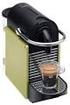 MARQUE: MAGIMIX REFERENCE: 11412 EXPRESSO AUTO CODIC: 4061152 L expresso Automatic Fr Mode d emploi Nl Gebruiksaanwijzing www.magimix.com DESCRIPTIF / BESCHRIJVING! Lisez attentivement les consignes de
Mise en marche In gebruik nemen
 Trappe à café moulu Klep voor gemalen koffie Plateau repose-tasses Warmhoudplaatje voor kopjes Tableau de commandes/afficheur/touches à café Bedieningsveld/display/toetsen voor koffie Réservoir d eau Waterreservoir
Siemens SITRAIN Institute Mode d emploi Website
 Siemens SITRAIN Institute Mode d emploi Website Edition 01 Réservation d un cours au Siemens SITRAIN Institute 1.1 Commencer sur le site web A partir de la page de démarrage https://www.sitrain-learning.siemens.com/bel-pl/en/index.do
Remplacement de la pile sur FLAIR 22D ( version 2010) Vervangen van de batterij op FLAIR 22D (versie 2010) Distribution MT A votre service
 Distribution MT A votre service MS-verdeling Tot uw dienst Remplacement de la pile sur FLAIR 22D ( version 2010) Vervangen van de batterij op FLAIR 22D (versie 2010) S1A5881401BE INDEX A3.DOC INSTRUCTIONS...
ESQU INSTALLATIEGIDS GUIDE D INSTALLATION EASY SIMPLE QUICK - UNIQUE. DOUCHEBAK RECEVEUR DE DOUCHE
 ESQU DOUCHEBAK RECEVEUR DE DOUCHE INSTALLATIEGIDS GUIDE D INSTALLATION EASY SIMPLE QUICK - UNIQUE www.vanmarcke.com Belangrijk: - Lees deze instructies aandachtig vooraleer de installatie te beginnen.
MARQUE: MAGIMIX REFERENCE: NOIR MANUEL CODIC:
 MARQUE: MAGIMIX REFERENCE: 11408 NOIR MANUEL CODIC: 2605554 L & Filtre Fr Mode d emploi Nl Gebruiksaanwijzing www.magimix.com DESCRIPTIF / BESCHRIJVING! Lisez attentivement les consignes de sécurité avant
MARQUE: PHILIPS REFERENCE: HD7831/13 CODIC:
 MARQUE: PHILIPS REFERENCE: HD/ CODIC: NOTICE Vous avez appuyé sur les tasse et pour tasses en même temps. Cette action a lancé La procédure de détartrage terminée. décrit au chapitre. N'éteignez pas la
Par ici! Langs hier! HOME PAGE
 Par ici! Langs hier! HOME PAGE Account Zie bladzijde 11, 12, 13 Voir page 11, 12, 13 Home Page CATALOG PAGE CATALOG PAGE Obtenir les désignations des produits en FR Productbeschrijving in het NL Recherche
4 Port USB Travel Charger with universal AC plugs
 4 Port USB Travel Charger with universal AC plugs Chargeur de voyage USBx4 avec prises de courant universelles Teknihall support/ Teknihall, tel.: 03/485.63.51 2 SUMMAIRE CARACTÉRISTIQUES... 4 INSTALLATION...
Aroma Perfection System. www.krups.com
 Aroma System www.krups.com a d b Aroma System c d Aroma Control Timer e h j k m l f i System 1 2 3 Aroma System Aroma 4 5 6 7 8 9 10 11 12 Nederlands Beschrijving a b c d e f g h i Deksel Waterreservoir
LDAP Server on Yeastar MyPBX & tiptel 31xx/32xx series
 LDAP Server on Yeastar MyPBX & tiptel 31xx/32xx series Tiptel b.v. Camerastraat 2 1322 BC Almere tel.: +31-36-5366650 fax.: +31-36-5367881 [email protected] Versie 1.2.0 (09022016) Nederlands: De LDAP server
GEBRUIKERSHANDLEIDING MODE D EMPLOI
 GEBRUIKERSHANDLEIDING MODE D EMPLOI Fork-lift crane series 03-2013 REMA HOLLAND BV Galjoenweg 47 / 6222 NS Maastricht Postbus 4303/6202 VA Maastricht Telefoon: 0031-43-3631777 Fax: 0031-43-3632922 Email:
User manual Gebruikershandleiding. Version 1.0 March
 User Manual Hotel Safe GB NL User manual Gebruikershandleiding 1 User Manual Overview LED display Override key cover * button # button General Thank you for choosing a SafetyFirst Hotel Safe. Before operating
MyDHL+ Van Non-Corporate naar Corporate
 MyDHL+ Van Non-Corporate naar Corporate Van Non-Corporate naar Corporate In MyDHL+ is het mogelijk om meerdere gebruikers aan uw set-up toe te voegen. Wanneer er bijvoorbeeld meerdere collega s van dezelfde
INHOUD. 1. Waarschuwing 1. 2. Technische specificatie 2. 3. Benaming componenten 3. 4. Uitleg display-symbolen 4. 5. Gebruik per kopje of glas 5
 INHOUD Pagina 1. Waarschuwing 1 2. Technische specificatie 2 3. Benaming componenten 3 4. Uitleg display-symbolen 4 5. Gebruik per kopje of glas 5 6. Gebruik per kan 5 7. Bijzondere functies 6 - Volume
HANDLEIDING KA5653BK - KA5653DW - KA5654BK - KA5654DW - KA5655BK - KA5655DW. Algemene Functies. Instructies voor gebruik:
 NL HANDLEIDING KA5653BK - KA5653DW - KA5654BK - KA5654DW - KA5655BK - KA5655DW Algemene Functies 1. Weergave van tijd: 12 of 24 uur tijd weergave 2. Kalender Modus: Maand en datum weergave 3. Alarm Modus:
FUS72 UNIQ. Smeltlood 72 C Canne thermique 72 C Fusible link 72 C K137-A 12/2016
 FUS7 UNIQ Smeltlood 7 C Canne thermique 7 C Fusible link 7 C Rf-Technologies nv - Lange Ambachtstraat 0-9860 Oosterzele - België - Tel + 9 6 7 - Fax + 9 6 07 - www.rft.be - [email protected] FUS7 UNIQ Smeltlood
Mise en marche In gebruik nemen
 Trappe à café moulu Klep voor gemalen koffie Plateau repose-tasses Warmhoudplaatje voor kopjes Tableau de commandes/afficheur/touches à café Bedieningsveld/display/toetsen voor koffie Réservoir d eau Waterreservoir
www.krups.com 06 02 18
 www.krups.com 1 2 MAXI MINI MAXI MINI 3 4 5 6 stop Deutsch 4 English 7 Français 9 Nederlands 11 Español 14 Português 16 Italiano 18 Dansk 20 Norsk 22 Svenska 24 Suomi 26 λληνικ 28 T Türkçe 31 Slovensko
EM7680 Firmware Update by OTA
 EM7680 Firmware Update by OTA 2 NEDERLANDS/ENGLISH EM7680 Firmware update by OTA Table of contents 1.0 (NL) Introductie... 3 2.0 (NL) Firmware installeren... 3 3.0 (NL) Release notes:... 3 4.0 (NL) Overige
Mefa brievenbussen. Puur design. Mefa boîtes aux lettres. Design à l état pur.
 Mefa brievenbussen. Puur design. Mefa boîtes aux lettres. Design à l état pur. Mefa brievenbussen. Puur design. Mefa brievenbussen blinken niet alleen uit door hun stijlvol design. Ze zijn ook functioneel,
HANDLEIDING AFSTANDSBEDIENING R51M/E. Inhoudstafel
 HANDLEIDING AFSTANDSBEDIENING R51M/E Inhoudstafel 1. AFSTANDSBEDIENING EN ZIJN FUNCTIES 2 2. NAMEN EN FUNCTIES VAN DE INDICATOR OP DE AFSTANDSBEDIENING 3 3. BESTURING VAN DE AFSTANDSBEDIENING 3 3.1. INBRENGEN
PIÈCES DE RECHANGE POUR BATTERIES DE TRACTION
 BS/16277 Standaard vuldoppen Manuele vuldop diameter 35, kleur zwart Bouchons de remplissage manuel standard Bouchon de remplissage manuel diamètre 35, couleur noir BS/22096 Drukvuldoppen Drukvuldop TPO
Passend in iedere werkomgeving -
 Jura XF50 Passend in iedere werkomgeving De Jura serie laat zien dat design en hitech eigenschappen prima te combineren zijn met degelijkheid. Dankzij de innovatieve Rotary Switch is de Juraserie heel
Sac à dos de sécurité Wolffepack
 951-464 Sac à dos de sécurité Wolffepack Réf. 218-338 Veuillez lire cette notice d utilisation attentivement avant d utiliser le produit! Consignes de sécurité Veuillez lire attentivement les indications
Gebruiksaanwijzing koffiemolen. Kaffeemühle CM 80-Serie
 NL Gebruiksaanwijzing koffiemolen Kaffeemühle CM 80-Serie Inhoudsopgave Veiligheidsinstructies... 3 Voor de eerste ingebruikname... 4 Uitpakken... 4 Eisen waaraan de plaatsingslocatie moet voldoen... 5
INHOUD. 1. Waarschuwing Technische specificatie Benaming componenten Uitleg display-symbolen Gebruik per kopje of glas 5
 INHOUD Pagina 1. Waarschuwing 1 2. Technische specificatie 2 3. Benaming componenten 3 4. Uitleg display-symbolen 4 5. Gebruik per kopje of glas 5 6. Gebruik per kan 6 7. Bijzondere functies 8 - BIT versie
SPOT UV Vernis Sélectif UV
 SPOT UV Vernis Sélectif UV Taal Nederlands Langue Français SPOT UV Nederlands Eén van de opties voor luxe-afwerking, bijvoorbeeld bij visitekaartjes, is SPOT UV. SPOT UV is een glanzende lak die je op
ING ActivePay. Guide d utilisation
 ING ActivePay Guide d utilisation Bienvenue dans ING ActivePay Cher utilisateur, Nous sommes heureux de vous compter parmi nos clients et vous remercions de votre confiance! Dans ce guide, vous trouverez
M100. Mode d emploi Bedieningshandleiding
 M100 Mode d emploi Bedieningshandleiding Ne mettez l appareil en marche qu après avoir pris connaissance de ce mode d emploi et des consignes de sécurité! Lees alvorens het apparaat te gebruiken de handleiding
ANT S KINGDOM Here is some advice for setting up your Master Ant Farm!
 ANT S KINGDOM Master NL EN Instructies Mierenboerderij Master Bedankt voor je bestelling van de Mierenboerderij Master. De beste keus! Installatie NL Naast de informatie die te lezen is in ons boekje
handleiding / Manuel Combi installatieset Set d installation Combi
 handleiding / Manuel Combi installatieset Set d installation Combi nederlands VOORWOORD Inleiding Van harte gefeliciteerd met de aanschaf van uw Combi Installatieset.Met deze set kunt u naast kokend water
L.Net s88sd16-n aansluitingen en programmering.
 De L.Net s88sd16-n wordt via één van de L.Net aansluitingen aangesloten op de LocoNet aansluiting van de centrale, bij een Intellibox of Twin-Center is dat de LocoNet-T aansluiting. L.Net s88sd16-n aansluitingen
Rhythm of Light. Susanne de Graef, Montagehandleiding / Instruction manual
 Rhythm of Light Susanne de Graef, 2016 Montagehandleiding / Instruction manual GELEVERD MATERIAAL / SUPPLIED MATERIAL B. C. D. A. E. F. A. B. C. D. E. F. armatuur / fixture fitting lange staalkabels (3)
Installatie van versie 2.2 van Atoum
 Version française en seconde partie du document. Installatie van versie 2.2 van Atoum U moet in uw databases een nieuwe tabel aanmaken na de installatie van versie 2.2 van de toepassing Atoum. Hiervoor
XP52 SERIE. www.krups.com FIN
 XP52 SERIE www.krups.com F I E P D GB NL DK N S FIN fig. 1 fig. 2 fig. 3 fig. 4 fig. 5 fig. 6 fig. 7 fig. 8 fig. 9 fig. 10 fig. 11 fig. 12 2 fig. 13 fig. 14 fig. 15 2 2 fig. 16 fig. 17 fig. 18 2 1 1 2
Limpid Light. design Esther Jongsma & Sam van Gurp, Montagehandleiding / Assembly Instructions
 Limpid Light design Esther Jongsma & Sam van Gurp, 05 Montagehandleiding / Assembly Instructions GELEVERD MATERIAAL / SUPPLIED MATERIAL A. A. B. B. C. D. E. F. G. G. H. I. J. K. / / ophanging / suspension:
OdenneBoom Design Christmas tree
 OdenneBoom Design Christmas tree A DESIGN CHRISTMAS TREE? w w w. s t u d i o b o o n. b e Deze producten zijn eigendom van StudioBoon. En zijn auteursrechtelijk geregistreerd. Ces produits sont la propriété
L.Net s88sd16-n aansluitingen en programmering.
 De L.Net s88sd16-n wordt via één van de L.Net aansluitingen aangesloten op de LocoNet aansluiting van de centrale, bij een Intellibox of Twin-Center is dat de LocoNet-T aansluiting. L.Net s88sd16-n aansluitingen
Z6 De belangrijkste zaken in het kort
 PROFESSIONAL AROMA GRINDER J Deze beknopte gebruiksaanwijzing komt niet in de plaats van het Gebruiksaanwijzing Z6. Lees eerst de veiligheidsaanwijzingen en waarschuwingen aandachtig door, zodat u het
EM7580 Firmware Update by Micro SD card
 EM7580 Firmware Update by Micro SD card 2 NEDERLANDS/ENGLISH EM7580 Firmware update by Micro SD card Table of contents 1.0 (NL) Introductie... 3 2.0 (NL) Firmware installeren... 3 3.0 (NL) Opmerking...
Beknopte gebruiksaanwijzing FB 7100
 Beknopte gebruiksaanwijzing FB 7100 04.02 1 75522500 Onderdelen van de machine Behuizingdeur Display Behuizing Deurslot Koppenstation Bedieningsmodule Koffiecontainer Brewer Hoofdschakelaar Schraper Filterplaathouder
IMPRESSA C9 One Touch De belangrijkste zaken in het kort
 IMPRSSA C9 One Touch De belangrijkste zaken in het kort Het»Boek voor de IMPRSSA«inclusief deze beknopte gebruiksaanwijzing»imprssa C9 De belangrijkste zaken in het kort«heeft van de onafhankelijke Duitse
DELONGHI EN680. Gebruiksaanwijzing
 DELONGHI EN680 Gebruiksaanwijzing o r- Inhoudsopgave Veiligheidsvoorschriften...2 Juist gebruik...3 Belangrijke instructies voor gebruik en afvalverwijdering...3 Uw contactgegevens bij de Nespresso Club...3
PIR DC-SWITCH. DC Passive infra-red Detector. Model No. PDS-10 GEBRUIKSAANWIJZING/INSTRUCTION MANUAL
 PIR DC-SWITCH DC Passive infra-red Detector Model No. PDS-10 GEBRUIKSAANWIJZING/INSTRUCTION MANUAL Please read this manual before operating your DETECTOR PIR DC-Switch (PDS-10) De PDS-10 is een beweging
NIVONA J.Lensen Huishoud BV Platinastraat 84 2718RX Zoetermeer www.nivona.nl. ' 2008 by NIVONA
 NIVONA J.Lensen Huishoud BV Platinastraat 84 2718RX Zoetermeer www.nivona.nl ' 2008 by NIVONA CafeGrano Elektrische Koffiemolen Handleiding en tips 120 Passie voor koffie. Bedieningshandleiding en tips
HD7698 HD7689 HD7688. User manual 4222.200.0644.3
 1 HD7698 HD7689 HD7688 User manual 2 4222.200.0644.3 ENGLISH Introduction Congratulations on your purchase and welcome to Philips! To fully benefit from the support that Philips offers, register your product