
EM8610 Wireless GSM Alarm System
|
|
|
- Bruno de Jonge
- 10 jaren geleden
- Aantal bezoeken:
Transcriptie
1 EM8610 Wireless GSM Alarm System
2 2 MULTILINGUAL EM8610 Draadloos GSM Alarm Systeem Inhoudsopgave 1.0 Introductie Inhoud van de verpakking Uitleg van het bedieningspaneel Voorkant Achterkant Achterkant aansluitingen Voorbereiding Plan maken voor plaatsen sensoren Sensoren in groepen plaatsen Aangemelde sensoren Bedieningspaneel monteren Bediening van het alarmsysteem Inschakelen van het systeem (alle sensoren) Gedeeltelijk inschakelen van het systeem (bepaalde sensoren) Uitschakelen via het bedieningspaneel Uitschakelen via de RFID tag Opnemen en afspelen persoonlijke boodschap RFID tag Snelkiesnummer Bellen Uitgang voor elektronisch slot Taal instellen SMS commando s Uitschakelen alarmsysteem Inschakelen alarmsysteem Alarmsysteem gedeeltelijk inschakelen Meeluisteren en terugpraten Van afstand inspreken persoonlijke boodschap Apple en Android APP Account toevoegen Alarmsysteem bedienen Alarmsysteem instellen met behulp van de APP Alarmsysteem instellen Instellingen opvragen Instellen van alarmnummers Instellen van alarm SMS nummers Opslaan SMS-nummer voor RFID tag Snelkiesnummer Wijzigen Sensor (zone) benamingen SMS melding bij laag batterijniveau van sensoren... 27
3 3 MULTILINGUAL 6.8 SMS melding bij sabotage van sensoren Wijzigen van RFID tag identiteiten Vertragingstijd instellen Aanpassen volume sirene en beltijd sirene Wachtwoord wijzigen Enkele zone vertragingstijd instellen Verwijderen draadloze sensoren per SMS Verwijder alle RFID tags per SMS Het systeem terugzetten naar de fabrieksinstellingen Alarm gratis in- en uitschakelen Draadloze sensoren en RFID tags aanmelden Nieuwe draadloze sensoren aanmelden Nieuwe RFID-tags aanmelden Aanmelden draadloze sirene Afstandsbediening Voorkant afstandsbediening Alarm inschakelen Alarm uitschakelen Thuis modus Stille modus Paniekknop Een nieuwe afstandsbediening aanmelden bewegingsmelder installeren voorkant bewegingsmelder Binnenkant bewegingsmelder Infrarood sensoren Anti sabotage knop LED Aan/uit Groepsinstelling (jumpers) Achterkant bewegingsmelder Test stand Ingeschakeld Bewegingsmelder aanmelden Installatietips Bewegingsmelder testen Deur/raam contact installeren voorkant deur/raam contact Binnenkant deur/raam contact Anti sabotage knop Groepsinstelling (jumpers) Installatietips Deur/raam contact aanmelden Technische specificaties Alarmsysteem Bewegingsmelder Deur/raam contact... 47
4 4 MULTILINGUAL 11.0 Veelgestelde vragen en andere relevante informatie Service en ondersteuning Waarschuwingen en aandachtspunten Garantievoorwaarden Verklaring van Overeenstemming Introductie Gefeliciteerd met de aankoop van dit hoogwaardige Eminent product! Dit product is door de technische experts van Eminent uitgebreid getest. Mocht dit product ondanks alle zorg problemen vertonen, dan kun je een beroep doen op de vijf jaar Eminent garantie. Bewaar deze handleiding samen met het bewijs van aankoop daarom zorgvuldig. Registreer je aankoop nu op en ontvang product updates! 1.1 Inhoud van de verpakking De volgende onderdelen zijn aanwezig in het pakket: 1 x Alarm systeem met ingebouwde GSM module, sirene en 2 back-up batterijen. 1 x draadloos deur/raamcontact. (EM8660) 1 x draadloze PIR bewegingsmelder. 2 x RFID tags. (EM8620) 2 x multifunctionele afstandsbediening. (EM8621) 1 x adapter ten behoeve van de centrale unit. Alle batterijen. Nederlandstalige handleiding. LET OP: om het alarmsysteem te gebruiken en in te stellen wordt er gebruik gemaakt van SMS berichten, ook bij gebruik van de Android of Apple APP! Aan het gebruik van SMS berichten zijn kosten verbonden. Raadpleeg uw telecom leverancier voor de kosten.
5 2.0 Uitleg van het bedieningspaneel 5 MULTILINGUAL 2.1 Voorkant GSM Indicator GSM Netwerk zoeken; knippert iedere seconden GSM Netwerk actief; knippert om de 2 seconden Touch Bedieningspaneel Status indicator Inschakelen Uitschakelen Bellen Gedeeltelijk inschakelen RFID Lezer Afspelen spraakmemo Opnemen spraakmemo / Verbinden
6 6 MULTILINGUAL 2.2 Achterkant Microfoon Anti sabotage knop Luidspreker Back-up accu s
7 2.3 Achterkant aansluitingen 7 MULTILINGUAL GSM SIM-kaart houder ingang voor bekabelde sensoren(24-uur groep) ingang voor bekabelde sensoren (normale- groep) Uitgang voor elektronisch slot Open uitgang max 100mA Aansluiting bekabelde Sirene 12V <500mA Aansluiting adapter Aan/uit schakelaar Opmerking : Plaats de simkaart in de houder voordat u het systeem inschakelt. Een simkaart is niet inbegrepen, raadpleeg hiervoor uw telecomleverancier. Opmerking : Z1 en Z2 zijn bekabelde zones. In rust toestand dient het contact gesloten te zijn (NC). Zodra de verbinding onderbroken wordt zal het alarm afgaan. 3.0 Voorbereiding 3.1 Plan maken voor plaatsen sensoren Voordat u begint met het installeren van het alarmsysteem is het belangrijk eerst een goed plan te maken. Bepaal welke plekken u wilt bewaken en met welke sensoren. Tevens is het belangrijk om te bepalen welke sensor met welke instellingen wordt ingesteld. Iedere sensor kan in een groep worden geplaats; thuis-groep, normale groep, enkele groep of 24-uurs groep.
8 8 MULTILINGUAL Onderstaand een voorbeeldsituatie met een duidelijk plan dat aangeeft welke sensoren waar geplaatst dienen te worden. A. Alarmsysteem B. Afstandsbediening C. Sirene 1. Voordeur : Raam/Deurcontact 2. Woonkamer : Bewegingsmelder PIR 3. Raam-woonkamer : Raam/Deurcontact 4. Raam-woonkamer : Raam/Deurcontact 5. Deur-terras : Raam/Deurcontact 6. Raam-hobbykamer : Raam/Deurcontact 7. Slaapkamer : Bewegingsmelder PIR 8. Keuken : Rookmelder 3.2 Sensoren in groepen plaatsen Iedere sensor kan door middel van jumper-instellingen in een groep worden geplaatst; thuis-groep, normale groep, enkele groep of 24-uurs groep. Onderstaand overzicht geeft de betekenis per groep aan en geeft duidelijk aan hoe de jumpers ingesteld moeten worden. Opmerking : Bepaal vóór aanmelding op het alarmsysteem in welke groep een sensor geplaatst dient te worden. Is de sensor eenmaal aangemeld dan kan dit niet meer veranderd worden!
9 9 MULTILINGUAL Opmerking : Indien de groep van een sensor gewijzigd dient te worden dan dienen alle sensoren te worden afgemeld en opnieuw te worden aangemeld. Een enkele sensor verwijderen is niet mogelijk! (zie hoofdstuk Verwijderen draadloze sensoren per SMS ) Thuis-groep Normale-groep Enkele-groep 24-uurs-groep Opmerking : Het is aanbevolen om sensoren zoals bv een rookdetector in de 24-uursgroep in te stellen. De jumpers voor de groepsinstelling staan standaard op D0, D1 en D2 (Normalegroep) voor een raam/deurcontact, en op D1 en D2 (Thuis-groep) bij een bewegingsmelder. Dit betekent dat het deurcontact altijd ingeschakeld wordt ongeacht of het alarmsysteem geheel of gedeeltelijk (Thuis) wordt ingeschakeld. De bewegingsmelder zal alléén inschakelen indien het systeem volledig wordt ingeschakeld. Dit kan middels de centrale, de Eminent e-alarm APP, de GSM module of de afstandsbedieningen. Als de jumpers op D1 en D2 worden geplaatst bevindt de sensor zich in de zogenaamde Thuis-groep. Wanneer het alarmsysteem geheel wordt ingeschakeld zal deze sensor inschakelen. Wanneer het alarmsysteem gedeeltelijk wordt ingeschakeld (Thuis) zal deze sensor NIET inschakelen. Het is mogelijk een vertragingstijd mee te geven aan een sensor. Hiervoor worden de jumpers op D1 en D3 geplaatst. Dit is de zogenaamde Enkele-groep.
10 10 MULTILINGUAL Opmerking : Sensoren welke in de Enkele-groep zijn geplaats zullen altijd worden ingeschakeld ongeacht of het systeem volledig of gedeeltelijk (Thuis) wordt ingeschakeld. Sensoren waarbij de jumpers op D0, D1 en D3 staan ingesteld bevinden zich in de 24- uurs-groep. Deze sensoren zijn altijd actief. Ongeacht of het alarmsystem is in- of uitgeschakeld. 3.3 Aangemelde sensoren De bewegingsmelder en het deur/raamcontact welke bij het alarmsysteem zijn meegeleverd zijn reeds aangemeld. De bewegingsmelder staat standaard in de Thuisgroep aangemeld en het deur/raamcontact staat in de Normale-groep aangemeld. Het deur/raamcontact is gekoppeld aan Zone 1. De bewegingsmelder is gekoppeld aan Zone Bedieningspaneel monteren Het bedieningspaneel kan zowel tegen de wand gemonteerd worden of op een tafel geplaatst worden. Om het bedieningspaneel tegen de wand te monteren dient eerst de wandmontageplaat tegen de wand vastgeschroefd te worden. Gebruik hiervoor de meegeleverde pluggen en schroeven. Nadat de montageplaat tegen de wand gemonteerd is, dient het bedieningspaneel van boven naar beneden in de bevestigingsgaten vast geklemd te worden. De montageplaat zorgt ervoor dat de antisabotage knop wordt ingedrukt. Om het bedieningspaneel op een tafel te plaatsen dient de tafelhouder op de achterkant van het bedieningspaneel geklemd te worden. Hierbij is het belangrijk dat de anti-sabotage knop wordt ingedrukt.
11 11 MULTILINGUAL 4.0 Bediening van het alarmsysteem 4.1 Inschakelen van het systeem (alle sensoren) Druk op. 4.2 Gedeeltelijk inschakelen van het systeem (bepaalde sensoren) Druk op. Alle daarvoor ingestelde sensoren (zogenaamde Normale-groep) worden ingeschakeld; de rest (zogenaamde Thuis-groep) blijft inactief. 4.3 Uitschakelen via het bedieningspaneel Voer uw 4-cijferig wachtwoord in (standaard: 1234) en druk op een piep en het systeem is uitgeschakeld. Als u 3 piepjes hoort, is het wachtwoord verkeerd ingevoerd. 4.4 Uitschakelen via de RFID tag. U hoort Houd de RFID tag dicht bij de RFID lezer (cirkel links naast de cijfers). U hoort een piep en het systeem is uitgeschakeld. Let op: dit werkt alleen als er netspanning op het systeem zit. Opmerking : RFID-tags kunnen alléén gebruikt worden om het alarm uit te schakelen, niet om het alarm in te schakelen. Opmerking : Als het alarmsysteem NIET op de netvoeding is aangesloten kunt u het alarm NIET uitschakelen met de RFID-tags. 4.5 Opnemen en afspelen persoonlijke boodschap Druk op om een persoonlijke boodschap van maximaal 10 seconden op te nemen. Wanneer u eerder klaar bent met de persoonlijke boodschap drukt u nogmaals op en kunt u de boodschap beluisteren door op de cirkel te drukken. De persoonlijke boodschap wordt per telefoon afgespeeld aan de alarmnummers die worden opgegeven. Dit is dus niet een boodschap die eventuele indringers te horen krijgen.
12 12 MULTILINGUAL 4.6 RFID tag Met de RFID tag kunt u het systeem uitschakelen. U kunt ook namen toekennen aan RFID tags zodat u direct bericht krijgt met de naam zodra het systeem wordt uitgeschakeld. Let op, om deze functie in te schakelen dient u een SMS nummer op te slaan en de RFID tag SMS te activeren. Nancy is thuis Moeder Administrator Opmerking : Gebruikers kunnen alléén een melding krijgen als er een SMS nummer is opgeslagen en de RFID-tags een naam hebben gekregen 4.7 Snelkiesnummer Wanneer u op drukt vanuit de stand-by stand zal het systeem direct het vooraf ingestelde alarmnummer bellen. Wanneer u nogmaals op drukt, beëindigt u het gesprek. 4.8 Bellen Vanuit de stand-by stand kunt u direct een telefoonnummer intoetsen en op drukken. Het systeem belt nu uit en u kunt via de ingebouwde microfoon van het alarmsysteem het gesprek voeren. Wanneer u op het gesprek. drukt beëindigt u
13 4.9 Uitgang voor elektronisch slot Zodra het alarm wordt uitgeschakeld, kan een aangesloten elektronisch slot automatisch geopend worden Taal instellen Stuur een SMS met 0001 naar het alarmsysteem. De taal van het alarmsysteem zal nu wijzigen in Engels. 13 MULTILINGUAL Set English successfully Stuur een SMS met 0031 naar het alarmsysteem. De taal van het alarmsysteem zal nu wijzigen in Nederlands Nederlands instellen geslaagd. Opmerking : Alléén Nederlands, Engels en Italiaans zijn beschikbaar. De Taal is ook te wijzigen met de Eminent e-alarm APP. De werking van de APP wordt beschreven in hoofdstuk 5.
14 14 MULTILINGUAL Met de Eminent e-alarm APP : 4.11 SMS commando s Alle instellingen van het systeem kunnen via simpele SMS commando s worden ingegeven en gewijzigd. Alvorens u het systeem aanzet plaatst u een (prepaid) GSM- simkaart in uw alarmsysteem. Let wel op, u dient ervoor te zorgen dat de pincode en de voic uitgeschakeld staan. Dit doet u in een gewone mobiele telefoon. Vervolgens laadt u de kaart op en daarna stopt u de simkaart pas in het alarmsysteem. Tot slot zet u het alarmsysteem aan en wacht u enkele seconden totdat het systeem een GSM signaal heeft. U kunt het gehele menu van uw alarmsysteem inzien door het versturen van SMS commando s. Deel 1 van het menu krijgt u per SMS toegezonden wanneer u een SMS stuurt met? naar het simkaartnummer van uw alarmsysteem. Deel 2 van het menu krijgt u toegestuurd wanneer u een SMS stuurt met?? en deel 3 door een SMS te sturen met???.? U krijgt onderstaande SMS terug : 0 Uitschakelen 1 Inschakelen 2' Thuismodus 3 2-weg gesprek 4 Terugbel spraakmemo 00 Opvragen instellingen?? Telefoon- en SMS-nr. opslaan
15 15 MULTILINGUAL?? U krijgt onderstaande SMS terug : '5 Alarmtelefoonnr. opslaan '6 Alarm-SMS-nr. opslaan '7' SMS-nr. voor RFID-tags opslaan '8 Snelkiesnummer opslaan '???' Systeeminstellingen??? U krijgt onderstaande SMS terug : '91-99' Naam zone '10' RFID tags SMS-melding '11' Vertragingstijd binnenkomst en vertrek '12' Volume sirene en beltijd '13' Uitschakelwachtwoord '14' Vertragingstijd enkele zone
16 16 MULTILINGUAL 4.12 Uitschakelen alarmsysteem Via het hoofdmenu (onder?) ziet u het commando dat nodig is om het systeem uit te schakelen, namelijk 0 (uitschakelen). U hoeft dus alleen maar het cijfer 0 te SMS-en naar het alarmsimkaartnummer. U krijgt vervolgens een SMS met de bevestiging van uw opdracht (Systeem uitgeschakeld). 0 Systeem uitgeschakeld Inschakelen alarmsysteem 1 Systeem ingeschakeld Alarmsysteem gedeeltelijk inschakelen 2 Systeem in thuismodus.
17 4.15 Meeluisteren en terugpraten 17 MULTILINGUAL Stuur een SMS met 3 naar het alarmsimkaartnummer. U wordt door uw systeem teruggebeld en kunt het gesprek direct aangaan Van afstand inspreken persoonlijke boodschap Stuur een SMS met 4 naar het alarmsimkaartnummer. U wordt door uw systeem teruggebeld en u kunt, na de pieptoon, uw persoonlijke boodschap inspreken Apple en Android APP Het Eminent e-alarm system is te bedienen en in te stellen door middel van de Eminent e-alarm APP. Zoek in de Apple App-store of in Google Play naar de Eminent e-alarm APP. Download en installeer vervolgens de APP op je telefoon. Opmerking: de APP verstuurd alléén berichten naar het e-alarm systeem. De gegevens van het alarmsysteem worden niet terug in de APP verwerkt. LET OP: om het alarmsysteem te gebruiken en in te stellen wordt er gebruik gemaakt van SMS berichten, ook bij gebruik van de Android of Apple APP! Aan het gebruik van SMS berichten zijn kosten verbonden. Raadpleeg uw telecom leverancier voor de kosten.
18 18 MULTILINGUAL 5.1 Account toevoegen Met de APP kunt u het alarmsysteem bedienen. Bij gebruik van de Apple APP zorgt de APP ervoor dat er een SMS bericht wordt klaargezet met de gekozen functie. Dit bericht moet nog verzonden worden. Druk hiervoor op Stuur in het SMS-menu van uw Apple telefoon. Bij gebruik van een Android telefoon hoeft u deze handeling niet uit te voeren en zal het SMS bericht op de achtergrond automatisch worden verstuurd. 1. Start de APP op uw telefoon en selecteer Account Toevoegen 2. Geef een naam in voor het Alarmsysteem (bv. Eminent e-alarm) en voer het GSM-nummer in van de simkaart welke in het alarmsysteem geïnstalleerd is. (Begin met 0031 anders is het alarmsysteem niet vanuit het buitenland te bedienen!)
19 19 MULTILINGUAL 3. Nadat het account is toegevoegd zal het account verschijnen in het beginscherm van de APP. Selecteer het account om verder te gaan. 4. Nadat u het account geselecteerd heeft komt u in het bedieningsmenu. Hier kunt u het alarmsysteem bedienen. Door naar links te swipen komt u in de instellingen menu s. 5.2 Alarmsysteem bedienen Onderstaand staat per functie uitgelegd hoe deze werkt. Huidige status opvragen Alarm uitschakelen Alarm inschakelen Thuis-modus inschakelen Spraakmemo inspreken. Zie hoofdstuk 4.16 Meeluisteren en terugpraten. Zie hoofdstuk 4.15
20 20 MULTILINGUAL 5.3 Alarmsysteem instellen met behulp van de APP Het instellen van het Alarmsysteem kan door middel van SMS commando s maar ook met behulp van de APP. In hoofdstuk 6 staat beschreven hoe het alarmsysteem ingesteld dient te worden. Zowel de instellingen met behulp van SMS commando s als het instellen met de APP zal per item worden uitgelegd. 6.0 Alarmsysteem instellen 6.1 Instellingen opvragen Stuur een SMS met 00 naar het alarmsimkaartnummer. U krijgt een SMS met de instellingen terug. 00 Systeemstatus Vertragingstijd binnenkomst en vertrek: 0 sec Vertragingstijd enkele zone: 30 sec Volume sirene: 2 Beltijd sirene: 5 min Uitschakelwachtwoord: 1234 Met de Eminent e-alarm APP :
21 6.2 Instellen van alarmnummers 21 MULTILINGUAL Dit zijn de nummers die gebeld moeten worden wanneer het alarm af gaat. U krijgt een lijst van de actuele instellingen. U moet het ontvangen SMS bericht in zijn geheel kopiëren en in een nieuw SMS bericht plakken. Daar kunt u vervolgens alle telefoonnummers invullen. Achter de 1. voert u het eerste nummer in. U moet wel altijd beginnen met de landencode. Voor Nederland is dit dus U kunt in hetzelfde SMS bericht meerdere telefoonnummers opgeven. Als u klaar bent met de invoer verstuurt u de SMS. 5 TEL: Bovenstaande gegevens kopiëren in een nieuwe SMS, de gegevens aanpassen en de SMS weer versturen naar het GSM nummer van het alarmsysteem : TEL: Opslaan alarmnummer geslaagd.
22 22 MULTILINGUAL Met de Eminent e-alarm APP : Opmerking : Alléén GSM-nummers welke als alarmnummer in het systeem zijn geprogrammeerd kunnen van afstand het alarmsysteem bedienen via SMS commando s of via de APP! 6.3 Instellen van alarm SMS nummers Dit zijn de nummers die ge-sms t moeten worden wanneer het alarm af gaat. U krijgt een lijst van de actuele instellingen. U moet het ontvangen SMS bericht in zijn geheel kopiëren en in een nieuw SMS bericht plakken. Daar kunt u vervolgens alle telefoonnummers invullen. Achter de 1. voert u het eerste nummer in. U moet wel altijd beginnen met de landencode. Voor Nederland is dit dus U kunt in hetzelfde SMS bericht meerdere telefoonnummers opgeven. Als u klaar bent met de invoer verstuurd u de SMS. 6 SMS:
23 23 MULTILINGUAL Bovenstaande gegevens kopiëren in een nieuwe SMS, de gegevens aanpassen en de SMS weer versturen naar het GSM nummer van het alarmsysteem : SMS: Opslaan alarm-sms-nummer geslaagd. Met de Eminent e-alarm APP :
24 24 MULTILINGUAL 6.4 Opslaan SMS-nummer voor RFID tag Dit is het telefoonnummer dat een SMS bericht dient te krijgen wanneer iemand het systeem per RFID tag uit zet. 7 SMS nr. voor RFID-tags (0-20 cijfers): 1. Bovenstaande gegevens kopiëren in een nieuwe SMS, de gegevens aanpassen en de SMS weer versturen naar het GSM nummer van het alarmsysteem : SMS nr. voor RFID-tags (0-20 cijfers): Opslaan SMS-nr. voor RFIDtags geslaagd. Met de Eminent e-alarm APP :
25 6.5 Snelkiesnummer 25 MULTILINGUAL U kunt in dit menu een telefoonnummer programmeren dat onder het teken zal worden opgeslagen. U kunt dit nummer op ieder gewenst moment bellen door op het teken te drukken. 8 Snelkiesnummer (0-20 cijfers): 1. Bovenstaande gegevens kopiëren in een nieuwe SMS, de gegevens aanpassen en de SMS weer versturen naar het GSM nummer van het alarmsysteem : Snelkiesnummer (0-20 cijfers): Opslaan snelkiesnummer geslaagd. Met de Eminent e-alarm APP :
26 26 MULTILINGUAL 6.6 Wijzigen Sensor (zone) benamingen U kunt iedere sensor een eigen benaming meegeven. Iedere sensor wordt aangeduid als een zone. Dit kunt u doen al naar gelang uw persoonlijke voorkeur. U kunt de benamingen van de sensoren (zone nummers) 1 tot en met 9 wijzigen. Iedere sensor (zone) beschikt over 30 vrije karakters die u zelf mag invullen. Benamingen voor sensoren (zones) vanaf zone 10 kunnen niet worden aangepast. Uw SMS bericht voor het wijzigen van sensor (zone) 1 moet 91 zijn. Voor het wijzigen van sensor (zone) 2 stuurt u een SMS met 92. Dit kunt u dus doen tot en met Naam zone1: Zone 1 alarm Bovenstaande gegevens kopiëren in een nieuwe SMS, de gegevens aanpassen en de SMS weer versturen naar het GSM nummer van het alarmsysteem : Naam zone1: Keukendeur Naam zone wijzigen geslaagd. Met de Eminent e-alarm APP :
27 27 MULTILINGUAL 6.7 SMS melding bij laag batterijniveau van sensoren Let op: deze functie is slechts voor enkele type sensoren van toepassing (sensoren met 2-weg communicatie (bv EM8650). U krijgt een SMS bericht wanneer het batterijniveau laag is. Het bericht bestaat (tot en met sensor (zone) 9) uit de sensorbenaming aangevuld met de melding batterij bijna leeg. Vanaf sensor 10 bestaat de melding uit het sensornummer aangevuld met batterij bijna leeg. 6.8 SMS melding bij sabotage van sensoren Let op: deze functie is slechts voor enkele type sensoren van toepassing (sensoren met 2-weg communicatie) (bv EM8650). U krijgt een SMS bericht wanneer een sensor gesaboteerd wordt. Het bericht bestaat (tot en met sensor (zone) 9) uit de sensorbenaming aangevuld met de melding sabotage alarm. Vanaf sensor 10 bestaat de melding uit het sensornummer aangevuld met sabotage alarm. 6.9 Wijzigen van RFID tag identiteiten In dit menu kunt u namen geven aan gebruikers van RFID tags 10 RFID-tags SMS-melding wijzigen: Bovenstaande gegevens kopiëren in een nieuwe SMS, de gegevens aanpassen en de SMS weer versturen naar het GSM nummer van het alarmsysteem : RFID-tags SMS-melding wijzigen: 1.Jan 2.Piet 3.Nancy 4.Bram
28 28 MULTILINGUAL RFID-tags SMS-melding wijzigen geslaagd. Met de Eminent e-alarm APP : 6.10 Vertragingstijd instellen Wanneer een vertragingstijd is ingesteld zal het alarmsysteem iedere seconde piepen als waarschuwing van deze vertraging. De laatste 15 seconden zal het tempo van het piepen worden opgevoerd. 11 Vertragingstijd binnenkomst en vertrek (0-300 sec): 0 Bovenstaande gegevens kopiëren in een nieuwe SMS, de gegevens aanpassen en de SMS weer versturen naar het GSM nummer van het alarmsysteem :
29 29 MULTILINGUAL Vertragingstijd binnenkomst en vertrek (0-300 sec): 30 Instellen vertragingstijd geslaagd. Met de Eminent e-alarm APP : 6.11 Aanpassen volume sirene en beltijd sirene Beide instellingen kunnen middels dit menu worden aangepast. 12 Volume sirene (0 gedempt, 1 laag, 2 hoog): 2 Beltijd sirene (1-9 min): 5
30 30 MULTILINGUAL Bovenstaande gegevens kopiëren in een nieuwe SMS, de gegevens aanpassen en de SMS weer versturen naar het GSM nummer van het alarmsysteem : Volume sirene (0 gedempt, 1 laag, 2 hoog): 1 Beltijd sirene (1-9 min): 4 Instellen volume sirene en beltijd geslaagd. Met de Eminent e-alarm APP :
31 6.12 Wachtwoord wijzigen 31 MULTILINGUAL 13 Uitschakelwachtwoord (4-6 cijfers): 1234 Bovenstaande gegevens kopiëren in een nieuwe SMS, de gegevens aanpassen en de SMS weer versturen naar het GSM nummer van het alarmsysteem : Uitschakelwachtwoord (4-6 cijfers): 8888 Instellen uitschakelwachtwoord geslaagd. Met de Eminent e-alarm APP :
32 32 MULTILINGUAL 6.13 Enkele zone vertragingstijd instellen 14 Vertragingstijd enkele zone (0-300 sec): 30 Bovenstaande gegevens kopiëren in een nieuwe SMS, de gegevens aanpassen en de SMS weer versturen naar het GSM nummer van het alarmsysteem : Vertragingstijd enkele zone (0-300 sec): 20 Instellen vertragingstijd enkele zone geslaagd. Met de Eminent e-alarm APP :
33 6.14 Verwijderen draadloze sensoren per SMS 33 MULTILINGUAL Alle sensoren kunnen uit het systeem verwijderd worden door een SMS te sturen of door de anti sabotage knop aan de achterzijde van het alarmsysteem 3 keer binnen 3 seconden in te drukken. Na 2 piepjes zijn alle sensoren verwijderd. Per SMS gaan de handelingen als volgt: 21 Verwijderen draadloze accessoires geslaagd Verwijder alle RFID tags per SMS 22 Verwijderen RFID-tags geslaagd Het systeem terugzetten naar de fabrieksinstellingen Ook wel harde reset genoemd. Dient te worden uitgevoerd onder andere bij het wijzigen van de simkaart Systeem teruggezet naar fabrieksinstellingen.
34 34 MULTILINGUAL Alleen vooraf in geprogrammeerde telefoonnummers kunnen het systeem terugzetten naar de fabrieksinstellingen. Een harde reset kan ook worden uitgevoerd door 5 keer binnen 3 seconden op de anti sabotage knop aan de achterzijde van het alarmsysteem te drukken. Na 2 piepjes zijn alle sensoren verwijderd Alarm gratis in- en uitschakelen Om het systeem in te schakelen belt u het alarmsimkaartnummer. U hangt op wanneer de telefoon overgaat. U wordt vervolgens teruggebeld door het alarmsimkaartnummer. U neemt niet op maar annuleert de oproep. Het alarm wordt ingeschakeld. Om het systeem uit te schakelen belt u het alarmsimkaartnummer en blijft aan de lijn totdat het systeem vanzelf de verbinding verbreekt. Het systeem belt u niet terug. Opmerking : Voor bovenstaande functie dient de voic op de simkaart van het alarmsysteem uitgeschakeld te zijn! 6.18 Draadloze sensoren en RFID tags aanmelden Nieuwe draadloze sensoren aanmelden Geef het wachtwoord op en druk op de toets van het bedieningspaneel. Het lampje gaat branden. Nu kunt u de sensoren stuk voor stuk aanmelden door ze te triggeren/activeren. Als u een piep hoort is het aanmelden geslaagd. Hoort u 2 piepjes, dan is de sensor reeds eerder aangemeld. De eerste sensor die u aanmeldt komt in Zone 1, de sensor daarna in Zone 2 etc Nieuwe RFID-tags aanmelden Geef het wachtwoord op en druk op de toets van het bedieningspaneel. Het lampje gaat branden. Nu kunt u de RFID-tags stuk voor stuk aanmelden door ze voor de ontvanger (cirkel links van cijfers) van het bedieningspaneel te houden. Als u een piep hoort is het aanmelden geslaagd. Hoort u 2 piepjes, dan is de RFID-tag reeds eerder aangemeld Aanmelden draadloze sirene Deze sirene is een extra accessoire. Om het aan te melden drukt u kort op de verbindknop van de sirene zelf. Het LED lampje van de sirene zal gaan branden. U drukt nu op de inschakelknop van het bedieningspaneel van uw alarmsysteem. U hoort een enkele piep als het aanmelden correct is verlopen.
35 7.0 Afstandsbediening 35 MULTILINGUAL 7.1 Voorkant afstandsbediening LED Indicator Inschakelen Thuis modus Uitschakelen Paniekknop 7.2 Alarm inschakelen Druk op om het alarm in te schakelen. De LED indicator licht kort op en de sirene geeft 1 korte piep om het inschakelen te bevestigen.
36 36 MULTILINGUAL 7.3 Alarm uitschakelen Druk op om het alarm uit te schakelen. De LED indicator licht kort op en de sirene geeft 2 keer een korte piep om het uitschakelen te bevestigen. 7.4 Thuis modus Druk op. Alle daarvoor ingestelde sensoren (zogenaamde Normale-groep) worden ingeschakeld; de rest (zogenaamde Thuis-groep) blijft inactief.
37 7.5 Stille modus 37 MULTILINGUAL Druk op, en daarna op of. Het alarmsysteem zal in of uitschakelen zonder dat de externe sirene een hoorbaar signaal afgeeft. Het alarmsysteem kan dus worden in of uitgeschakeld zonder dat medebewoners worden gestoord. (Het alarmsysteem zelf zal wel het in en uitschakelen bevestigen met korte geluidsignalen) 7.6 Paniekknop Ongeacht of het alarm aan of uit staat, zal bij het indrukken van de SOS knop het alarmsysteem meteen naar Paniek Status schakelen. 7.7 Een nieuwe afstandsbediening aanmelden Geef het wachtwoord op en druk op de toets van het bedieningspaneel. Het lampje gaat branden. Nu kunt u de nieuwe afstandsbediening aanmelden door eenmalig op een willekeurige knop van de afstandsbediening te drukken. Als u een piep hoort is het aanmelden geslaagd. Hoort u 2 piepjes, dan is de afstandsbediening reeds eerder aangemeld.
38 38 MULTILINGUAL 8.0 bewegingsmelder installeren 8.1 voorkant bewegingsmelder 1. Detectieschermen 2. LED indicatie 3. Montagebeugel LED indicator : Knippert continue : Bewegingsmelder voert een zelf-test uit Knippert 1 keer : Beweging gedetecteerd Knippert 2 keer : Zelf-test afgerond. Bewegingsmelder is actief Knippert 1 keer per 3 seconden : Batterij bijna leeg, vervang batterij* * U krijgt een SMS bericht wanneer het batterijniveau laag is. Het bericht bestaat (tot en met sensor 9) uit de sensor benaming aangevuld met de melding batterij bijna leeg. Vanaf sensor 10 bestaat de melding uit het zone nummer aangevuld met batterij bijna leeg. 8.2 Binnenkant bewegingsmelder Verwijder de schroef bovenop de bewegingsmelder en verwijder voorzichtig de voorkant van de achterkant.
39 LED Aan/uit Infrarood sensor 39 MULTILINGUAL Anti sabotage knop Groep instelling (jumpers) Infrarood sensoren De infraroodsensoren detecteren de bewegingen. Deze sensoren dienen dus ook te allen tijde schoon te zijn. Sensoren niet aanraken! Anti sabotage knop Wanneer de behuizing van de bewegingsmelder geopend wordt zal deze schakelaar dit detecteren en zorgen voor een alarmmelding LED Aan/uit Door deze jumper om te zetten kunt u de LED aan de voorkant van de bewegingsmelder uitschakelen. Standaard staat de jumper op ON (LED Aan) Groepsinstelling (jumpers) De jumpers voor de groepsinstelling staan standaard op D1 en D2. Dit betekent dat de bewegingsmelder uitsluitend inschakelt wanneer het systeem geheel wordt ingeschakeld. Wanneer het alarmsysteem gedeeltelijk wordt ingeschakeld zal deze bewegingsmelder NIET inschakelen. De sensor bevindt zich in de zogenaamde Thuis-groep. Als de jumpers op D0, D1 en D2 geplaatst worden, staat deze sensor in de Normalegroep. Dit betekent dat de bewegingsmelder altijd ingeschakeld wordt ongeacht of het alarmsysteem geheel of gedeeltelijk wordt ingeschakeld. Dit kan middels de centrale, de e-alarm APP, de GSM module of de afstandsbedieningen. Het is mogelijk een vertragingstijd mee te geven aan uitsluitend deze sensor. Hiervoor worden de jumpers op D1 en D3 geplaatst. Dit is de zogenaamde Enkele-groep. Opmerking : Sensoren welke in de Enkele-groep zijn geplaats zullen altijd worden ingeschakeld ongeacht of het systeem volledig of gedeeltelijk (thuis) wordt ingeschakeld.
40 40 MULTILINGUAL Let op: indien de jumpers worden omgezet, dient de sensor opnieuw aangemeld te worden. Thuis-groep Normale-groep Enkele-groep 24-uurs-groep Opmerking : Het is aanbevolen om sensoren zoals bv een rookdetector in de 24-uursgroep in te stellen. 8.3 Achterkant bewegingsmelder Test knop Test stand Druk na de zelf-test 1 keer op de test button. De bewegingsmelder zal een detectiesignaal afgeven (1 x knipperen).
41 41 MULTILINGUAL Ingeschakeld Wanneer de bewegingsmelder meer dan 2 keer binnen 3 minuten wordt getriggerd gaat het automatisch over op de energiezuinige stand. De bewegingsmelder zet zichzelf weer scherp als er gedurende de volgende 3 minuten geen beweging wordt waargenomen Bewegingsmelder aanmelden Geef op het alarmsysteem het wachtwoord in en druk op de spraakmemo toets. De spraakmemo toets zal oplichten. Druk nu 2 keer op de testbutton van de aan te melden bewegingsmelder. Het alarmsysteem piept 1 keer als het aanmelden succesvol heeft plaatsgevonden. Als het systeem 2 keer piept betekent dit dat de sensor reeds was aangemeld. Let op: tijdens het aanmelden van een bewegingsmelder mag een andere bewegingsmelder geen signaal afgeven. Bedek hiervoor andere bewegingsmelders of zet ze tijdelijk in een andere ruimte waar geen beweging is. 8.4 Installatietips Vermijd installatie van de bewegingsmelders direct in de richting van ramen, bij een airco, verwarmingselement, koelkast, oven, direct zonlicht en plaatsen waar veel temperatuurschommelingen plaatsvinden. Probeer verder 2 bewegingsmelders niet naar elkaar toe te laten wijzen; met andere woorden niet in elkaars detectiebereik te plaatsen. Bewegingsmelders worden doorgaans op ongeveer 2 meter hoogte tegen de muur geplaatst. Monteer de ophangbeugel en plaats vervolgens de bewegingsmelder in de beugel. Geef de gewenste richting aan de bewegingsmelder. Test de werking door de bewegingsmelder in test modus te plaatsen.
42 42 MULTILINGUAL Vloer Bovenaanzicht Zijaanzicht Bovenaanzicht Zijaanzicht 8.5 Bewegingsmelder testen 1. Nadat de bewegingsmelder volledig is ingeschakeld en de zelf-test heeft afgerond kan de bewegingsmelder getest worden. Loop hiervoor, binnen het bereik van de bewegingsmelder, van links naar rechts of van rechts naar links. 2. De LED indicator van de bewegingsmelder knippert wanneer er beweging wordt gedetecteerd. 3. Verstel eventueel de bewegingsmelder om het beste resultaat te verkrijgen. Herhaal hierna stap 1 en 2.
43 43 MULTILINGUAL 9.0 Deur/raam contact installeren 9.1 voorkant deur/raam contact LED Indicator Zender Magneet LED indicator : Knippert 1 keer : Deur/raam open gedetecteerd Knippert snel : Batterij bijna leeg, vervang batterij* * U krijgt een SMS bericht wanneer het batterijniveau laag is. Het bericht bestaat (tot en met sensor 9) uit de sensorbenaming aangevuld met de melding batterij bijna leeg. Vanaf sensor 10 bestaat de melding uit het zone nummer aangevuld met batterij bijna leeg.
44 44 MULTILINGUAL 9.2 Binnenkant deur/raam contact Anti sabotage knop Groep instelling (jumpers) Anti sabotage knop Wanneer de behuizing van het deur/raam contact geopend wordt zal deze schakelaar dit detecteren en zorgen voor een alarmmelding Groepsinstelling (jumpers) De jumpers voor de groepsinstelling staan standaard op D0, D1 en D2. Dit betekent dat het deurcontact altijd ingeschakeld wordt ongeacht of het alarmsysteem geheel of gedeeltelijk wordt ingeschakeld. Dit kan middels de centrale, Eminent e-alarm APP, de GSM module of de afstandsbedieningen. De sensor bevindt zich in de zogenaamde Normale-groep. Als de jumpers op D1 en D2 worden geplaatst bevindt het deur/raamcontact zich in de zogenaamde Thuis-groep. Wanneer het alarmsysteem geheel wordt ingeschakeld zal dit deurcontact ook inschakelen. Wanneer het alarmsysteem gedeeltelijk (Thuis) wordt ingeschakeld zal dit deurcontact NIET inschakelen. Het is mogelijk een vertragingstijd mee te geven aan uitsluitend deze sensor. Hiervoor worden de jumpers op D1 en D3 geplaatst. Dit is de zogenaamde Enkelegroep. Opmerking : Sensoren welke in de Enkele-groep zijn geplaats zullen altijd worden ingeschakeld ongeacht of het systeem volledig of gedeeltelijk (thuis) wordt ingeschakeld. Let op: indien de jumpers worden omgezet, dient de sensor opnieuw aangemeld te worden.
45 45 MULTILINGUAL Thuis-groep Normale-groep Enkele-groep 24-uurs-groep Opmerking : Het is aanbevolen om sensoren zoals bv een rookdetector in de 24-uursgroep in te stellen. 9.3 Installatietips Het is gebruikelijk de zender op het kozijn (niet bewegend deel) aan te brengen en de magneet op de deur of raam zelf. Let op dat de magneet aan de rechterkant van de zender komt te hangen. Het rode lampje moet 1 x knipperen wanneer de deur of het raam geopend wordt! De afstand tussen de zender en de magneet mag in stand-by stand niet meer dan 1 cm bedragen. Bevestig beide delen met de meegeleverde dubbelzijdige tape. Eventueel kan het deurcontact ook vastgeschroefd worden.
46 46 MULTILINGUAL Het is niet aan te raden het deur/raamcontact in ruimtes met veel metaal aan te brengen. Dit geldt ook voor een ondergrond met veel metaal. Controleer altijd of het rode lampje brandt wanneer de deur of het raam geopend wordt Deur/raam contact aanmelden Zorg ervoor dat de magneet naast de sensor geplaatst is. Geef op het alarmsysteem het wachtwoord in en druk op de spraakmemo toets. De spraakmemo toets zal oplichten. Separeer de magneet nu van de sensor. De sensor zal nu geactiveerd worden. Het alarmsysteem piept 1 keer als het aanmelden succesvol heeft plaatsgevonden. Als het systeem 2 keer piept betekent dit dat de sensor reeds was aangemeld.
47 47 MULTILINGUAL 10.0 Technische specificaties 10.1 Alarmsysteem Voedingsspanning adapter Uitgangsspanning adapter GSM frequentie Stand-by verbruik Alarm verbruik Back-up voorziening Interne sirene Maximaal aantal sensoren Frequentie sensoren Temperatuur Vochtigheid Afmetingen V AC 50-60Hz 12V DC 500mAh 850 / 900 / 1800 / 1900Mhz 110mA 340mA Lithium-Ion accu 3,7V 800mA BL-5B (2x) 110dB 10 x Afstandsbediening 50 x Sensoren 50 x RFID Tag 433MHz -10 tot 55 graden celcius < 80% (geen condensvorming) 188 x 132 x 26 mm 10.2 Bewegingsmelder Voedingsspanning Stand-by verbruik Alarm verbruik Detectiebereik Draadloosbereik Frequentie sensoren Temperatuur Vochtigheid Afmetingen bewegingsmelder Afmetingen ophangbeugel 3V DC (2 x AA 1,5V LR6) <90uA <9,5mA 8 meter / 110 graden Maximaal 80 meter (open veld) 433MHz -10 tot 55 graden celcius < 80% (geen condens vorming) 108 x 52 x 36,8 mm 52 x 30 x 26,5 mm 10.3 Deur/raam contact Voedingsspanning Stand-by verbruik Alarm verbruik Draadloosbereik Frequentie sensoren Temperatuur Vochtigheid Afmetingen zender Afmetingen magneet 1,5V DC (2 x AA 1,5V LR6) <35uA <10mA Maximaal 80 meter (open veld) 433MHz -10 tot 55 graden celcius < 80% (geen condens vorming) 71 x 34 x 17,5 mm 51 x 12 x 13,5 mm
48 48 MULTILINGUAL 11.0 Veelgestelde vragen en andere relevante informatie De meest recente veelgestelde vragen voor je product kun je vinden op de supportpagina van je product. Eminent zal deze veelgestelde vragen regelmatig bijwerken zodat je bent voorzien van de meest recente informatie. Bezoek de Eminent website voor meer informatie: Service en ondersteuning Deze handleiding is door de technische experts van Eminent met zorg opgesteld. Mocht je desondanks problemen ervaren bij de installatie of in het gebruik van je Eminent product, vul dan het supportformulier in op de website Je kunt tevens gebruik maken van het Eminent servicenummer. Bel 0900-EMINENT ( , 45ct per minuut*) of, in geval je woonachtig bent in Vlaanderen (30ct per minuut*). *Exclusief de kosten voor het gebruik van je mobiele telefoon Waarschuwingen en aandachtspunten Vanwege wet- en regelgeving bepaald door het Europese parlement, kan sommige (draadloze) apparatuur onderhevig zijn aan beperkingen omtrent het gebruik in bepaalde Europese lidstaten. In sommige Europese lidstaten kan het gebruik van deze apparatuur verboden zijn. Neem contact op met je (lokale) overheid voor meer informatie over deze beperkingen. Volg ten allen tijde de instructies in de handleiding*, speciaal wanneer het apparatuur betreft wat geassembleerd dient te worden. Waarschuwing: In de meeste gevallen gaat het om een elektronisch apparaat. Verkeerd of oneigenlijk gebruik van het apparaat kan leiden tot (zware) verwondingen. Het repareren van het apparaat dient uitgevoerd te worden door gekwalificeerd Eminent personeel. De garantie vervalt per direct indien het apparaat zelf gerepareerd is en/of wanneer het product misbruikt is. Voor uitgebreide garantie voorwaarden, ga naar *Tip: Eminent handleidingen worden met de grootste zorgvuldigheid gemaakt. Door nieuwe technische ontwikkelingen kán het echter gebeuren dat een geprinte handleiding niet meer de meest recente informatie bevat. De online handleiding wordt altijd direct geupdate met de nieuwste informatie.
49 49 MULTILINGUAL Mocht je een probleem ervaren met de geprinte handleiding, check dan altijd eerst onze website waar de meest recente handleiding te downloaden is. Tevens vind je op onze website in de Vaakgestelde Vragen (FAQ) Sectie veel informatie over je product. Het is zeer raadzaam eerst de FAQ sectie te raadplegen, vaak is je antwoord hier terug te vinden Garantievoorwaarden De garantietermijn van vijf jaar geldt voor alle Eminent producten, tenzij anders aangegeven op het moment van aankoop. Bij aankoop van een tweedehands Eminent product resteert de garantieperiode gemeten vanaf het moment van de aankoop door de eerste eigenaar. De Eminent garantieregeling is van toepassing op alle Eminent producten en onderdelen onlosmakelijk verbonden met het betreffende product. Voedingen, batterijen, accu s, antennes en alle andere producten niet geïntegreerd in of direct verbonden met het hoofdproduct of producten waarvan redelijkerwijs mag worden aangenomen dat deze een ander slijtagepatroon kennen dan het hoofdproduct vallen derhalve niet onder de Eminent garantieregeling. De garantie vervalt tevens bij onjuist of oneigenlijk gebruik, externe invloeden en/of bij opening van de behuizing van het betreffende product door partijen anders dan Eminent.
50 50 MULTILINGUAL 15.0 Verklaring van Overeenstemming Om u te verzekeren van een veilig product conform de richtlijnen opgesteld door de Europese Commissie kunt u een kopie van de Verklaring van Overeenstemming met betrekking tot uw product opvragen door een bericht te sturen naar: [email protected]. U kunt ook een brief sturen naar: Eminent Computer Supplies Postbus AG Geleen Nederland Vermeld bij uw aanvraag duidelijk Verklaring van Overeenstemming en het artikelnummer van het product waarvan u de Verklaring van Overeenstemming opvraagt.
51 51 MULTILINGUAL EM8610 Wireless GSM Alarm System Table of contents 1.0 Introduction Packing contents Explanation of the control panel Front Rear Rear connections Preparation Plan For sensor placement Configure the sensors in a group Registered sensors Install the control panel Operating the Alarm System Arm the system (all sensors) Partially arm the system (In-home security) Disarm the system using the control panel Disarm using RFID-tag Record and playback a personal message RFID-tag Speed-dial Dial Output for electronic lock Change language Text message commands Disarm the alarm system Arm the alarm system Partially arm the alarm system (Home mode) Listen and talk back Record a personal message remotely Apple and Android APP Add an account Control the alarm system Configure the alarm system by using the APP Configure the alarm system Request configuration settings Configure alarm numbers Configure alarm message numbers Configure RFID-tag message number Speed dial Change Sensor (zone) name Low battery warning of a sensor by text message Sabotage warning of a sensor by text message... 76
52 52 MULTILINGUAL 6.9 Change RFID tag identity Configure the delay time Adjust siren volume and time of alarm Change password Set single zone delay time Delete all wireless sensors by text message Delete all RFID tags by text message Restore factory defaults Arm or Disarm the alarm system for free Register wireless sensors and RFID tags Register new wireless sensor Register new RFID-tags Register wireless siren Remote control Front of remote control Arm the alarm Disarm the alarm In-home mode Silent mode Panic button Register a new remote control Install motion detector front of motion detector Inside the motion detector Infrared sensors Anti sabotage button LED On/Off Group settings (jumpers) Rear motion detector Test mode Activated Pair the motion detector Installation tips Test the motion detector Install the Window/Door sensor Front window/door sensor Inside the window/door sensor Anti sabotage button Group settings (jumpers) Installation tips Register the window/door sensor Technical specifications Alarm system Motion detector Window/door contact Frequently Asked Questions and other related information... 97
53 53 MULTILINGUAL 12.0 Service and support Warning and points of attention Warranty conditions Declaration of Conformity Introduction Congratulations with the purchase of this high-quality Eminent product! This product has undergone extensive testing by Eminent s technical experts. Should you experience any problems with this product, you are covered by a five-year Eminent warranty. Please keep this manual and the receipt in a safe place. Register your product now on and receive product updates! 1.1 Packing contents The following parts need to be present in the packing: 1 x Alarm system with built-in mobile module, siren and 2 back-up batteries. 1 x wireless door/window contact. (EM8660) 1 x wireless PIR motion detector. 2 x RFID tags. (EM8620) 2 x multifunctional remote controls. (EM8621) 1 x Power adapter for the central unit. All required batteries. English manual. Notice: The alarm system can only be used and configured by SMS text messages, even if used with Android or Apple App! For the use of SMS text messages you will be charged by your telecom provider. Inform with your telecom provider the estimated cost rates for sending SMS text messages.
54 54 MULTILINGUAL 2.0 Explanation of the control panel 2.1 Front Mobile Indicator Searching mobile network; blinks every second Active mobile network; blinks every 2 seconds Touch Control panel Status indicator Arm Disarm Call Activate Indoor security RFID reader Play voice memo Record voice memo / Paring
55 2.2 Rear 55 MULTILINGUAL Microphone Anti sabotage button Speaker Back-up batteries
56 56 MULTILINGUAL 2.3 Rear connections Mobile SIM card holder Input connection for wired sensors (24-hour group) Input connection for wired sensors (normal- group) Output for electronic lock Open output max 100mA Connection wired sirene 12V <500mA Power adapter connection On/Off switch Remark: Install the SIM card before you activate the system. A SIM card is not enclosed, please contact your telecom provider to provide you with a SIM card. Remark: Z1 and Z2 are wired zones. This is a NC (normally closed) contact. The electrical circuit needs to be closed when idle. When the electrical circuit is interrupted the alarm will be triggered.
57 3.0 Preparation 57 MULTILINGUAL 3.1 Plan for sensor placement Before starting to install the alarm system it is important to make a plan. Determine the locations you want to secure and what type of sensor is needed. Also you need to determine what group type or configuration the sensor needs to be installed in. Every type of sensor needs to be placed in a group; Home-group, normal group, single group or 24-hours group. Illustration below is an example of a plan that determines what sensor should be placed for the preferred security. A. Alarm system B. Remote control C. Siren 1. Front door : Window/door contact 2. Living room : Motion detector PIR 3. Window - Living room : Window/door contact 4. Window - Living room : Window/door contact 5. Door-terrace : Window/door contact 6. Window Bedroom : window/door contact 7. Bedroom : Motion detector PIR 8. Kitchen : Smoke detector
58 58 MULTILINGUAL 3.2 Configure the sensors in a group Every sensor can be configured to be added to a single group by setting the jumper settings; home-group, normal group, single group or 24-hours group. Bellow you will see an overview of the meaning and how to configure the jumper settings for that type of group. Remark : Determine before pairing with the alarm system in which group the sensor will be operational. Once the sensor is successfully paired with the system, the group cannot be changed after pairing! Remark: If the group of a sensor needs to be changed all sensors need to be paired with the alarm system once again. It is not possible to remove one single sensor from a group! (See chapter Delete all wireless sensors by text message ) Home-group Normal-group Single-group 24-hours-group Remark : It s recommended to install detectors that needs to be operational 24-hours, for example smoke detectors, in the 24-hours-group. The default jumper settings for a window/door contact are D0, D1 and D2 (Normalgroup), for the motion detector the default settings are D1 and D2 (Home-group).This means that the window/door contact will be enabled when the alarm system is in full security mode or in-home security. The motion detector will only be enabled when the alarm system is in full security mode. You can enable the full or in-home security by using the Control panel, remote control, the Eminent e-alarm APP or your mobile phone.
59 59 MULTILINGUAL When the jumper settings are set to D1 and D2 the sensor is configured in the Homegroup. In full security mode the sensor will be enabled. If In-home security is activated this sensor will be disabled. It s possible to configure a delay for a sensor. This is set by the jumper setting D1 and D3. This is the Single Group. Remark : Sensors configured in the single group will be enabled in both security modes (Full, In-home) after a specified time. Sensors with a jumper setting of D0, D1 and D3 are configured as 24hours-group. These sensors are always enabled regardless the status of the security system. 3.3 Registered sensors The motion detector and window/door sensor included with the alarm system are already paired to the system. The motion detector is set by default as Home-group and the window/door contact is configured as Normal-group. The window/door contact is paired with Zone 1. The motion detector is paired with Zone Install the control panel The control panel can be installed on the wall or can be placed on the table. To install the control panel on the wall you will need to install the wall-mount to the wall. To install the wall-mount use the supplied screws and plugs. After installing the wall mount you can install the control panel to the wall-mount by inserting the pins on the wall mount in the installation holes on the back of the control panel and slide the device downwards. The wall-mount will secure the anti-sabotage button. To install the control panel on the table install the table mount to the installation holes on the back of the control panel. Make sure the anti-sabotage button is pressed before installing the mount.
60 60 MULTILINGUAL 4.0 Operating the Alarm System 4.1 Arm the system (all sensors) Press. 4.2 Partially arm the system (In-home security) Press. All sensors in the Normal-group are enabled, sensors in the Homegroup are disabled. 4.3 Disarm the system using the control panel Enter your 4 digit password (default: 1234) and press. You will hear a beep to notify you the system is disarmed. When you hear 3 beeps the password is not correctly entered. 4.4 Disarm using RFID-tag Hold the RFID-tag close to the RFID-reader (circle left of the number pad). You will hear a beep to notify you the system is disarmed. Notice: This feature will only work when the device is powered by the power adapter and is disabled when working on backup batteries. Remark : RFID-tags can only be used to disarm the system not to arm the system. Remark : When the device is not powered by the power supply you cannot disarm the system using the RFID-tag. 4.5 Record and playback a personal message Press ready press circle. to start recording a personal message of max. 10 seconds. When you are to stop recording. You can playback the message by pressing the The personal message will be played on the mobile that is added as alarm number. This is not a message played in case of intruders.
61 61 MULTILINGUAL 4.6 RFID-tag With the RFID tag you can disarm the system. You can also assign a name to the RFID-tag so you will receive a text message with the name of the person that disarmed the alarm. Remark: To activate this function you need to store a text message number and activate the RFID-tag text message function. Nancy is home Mother Administrator Remark : Users can only receive a notification if a mobile-number is stored and the RFID-tags have a name stored. 4.7 Speed-dial When you press number. Press in stand-by mode the system will call a preset emergency to terminate the call. 4.8 Dial From stand-by mode you can enter a phone number and call directly to that phone number by pressing. The system will start dialing the phone number and you are now able to communicate by the built-in microphone. Press to terminate the call. 4.9 Output for electronic lock Once the alarm is disarmed, an electronic door-lock can be opened.
62 62 MULTILINGUAL 4.10 Change language Send a text message with the text 0001 to the alarm system. The language will be set to English Set English successfully Remark : Only English, Dutch and Italian languages are available. The language can also be modified by using the Eminent e-alarm APP. This App is explained in chapter 5. With the Eminent e-alarm APP : 4.11 Text message commands All settings of the system can be controlled and configured by sending text messages to the system. Before you power up the alarm system install a mobile SIM card first. Notice: make sure the PIN and voic of the SIM card are both disabled. You can disable this by using the SIM card in a regular mobile phone. In case of a Prepaid card make sure you have enough credit on the SIM card. Install the SIM card in the alarm system. Now you can power up the alarm system wait a few seconds for the system connect to the mobile network. You can view all the menu settings of the alarm system by sending a text message to the alarm system.
63 63 MULTILINGUAL The first part of the menu will be send to you by a text message if u send a text message with the text? to the SIM card of the alarm system. The second part is send by sending?? and part 3 by sending???.? You will receive the following text message : 0 Disarm 1 Arm 2' Home mode 3 Two-way talk 4 Call-back voice memo 00 Settings inquiry?? Store phone and SMS No.?? You will receive the following text message: '5 Store alarm phone No. '6 Store alarm SMS No. '7' Store SMS No. For RFID tags '8 Store speed dial phone No. '???' System setup
64 64 MULTILINGUAL??? You will receive the following text message: '91-99' Zone name '10' RFID tags SMS notice '11' Entry and exit delay time '12' Siren volume and ringing time '13' Disarm password '14' Single zone delay time 4.12 Disarm the alarm system In the first part of the menu (?) you see the command that s needed to disarm the system (0). You only need to send a text message to the SIM card of the alarm system with the text 0. You will receive a text message to confirm the system is disarmed (System disarmed). 0 System disarmed.
65 4.13 Arm the alarm system 65 MULTILINGUAL 1 System armed Partially arm the alarm system (Home mode) 2 System in home mode Listen and talk back Send a text message with 3 to the alarm SIM card number. The alarm system will call you back immediately and you are able to start communicating via the microphone and speaker of the alarm system. 3
66 66 MULTILINGUAL 4.16 Record a personal message remotely Send a text message with 4 to the alarm SIM card number. The alarm system will call you back immediately. You can leave a message after the beep Apple and Android APP The Eminent e-alarm system can be controlled and configured by using the Eminent e-alarm APP. Search for the Eminent e-alarm APP in the Apple App-store or in the Google Play Store. Download and install the APP on your phone. Remark: the APP does only sends text messages to the e-alarm system. The settings are not stored in the APP. Notice: The alarm system can only be used and configured by text messages, even if used with Android or Apple App! For the use of text messages you will be charged by your telecom provider. Inform with your telecom provider the estimated cost rates for sending text messages. 5.1 Add an account With the APP you can control the alarm system. The Apple APP will create a text message with the command needed to configure the settings. After this the message needs to be send manually. Press send to send the message. If used with an Android device the text message will be send automatically. 1. Start the APP on your phone and select Add Account
67 67 MULTILINGUAL 2. Enter a name for the alarm system (example: Eminent e-alarm) and enter the mobile number of the SIM card installed in the alarm system. (Start with the country code (example UK 0044). Without the country code the alarm system cannot be controlled or configured from outside your country. 3. After you have added an account the account will appear in the start screen of the APP. Select the account to continue. 4. After you have selected the account you will see the control panel. With the control panel you can control the alarm system. To enter the settings menu you need to swipe the screen to the left.
68 68 MULTILINGUAL 5.2 Control the alarm system Below you will find an explanation of each function. Request current status Disarm the alarm system Arm the system in Home mode Record personal message view chapter 4.16 Arm the alarm system Listen and talkback function view chapter Configure the alarm system by using the APP The configuration of the alarm system is done by sending text messages to the SIM card of the alarm system or by using the APP. In chapter 6 you will find information about how to configure the alarm system. Both ways of configuration, text messages and APP, will be explained. 6.0 Configure the alarm system 6.1 Request configuration settings Send a text message with 00 to the SIM card number of the alarm system. You will receive a text message with the current settings.
69 69 MULTILINGUAL 00 System status Entry and exit delay time: 0 sec Single zone delay time: 30 sec Siren volume: 2 Siren ring time: 5 min Disarm password: 1234 With the Eminent e-alarm APP : 6.2 Configure alarm numbers These numbers are the mobile numbers that will be called when the alarm is triggered. Send a text message with 5 to the alarm system. You will receive a text message with the current settings. You need to copy this message and paste it in a new text message and add the mobile numbers behind the numbers in the message. You need to make sure the country code is entered first. For example the country code for the UK is You can add multiple phone numbers to the list. Send the text message when you are finished adding the phone numbers.
70 70 MULTILINGUAL 5 TEL: Copy above text into a new text message, modify the text and send the text message to the GSM-number of the alarm system: TEL: Store alarm phone No. Successfully. With the Eminent e-alarm APP :
71 71 MULTILINGUAL Remark : Only mobile numbers entered as alarm number can control the alarm system by text message commands or by the APP! 6.3 Configure alarm message numbers These numbers are the mobile numbers that will receive a text message when the alarm is triggered. Send a text message with 6 to the alarm system. You will receive a text message with the current settings. You need to copy this message and paste it in a new text message and add the mobile numbers behind the numbers in the message. You need to make sure the country code is entered first. For example the country code for the UK is You can add multiple phone numbers to the list. Send the text message when you are finished adding phone numbers. 6 SMS: Copy above text into a new text message, modify the text and send the text message to the GSM-number of the alarm system: SMS:
72 72 MULTILINGUAL Store alarm SMS No. Successfully. With the Eminent e-alarm APP : 6.4 Configure RFID-tag message number This phone number will receive a text message when the alarm system is disarmed by using a RFID-tag. 7 SMS No. For RFID tags (0-20 digits): 1. Copy above text into a new text message, modify the text and send the text message to the GSM-number of the alarm system:
73 73 MULTILINGUAL SMS No. For RFID tags (0-20 digits): Store SMS No. For RFID tags successfully. With the Eminent e-alarm APP : 6.5 Speed dial You can add a speed dial number to the button, a phone number will be stored as speed dial. This number will be dialed by pressing the button. 8 Speed dial phone number (0-20 Digits): 1.
74 74 MULTILINGUAL Copy above text into a new text message, modify the text and send the text message to the GSM-number of the alarm system: Speed dial phone number (0-20 Digits): Store speed dial phone number successfully. With the Eminent e-alarm APP : 6.6 Change Sensor (zone) name Every sensor can get a specified name (zone). Every sensor is provided with a zone number. You can change the sensor(zone) name to a preferred name. You can change the name of the sensors 1 to 9. Every sensor name can be used up to 30 characters. The names of the sensors above 9 cannot be changed. The text message to change the name of sensor 1 must be 91. The text message to change the name of sensor 2 must be 92. This can be done until the SMS text 99.
75 75 MULTILINGUAL 91 Zone 1 name: Zone 1 alarm Copy above text into a new text message, modify the text and send the text message to the GSM-number of the alarm system: Zone 1 name: Kitchen door Change zone name successfully. With the Eminent e-alarm APP :
76 76 MULTILINGUAL 6.7 Low battery warning of a sensor by text message Notice: This function is only available for sensors with a 2-way communication (example: EM8650). You will receive a text message when the battery level is low. The message will have the following information in the text message: The sensor name (Up to sensor 9) and the text Battery low. Sensors above sensor 9 will be displayed with the sensor number followed with the text battery low. 6.8 Sabotage warning of a sensor by text message Notice: This function is only available for sensors with a 2-way communication (example: EM8650). You will receive a text message when the sensor has been sabotaged. The message will have the following information in the text message: The sensor name (Up to sensor 9) and the text Sabotage alarm. Sensors above sensor 9 will be displayed with the sensor number followed with the text Sabotage alarm. 6.9 Change RFID tag identity This feature gives you to possibility to add/edit the names of RFID-tags. 10 Change RFID tags SMS notice: Copy above text into a new text message, modify the text and send the text message to the GSM-number of the alarm system: Change RFID tags SMS notice: 1.Jan 2.Chris 3.Nancy 4.John
77 77 MULTILINGUAL Change RFID tags SMS notice successfully. With the Eminent e-alarm APP : 6.10 Configure the delay time When a delay time is set, the alarm system will beep every second as warning of the delay. The last 15 seconds the speed of the beeps will increase. 11 Entry and exit delay time (0-300 sec): 0
78 78 MULTILINGUAL Copy above text into a new text message, modify the text and send the text message to the GSM-number of the alarm system: Entry and exit delay time (0-300 sec): 30 Set delay time successfully. With the Eminent e-alarm APP : 6.11 Adjust siren volume and time of alarm Both settings can be adjusted by this menu. 12 Siren volume (0 Mute, 1 Low, 2 High): 2 Siren ringing time (1-9 min): 5
79 79 MULTILINGUAL Copy above text into a new text message, modify the text and send the text message to the GSM-number of the alarm system: Siren volume (0 Mute, 1 Low, 2 High): 1 Siren ringing time (1-9 min): 4 Set siren volume and ringing time successfully. With the Eminent e-alarm APP :
80 80 MULTILINGUAL 6.12 Change password 13 Disarm password (4-6 Digits): 1234 Copy above text into a new text message, modify the text and send the text message to the GSM-number of the alarm system: Disarm password (4-6 Digits): 8888 Set disarm password successfully. With the Eminent e-alarm APP :
81 6.13 Set single zone delay time 81 MULTILINGUAL 14 Single zone delay time (0-300sec): 30 Copy above text into a new text message, modify the text and send the text message to the GSM-number of the alarm system: Single zone delay time (0-300sec): 20 Set single zone delay time successfully. With the Eminent e-alarm APP :
82 82 MULTILINGUAL 6.14 Delete all wireless sensors by text message All sensors can be deleted from the system by sending a text message or by pressing the anti- sabotage button on the rear 3 times within 3 seconds. After 2 beeps all sensors will be removed. Use the text message as described below: 21 Delete wireless accessories successfully Delete all RFID tags by text message 22 Delete RFID tags successfully.
83 6.16 Restore factory defaults. 83 MULTILINGUAL Also called hard reset. This needs to be done when, for example, a new SIM card is installed System has been restored to factory settings. Only programmed phone numbers can restore to factory defaults. Hard reset can also be done by pressing the anti-sabotage button on the rear 5 times within 3 seconds. After 2 beeps all sensors are removed Arm or Disarm the alarm system for free To arm the system, call the number of the alarm system. Disconnect when it s ringing. The system will call you back. Do not pick up the phone but disconnect the connection. The alarm is armed. To disarm the system, call the number of the alarm system and wait for the system to terminate the connection. The alarm is deactivated. Remark : This function will only work when the voic of the SIM card is disabled! 6.18 Register wireless sensors and RFID tags Register new wireless sensor Enter the password and press button on the control panel. The LED will turn on. Now add the sensors by triggering the sensors piece by piece. If you hear a beep the sensor is registered to the system. If you hear 2 beeps this indicates this sensor is already registered. The first sensor you register will be Zone 1 the second sensor Zone 2 etc Register new RFID-tags Enter the password and press button on the control panel. The LED will turn on. Now add the RFID-tags piece by piece by holding the RFID tag close to the receiver (circle left of num. pad). If you hear a beep the RFID-tag is registered to the system. If you hear 2 beeps this indicates this RFID-tag is already registered.
84 84 MULTILINGUAL 6.19 Register wireless siren The wireless siren is an extra accessory. To register the siren to the system press shortly the connect button of the siren. The LED will turn on. Press the of the control panel. You will hear a beep to notify you the registration is successful 7.0 Remote control 7.1 Front of remote control Arm LED Indicator In-home security Disarm Panic button 7.2 Arm the alarm Press to arm the alarm. The LED indicator will light up shortly and the siren will give a short beep to confirm the system is active.
85 7.3 Disarm the alarm 85 MULTILINGUAL Press to disarm the alarm. The LED indicator will light up shortly and the siren will beep 2 times to confirm the system is disarmed. 7.4 In-home mode Press. All sensors configured in the normal-group will be enabled; The sensors in the Home-group will stay disabled.
86 86 MULTILINGUAL 7.5 Silent mode Press, followed by or. The alarm system will arm or disarm silently. The external siren will not give an alarm signal. The alarm system can be armed/disarmed without disturbing the other inhabitants. (The alarm system itself will confirm with a short sound signal) 7.6 Panic button Regardless the status of het alarm; armed or disarmed, by pressing the SOS button the alarm system will immediately enable the panic status. 7.7 Register a new remote control Enter the password and press button of the control panel. The LED will turn on. Now you can register the new remote control by pressing a random button on the remote. If you hear a beep the registration is successful. If you hear 2 beeps then the remote control has already been registered to the system.
87 8.0 Install motion detector 87 MULTILINGUAL 8.1 front of motion detector 1. Detection window 2. LED indicator 3. Mounting bracket LED indicator : Flashes continuously : Motion detector is performing a self-test Flashes 1x : Motion detected Flashes 2x : Self-test completed. Motion detector is active Flashes once per 3 seconds : Battery power low, exchange battery* * You will receive a text message if battery level is low. The message contains the following information (up to sensor 9) Sensor name with additionally the text battery almost empty. From sensor 10 the name will be replaced by a zone nr. with additionally the text battery almost empty.
88 88 MULTILINGUAL 8.2 Inside the motion detector Remove the screw on top of the motion detector and gently remove the front and back. LED On/Off Infrared sensor Anti sabotage button Group setting (jumpers) Infrared sensors The infrared sensors detect the motion. These sensors need to be clean at all time. Do no touch the sensors! Anti sabotage button If the motion detector is opened this switch will detect it and trigger the alarm LED On/Off By switching this jumper setting you can set if the LED in front of the motion detector will be switched On or Off. By default this setting is turned ON (LED ON) Group settings (jumpers) Every sensor can be configured to be added to a dedicated group by setting the jumper settings; home-group, normal group, single group or 24-hours group. Bellow you will see an overview of the meaning and how to configure the jumper settings for that type of zone. Remark : Determine before pairing with the alarm system in which group the sensor will be operational. Once the sensor is successfully paired with the system. The group cannot be changed after pairing! Remark: If the group of a sensor needs to be changed, all sensors need to be paired with the alarm system once more. It is not possible to remove one single sensor from a group! (See chapter Delete all wireless sensors by text message )
89 89 MULTILINGUAL Home-group Normal-group Single-group 24-hours-group Remark : It s recommended to install detectors that needs to be operational 24-hours, for example smoke detectors, in the 24-hours-group. 8.3 Rear motion detector Test button Test mode After the self-test has finished press the test button once. The motion detector will send a trigger signal (flashes 1x) Activated If the motion sensor is triggered more than 2 times within 3 minutes the device switches automatically to power saving mode. The motion detector will activate again if it does not register motion for a time period of 3 minutes.
90 90 MULTILINGUAL Pair the motion detector Enter the password and press button on the control panel. The LED will turn on. Press 2x the test button of the motion detector you wish to register. If you hear a beep the sensor is registered to the system. If you hear 2 beeps this indicates this sensor is already registered. Notice: During the registration process be sure no other sensor is triggered. If a motion detector is in the same room make sure you cover the motion detector or place the motion detector temporarily in a different room. 8.4 Installation tips Avoid installation of the motion detector in range of a window, air-conditioning, radiator, refrigerator, oven, direct sunlight or other places with high temperature fluctuation. Do not place 2 motion detectors facing each other or within each other s range. Motion detectors are usually placed at 2 meters from the floor on the wall. First install the mounting bracket before placing the motion detector in the bracket. Point the detector in the direction you wish to secure. Test if the motion detector is working properly in test mode. floor Top view Side view
91 91 MULTILINGUAL Top view Side view 8.5 Test the motion detector After you fully installed the motion detector and the self-test is completed you can test the motion detector by walking within the range of the motion detector from one side to the other side. The LED indicator of the motion detector will flash if motion is detected. Adjust the motion sensor to get the best results. And repeat the test.
92 92 MULTILINGUAL 9.0 Install the Window/Door sensor 9.1 Front window/door sensor LED Indicator Sensor Magnet LED indicator : Flashes 1x : Window/Door is detected as open. Flashes quickly : Battery power low, exchange battery* * You will receive a text message if battery level is low. The message contains the following information (up to sensor 9) sensor name with additionally the text battery almost empty. From sensor 10 the name will be replaced for a zone nr. with additionally the text battery almost empty.
93 9.2 Inside the window/door sensor 93 MULTILINGUAL Anti sabotage button Group settings (jumpers) Anti sabotage button If the sensor is opened this switch will detect it and trigger the alarm Group settings (jumpers) Every sensor can be configured to be added to a single group by setting the jumper settings; home-group, normal group, single group or 24-hours group. Bellow you will see an overview of the meaning and how to configure the jumper settings for that type of zone. Remark : Determine before pairing with the alarm system in which group the sensor will be operational. Once the sensor is successfully paired with the system. The group cannot be changed after pairing! Remark: If the group of a sensor needs to be changed All sensors need to be paired with the alarm system once more. It is not possible to remove one single sensor from a group! (See chapter Delete all wireless sensors by text message ) Home-group Normal-group Single-group
94 94 MULTILINGUAL 24-hours-group Remark : It s recommended to install detectors that needs to be operational 24-hours for example: smoke detectors in the 24-hours-group. 9.3 Installation tips It s recommended to install the sensor on the frame (no movement) and to install the magnet on the door/window itself. Notice: The magnet needs to be placed on the right side of the sensor. The red LED will light up every time the door/window is opened! The distance between the sensor and the magnet must not exceed 1cm. Mount both parts with the supplied double-sided tape. You can also choose to mount the sensor by using screws. It s not recommended to install the sensor in a room with a lot of metal. Neither mount the sensor on constructions. Always check if the red LED will turn on when the door /window is opened.
95 95 MULTILINGUAL Register the window/door sensor Make sure the sensor and the magnet are located next to each other. Enter the password and press button on the control panel. The LED will turn on. Now separate the magnet from the sensor. The sensor will be triggered. If you hear a beep the sensor is registered to the system. If you hear 2 beeps this indicates this sensor is already registered.
96 96 MULTILINGUAL 10.0 Technical specifications 10.1 Alarm system Power supply Output Mobile GSM frequency Stand-by current Alarm current Back-up battery Internal siren Maximum amount of sensors Sensor frequency Temperature Humidity Dimensions V AC 50-60Hz 12V DC 500mAh 850 / 900 / 1800 / 1900Mhz 110mA 340mA Lithium-Ion battery 3,7V 800mA BL-5B (2x) 110dB 10 x Remote controls 50 x Sensors 50 x RFID-Tags 433MHz -10 to 55 degrees Celsius < 80% (no condensing) 188 x 132 x 26 mm 10.2 Motion detector Power supply Stand-by current Alarm current Detection reach Wireless reach Frequency sensors Temperature Humidity Dimensions motion detector Dimensions mounting bracket 3V DC (2 x AA 1,5V LR6) <90uA <9,5mA 8 meter / 110 degrees Max. 80 meter (open field) 433MHz -10 to 55 degrees Celsius < 80% (no condensing) 108 x 52 x 36,8 mm 52 x 30 x 26,5 mm 10.3 Window/door contact Power supply Stand-by current Alarm current Wireless reach Frequency sensors Temperature Humidity Dimensions sensor Dimensions magnet 1,5V DC (2 x AA 1,5V LR6) <35uA <10mA Max. 80 meter (open field) 433MHz -10 to 55 degrees Celsius < 80% (no condensing) 71 x 34 x 17,5 mm 51 x 12 x 13,5 mm
97 97 MULTILINGUAL 11.0 Frequently Asked Questions and other related information The latest Frequently asked questions for your product can be found on the support page of your product. Eminent will update these pages frequently to assure you have the most recent information. Visit for more information about your product Service and support This user s manual has been carefully written by Eminent s technical experts. If you have problems installing or using the product, please fill out the support form at the website You can also contact us by phone. Below you will find a list with phone numbers for each supported country. Country Phone number Rate per minute* Belgium (Dutch) Belgium (French) Denmark Local Costs Finland Local Costs Germany +49 (0) Local Costs Italy Local Costs Norway Local Costs Spain Sweden Local Costs The Netherlands UK +44 (0) Local Costs Hungary (From Local Costs Budapest) Hungary (From the Local Costs rest of Hungary) Hungary Local Costs (International) * Rates mentioned in this table do not include cell phone charges.
98 98 MULTILINGUAL 13.0 Warning and points of attention Due to laws, directives and regulations set out by the European parliament, some (wireless) devices could be subject to limitations concerning its use in certain European member states. In certain European member states the use of such devices could be prohibited. Contact your (local) government for more information about this limitations. Always follow up the instructions in the manual*, especially where it concerns devices which need to be assembled. Warning: In most cases this concerns an electronic device. Wrong/improper use may lead to (severe) injuries! Repairing of the device should be done by qualified Eminent staff. The warranty immediately voids when products have undergone self-repair and/or by misuse. For extended warranty conditions, please visit our website at *Tip: Eminent manuals are written with great care. However, due to new technological developments it can happen that a printed manual does not longer contain the most recent information. If you are experiencing any problems with the printed manual or you can not find what you are looking for, please always check our website first for the newest updated manual. Also, you will find frequently asked questions in the FAQ section. It is highly recommended to consult the FAQ section. Very often the answer to your questions will be found here Warranty conditions The five-year Eminent warranty applies to all Eminent products unless mentioned otherwise before or during the moment of purchase. When having bought a secondhand Eminent product the remaining period of warranty is measured from the moment of purchase by the product s first owner. The Eminent warranty applies to all Eminent products and parts inextricably connected to and/or mounted on the main product. Power supply adapters, batteries, antennas and all other products not integrated in or directly connected to the main product and/or products of which, without reasonable doubt, can be assumed that wear and tear show a different pattern than the main product are not covered by the Eminent warranty. Products are not covered by the Eminent warranty when subjected to incorrect/improper use, external influences and/or when opened by parties other than Eminent.
99 15.0 Declaration of Conformity 99 MULTILINGUAL To ensure your safety and compliance of the product with the directives and laws created by the European Commission you can obtain a copy of the Declaration of Conformity concerning your product by sending an message to: [email protected]. You can also send a letter to: Eminent Europe BV PO Box AG Geleen The Netherlands Clearly state Declaration of Conformity and the article code of the product of which you would like to obtain a copy of the Declaration of Conformity.
100 100 MULTILINGUAL EM8610 Sistema de alarma inalámbrico GSM Tabla de contenido 1.0 Introducción Contenido del paquete Explicación del panel de control Parte frontal Parte posterior Conexiones posteriores Preparación Plan para ubicar el sensor Configurar los sensores de un grupo Sensores registrados Instalar el panel de control Utilizar el sistema de alarma Armar el sistema (todos los sensores) Armar parcialmente el sistema (seguridad dentro del hogar) Desarmar el sistema mediante el panel de control Desarmar el sistema mediante en una etiqueta RFID Grabar y reproducir un mensaje personal Etiqueta RFID Marcación rápida Marcar Salida para cerradura electrónica Cambiar el idioma Comandos de mensaje de texto Desarmar el sistema de alarma Armar el sistema de alarma Armar parcialmente el sistema de alarma (modo de hogar) Escuchar y responder Grabar un mensaje personal remotamente Aplicación para Apple y Android Agregar una cuenta Controlar el sistema de alarma Configurar un sistema de alarma mediante la aplicación Configurar el sistema de alarma Solicitar configuración Configurar números de alarma Configurar números de mensaje de alarma Configurar un número de mensaje de etiqueta RFID Marcación rápida Cambiar nombre de sensor (zona)
101 101 MULTILINGUAL 6.7 Advertencia de batería baja de un sensor mediante mensaje de texto Advertencia de sabotaje de un sensor mediante mensaje de texto Cambiar la identidad de las etiquetas RFID Configurar el tiempo de retardo Ajustar el volumen de la sirena y el tiempo de alarma Cambiar la contraseña Establecer un tiempo de retardo para una sola zona Eliminar todos los sensores inalámbricos mediante un mensaje de texto Eliminar todas las etiquetas RFID mediante un mensaje de texto Restaurar los valores predeterminados de fábrica Armar o desarmar el sistema de alarma gratuitamente Registrar sensores inalámbricos y etiquetas RFID Registrar un nuevo sensor inalámbrico Registrar nuevas etiquetas RFID Registrar una sirena inalámbrica Mando a distancia Parte frontal del mando a distancia Armar la alarma Desarmar la alarma Modo dentro del hogar Modo de silencio Botón de pánico Registrar un nuevo mando a distancia Instalar el detector de movimiento Parte frontal del detector de movimiento Interior del detector de movimiento Sensores de infrarrojos Botón antisabotaje Encendido y apagado del LED Configuración de grupo (puentes) Detector de movimiento posterior Modo de prueba Activado Asociar el detector de movimiento ,4 Sugerencias para la instalación Probar el detector de movimiento Instalar el sensor para puertas y ventanas Sensor frontal para puertas y ventanas Interior del sensor para puertas y ventanas Botón antisabotaje Configuración de grupo (puentes) Sugerencias para la instalación Interior del sensor para puertas y ventanas Especificaciones técnicas Sistema de alarma Detector de movimiento
102 102 MULTILINGUAL 10.3 Contacto para puertas y ventanas Preguntas más frecuentes y otra información relacionada Servicio de atención al cliente y soporte técnico Advertencias y puntos de atención Condiciones de la garantía Declaración de conformidad Introducción Enhorabuena por la compra de este producto de Eminent de alta calidad! Este producto ha sido sometido a un exigente proceso de pruebas llevado a cabo por expertos técnicos pertenecientes a Eminent. Si experimenta algún problema con este producto, recuerde que le ampara la garantía de cinco años de Eminent. Conserve este manual y el recibo de compra en un lugar seguro. Registre su producto ahora en y reciba las actualizaciones del mismo! 1.1 Contenido del paquete El paquete debe contener los siguientes artículos: 1 x Sistema de alarma con módulo móvil integrado, sirena y 2 pilas de reserva. 1 x Contacto inalámbrico para puertas y ventanas. (EM8660) 1 x Detector de movimiento PIR. 2 x Etiquetas RFID. (EM8620) 2 x Mandos a distancia multifunción. (EM8621) 1 x Adaptador de alimentación para la unidad central. Todas las pilas necesarias. Manual en español. Aviso: el sistema de alarma solamente se puede utilizar y configurar mediante mensajes de texto SMS, incluso si se utiliza con una aplicación para Android o Apple! El proveedor de telecomunicaciones le cobrará por el uso de mensajes de texto SMS. Pregunte a su proveedor de telecomunicaciones las tarifas estimadas para enviar mensajes de texto SMS.
103 2.0 Explicación del panel de control 103 MULTILINGUAL 2.1 Parte frontal Indicador móvil Buscando red móvil: parpadea una vez por segundo Red móvil activa: parpadea una vez cada 2 segundos Panel de control táctil Indicador de estado Armar Desarmar Llamar Activar seguridad interior Lector RFID Reproducir nota de voz Grabar nota de voz / Asociar
104 104 MULTILINGUAL 2.2 Parte posterior Micrófono Botón anti sabotaje Altavoz Pilas de reserva
105 2.3 Conexiones posteriores 105 MULTILINGUAL Soporte para tarjetas SIM móviles Conexión de entrada para sensores cableados (grupo evento y 24 horas) Conexión de entrada para sensores cableados (grupo normal) Salida para cerradura electrónica Salida abierta, 100 ma máximo Conexión de sirena cableada 12 V < 500 ma Conexión de adaptador de alimentación Conmutador de encendido/apagado Comentarios: instale la tarjeta SIM antes de activar el sistema. Si no tiene una tarjeta SIM, póngase en contacto con su proveedor de telecomunicaciones para que le proporcione una. Comentarios: Z1 y Z2 son zonas cableadas. Este es un contacto NC (normalmente cerrado). Cuando está inactivo, el circuito eléctrico necesita cerrarse. Cuando el circuito eléctrico se interrumpe, la alarma se activa.
106 106 MULTILINGUAL 3.0 Preparación 3.1 Plan para ubicar el sensor Antes de instalar el sistema de alarma, es importante trazar un plan. Determine las ubicaciones que desee proteger y el tipo de sensor que necesita. Asimismo, tiene que determinar en qué tipo de grupo o configuración necesita instalar el sensor. Cada tipo de sensor necesita colocarse en un grupo: grupo de hogar, grupo normal, grupo único o grupo de 24 horas. En la siguiente ilustración se muestra un ejemplo de un plan que determina qué sensor se debe colocar para la seguridad preferida. A. Sistema de alarma B. Mando a distancia C. Sirena 1. Puerta principal: contacto para puertas y ventanas 2. Salón: PIR de detector de movimiento 3. Ventana - Salón: contacto para puertas y ventanas 4. Ventana - Salón: contacto para puertas y ventanas 5. Puerta - Terraza: contacto para puertas y ventanas 6. Ventana - Baño: contacto para puertas y ventanas 7. Habitación: PIR de detector de movimiento 8. Cocina: detector de humo
107 3.2 Configurar los sensores de un grupo 107 MULTILINGUAL Cada sensor se puede configurar para agregarse a un solo grupo estableciendo la configuración de los puentes: al grupo de hogar, al grupo normal, al grupo único o al grupo de 24 horas. A continuación se muestra información general del significado y de cómo definir la configuración de los puentes para cada tipo de grupo. Comentarios: antes de realizar la asociación con el sistema de alarma, determine en qué grupo funcionará el sensor. Una vez que el sensor se haya asociado correctamente con el sistema, ya no podrá cambiar el grupo! Comentarios: si el grupo de sensores necesita cambiarse, será necesario asociar de nuevo todos los sensores con el sistema de alarma. No es posible quitar un solo sensor de un grupo! (Consulte el capítulo Eliminar todos los sensores inalámbricos mediante un mensaje de texto.) Grupo de hogar Grupo normal Grupo único Grupo de 24 horas Comentarios: en el grupo de 24 horas, es recomendable instalar detectores que estén operativos 24 horas, como por ejemplo detectores de humo. La configuración predeterminada de los puentes para un contacto para puertas y ventanas es D0, D1 y D2 (grupo normal). Para el detector de movimiento, la configuración predeterminada es D1 y D2 (grupo de hogar). Esto significa que el contacto para puertas y ventanas se habilitará cuando el sistema de alarma se encuentre en el modo de seguridad total o en el modo de seguridad dentro del hogar.
108 108 MULTILINGUAL El detector de movimiento solamente se habilitará cuando el sistema de alarma se encuentre en el modo de seguridad total. Puede habilitar la seguridad total dentro del hogar mediante el panel de control, el mando a distancia, la aplicación Eminent e- Alarm o el teléfono móvil. Cuando la configuración de los puentes se establece en D1 y D2, el sensor se configura en el grupo de hogar. En el modo de seguridad total, el sensor se habilita. Si la seguridad dentro del hogar está activada, este sensor se deshabilita. Es posible configurar un retardo para un sensor. Este retardo se establece mediante la configuración de los puentes D1 y D3. Se trata del grupo único. Comentarios: Los sensores configurados en el grupo único se habilitarán en ambos modos de seguridad (completa y dentro del hogar) después de un período de tiempo especificado. Los sensores con una configuración de puentes de D0, D1 y D3 se configuran como grupo de 24 horas. Estos sensores siempre están habilitados independientemente del estado del sistema de seguridad. 3.3 Sensores registrados El detector de movimiento y el sensor para puertas y ventanas incluidos con el sistema de alarma ya están asociados con el sistema. El detector de movimiento está establecido de forma predeterminada como grupo de hogar y el contacto para puertas y ventanas está configurado como grupo normal. El contacto para puertas y ventanas se asocia con la zona 1. El detector de movimiento se asocia con la zona Instalar el panel de control El panel de control se puede instalar en la pared o colocarse sobre la mesa. Para instalar el panel de control en la pared necesitará instalar el soporte para pared en dicha pared. Para instalar el soporte para pared utilice los tornillos y tacos suministrados. Después de instalar el soporte para pared, puede instalar también el panel de control en dicho soporte insertando los ganchos de este en los orificios de instalación situados en la parte posterior del panel de control y deslizar el dispositivo hacia abajo. El soporte para pared protegerá el botón anti sabotaje. Para instalar el panel de control sobre la mesa, instale el soporte para mesa en los orificios de instalación situados en la parte posterior del panel de control. Asegúrese de presionar el botón anti sabotaje antes de instalar el soporte.
109 109 MULTILINGUAL 4.0 Utilizar el sistema de alarma 4.1 Armar el sistema (todos los sensores) Presione. 4.2 Armar parcialmente el sistema (seguridad dentro del hogar) Presione. Todos los sensores del Grupo normal están habilitados y los sensores del Grupo de hogar están deshabilitados. 4.3 Desarmar el sistema mediante el panel de control Especifique su contraseña de 4 dígitos (la contraseña predeterminada: es 1234) y presione. Escuchará un pitido para informarle de que el sistema está desarmado. Cuando escuche 3 pitidos, significará que la contraseña se ha especificado correctamente. 4.4 Desarmar el sistema mediante en una etiqueta RFID Mantenga la etiqueta RFID junto al lector RFID (círculo situado a la izquierda del teclado numérico). Escuchará un pitido para informarle de que el sistema está desarmado. Aviso: esta función solamente estará disponible cuando el dispositivo esté conectado al adaptador de alimentación y se deshabilitará cuando la energía sea suministrada por las pilas de repuesto. Comentarios: las etiquetas RFID solamente se pueden utilizar para desarmar el sistema, no para armarlo. Comentarios: cuando el dispositivo no está conectado a la fuente de alimentación, no puede desarmar el sistema mediante la etiqueta RFID. 4.5 Grabar y reproducir un mensaje personal Presione para comenzar a grabar un mensaje personal de 10 segundos como máximo. Cuando esté preparado, presione reproducir el mensaje presionando el círculo. para detener la grabación. Puede El mensaje personal ser reproducirá en el teléfono móvil proporcionado como número de alarma. Este mensaje no se reproduce en el caso de intrusos.
110 110 MULTILINGUAL 4.6 Etiqueta RFID Con la etiqueta RFID puede desarmar el sistema. También puede asignar un nombre a la etiqueta RFID para recibir un mensaje de texto con el nombre de la persona que desarmó la alarma. Comentarios: para activar esta función es necesario almacenar un número de mensajes de texto y activar la función de mensajes de texto mediante etiquetas RFID. Carmen está en casa Madre Administrador Comentarios: los usuarios solamente pueden recibir una notificación si hay almacenado un número de teléfono móvil y las etiquetas RFID tienen un nombre guardado. 4.7 Marcación rápida Si presiona en el modo de espera, el sistema realizará una llamada a un número de emergencia predefinido. Presione para terminar la llamada. 4.8 Marcar Desde el modo de espera puede especificar un número de teléfono y llamar directamente al mismo presionando. El sistema comenzará a marcar el número de teléfono y, a partir de ese momento, podrá comunicarse mediante el micrófono integrado. Presione para terminar la llamada. 4.9 Salida para cerradura electrónica Una vez desarmada la alarma, se puede abrir una cerradura electrónica de puerta.
111 4.10 Cambiar el idioma Envíe un mensaje de texto con el texto 0001 al sistema de alarma. El idioma se establecerá en inglés. 111 MULTILINGUAL Establecer el idioma inglés correctamente Comentarios: solamente están disponibles los idiomas inglés, holandés e italiano. El idioma también se puede modificar mediante la aplicación Eminent e-alarm. Esta aplicación se explica en el capítulo 5. Con la aplicación Eminent e-alarm: 4.11 Comandos de mensaje de texto Toda la configuración del sistema se puede controlar y definir enviando mensajes de texto al sistema. Antes de encender el sistema de alarma, instale una tarjeta SIM móvil. Aviso: asegúrese de que el código PIN y el correo de voz de la tarjeta SIM están deshabilitados. Puede deshabilitarlos utilizando la tarjeta SIM en un teléfono móvil convencional. En el caso de una tarjeta SIM de prepago, asegúrese de que tiene suficiente crédito en la misma. Instale la tarjeta SIM en el sistema de alarma. Ahora puede encender el sistema de alarma. A continuación, espere unos segundos para que dicho sistema se conecte a la red móvil. Puede ver toda la configuración
112 112 MULTILINGUAL de menús del sistema de alarma enviando un mensaje de texto a dicho sistema. La primera parte del menú se le enviará mediante un mensaje de texto si envía un mensaje de texto con el texto? a la tarjeta SIM del sistema de alarma. La segunda parte se envía al enviar?? y la tercera parte enviando???.? Recibirá el siguiente mensaje de texto: 0 Disarm 1 Arm 2' Home mode 3 Two-way talk 4 Call-back voice memo 00 Settings inquiry?? Store phone and SMS No.?? Recibirá el siguiente mensaje de texto: '5 Store alarm phone No. '6 Store alarm SMS No. '7' Store SMS No. For RFID tags '8 Store speed dial phone No. '???' System setup
113 113 MULTILINGUAL??? Recibirá el siguiente mensaje de texto: '91-99' Zone name '10' RFID tags SMS notice '11' Entry and exit delay time '12' Siren volume and ringing time '13' Disarm password '14' Single zone delay time 4.12 Desarmar el sistema de alarma En la primera parte del menú (?), verá el comando necesario para desarmar el sistema (0). Solamente necesita enviar un mensaje de texto a la tarjeta SIM del sistema de alarma con el texto 0. Recibirá un mensaje de texto para confirmar que el sistema está desarmado (System disarmed). 0 System disarmed.
114 114 MULTILINGUAL 4.13 Armar el sistema de alarma 1 System armed Armar parcialmente el sistema de alarma (modo de hogar) 2 System in home mode Escuchar y responder Envíe un mensaje con el texto 3 al número de tarjeta SIM de alarma. El sistema de alarma le devolverá la llamada inmediatamente y podrá comenzar a comunicarse a través del micrófono y altavoz de dicho sistema. 3
115 4.16 Grabar un mensaje personal remotamente 115 MULTILINGUAL Envíe un mensaje con el texto 4 al número de tarjeta SIM de alarma. El sistema de alarma le devolverá la llama de inmediatamente. Puede dejar un mensaje después de la señal Aplicación para Apple y Android El sistema de alarma electrónica de Eminent se puede controlar y configurar mediante la aplicación Eminent e-alarm. Busque la aplicación Eminent e-alarm en Apple App Store o Google Play Store. Descargue e instale la aplicación en su teléfono. Comentarios: la aplicación solo envía mensajes de texto al sistema de alarma electrónica. La configuración no se almacena en la aplicación. Aviso: el sistema de alarma solamente se puede utilizar y configurar mediante mensajes de texto, incluso si se utiliza con una aplicación para Android o Apple! El proveedor de telecomunicaciones le cobrará por el uso de mensajes de texto. Pregunte a su proveedor de telecomunicaciones las tarifas estimadas para enviar mensajes de texto. 5.1 Agregar una cuenta Puede controlar el sistema de alarma mediante la aplicación. La aplicación de Apple creará un mensaje de texto con el comando necesario para definir la configuración. A continuación, es necesario enviar este mensaje manualmente. Presione Enviar para enviar el mensaje. Si se utiliza con un dispositivo Android el mensaje de texto se enviará automáticamente. 1. Inicie la aplicación en su teléfono y seleccione Agregar cuenta.
116 116 MULTILINGUAL 2. Escriba un nombre para el sistema de alarma (como por ejemplo, Alarma electrónica de Eminent) y especifique el número de teléfono móvil de la tarjeta SIM instalada en el sistema. (Empiece con el código de país, por ejemplo, para Reino Unido, 0044). Sin el código de país, el sistema de alarma no se podrá controlar o configurar desde fuera de su país. 3. Una vez agregada una cuenta, esta aparecerá la pantalla de inicio de la aplicación. Seleccione la cuenta para continuar.
117 117 MULTILINGUAL 4. Después de seleccionar la cuenta, verá el panel de control. Puede controlar el sistema de alarma mediante el panel de control. Para entrar en el menú de configuración es necesario pasar el dedo rápidamente por la pantalla hacia la izquierda. 5.2 Controlar el sistema de alarma A continuación encontrará una explicación de cada función. Solicitar estado actual Desarmar el sistema de alarma Armar el sistema en el modo de hogar Grabar un mensaje personal (ver el capítulo 4.16) Armar el sistema de alarma Función escuchar y responder (consulte el capítulo 4.15)
118 118 MULTILINGUAL 5.3 Configurar un sistema de alarma mediante la aplicación La configuración del sistema de alarma se realiza enviando mensaje de texto a la tarjeta SIM de dicho sistema o mediante la aplicación. En el capítulo 6 encontrará información sobre cómo configurar el sistema de alarma. Se explicarán ambas formas de configuración, mensajes de texto y aplicación. 6.0 Configurar el sistema de alarma 6.1 Solicitar configuración Envíe un mensaje con el texto 00 al número de tarjeta SIM del sistema de alarma. Recibirá un mensaje de texto con la configuración actual. 00 System status Entry and exit delay time: 0 sec Single zone delay time: 30 sec Siren volume: 2 Siren ring time: 5 min Disarm password: 1234 Con la aplicación Eminent e-alarm:
119 6.2 Configurar números de alarma 119 MULTILINGUAL Estos números, son números de teléfono móvil a los que se llamará cuando se active la alarma. Envíe un mensaje de texto con el texto 5 al sistema de alarma. Recibirá un mensaje de texto con la configuración actual. Es necesario copiar este mensaje y pegarlo en un nuevo mensaje de texto y agregar los números de teléfono móvil detrás del número en el mensaje. Es necesario asegurarse de introducir primero el código de país. Por ejemplo, el código de país de Reino Unido es Puede agregar varios números de teléfono a la lista. Envíe el mensaje de texto cuando haya finalizado de agregar los números de teléfono. 5 TEL: Copie el texto anterior en un nuevo mensaje de texto, modifique el texto y envíe el mensaje de texto al número GSM del sistema de alarma: TEL: Store alarm phone No. Successfully. Con la aplicación Eminent e-alarm:
120 120 MULTILINGUAL Comentarios: solamente los números de teléfono móvil especificados como números de alarma pueden controlar el sistema de alarma mediante comandos de mensaje de texto o mediante la aplicación. 6.3 Configurar números de mensaje de alarma Estos números son números de teléfono móvil que recibirán un mensaje de texto cuando se active la alarma. Envíe un mensaje de texto con el texto 6 al sistema de alarma. Recibirá un mensaje de texto con la configuración actual. Es necesario copiar este mensaje y pegarlo en un nuevo mensaje de texto y agregar los números de teléfono móvil detrás del número en el mensaje. Es necesario asegurarse de introducir primero el código de país. Por ejemplo, el código de país de Reino Unido es Puede agregar varios números de teléfono a la lista. Envíe el mensaje de texto cuando haya finalizado de agregar los números de teléfono. 6 SMS:
121 121 MULTILINGUAL Copie el texto anterior en un nuevo mensaje de texto, modifique el texto y envíe el mensaje de texto al número GSM del sistema de alarma: SMS: Store alarm SMS No. Successfully. Con la aplicación Eminent e-alarm: 6.4 Configurar un número de mensaje de etiqueta RFID Este número de teléfono recibirá un mensaje de texto cuando el sistema de alarma se desarme mediante una etiqueta RFID.
122 122 MULTILINGUAL 7 SMS No. For RFID tags (0-20 digits): 1. Copie el texto anterior en un nuevo mensaje de texto, modifique el texto y envíe el mensaje de texto al número GSM del sistema de alarma: SMS No. For RFID tags (0-20 digits): Store SMS No. For RFID tags successfully. Con la aplicación Eminent e-alarm:
123 6.5 Marcación rápida 123 MULTILINGUAL Puede agregar un número de marcación rápida al botón. Se almacenará un número de teléfono como marcación rápida. Este número se marcará presionando el botón. 8 Speed dial phone number (0-20 Digits): 1. Copie el texto anterior en un nuevo mensaje de texto, modifique el texto y envíe el mensaje de texto al número GSM del sistema de alarma: Speed dial phone number (0-20 Digits): Store speed dial phone number successfully. Con la aplicación Eminent e-alarm:
124 124 MULTILINGUAL 6.6 Cambiar nombre de sensor (zona) A cada sensor se le puede asignar un nombre especificado (zona). A cada sensor se le proporciona un número de zona. Puede cambiar el nombre del sensor (zona) al nombre que prefiera. Puede cambiar el nombre de los sensores 1 a 9. Cada nombre de sensor puede utilizar hasta 30 caracteres. Los nombres de los sensores superiores a 9 no se pueden cambiar. El mensaje de texto para cambiar el nombre del sensor 1 debe ser 91. El mensaje de texto para cambiar el nombre del sensor 2 debe ser 92. Puede seguir la misma dinámica hasta el mensaje de texto SMS Zone 1 name: Zone 1 alarm Copie el texto anterior en un nuevo mensaje de texto, modifique el texto y envíe el mensaje de texto al número GSM del sistema de alarma: Zone 1 name: Kitchen door Change zone name successfully. Con la aplicación Eminent e-alarm:
125 125 MULTILINGUAL 6.7 Advertencia de batería baja de un sensor mediante mensaje de texto Aviso: esta función solamente está disponible para sensores que dispongan de comunicación bidireccional, como por ejemplo (EM8650). Recibirá un mensaje de texto cuando el nivel de la batería sea bajo. El mensaje de texto contenderá la siguiente información: Nombre del sensor (hasta el sensor 9) y el texto 'Batería baja'. Los sensores por encima del sensor 9 se mostrarán con el número de sensor seguido del texto 'batería baja. 6.8 Advertencia de sabotaje de un sensor mediante mensaje de texto Aviso: esta función solamente está disponible para sensores que dispongan de comunicación bidireccional, como por ejemplo EM8650). Recibirá un mensaje de texto cuando el sensor haya sido saboteado. El mensaje de texto contendrá la siguiente información: Nombre del sensor (hasta el sensor 9) y el texto 'Batería baja'. Los sensores por encima del sensor 9 se mostrarán con el número de sensor seguido del texto 'Sabotage alarm'. 6.9 Cambiar la identidad de las etiquetas RFID Esta función ofrece la posibilidad de agregar o editar nombres de etiquetas RFID. 10 Change RFID tags SMS notice: Copie el texto anterior en un nuevo mensaje de texto, modifique el texto y envíe el mensaje de texto al número GSM del sistema de alarma: Change RFID tags SMS notice: 1.Jan 2.Chris 3.Nancy 4.John
126 126 MULTILINGUAL Change RFID tags SMS notice successfully. Con la aplicación Eminent e-alarm: 6.10 Configurar el tiempo de retardo Cuando se establezca un tiempo de retardo, el sistema de alarma emitirá un pitido por segundo a modo de advertencia del retardo. En los últimos 15 segundos la velocidad de los pitidos aumentará. 11 Entry and exit delay time (0-300 sec): 0
127 127 MULTILINGUAL Copie el texto anterior en un nuevo mensaje de texto, modifique el texto y envíe el mensaje de texto al número GSM del sistema de alarma: Entry and exit delay time (0-300 sec): 30 Set delay time successfully. Con la aplicación Eminent e-alarm: 6.11 Ajustar el volumen de la sirena y el tiempo de alarma Ambos valores se pueden ajustar mediante este menú. 12 Siren volume (0 Mute, 1 Low, 2 High): 2 Siren ringing time (1-9 min): 5
128 128 MULTILINGUAL Copie el texto anterior en un nuevo mensaje de texto, modifique el texto y envíe el mensaje de texto al número GSM del sistema de alarma: Siren volume (0 Mute, 1 Low, 2 High): 1 Siren ringing time (1-9 min): 4 Set siren volume and ringing time successfully. Con la aplicación Eminent e-alarm:
129 6.12 Cambiar la contraseña 129 MULTILINGUAL 13 Disarm password (4-6 Digits): 1234 Copie el texto anterior en un nuevo mensaje de texto, modifique el texto y envíe el mensaje de texto al número GSM del sistema de alarma: Disarm password (4-6 Digits): 8888 Set disarm password successfully. Con la aplicación Eminent e-alarm:
130 130 MULTILINGUAL 6.13 Establecer un tiempo de retardo para una sola zona 14 Single zone delay time (0-300sec): 30 Copie el texto anterior en un nuevo mensaje de texto, modifique el texto y envíe el mensaje de texto al número GSM del sistema de alarma: Single zone delay time (0-300sec): 20 Set single zone delay time successfully. Con la aplicación Eminent e-alarm:
131 131 MULTILINGUAL 6.14 Eliminar todos los sensores inalámbricos mediante un mensaje de texto Se pueden eliminar todos los sensores del sistema enviando un mensaje de texto o presionando el botón anti sabotaje situado en la parte posterior tres veces antes de que transcurran 3 segundos. Después de 2 pitidos todos los sensores se quitarán. Utilice el mensaje de texto tal y como se describe a continuación: 21 Delete wireless accessories successfully Eliminar todas las etiquetas RFID mediante un mensaje de texto 22 Delete RFID tags successfully.
132 132 MULTILINGUAL 6.16 Restaurar los valores predeterminados de fábrica Esta operación también se denomina restablecimiento mediante hardware. Es necesario llevar a cabo esta acción, por ejemplo, cuando se instala una nueva tarjeta SIM System has been restored to factory settings. Solamente se puede restaurar la configuración predeterminada de fábrica en los números de teléfono programados. El restablecimiento mediante hardware también se puede realizar presionando el botón anti sabotaje situado en la parte posterior 5 veces antes de que transcurran 3 segundos. Después de 2 pitidos todos los sensores se quitarán Armar o desarmar el sistema de alarma gratuitamente Para armar el sistema, llame al número del sistema de alarma. Desconecte cuando esté sonando. El sistema le devolverá la llamada. No descuelgue el teléfono, simplemente desconecte la conexión. La alarma se armará. Para desarmar el sistema, llame al número del sistema de alarma y espere a que el sistema termine la conexión. La alarma se desactivará. Comentarios: esta función solamente estará disponible cuando el correo de voz de la tarjeta SIM se les habilite! 6.18 Registrar sensores inalámbricos y etiquetas RFID Registrar un nuevo sensor inalámbrico Escriba la contraseña y presione el botón del panel de control. El LED se encenderá. Ahora, agregue los sensores activándolos uno a uno. Si escucha un pitido, el sensor se registrará en el sistema. Si escucha 2 pitidos, significa que este sensor ya está registrado. El primer sensor que registre será Zona 1, el segundo sensor Zona 2, y así sucesivamente.
133 Registrar nuevas etiquetas RFID 133 MULTILINGUAL Escriba la contraseña y presione el botón del panel de control. El LED se encenderá. Ahora, agregue las etiquetas RFID una a una manteniendo la etiqueta RFID cerca del receptor (círculo situado a la izquierda del teclado numérico). Si escucha un pitido, la etiqueta RFID se registrará en el sistema. Si escucha 2 pitidos, significa que esta etiqueta RFID ya está registrada Registrar una sirena inalámbrica La sirena inalámbrica es un accesorio adicional. Para registrar la sirena en el sistema, presione brevemente el botón de conexión de dicha sirena. El LED se encenderá. Presione en el panel de control Escuchará un pitido para informarle de que el registro se ha realizado correctamente. 7.0 Mando a distancia 7.1 Parte frontal del mando a distancia Armar Indicador LED Seguridad dentro del hogar Desarmar Botón de pánico
134 134 MULTILINGUAL 7.2 Armar la alarma Presione para armar la alarma. El indicador LED se iluminará brevemente y la sirena emitirá un pitido breve para confirmar que el sistema está activo. 7.3 Desarmar la alarma Presione para desarmar la alarma. El indicador LED se iluminará brevemente y la sirena emitirá 2 pitidos para confirmar que el sistema está desarmado.
135 7.4 Modo dentro del hogar 135 MULTILINGUAL Presione. Todos los sensores configurados en el grupo normal se habilitarán. Los sensores del grupo de hogar permanecerán deshabilitados. 7.5 Modo de silencio Presione, seguido de o. El sistema de alarma se armará o desarmará en silencio. La sirena externa no emitirá ninguna señal de alarma. El sistema de alarma se puede armar o desarmar sin molestar a otros habitantes. (El propio sistema de alarma confirmará con una señal sonora breve)
136 136 MULTILINGUAL 7.6 Botón de pánico Independientemente de si la alarma se encuentra armada o desarmada, al presionar el botón SOS el sistema de alarma habilitará inmediatamente el estado de pánico. 7.7 Registrar un nuevo mando a distancia Escriba la contraseña y presione el botón del panel de control. El LED se encenderá. Ahora puede registrar el nuevo mando a distancia presionando cualquier botón del mismo. Si escucha un pitido, significará que el registro se ha realizado correctamente. Si escucha 2 pitidos, significará que el mando a distancia ya estaba registrado en el sistema 2.
137 137 MULTILINGUAL 8.0 Instalar el detector de movimiento 8.1 Parte frontal del detector de movimiento 1. Ventana de detección 2. Indicador LED 3. Soporte para instalación Indicador LED: Parpadeo continuo: el detector automático está realizando una autocomprobación. Parpadea una vez: se ha detectado movimiento. Parpadea dos veces: autocomprobación completada. El detector de movimiento está activado. Parpadea una vez cada 3 segundos: carga baja de la batería. Cambie la batería.* * Recibirá un mensaje de texto cuando el nivel de la batería sea bajo. El mensaje contiene la siguiente información (hasta el sensor 9): nombre del sensor con el texto adicional 'battery almost empty. A partir del sensor 10, el nombre se reemplazará por un número de zona con el texto adicional 'battery almost empty'.
138 138 MULTILINGUAL 8.2 Interior del detector de movimiento Quite el tornillo situado en la parte superior del detector de movimiento o retire con cuidado la parte frontal y posterior. Encendido y apagado del LED Sensor de infrarrojos Botón antisabotaje Configuración de grupo (puentes) Sensores de infrarrojos Los sensores de infrarrojos detectan el movimiento. Estos sensores necesitan estar limpios en todo momento. No los toque! Botón anti sabotaje Si el detector de movimiento se abre, este conmutador lo detectará y activará la alarma Encendido y apagado del LED Cambiando la configuración de este puente se puede establecer si el LED situado en la parte frontal del detector de movimiento se encenderá o apagará. La posición predeterminada es la de encendido (LED encendido) Configuración de grupo (puentes) Cada sensor se puede configurar para agregarse a un grupo dedicado estableciendo la configuración de los puentes: al grupo de hogar, al grupo normal, al grupo único o al grupo de 24 horas. A continuación se muestra información general del significado y de cómo definir la configuración de los puentes para cada tipo de zona. Comentarios: antes de realizar la asociación con el sistema de alarma, determine en qué grupo funcionará el sensor. Una vez que el sensor se haya asociado correctamente con el sistema, ya no podrá cambiar el grupo!
139 139 MULTILINGUAL Comentarios: si el grupo de sensores necesita cambiarse, será necesario asociar de nuevo todos los sensores con el sistema de alarma. No es posible quitar un solo sensor de un grupo! (Consulte el capítulo Eliminar todos los sensores inalámbricos mediante un mensaje de texto.) Grupo de hogar Grupo normal Grupo único Grupo de 24 horas Comentarios: en el grupo de 24 horas, es recomendable instalar detectores que estén operativos 24 horas, como por ejemplo detectores de humo. 8.3 Detector de movimiento posterior Botón de prueba Modo de prueba Cuando la autocomprobación haya finalizado, presione una vez el botón de prueba. El detector de movimiento enviará una señal de activación (parpadea 1 vez).
140 140 MULTILINGUAL Activado Si el detector de movimiento se activa más de 2 veces antes de que transcurran 3 minutos, el dispositivo cambiará automáticamente al modo de ahorro de energía. El detector de movimiento se activará de nuevo si no se registra movimiento durante un período de 3 minutos Asociar el detector de movimiento Escriba la contraseña y presione el botón del panel de control. El LED se encenderá. Presione 2 veces el botón de prueba del detector de movimiento que desea registrar. Si escucha un pitido, el sensor se registrará en el sistema. Si escucha 2 pitidos, significa que este sensor ya está registrado. Aviso: durante el proceso de registro, asegúrese de que no hay ningún otro sensor activado. Si hay un detector de movimiento en la misma sala, asegúrese de taparlo o colocarlo temporalmente en otra sala. 8,4 Sugerencias para la instalación Evite instalar el detector de movimiento en el campo de acción de una ventana, un aparato de aire acondicionado, un radiador, un frigorífico, un horno, en lugares donde incida directamente la luz solar o en otros lugares con cambios bruscos de temperatura. No coloque 2 detectores de movimiento enfrentados entre sí o dentro de sus respectivos campos de acción. Normalmente, los detectores de movimiento se colocan en la pared a 2 metros del suelo. Antes de colocar el detector de movimiento en el soporte, instale el soporte de instalación. Apunte el detector hacia la dirección que desea proteger. Compruebe si el detector de movimiento funciona correctamente en el modo de prueba.
141 141 MULTILINGUAL suelo Vista superior Vista lateral Vista superior Vista lateral 8.5 Probar el detector de movimiento Cuando el detector de movimiento esté completamente instalado y la autocomprobación haya finalizado, podrá probar dicho detector caminando dentro del campo de acción del mismo de un lado a otro. El indicador LED del detector de movimiento parpadeará si se detecta movimiento. Ajuste el sensor de movimiento para obtener los mejores resultados y repita la prueba.
142 142 MULTILINGUAL 9.0 Instalar el sensor para puertas y ventanas 9.1 Sensor frontal para puertas y ventanas Indicador LED Sensor Imán Indicador LED: Parpadea una vez: la puerta o ventana se ha detectado como abierta. Parpadea rápidamente: baja energía de la batería, cambio de batería.* * Recibirá un mensaje de texto cuando el nivel de la batería sea bajo. El mensaje contiene la siguiente información (hasta el sensor 9): nombre del sensor con el texto adicional battery almost empty. A partir del sensor 10, el nombre se reemplazará por un número de zona con el texto adicional battery almost empty.
143 9.2 Interior del sensor para puertas y ventanas 143 MULTILINGUAL Antisabotaje botón Configuración de grupo (puentes) Botón anti sabotaje Si el sensor se abre, este conmutador lo detectará y activará la alarma Configuración de grupo (puentes) Cada sensor se puede configurar para agregarse a un solo grupo estableciendo la configuración de los puentes: al grupo de hogar, al grupo normal, al grupo único o al grupo de 24 horas. A continuación se muestra información general del significado y de cómo definir la configuración de los puentes para cada tipo de zona. Comentarios: antes de realizar la asociación con el sistema de alarma, determine en qué grupo funcionará el sensor. Una vez que el sensor se haya asociado correctamente con el sistema, ya no podrá cambiar el grupo! Comentarios: si el grupo de sensores necesita cambiarse, será necesario asociar de nuevo todos los sensores con el sistema de alarma. No es posible quitar un solo sensor de un grupo! (Consulte el capítulo Eliminar todos los sensores inalámbricos mediante un mensaje de texto.) Grupo de hogar Grupo normal Grupo único
144 144 MULTILINGUAL Grupo de 24 horas Comentarios: en el grupo de 24 horas, es recomendable instalar detectores que estén operativos 24 horas, como por ejemplo detectores de humo. 9.3 Sugerencias para la instalación Es recomendable instalar el sensor en el cerco (no hay movimiento) y el imán en la propia puerta o ventana. Aviso: el imán necesita colocarse a la derecha del sensor. El LED de color rojo se iluminará cada vez que la puerta o ventana se abra! Asegúrese de que la distancia entre el sensor y el imán no es superior a 1 cm. Monte ambas partes con la cinta de doble cara proporcionada. También puede instalar el sensor con tornillos. No es recomendable instalar el sensor en una sala en la que haya mucho metal. Tampoco instale el sensor en construcciones. Compruebe siempre si el LED de color rojo se enciende cuando la puerta o ventana se abre.
145 9.3.1 Interior del sensor para puertas y ventanas Asegúrese de que el sensor y el imán están situados uno junto al otro. 145 MULTILINGUAL Escriba la contraseña y pulse el botón en el panel de control. El LED se enciende. Ahora, separe el imán del sensor. El sensor se activará. Si oye un pitido el sensor está registrado en el sistema. Si escucha 2 pitidos indica que este sensor ya está registrado
146 146 MULTILINGUAL 10.0 Especificaciones técnicas 10.1 Sistema de alarma Fuente de alimentación Salida Frecuencia GSM móvil Corriente en estado de espera Corriente de alarma Batería de reserva Sirena interna Cantidad máxima de sensores Frecuencia del sensor Temperatura Humedad Dimensiones VCA Hz 12 VCC 500 ma 850, 900, y MHz 110 ma 340 ma Batería de ion-litio de 3,7 V 800 ma BL-5B (2x) 110 db 10 x Mandos a distancia 50 x Sensores 50 x Etiquetas RFID 433 MHz -10º a 55º C < 80% (sin condensación) 188 x 132 x 26 mm 10.2 Detector de movimiento Fuente de alimentación 3V CC (2 x AA 1,5 V LR6) Corriente en estado de espera <90 ua Corriente de alarma <9,5 ma Alcance de detección 8 metros / 110º Alcance inalámbrico 80 metros máximo (campo abierto) Sensores de frecuencia 433 MHz Temperatura -10º a 55º C Humedad < 80% (sin condensación) Dimensiones del detector de movimiento 108 x 52 x 36,8 mm Dimensiones del soporte de instalación 52 x 30 x 26,5 mm 10.3 Contacto para puertas y ventanas Fuente de alimentación Corriente en estado de espera Corriente de alarma Alcance inalámbrico Sensores de frecuencia Temperatura Humedad Dimensiones del sensor Dimensiones del imán 1,5 V CC (2 x AA 1,5 V LR6) <35 ua <10 ma 80 metros máximo (campo abierto) 433 MHz -10º a 55º C < 80% (sin condensación) 71 x 34 x 17,5 mm 51 x 12 x 13,5 mm
147 147 MULTILINGUAL 11.0 Preguntas más frecuentes y otra información relacionada En la página de soporte del producto podrá encontrar las últimas preguntas más frecuentes relacionadas con el producto. Eminent actualizará esta página frecuentemente para garantizar que dispone de la información más reciente. Visite la página Web para obtener información acerca de su producto Servicio de atención al cliente y soporte técnico Este manual del usuario ha sido redactado con sumo cuidado por técnicos expertos de Eminent. Si tiene algún problema para instalar o utilizar el producto, introduzca la información solicitada en el formulario de solicitud de asistencia que encontrará en el sitio Web También puede ponerse en contacto con nosotros por teléfono. A continuación encontrará una lista de números de teléfono para cada país disponible. País Número de teléfono Tarifa por minuto* Bélgica (neerlandés) ,30 Bélgica (francés) ,30 Dinamarca Costes locales Finlandia Costes locales Alemania +49 (0) Costes locales Italia Costes locales Noruega Costes locales España ,41 Suecia Costes locales Países Bajos ,45 Reino Unido +44 (0) Costes locales Hungría (desde Costes locales Budapest) Hungría (desde el Costes locales resto de Hungría) Hungría Costes locales (internacional) * Las tarifas internacionales mencionadas en esta tabla no incluyen los costes de llamadas por teléfono móvil.
148 148 MULTILINGUAL 13.0 Advertencias y puntos de atención En virtud de las leyes, directivas y normativas establecidas por el Parlamento Europeo, algunos dispositivos (inalámbricos) podrían estar sujetos a limitaciones relativas a su uso en ciertos estados miembros de la Unión Europea. En determinados estados miembros de la Unión Europea, el uso de tales productos podría estar prohibido. Póngase en contacto con su gobierno (local) para obtener más información acerca de estas limitaciones. Siga siempre las instrucciones del manual*, especialmente las relativas a dispositivos que requieren montaje. Advertencia: en la mayoría de los casos, esta advertencia incluye dispositivos electrónicos. Un uso incorrecto o inapropiado puede dar lugar a lesiones personales (graves)! El dispositivo debe ser reparado exclusivamente por técnicos profesionales de Eminent! La reparación por parte de otras personas o el uso negligente del producto invalidará inmediatamente la garantía. Para obtener información sobre las condiciones de garantía ampliada, visite nuestro sitio Web en *Sugerencia: los manuales de Eminent se redactan con meticulosidad. Sin embargo, debido a los nuevos desarrollos tecnológicos, puede suceder que un manual impreso ya no contenga la información más reciente. Si tiene problemas con el manual impreso o no encuentra lo que está buscando, compruebe siempre nuestro sitio web primero ( para encontrar el manual más actualizado. También encontrará preguntas frecuentes en la sección correspondiente. Desde aquí, le animamos encarecidamente a consultar la sección de preguntas frecuentes. Suele suceder que la respuesta a sus preguntas se encuentra aquí Condiciones de la garantía La garantía de Eminent de cinco años se aplica a todos los productos de Eminent a menos que se indique lo contrario antes o durante el momento de la compra. Si ha adquirido un producto de Eminent de segunda mano, el período restante de la garantía se contará desde el momento en el que el primer propietario del producto lo adquiriera. La garantía de Eminent se aplica a todos los productos de Eminent y a las partes inextricablemente conectadas al producto principal y/o montadas en éste. Los adaptadores de corriente, las baterías, las antenas y el resto de productos no integrados en el producto principal o no conectados directamente a éste, y/o los
149 149 MULTILINGUAL productos de los que, sin duda razonable, se pueda asumir que el desgaste y rotura presentan un patrón diferente al del producto principal, no se encuentran cubiertos por la garantía de Eminent. Los productos no están cubiertos por la garantía de Eminent cuando se usan de manera incorrecta e inapropiada, se exponen a influencias externas o son abiertos por personal ajeno a Eminent Declaración de conformidad Para garantizar su seguridad y el cumplimiento de la normativa y legislación de la Comisión Europea, puede obtener una copia de la Declaración de conformidad correspondiente a su producto enviando un mensaje de correo electrónico a [email protected]. También puede enviar una carta a la siguiente dirección: Eminent Europe BV Apartado de correos AG Geleen Países Bajos Indique claramente Declaration of Conformity (Declaración de conformidad) y el código de artículo del producto del que desee obtener una copia de la declaración de conformidad.
150 150 MULTILINGUAL EM8610 Sistema di allarme GSM wireless Indice 1.0 Introduzione Contenuto della confezione Descrizione del pannello di controllo Parte anteriore Parte posteriore Connettori posteriori Operazioni preliminari Pianificazione del posizionamento del sensore Configurazione dei sensori in un gruppo Sensori registrati Installazione del pannello di controllo Funzionamento del sistema di allarme Attivazione del sistema (tutti i sensori) Attivazione parziale del sistema (sicurezza in casa) Disattivazione del sistema tramite il pannello di controllo Disattiva tramite scheda RFID Registrazione e riproduzione di un messaggio personale Scheda RFID Composizione rapida Chiamata Uscita per blocco elettronico Modifica della lingua Comandi SMS Disattivazione del sistema di allarme Attivazione del sistema di allarme Attivazione parziale del sistema di allarme (modalità Home) Ascolto e risposta Registrazione di un messaggio personale da remoto Applicazione Apple e Android Aggiunta di un account Controllo del sistema di allarme Configurazione del sistema di allarme tramite l'applicazione Configurazione del sistema di allarme Impostazioni di configurazione richiesta Configurazione dei numeri di allarme Configurazione dei numeri di messaggio allarme Configurazione del numero di messaggio scheda RFID Composizione rapida Modifica del nome del sensore (zona) Avviso batterie scariche di un sensore tramite SMS
151 151 MULTILINGUAL 6.8 Avviso sabotaggio di un sensore tramite SMS Modifica dell'identità della scheda RFID Configurazione del ritardo Regolazione del volume della sirena e durata dell'allarme Modifica della password Impostazione del ritardo singola zona Eliminazione di tutti i sensori wireless con un SMS Eliminazione di tutte le schede RFID con un SMS Ripristino delle impostazioni predefinite Attivazione o disattivazione gratuita del sistema di allarme Registrazione di sensori wireless e schede RFID Registrazione di un nuovo sensore wireless Registrazione di nuove schede RFID Registrazione della sirena wireless Telecomando Parte anteriore del telecomando Attivazione dell'allarme Disattivazione dell'allarme Modalità Home Modalità silenziosa Tasto di allarme Registrazione di un nuovo telecomando Installazione del rilevatore di movimento Parte anteriore del rilevatore di movimento Dentro il rilevatore di movimento Sensori a infrarossi Tasto antisabotaggio LED On/Off Impostazioni gruppo (jumper) Parte posteriore del rilevatore di movimento Modalità test Attivato Associazione del rilevatore di movimento ,4 Suggerimenti per l'installazione Test del rilevatore di movimento Installazione del sensore porta/finestra Parte anteriore del sensore porta/finestra Dentro il sensore porta/finestra Tasto antisabotaggio Impostazioni gruppo (jumper) Suggerimenti per l'installazione Registrazione del sensore porta/finestra Specifiche tecniche Sistema di allarme Rilevatore di movimento Contatto porta/finestra
152 152 MULTILINGUAL 11.0 Domande frequenti e altre informazioni correlate Assistenza e supporto Avvisi e punti importanti cui prestare attenzione Condizioni di garanzia Dichiarazione di conformità Introduzione Congratulazioni per l acquisto di questo prodotto Eminent di alta qualità! Questo prodotto è stato sottoposto ad analisi approfondite da parte dei tecnici Eminent. Se si dovessero riscontrare problemi di qualsiasi sorta con questo prodotto, si è coperti da una garanzia Eminent quinquennale. Si prega di conservare questo manuale e lo scontrino in un luogo sicuro. Registrare il prodotto su per ricevere aggiornamenti sul prodotto! 1.1 Contenuto della confezione Nella confezione devono essere presenti i seguenti elementi: 1 sistema di allarme con modulo mobile integrato, sirena e 2 batterie ausiliarie. 1 contatto porta/finestra wireless. (EM8660) 1 rilevatore di movimento PIR wireless. 2 schede RFID. (EM8620) 2 telecomandi multifunzione. (EM8621) 1 adattatore di alimentazione per l'unità centrale. Tutte le batterie necessarie. Manuale in italiano. Avviso: Il sistema di allarme può essere utilizzato e configurato solo tramite SMS, anche se viene utilizzato con applicazione Android o Apple! L'uso degli SMS verrà addebitato dal provider di telecomunicazioni. Consultare il provider di telecomunicazioni per quanto concerne i costi stimati per l'invio di SMS.
153 153 MULTILINGUAL 2.0 Descrizione del pannello di controllo 2.1 Parte anteriore Indicatore mobile Ricerca di rete mobile; lampeggia ogni secondo Rete mobile attiva; lampeggia ogni 2 secondi Pannello di controllo tattile Indicatore di stato Attiva Disattiva Chiama Attiva sicurezza interna Lettore RFID Riproduci memo vocale Registra memo vocale/associazione
154 154 MULTILINGUAL 2.2 Parte posteriore Microfono Tasto antisabotaggio Altoparlante Batterie ausiliarie
155 2.3 Connettori posteriori 155 MULTILINGUAL Vano scheda SIM per cellulari Connettore di ingresso per sensori cablati (gruppo 24 ore) Connettore di ingresso per sensori cablati (gruppo normale) Uscita per blocco elettronico Uscita aperta max 100 ma Connettore sirena cablata 12 V <500 ma Connettore adattatore di alimentazione Interruttore accensione/spegnimento Nota : Installare la scheda SIM prima di attivare il sistema. La scheda SIM non è fornita in dotazione. Rivolgersi al provider di telecomunicazioni per ottenere una scheda SIM. Nota : Z1 e Z2 sono zone cablate. Si tratta di un contatto NC (normalmente chiuso). Il circuito elettrico deve essere chiuso quando è inattivo. Quando si interrompe il circuito elettrico, si attiva l'allarme.
156 156 MULTILINGUAL 3.0 Operazioni preliminari 3.1 Pianificazione del posizionamento del sensore Prima di iniziare l'installazione del sistema di allarme, è importante pianificare. Determinare le posizioni da proteggere e il tipo di sensore necessario. Inoltre, è necessario determinare il tipo di gruppo la configurazione in cui installare il sensore. Ogni tipo di sensore deve essere situato in un gruppo: gruppo casa, gruppo normale, singolo gruppo o gruppo 24 ore. L'illustrazione di seguito è un esempio di una pianificazione che determina quale sensore posizionare per la sicurezza preferita. A. Sistema di allarme B. Telecomando C. Sirena 1. Porta anteriore: contatto porta/finestra 2. Soggiorno: rilevatore di movimento PIR 3. Finestra - Soggiorno: contatto porta/finestra 4. Finestra - Soggiorno: contatto porta/finestra 5. Porta terrazza: contatto porta/finestra 6. Finestra Stanza da letto: contatto porta/finestra 7. Stanza da letto: rilevatore di movimento PIR 8. Cucina: rilevatore di fumo
157 3.2 Configurazione dei sensori in un gruppo 157 MULTILINGUAL Ogni sensore può essere configurato per essere aggiunto ad un singolo gruppo eseguendo le impostazioni del jumper: gruppo casa, gruppo normale, singolo gruppo o gruppo 24 ore. Di seguito viene visualizzata una descrizione del significato e della modalità di configurazione delle impostazioni del jumper per quel tipo di gruppo. Nota : Determinare prima dell'associazione al sistema di allarme in quale gruppo il sensore sarà operativo. Una volta associato correttamente il sensore al sistema, non è possibile modificare il gruppo dopo l'associazione! Nota : Se il gruppo di un sensore deve essere modificato, tutti i sensori devono essere nuovamente associati al sistema di allarme. Non è possibile rimuovere un singolo sensore da un gruppo! (Consultare il capitolo Eliminazione di tutti i sensori wireless con un SMS ) Gruppo casa Gruppo normale Singolo gruppo Gruppo 24 ore Nota : Si consiglia di installare i rilevatori che devono essere operativi 24 ore, ad esempio i rilevatori di fumo, nel gruppo 24 ore. Le impostazioni predefinite del jumper per un contatto porta/finestra sono D0, D1 e D2 (gruppo normale), per il rilevatore di movimento le impostazioni predefinite sono D1 e D2 (gruppo casa). Ciò significa che il contatto porta/finestra viene attivato quando il sistema di allarme è in modalità di sicurezza completa o di sicurezza in casa. Il rilevatore di movimento viene attivato solo quando il sistema di allarme è in modalità di
158 158 MULTILINGUAL sicurezza completa. È possibile attivare la modalità di sicurezza completa o di sicurezza in casa tramite il pannello di controllo, il telecomando, l'applicazione e-alarm Eminent o il cellulare. Quando il jumper è impostato su D1 e D2, il sensore è configurato nel gruppo casa. In modalità di sicurezza completa il sensore viene attivato. Se si attiva la sicurezza in casa, questo sensore viene disattivato. È possibile configurare un ritardo per un sensore. Questa operazione viene eseguita mediante le impostazioni del jumper D1 e D3. Si tratta del singolo gruppo. Nota : I sensori configurati nel singolo gruppo vengono attivato in entrambe le modalità di sicurezza (completa e in casa) dopo un certo periodo di tempo. I sensori con una impostazione del jumper D0, D1 e D3 vengono configurati come gruppo 24 ore. Questi sensori sono sempre attivati, indipendentemente dallo stato del sistema di sicurezza. 3.3 Sensori registrati Il rilevatore di movimento e il sensore porta/finestra in dotazione con il sistema di allarme sono già associati al sistema. Per impostazione predefinita, il rilevatore di movimento è impostato come gruppo casa, mentre il contatto porta/finestra come gruppo normale. Il contatto porta/finestra è associato alla Zona 1. Il rilevatore di movimento è associato alla Zona Installazione del pannello di controllo Il pannello di controllo può essere installato a parete o posizionato sul tavolo. Per installare il pannello di controllo a parete, è necessario installare un apposito supporto sulla parete. Per installare il supporto a parete, utilizzare le viti e i tasselli in dotazione. Dopo l'installazione del supporto a parete è possibile installare il pannello di controllo al supporto inserendo i perni sul supporto a parete nei fori di installazione sulla parte posteriore del pannello di controllo e far scorrere il dispositivo verso il basso. Il supporto a parete protegge il tasto antisabotaggio. Per installare il pannello di controllo sul tavolo, installare il supporto da tavolo nei fori di installazione sulla parte posteriore del pannello di controllo. Assicurarsi di premere il tasto antisabotaggio prima di installare il supporto.
159 159 MULTILINGUAL 4.0 Funzionamento del sistema di allarme 4.1 Attivazione del sistema (tutti i sensori) Premere. 4.2 Attivazione parziale del sistema (sicurezza in casa) Premere. Tutti i sensori del Gruppo normale vengono attivati, mentre i sensori del Gruppo casa vengono disattivati. 4.3 Disattivazione del sistema tramite il pannello di controllo Inserire la password a 4 cifre (predefinita: 1234) e premere. Si avverte un segnale acustico per avvisare che il sistema è disattivato. Quando si avvertono 3 segnali acustici, non si è inserita correttamente la password. 4.4 Disattiva tramite scheda RFID Tenere la scheda RFID accanto al lettore RFID (il cerchio a sinistra della tastiera numerica). Si avverte un segnale acustico per avvisare che il sistema è disattivato. Avviso: Questa funzione è operativa solo quando il dispositivo viene alimentato dall'adattatore di alimentazione e viene disattivata quando sono in funzione le batterie ausiliarie. Nota : Le schede RFID possono essere utilizzate solo per disattivare il sistema, non per attivarlo. Nota : Quando il dispositivo non viene alimentato dall'alimentatore, non è possibile disattivare il sistema tramite la scheda RFID. 4.5 Registrazione e riproduzione di un messaggio personale Premere per avviare la registrazione di un messaggio personale di max. 10 secondi. Quando si è pronti, premere per arrestare la registrazione. È possibile riprodurre il messaggio premendo il cerchio. Il messaggio personale viene riprodotto sul cellulare aggiunto come numero di allarme. Il messaggio non viene riprodotto in caso di intrusi.
160 160 MULTILINGUAL 4.6 Scheda RFID La scheda RFID consente di disattivare il sistema. È possibile assegnare un nome alla scheda RFID in modo da ricevere un SMS con il nome della persona che ha disattivato l'allarme. Nota : Per attivare questa funzione, è necessario memorizzare un numero di SMS e attivare la funzione SMS della scheda RFID. Nancy è a casa Mamma Amministratore Nota : Gli utenti possono ricevere una notifica solo se viene memorizzato un numero di cellulare e sulle schede RFID vi è un nome memorizzato. 4.7 Composizione rapida Quando si preme in modalità standby, il sistema chiama un numero di emergenza preimpostato. Premere per terminare la chiamata. 4.8 Chiamata Dalla modalità standby, è possibile inserire un numero di telefono e chiamare direttamente quel numero premendo. Il sistema inizia a comporre il numero di telefono ed è possibile comunicare con il microfono integrato. Premere per terminare la chiamata. 4.9 Uscita per blocco elettronico Una volta disattivato l'allarme, è possibile aprire un blocco elettronico della porta.
161 4.10 Modifica della lingua Inviare un SMS contenente il testo 0039 al sistema di allarme. La lingua sarà impostata su Italiano. 161 MULTILINGUAL Impostazione di italiano riuscita Nota : Sono disponibili solo inglese, olandese e italiano. La lingua può essere inoltre modificata mediante l'applicazione e-alarm Eminent. Questa applicazione è descritta nel capitolo 5. Con l'applicazione e-alarm Eminent: 4.11 Comandi SMS Tutte le impostazioni del sistema possono essere controllate e configurate inviando SMS al sistema. Prima di accendere il sistema di allarme, installare una scheda SIM per cellulari. Avviso: assicurarsi che il PIN e la segreteria telefonica della scheda SIM siano disattivati. È possibile disattivarli utilizzando la scheda SIM in un normale telefono cellulare. In caso di scheda prepagata, assicurarsi di avere sufficiente credito sulla scheda SIM. Inserire la scheda SIM nel sistema di allarme. Ora è possibile accendere il sistema di allarme. Attendere qualche secondo per la connessione del sistema alla rete mobile. È possibile visualizzare tutte le
162 162 MULTILINGUAL impostazioni del menu del sistema di allarme inviando un SMS al sistema di allarme. La prima parte del menu viene inviata all'utente con un SMS se si invia un SMS con il testo? alla scheda SIM del sistema di allarme. La seconda parte viene inviata inviando?? e la terza parte inviando???.? Si riceverà il seguente SMS : '0' Disattiva '1' Attiva '2' Modalità Home '3' Conversazione bidirezionale '4' Richiama memo vocale '00' Richiesta impostazioni ' Memorizza n. di telefono e SMS?? Si riceverà il seguente SMS: '5 Memorizza n. di telefono allarme '6 Memorizza n. di telefono SMS '7' Memorizza n. SMS per tag RFID '8 Memorizza n. comp. rapida '???' Impostazioni di sistema
163 163 MULTILINGUAL??? Si riceverà il seguente SMS: '91-99' Nome zona '10' Avviso SMS tag RFID '11' Ritardo entrata e uscita '12' Volume e durata suono sirena '13' Disattiva password '14' Ritardo singola zona 4.12 Disattivazione del sistema di allarme Nella prima parte del menu (?) viene visualizzato il comando necessario per disattivare il sistema (0). È necessario inviare un solo SMS alla scheda SIM del sistema di allarme con il testo 0. Si riceverà un SMS di conferma della disattivazione del sistema (Sistema disattivato). 0 Sistema disattivato.
164 164 MULTILINGUAL 4.13 Attivazione del sistema di allarme 1 Sistema attivato Attivazione parziale del sistema di allarme (modalità Home) 2 Sistema in modalità Home Ascolto e risposta Inviare un SMS contenente 3 al numero di scheda SIM dell'allarme. Il sistema di allarme richiamerà immediatamente l'utente, il quale potrà iniziare a comunicare tramite il microfono e l'altoparlante del sistema di allarme. 3
165 165 MULTILINGUAL 4.16 Registrazione di un messaggio personale da remoto Inviare un SMS contenente 4 al numero di scheda SIM dell'allarme. Il sistema di allarme richiamerà immediatamente. È possibile lasciare un messaggio dopo il segnale acustico Applicazione Apple e Android Il sistema e-alarm Eminent può essere controllato e configurato tramite l'applicazione e-alarm Eminent. Cercare l'applicazione e-alarm Eminent nell'apple Store o in Google Play Store. Scaricare e installare l'applicazione sul telefono. Nota : L'applicazione invia SMS solo al sistema e-alarm. Le impostazioni non vengono memorizzate nell'applicazione. Avviso: Il sistema di allarme può essere utilizzato e configurato solo tramite SMS, anche se viene utilizzato con applicazione Android o Apple! L'uso degli SMS verrà addebitato dal provider di telecomunicazioni. Consultare il provider di telecomunicazioni per quanto concerne i costi stimati per l'invio di SMS. 5.1 Aggiunta di un account L'applicazione consente di controllare il sistema di allarme. L'applicazione Apple crea un SMS con il comando necessario per configurare le impostazioni. Successivamente, il messaggio deve essere inviato manualmente. Premere Invia per inviare il messaggio. Se viene utilizzata con un dispositivo Android, l'sms viene inviato automaticamente. 1. Avviare l'applicazione sul telefono e selezionare Aggiungi account
166 166 MULTILINGUAL 2. Digitare un nome per il sistema di allarme (ad esempio: e-alarm Eminent) e inserire il numero di cellulare della scheda SIM installata nel sistema di allarme. (Iniziare con il prefisso del Paese, ad esempio 0044 per il Regno Unito). Senza il prefisso del Paese, il sistema di allarme non può essere controllato o configurato fuori dal proprio Paese. 3. Una volta aggiunto, l'account viene visualizzato nella schermata iniziale dell'applicazione. Selezionare l'account per continuare.
167 167 MULTILINGUAL 4. Una volta selezionato l'account, viene visualizzato il pannello di controllo. Il pannello di controllo consente di controllare il sistema di allarme. Per accedere al menu delle impostazioni, è necessario scorrere la schermata verso sinistra. 5.2 Controllo del sistema di allarme Di seguito si troverà una descrizione di ciascuna funzione. Stato attuale richiesta Disattivazione del sistema di allarme Attivazione del sistema in modalità Home Visualizzazione registrazione messaggio personale, capitolo 4.16 Attivazione del sistema di allarme Visualizzazione funzione di ascolto e risposta, capitolo 4.15
168 168 MULTILINGUAL 5.3 Configurazione del sistema di allarme tramite l'applicazione La configurazione del sistema di allarme viene effettuata inviando SMS alla scheda SIM del sistema di allarme o utilizzando l'applicazione. Nel capitolo 6 si trovano informazioni sulla procedura di configurazione del sistema di allarme. Verranno descritti entrambi i metodi di configurazione: tramite SMS e l'applicazione. 6.0 Configurazione del sistema di allarme 6.1 Impostazioni di configurazione richiesta Inviare un SMS contenente 00 al numero di scheda SIM del sistema di allarme. Si riceverà un SMS con le impostazioni attuali. 00 Stato sistema Ritardo ingresso e uscita: 0 sec Ritardo singola zona: 30 sec Volume sirena: 2 Durata suono sirena: 5 min Password disattivazione: 1234 Con l'applicazione e-alarm Eminent:
169 6.2 Configurazione dei numeri di allarme 169 MULTILINGUAL Questi numeri sono i numeri di cellulare che verranno chiamati quando si attiva l'allarme. Inviare un SMS contenente 5 al sistema di allarme. Si riceverà un SMS con le impostazioni attuali. È necessario copiare questo messaggio e incollarlo in un nuovo SMS e aggiungere i numeri di cellulare dietro i numeri nel messaggio. Assicurarsi di digitare prima il prefisso del Paese. Ad esempio, il prefisso del Regno Unito è È possibile aggiungere vari numeri di telefono all'elenco. Inviare l'sms dopo aver aggiunto i numeri di telefono. 5 TEL: Copiare il testo precedente in un nuovo SMS, modificare il testo e inviare l'sms al numero GSM del sistema di allarme: TEL: Memorizzazione n. di telefono allarme riuscita.
170 170 MULTILINGUAL Con l'applicazione e-alarm Eminent: Nota : Solo i numeri di telefono inseriti come numero di allarme possono controllare il sistema di allarme mediante i comandi SMS o l'applicazione! 6.3 Configurazione dei numeri di messaggio allarme Questi numeri sono i numeri di cellulare che riceveranno un SMS quando si attiva l'allarme. Inviare un SMS contenente 6 al sistema di allarme. Si riceverà un SMS con le impostazioni attuali. È necessario copiare questo messaggio e incollarlo in un nuovo SMS e aggiungere i numeri di cellulare dietro i numeri nel messaggio. Assicurarsi di digitare prima il prefisso del Paese. Ad esempio, il prefisso del Regno Unito è È possibile aggiungere vari numeri di telefono all'elenco. Inviare l'sms dopo aver aggiunto i numeri di telefono. 6 SMS:
171 171 MULTILINGUAL Copiare il testo precedente in un nuovo SMS, modificare il testo e inviare l'sms al numero GSM del sistema di allarme: SMS: Memorizzazione n. SMS allarme riuscita. Con l'applicazione e-alarm Eminent: 6.4 Configurazione del numero di messaggio scheda RFID Questo numero di telefono riceverà un SMS quando si disattiva il sistema di allarme mediante una scheda RFID.
172 172 MULTILINGUAL 7 N. SMS per tag RFID (0-20 cifre): 1. Copiare il testo precedente in un nuovo SMS, modificare il testo e inviare l'sms al numero GSM del sistema di allarme: N. SMS per tag RFID (0-20 cifre): Memorizzazione n. SMS per tag RFID riuscita. Con l'applicazione e-alarm Eminent:
173 6.5 Composizione rapida 173 MULTILINGUAL È possibile aggiungere un numero di composizione rapida al tasto. Un numero di telefono verrà memorizzato come numero di composizione rapida. Questo numero verrà composto premendo il tasto. 8 N. di telefono composizione rapida (0-20 cifre): 1. Copiare il testo precedente in un nuovo SMS, modificare il testo e inviare l'sms al numero GSM del sistema di allarme: N. di telefono composizione rapida (0-20 cifre): Memorizzazione n. di telefono composizione rapida riuscita. Con l'applicazione e-alarm Eminent:
174 174 MULTILINGUAL 6.6 Modifica del nome del sensore (zona) Ciascun sensore può ottenere un nome specifico (zona). Ogni sensore è dotato di un numero di zona. È possibile modificare il nome del sensore (zona) nel nome preferito. È possibile modificare il nome dei sensori da 1 a 9. Ciascun nome del sensore può contenere fino a 30 caratteri. I nomi dei sensori oltre 9 non può essere cambiato. L'SMS per modificare il nome del sensore 1 deve essere 91. L'SMS per modificare il nome del sensore 2 deve essere 92. Questa operazione può essere eseguita fino al testo dell'sms Nome zona 1: Allarme zona 1 Copiare il testo precedente in un nuovo SMS, modificare il testo e inviare l'sms al numero GSM del sistema di allarme: Nome zona 1: Porta cucina Modifica nome zona riuscita. Con l'applicazione e-alarm Eminent:
175 175 MULTILINGUAL 6.7 Avviso batterie scariche di un sensore tramite SMS Avviso: Questa funzione è disponibile solo per sensori con una comunicazione bidirezionale (ad esempio: EM8650). Quando la batteria è scarica, si riceverà un SMS. Il messaggio conterrà le seguenti informazioni nell'sms: Il nome del sensore (fino al sensore 9) e il testo Batteria scarica. I sensori oltre il sensore 9 verranno visualizzati con il numero del sensore seguito dal testo Batteria scarica. 6.8 Avviso sabotaggio di un sensore tramite SMS Avviso: Questa funzione è disponibile solo per sensori con una comunicazione bidirezionale (ad esempio: EM8650). Quando il sensore è stato sabotato, si riceverà un SMS. Il messaggio conterrà le seguenti informazioni nell'sms: Il nome del sensore (fino al sensore 9) e il testo Allarme sabotaggio. I sensori oltre il sensore 9 verranno visualizzati con il numero del sensore seguito dal testo Allarme sabotaggio. 6.9 Modifica dell'identità della scheda RFID Questa funzione consente di aggiungere/modificare i nomi delle schede RFID Modifica avviso SMS tag RFID: Modifica avviso SMS tag RFID: 2. IMPORTANTE: inviare un SMS per ogni RFID Tag Copiare il testo precedente in un nuovo SMS, modificare il testo e inviare l'sms al numero GSM del sistema di allarme: Modifica avviso SMS tag RFID: 1.Jan Ripetere l operazione per i restanti RFID
176 176 MULTILINGUAL Modifica avviso SMS tag RFID riuscita. Con l'applicazione e-alarm Eminent: 6.10 Configurazione del ritardo Quando si imposta un ritardo, il sistema di allarme emette un segnale acustico ogni secondo per avvisare del ritardo. Negli ultimi 15 secondi, la velocità dei segnali acustici aumenta. 11 Ritardo entrata e uscita (0-300 sec): 0
177 177 MULTILINGUAL Copiare il testo precedente in un nuovo SMS, modificare il testo e inviare l'sms al numero GSM del sistema di allarme: Ritardo entrata e uscita (0-300 sec): 30 Impostazione ritardo riuscita. Con l'applicazione e-alarm Eminent: 6.11 Regolazione del volume della sirena e durata dell'allarme Questo menu consente di regolare entrambe le impostazioni.
178 178 MULTILINGUAL 12 Volume sirena (0 Disattivato, 1 Basso, 2 Alto): 2 Durata suono sirena (1-9min): 5 Copiare il testo precedente in un nuovo SMS, modificare il testo e inviare l'sms al numero GSM del sistema di allarme: Volume sirena (0 Disattivato, 1 Basso, 2 Alto): 1 Durata suono sirena (1-9min): 4 Impostazione volume e durata suono sirena riuscita. Con l'applicazione e-alarm Eminent:
179 6.12 Modifica della password 179 MULTILINGUAL 13 Disattiva password (4-6 cifre): 1234 Copiare il testo precedente in un nuovo SMS, modificare il testo e inviare l'sms al numero GSM del sistema di allarme: Disattiva password (4-6 cifre): 8888 Impostazione disattivazione password riuscita. Con l'applicazione e-alarm Eminent:
180 180 MULTILINGUAL 6.13 Impostazione del ritardo singola zona 14 Ritardo singola zona (0-300 sec): 30 Copiare il testo precedente in un nuovo SMS, modificare il testo e inviare l'sms al numero GSM del sistema di allarme: Ritardo singola zona (0-300 sec): 20 Impostazione ritardo singola zona riuscita. Con l'applicazione e-alarm Eminent:
181 181 MULTILINGUAL 6.14 Eliminazione di tutti i sensori wireless con un SMS Tutti i sensori possono essere eliminati dal sistema inviando un SMS o premendo il tasto antisabotaggio sulla parte posteriore per 3 volte in 3 secondi. Dopo 2 segnali acustici tutti i sensori vengono rimossi. Utilizzare l'sms come descritto di seguito: 21 Eliminazione accessori wireless riuscita Eliminazione di tutte le schede RFID con un SMS 22 Eliminazione tag RFID riuscita.
182 182 MULTILINGUAL 6.16 Ripristino delle impostazioni predefinite. Denominato anche ripristino hardware. Deve essere eseguito quando, ad esempio, si inserisce una nuova scheda SIM Sono state ripristinate le impostazioni predefinite del sistema. Solo i numeri di telefono programmati possono ripristinare le impostazioni predefinite. Il ripristino hardware può essere effettuato premendo il tasto antisabotaggio sulla parte posteriore per 5 volte in 3 secondi. Dopo 2 segnali acustici tutti i sensori vengono rimossi Attivazione o disattivazione gratuita del sistema di allarme Per attivare il sistema, chiamare il numero del sistema di allarme. Chiudere mentre squilla. Il sistema richiamerà. Non rispondere, ma interrompere il collegamento. L'allarme viene attivato. Per disattivare il sistema, chiamare il numero del sistema di allarme e attendere che il sistema termini il collegamento. L'allarme viene disattivato. Nota : Questa funzione è operativa solo quando si disattiva la segreteria telefonica della scheda SIM! 6.18 Registrazione di sensori wireless e schede RFID Registrazione di un nuovo sensore wireless Inserire la password e premere il tasto del telecomando. Il LED si accende. Ora aggiungere i sensori attivandoli singolarmente. Se si avverte un segnale acustico, il sensore è registrato sul sistema. Se si avvertono 2 segnali acustici, il sensore è già registrato. Il primo sensore registrato sarà Zona 1, il secondo Zona 2, ecc.
183 Registrazione di nuove schede RFID 183 MULTILINGUAL Inserire la password e premere il tasto del telecomando. Il LED si accende. Ora aggiungere le schede RFID singolarmente tenendo la scheda RFID accanto al ricevitore (il cerchio a sinistra della tastiera numerica). Se si avverte un segnale acustico, la scheda RFID è registrata sul sistema. Se si avvertono 2 segnali acustici, la scheda RFID è già registrata Registrazione della sirena wireless La sirena wireless è un accessorio extra. Per registrare la sirena sul sistema, premere brevemente il tasto di connessione della sirena. Il LED si accende. Premere il tasto del pannello di controllo. Si avverte un segnale acustico per avvisare della corretta registrazione 7.0 Telecomando 7.1 Parte anteriore del telecomando Attiva LED Sicurezza in casa Disattiva Tasto di allarme
184 184 MULTILINGUAL 7.2 Attivazione dell'allarme Premere per attivare l'allarme. Il LED si illumina brevemente e la sirena emette un breve segnale acustico per confermare che il sistema è attivato. 7.3 Disattivazione dell'allarme Premere per disattivare l'allarme. Il LED si illumina brevemente e la sirena emette 2 segnali acustici per confermare che il sistema è disattivato.
185 7.4 Modalità Home 185 MULTILINGUAL Premere. Tutti i sensori configurati nel gruppo normale vengono attivati, mentre i sensori del gruppo casa rimangono disattivati. 7.5 Modalità silenziosa Premere, seguito da o. Il sistema di allarme si attiva o disattiva in modalità silenziosa. La sirena esterna non emette alcun segnale di allarme. Il sistema di allarme può essere attivato/disattivato senza disturbare gli altri abitanti. (Il sistema di allarme stesso conferma con un breve segnale acustico)
186 186 MULTILINGUAL 7.6 Tasto di allarme Indipendentemente dallo stato dell'allarme (attivato o disattivato), premendo il tasto SOS il sistema di allarme attiva immediatamente lo stato di allarme. 7.7 Registrazione di un nuovo telecomando Inserire la password e premere il tasto del telecomando. Il LED si accende. Ora è possibile registrare il nuovo telecomando premendo un tasto del telecomando. Se si avverte un segnale acustico, la registrazione è corretta. Se si avvertono 2 segnali acustici, il telecomando è già registrato sul sistema.
187 187 MULTILINGUAL 8.0 Installazione del rilevatore di movimento 8.1 Parte anteriore del rilevatore di movimento 1. Finestra di rilevamento 2. LED 3. Staffa di fissaggio LED: Lampeggia continuamente: il rilevatore di movimento sta eseguendo un test automatico Lampeggia 1 volta: movimento rilevato Lampeggia 2 volte: test automatico completato. Il rilevatore di movimento è attivo Flash una volta ogni 3 secondi: batteria scarica, sostituirla* * Quando la batteria è scarica, si riceverà un SMS. Il messaggio contiene le seguenti informazioni (fino al sensore 9): nome del sensore con il testo batteria quasi scarica. Dal sensore 10 il nome viene sostituito da un numero di zona con il testo batteria quasi scarica.

188 188 MULTILINGUAL 8.2 Dentro il rilevatore di movimento Rimuovere la vite sopra il rilevatore di movimento e rimuovere delicatamente le parti anteriore e posteriore. LED On/Off Sensore a infrarossi Tasto antisabotaggio Impostazioni gruppo (jumper) Sensori a infrarossi Il sensori a infrarossi rilevano il movimento. Questi sensori devono essere sempre puliti. Non toccare i sensori! Tasto antisabotaggio Se il rilevatore di movimento viene aperto, questo interruttore lo rileva e attiva l'allarme LED On/Off Commutando questa impostazione del jumper, è possibile impostare se il LED davanti al rilevatore di movimento può essere portato su On o Off. Per impostazione predefinita, è impostato su On (LED ON) Impostazioni gruppo (jumper) Ogni sensore può essere configurato per essere aggiunto ad un gruppo dedicato eseguendo le impostazioni del jumper: gruppo casa, gruppo normale, singolo gruppo o gruppo 24 ore. Di seguito viene visualizzata una descrizione del significato e della modalità di configurazione delle impostazioni del jumper per quel tipo di zona. Nota : Determinare prima dell'associazione al sistema di allarme in quale gruppo il sensore sarà operativo. Una volta associato correttamente il sensore al sistema. non è possibile modificare il gruppo dopo l'associazione!
189 189 MULTILINGUAL Nota : Se il gruppo di un sensore deve essere modificato, tutti i sensori devono essere nuovamente associati al sistema di allarme. Non è possibile rimuovere un singolo sensore da un gruppo! (Consultare il capitolo Eliminazione di tutti i sensori wireless con un SMS ) Gruppo casa Gruppo normale Singolo gruppo Gruppo 24 ore Nota : Si consiglia di installare i rilevatori che devono essere operativi 24 ore, ad esempio i rilevatori di fumo, nel gruppo 24 ore. 8.3 Parte posteriore del rilevatore di movimento Tasto Test Modalità test Al termine del test automatico, premere una volta il tasto Test. Il rilevatore di movimento invia un segnale di attivazione (lampeggia 1 volta).
190 190 MULTILINGUAL Attivato Se il sensore di movimento viene attivato oltre 2 volte in 3 minuti il dispositivo passa automaticamente alla modalità risparmio energetico. Il rilevatore di movimento si attiva nuovamente se non registra il movimento per un periodo di tempo di 3 minuti Associazione del rilevatore di movimento Inserire la password e premere il tasto del telecomando. Il LED si accende. Premere 2 volte il tasto Test del rilevatore di movimento da registrare. Se si avverte un segnale acustico, il sensore è registrato sul sistema. Se si avvertono 2 segnali acustici, il sensore è già registrato. Avviso: Durante la procedura di registrazione, assicurarsi che nessun altro sensore sia attivato. Se un rilevatore di movimento si trova nello stesso ambiente, assicurarsi di coprirlo o portarlo momentaneamente in un'altro ambiente. 8,4 Suggerimenti per l'installazione Evitare l'installazione del rilevatore di movimento vicino ad una finestra, un condizionatore d'aria, un radiatore, un frigorifero, un forno, sotto la luce solare diretta o in altri luoghi soggetti ad elevati sbalzi di temperatura. Non posizionare 2 sensori di movimento l'uno di fronte all'altro o all'interno della portata di entrambi. I rilevatori di movimento devono trovarsi di solito a 2 metri dal pavimento sulla parete. Installare la staffa di fissaggio prima di posizionare il rilevatore di movimento nella staffa. Puntare il rilevatore nella direzione che si desidera proteggere. Testare il funzionamento corretto del rilevatore di movimento in modalità test.

191 191 MULTILINGUAL Pavimento Vista superiore Vista laterale Vista superiore Vista laterale 8.5 Test del rilevatore di movimento Dopo aver installato completamente il sensore di movimento e aver completato il test automatico, è possibile testare il rilevatore di movimento camminando nel range del rilevatore di movimento da un lato all'altro lato. Il LED del sensore di movimento lampeggia se viene rilevato un movimento. Regolare il sensore di movimento per ottenere i migliori risultati. quindi ripetere il test.
192 192 MULTILINGUAL 9.0 Installazione del sensore porta/finestra 9.1 Parte anteriore del sensore porta/finestra LED Sensore Magnete LED: Lampeggia 1 volta: rilevazione apertura porta/finestra. Lampeggia velocemente : batteria scarica, sostituirla* * Quando la batteria è scarica, si riceverà un SMS. Il messaggio contiene le seguenti informazioni (fino al sensore 9): nome del sensore con il testo batteria quasi scarica. Dal sensore 10 il nome viene sostituito da un numero di zona con il testo batteria quasi scarica.
193 9.2 Dentro il sensore porta/finestra 193 MULTILINGUAL Tasto antisabotaggio Impostazioni gruppo (jumper) Tasto antisabotaggio Se il sensore viene aperto, questo interruttore lo rileva e attiva l'allarme Impostazioni gruppo (jumper) Ogni sensore può essere configurato per essere aggiunto ad un singolo gruppo eseguendo le impostazioni del jumper: gruppo casa, gruppo normale, singolo gruppo o gruppo 24 ore. Di seguito viene visualizzata una descrizione del significato e della modalità di configurazione delle impostazioni del jumper per quel tipo di zona. Nota : Determinare prima dell'associazione al sistema di allarme in quale gruppo il sensore sarà operativo. Una volta associato correttamente il sensore al sistema. non è possibile modificare il gruppo dopo l'associazione! Nota : Se il gruppo di un sensore deve essere modificato, tutti i sensori devono essere nuovamente associati al sistema di allarme. Non è possibile rimuovere un singolo sensore da un gruppo! (Consultare il capitolo Eliminazione di tutti i sensori wireless con un SMS ) Gruppo casa Gruppo normale Singolo gruppo
194 194 MULTILINGUAL Gruppo 24 ore Nota : Si consiglia di installare i rilevatori che devono essere operativi 24 ore, ad esempio i rilevatori di fumo, nel gruppo 24 ore. 9.3 Suggerimenti per l'installazione Si consiglia di installare il sensore sulla cornice (nessun movimento) e il magnete sulla porta/finestra. Avviso: Il magnete deve essere posizionato sul lato destro del sensore. Il LED rosso si illumina ogni volta che si apre la porta/finestra! La distanza tra il sensore e il magnete non deve superare 1 cm. Montare entrambe le parti con il nastro biadesivo in dotazione. È inoltre possibile scegliere di montare il sensore con delle viti. Si sconsiglia di installare il sensore in un ambiente ad alto contenuto di metallo. Non montare il sensore su strutture. Controllare sempre se il LED rosso si accende quando si apre la porta/finestra.
195 9.3.1 Registrazione del sensore porta/finestra Assicurarsi che il sensore e il magnete sono posti uno di fronte all altro. 195 MULTILINGUAL Inserire la password e premere il tasto sul pannello di controllo Il LED si accende. Ora separate il magnete dal sensore. Il sensore verrà attivato. Se si sente un segnale acustico, il sensore è stato registrato al sistema. Se si sentono due segnali acustici significa che il sensore è già registrato al sistema.
196 196 MULTILINGUAL 10.0 Specifiche tecniche 10.1 Sistema di allarme Alimentazione Uscita Frequenza GSM mobile Corrente di standby Corrente allarme Batteria ausiliaria Sirena interna Quantità massima di sensori Frequenza sensore Temperatura Umidità Dimensioni V CA Hz 12 V CC 500 mah 850 / 900 / 1800 / 1900 Mhz 110mA 340mA Batteria agli ioni di litio 3,7 V 800 ma BL-5B (2x) 110 db 10 telecomandi 50 sensori 50 schede RFID 433 MHz Da -10 a 55 gradi Celsius < 80% (senza condensa) 188 x 132 x 26 mm 10.2 Rilevatore di movimento Alimentazione Corrente di standby Corrente allarme Gamma di rilevamento Portata wireless Frequenza sensori Temperatura Umidità Dimensioni del rilevatore di movimento Dimensioni della staffa di fissaggio 3V CC (2 x AA 1,5 V LR6) <90 ua <9,5mA 8 metri/110 gradi Max. 80 metri (in campo aperto) 433 MHz Da -10 a 55 gradi Celsius < 80% (senza condensa) 108 x 52 x 36,8 mm 52 x 30 x 26,5 mm 10.3 Contatto porta/finestra Alimentazione Corrente di standby Corrente allarme Portata wireless Frequenza sensori Temperatura Umidità Dimensioni sensore Dimensioni magnete 1,5V CC (2 x AA 1,5 V LR6) <35 ua <10 ma Max. 80 metri (in campo aperto) 433 MHz Da -10 a 55 gradi Celsius < 80% (senza condensa) 71 x 34 x 17,5 mm 51 x 12 x 13,5 mm
197 197 MULTILINGUAL 11.0 Domande frequenti e altre informazioni correlate Le domande frequenti più recenti riguardanti il prodotto si trovano sulla pagina dell'assistenza dello stesso. Eminent aggiornerà queste pagine di frequente per assicurare che siano sempre disponibili le informazioni più recenti. Visitare per altre informazioni sul prodotto Assistenza e supporto Questo manuale d uso è stato redatto meticolosamente dai professionisti Eminent. In caso di problemi di installazione o uso del prodotto, completare il modulo di assistenza sul sito È inoltre possibile contattarci per telefono. Di seguito, sono elencati dei numeri di telefono per ogni Paese supportato. Paese Numero di telefono Tariffa al minuto* Belgio (Olandese) ,30 Belgio (Francese) ,30 Danimarca Costi locali Finlandia Costi locali Germania +49 (0) Costi locali Italia Costi locali Norvegia Costi locali Spagna ,41 Svezia Costi locali Paesi Bassi ,45 Regno Unito +44 (0) Costi locali Ungheria (da Budapest) Costi locali Ungheria (dal resto Costi locali dell'ungheria) Ungheria Costi locali (Internazionale) * Le tariffe indicate in questa tabella non includono i costi da telefono cellulare.
198 198 MULTILINGUAL 13.0 Avvisi e punti importanti cui prestare attenzione In virtù delle leggi, delle direttive e dei regolamenti emanati dal Parlamento Europeo, alcuni dispositivi (wireless) potrebbero essere soggetti alle limitazioni relative al loro utilizzo adottate da alcuni stati membri dell Unione Europea. In alcuni stati membri dell Unione Europea, l utilizzo di tali dispositivi potrebbe essere proibito. Rivolgersi al governo (locale) per altre informazioni su queste limitazioni. Eseguire sempre tutte le istruzioni del manuale*, in modo particolare quelle relative ai dispositivi che devono essere installati. Avviso: nella maggior parte dei casi questo si riferisce a dispositivi elettronici. L uso scorretto/inappropriato potrebbe portare a lesioni (gravi)! La riparazione del dispositivo deve essere eseguita da personale qualificato Eminent. La garanzia viene annullata immediatamente quando il prodotto è soggetto a riparazioni autonome e/o cattivo uso. Per le condizioni dell estensione della garanzia, visitare il nostro sito web all indirizzo *Suggerimento: i manuali Eminent sono scritti con estrema cura. Tuttavia, a seguito di nuovi sviluppi tecnologici può accadere che un manuale stampato non contenga le informazioni più recenti. In caso di problemi con il manuale stampato o se non si riesce a trovare ciò che si sta cercando, si prega di controllare sempre prima il nostro sito web per il manuale più aggiornato. Inoltre, nella sezione FAQ si trovano le domande più frequenti. Si consiglia di consultare la sezione FAQ. Spesso si trovano le risposta alle domande Condizioni di garanzia La garanzia quinquennale Eminent si applica a tutti i prodotti Eminent tranne ove espressamente precisato prima o al momento dell acquisto. Se si acquista un prodotto Eminent usato, il periodo di garanzia rimanente si calcola a partire dal momento dell acquisto del prodotto da parte del primo proprietario. La garanzia Eminent si applica a tutti i prodotti Eminent e ai componenti indissolubilmente connessi con o montati sul prodotto principale. Adattatori di corrente, batterie, antenne e tutti gli altri prodotti non inseriti o direttamente connessi con il prodotto principale e/o prodotti di cui, senza ragionevole dubbio, si possa presumere che l'usura si manifesti in modo diverso rispetto al prodotto principale, non sono coperti dalla garanzia Eminent. I prodotti non sono coperti dalla garanzia Eminent, quando se ne fa un uso
199 199 MULTILINGUAL scorretto/improprio, se sono esposti a influenze esterne e/o quando sono aperti da soggetti diversi da personale autorizzato Eminent Dichiarazione di conformità Per garantire la sicurezza dell utente e la conformità del prodotto alle direttive e alle leggi emanate dalla Commissione Europea, è possibile ottenere una copia della Dichiarazione di conformità relativa al prodotto inviando un messaggio di posta elettronica a: [email protected]. Altrimenti, è possibile inviare una lettera all indirizzo: Eminent Europe BV PO Box AG Geleen Paesi Bassi Indicare chiaramente Dichiarazione di conformità e il codice dell'articolo del prodotto per cui si desidera ottenere copia della Dichiarazione di conformità.
200 EM8610-combi
EM8660 Draadloos deur/raamcontact
 EM8660 Draadloos deur/raamcontact 2 NEDERLANDS EM8660 - Draadloos deur/raamcontact Inhoudsopgave 1.0 Introductie... 2 2.0 voorkant deur/raam contact... 2 3.0 Binnenkant deur/raam contact... 3 3.1 Anti
EM8651 Bewegingsmelder
 EM8651 Bewegingsmelder 2 NEDERLANDS EM8651 - Bewegingsmelder Inhoudsopgave 1.0 Introductie... 2 2.0 Voorkant bewegingsmelder... 3 3.0 Binnenkant bewegingsmelder... 3 3.1 Infrarood sensoren... 4 3.2 Anti
2.0 Een nieuwe RFID-tag aanmelden
 EM8620 RFID-Tag 2 NEDERLANDS EM8620 RFID-Tag Inhoudsopgave 1.0 Introductie... 2 2.0 Een nieuwe RFID-tag aanmelden... 2 3.0 RFID-tag... 2 4.0 Uitschakelen via de RFID-tag... 3 5.0 Opslaan SMS-nummer voor
EM8660 Draadloos deur/raamcontact
 EM8660 Draadloos deur/raamcontact 2 NEDERLANDS EM8660 - Draadloos deur/raamcontact Inhoudsopgave 1.0 Introductie... 2 1.1 Inhoud van de verpakking... 2 2.0 voorkant deur/raam contact... 3 3.0 Binnenkant
EM8621 Afstandsbediening
 EM8621 Afstandsbediening 2 NEDERLANDS EM8621 - Afstandsbediening Inhoudsopgave 1.0 Introductie... 2 2.0 Voorkant afstandsbediening... 3 3.0 Alarm inschakelen... 3 4.0 Alarm uitschakelen... 4 5.0 Thuis
EM8650 Bewegingsmelder huisdiervriendelijk 2-weg
 EM8650 Bewegingsmelder huisdiervriendelijk 2-weg 2 NEDERLANDS EM8650 Bewegingsmelder 2-weg Inhoudsopgave 1.0 Introductie... 2 1.1 Inhoud van de verpakking... 2 2.0 Voorkant bewegingsmelder... 3 3.0 Binnenkant
EM8655 PIR en Microgolf bewegingsmelder
 EM8655 PIR en Microgolf bewegingsmelder 2 NEDERLANDS EM8655 - PIR en Microgolf bewegingsmelder Inhoudsopgave 1.0 Introductie... 2 2.0 Voorkant bewegingsmelder... 2 3.0 Achterkant bewegingsmelder... 3 3.1
2.0 Een nieuwe RFID-tag aanmelden
 EM8620 RFID-Tag 2 NEDERLANDS EM8620 RFID-Tag Inhoudsopgave 1.0 Introductie... 2 1.1 Inhoud van de verpakking... 2 2.0 Een nieuwe RFID-tag aanmelden... 2 3.0 RFID-tag... 3 4.0 Uitschakelen via de RFID-tag...
EM8610 Wireless GSM Alarm System
 EM8610 Wireless GSM Alarm System EM8610 Draadloos GSM Alarm Systeem Inhoudsopgave 1.0 Introductie... 4 1.1 Inhoud van de verpakking... 4 2.0 Uitleg van het bedieningspaneel... 5 2.1 Voorkant... 5 2.2 Achterkant...
EM8610 Wireless GSM Alarm System
 EM8610 Wireless GSM Alarm System EM8610 Draadloos GSM Alarm Systeem Inhoudsopgave 1.0 Introductie... 4 1.1 Inhoud van de verpakking... 4 2.0 Uitleg van het bedieningspaneel... 5 2.1 Voorkant... 5 2.2 Achterkant...
EM8690 Draadloze rookmelder
 EM8690 Draadloze rookmelder 2 NEDERLANDS EM8690 Draadloze rookmelder Inhoudsopgave 1.0 Introductie... 2 2.0 LED indicator... 2 3.0 Instellingen... 3 3.1 Eerste gebruik... 3 3.2 Zelf test... 3 3.3 Groep
EM8670 Draadloze buitensirene
 EM8670 Draadloze buitensirene 2 NEDERLANDS EM8670 - Draadloze buitensirene Inhoudsopgave 1.0 Introductie... 2 2.0 Instellingen... 2 2.1 Antisabotage schakelaar... 3 2.2 Jumper (groep) instellingen... 3
EM8621 Afstandsbediening
 EM8621 Afstandsbediening 2 NEDERLANDS EM8621 Afstandsbediening Inhoudsopgave 1.0 Introductie... 2 1.1 Inhoud van de verpakking... 2 2.0 Voorkant afstandsbediening... 3 3.0 Alarm inschakelen... 3 4.0 Alarm
EM8695 Draadloze gasmelder
 EM8695 Draadloze gasmelder 2 NEDERLANDS EM8695 - Draadloze gasmelder Inhoudsopgave 1.0 Introductie... 2 2.0 Algemeen... 3 3.0 Eerste gebruik... 3 4.0 Gasdetector aanmelden... 3 5.0 Installatie... 4 6.0
EM8675 Binnen sirene met flitslamp
 EM8675 Binnen sirene met flitslamp 2 NEDERLANDS EM8675 - Binnen sirene met flitslamp Inhoudsopgave 1.0 Introductie... 2 2.0 Algemeen... 2 3.0 Functies... 3 4.0 Aanmelden op het alarmsysteem... 3 5.0 De
EM8622 Draadloos bedieningspaneel
 EM8622 Draadloos bedieningspaneel 2 NEDERLANDS EM8622 - Draadloos bedieningspaneel Inhoudsopgave 1.0 Introductie... 3 1.1 Inhoud van de verpakking... 3 1.2 Voorkant bedieningspaneel... 3 1.3 Binnenkant
CG-G5 Draadloos GSM Alarm Systeem. Inhoudsopgave
 2 MULTILINGUAL CG-G5 Draadloos GSM Alarm Systeem Inhoudsopgave 1.0 Introductie... 4 1.1 Inhoud van de verpakking... 4 2.0 Uitleg van het bedieningspaneel... 5 2.1 Voorkant... 5 2.2 Achterkant... 6 2.3
EM8620 RFID-Tag. Downloaded from
 EM8620 RFID-Tag EM8620 - RFID-Tag 2 NEDERLANDS Inhoudsopgave 1.0 Introductie... 2 1.1 Inhoud van de verpakking... 2 2.0 Een nieuwe RFID-tag aanmelden... 2 3.0 RFID-tag... 2 4.0 Uitschakelen via de RFID-tag...
EM8610 Draadloos GSM alarmsysteem
 EM8610 Draadloos GSM alarmsysteem EM8610 Draadloos GSM alarmsysteem Inhoudsopgave 1.0 Introductie... 4 1.1 Inhoud van de verpakking... 4 2.0 Uitleg van het bedieningspaneel... 5 2.1 Voorkant... 5 2.2 Achterkant...
EM8670-R2 Draadloze buitensirene
 EM8670-R2 Draadloze buitensirene EM8670-R2 - Draadloze buitensirene 2 NEDERLANDS Inhoudsopgave 1.0 Introductie... 2 2.0 Instellingen... 3 2.1 Antisabotage schakelaar... 3 2.2 Schakelaar instellingen...
EM8621 Afstandsbediening. Downloaded from
 EM8621 Afstandsbediening EM8621 - Afstandsbediening 2 NEDERLANDS Inhoudsopgave 1.0 Introductie... 2 1.1 Inhoud van de verpakking... 2 2.0 Voorkant afstandsbediening... 3 3.0 Alarm inschakelen... 3 4.0
EM8690-R1 Draadloze rookmelder
 EM8690-R1 Draadloze rookmelder EM8690-R1 Draadloze rookmelder 2 NEDERLANDS Inhoudsopgave 1.0 Introductie... 2 2.0 LED indicator... 3 3.0 Instellingen... 3 3.1 Eerste gebruik... 3 3.2 Zelf test... 3 3.3
EM8665 Draadloze trillingsmelder
 EM8665 Draadloze trillingsmelder EM8665 Draadloze trillingsmelder 2 NEDERLANDS Inhoudsopgave 1.0 Introductie... 2 1.1 Inhoud van de verpakking... 2 1.2 Voorkant... 3 1.3 Binnenkant... 3 2.0 Gevoeligheid
EM8665 Draadloze trillingsmelder
 EM8665 Draadloze trillingsmelder 2 NEDERLANDS EM8665 Draadloze trillingsmelder Inhoudsopgave 1.0 Introductie... 2 1.1 Inhoud van de verpakking... 2 1.2 Voorkant... 3 1.3 Binnenkant... 3 2.0 Gevoeligheid
EM6644 e-domotica Draadloze Tafelalarm knop
 EM6644 e-domotica Draadloze Tafelalarm knop Handleiding NL EM6644 Draadloos Tafelalarm 2 NEDERLANDS Inhoudsopgave 1.0 Introductie...2 1.1 Functies en kenmerken...2 1.2 Inhoud van de verpakking...3 1.3
EM8670-R2 Draadloze buitensirene
 EM8670-R2 Draadloze buitensirene EM8670 R2 - Draadloze buitensirene 2 NEDERLANDS Inhoudsopgave 1.0 Introductie... 2 2.0 Instellingen... 3 2.1 Antisabotage schakelaar... 3 2.2 Schakelaar instellingen...
EM8676 Binnen sirene met flitslamp
 EM8676 Binnen sirene met flitslamp EM8676 - Binnen sirene met flitslamp 2 NEDERLANDS Inhoudsopgave 1.0 Introductie... 2 2.0 Algemeen... 2 3.0 Functies... 3 4.0 Aanmelden op het alarmsysteem... 3 5.0 Gebruik
EM8605 Basis Draadloos GSM Alarmsysteem Starter Kit
 EM8605 Basis Draadloos GSM Alarmsysteem Starter Kit EM8605 Basis Draadloos GSM Alarmsysteem Starter Kit 2 NEDERLANDS Inhoudsopgave 1.0 Introductie... 4 1.1 Inhoud van de verpakking... 4 2.0 Uitleg van
EM8030 EM8031 Mini Powerline Adapter 500Mbps
 EM8030 EM8031 Mini Powerline Adapter 500Mbps 2 NEDERLANDS EM8030 EM8031 - Mini Powerline Adapter 500Mbps Inhoudsopgave 1.0 Introductie... 2 1.1 Inhoud van de verpakking... 2 2.0 De Mini Powerline adapters
EM8690-R1 Draadloze rookmelder
 EM8690-R1 Draadloze rookmelder EM8690 R1 Draadloze rookmelder 2 NEDERLANDS Inhoudsopgave 1.0 Introductie... 2 2.0 LED indicator... 3 3.0 Instellingen... 3 3.1 Eerste gebruik... 3 3.2 Zelf test... 3 3.3
EM8610 R2 Draadloos GSM alarmsysteem
 EM8610 R2 Draadloos GSM alarmsysteem 2 NEDERLANDS EM8610 R2 Draadloos GSM alarmsysteem Inhoudsopgave 1.0 Introductie... 4 1.1 Inhoud van de verpakking... 4 2.0 Uitleg van het bedieningspaneel... 5 2.1
EM4590 Universele WiFi-repeater met WPS
 EM4590 Universele WiFi-repeater met WPS 2 NEDERLANDS EM4590 Universele WiFi-repeater met WPS Inhoudsopgave 1.0 Introductie... 2 1.1 Inhoud van de verpakking... 2 2.0 Waar plaats je de EM4590 WiFi-repeater
EM6552 e-domotica Schakelaar met meetfunctie
 EM6552 e-domotica Schakelaar met meetfunctie EM6552 e-domotica Schakelaar met meetfunctie 2 NEDERLANDS Inhoudsopgave 1.0 Introductie...2 1.1 Functies en kenmerken...2 1.2 Inhoud van de verpakking...2 2.0
EM8676 Binnen sirene met flitslamp. Downloaded from
 EM8676 Binnen sirene met flitslamp EM8676 - Binnen sirene met flitslamp 2 NEDERLANDS Inhoudsopgave 1.0 Introductie... 2 2.0 Algemeen... 2 3.0 Functies... 3 4.0 Aanmelden op het alarmsysteem... 3 5.0 Gebruik
EM8610 R2 Draadloos GSM alarmsysteem. Downloaded from
 EM8610 R2 Draadloos GSM alarmsysteem 2 NEDERLANDS EM8610 R2 Draadloos GSM alarmsysteem Inhoudsopgave 1.0 Introductie... 4 1.1 Inhoud van de verpakking... 4 2.0 Uitleg van het bedieningspaneel... 5 2.1
EM e-domotica deurcontact
 EM6570 - e-domotica deurcontact 2 NEDERLANDS EM6570 - e-domotica deurcontact Waarschuwingen en aandachtspunten Als gevolg van Europese regelgeving kan een draadloos product in sommige Europese lidstaten
EMXXXX Product Title from CMS EW1228 Webcamera 2.0 megapixel met microfoon
 EMXXXX Product Title from CMS EW1228 Webcamera 2.0 megapixel met microfoon 2 NEDERLANDS EW1228 Webcamera 2.0 megapixel met microfoon Inhoudsopgave 1.0 Introductie... 2 1.1 Functies en kenmerken... 2 1.2
EM6642 e-domotica Draadloze Oproeptrekker
 EM6642 e-domotica Draadloze Oproeptrekker Handleiding NL EM6642 Draadloze Oproeptrekker 2 NEDERLANDS Inhoudsopgave 1.0 Introductie...2 1.1 Functies en kenmerken...2 1.2 Inhoud van de verpakking...3 1.3
EW3590/3591/3592 Bluetooth hoofdtelefoon met microfoon
 EW3590/3591/3592 Bluetooth hoofdtelefoon met microfoon 2 NEDERLANDS EW3590/3591/3592 Bluetooth hoofdtelefoon met microfoon Inhoudsopgave 1.0 Introductie... 2 1.1 Inhoud van de verpakking... 2 2.0 Aansluiten...
EM1037 2 Poorts KVM USB Switch met Audio
 EM1037 2 Poorts KVM USB Switch met Audio Let op het gebruik van de USB poorten : Het toetsenbord in de bovenste USB poort aansluiten. De muis in de onderste USB poort aansluiten. 2 NEDERLANDS EM1037-2
EM1037 2 Poorts KVM USB Switch met Audio
 EM1037 2 Poorts KVM USB Switch met Audio Let op het gebruik van de USB poorten : Het toetsenbord in de bovenste USB poort aansluiten. De muis in de onderste USB poort aansluiten. 2 NEDERLANDS EM1037-2
EM6575 - Draadloze sirene voor binnen
 EM6575 - Draadloze sirene voor binnen 2 NEDERLANDS EM6575 - Draadloze sirene voor binnen Waarschuwingen en aandachtspunten Als gevolg van Europese regelgeving kan een draadloos product in sommige Europese
EM1019 4 Poorts Switchbox USB 2.0
 EM1019 4 Poorts Switchbox USB 2.0 EM1019 4 Poorts Switchbox USB 2.0 2 NEDERLANDS Inhoudsopgave 1.0 Introductie... 2 1.1 Inhoud van de verpakking... 2 2.0 De EM1019 aansluiten... 3 3.0 De EM1019 gebruiken...
EM6511 e-domotica afstandsbediening
 E EM6511 e-domotica afstandsbediening 2 NEDERLANDS EM6511 e-domotica afstandsbediening Waarschuwingen en aandachtspunten Het openen van het product en/of de producten kan leiden tot ernstige verwondingen!
EM6555 - e-domotica lamphouder
 EM6555 - e-domotica lamphouder 2 NEDERLANDS EM6555 - e-domotica Lamphouder Waarschuwingen en aandachtspunten Als gevolg van Europese regelgeving kan een draadloos product in sommige Europese lidstaten
AB7813 HDMI CAT Ontvanger 50m single CAT5e/6, 3D ondersteuning
 AB7813 HDMI CAT Ontvanger 50m single CAT5e/6, 3D ondersteuning 2 NEDERLANDS AB7813 - HDMI CAT Ontvanger 50m single CAT5e/6, 3D ondersteuning Inhoudsopgave 1.0 Introductie... 2 1.1 Inhoud van de verpakking...
EM3751 - USB Audio Blaster
 EM3751 - USB Audio Blaster 2 NEDERLANDS EM3751 - USB Audio Blaster Waarschuwingen en aandachtspunten Het openen van het product en/of de producten kan leiden tot ernstige verwondingen! Laat reparatie altijd
EM6590 - e-domotica rookmelder
 EM6590 - e-domotica rookmelder 2 NEDERLANDS EM6590 - e-domotica rookmelder Waarschuwingen en aandachtspunten Als gevolg van Europese regelgeving kan een draadloos product in sommige Europese lidstaten
EM6058 - Infraroodlamp
 EM6058 - Infraroodlamp 2 NEDERLANDS EM6058 - Infraroodlamp Waarschuwingen en aandachtspunten Het openen van het product en/of de producten kan leiden tot ernstige verwondingen! Laat een reparatie altijd
EM4587 Dualband Draadloze USB Adapter
 EM4587 Dualband Draadloze USB Adapter 2 NEDERLANDS EM4587 Dualband Draadloze USB Adapter Inhoudsopgave 1.0 Introductie... 2 1.1 Inhoud van de verpakking... 2 2.0 De EM4587 installeren en verbinden (alleen
EM6551 - e-domotica dimmer
 EM6551 - e-domotica dimmer 2 NEDERLANDS EM6551 - e-domotica dimmer Waarschuwingen en aandachtspunten Als gevolg van Europese regelgeving kan een draadloos product in sommige Europese lidstaten onderwerp
EM65X0 - e-domotica schakelaar
 EM65X0 - e-domotica schakelaar 2 NEDERLANDS EM65X0 - e-domotica schakelaar Waarschuwingen en aandachtspunten Als gevolg van Europese regelgeving kan een draadloos product in sommige Europese lidstaten
EW3595 Bluetooth hoofdtelefoon met FM radio en SD kaartlezer
 EW3595 Bluetooth hoofdtelefoon met FM radio en SD kaartlezer 2 NEDERLANDS EW3595 Bluetooth hoofdtelefoon met FM radio en SD kaartlezer Inhoudsopgave 1.0 Introductie... 2 1.1 Inhoud van de verpakking...
EM4028 10/100/1000 Mbps PCI Network Adapter
 EM4028 10/100/1000 Mbps PCI Network Adapter 2 NEDERLANDS EM4028-10/100/1000 Mbps PCI Network Adapter Inhoudsopgave 1.0 Introductie... 2 1.1 Inhoud van de verpakking... 2 1.2 Voordat je begint... 2 2.0
EM8030 EM8031 Mini Powerline Adapter 500Mbps
 EM8030 EM8031 Mini Powerline Adapter 500Mbps 2 NEDERLANDS EM8030 EM8031 - Mini Powerline Adapter 500Mbps Inhoudsopgave 1.0 Introductie... 2 1.1 Inhoud van de verpakking... 2 2.0 De Mini Powerline adapters
Toepassingsvoorbeeld: Bestaand alarmsysteem met e- Domotica koppelen
 Toepassingsvoorbeeld: Bestaand alarmsysteem met e- Domotica koppelen NL Toepassingsvoorbeeld: Bestaand alarmsysteem met e-domotica koppelen Inhoudsopgave 2 NEDERLANDS 1.0 Introductie...2 1.1 Koppelen met
EM3161 - Draadloze Lasermuis
 EM3161 - Draadloze Lasermuis 2 NEDERLANDS EM3161 - Draadloze Lasermuis Waarschuwingen en aandachtspunten Als gevolg van Europese regelgeving kan een draadloos product in sommige Europese lidstaten onderwerp
EM3971 - Universele Laptoplader
 E EM3971 - Universele Laptoplader 2 NEDERLANDS EM3971 - Universele Laptoplader Waarschuwingen en aandachtspunten Het openen van het product en/of de producten kan leiden tot ernstige verwondingen! Laat
EM6053 Video Balun Set
 EM6053 Video Balun Set 2 NEDERLANDS EM6053 Video Balun Set Inhoudsopgave 1.0 Introductie...2 1.1 Functies en kenmerken...2 1.2 Inhoud van de verpakking...3 2.0 Wat heb je nodig?...3 2.1 Voor je gaat beginnen...3
EM4590 Universele WiFi-repeater met WPS
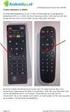 EM4590 Universele WiFi-repeater met WPS 2 NEDERLANDS EM4590 Universele WiFi-repeater met WPS Inhoudsopgave 1.0 Introductie... 2 1.1 Inhoud van de verpakking... 2 2.0 Waar plaats je de EM4590 WiFi-repeater
EM4591 Universal Wi-Fi repeater with WPS
 EM4591 Universal Wi-Fi repeater with WPS 2 NEDERLANDS EM4591 Universal Wi-Fi repeater with WPS Inhoudsopgave 1.0 Introductie... 2 1.1 Inhoud van de verpakking... 2 1.2 Device Overview... 3 2.0 Waar plaats
EM1010 R6 10/100 Mbps USB Netwerkadapter
 EM1010 R6 10/100 Mbps USB Netwerkadapter 2 NEDERLANDS EM1010-10/100 Mbps USB Netwerkadapter Inhoudsopgave 1.0 Introductie... 2 1.1 Functies en kenmerken... 2 1.2 Inhoud van de verpakking... 2 1.3 Voordat
EM1010-10/100Mbps USB Netwerkadapter
 EM1010-10/100Mbps USB Netwerkadapter 2 NEDERLANDS EM1010-10/100Mbps USB Netwerkadapter Waarschuwingen en aandachtspunten Het openen van het product en/of de producten kan leiden tot ernstige verwondingen!
EW3590/3591/3592 Bluetooth hoofdtelefoon met microfoon
 EW3590/3591/3592 Bluetooth hoofdtelefoon met microfoon 2 NEDERLANDS EW3590/3591/3592 Bluetooth hoofdtelefoon met microfoon Inhoudsopgave 1.0 Introductie... 2 1.1 Inhoud van de verpakking... 2 2.0 Aansluiten...
EM1037 R1 2 Poorts KVM USB Switch met Audio
 EM1037 R1 2 Poorts KVM USB Switch met Audio Let op het gebruik van de USB poorten : Het toetsenbord in de bovenste USB poort aansluiten. De muis in de onderste USB poort aansluiten. 2 NEDERLANDS EM1037
EM8036 Powerline Adapter 500Mbps met 300Mbps WiFi
 EM8036 Powerline Adapter 500Mbps met 300Mbps WiFi 2 NEDERLANDS EM8036 Powerline Adapter 500Mbps met 300Mbps WiFi Inhoudsopgave 1.0 Introductie... 2 1.1 Inhoud van de verpakking... 2 2.0 De Powerline adapters
EM6053 Video over UTP 200m
 EM6053 Video over UTP 200m 2 NEDERLANDS EM6053 Video over UTP 200m Inhoudsopgave 1.0 Introductie... 2 1.1 Functies en kenmerken... 2 1.2 Inhoud van de verpakking... 3 2.0 Wat heb je nodig?... 3 2.1 Voor
EM1017 USB3.0 Gigabit Netwerkadapter
 EM1017 USB3.0 Gigabit Netwerkadapter 2 NEDERLANDS EM1017 - USB3.0 Gigabit Netwerkadapter Inhoudsopgave 1.0 Introductie... 2 1.1 Functies en kenmerken... 2 1.2 Inhoud van de verpakking... 2 1.3 Voordat
EM7410 WiFi Music Streamer
 EM7410 WiFi Music Streamer EM7410 WiFi Music Streamer 2 NEDERLANDS Inhoudsopgave 1.0 Introductie... 2 1.1 Inhoud van de verpakking... 2 2.0 Uitleg over de aansluitingen... 3 3.0 De WiFi Music Streamer
EM Poorts KVM USB Switch met Audio
 E EM1037-2 Poorts KVM USB Switch met Audio 2 NEDERLANDS EM1037-2 Poorts KVM USB Switch met Audio Waarschuwingen en aandachtspunten Het openen van het product en/of de producten kan leiden tot ernstige
AB x 4 HDMI splitter, 3D and 4K support
 AB7815 1 x 4 HDMI splitter, 3D and 4K support 2 NEDERLANDS AB7815-1 x 4 HDMI splitter, 3D and 4K support Inhoudsopgave 1.0 Introductie... 2 1.1 Inhoud van de verpakking... 2 2.0 Beschrijving paneel...
Eminent DVR App voor Apple en Android
 Eminent DVR App voor Apple en Android 2 NEDERLANDS Eminent DVR App voor Apple en Android Inhoudsopgave 1.0 Installeren van de App op je smartphone... 3 2.0 Eminent DVR de eerste keer opstarten... 3 3.0
EW1051 USB Kaartlezer voor smartcards
 EW1051 USB Kaartlezer voor smartcards 2 NEDERLANDS EW1051 USB Kaartlezer voor Smartcards Inhoudsopgave 1.0 Introductie... 2 1.1 Functies en kenmerken... 2 1.2 Inhoud van de verpakking... 2 2.0 De EW1051
EM4028 R2 10/100/1000 Mbps PCI Network Adapter
 EM4028 R2 10/100/1000 Mbps PCI Network Adapter 2 NEDERLANDS EM4028 R2-10/100/1000 Mbps PCI Network Adapter Inhoudsopgave 1.0 Introductie... 2 1.1 Inhoud van de verpakking... 2 1.2 Voordat je begint...
EW3961 Universele notebook lader 90W voor in de auto
 EW3961 Universele notebook lader 90W voor in de auto 2 NEDERLANDS EW3961 Universele notebook lader 90W voor in de auto Inhoudsopgave 1.0 Introductie... 2 1.1 Inhoud van de verpakking... 2 2.0 De laptoplader
Alarm System. Gebruikershandleiding. Printed in China PA: OI-G5-UM-NL-V Chuango. All rights reserved.
 G5 Alarm System Gebruikershandleiding 2014 Chuango. All rights reserved. Printed in China PA: OI-G5-UM-NL-V 1.0 Inhoudsopgave Gefeliciteerd met de aankoop van dit Chuango G5 alarmsysteem! Het Chuango G5
EM6556 e-domotica Mini Schakelaar
 EM6556 e-domotica Mini Schakelaar EM6556 e-domotica Mini Schakelaar 2 NEDERLANDS Inhoudsopgave 1.0 Introductie...2 1.1 Functies en kenmerken...2 1.2 Inhoud van de verpakking...3 2.0 Het gebruik van de
EW1085R3 MICRO USB Bluetooth Ontvanger
 EW1085R3 MICRO USB Bluetooth Ontvanger 2 NEDERLANDS EW1085R3 MICRO USB Bluetooth Ontvanger Inhoudsopgave 1.0 Introductie... 2 1.1 Functies en kenmerken... 2 1.2 Inhoud van de verpakking... 2 2.0 De EW1085
EM398x-R2 UPS VA
 EM398x-R2 UPS 600-1000-1600VA EM398X-R2 - UPS 600-1000-1600VA 2 NEDERLANDS Inhoudsopgave 1.0 Introductie... 2 1.1 Functies en kenmerken... 2 1.2 Inhoud van de verpakking... 3 1.3 Aansluiten van de UPS...
EM4590R1 Universele WiFi-repeater met WPS
 EM4590R1 Universele WiFi-repeater met WPS 2 NEDERLANDS EM4590R1 - Universele WiFi-repeater met WPS Inhoudsopgave 1.0 Introductie... 2 1.1 Inhoud van de verpakking... 2 2.0 Waar plaats je de EM4590 WiFi-repeater
EM7047 IDE/SATA hard disk enclosure
 EM7047 IDE/SATA hard disk enclosure 2 NEDERLANDS EM7047 IDE/SATA hard disk enclosure Waarschuwingen en aandachtspunten Laat reparatie altijd uitvoeren door gekwalificeerd personeel van Eminent! Inhoudsopgave
EM7050 esata/sata harde schijf behuizing
 EM7050 esata/sata harde schijf behuizing 2 NEDERLANDS EM7050 esata/sata harde schijf behuizing Waarschuwingen en aandachtspunten Laat reparatie altijd uitvoeren door gekwalificeerd personeel van Eminent!
installatiehandleiding Alarmlicht met sirene
 installatiehandleiding Alarmlicht met sirene INSTALLATIEHANDLEIDING ALARMLICHT MET SIRENE Gefeliciteerd met de aankoop van het Egardia alarmlicht met sirene. Website Egardia www.egardia.com Klantenservice
EM1017 R1 USB 3.1 Gen1 (USB 3.0) Gigabit Netwerk Adapter
 EM1017 R1 USB 3.1 Gen1 (USB 3.0) Gigabit Netwerk Adapter 2 NEDERLANDS EM1017 R1 - USB 3.1 Gen1 (USB 3.0) Gigabit Netwerk Adapter Inhoudsopgave 1.0 Introductie... 2 1.1 Functies en kenmerken... 2 1.2 Inhoud
installatiehandleiding Alarmlicht met sirene
 installatiehandleiding Alarmlicht met sirene INSTALLATIEHANDLEIDING ALARMLICHT MET SIRENE Gefeliciteerd met de aankoop van het WoonVeilig alarmlicht met sirene. Telefoonnummer WoonVeilig 0900-388 88 88
EM6602 e-domotica Gas Reader
 EM6602 e-domotica Gas Reader Handleiding NL EM6602 e-domotica Gas Reader 2 NEDERLANDS Inhoudsopgave 1.0 Introductie... 2 1.1 Functies en kenmerken... 2 1.2 Inhoud van de verpakking... 2 2.0 Installatie
GSM/SMS X300. AlarmSysteem. Gebruikershandleiding. Printed in China OI: X300-NL-1407-V1.0. C 2014 smanos. All rights reserved.
 C 2014 smanos. All rights reserved. Printed in China OI: X300-NL-1407-V1.0 X300 GSM/SMS AlarmSysteem Gebruikershandleiding Gefeliciteerd met de aankoop van dit smanosx300 alarmsysteem. Het smanos X300